

How AI Makes Idea Experiments Cheap, Fast, and Low-Risk
AI tools let you test ideas in hours, not weeks—by generating drafts, prototypes, and analysis so you learn quickly, spend less, and lower risk.
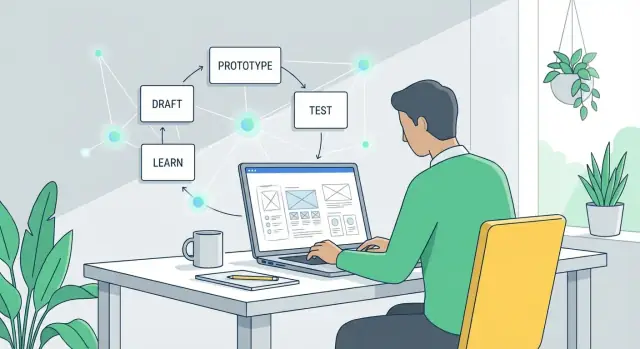
What “cheap and fast experimentation” really means
“Experimenting with ideas” means running a small, low-commitment test before investing heavily. Instead of debating whether a concept is good, you run a quick check to learn what people actually do: click, sign up, reply, or ignore.
Experimenting with ideas, in plain language
An idea experiment is a mini version of the real thing—just enough to answer one question.
For example:
- If you’re unsure about your messaging, test two headlines and see which one gets more sign-ups.
- If you’re unsure about the feature set, show a simple demo and ask users what they expected to happen.
- If you’re unsure anyone wants it, run a “coming soon” page and measure interest.
The goal isn’t to build; it’s to reduce uncertainty.
Why experiments used to be expensive
Traditionally, even small tests required coordination across multiple roles and tools:
- Time: writing copy, designing screens, building pages, setting up analytics, scheduling interviews.
- People: marketers, designers, engineers, and researchers.
- Overhead: landing page builders, survey tools, ad spend, prototype software, plus revisions and alignment.
That cost pushes teams toward “big bets”: build first, learn later.
What “cheap and fast” looks like with AI
AI lowers the effort to produce test assets—drafts, variations, scripts, summaries—so you can run more experiments with less friction.
- Cheap often means validating an assumption without pulling in multiple roles for days.
- Fast means going from question → test material → first signal in hours, not weeks.
Set expectations: faster learning, not guaranteed wins
AI doesn’t make ideas automatically good, and it can’t replace real user behavior. What it can do well is help you:
- generate options quickly (messages, flows, questions)
- tighten experiment design (clear hypothesis, clear success metric)
- analyze feedback faster (themes, objections, confusing points)
You still need to choose the right question, collect honest signals, and make decisions based on evidence—not on how polished the experiment looks.
Why traditional idea testing is slow and costly
Traditional idea testing rarely fails because teams don’t care. It fails because the “simple test” is actually a chain of work across multiple roles—each with real costs and calendar time.
The real cost stack (even for a small experiment)
A basic validation sprint typically includes:
- Research: competitors, customer quotes, hypotheses, recruiting.
- Writing: landing page copy, value props, outreach, interview scripts, survey questions.
- Design: wireframes, creatives, layouts, prototypes.
- Coding: a test page, analytics events, experiment flags, forms.
- Analysis: cleaning results, synthesizing notes, agreeing on what “success” means.
Even if each piece is “lightweight,” the combined effort adds up—especially with revision cycles.
Delays multiply cost more than work does
The biggest hidden expense is waiting:
- Waiting for handoffs between product, design, engineering, marketing, and legal
- Waiting for meetings to align on what to test
- Waiting for reviews, approvals, and more edits
Those delays stretch a 2-day test into a 2–3 week cycle. When feedback arrives late, teams often restart because assumptions have shifted.
The opportunity cost: guessing for longer
When testing is slow, teams compensate by debating and committing based on incomplete evidence. You keep building, messaging, or selling around an untested idea longer than you should—locking in decisions that are harder (and more expensive) to reverse.
Traditional testing isn’t “too expensive” in isolation; it’s expensive because it slows down learning.
How AI changes the economics of trying ideas
AI doesn’t just make teams “faster.” It changes what experimentation costs—especially the cost of producing a believable first version of something.
The core shift: first versions get cheap
Traditionally, the expensive part of idea validation is making anything real enough to test: a landing page, a sales email, a demo script, a clickable prototype, a survey, or even a clear positioning statement.
AI tools dramatically reduce the time (and specialist effort) needed to create these early artifacts. When setup cost drops, you can afford to:
- test more ideas before committing
- explore more variations (audiences, price points, messaging)
- involve stakeholders earlier (because there’s something concrete to react to)
The result is more “shots on goal” without hiring a larger team or waiting weeks.
Compressed cycles: draft → feedback → revise
AI compresses the loop between thinking and learning:
- Draft: generate multiple options (copy, flows, feature descriptions, FAQ, value props).
- Feedback: share with users/prospects/teammates, or run structured critiques with a checklist.
- Revise: iterate immediately while objections and questions are fresh.
When this loop runs in hours instead of weeks, teams spend less time defending half-built solutions and more time reacting to evidence.
Speed isn’t the same as better decisions
Output speed can create a false sense of progress. AI makes it easy to produce plausible materials, but plausibility isn’t validation.
Decision quality still depends on:
- asking the right questions (what risk are you reducing?)
- testing with the right people
- measuring signals that predict outcomes (not just “looks good” feedback)
Used well, AI lowers the cost of learning. Used carelessly, it just lowers the cost of making more guesses faster.
Rapid content drafts: test messaging in minutes
When you’re validating an idea, you don’t need perfect copy—you need credible options you can put in front of people quickly. Generative AI is great at producing first drafts that are good enough to test, then refine based on what you learn.
What to draft fast (and why it matters)
You can spin up messaging assets in minutes that normally take days:
- Headlines and subheads for different value propositions
- Landing page copy (hero, benefits, objections, call-to-action)
- Email sequences (welcome, follow-up, reminder)
- FAQs that address objections and reduce friction
The goal is speed: get several plausible versions live, then let real behavior (clicks, replies, sign-ups) tell you what resonates.
Generate multiple angles without starting over
Ask AI for distinct approaches to the same offer:
- Benefit-led: “Get X result without Y hassle.”
- Problem-led: “Still dealing with X? Here’s a simpler way.”
- Story-led: a short narrative showing before/after.
Because each angle is quick to draft, you can test messaging breadth early—before investing in design, product, or long copywriting cycles.
Match tone to different audiences
You can tailor the same core idea for different readers (founders vs. operations teams) by specifying tone and context: “confident and concise,” “friendly and plain language,” or “formal and compliance-aware.” This enables targeted experiments without rewriting from scratch.
Tip: keep one “source of truth” message
Speed can create inconsistency. Maintain a short message doc (1–2 paragraphs): who it’s for, the main promise, key proof points, and key exclusions. Use it as the input for every AI draft so variations stay aligned—and you’re testing angles, not conflicting claims.
Prototypes without heavy design work
You don’t need a full design sprint to see whether an idea “clicks.” With AI, you can create a believable prototype that’s good enough to react to—without weeks of mockups, stakeholder review loops, and pixel-perfect debates.
Start with a prototype kit, not a blank canvas
Give AI a short product brief and ask for the building blocks:
- A feature list (must-have vs. nice-to-have)
- A simple user flow (what happens first, next, and last)
- Suggested screens (home, onboarding, settings, checkout, etc.)
- UI text for buttons, tooltips, empty states, and error messages
From there, turn the flow into quick wireframes using simple tools (Figma, Framer, or even slides). AI-generated copy helps the screens feel real, which makes feedback far more specific than “looks good.”
Create clickable prototypes in hours
Once you have screens, link them into a clickable demo and test the core action: sign up, search, book, pay, or share.
AI can also generate realistic placeholder content—sample listings, messages, product descriptions—so testers aren’t confused by “Lorem ipsum.”
Produce variations for different users
Instead of one prototype, create 2–3 versions:
- New users: more guidance, fewer choices, clearer labels
- Power users: shortcuts, bulk actions, advanced filters
This helps you validate whether your idea needs different paths, not just different wording.
Quick accessibility and clarity checks
AI can scan UI text for confusing jargon, inconsistent labels, missing empty-state guidance, and overly long sentences. It can also flag common accessibility issues to review (contrast, ambiguous link text, unclear error messages) so you catch avoidable friction before showing anything to users.
Fast MVPs: from concept to demo quickly
A fast MVP isn’t a smaller version of the final product—it’s a demo that proves (or disproves) a key assumption. With AI, you can get to that demo in days (or even hours) by skipping “perfect” and focusing on one job: show the core value clearly enough for someone to react.
What AI accelerates
AI is useful when the MVP needs just enough structure to feel real:
- Simple scripts and pseudo-code to turn a concept into a clickable or working flow.
- API examples to fake “integration” (even if the real backend doesn’t exist yet).
- Scaffolding for small tools like calculators, estimators, onboarding wizards, internal dashboards, or a lightweight Chrome extension.
For example, if your idea is “a refund eligibility checker,” the MVP could be a single page with a few questions and a generated result—no accounts, no billing, no edge-case handling.
# pseudo-code for a quick eligibility checker
answers = collect_form_inputs()
score = rules_engine(answers)
result = generate_explanation(score, answers)
return result
If you want to go beyond a clickable mock and demo something that feels like a real app, a vibe-coding platform like Koder.ai can be a practical shortcut: you describe the flow in chat, generate a working web app (often React on the frontend with a Go + PostgreSQL backend), and iterate quickly—while keeping the option to export source code later if the experiment graduates into a product.
Keep the scope safe: prototype quality vs. production quality
AI can generate working code fast, but that speed can blur the line between a prototype and something you’re tempted to ship. Set expectations upfront:
- Prototype quality: proves desirability, usability, and basic feasibility.
- Production quality: handles scale, security, monitoring, edge cases, compliance, and long-term maintenance.
A good rule: if the demo is mainly for learning, it can cut corners—as long as those corners don’t create risk.
Don’t skip review: security, privacy, reliability
Even MVP demos need a quick sanity check. Before showing users or connecting real data:
- Security: no exposed keys, unsafe dependencies, or open admin endpoints.
- Privacy: avoid personal data unless truly needed; anonymize and minimize.
- Reliability: handle obvious failures (empty inputs, API timeouts) so the test measures the idea—not a broken demo.
Done right, AI turns “concept to demo” into a repeatable habit: build, show, learn, iterate—without over-investing early.
Cheaper user research with better preparation
User research gets expensive when you “wing it”: unclear goals, weak recruiting, and messy notes that take hours to interpret. AI can lower the cost by helping you do the prep work well—before you ever schedule a call.
Create solid materials in one sitting
Start by having AI draft your interview guide, then refine it with your specific goal (what decision will this research inform?). You can also generate:
- Screening questions to find the right participants (and exclude the wrong ones)
- Outreach messages for email, LinkedIn, or in-product prompts
- A short research brief you can share with teammates so everyone knows what you’re testing
This shrinks setup time from days to an hour, making small, frequent studies more realistic.
More consistent notes and faster synthesis
After interviews, paste call notes (or a transcript) into your AI tool and ask for a structured summary: key pain points, current alternatives, moments of delight, and direct quotes.
You can also ask it to tag feedback by theme so every interview is processed the same way—no matter who ran the call.
Then ask it to propose hypotheses based on what it heard, clearly labeled as hypotheses (not facts). Example: “Hypothesis: users churn because onboarding doesn’t show value in the first session.”
Keep research honest (avoid leading questions)
Have AI review your questions for bias. Replace prompts like “Would you use this faster workflow?” with neutral ones like “How do you do this today?” and “What would make you switch?”
If you want a quick checklist for this step, link it in your team wiki (e.g., /blog/user-interview-questions).
Quick experiments: surveys, A/B tests, and smoke tests
Quick experiments help you learn the direction of a decision without committing to a full build. AI helps you set these up faster—especially when you need multiple variations and consistent materials.
Surveys: fast feedback, better questions
AI is great at drafting surveys, but the real win is improving question quality. Ask it to create neutral wording (no leading language), clear answer options, and a logical flow.
A simple prompt like “Rewrite these questions to be unbiased and add answer choices that won’t skew results” can remove accidental persuasion.
Before you send anything, define what you’ll do with the results: “If fewer than 20% choose option A, we won’t pursue this positioning.”
A/B tests: generate variants without burning time
For A/B testing, AI can generate multiple variants quickly—headlines, hero sections, email subject lines, pricing page copy, and calls to action.
Keep it disciplined: change one element at a time so you know what caused the difference.
Plan success metrics upfront: click-through rate, sign-ups, demo requests, or “pricing page → checkout” conversion. Tie the metric to the decision you need to make.
Smoke tests: validate demand before building
A smoke test is a lightweight “pretend it exists” experiment: a landing page, a checkout button, or a waitlist form. AI can draft the page copy, FAQs, and alternative value propositions so you can test what resonates.
Guardrails against false confidence
Small samples can lie. AI can help you interpret results, but it can’t fix weak data. Treat early results as signals, not proof, and watch for:
- Tiny sample sizes (easy to overreact)
- Biased traffic sources (friends, internal teams)
- Metrics that don’t match real intent (clicks vs. sign-ups)
Use quick experiments to narrow options—then confirm with a stronger test.
Faster analysis and clearer decisions
Experimenting quickly only helps if you can turn messy inputs into a decision you trust. AI is useful here because it can summarize, compare, and surface patterns across notes, feedback, and results—without hours in spreadsheets.
Turn raw notes into a decision brief
After a call, survey, or small test, paste rough notes and ask AI to produce a one-page “decision brief”:
- What we tested (hypothesis, audience, channel)
- What happened (top signals, notable quotes, numbers)
- What we think it means (interpretation + confidence)
- Recommended next step (continue, change, or stop)
This prevents insights from living only in someone’s head or being buried in a doc no one reopens.
Compare options with pros/cons and assumptions
When you have multiple directions, ask AI for a side-by-side comparison:
- Option A vs. B: pros, cons, risks
- Assumptions that must be true
- Cheapest experiment to test each assumption
You’re not asking AI to “pick the winner.” You’re using it to make reasoning explicit and easier to challenge.
Define “what would change my mind” criteria
Before running the next experiment, write decision rules. Example: “If fewer than 5% of visitors click ‘Request access,’ we stop this messaging angle.” AI can help you draft criteria that are measurable and tied to the hypothesis.
Keep a lightweight experiment log
A simple log (date, hypothesis, method, results, decision, link to brief) prevents repeated work and makes learning cumulative.
Keep it wherever your team already checks (a shared doc, an internal wiki, or a folder with links).
Risks and guardrails: staying accurate and ethical
Moving fast with AI is a superpower—but it can also amplify mistakes. When you can generate ten concepts in ten minutes, it’s easy to confuse “a lot of output” with “good evidence.”
Where things go wrong
Hallucinations are the obvious risk: an AI can confidently invent “facts,” citations, user quotes, or market numbers. In fast-moving experimentation, invented details can silently become the foundation for an MVP or pitch.
Another trap is overfitting to AI suggestions. If you keep asking the model for “the best idea,” you may chase what sounds plausible in text rather than what customers want. The model optimizes for coherence—not truth.
Finally, AI makes it easy to copy competitors unintentionally. When you prompt with “examples from the market,” you can drift into near-clones of existing positioning or features—risky for differentiation and potentially for IP.
Simple guardrails that keep you honest
Ask the AI to show uncertainty:
- “List the assumptions you’re making and rate confidence (low/medium/high).”
- “What would change your answer? What data would you need?”
For any claim that affects money, safety, or reputation, verify critical points. Treat AI output as a draft research brief, not the research itself.
If the model references statistics, require traceable sources (and then check them): “Provide links and quotes from the original source.”
Also control inputs to reduce bias: reuse a consistent prompt template, keep a versioned “facts we believe” doc, and run small experiments with varied assumptions so one prompt doesn’t dictate the outcome.
Privacy and ethics basics
Don’t paste sensitive data (customer info, internal revenue, proprietary code, legal docs) into unapproved tools. Use redacted examples, synthetic data, or secure enterprise setups.
If you’re testing messaging, disclose AI involvement where appropriate and avoid fabricating testimonials or user quotes.
A practical workflow for rapid iteration
Speed isn’t just “working faster”—it’s running a repeatable loop that prevents you from polishing the wrong thing.
A simple workflow is:
Hypothesis → Build → Test → Learn → Iterate
1) Start with a crisp hypothesis
Write it in one sentence:
“We believe [audience] will do [action] because [reason]. We’ll know we’re right if [metric] hits [threshold].”
AI can help you turn vague ideas into testable statements and suggest measurable success criteria.
2) Define “good enough to test”
Before you create anything, set a minimum quality bar:
- Clear promise (one sentence)
- One primary call-to-action
- One realistic user scenario
- No brand-perfect visuals required
If it meets the bar, ship it to a test. If not, fix only what blocks understanding.
3) Run timeboxed cycles (pick one)
2-hour cycle: Draft landing page copy + 2 ad variants, launch a tiny spend or share with a small audience, collect clicks + replies.
1-day cycle: Create a clickable prototype (rough UI is fine), run 5 short user calls, capture where people hesitate and what they expect next.
1-week cycle: Build a thin MVP demo (or concierge version), recruit 15–30 target users, measure activation and willingness to continue.
4) Assign roles—even if it’s one person
- Founder: chooses the hypothesis and the “ship” decision.
- Marketer: defines audience, channels, and success metrics.
- Designer: ensures the flow is understandable (not beautiful).
- Analyst: sets up tracking, logs results, summarizes learnings.
5) Close the loop with a decision
After each test, write a one-paragraph “learning memo”: what happened, why, and what you’ll change next. Then decide: iterate, pivot the hypothesis, or stop.
Keeping these memos in a single doc makes progress visible—and repeatable.
Measuring impact: are you actually learning faster?
Speed is only useful if it produces clearer decisions. AI can help you run more experiments, but you still need a simple scorecard to tell whether you’re learning faster—or just generating more activity.
The core metrics to track
Start with a small set of measures you can compare across experiments:
- Time-to-first-test: days (or hours) from idea to something real in front of users.
- Cost per learning: total spend (tools, ads, incentives, time) divided by the number of decision-grade insights gained.
- Conversion lift: improvement vs. baseline (e.g., landing page signup rate from 2.0% → 2.6%).
- Retention signals: early indicators like return visits, repeated usage, or “would be disappointed if this disappeared” responses.
Leading indicators vs. learning quality
AI makes it easy to chase clicks and signups. The real question is whether each test ends with a crisp outcome:
- Did you confirm or reject a specific assumption?
- Can you state the result in one sentence (e.g., “Pricing at $19 converted 30% better than $29 for freelancers”)?
- Do you know what you’ll do next—build, change, or stop?
If results are fuzzy, tighten your experiment design: clearer hypotheses, clearer success criteria, or a better audience.
Stop rules: decide before you run the test
Pre-commit to what happens after the data arrives:
- Kill if the key metric is below a minimum threshold (e.g., <1% signup rate after 500 qualified visits).
- Pivot if interest is present but messaging, audience, or use case differs from your assumption.
- Double down if you hit the threshold and can explain why it worked.
Next step
Pick one idea and plan a first small test today: define one assumption, one metric, one audience, and one stop rule.
Then aim to cut your time-to-first-test in half on the next experiment.
FAQ
What does “cheap and fast experimentation” mean in practice?
It’s running a small, low-commitment test to answer one question before you invest heavily.
A good idea experiment is:
- Mini: just enough to learn
- Focused: one hypothesis, one metric
- Behavior-based: clicks, sign-ups, replies, task completion—not opinions alone
How do I choose the right type of experiment for my idea?
Start with the biggest uncertainty and pick the lightest test that produces a real signal.
Common options:
- Messaging risk → headline or landing-page A/B test
- Demand risk → waitlist or “coming soon” smoke test
- Usability risk → clickable prototype + 5 short user sessions
- Willingness to pay → pricing page test or paid pre-order attempt
What parts of experimentation does AI actually make cheaper and faster?
AI is most useful for first drafts and variations that would normally take multiple roles and lots of back-and-forth.
It can quickly generate:
- Landing page copy, emails, ad variants
- Interview guides and survey questions
- Prototype UI text (empty states, error messages, tooltips)
- Structured summaries of notes and feedback
You still need real users and real measurement for validation.
How do I write a clear hypothesis and success metric?
Use a single sentence and pre-commit to a measurable outcome:
“We believe [audience] will do [action] because [reason]. We’ll know we’re right if [metric] reaches [threshold] by [time].”
Example:
- “We believe ops managers will request a demo because the tool cuts invoice reconciliation time. We’ll know if ≥5% of qualified visitors click ‘Request demo’ this week.”
What is a smoke test, and how should I run one responsibly?
A smoke test is a “pretend it exists” experiment to measure intent before building.
Typical setup:
- A landing page describing the offer
- A strong CTA (waitlist, request access, pre-order)
- Tracking for the key action
Keep it honest: don’t imply the product is available if it isn’t, and follow up quickly with what’s real.
How do I avoid confusing a fast AI-assisted prototype with production-ready work?
Treat prototypes as learning tools, not shippable products.
Practical guardrails:
- Label it clearly: “prototype” or “demo”
- Avoid real customer data; use synthetic placeholders
- Track only what you need (minimal analytics)
- Do a quick check for obvious security/privacy issues (keys, open endpoints, PII)
If you feel tempted to ship it, pause and define what “production quality” requires (monitoring, edge cases, compliance, maintenance).
How can AI reduce the cost of user research without making it sloppy?
Preparation is where AI saves the most time—without lowering research quality.
Use AI to:
- Draft a screening survey (inclusion/exclusion)
- Create a neutral interview guide (and remove leading questions)
- Write outreach messages for email/LinkedIn
- Turn transcripts/notes into consistent summaries (pain points, alternatives, quotes)
If you want a checklist for neutral wording, keep one shared reference (e.g., /blog/user-interview-questions).
Are surveys and A/B tests enough to validate an idea?
They’re useful, but easy to misread if your experiment design is weak.
To make quick tests more reliable:
- Change one variable at a time (e.g., headline, not headline + pricing)
- Use a metric tied to intent (sign-up > click)
- Watch for biased traffic (friends/internal teams)
- Treat early results as signals, not proof
When you see promise, follow with a stronger confirmatory test.
What are the main risks of using AI for experiments, and how do I mitigate them?
Use AI as a drafting assistant, not a source of truth.
Good guardrails:
- Don’t accept statistics or “facts” without traceable sources
- Ask for assumptions and confidence levels (low/medium/high)
- Never fabricate testimonials or user quotes
- Don’t paste sensitive data into unapproved tools; redact or use synthetic data
If the claim affects money, safety, or reputation, verify it independently.
How do I track learnings and know if we’re actually learning faster?
Speed only matters if it ends in a decision.
Two lightweight habits:
- Decision brief after each test: what we tested, what happened, what it means, next step
- Experiment log: date, hypothesis, method, result, decision, link to brief
To measure whether you’re improving, track:
- Time-to-first-test (hours/days)
- Cost per learning (spend/time per decision-grade insight)
- Clear stop rules (kill/pivot/double down) defined before you run the test