

How AI Tools Cut Cost, Time, and Friction in Software Builds
A practical breakdown of where AI tools cut software cost, time, and friction—across planning, coding, testing, deployment, and support—with real-world workflows.
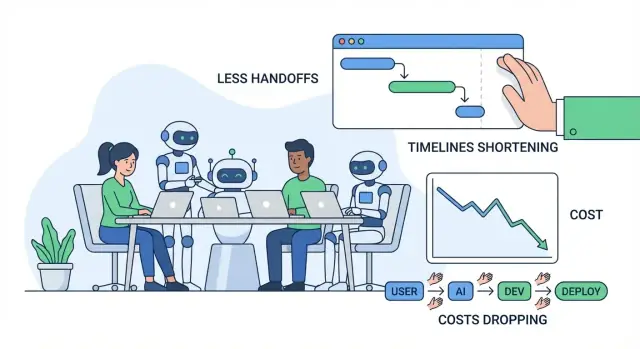
What “cost, time, and friction” mean in software work
When people talk about improving software delivery, they usually mean three things: cost, time, and friction. These are closely related, but not the same—and it helps to define them in plain terms before talking about AI.
Cost: what you pay for outcomes
Cost is the total spend required to ship and maintain a feature: salaries and contractor hours, cloud bills, tooling, and the “hidden” costs of meetings, coordination, and fixing mistakes. A feature that takes two extra weeks doesn’t just cost more engineering time—it can also delay revenue, increase support burden, or force you to keep older systems running longer.
Time: how long it takes to go from idea to shipped value
Time is the calendar time from “we should build this” to “customers can use it reliably.” It includes development, but also decisions, approvals, waiting for reviews, waiting for environments, waiting for QA results, and waiting for someone with the right context to answer a question.
Friction: the effort lost to drag, confusion, and interruptions
Friction is the day-to-day drag that makes work feel slower than it should: unclear requirements, back-and-forth clarifications, context switching, duplicated work, or lengthy handoffs between roles or teams.
Most waste in software projects shows up as handoffs, rework, and waiting. A small misunderstanding early can turn into redesigns, bug hunts, or repeat meetings later. A slow review queue or missing documentation can stall progress even when everyone is “busy.”
What “AI tools” means (and what it doesn’t)
In this article, AI tools includes coding copilots, chat assistants for research and explanations, automated analysis for requirements and tickets, test generation helpers, and workflow automation in QA/DevOps.
AI can reduce effort and speed up cycles—but it doesn’t remove responsibility. Teams still need clear ownership, good judgment, security controls, and human sign-off on what ships.
Where software projects typically lose time and money
Most software overruns don’t come from “hard coding.” They come from everyday bottlenecks that compound: unclear requirements, constant context switching, slow review loops, and manual testing that happens too late.
The common bottlenecks (and why they’re expensive)
Unclear requirements create the biggest downstream cost. A small misunderstanding early can become a week of rework later—especially when different people interpret the same feature differently.
Context switching is the silent killer of productivity. Engineers bounce between tickets, chat questions, meetings, and production issues. Every switch has a restart cost: reloading the codebase, the decision history, and the “why.”
Slow reviews don’t just delay merges—they delay learning. If feedback arrives days later, the author has already moved on, and the fix takes longer.
Manual testing and late QA often means issues are found when they’re most expensive to fix: after several features have piled on, or right before release.
The hidden costs people don’t budget for
The obvious costs are salaries and vendor bills. The hidden ones usually hurt more:
- Rework: rewriting code and redesigning flows because requirements shifted or were misunderstood.
- Delays: waiting on decisions, approvals, test environments, or “one key person” to respond.
- Coordination overhead: syncing across product, design, engineering, QA, security, and stakeholders.
A simple idea → release workflow (with pain points)
Idea → requirements → design → build → review → test → release → monitor
Typical pain points: requirements (ambiguity), build (interruptions), review (queue time), test (manual effort), release (handoffs), monitor (slow troubleshooting).
Quick diagnostic: friction mapping
Try a “friction map” in a 30-minute session: list each step, then mark (1) where work waits, (2) where decisions stall, and (3) where rework happens. Those marked areas are where AI tools often create the fastest savings—by reducing misunderstandings, speeding feedback, and cutting repetitive manual work.
AI-assisted discovery and requirements: fewer misunderstandings
Discovery is where many projects quietly drift off-course: notes are scattered, feedback is contradictory, and decisions live in people’s heads. AI can’t replace talking to users, but it can reduce the “translation loss” between conversations, documents, and what engineers actually build.
Turn messy inputs into usable requirements
Teams often collect a pile of research notes—interview transcripts, support tickets, sales call snippets, survey answers—and then struggle to extract patterns quickly. AI tools can speed up this step by:
- Summarizing long research notes into consistent takeaways (pain points, goals, objections)
- Clustering feedback into themes (e.g., onboarding confusion vs. missing integrations)
- Drafting initial user stories and jobs-to-be-done statements from raw inputs
This doesn’t create truth automatically, but it does create a clear starting point that’s easier to critique, refine, and align on.
Define scope and acceptance criteria earlier
Misunderstandings usually show up later as “that’s not what I meant” rework. AI helps by quickly producing first drafts of:
- Scope boundaries (what’s in vs. out for this release)
- Edge cases and “what about…” scenarios based on similar patterns
- Acceptance criteria that are specific enough to test
For example, if a requirement says “users can export reports,” AI can prompt the team to clarify: formats (CSV/PDF), permissions, date ranges, timezone behavior, and whether exports are emailed or downloaded. Getting these answers early reduces churn during development and QA.
Consistent documentation that actually gets used
When requirements live across docs, chat threads, and tickets, teams pay a constant “context switching tax.” AI can help keep a single, readable narrative by drafting and maintaining:
- Meeting summaries with decisions and open questions
- Requirement docs and ticket descriptions in a consistent template
- Glossaries for domain terms (so “account,” “workspace,” and “org” don’t get mixed up)
The payoff is fewer interruptions (“what did we decide?”) and smoother handoffs between product, design, engineering, and QA.
Guardrails: validate assumptions, don’t outsource them
AI outputs should be treated as hypotheses, not requirements. Use simple guardrails:
- Always review summaries against original sources (especially quotes and numbers)
- Mark uncertain items as questions, then confirm with users and stakeholders
- Keep decision ownership with the team: AI drafts, humans approve
Used this way, AI-assisted discovery reduces misunderstandings without weakening accountability—cutting cost, time, and friction before a single line of code is written.
Faster prototyping and design iteration with AI
Prototyping is where many teams either save weeks—or burn them. AI makes it cheaper to explore ideas quickly, so you can validate what users actually want before you commit engineering time to a full build.
Rapid “first drafts” for screens and flows
Instead of starting from a blank page, you can use AI to generate:
- UI copy for buttons, error messages, onboarding steps, and empty states (with tone options like “friendly” vs. “formal”)
- Wireframe ideas expressed as simple screen descriptions (what’s on the page, what’s primary vs. secondary)
- Sample user journeys: “new user signs up → imports data → sets a goal → receives a reminder”
These drafts aren’t final design work, but they give your team something concrete to react to. That reduces back-and-forth like “I thought you meant X” or “We’re still not aligned on the flow.”
Quick demo apps and proof-of-concepts
For many product decisions, you don’t need production-quality code to learn. AI can help assemble a basic demo app or proof-of-concept (POC) that shows:
- The core interaction (what the user clicks, what they see next)
- Example data and realistic edge cases
- A simple “happy path” that’s good enough for internal review or user interviews
If you want to push this further than static mockups, vibe-coding platforms like Koder.ai can be useful for fast iterations: you describe the feature in a chat interface, generate a working web or mobile app draft (commonly React on the web and Flutter on mobile), and then refine it with stakeholders before committing to a full engineering cycle.
Where the time savings really come from
The biggest savings usually aren’t in “design time.” They come from avoiding full builds of the wrong thing. When a prototype reveals confusion, missing steps, or unclear value, you can adjust direction while changes are still cheap.
A key caution: don’t ship prototype code by accident
AI-generated prototypes often skip important cleanup: security checks, accessibility, performance, proper error handling, and maintainable structure. Treat prototype code as disposable unless you deliberately harden it—otherwise you risk turning a quick experiment into long-term rework.
If you do convert prototypes into real features, look for workflows that make that transition explicit (for example: planning mode, snapshots, and rollback). That helps teams move fast without losing traceability.
Coding faster with AI assistants (and where they help most)
AI coding assistants are most valuable in the unglamorous parts of development: getting from “nothing” to a working starting point, and clearing out repetitive work that slows teams down. They don’t replace engineering judgment—but they can shrink the time between an idea and a reviewable pull request.
How they reduce “blank page” time
When you start a new endpoint, job, or UI flow, the first hour often goes to wiring, naming, and copying patterns from older code. Assistants can draft that initial structure fast: folders, basic functions, error handling, logging, and placeholder tests. That means engineers spend more time on product logic and edge cases, less on boilerplate.
For teams that want to go beyond “assist inside the editor,” platforms like Koder.ai package this into a full workflow: from a spec in chat to a runnable app with backend pieces (often Go + PostgreSQL), plus options like source code export and deployment/hosting. The practical benefit is reducing the coordination cost of “getting to something you can review.”
Best-fit tasks (where they help most)
They tend to perform best on contained, pattern-based work, especially when your codebase already has clear conventions:
- Scaffolding: new routes/controllers, CRUD screens, CLI commands, background jobs, SDK wrappers.
- Refactors: rename and reorganize modules, extract functions, apply consistent error handling, update deprecated APIs.
- Translations: port small components between languages/frameworks (e.g., Python to TypeScript) with tests to confirm behavior.
- Small features: well-scoped additions like a filter, export, webhook handler, or validation rule.
- Internal tools: admin pages, scripts, data fixes, report generators—high value, low UX polish.
Prompt patterns that produce usable code
Good prompts look less like “write feature X” and more like a mini spec. Include:
- Context: what the module does, where it lives, and surrounding APIs.
- Constraints: libraries, style rules, performance needs, security requirements.
- Examples: existing similar file(s) or an input/output sample.
- Acceptance tests: edge cases and “done means…” checks (even in plain English).
Add a /v1/invoices/export endpoint.
Context: Node/Express, uses InvoiceService.list(), auth middleware already exists.
Constraints: stream CSV, max 50k rows, no PII fields, follow existing error format.
Example: match style of routes/v1/customers/export.ts.
Acceptance: returns 401 if unauthenticated; CSV has headers A,B,C; handles empty results.
Review is non-negotiable
AI-generated code still needs the same standards: code review, security review, and tests. Developers remain accountable for correctness, data handling, and compliance—treat the assistant as a fast draft, not an authority.
Reducing review cycles and rework with AI
Code review is where a lot of “hidden cost” accumulates: waiting for feedback, re-explaining intent, and fixing the same categories of issues repeatedly. AI can’t replace reviewer judgment, but it can reduce the time spent on mechanical checks and misunderstandings.
How AI helps in code review
A good AI workflow supports reviewers before they even open the PR:
- Summarize changes: Generate a plain-English summary of what the PR does, what files changed, and what behavior is intended. This helps reviewers focus faster and reduces “what am I looking at?” comments.
- Spot risky patterns: Flag common sources of bugs—missing null checks, unsafe string parsing, flaky time-based logic, unhandled errors, or suspicious permission changes.
- Suggest tests: Propose specific test cases based on the diff (“add a test for invalid input,” “assert access control for role X,” “cover the new edge case in pagination”).
Fewer back-and-forth loops
AI can also improve clarity and consistency, which is what usually drives review ping-pong:
- Draft better PR descriptions (motivation, approach, trade-offs).
- Enforce naming and formatting consistency to avoid subjective debates.
- Suggest small refactors that make code easier to read, so reviewers don’t request large rewrites later.
Practical rules that keep it safe
Use AI to speed up review without lowering standards:
- Human approval is mandatory for every PR.
- Align AI suggestions with your style guide and lint rules.
- Keep PRs small and focused so both humans and AI can reason about them.
Where AI still struggles
AI is weakest at domain logic and architecture: business rules, edge cases tied to real users, and system-wide trade-offs still require experienced judgment. Treat AI as a reviewer’s assistant—not the reviewer.
AI in testing and QA: catch issues earlier with less manual work
Testing is where small misunderstandings turn into expensive surprises. AI can’t guarantee quality, but it can remove a lot of repetitive work—so humans spend more time on the tricky cases that actually break products.
Automated test generation: start with real code paths
AI tools can propose unit tests by reading existing code and identifying common execution paths (the “happy path”), plus the branches that are easy to forget (error handling, null/empty inputs, retries, timeouts). When you also provide a short spec or acceptance criteria, AI can suggest edge cases directly from requirements—for example, boundary values, invalid formats, permission checks, and “what if the upstream service is down?” scenarios.
The best use here is acceleration: you get a first draft of tests quickly, then engineers adjust assertions to match real business rules.
Faster test data, mocks, and fixtures
A surprising time sink in QA is crafting realistic test data and wiring mocks. AI can help by:
- Generating representative sample records (including “weird” cases) that match validation rules
- Writing mocks/stubs for external services with predictable responses
- Creating reusable fixtures that make tests shorter and easier to read
This speeds up both developer-written unit tests and integration tests, especially when many APIs are involved.
Better bug reports: clearer, faster fixes
When issues escape to QA or production, AI can improve bug reports by turning messy notes into structured reproduction steps, and by clearly separating expected vs. actual behavior. Given logs or console output, it can summarize patterns (what failed first, what repeated, what correlates with the failure) so engineers don’t spend the first hour just understanding the report.
Quality controls (non-negotiable)
AI-generated tests must still be:
- Meaningful: assertions tied to real requirements, not “it runs without crashing”
- Deterministic: no flaky timing, random seeds, or unstable external dependencies
- Maintained: treated like production code—reviewed, named well, and updated when behavior changes
Used this way, AI reduces manual effort while helping teams catch issues earlier—when fixes are cheapest.
Release and operations: less waiting, faster troubleshooting
Release work is where “small delays” compound: a flaky pipeline, an unclear error, a missing config value, or a slow handoff between dev and ops. AI tools help by shrinking the time between “something broke” and “we know what to do next.”
AI for CI/CD and DevOps
Modern CI/CD systems produce a lot of signals (build logs, test output, deploy events). AI can summarize that noise into a short, actionable view: what failed, where it first appeared, and what changed recently.
It can also suggest likely fixes in context—like pointing out a version mismatch in a Docker image, a mis-ordered step in a workflow, or a missing environment variable—without you manually scanning hundreds of lines.
If you’re using an end-to-end platform like Koder.ai for building and hosting, operational features such as snapshots and rollback can also reduce release risk: teams can experiment, deploy, and revert quickly when reality differs from the plan.
Incident support: faster hypotheses and checklists
During incidents, speed matters most in the first 15–30 minutes. AI can:
- Draft root-cause hypotheses based on logs, alerts, and recent deployments
- Generate a remediation checklist (roll back, feature-flag off, scale up, clear queue, validate DB connections)
- Propose targeted commands and queries to confirm or rule out each hypothesis
This reduces on-call load by speeding triage—not by replacing the humans who own the service. Ownership, judgment, and accountability stay with the team.
Safety notes (don’t skip these)
AI is only helpful if it’s used safely:
- Don’t paste secrets (API keys, tokens, customer data) into prompts—use redaction and least-privilege access.
- Treat AI output as suggestions, not changes. Code review, approvals, and change management still apply.
- Prefer tooling that can work against sanitized logs and uses audit trails for compliance.
Documentation and knowledge sharing: fewer interruptions and handoffs
Good documentation is one of the cheapest ways to reduce engineering friction—yet it’s often the first thing to slip when timelines get tight. AI tools help by turning documentation from a “later” task into a lightweight, repeatable part of everyday work.
What AI can speed up (without replacing ownership)
Teams typically see fast wins in documentation that follows clear patterns:
- API docs: generate endpoint descriptions, request/response examples, and error tables from existing specs or code comments.
- Runbooks: draft step-by-step incident playbooks (“If X alert fires, check Y, then do Z”) from past tickets and postmortems.
- Changelogs and release notes: summarize merged pull requests into customer-facing and internal versions.
- Onboarding guides: create “first week” checklists, service overviews, and glossary pages from repo structure and existing docs.
The key is that AI produces a strong first draft; humans confirm what’s true, what’s safe to share, and what’s important.
Fewer interruptions, fewer bottlenecks
When docs are searchable and current, the team spends less time answering repeated questions like “Where is the config?” or “How do I run this locally?” That reduces context switching, protects focus time, and prevents knowledge from getting stuck with a single “go-to” person.
Well-maintained docs also shrink handoffs: new teammates, QA, support, and non-technical stakeholders can self-serve answers instead of waiting for an engineer.
A practical workflow that sticks
A simple pattern works for many teams:
- Generate doc updates from PRs (summary + what changed + how to test)
- Human edit and verify (accuracy, security, audience fit)
- Version docs in the repo alongside code, so changes are reviewed and shipped together
Accessibility for non-technical readers
AI can rewrite dense notes into clearer language, add consistent headings, and standardize structure across pages. That makes documentation usable beyond engineering—without asking engineers to become professional writers.
Measuring ROI: how to quantify savings without guesswork
ROI gets fuzzy when you only ask, “Did we ship faster?” A cleaner approach is to price the specific cost drivers AI touches, then compare a baseline to a “with-AI” run for the same workflow.
Map your real cost drivers
Start by listing the buckets that actually move for your team:
- Engineering hours: build, review, test, fix, rework.
- Cloud spend: environments left running, slow pipelines, repeated test runs.
- Tool subscriptions: AI seats, testing tools, monitoring, design tooling.
- Support burden: incident response, bug triage, customer tickets.
- Delay cost: revenue pushed out, contractual penalties, opportunity cost.
A simple baseline vs. with-AI estimate
Pick one feature or sprint and break time into phases. Then measure two numbers per phase: average hours without AI vs. with AI, plus any new tool cost.
A lightweight formula:
Savings = (Hours_saved × Blended_hourly_rate) + Cloud_savings + Support_savings − Tool_cost
ROI % = Savings / Tool_cost × 100
You don’t need perfect tracking—use time logs, PR cycle time, number of review rounds, test flake rate, and lead time to deploy as proxies.
Don’t ignore “risk cost”
AI can also introduce costs if unmanaged: security exposure, licensing/IP issues, compliance gaps, or lower code quality. Price these as expected cost:
- Risk cost = Probability × Impact (e.g., rework after a security finding, audit remediation time).
Start small, then scale
Begin with one workflow (for example, test generation or requirements clarification). Run it for 2–4 weeks, record the before/after metrics, and only then expand to more teams. This turns AI adoption into a measurable improvement cycle, not a faith-based purchase.
Risks and guardrails: security, quality, and compliance
AI can remove a lot of busywork, but it also introduces new failure modes. Treat AI output as a strong autocomplete: useful for speed, not a source of truth.
Key risks to plan for
First, incorrect or incomplete outputs. Models can sound right while missing edge cases, inventing APIs, or producing code that passes a happy-path test but fails in production.
Second, security leaks. Pasting secrets, customer data, incident logs, or proprietary code into unapproved tools can create accidental exposure. There’s also the risk of generating insecure code patterns (weak auth, unsafe deserialization, injection-prone queries).
Third, licensing/IP concerns. Generated code may resemble copyrighted snippets or introduce dependencies with incompatible licenses if developers copy blindly.
Fourth, biased or inconsistent decisions. AI can nudge prioritization, wording, or evaluation in ways that unintentionally exclude users or violate internal policies.
Practical safeguards that keep velocity high
Use human review as a rule, not a suggestion: require code review for AI-generated changes, and ask reviewers to check for security, error handling, and tests—not just style.
Add lightweight policy and access control: approved tools only, SSO, role-based permissions, and clear rules on what data can be shared.
Maintain audit trails: log prompts and outputs in approved environments where possible, and record when AI was used for requirements, code, or test generation.
Data handling basics
Avoid sending sensitive data (PII, credentials, production logs, customer contracts) to general-purpose AI tools. Prefer approved environments, redaction, and synthetic examples.
The bottom line
AI outputs are suggestions, not guarantees. With guardrails—review, policy, access control, and traceability—you can capture speed gains without trading away security, quality, or compliance.
A practical adoption roadmap for teams of any size
Adopting AI tools works best when you treat it like any other process change: start small, standardize what works, and expand with clear guardrails. The goal isn’t “use AI everywhere”—it’s to remove avoidable back-and-forth, rework, and waiting.
Phase 1: Pilot (1–2 weeks)
Pick one team and one workflow where mistakes are low-risk but time savings are visible (e.g., writing user stories, generating test cases, refactoring a small module). Keep the scope narrow and compare against your normal baseline.
Phase 2: Standards (lightweight, not bureaucratic)
Write down what “good AI usage” looks like for your team.
- Prompt templates: short, reusable prompts for common tasks (requirements clarifications, code review notes, test plan drafts).
- Review checklist: what humans must verify (correctness, security, edge cases, alignment with requirements).
- Do/Don’t list:
- Do: provide context, constraints, acceptance criteria, and examples.
- Don’t: paste secrets, production credentials, or proprietary data you’re not allowed to share.
Phase 3: Training (2–4 short sessions)
Teach people how to ask better questions and how to validate outputs. Focus on practical scenarios: “turn a vague requirement into testable acceptance criteria” or “generate a migration plan, then sanity-check risks.”
Phase 4: Automation (where repetition hurts)
After the team trusts the workflow, automate the repetitive parts: PR description drafts, test scaffolding, release notes, and ticket triage. Keep a human approval step for anything that ships.
If you’re evaluating platforms, consider whether they support safe iteration features (for example: planning mode, snapshots, and rollback) and practical adoption options (like exporting source code). This is one area where Koder.ai is designed to fit into existing engineering expectations: move fast, but keep control.
Phase 5: Continuous improvement
Revisit templates and rules monthly. Retire prompts that don’t help, and expand standards only when you see recurring failure modes.
Metrics to track (so ROI isn’t guesswork)
Track a few indicators consistently:
- Cycle time (idea → deployed)
- Review time (PR open → merged)
- Defect rate (escaped bugs + bugs found in QA)
- Rework % (tickets reopened, churn, repeated changes)
- Team satisfaction (quick pulse survey)
Use this checklist on your next project
- Choose one pilot workflow and define “success” upfront
- Create 3–5 prompt templates your team will actually reuse
- Add a simple review checklist for AI-generated output
- Set data-handling rules (what can/can’t be shared)
- Measure cycle time, defects, rework, and review time for 2–4 weeks
- Automate only after the manual version is consistently reliable
- Hold a monthly retro to refine standards and training
If you publish learnings from your pilot, it can also be worth formalizing it as internal guidance or a public write-up—many teams find that documenting the “before/after” metrics is what turns AI adoption from experimentation into a repeatable practice. (Some platforms, including Koder.ai, also run programs where teams can earn credits for sharing practical content or referring other users, which can offset tool costs during early trials.)
FAQ
What’s the difference between cost, time, and friction in software delivery?
Cost is total spend to ship and maintain outcomes (people time, cloud, tools, plus hidden coordination and rework). Time is calendar lead time from idea to reliable customer value (including waiting on reviews, QA, environments, decisions). Friction is the day-to-day drag (confusion, handoffs, interruptions, duplicated work) that makes both cost and time worse.
Where do software projects usually lose the most time and money?
Most overruns come from handoffs, rework, and waiting—not “hard coding.” Common hotspots include unclear requirements (creates downstream rework), context switching (restart cost), slow review queues (delays learning), and manual/late testing (finds issues when fixes are most expensive).
How do you do a quick “friction map” to find AI opportunities?
Run a 30-minute session and map your workflow (idea → requirements → design → build → review → test → release → monitor). For each step, mark:
- Where work waits (queues, approvals, environment access)
- Where decisions stall (unclear owners, missing context)
- Where rework happens (requirements churn, bugs, redesign)
Start with the top 1–2 marked areas; those are usually where AI gives the fastest savings.
How can AI reduce misunderstandings during discovery and requirements?
Use AI to turn messy inputs (interviews, tickets, call notes) into a critique-ready draft:
- Summaries of key pain points/goals/objections
- Clusters/themes across feedback
- Draft user stories and jobs-to-be-done
Then treat the output as hypotheses: verify against sources, label uncertainties as questions, and keep final decisions with the team.
How do AI tools help define scope and acceptance criteria earlier?
Ask AI to propose scope boundaries and acceptance criteria early so you can resolve ambiguity before build/QA:
- “In vs out” for the release
- Edge cases (“what about…”) and missing constraints
- Testable acceptance criteria
Example prompts to force clarity: formats, permissions, timezone rules, delivery method (download vs email), limits (row counts), and failure behavior.
What prompt structure produces usable AI-generated code?
AI helps most when you provide a mini-spec, not a vague request. Include:
- Context (module location, surrounding APIs)
- Constraints (libraries, performance, security, style rules)
- Examples (similar files, input/output samples)
- Acceptance checks (edge cases, “done means…”)
This produces code that’s easier to review and reduces rework caused by missing assumptions.
How can AI shorten code review cycles without lowering standards?
Use AI to reduce mechanical effort and confusion, not to replace judgment:
- Generate a plain-English PR summary (what changed, why, where)
- Flag common risky patterns (null handling, permissions, error paths)
- Suggest missing tests based on the diff
Keep standards intact: human approval required, align with lint/style rules, and keep PRs small so both humans and tools can reason about them.
What’s a practical way to use AI in testing and QA?
Use AI to accelerate test creation and bug clarity, then make humans tighten correctness:
- Draft unit tests from real code paths + acceptance criteria
- Generate fixtures/mocks with “normal” and “weird” cases
- Turn messy QA notes/logs into clear repro steps (expected vs actual)
Quality guardrails still apply: meaningful assertions, deterministic tests (no flaky timing), and ongoing maintenance like production code.
How does AI help in CI/CD, release work, and incident response?
AI can compress “time to next action” during releases and incidents:
- Summarize CI/CD failures into what broke, where, and what changed
- Draft incident hypotheses and a short triage checklist (rollback, feature-flag off, validate DB/queues)
- Suggest targeted commands/queries to confirm or rule out causes
Safety rules: don’t paste secrets/PII, treat outputs as suggestions, and keep approvals/change management in place.
How can we quantify ROI from AI tools without guesswork?
Measure ROI by pricing the specific drivers AI changes, comparing a baseline to a with-AI run:
- Track hours by phase (build/review/test/rework)
- Add cloud/support savings
- Subtract tool costs
A simple model:
Savings = (Hours_saved × blended_rate) + cloud + support − tool_costROI% = Savings / tool_cost × 100
Also include “risk cost” (probability × impact) for security/compliance or rework introduced by misuse.