

How AI Tools Help You Iterate Faster with Better Feedback
Learn how AI tools speed up iteration by gathering feedback, spotting issues, suggesting improvements, and helping teams test, measure, and refine work.
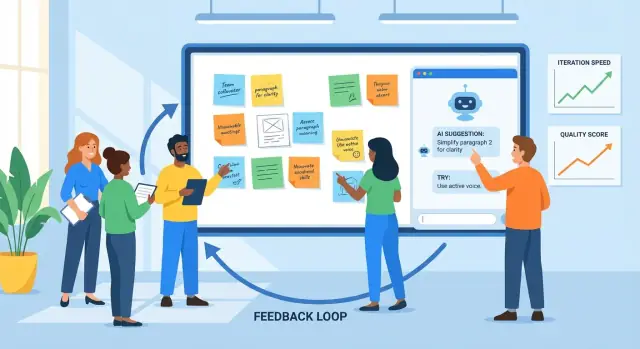
What “iteration” means—and where AI fits
Iteration is the practice of making something, getting feedback, improving it, and repeating the cycle. You see it in product design (ship a feature, watch usage, refine), marketing (test a message, learn, rewrite), and writing (draft, review, edit).
Feedback is any signal that tells you what’s working and what isn’t: user comments, support tickets, bug reports, survey answers, performance metrics, stakeholder notes—even your own gut-check after using the thing yourself. Improvement is what you change based on those signals, from small tweaks to larger redesigns.
Why shorter cycles matter
Shorter feedback cycles usually lead to better outcomes for two reasons:
- Quality improves faster: You catch misunderstandings and defects early, before they spread across more pages, screens, or releases.
- Speed increases without guessing: You spend less time debating in the abstract and more time learning from real evidence.
A good iteration rhythm isn’t “move fast and break things.” It’s “move in small steps and learn quickly.”
Where AI helps (and where it doesn’t)
AI is useful inside the loop when there’s a lot of information and you need help processing it. It can:
- summarize feedback from many sources into themes
- spot repeated complaints, confusing wording, or missing details
- propose alternative versions (copy, layouts, task phrasing) to consider
- act as a second set of eyes for clarity, tone, and consistency
But AI can’t replace the core decisions. It doesn’t know your business goals, legal constraints, or what “good” means for your users unless you define it. It may confidently suggest changes that are off-brand, risky, or based on wrong assumptions.
Set expectations clearly: AI supports judgment. Your team still chooses what to prioritize, what to change, what success looks like—and validates improvements with real users and real data.
The basic feedback loop: a practical model
Iteration is easier when everyone follows the same loop and knows what “done” looks like. A practical model is:
draft → feedback → revise → check → ship
Teams often get stuck because one step is slow (reviews), messy (feedback scattered across tools), or ambiguous (what exactly should change?). Used deliberately, AI can reduce friction at each point.
Step 1: Draft (get to something reviewable)
The goal isn’t perfection; it’s a solid first version that others can react to. An AI assistant can help you outline, generate alternatives, or fill gaps so you reach “reviewable” faster.
Where it helps most: turning a rough brief into a structured draft, and producing multiple options (e.g., three headlines, two onboarding flows) to compare.
Step 2: Feedback (capture and condense)
Feedback usually arrives as long comments, chat threads, call notes, and support tickets. AI is useful for:
- summarizing repeated themes (what people keep mentioning)
- grouping feedback by topic (pricing, onboarding, tone, bugs)
- extracting questions and “must-fix” items vs. “nice-to-haves”
The bottleneck you’re removing: slow reading and inconsistent interpretation of what reviewers meant.
Step 3: Revise (turn reactions into changes)
This is where teams lose time to rework: unclear feedback leads to edits that don’t satisfy the reviewer, and the loop repeats. AI can suggest concrete edits, propose revised copy, or generate a second version that explicitly addresses the top feedback themes.
Step 4: Check (quality before you ship)
Before release, use AI as a second pair of eyes: does the new version introduce contradictions, missing steps, broken requirements, or tone drift? The goal isn’t to “approve” the work; it’s to catch obvious issues early.
Step 5: Ship with a single source of truth
Iteration speeds up when changes live in one place: a ticket, doc, or PR description that records (1) the feedback summary, (2) the decisions, and (3) what changed.
AI can help maintain that “single source of truth” by drafting update notes and keeping acceptance criteria aligned with the latest decisions. In teams that build and ship software directly (not just docs), platforms like Koder.ai can also shorten this step by keeping planning, implementation, and deployment tightly connected—so the “what changed” narrative stays close to the actual release.
Collecting feedback: what AI can process well
AI can only improve what you feed it. The good news is that most teams already have plenty of feedback—just spread across different places and written in different styles. Your job is to collect it consistently so AI can summarize it, spot patterns, and help you decide what to change next.
Feedback inputs that work especially well
AI is strongest with messy, text-heavy inputs, including:
- user comments (in-app, community posts, chat)
- support tickets and chat transcripts
- survey responses (open-ended questions)
- app store and marketplace reviews
- sales/CS call notes and meeting summaries
- bug reports and feature requests from internal teams
You don’t need perfect formatting. What matters is capturing the original words and a small amount of metadata (date, product area, plan, etc.).
From “a pile of quotes” to themes and pain points
Once collected, AI can cluster feedback into themes—billing confusion, onboarding friction, missing integrations, slow performance—and show what repeats most often. This matters because the loudest comment isn’t always the most common problem.
A practical approach is to ask AI for:
- a theme list with short labels
- representative quotes per theme (so you can sanity-check it)
- frequency signals (e.g., “mentioned in 18 tickets this week”)
- impact hints (who it affects and what it blocks)
Keeping context so insights stay relevant
Feedback without context can lead to generic conclusions. Attach lightweight context alongside each item, such as:
- persona or customer type (new user, admin, power user)
- the user’s goal (“export a report,” “invite teammates”)
- constraints (device, region, plan tier, compliance needs)
Even a few consistent fields make AI’s grouping and summaries far more actionable.
Privacy and data handling basics
Before analysis, redact sensitive information: names, emails, phone numbers, addresses, payment details, and anything confidential in call notes. Prefer data minimization—share only what’s needed for the task—and store raw exports securely. If you’re using third-party tools, confirm your team’s policy on retention and training, and restrict access to the dataset.
Turning raw feedback into clear, actionable insights
Raw feedback is usually a pile of mismatched inputs: support tickets, app reviews, survey comments, sales notes, and Slack threads. AI is useful here because it can read “messy” language at scale and help you turn it into a short list of themes you can actually work on.
1) From scattered comments to categories
Start by feeding AI a batch of feedback (with sensitive data removed) and ask it to group items into consistent categories such as onboarding, performance, pricing, UI confusion, bugs, and feature requests. The goal isn’t perfect taxonomy—it’s a shared map your team can use.
A practical output looks like:
- Category: Onboarding confusion
- What users are trying to do: Connect account, import data
- Observed blockers: “Couldn’t find the import button”, “Not sure if it worked”
2) Add priorities with a simple rubric
Once feedback is grouped, ask AI to propose a priority score using a rubric you can review:
- Impact: How much does this affect user success or revenue?
- Frequency: How often does it show up across sources?
- Effort: How hard is it to fix (time, dependencies)?
- Risk: What’s the chance of breaking something, or causing compliance/support issues?
You can keep it lightweight (High/Med/Low) or numeric (1–5). The key is that AI drafts the first pass and humans confirm assumptions.
3) Summarize without losing nuance (keep receipts)
Summaries get dangerous when they erase the “why.” A useful pattern is: theme summary + 2–4 representative quotes. For example:
“I connected Stripe but nothing changed—did it sync?”
“The setup wizard skipped a step and I wasn’t sure what to do next.”
Quotes preserve emotional tone and context—and they prevent the team from treating every issue as identical.
4) Watch for bias: loud isn’t always common
AI can overweight dramatic language or repeat commenters if you don’t guide it. Ask it to separate:
- Volume-based signals (how many unique users mention it)
- Severity-based signals (how bad it is when it happens)
Then sanity-check against usage data and segmentation. A complaint from power users may matter a lot—or it may reflect a niche workflow. AI can help you see patterns, but it can’t decide what “represents your users” without your context.
Using AI to generate versions, not just “the answer”
A useful way to think about an AI tool is as a version generator. Instead of asking for a single “best” response, ask for several plausible drafts you can compare, mix, and refine. That mindset keeps you in control and makes iteration faster.
This is especially powerful when you’re iterating on product surfaces (onboarding flows, UI copy, feature spec wording). For example, if you’re building an internal tool or a simple customer app in Koder.ai, you can use the same “generate multiple versions” approach to explore different screens, flows, and requirements in Planning Mode before you commit—then rely on snapshots and rollback to keep rapid changes safe.
Give constraints so the variants are actually comparable
If you request “write this for me,” you’ll often get generic output. Better: define boundaries so the AI can explore options within them.
Try specifying:
- Audience + intent: “New users deciding whether to sign up” vs. “Existing customers who need reassurance.”
- Tone: friendly, direct, formal, playful (pick one).
- Length: e.g., “120–150 words” or “3 bullets max.”
- Format: email, landing page hero, FAQ, release note.
- Must-keep facts: pricing, dates, guarantees, product limitations.
- Must-avoid: banned claims, sensitive phrasing, competitor mentions.
With constraints, you can generate “Version A: concise,” “Version B: more empathetic,” “Version C: more specific,” without losing accuracy.
Generate multiple options, then choose (or combine)
Ask for 3–5 alternatives in one go and make the differences explicit: “Each version should use a different structure and opening line.” This creates real contrast, which helps you spot what’s missing and what resonates.
A practical workflow:
- Generate 3–5 versions.
- Pick the strongest parts (opening from A, proof points from C, CTA from B).
- Ask the AI to merge them into one draft, keeping your must-keep facts unchanged.
Quick checklist: what a “good draft” contains
Before you send a draft for review or testing, check that it has:
- a clear goal (what the reader should do/understand)
- key facts preserved and consistent
- a specific, believable reason to care (benefit + proof)
- one primary call-to-action
- simple language with minimal jargon
- no unsupported promises or vague superlatives
Used this way, AI doesn’t replace judgment—it speeds up the search for a better version.
AI as a reviewer: catching issues early
Before you ship a draft—whether it’s a product spec, release note, help article, or marketing page—an AI tool can act as a fast “first reviewer.” The goal isn’t to replace human judgment; it’s to surface obvious issues early so your team spends time on the hard decisions, not basic cleanup.
What AI-assisted reviews do well
AI reviews are especially useful for:
- Clarity: spotting long sentences, unclear terms, or missing context for a new reader.
- Consistency: checking naming (feature labels, capitalization), repeated claims, and contradictions between sections.
- Tone: aligning the voice with your audience (friendly, direct, formal) and flagging phrasing that might feel defensive or vague.
- Completeness: pointing out missing steps, edge cases, prerequisites, or “what happens next” gaps.
Practical review prompts you can reuse
Paste your draft and ask for a specific type of critique. For example:
- “Review this for gaps: what questions would a first-time user still have?”
- “Flag assumptions: what am I assuming is true about the product, user, or workflow?”
- “Simplify: rewrite any sentence over 25 words and keep meaning the same.”
- “Check for inconsistencies: list terms that are used in multiple ways.”
Role-based critiques to widen your feedback
A quick way to broaden perspective is to ask the model to review from different roles:
- “As a customer, what feels confusing or risky?”
- “As support, what tickets might this generate?”
- “As a PM, what acceptance criteria are missing?”
- “As legal/compliance, what claims or promises need tightening?”
Safety check: verify the facts
AI can confidently critique wording while being wrong about product details. Treat factual items—pricing, feature availability, security claims, timelines—as “needs verification.” Keep a habit of marking claims with sources (links to docs, tickets, or decisions) so the final version reflects reality, not a plausible-sounding guess.
Converting feedback into edits, tasks, and acceptance criteria
Raw feedback is rarely ready to implement. It tends to be emotional (“this feels off”), mixed (“I like it but…”), or underspecified (“make it clearer”). AI can help translate that into work items your team can actually ship—while keeping the original comment attached so you can justify decisions later.
A simple template AI can fill in
Ask your AI tool to rewrite each piece of feedback using this structure:
Problem → Evidence → Proposed change → Success metric
- Problem: What is not working?
- Evidence: What did the user say/do? Include the quote, screenshot reference, or call timestamp.
- Proposed change: What you will change (one change per item).
- Success metric: How you’ll know it improved (qualitative or quantitative).
This forces clarity without “inventing” new requirements.
Turning vague notes into scoped tasks
Example input feedback:
“The checkout page is confusing and takes too long.”
AI-assisted output (edited by you):
- Problem: Users struggle to understand the steps and abandon during checkout.
- Evidence: 6/20 interviewees asked “what’s next?”; analytics show a 38% drop between Shipping → Payment (Dec 10–20).
- Proposed change: Add a 3-step progress indicator and rename the primary button from “Continue” to “Continue to Payment.”
- Success metric: Reduce Shipping → Payment drop-off from 38% to ≤30% over 2 weeks.
Then convert it into a task with boundaries:
Task: Add progress indicator + update button label on checkout.
Out of scope: Changing payment providers, redesigning the entire checkout layout, rewriting all product copy.
Acceptance criteria (make it testable)
Use AI to draft acceptance criteria, then tighten it:
- Progress indicator appears on mobile and desktop.
- Steps reflect current state (Shipping, Payment, Review).
- Button label updates on both Shipping and Payment screens.
- No change to pricing, taxes, or payment processing.
Keep feedback traceable
Always store:
- the original feedback (quote/call link/ticket)
- the AI-transformed task
- the final decision and rationale
That traceability protects accountability, prevents “AI said so” decisions, and makes future iterations faster because you can see what changed—and why.
Testing improvements: experiments AI can accelerate
Iteration gets real when you test a change against a measurable outcome. AI can help you design small, fast experiments—without turning every improvement into a week-long project.
A simple experiment model (that AI can help draft)
A practical template is:
- Hypothesis: If we change X, then Y will improve because Z.
- Variants: Version A (current) vs. Version B (one intentional change).
- Success metric: The one number you’ll use to decide (open rate, activation rate, conversion rate, time-to-first-action).
- Audience + duration: Who sees it and for how long.
You can ask an AI tool to propose 3–5 candidate hypotheses based on your feedback themes (e.g., “users say setup feels confusing”), then rewrite them into testable statements with clear metrics.
Quick examples AI can generate (and you can test)
Email subject lines (metric: open rate):
- A: “Your weekly report is ready”
- B: “3 insights from your week (2 minutes to read)”
Onboarding message (metric: completion rate of step 1):
- A: “Welcome! Let’s set up your account.”
- B: “Welcome—add your first project to see results in under 5 minutes.”
UI microcopy on a button (metric: click-through rate):
- A: “Submit”
- B: “Save and continue”
AI is useful here because it can produce multiple plausible variants quickly—different tones, lengths, and value propositions—so you can choose one clear change to test.
Guardrails: make the test interpretable
Speed is great, but keep experiments readable:
- Change one variable at a time when possible. If you rewrite the headline and the button and the layout, you won’t know what worked.
- Keep a control. Always preserve Version A.
- Define the metric before you look. Otherwise you’ll “find” wins by accident.
Measure outcomes, not vibes
AI can tell you what “sounds better,” but your users decide. Use AI to:
- suggest success thresholds (e.g., “we’ll ship B if it improves CTR by 5%+”)
- draft a results summary template
- translate findings into the next hypothesis
That way each test teaches you something—even when the new version loses.
Measuring results and learning from each cycle
Iteration only works when you can tell whether the last change actually helped. AI can speed up the “measurement to learning” step, but it can’t replace discipline: clear metrics, clean comparisons, and written decisions.
Choose metrics that match the goal
Pick a small set of numbers you’ll check every cycle, grouped by what you’re trying to improve:
- Conversion: sign-ups, trial starts, checkout completion, click-through rate on a key CTA
- Retention: 7/30-day return rate, churn, repeat purchase, feature re-use
- Time-to-complete: onboarding time, time to first value, support resolution time
- Error rate / quality: failed submissions, bug reports, refund rate, QA defect count
- Satisfaction: CSAT, NPS, app ratings, sentiment in support tickets
The key is consistency: if you change your metric definitions every sprint, the numbers won’t teach you anything.
Let AI summarize results—and point to where they changed
Once you have experiment readouts, dashboards, or exported CSVs, AI is useful for turning them into a narrative:
- summarizing what moved (and what didn’t) in plain language
- highlighting notable segments: new vs. returning users, device type, traffic source, region, plan tier, power users vs. casual users
- surfacing surprising correlations worth deeper analysis (e.g., conversion up overall, but down on mobile Safari)
A practical prompt: paste your results table and ask the assistant to produce (1) a one-paragraph summary, (2) the biggest segment differences, and (3) follow-up questions to validate.
Avoid false certainty
AI can make results sound definitive even when they aren’t. You still need to sanity-check:
- Sample size: Small changes on small samples are often noise.
- Seasonality and external events: Holidays, promotions, outages, press mentions.
- Multiple changes at once: If three things changed, you may not know what caused the effect.
Keep a lightweight learning log
After each cycle, write a short entry:
- What changed (link to the ticket or doc)
- What happened (metrics + notable segments)
- What we think it means (your best explanation)
- What we’ll try next (one concrete follow-up)
AI can draft the entry, but your team should approve the conclusion. Over time, this log becomes your memory—so you stop repeating the same experiments and start compounding wins.
Making the process repeatable: workflows that scale
Speed is nice, but consistency is what makes iteration compound. The goal is to turn “we should improve this” into a routine your team can run without heroics.
Lightweight workflow patterns
A scalable loop doesn’t need heavy process. A few small habits beat a complicated system:
- Weekly review (30–60 minutes): Pick 1–3 items to improve, review last week’s changes, and decide what to test next. Bring AI-prepared summaries (themes, top complaints, emerging risks) so the meeting stays focused.
- Change log: Keep a running note of what changed, why, and what you expect to happen. A plain doc works; the key is consistency.
- Decision notes: For meaningful changes, capture the decision in five lines: context, options considered, decision, owner, date. AI can draft these from meeting notes, but you still confirm the wording.
Prompt templates + reusable checklists
Treat prompts like assets. Store them in a shared folder and version them like other work.
Maintain a small library:
- Prompt templates for repeat tasks (summarize feedback, propose variants, rewrite for tone, generate acceptance criteria).
- Reusable checklists for quality (clarity, completeness, compliance, brand voice, accessibility). Ask AI to run the checklist and highlight gaps, then a human verifies.
A simple convention helps: “Task + Audience + Constraints” (e.g., “Release notes — non-technical — 120 words — include risks”).
Add a human approval step for sensitive outputs
For anything that affects trust or liability—pricing, legal wording, medical or financial guidance—use AI to draft and flag risks, but require a named approver before publishing. Make that step explicit so it doesn’t get skipped under time pressure.
Version naming that prevents confusion
Fast iteration creates messy files unless you label clearly. Use a predictable pattern like:
FeatureOrDoc_Scope_V#_YYYY-MM-DD_Owner
Example: OnboardingEmail_NewTrial_V3_2025-12-26_JP.
When AI generates options, keep them grouped under the same version (V3A, V3B) so everyone knows what was compared and what actually shipped.
Common pitfalls, safety checks, and responsible use
AI can speed up iteration, but it can also speed up mistakes. Treat it like a powerful teammate: helpful, fast, and sometimes confidently wrong.
Common failure modes (and how to avoid them)
Over-trusting AI output. Models can produce plausible text, summaries, or “insights” that don’t match reality. Build a habit of checking anything that could affect customers, budgets, or decisions.
Vague prompts lead to vague work. If your input is “make this better,” you’ll get generic edits. Specify audience, goal, constraints, and what “better” means (shorter, clearer, on-brand, fewer support tickets, higher conversion, etc.).
No metrics, no learning. Iteration without measurement is just change. Decide upfront what you’ll track (activation rate, time-to-first-value, churn, NPS themes, error rate) and compare before/after.
Data handling: protect users and your company
Don’t paste personal, customer, or confidential information into tools unless your organization explicitly allows it and you understand retention/training policies.
Practical rule: share the minimum needed.
- Remove names, emails, phone numbers, addresses, order IDs, and free-text notes that may contain sensitive details.
- Summarize internally, then ask the model to work from the summary.
- If you need to analyze real feedback, redact first and store the original data in your approved system.
Hallucinations: verify facts and sources
AI may invent numbers, citations, feature details, or user quotes. When accuracy matters:
- Ask for assumptions and uncertainty (“What are you unsure about?”).
- Request links to primary sources only when you can verify them yourself.
- Cross-check against your docs, analytics, changelog, or support system.
“Before you ship” checklist
Before publishing an AI-assisted change, do a quick pass:
- Goal & metric defined (what success looks like).
- PII/confidential data removed from prompts and logs.
- Facts verified (claims, numbers, policies, quotes).
- Edge cases reviewed (accessibility, tone, legal/compliance notes).
- Human sign-off from the right owner (PM, support, legal, brand).
- Rollback plan if the change performs worse.
Used this way, AI stays a multiplier for good judgment—not a replacement for it.
FAQ
What does “iteration” mean in a product, marketing, or writing context?
Iteration is a repeatable cycle of making a version, getting signals about what works, improving it, and repeating.
A practical loop is: draft → feedback → revise → check → ship—with clear decisions and metrics each time.
Why do shorter feedback cycles usually produce better outcomes?
Short cycles help you catch misunderstandings and defects early, when they’re cheapest to fix.
They also reduce “debate without evidence” by forcing learning from real feedback (usage, tickets, tests) instead of assumptions.
Where does AI help most in an iteration loop?
AI is best when there’s lots of messy information and you need help processing it.
It can:
- summarize feedback into themes
- spot repeated complaints and missing details
- generate multiple draft variants to compare
- check clarity, tone, and internal consistency
What are the main limits of using AI for iteration and feedback?
AI doesn’t know your goals, constraints, or definition of “good” unless you specify them.
It can also produce plausible-but-wrong suggestions, so the team still needs to:
- set priorities
- verify facts (pricing, policies, capabilities)
- validate changes with real users and data
How do I use AI to get to a solid first draft faster without getting generic output?
Give it a “reviewable” brief with constraints so it can generate usable versions.
Include:
- audience and intent
- tone and length
- must-keep facts (and banned claims)
- format (email, help article, release note, UI copy)
Then ask for 3–5 alternatives so you can compare options instead of accepting a single draft.
What kinds of feedback inputs work best for AI analysis?
AI performs well on text-heavy inputs such as:
- support tickets and chat transcripts
- survey open-ended responses
- app store reviews
- sales/CS call notes
- bug reports and internal requests
Add lightweight metadata (date, product area, user type, plan tier) so summaries stay actionable.
How can AI turn a pile of comments into themes without losing nuance?
Ask for:
- a short list of themes (with clear labels)
- 2–4 representative quotes per theme (to “keep receipts”)
- frequency signals (how often it appears)
- impact hints (who it blocks and how)
Then sanity-check the output against segmentation and usage data so loud comments don’t outweigh common issues.
How do I convert feedback into scoped tasks and acceptance criteria using AI?
Use a consistent structure like:
- Problem (what’s not working)
- Evidence (quote, ticket link, timestamp, metric)
- Proposed change (one scoped change)
- Success metric (how you’ll measure improvement)
Keep the original feedback attached so decisions are traceable and you avoid “AI said so” justification.
Can AI help design and run experiments like A/B tests?
Yes—if you use it to generate versions and draft testable hypotheses, not to “pick winners.”
Keep experiments interpretable:
- change one variable when possible
- keep a control (Version A)
- define the success metric before looking at results
AI can also draft a results summary and suggest follow-up questions based on segment differences.
What privacy and safety practices should we follow when using AI on real feedback?
Start with data minimization and redaction.
Practical safeguards:
- remove names, emails, phone numbers, addresses, payment details, and confidential notes
- confirm tool policies on retention/training and access controls
- verify any factual claims AI touches (pricing, security, availability, legal wording)
- require human approval for sensitive outputs before publishing