

How C# Became Cross-Platform and a Real Backend Contender
Learn how C# evolved from Windows-only roots into a cross-platform language for Linux, containers, and cloud backends with modern .NET.
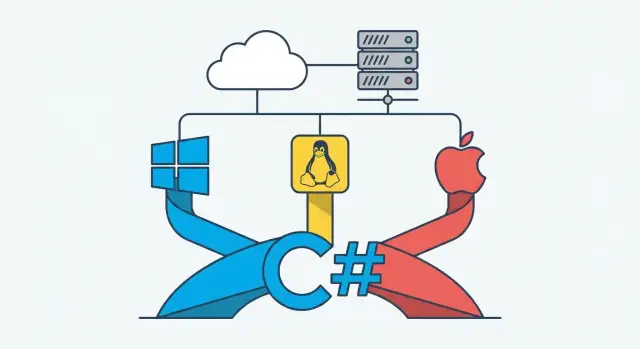
From Windows Roots to Cross-Platform Goals
C# began life as a very “Microsoft-native” language. In the early 2000s, it was built alongside the .NET Framework and designed to feel at home on Windows: Windows Server, IIS, Active Directory, and the broader Microsoft tooling stack. For many teams, choosing C# wasn’t just choosing a language—it was choosing a Windows-first operating model.
What “cross-platform” actually means
When people say “cross-platform” for backend work, they usually mean a few practical things:
- Your code can run on Windows, Linux, and macOS without rewrites.
- The runtime and libraries behave consistently across those systems.
- You can build, test, and deploy using common workflows (CI, containers, cloud hosting) regardless of the underlying OS.
It’s not only about “can it run?” It’s about whether running it outside Windows is a first-class experience.
The milestones that got us here
This post traces how C# moved from Windows roots to a credible, widely-used backend option across environments:
- Mono, an early effort to run .NET applications on non-Windows systems.
- .NET Core, which rethought the runtime for modern servers and Linux.
- Unified .NET (5+), which reduced fragmentation and made the platform easier to adopt and maintain.
Who this is for
If you’re evaluating backend stacks—maybe comparing C# to Node.js, Java, Go, or Python—this guide is aimed at you. The goal is to explain the “why” behind C#’s cross-platform shift and what it means for real server-side decisions today.
Why C# Was Once Seen as Windows-Only
C# didn’t start life as a “run it anywhere” language. In the early 2000s, C# was tightly associated with the .NET Framework, and the .NET Framework was, in practice, a Windows product. It shipped with Windows-focused APIs, relied on Windows components, and evolved alongside Microsoft’s Windows developer stack.
The .NET Framework era: Windows-first by design
For most teams, “building in C#” implicitly meant “building for Windows.” The runtime and libraries were packaged and supported primarily on Windows, and many of the most-used features were deeply integrated with Windows technologies.
That didn’t make C# bad—it made it predictable. You knew exactly what your production environment looked like: Windows Server, Microsoft-supported updates, and a standard set of system capabilities.
What “C# backend” typically meant back then
Backend C# commonly looked like:
- ASP.NET on IIS (Internet Information Services)
- Hosting on Windows Server in a data center or company server room
- Tight integration with Microsoft tools and infrastructure (Active Directory, Windows authentication, SQL Server in many cases)
If you were running a web app, chances were high that your deployment runbook was basically: “Provision a Windows Server VM, install IIS, deploy the site.”
The trade-offs that shaped perception
This Windows-first reality created a clear set of pros and cons.
On the upside, teams got excellent tooling—especially Visual Studio and a cohesive set of libraries. Development workflows were comfortable and productive, and the platform felt consistent.
On the downside, hosting choices were limited. Linux servers dominated many production environments (especially in startups and cost-sensitive orgs), and the broader web hosting ecosystem leaned heavily toward Linux-based stacks. If your infrastructure standard was Linux, adopting C# often meant swimming against the current—or adding Windows just to support one part of your system.
That’s why C# earned the “Windows-only” label: not because it couldn’t do backend work, but because the mainstream path to production ran through Windows.
Mono: The First Big Step Outside Windows
Before “cross-platform .NET” was an official priority, Mono was the practical workaround: an independent, open-source implementation that let developers run C# and .NET-style applications on Linux and macOS.
What Mono made possible
Mono’s biggest impact was simple: it proved that C# didn’t have to be tied to Windows servers.
On the server side, Mono enabled early deployments of C# web apps and background services on Linux—often to fit existing hosting environments or cost constraints. It also opened doors well beyond web backends:
- Mobile: Mono underpinned MonoTouch and Mono for Android (early paths to using C# on iOS and Android).
- Embedded and devices: some teams used Mono where a smaller, manageable runtime mattered.
- Cross-platform libraries: developers could share more code between operating systems than was typical at the time.
Unity: C# goes mainstream outside Windows
If Mono built the bridge, Unity sent traffic over it. Unity adopted Mono as its scripting runtime, which introduced huge numbers of developers to C# on macOS and across multiple target platforms. Even if those projects weren’t “backend” work, they normalized the idea that C# could live outside the Windows ecosystem.
The honest downside: fragmentation and gaps
Mono wasn’t the same thing as Microsoft’s .NET Framework, and that mismatch mattered. APIs could differ, compatibility wasn’t guaranteed, and teams sometimes had to adjust code or avoid certain libraries. There were also multiple “flavors” (desktop/server, mobile profiles, Unity’s runtime), which made the ecosystem feel split compared to the unified experience developers expect from modern .NET.
Still, Mono was the proof-of-concept that changed expectations—and set the stage for what came next.
Open Source and the Strategic Shift Toward Linux
Microsoft’s move toward Linux and open source wasn’t a branding exercise—it was a response to where backend software was actually running. By the mid‑2010s, the default target for many teams was no longer “a Windows server in the data center,” but Linux in the cloud, often packaged in containers and deployed automatically.
Why the strategy changed
Three practical forces pushed the shift:
- Cloud reality: Major cloud platforms made Linux the common denominator for scalable, cost-efficient workloads.
- Container momentum: Docker and Kubernetes normalized Linux-based images and operational tooling.
- Developer expectations: Teams wanted modern, scriptable build pipelines and predictable deployments across environments.
Supporting these workflows required .NET to meet developers where they were—on Linux and in cloud-native setups.
Open source changed trust (and adoption)
Historically, backend teams hesitated to bet on a stack that felt controlled by a single vendor with limited visibility. Open sourcing key parts of .NET addressed that directly: people could inspect implementation details, track decisions, propose changes, and see issues discussed in the open.
That transparency mattered for production use. It reduced the “black box” feeling and made it easier for companies to standardize on .NET for services that had to run 24/7 on Linux.
GitHub and a more transparent development model
Moving development to GitHub made the process legible: roadmaps, pull requests, design notes, and release discussions became public. It also lowered the barrier for community contributions and for third-party maintainers to stay aligned with platform changes.
The result: C# and .NET stopped feeling “Windows-first” and started feeling like a peer to other server stacks—ready for Linux servers, containers, and modern cloud deployment workflows.
.NET Core: A Clean Break for Cross-Platform Backends
.NET Core was the moment Microsoft stopped trying to “extend” the old .NET Framework and instead built a runtime for modern server work from the ground up. Rather than assuming a Windows-only stack and a machine-wide installation model, .NET Core was redesigned to be modular, lightweight, and friendlier to the way backend services are actually deployed.
What “run anywhere” really meant
With .NET Core, the same C# backend codebase could run on:
- Windows servers
- Linux servers (a big deal for most production hosting)
- macOS (useful for local development and some deployment scenarios)
Practically, this meant teams could standardize on C# without having to standardize on Windows.
Why it fit backend needs better
Backend services benefit when deployments are small, predictable, and fast to start. .NET Core introduced a more flexible packaging model that made it easier to ship only what your app needs, cutting down deployment size and improving cold-start behavior—especially relevant for microservices and container-based setups.
Another key change was moving away from relying on a single, shared system runtime. Apps could carry their own dependencies (or target a specific runtime), which reduced “it works on my server” mismatches.
Side-by-side installs and simpler upgrades
.NET Core also supported side-by-side installation of different runtime versions. That matters in real organizations: one service can stay on an older version while another upgrades, without forcing risky, server-wide changes. The result is smoother rollouts, easier rollback options, and less upgrade coordination across teams.
ASP.NET Core Made C# Practical on Any Server
ASP.NET Core was the turning point where “C# backend” stopped meaning “Windows server required.” The older ASP.NET stack (on the .NET Framework) was tightly coupled to Windows components like IIS and System.Web. It worked well in that world, but it wasn’t designed to run cleanly on Linux or inside lightweight containers.
How ASP.NET Core differs from classic ASP.NET
ASP.NET Core is a re-architected web framework with a smaller, modular surface area and a modern request pipeline. Instead of the heavyweight, event-driven model of System.Web, it uses explicit middleware and a clear hosting model. That makes apps easier to reason about, test, and deploy consistently.
Cross-platform hosting: Kestrel + reverse proxies
ASP.NET Core ships with Kestrel, a fast, cross-platform web server that runs the same on Windows, Linux, and macOS. In production, teams often place a reverse proxy in front (like Nginx, Apache, or a cloud load balancer) for TLS termination, routing, and edge concerns—while Kestrel handles the application traffic.
This hosting approach fits Linux servers and container orchestration naturally, without special “Windows-only” configuration.
Common backend patterns it enables
With ASP.NET Core, C# teams can implement the backend styles that modern systems expect:
- REST APIs for web and mobile clients
- gRPC for efficient service-to-service communication
- Background workers for queues, scheduled jobs, and long-running tasks
Developer experience that speeds teams up
Out of the box you get project templates, built-in dependency injection, and a middleware pipeline that encourages clean layering (auth, logging, routing, validation). The result is a backend framework that feels modern—and deploys anywhere—without needing a Windows-shaped infrastructure to support it.
Unified .NET: One Platform Instead of Many
For a while, “.NET” meant a confusing family tree: classic .NET Framework (mostly Windows), .NET Core (cross-platform), and Xamarin/Mono tooling for mobile. That fragmentation made it harder for backend teams to answer simple questions like “Which runtime should we standardize on?”
From .NET Core to “one .NET”
The big shift happened when Microsoft moved from the separate “.NET Core” brand to a single, unified line starting with .NET 5 and continuing with .NET 6, 7, 8, and beyond. The goal wasn’t just a rename—it was a consolidation: one set of runtime fundamentals, one base class library direction, and a clearer upgrade path for server apps.
What “unified” means for teams
In practical backend terms, unified .NET reduces decision fatigue:
- Fewer competing platforms to evaluate for web APIs and services
- More consistent project templates and tooling across Windows, Linux, and macOS
- A clearer expectation that your code can move between dev machines, CI, and production without platform-specific rework
You still might use different workloads (web, worker services, containers), but you’re not betting on different “kinds” of .NET for each.
LTS releases and why they matter
Unified .NET also made release planning easier via LTS (Long-Term Support) versions. For backends, LTS matters because you typically want predictable updates, longer support windows, and fewer forced upgrades—especially for APIs that must stay stable for years.
Picking a target version
A safe default is to target the latest LTS for new production services, then plan upgrades deliberately. If you need a specific new feature or performance improvement, consider the newest release—but align that choice with your organization’s tolerance for more frequent upgrades and change management.
Performance and Scalability: What Changed Over Time
C# didn’t become a serious backend option only because it ran on Linux—it also improved how efficiently it uses CPU and memory under real server workloads. Over the years, the runtime and libraries have steadily shifted from “good enough” to “predictable and fast” for common web and API patterns.
Faster runtime execution (JIT and beyond)
Modern .NET uses a much more capable JIT compiler than early-era runtimes. Features like tiered compilation (quick startup code first, then optimized code for hot paths) and profile-guided optimizations in newer releases help services settle into higher throughput once traffic stabilizes.
For backend teams, the practical outcome is usually fewer CPU spikes under load and more consistent request handling—without having to rewrite business logic in a lower-level language.
Smarter memory management (GC, latency, and throughput)
Garbage collection has also evolved. Server GC modes, background GC, and better handling of large allocations aim to reduce long “stop-the-world” pauses and improve sustained throughput.
Why this matters: GC behavior affects tail latency (those occasional slow requests users notice) and infrastructure cost (how many instances you need to meet an SLO). A runtime that avoids frequent pauses can often deliver smoother response times, especially for APIs with variable traffic.
Async/await: strong fit for I/O-heavy backends
C#’s async/await model is a big advantage for typical backend work: web requests, database calls, queues, and other network I/O. By not blocking threads while waiting on I/O, services can handle more concurrent work with the same thread pool.
The trade-off is that async code needs discipline—improper use can add overhead or complexity—but when applied to I/O-bound paths, it commonly improves scalability and keeps latency more stable under load.
Cloud, Containers, and Modern Deployment Workflows
C# became a more natural backend choice once deployment stopped meaning “install IIS on a Windows VM.” Modern .NET apps are typically packaged, shipped, and run the same way as other server workloads: as Linux processes, often inside containers, with predictable configuration and standard operational hooks.
Container-friendly by default
ASP.NET Core and the modern .NET runtime work well in Docker because they don’t depend on machine-wide installs. You build an image that includes exactly what the app needs, then run it anywhere.
A common pattern is a multi-stage build that keeps the final image small:
FROM mcr.microsoft.com/dotnet/sdk:8.0 AS build
WORKDIR /src
COPY . .
RUN dotnet publish -c Release -o /app

FROM mcr.microsoft.com/dotnet/aspnet:8.0
WORKDIR /app
COPY --from=build /app .
ENV ASPNETCORE_URLS=http://+:8080
EXPOSE 8080
ENTRYPOINT ["dotnet", "MyApi.dll"]
Smaller images pull faster, start faster, and reduce attack surface—practical wins when you’re scaling out.
Linux-first hosting is the norm
Most cloud platforms run on Linux by default, and .NET fits comfortably there: Azure App Service for Linux, AWS ECS/Fargate, Google Cloud Run, and many managed container services.
This matters for cost and consistency: the same Linux-based container image can run on a developer laptop, a CI pipeline, and production.
Kubernetes (without the headache)
Kubernetes is a common target when teams want autoscaling and standardized operations. You don’t need Kubernetes-specific code; you need conventions.
Use environment variables for configuration (connection strings, feature flags), expose a simple health endpoint (for readiness/liveness checks), and write structured logs to stdout/stderr so the platform can collect them.
If you follow those basics, C# services deploy and operate like any other modern backend—portable across clouds and easy to automate.
Tooling and Ecosystem: Why Teams Can Move Faster
A big reason C# became a practical backend choice across Windows, Linux, and macOS isn’t just the runtime—it’s the day-to-day developer experience. When the tools are consistent and automation-friendly, teams spend less time fighting their environment and more time shipping.
One workflow across machines with the dotnet CLI
The dotnet CLI made common tasks predictable everywhere: create projects, restore dependencies, run tests, publish builds, and generate deployment-ready artifacts using the same commands on any OS.
That consistency matters for onboarding and CI/CD. A new developer can clone the repo and run the same scripts your build server runs—no special “Windows-only” setup required.
Editors and IDEs that fit different teams
C# development isn’t tied to a single tool anymore:
- VS Code works well for lightweight editing, container-based development, and quick debugging.
- Visual Studio is still the “all-in-one” option many teams like, especially for larger solutions.
- Rider is popular on macOS and Linux for strong refactoring and fast navigation.
The win is choice: teams can standardize on one environment or let developers use what’s comfortable without fragmenting the build process.
Cross-platform debugging and local development
Modern .NET tooling supports local debugging on macOS and Linux in a way that feels normal: run the API, attach a debugger, set breakpoints, inspect variables, and step through code. That removes a classic bottleneck where “real debugging” only happened on Windows.
Local parity also improves when you run services in containers: you can debug your C# backend while it talks to the same versions of Postgres/Redis/etc. your production stack uses.
Dependencies, updates, and the NuGet ecosystem
NuGet remains one of the biggest accelerators for .NET teams. It’s straightforward to pull in libraries, lock versions, and update dependencies as part of regular maintenance.
Just as importantly, dependency management works well in automation: restoring packages and running vulnerability checks can be part of every build, rather than a manual chore.
Community libraries and templates (with realistic expectations)
The ecosystem has grown beyond Microsoft-maintained packages. There are strong community options for common backend needs—logging, configuration, background jobs, API documentation, testing, and more.
Templates and starter projects can speed up early setup, but they’re not magic. The best ones save time on plumbing while still letting your team keep architecture decisions explicit and maintainable.
When C# Is a Strong Backend Choice (and When It Isn’t)
C# is no longer a “Windows bet.” For many backend projects, it’s a pragmatic choice that combines strong performance, mature libraries, and a productive developer experience. Still, there are cases where it’s not the simplest tool.
Strong fits for C# backends
C# tends to shine when you’re building systems that need clear structure, long-term maintenance, and a well-supported platform.
- APIs and web backends: REST/JSON services, GraphQL gateways, and BFF layers are a natural match for ASP.NET Core.
- Enterprise systems: complex business rules, integrations, and layered architectures benefit from C#’s type safety and tooling.
- Fintech and regulated domains: predictable behavior, strong testing patterns, and a rich ecosystem for security and compliance-related needs.
- High-throughput services: modern .NET performance makes it competitive for busy APIs, background processing, and event-driven workloads.
When it may be less ideal
C# can be “too much” when the goal is maximum simplicity or a very small operational footprint.
- Ultra-small serverless scripts: if you’re writing tiny, single-purpose functions where cold-start and package size dominate, lighter runtimes can be easier.
- Niche hosting constraints: if your environment strongly favors a specific runtime or has limited support for .NET deployment, you may fight the platform.
- Teams that want minimal structure: if rapid throwaway prototyping is the main goal, dynamically typed options can feel faster (at the cost of later maintainability).
Team and longevity factors
Choosing C# is often about people as much as tech: existing C#/.NET skills, the local hiring market, and whether you expect the codebase to live for years. For long-lived products, the consistency of the .NET ecosystem can be a major advantage.
One practical way to de-risk the decision is to prototype the same small service in two stacks and compare developer speed, deployment friction, and operational clarity. For example, some teams use Koder.ai to quickly generate a production-shaped baseline (React frontend, Go backend, PostgreSQL, optional Flutter mobile), export the source code, and then compare that workflow against an equivalent ASP.NET Core implementation. Even if you ultimately choose .NET, having a fast “comparison build” can make trade-offs more concrete.
A quick evaluation checklist
- Do we need a maintainable codebase with clear contracts and strong tooling?
- Is Linux/container deployment part of the plan?
- Are performance and reliability important at scale?
- Do we already have .NET skills—or can we hire them confidently?
- Will this service integrate heavily with other enterprise systems?
- Are we building “small and disposable” (where a lighter runtime might win)?
Key Takeaways and Next Steps
C# didn’t become a credible cross-platform backend story overnight—it earned it through a series of concrete milestones that removed the “Windows-only” assumptions and made Linux deployment feel normal.
The milestones worth remembering
The shift happened in stages:
- Mono proved the concept: It showed C# and .NET could run beyond Windows and helped build early server-side confidence.
- Microsoft embraced open source: By open-sourcing major parts of .NET and engaging in public development, cross-platform stopped being a side project.
- .NET Core delivered a clean, modern runtime: Designed for performance and Linux-first server scenarios, it made cross-platform backends practical rather than experimental.
- ASP.NET Core modernized the web stack: A faster, modular framework that runs the same on Windows, Linux, and macOS—ideal for API-first services.
- Unified .NET (5+) simplified everything: Fewer “which .NET?” decisions and a clearer path for upgrades, tooling, and long-term support.
Practical next steps you can take
If you’re evaluating C# for backend work, the most direct route is:
- Start with ASP.NET Core for APIs and services (new projects should target modern .NET versions).
- Deploy to Linux early—even in a staging environment—so you validate runtime behavior, logging, and system dependencies from day one.
- Use containers when it helps: Packaging an ASP.NET Core service into a container can make dev/prod parity easier and reduce “works on my machine” problems.
If you’re coming from older .NET Framework apps, treat modernization as a phased effort: isolate new services behind APIs, incrementally upgrade libraries, and move workloads to modern .NET where it makes sense.
If you want to move faster on early iterations, tools like Koder.ai can help you spin up a working app via chat (including backend + database + deployment), snapshot and roll back changes, and export source code when you’re ready to bring it into your standard engineering workflow.
Suggested related reading
For more guides and practical examples, browse /blog. If you’re comparing hosting or support options for production deployments, see /pricing.
Takeaway: C# is no longer a niche or Windows-bound choice—it’s a mainstream backend option that fits modern Linux servers, containers, and cloud deployment workflows.
FAQ
Why did C# have a “Windows-only” reputation for backend development?
C# itself has always been a general-purpose language, but it was strongly associated with the .NET Framework, which was effectively Windows-first.
Most production “C# backend” deployments assumed Windows Server + IIS + Windows-integrated APIs, so the practical path to production was tied to Windows even if the language wasn’t inherently limited.
What does “cross-platform” mean in a practical backend sense?
For backend work, “cross-platform” usually means:
- The same codebase runs on Windows, Linux, and macOS without rewrites.
- The runtime and core libraries behave consistently across OSes.
- Your build/test/deploy workflow works the same in CI, containers, and cloud environments.
It’s less about “it starts” and more about being a first-class production experience outside Windows.
What role did Mono play in C# becoming cross-platform?
Mono was an early, open-source implementation that proved C# could run beyond Windows.
It enabled running some .NET-style apps on Linux/macOS and helped normalize C# outside Microsoft-only environments (notably through Unity). The trade-off was incomplete compatibility and ecosystem fragmentation versus the official .NET Framework.
Why did Microsoft’s move toward open source and Linux matter for backend teams?
It aligned .NET with where servers were actually running:
- Linux-first cloud hosting became the default for many teams.
- Containers (Docker/Kubernetes) standardized Linux-based deployment.
- Teams wanted transparent, automation-friendly tooling.
Open source also increased trust by making design discussions, issues, and fixes visible in public repos.
What did .NET Core change compared to the .NET Framework?
.NET Core was designed for modern, cross-platform server deployment instead of extending the Windows-centric .NET Framework.
Key practical changes:
- Runs well on Linux (and macOS/Windows) as a primary target
- More modular deployment and app-local dependencies
- Side-by-side runtime versions, reducing “server-wide” upgrade risk
How did ASP.NET Core make C# web backends viable on Linux?
ASP.NET Core replaced the older, Windows-coupled web stack (System.Web/IIS assumptions) with a modern, modular framework.
It typically runs with:
- Kestrel as the cross-platform web server
- A reverse proxy (Nginx/Apache/cloud load balancer) in front for TLS/routing
That model maps cleanly to Linux servers and containers.
What does “Unified .NET (5+)” mean and why should backend teams care?
Unified .NET (starting at .NET 5) reduced confusion from multiple “.NETs” (Framework vs Core vs Xamarin/Mono lines).
For backend teams, the value is simpler standardization:
- One main platform direction for services
- More consistent tooling/templates across OSes
- Clearer upgrade paths, especially with LTS releases
What runtime improvements made modern .NET more competitive for high-load backends?
Modern .NET improved performance through:
- Better JIT behavior (including techniques like tiered compilation)
- More mature GC options for server workloads (throughput and latency improvements)
- Strong async/await support for I/O-heavy services
The outcome is usually better throughput and more predictable tail latency without rewriting business logic in a lower-level language.
What does a modern deployment workflow look like for ASP.NET Core services?
A common, practical workflow is:
- Build and publish with
dotnet publish - Package into a Linux container image (often multi-stage)
- Run on managed container services or Kubernetes
Operational basics to keep it portable:
- Configure via environment variables
- Log to stdout/stderr
- Provide health endpoints for readiness/liveness checks
When is C# a great backend choice today, and when might it not be?
C# is a strong choice when you need:
- Maintainable, long-lived services with strong tooling and type safety
- High-throughput APIs, background processing, or enterprise integrations
- Linux/container/cloud deployment without OS lock-in
It can be less ideal for:
- Ultra-small “script-like” serverless functions where cold start/package size dominate
- Environments with niche runtime constraints or teams optimizing for minimal structure over maintainability