

How Databases Become a Single Source of Truth at Work
Learn how organizations turn databases into a single source of truth through governance, modeling, integration, and data quality practices teams can trust.
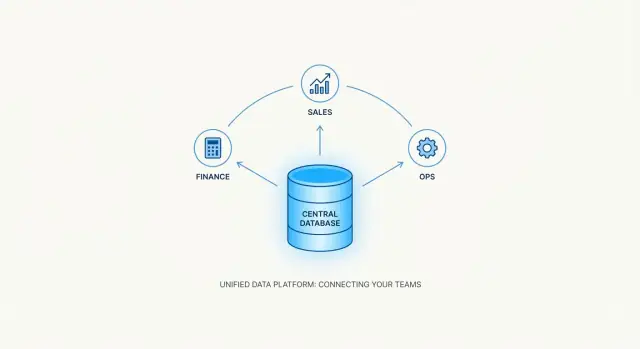
What “Single Source of Truth” Really Means
A single source of truth (SSOT) is a shared way for an organization to answer basic questions—like “How many active customers do we have?” or “What counts as revenue?”—and get the same answer across teams.
It’s tempting to think SSOT means “one place where data lives.” In practice, SSOT is less about a single tool and more about agreement: everyone uses the same definitions, rules, and identifiers when they create reports, run operations, or make decisions.
SSOT is an agreement, not a product
You can build an SSOT on top of a database, a set of integrated systems, or a data platform—but the “truth” only holds when people align on:
- Definitions (What exactly is an “active user”?)
- Timing (When is data considered “final” vs. “in progress”?)
- Ownership (Who is responsible for fixing issues?)
- Usage rules (Which fields should be used for which decisions?)
Without that alignment, even the best database will still produce conflicting numbers.
What “truth” actually means
In an SSOT context, “truth” rarely means philosophical certainty. It means data that is:
- Accurate: reflects what really happened
- Current: updated often enough for the business need
- Complete: includes all required records and fields
- Traceable: you can explain where it came from and what changed
If you can’t trace a number back to its source and logic, it’s hard to trust—even if it looks correct.
Common misconceptions to avoid
- “Our SSOT is one dashboard.” Dashboards display data; they don’t define it.
- “It’s a master spreadsheet.” Spreadsheets are useful, but they’re easy to copy, edit, and diverge.
- “It just means one database.” A single database can still contain inconsistent definitions or duplicated entities.
SSOT is the combination of consistent data + consistent meaning + consistent processes.
Why Organizations Struggle With Conflicting Data
Conflicting data usually isn’t caused by “bad people” or “bad tools.” It’s the natural result of growth: teams add systems to solve local problems, and over time those systems begin to overlap.
The same records live in multiple places
Most organizations end up storing the same customer, order, or product information in several systems—CRM, billing, support, marketing, spreadsheets, and sometimes a custom app built by a specific team. Each system becomes a partial truth, updated on its own schedule, by its own users.
A customer changes their company name in the CRM, but billing still has the old name. Support creates a “new” customer because they can’t find the existing one. The business hasn’t necessarily made an error—data has simply been duplicated.
Definitions drift across teams
Even when the values match, the meaning often doesn’t. One team’s “active customer” might mean “logged in within 30 days,” while another means “paid an invoice this quarter.” Both definitions can be reasonable, but mixing them in reports leads to arguments instead of clarity.
This is why analytics consistency is hard: numbers differ because the underlying definitions differ.
Manual work multiplies versions of the truth
Manual exports, spreadsheet copies, and email attachments create data snapshots that immediately start aging. A spreadsheet becomes a mini-database with its own fixes and notes—none of which flow back to the systems people rely on day to day.
The real cost: trust and speed
The consequences show up quickly:
- Decisions get made on the wrong totals or the wrong segments.
- Reporting slows down because every metric requires reconciliation.
- Trust drops, and people revert to “my report vs. your report” instead of shared facts.
Until the organization decides where the authoritative version lives—and how updates are governed—conflicting data is the default outcome.
Why Databases Are Often Chosen as the SSOT Core
A “single source of truth” needs more than a shared spreadsheet or a well-meaning dashboard. It needs a place where data can be stored predictably, validated automatically, and retrieved consistently by many teams. That’s why organizations often put a database at the center of their SSOT—even if many apps and tools still sit around it.
Structure that prevents “close enough” data
Databases don’t just store information; they can enforce how information is allowed to exist.
When customer records, orders, and products live in a structured schema, you can define:
- Relationships (an order must belong to a real customer)
- Constraints (a status must be one of the approved values)
- Uniqueness (one customer ID shouldn’t point to two different people)
This reduces the slow drift that happens when teams invent their own fields, naming conventions, or “temporary” workarounds.
Consistency you can rely on for operations
Operational data changes constantly: invoices are created, shipments update, subscriptions renew, refunds happen. Databases are designed for this kind of work.
With transactions, a database can treat a multi-step update as a single unit: either all changes succeed, or none do. Practically, that means fewer situations where one system shows a payment as captured while another still thinks it failed. When teams ask, “What is the current truth right now?” a database is built to answer that under pressure.
Queryability that scales beyond one team
SSOT isn’t useful if only one person can interpret it. Databases make data accessible through queries, so different tools can pull from the same definitions:
- Operational reports for finance or support
- Analytics tools that need consistent metrics
- Integrations that sync updates to other systems
This shared access is a major step toward analytics consistency—because people are no longer copying and re-shaping data in isolation.
A natural home for shared definitions and controls
Finally, databases support practical governance: role-based access, change controls, and an audit-friendly history of what changed and when. This turns “truth” from an agreement into something enforceable—where definitions are implemented in the data model, not just described in a document.
SSOT vs System of Record vs Data Warehouse
Teams often use “single source of truth” to mean “the place I trust.” In practice, it helps to separate three related ideas: the system of record, the system of engagement, and the analytical store (often a data warehouse). They can overlap, but they don’t have to be the same database.
System of record: the authoritative book
A system of record (SoR) is where a fact is officially created and maintained. Think: customer legal name, invoice status, employee start date. It’s usually optimized for day-to-day operations and accuracy.
A system of record is domain-specific. Your CRM might be the SoR for leads and opportunities, while your ERP is the SoR for invoices and payments. A true SSOT is often a set of agreed “truths” by domain, not a single application.
System of engagement: where work happens
A system of engagement is where users interact—sales tools, support desks, product apps. These systems may show data from the SoR, enrich it, or temporarily hold edits. They’re designed for workflow and speed, not always for being the official authority.
This is where conflicts begin: two tools both “own” a field, or they collect similar data with different definitions.
Data warehouse (analytical store): truth for reporting
A data warehouse (or analytical store) is designed to answer questions consistently: revenue over time, churn by segment, operational reporting across departments. It’s typically analytical (OLAP), prioritizing query performance and history.
An SSOT can be:
- Operational (OLTP) when the business needs a single live database for transactions and real-time consistency.
- Analytical when the priority is consistent metrics, historical tracking, and cross-system reporting.
Avoid the “one database for everything” trap
Forcing every workload into one database can backfire: operational needs (fast writes, strict constraints) conflict with analytics (large scans, long queries). A healthier approach is to define which system is authoritative for each domain, then integrate and publish data so everyone reads the same definitions—even if the data lives in multiple places.
Designing the Data Model for Shared Understanding
A database can only be a single source of truth if people agree on what the “truth” is. That agreement is captured in the data model: the shared map of key entities, their identifiers, and how they relate. When the model is clear, analytics consistency improves and operational reporting stops turning into a debate.
Start with the core entities
Begin by naming the nouns your business runs on—typically customer, product, employee, and vendor—and define what each one means in plain language. For example, is a “customer” a billing account, an end user, or both? The answer affects every downstream report and integration.
Define unique IDs, keys, and relationships
Every core entity needs a stable, unique identifier (a customer ID, product SKU, employee ID). Avoid “smart” IDs that encode meaning (like region or year) because those attributes change. Use keys and relationships to express how things connect:
- Customer ↔ Orders (one-to-many)
- Product ↔ Order Lines (one-to-many)
- Vendor ↔ Products (one-to-many or many-to-many, depending on your reality)
Clear relationships reduce duplicate records and simplify data integration across systems.
Document definitions and allowable values
A good data model includes a small data dictionary: business definitions, examples, and allowable values for important fields. If “status” can be active, paused, or closed, write that down—and note who can create new values. This is where database governance becomes practical: fewer surprises, fewer “mystery” categories.
Plan for history (changes over time)
Truth changes. Customers move, products get rebranded, employees change departments. Decide early how you’ll track history: effective dates, “current” flags, or separate history tables.
If your model can represent change cleanly, your audit trail becomes easier, data quality rules are simpler to enforce, and teams can trust time-based reporting without rebuilding it every quarter.
Data Governance: Ownership, Access, and Shared Definitions
A database can’t be a single source of truth if nobody knows who is responsible for what, who can change it, or what the fields actually mean. Governance is the set of everyday rules that makes the “truth” stable enough for teams to rely on—without turning every decision into a committee meeting.
Ownership: who answers questions (and who fixes issues)
Start by assigning data owners and data stewards for each domain (for example: Customers, Products, Orders, Employees). Owners are accountable for the meaning and correct use of data. Stewards handle the practical work: keeping definitions current, monitoring quality, and coordinating fixes.
This prevents the common failure mode where data problems bounce between IT, analytics, and operations with no clear decision-maker.
Shared definitions: one meaning, many use cases
If “active customer” means one thing in Sales and another in Support, your reports will never agree. Maintain a data catalog / glossary that teams actually use:
- Keep definitions short, with examples and edge cases
- Link key fields to the tables/columns where they live
- Highlight “official” metrics and how they’re calculated
Make it easy to find (and hard to ignore) by embedding links in dashboards, tickets, and onboarding docs.
Change control: stop accidental truth drift
Databases evolve. The goal isn’t to freeze schemas—it’s to make changes deliberate. Set up approval workflows for schema and definition changes, especially for:
- Renaming columns
- Changing data types
- Altering business logic (like status rules)
Even a lightweight process (proposal → review → scheduled release notes) protects downstream reporting and integrations.
Access: least privilege by default
Truth also depends on trust. Set access rules by role and sensitivity:
- Limit write access to systems and people that truly need it
- Separate operational users from analytics consumers
- Protect sensitive fields (PII, compensation, health data) with stricter permissions
With clear ownership, controlled change, and shared definitions, the database becomes a source people rely on—not just a place data happens to live.
Data Quality Controls That Build Trust
A database can only serve as a single source of truth if people believe what it says. That belief isn’t created by a dashboard or a memo—it’s earned through repeatable data quality controls that prevent bad data from entering, highlight issues quickly, and make fixes visible.
Validate data at the point of entry
The cheapest data problem is the one you stop at ingestion. Practical validation rules include:
- Types and formats: dates are dates, emails look like emails, IDs follow the expected pattern.
- Ranges and reasonableness: quantities can’t be negative, discounts can’t exceed 100%, birthdates can’t be in the future.
- Required fields: the minimum set needed for operational reporting (for example, customer name + unique identifier + status).
Good validation doesn’t need to be “perfect.” It needs to be consistent and aligned with shared definitions so analytics consistency improves over time.
Deduplication and matching for master data
Duplicates quietly destroy trust: two customer records with different spellings, multiple supplier entries, or a contact listed under two departments. This is where “master data management” is simply a set of matching rules everyone agrees on.
Common approaches include:
- Exact matching on a trusted unique key (like a tax ID or internal customer ID).
- Fuzzy matching on names + addresses to catch near-duplicates.
- Survivorship rules that decide which value wins when records conflict (for example, “billing address from the finance system overrides CRM”).
These rules should be documented and owned as part of database governance, not left as a one-time cleanup.
Monitor quality continuously
Even with validation, data drifts. Ongoing checks make issues visible before teams work around them:
- Completeness: are required fields being filled in?
- Freshness: is critical data updated on schedule (hourly, daily, weekly)?
- Accuracy signals: unexpected spikes, impossible combinations, or totals that don’t reconcile.
A simple scorecard and alerting thresholds are often enough to keep a steady pulse on quality.
Triage and remediation that people will actually use
When a problem is found, the fix needs a clear path: who owns it, how it’s logged, and how it’s resolved. Treat quality issues like support tickets—prioritize impact, assign a data steward, correct the source, and confirm the change. Over time, this creates an audit trail of improvements and turns “the database is wrong” into “we know what happened and it’s being fixed.”
Integration Patterns That Keep Data Consistent
A database can’t be a single source of truth if updates arrive late, arrive twice, or get lost. The integration pattern you choose—batch jobs, APIs, event streams, or managed connectors—directly determines how consistent your “truth” feels to teams using dashboards, reports, and operational screens.
Batch vs. real-time syncing
Batch syncing moves data on a schedule (hourly, nightly, weekly). It’s a good fit when:
- the business can tolerate delay (e.g., finance close, marketing attribution)
- source systems are hard to query during business hours
- you want predictable, simpler operations
Real-time syncing (or near real-time) pushes changes as they happen. It’s useful for:
- customer-facing operations (inventory, order status)
- workflows that depend on immediate updates (support, fraud checks)
- reducing “why doesn’t my screen match yours?” conversations
The tradeoff is complexity: real-time needs stronger monitoring and clearer rules for what happens when systems disagree.
ETL/ELT pipelines and SSOT consistency
ETL/ELT pipelines are where consistency is often won or lost. Two common pitfalls:
- Different transformation logic in different places (spreadsheets, BI tools, ad-hoc scripts), creating multiple “definitions” of the same metric.
- Partial loads that update some tables but not others, leaving the SSOT temporarily contradictory.
A practical approach is to centralize transformations and keep them versioned, so the same business rule (for example, “active customer”) is applied consistently across reporting and operations.
APIs, events, and connectors (less manual handling)
- APIs are best when you need controlled, validated writes into the SSOT (e.g., create/update customer records).
- Events (publish/subscribe) help propagate changes reliably and keep systems in sync without tight coupling.
- Managed connectors speed up ingestion from SaaS tools, reducing brittle, hand-built scripts.
The goal is the same: fewer manual exports/imports, fewer “someone forgot to run the file,” and fewer silent data edits.
Handling failures: retries, dead-letter queues, and alerts
Integrations fail—networks drop, schemas change, rate limits hit. Design for it:
- Retries with backoff for temporary issues
- Dead-letter queues to capture messages that can’t be processed, so nothing disappears
- Alerts and dashboards tied to freshness and error rates, not just “job succeeded”
When failures are visible and recoverable, your database stays trusted—even on bad days.
Master Data Management Without the Jargon
Master Data Management (MDM) is simply the practice of keeping “core things” consistent everywhere—customers, products, locations, suppliers—so teams aren’t arguing over which record is correct.
When your database is the single source of truth, MDM is how you prevent duplicates, mismatched names, and conflicting attributes from leaking into reports and day-to-day operations.
Start with a shared identifier
The easiest way to keep systems aligned is to use one identifier strategy across tools where possible.
For example, if every system stores the same customer_id (not just an email or a name), you can join data confidently and avoid accidental duplicates. When a shared ID isn’t possible, maintain a mapping table in the database (e.g., CRM customer key ↔ billing customer key) and treat it like a first-class asset.
Build a “golden record”
A golden record is the best-known version of a customer or product, assembled from multiple sources. It doesn’t mean one system owns everything; it means the database maintains a curated master view that downstream systems and analytics can trust.
Decide survivorship rules (who wins)
Conflicts are normal. What matters is having clear rules for which system wins for each field.
Examples:
- Billing system wins for legal name and invoicing address
- CRM wins for marketing preferences
- Support tool wins for service tier or SLA
Write these rules down and implement them in your data pipeline or database logic so the result is repeatable, not manual.
Reconcile exceptions, not everything
Even with rules, you’ll have edge cases: two records that look like the same customer, or a product code reused incorrectly.
Define a reconciliation process for conflicts and exceptions:
- Flag issues automatically (e.g., duplicates, missing IDs)
- Route them to a specific owner for review
- Track decisions so the same problem doesn’t reappear next month
MDM works best when it’s boring: predictable IDs, a clear golden record, explicit survivorship, and a lightweight way to resolve the messy cases.
Auditing, Lineage, and Change Management
A database can only serve as a single source of truth if people can see how that truth changes over time—and trust that changes are intentional. Auditing, lineage, and change management are the practical tools that turn “the database is correct” into something you can verify.
Audit logs: who changed what, when, and why
At minimum, track who made a change, what changed (old value vs new value), when it happened, and why (a short reason or ticket link).
This can be implemented with database-native audit features, triggers, or an application-layer event log. The key is consistency: changes to critical entities (customers, products, pricing, access roles) should always leave an audit trail.
When questions arise—“Why did this customer get merged?” or “When did the price change?”—audit logs turn a debate into a quick lookup.
Versioning schemas without surprising downstream users
Schema changes are inevitable. What breaks trust is silent change.
Use schema versioning practices such as:
- tagging releases (even if it’s just a simple version number)
- documenting breaking changes (renamed columns, changed meanings, removed tables)
- communicating ahead of time with consumers of the data (analytics, finance, operations)
If you publish shared database objects (views, tables, APIs), consider maintaining backwards-compatible views for a transition period. A small “deprecation window” prevents reporting from breaking overnight.
Lineage: from source to database to reports
Lineage answers: “Where did this number come from?” Document the path from source systems, through transformations, into database tables, and finally into dashboards and reports.
Even lightweight lineage—stored in a wiki, data catalog, or README in your repo—helps teams diagnose discrepancies and align metrics. It also supports compliance work by showing how personal data flows.
Regular reviews to remove dead data
Over time, unused tables and fields create confusion and accidental misuse. Schedule periodic reviews to:
- identify unused objects
- confirm whether they can be retired
- mark fields as deprecated before removal
This housekeeping keeps the database understandable, which is essential for analytics consistency and confident operational reporting.
A Practical Roadmap to Establish Your SSOT
A “single source of truth” succeeds when it changes day-to-day decisions, not just diagrams. The easiest way to start is to treat it like a product launch: define what “better” looks like, prove it in one area, then scale.
1) Define measurable outcomes
Pick outcomes you can verify in a month or two. For example:
- Fewer discrepancies between teams’ reports (track the number of “reconciliation” issues raised)
- Faster month-end close (measure days to close and time spent chasing numbers)
- Fewer manual exports and spreadsheet merges (count recurring extracts and time spent)
- More consistent operational reporting (compare key KPIs across dashboards)
Write down the baseline and the target. If you can’t measure improvement, you can’t prove trust.
2) Start with one high-impact domain
Choose a domain where conflicts are painful and frequent—customers, orders, or inventory are common. Keep scope tight: define 10–20 critical fields, the teams that use them, and the decisions they affect.
3) Run a pilot (definitions → pipelines → quality)
For the pilot domain:
- Align definitions: agree on names, meanings, and edge cases (e.g., what counts as an “active customer”)
- Build data pipelines: identify the source systems and automate the flow into your database
- Add data quality checks: validate uniqueness, required fields, acceptable ranges, and referential integrity
Make the pilot visible: publish a simple “what changed” note and a short glossary.
4) Roll out with a feedback loop
Create a rollout plan by team and by use case. Assign a data owner for decisions and a steward for definitions and exceptions. Set a lightweight process for change requests, and review quality metrics regularly.
One practical accelerator is to reduce the friction of building the “glue” tools around your SSOT—like internal stewardship UIs, exception review queues, or lineage pages. Teams sometimes use Koder.ai to vibe-code these internal apps quickly from a chat interface, then connect them to a PostgreSQL-backed SSOT, ship safely with snapshots/rollback, and export the source code when they need to integrate it into existing pipelines.
The goal isn’t perfection—it’s a steady reduction in conflicting numbers, manual work, and surprise data changes.
FAQ
What is a “single source of truth” (SSOT) in practice?
An SSOT is shared agreement on definitions, identifiers, and rules so different teams answer the same questions with the same results.
It’s not necessarily a single tool; it’s consistency in meaning + process + data access across systems.
Why do organizations often put a database at the center of an SSOT?
A database can store data with schemas, constraints, relationships, and transactions that reduce “close enough” records and partial updates.
It also supports consistent querying by many teams, which reduces spreadsheet copies and metric drift.
What are the most common causes of conflicting numbers between teams?
Because data is duplicated across CRMs, billing systems, support tools, and spreadsheets—each updated on different schedules.
Conflicts also come from definition drift (e.g., two meanings of “active customer”) and manual exports that create outdated snapshots.
How is SSOT different from a system of record?
A system of record is where a fact is officially created and maintained (e.g., invoices in ERP).
An SSOT is broader: the organization-wide standard for definitions and how data should be used—often spanning multiple systems of record by domain.
How does a data warehouse fit into SSOT?
A data warehouse is optimized for analytics and history (OLAP): consistent metrics, long time ranges, and cross-system reporting.
An SSOT can be operational, analytical, or both—but many teams use a warehouse as the “truth for reporting” while operational systems remain the sources of record.
What should a shared SSOT data model include?
Start by defining core entities (customer, product, order) in plain language.
Then enforce:
- Stable unique IDs (avoid “smart” IDs that encode meaning)
- Relationships (e.g., orders must reference a real customer)
- Allowable values (e.g., status enums)
This captures “agreement” directly in the schema.
What governance roles are needed to keep an SSOT reliable?
Assign clear accountability:
- Data owners decide meaning and correct usage for a domain.
- Data stewards handle definitions, quality monitoring, and issue coordination.
Pair that with a living glossary/catalog and lightweight change control so definitions don’t drift silently.
What data quality checks make an SSOT trustworthy?
Focus on controls that prevent issues early and make them visible:
- Input validation (types, ranges, required fields)
- Deduplication/matching for master data
- Freshness/completeness monitoring with alerts
- A ticketed remediation process (owner, fix at source, confirm)
Trust grows when fixes are repeatable, not heroic.
How do integrations (ETL/ELT, APIs, events) affect SSOT consistency?
Choose based on business latency needs:
- Batch for predictable, simpler syncing when delay is acceptable.
- Real-time/events for workflows that need immediate consistency.
Whichever you use, design for failure with retries, dead-letter handling, and freshness/error-rate alerts (not just “job succeeded”).
What’s a realistic roadmap to build an SSOT with databases?
A practical path is to pilot one painful domain (like customers or orders) and prove measurable improvement.
Steps:
- Define outcomes (e.g., fewer reconciliation issues, faster close)
- Align 10–20 critical fields + definitions
- Build pipelines + centralized transformations
- Add quality checks and publish a short glossary
- Roll out with a feedback loop and change process
Scale domain by domain once the pilot is stable.