

How LLMs Choose Databases From Product Needs—and Fail
How LLMs map product needs to database choices, what they miss, and a practical checklist to validate recommendations before you commit to a stack.
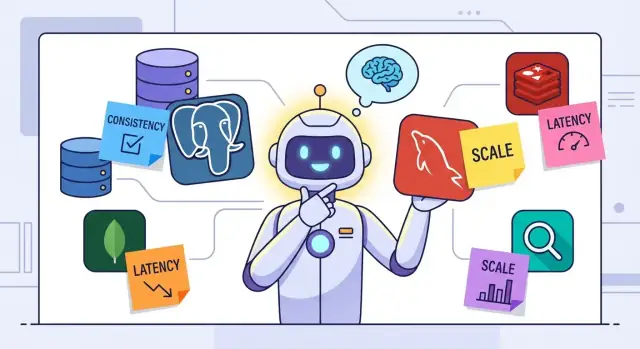
Why People Use LLMs to Choose Databases
Teams ask LLMs to recommend a database for the same reason they ask them to draft emails or summarize specs: it’s faster than starting from scratch. When you’re staring at a dozen options—PostgreSQL, DynamoDB, MongoDB, Elasticsearch, Redis, ClickHouse, and more—an LLM can quickly produce a shortlist, outline trade-offs, and provide a “good enough” starting point for a team discussion.
Used well, this also forces you to articulate requirements you might otherwise keep vague.
What “inferring from product needs” really means
In plain terms, you describe the product (“a marketplace with listings and chat”), the data (“users, orders, messages”), and the constraints (“must scale to 1M users, needs fast search, low ops effort”). The LLM then maps those needs to common architectural patterns:
- relational data → SQL
- flexible documents → document store
- analytics → columnar warehouse
- caching → key-value store
- full-text search → search engine
That mapping can be genuinely useful early on, especially when the alternative is a blank page.
Advice vs. the final architecture decision
An LLM recommendation is best treated as a hypothesis, not an architecture verdict. It can help you:
- name the key questions to answer
- identify obvious mismatches early
- draft a decision memo you’ll refine with the team
But it can’t know your real traffic shape, data growth, team skills, vendor constraints, or operational tolerance without careful inputs—and even then it won’t run production tests.
What can go wrong (and how to lower risk)
LLMs tend to fail in predictable ways: leaning on popular rules of thumb, guessing missing details, overlooking transactions and consistency needs, assuming performance without benchmarks, and underestimating cost and operational burden.
The rest of this article breaks down those failure modes and ends with a practical checklist to validate any LLM database advice before you commit.
How LLMs Turn Requirements Into a Database Pick
When you ask an LLM to “recommend a database,” it doesn’t evaluate databases the way an engineer would. It converts your prompt into inferred requirements, matches those to patterns it has seen before, and then produces an answer that reads like a decision.
What it treats as inputs
The inputs aren’t just explicit details you provide (traffic, data size, consistency needs). The model also uses:
- the wording and structure of your prompt (what you emphasize, what you omit)
- your product description (it maps “chat,” “analytics,” “payments,” “IoT,” etc. to typical architectures)
- stated constraints (cloud provider, budget, team skills, deadlines)
- learned “past patterns” from training data (common stacks, popular blog advice, frequent pairings)
Because many prompts are incomplete, the model often fills gaps with implicit assumptions—sometimes correctly, sometimes not.
What it produces as outputs
Most responses land in three layers:
- a category pick (SQL vs NoSQL; relational vs document vs key-value)
- specific engines (PostgreSQL, MySQL, DynamoDB, MongoDB, BigQuery, Redis)
- a bundle of “best practices” (indexes, caching, read replicas, sharding, event sourcing)
The result can feel like a clear recommendation, but it’s often a structured summary of conventional options.
Why it can sound certain without being certain
LLMs generalize from examples; they don’t run your workload, inspect your schema, or benchmark queries. If the training data strongly associates “high scale” with “NoSQL,” you may get that answer even when a well-tuned SQL system would fit.
Confident wording is a style, not a measurement. Unless the model explicitly states assumptions (“I’m assuming mostly append-only writes and eventual consistency is acceptable”), certainty can hide the real uncertainty: missing inputs and untested performance claims.
What “Product Needs” Actually Includes
When people say “pick a database based on product needs,” they often mean far more than “we store users and orders.” A good database choice reflects what the product does, how it must behave under stress, and what your team can realistically operate.
Functional needs (what you build)
Start with the shape of the product: the core entities, how they relate, and which queries power real workflows.
Do you need ad-hoc filtering and reporting across many attributes? Do you rely on joins across relationships? Are you mostly reading a single record by ID, or scanning time ranges? These details determine whether SQL tables, document models, wide-column patterns, or search indexes fit best.
Nonfunctional needs (how it must behave)
Databases are chosen as much by constraints as by features:
- latency targets (p95/p99) for key user actions
- availability and recovery requirements (what downtime is acceptable?)
- read/write mix and peak traffic patterns
- growth rate in data volume and traffic over 6–24 months
A system that can tolerate a few seconds of delay is very different from one that must confirm a payment in under 200ms.
Operational needs (what you can run)
Even a “perfect” data model fails if operations don’t fit:
- backups and restore testing
- migrations and schema evolution
- on-call burden and staffing (DBA experience vs generalists)
- vendor limits: managed service quotas, region support, maintenance windows
Regulatory needs (what you must prove)
Compliance requirements can narrow choices quickly:
- data retention and deletion guarantees
- audit trails (who changed what, when)
- access control, encryption, and separation of duties
LLMs often infer these needs from vague prompts—so being explicit here is the difference between a helpful recommendation and a confident mistake.
Where LLM Reasoning Can Drift From Reality
LLMs often map a few stated needs (“real-time,” “scales,” “flexible schema”) to a familiar category label (“use NoSQL,” “use Postgres”). That can be useful for brainstorming, but the reasoning drifts when the model treats database features as if they were the same thing as product requirements.
Features ≠ product needs
A feature list (transactions, JSON support, full-text search, sharding) sounds concrete, yet product needs usually describe outcomes: acceptable latency, correctness rules, auditability, team skills, migration constraints, and budget.
An LLM can “check off” features and still miss that the product needs predictable support workflows, a mature ecosystem, or a hosting option your company is allowed to use.
Checklists miss the shape of your data and queries
Many recommendations assume that if a database can store a data type, it will serve the product well. The hard part is the relationship between data and queries: how you’ll filter, join, sort, and aggregate—at what volumes and with what update patterns.
Two systems that both “store user events” can behave very differently depending on whether you need:
- ad-hoc analytics across many dimensions
- per-user timelines with strict ordering
- cross-entity constraints (e.g., inventory cannot go below zero)
Performance is an implementation detail, not a promise
LLMs may say “Database X is fast,” but performance depends on schema choices, indexes, partitioning, query patterns, and concurrency. Small changes—like adding a composite index or avoiding unbounded scans—can flip the result. Without representative data and queries, “fast” is just a guess.
Operational fit can outweigh raw capability
Even if two databases can technically meet requirements, the better choice may be the one your team can run reliably: backups and restore time, monitoring, on-call load, vendor lock-in, cost predictability, and compliance.
LLMs tend to underweight these realities unless you explicitly provide them.
Failure Mode 1: Overgeneralizing From Popular Rules of Thumb
LLMs often answer database questions by reaching for widely repeated “rules,” like “NoSQL scales better” or “Postgres can do everything.” These shortcuts sound confident, but they flatten the messy reality of products: what you store, how you query it, and what failure looks like when things go wrong.
The classic shortcut: “Use NoSQL for scale”
A common pattern is assuming that if you mention growth, high traffic, or “big data,” the safest pick is a NoSQL database. The problem is that “scale” is rarely the first unsolved problem. Many apps hit limits because of:
- missing indexes or inefficient queries
- unbounded data retention
- poor caching strategy
- under-provisioned resources
In those cases, switching databases doesn’t fix the root cause—it just changes the tools.
What gets ignored: joins, transactions, and strict correctness
Rules of thumb also gloss over requirements that heavily influence database fit. An LLM might recommend a document store while overlooking that you need:
- multi-step updates that must succeed or fail together (transactions)
- strict correctness for balances, inventory, or bookings (strong consistency)
- reporting queries that stitch data across entities (complex joins)
Those needs don’t automatically rule out NoSQL, but they raise the bar: you may need careful schema design, extra application logic, or different trade-offs than the LLM implied.
Why this failure is expensive
When a recommendation is built on a slogan instead of your actual access patterns, the risk isn’t just a suboptimal choice—it’s costly re-platforming later. Migrating data, rewriting queries, and retraining the team tends to happen exactly when you can least afford downtime.
Treat “rules” as prompts for questions, not answers. Ask what you’re scaling (reads, writes, analytics), what must be correct, and what queries you can’t avoid.
Failure Mode 2: Missing or Ambiguous Inputs
LLMs are good at turning a short description into a confident database pick—but they can’t invent the missing constraints that actually determine whether a choice works. When the inputs are vague, the recommendation becomes a guess dressed up as an answer.
The “real-time” and “high traffic” trap
Words like “real-time,” “high traffic,” “scalable,” or “enterprise-grade” don’t map cleanly to a specific database. “Real-time” might mean “updates within 5 seconds” for a dashboard—or “sub-50ms end-to-end” for trading alerts. “High traffic” could be 200 requests per second or 200,000.
Without hard numbers, an LLM may default to popular heuristics (e.g., “NoSQL for scale,” “Postgres for everything”) even when the true needs point elsewhere.
Missing numbers that change the answer
If you don’t provide these, the model will silently assume them:
- read/write QPS (peak vs average)
- p95/p99 latency targets (and whether they apply to reads, writes, or both)
- dataset size today, growth rate, retention policy
- object size (wide rows? large blobs?) and index cardinality
Hidden query patterns you forgot to mention
The most damaging omissions are often query-shaped:
- reporting and analytics (group-bys, time buckets)
- filtering/sorting on many fields
- ad-hoc queries for support and debugging
- backfills, reprocessing, and “show me everything for user X” lookups
A database that excels at key-value access can struggle when product suddenly needs flexible filtering and reliable reporting.
Practical tip: force clarification before recommending
Treat “database selection” as a two-step interaction: first collect constraints, then recommend. A good prompt (or internal checklist) should require numbers and example queries before naming any engine.
Failure Mode 3: Data Model Mismatch
A common LLM mistake is recommending a database “category” (SQL, document, graph, wide-column) without validating whether the product’s data actually fits that model. The result is choosing a store that sounds right for the workload, but fights the structure of the information you need to represent.
The mismatch usually starts with relationships
LLMs often gloss over relationship depth and cardinality: one-to-many vs many-to-many, nested ownership, shared entities, and how often users traverse across them.
A document database might feel natural for “user profiles,” but if your product constantly answers cross-entity queries—“all projects where any member’s role changed in the last 7 days,” or “top 20 tags across all teams filtered by compliance status”—you’re no longer just fetching a document; you’re joining concepts.
When those joins are frequent, you either:
- simulate joins in application code (extra round trips and complexity), or
- denormalize heavily (duplicate data across documents)
The hidden cost of denormalization
Duplication isn’t free. It increases write amplification, makes updates harder to keep consistent, complicates audits, and can create subtle bugs (“which copy is the source of truth?”). LLMs sometimes recommend denormalization as if it’s a one-time modeling choice, not an ongoing operational burden.
Sanity check: candidate schema + key queries
Before accepting an LLM recommendation, force a quick reality test:
- Sketch a candidate schema (tables/collections/nodes) with primary keys and the few critical relationships.
- Write 5–10 “key queries” the product must support (filters, sorts, aggregations, cross-entity lookups).
- Ask: does this database express these queries naturally and efficiently, without heroic denormalization or multi-step application joins?
If the model and queries don’t align, the recommendation is noise—even if it sounds confident.
Failure Mode 4: Transactions and Consistency Blind Spots
LLMs often treat “consistency” as a preference rather than a product constraint. That leads to recommendations that look reasonable on paper (“use a scalable NoSQL store”) but fall apart when real user actions require atomic, multi-step updates.
The atomicity gap: multi-step updates that must succeed together
Many product flows are not a single write—they’re several writes that must either all happen or none happen.
Payments is the classic example: create a charge, mark an invoice paid, decrement account balance, and append an audit record. If any step fails after the first succeeds, you’ve created a mismatch that users and finance will notice.
Inventory is similar: reserve stock, create an order, and update availability. Without transactions, you can oversell during spikes or partial failures.
Eventual consistency isn’t the same as “users won’t mind”
LLMs sometimes equate eventual consistency with “the UI can refresh later.” But the question is whether the business action can tolerate divergence.
Booking conflicts show why this matters: two users try to book the same time slot. If the system accepts both and “resolves later,” you’re not improving UX—you’re creating customer support issues and refunds.
Missing operational semantics: idempotency, retries, and exactly-once
Even with a database that supports transactions, the surrounding workflow needs clear semantics:
- Idempotency keys so “Pay” clicked twice doesn’t charge twice.
- Retries that are safe under partial failures and timeouts.
- Exactly-once effects (or a deliberate alternative like “at-least-once + dedupe”) for events, webhooks, and background jobs.
When an LLM ignores these, it may recommend architectures that require expert-level distributed systems work just to reach “normal” product correctness.
Failure Mode 5: Performance Assumptions Without Testing
LLMs often recommend a “fast” database as if speed were an intrinsic property of the engine. In practice, performance is an interaction between your workload, schema, query shapes, indexes, hardware, and operational settings.
“Fast” without workload context
If you don’t specify what needs to be fast—p99 latency for single-row reads, batch analytics, ingestion throughput, or time-to-first-byte—an LLM may default to popular choices.
Two products can both say “low latency” and still have opposite access patterns: one is key-value lookups; the other is search + filtering + sorting across many fields.
Hidden constraints: indexes, amplification, and hot partitions
Performance advice also drifts when models ignore:
- Indexing limits and tradeoffs: Secondary indexes speed reads but add write cost and storage. Some systems have constraints around composite indexes, index build time, or online index changes.
- Write amplification: LSM-based engines can turn “simple writes” into significant background compaction work, which matters under steady ingestion.
- Hot partitions: A “sharded” or “partitioned” design can still bottleneck if traffic concentrates on a small key range (e.g., newest tenant, today’s date, one popular item).
Cache behavior and query shape
An LLM may assume caches will save you, but caches only help predictable access patterns. Queries that scan large ranges, sort by non-indexed fields, or use ad-hoc filters can miss cache and stress disk/CPU.
Small changes in query shape (e.g., OFFSET pagination vs keyset pagination) can flip performance outcomes.
A small benchmark plan (better than guesses)
Instead of trusting generic “X is faster than Y,” run a lightweight, product-shaped test:
- Pick 3–5 representative queries (including worst-case filters and sorts) and 1–2 write patterns (steady + burst).
- Use realistic data volume (at least enough to exceed memory; include skew and “hot” keys).
- Measure p50/p95/p99 latency and throughput separately for reads and writes.
- Test index variants (no index, minimal indexes, “ideal” indexes) and record write overhead.
- Run with concurrency close to expected peak and watch CPU, disk, compaction, and lock/transaction metrics.
Benchmarks won’t predict everything, but they quickly reveal whether an LLM’s performance assumptions match reality.
Failure Mode 6: Operational and Cost Oversights
LLMs often optimize for fit on paper—data model, query patterns, scalability buzzwords—while glossing over what makes a database survivable in production: operations, failure recovery, and the real bill you’ll pay month after month.
The hidden work: backups, recovery, and migration
A database recommendation isn’t complete unless it answers basic questions: How do you take consistent backups? How fast can you restore? What’s the disaster recovery plan across regions?
LLM advice frequently skips these details, or assumes they’re “built in” without checking the fine print.
Migration is another blind spot. Switching databases later can be expensive and risky (schema changes, dual writes, backfills, query rewrites). If your product is likely to evolve, “easy to start” isn’t enough—you need a realistic migration path.
Observability is part of the product
Teams don’t just need a database—they need to operate it.
If the recommendation ignores slow query logs, metrics, dashboards, tracing hooks, and alerting, you may not notice issues until users complain. Operational tooling varies widely between managed offerings and self-hosted setups, and between vendors.
Total cost isn’t just the hourly rate
LLMs tend to underestimate cost by focusing on instance size and forgetting multipliers:
- storage growth and retention policies
- IOPS/throughput pricing and burst limits
- replicas for read scale and high availability
- on-call time, incident response, and vendor support plans
Match the database to the team
A “best” database that your team can’t confidently run is rarely best. Recommendations should align with team skills, support expectations, and compliance needs—otherwise operational risk becomes the dominant cost.
Failure Mode 7: Overcomplicated Multi-Database Designs
LLMs sometimes try to “solve everything at once” by proposing a stack like: Postgres for transactions, Redis for caching, Elasticsearch for search, Kafka + ClickHouse for analytics, plus a graph database “just in case.” This can sound impressive, but it’s frequently a premature design that creates more work than value—especially early in a product.
Why the advice goes wrong
Multi-database designs feel like a safe hedge: each tool is “best” at one thing. The hidden cost is that every additional datastore adds deployment, monitoring, backups, migrations, access control, incident response, and a new set of failure modes.
Teams then spend time maintaining plumbing instead of shipping product features.
When polyglot persistence is justified
A second (or third) database is usually justified when there’s a clear, measured need that the primary database can’t meet without unacceptable pain, for example:
- search quality/latency requirements that exceed what your main DB can provide
- analytics workloads that significantly degrade transactional performance
- scale patterns that require different storage or indexing models
If you can’t name the specific query, latency target, cost constraint, or operational risk driving the split, it’s probably premature.
Cross-store consistency and duplication traps
Once data lives in multiple places, you face hard questions: Which store is the source of truth? How do you keep records consistent during retries, partial failures, and backfills?
Duplicated data also means duplicated bugs—stale search results, mismatched user counts, and “it depends which dashboard you look at” meetings.
A practical decision rule
Start with one general-purpose database that fits your core transactions and reporting. Add a purpose-built store only after you can (1) show the current system failing against a requirement and (2) define an ownership model for sync, consistency, and recovery.
Keep the escape hatch, not the complexity.
A Practical Validation Checklist for LLM Database Advice
LLMs can be helpful for generating a first draft database recommendation, but you should treat it like a hypothesis. Use the checklist below to validate (or reject) the suggestion before you commit engineering time.
1) Clarify inputs (write them down)
Turn the prompt into explicit requirements. If you can’t write it clearly, the model likely guessed.
- What’s the product’s core workload: OLTP, analytics, search, time series, messaging?
- Expected scale: users, writes/sec, reads/sec, storage growth, peak-to-average.
- Nonfunctional needs: uptime, multi-region, compliance, budget, team skills.
2) Model the data and the key queries
Draft the real entities and relationships (even a sketch). Then list your top queries and access patterns.
- What are the top 10 reads and writes?
- Which queries must be fast at peak?
- What must be indexed, joined, aggregated, or searched?
3) Define acceptance tests (success criteria)
Translate “it should be fast and reliable” into measurable tests.
- Latency and throughput targets (p95/p99) for the top queries
- Consistency and transaction requirements (what must be atomic?)
- Failure cases: node loss, network partitions, regional failover, backup/restore time
4) Run a lightweight proof-of-concept
Use realistic data shapes and query mixes, not toy examples. Load a representative dataset, run queries under load, and measure.
If the LLM proposed multiple databases, test the simplest single-database option first, then prove why splitting is necessary.
If you want to speed up this step, a practical approach is to prototype the product slice that drives the database choice (a couple of core entities + the key endpoints + the most important queries). Platforms like Koder.ai can help here: you can describe the workflow in chat, generate a working web/backend app (commonly React + Go + PostgreSQL), and iterate quickly while you refine schema, indexes, and query shape. Features like planning mode, snapshots, and rollback are especially useful when you’re experimenting with data models and migrations.
5) Document the decision—and the “change triggers”
Write a short rationale: why this database fits the workload, what trade-offs you’re accepting, and what metrics would force a re-evaluation later (e.g., sustained write growth, new query types, multi-region requirements, cost thresholds).
FAQ
Should I treat an LLM’s database recommendation as a final decision?
Treat it as a hypothesis and a way to accelerate brainstorming. Use it to surface trade-offs, missing requirements, and a first-pass shortlist—then validate with your team, real constraints, and a quick proof-of-concept.
Why do LLM database picks sound confident even when they’re uncertain?
Because your prompt is usually missing hard constraints. The model will often:
- infer (or guess) traffic, latency, and data size
- map keywords like “scale” or “real-time” to popular patterns
- produce confident language even when assumptions are unstated
Ask it to list assumptions explicitly before it names any database.
What inputs should I include in my prompt to get a useful recommendation?
Provide numbers and examples, not adjectives:
- peak/average read & write QPS
- p95/p99 latency targets (reads vs writes)
- dataset size now, growth rate, retention
- 5–10 representative queries and write patterns
- consistency/transaction requirements (what must be atomic?)
If you can’t specify these, the recommendation is mostly guesswork.
How can an LLM help with database selection without replacing engineering judgment?
Use it to generate a requirements checklist and candidate options, then force a schema-and-query reality check:
- Sketch entities + relationships (tables/collections, primary keys).
- Write the top queries that power real workflows.
- Verify the database expresses those queries naturally (without heroic denormalization or multi-step app joins).
Is “use NoSQL for scale” a reliable rule of thumb?
“Scale” isn’t a database type; it’s what you’re scaling.
Many apps hit limits due to:
- missing indexes or inefficient queries
- unbounded retention and storage growth
- hot partitions or skewed access
- poor caching or under-provisioning
A well-designed relational system can scale far before a database switch is the right fix.
What’s the biggest consistency/transaction blind spot in LLM advice?
They’re often under-specified in recommendations.
If your product needs multi-step updates that must succeed or fail together (payments, inventory, bookings), you need clear support for:
- transactions/atomicity guarantees
- concurrency control and conflict handling
- safe retries and idempotency
If an LLM doesn’t ask about these, push back before adopting its suggestion.
How do I spot a data model mismatch (SQL vs document vs other) early?
Because data relationships drive query complexity.
If you frequently need cross-entity queries (filters, joins, aggregations across many attributes), a document model may force you to:
- denormalize heavily (duplicated data)
- simulate joins in application code
That increases write amplification, inconsistency risk, and operational complexity.
How can I validate claims like “Database X is fast”?
Performance depends on your workload, schema, indexes, and concurrency—not the brand name.
Run a small, product-shaped test:
- choose 3–5 key queries + 1–2 write patterns (steady + burst)
- load enough data to exceed memory and include skew/hot keys
- measure p50/p95/p99 latencies under realistic concurrency
- compare index variants and record write overhead
When is a multi-database architecture (Postgres + Redis + Elasticsearch + …) justified?
Because each extra datastore multiplies operational surface area:
- deployment, monitoring, backups, restore drills
- migrations and access control
- data sync, retries, and backfills across stores
Start with one general-purpose database for the core workload. Add a second store only after you can point to a measured requirement the first one can’t meet.
What operational and cost details do LLMs commonly overlook?
Ask for a cost model that includes the real multipliers:
- storage growth + retention policy
- replicas for HA/read scale
- IOPS/throughput pricing and burst limits
- staffing/on-call time, incident response, support plans
Also require an operations plan: backup/restore steps, RPO/RTO targets, and how you’ll detect slow queries and capacity issues.