

How Opinionated Frameworks Help Beginners Ship Faster
Opinionated frameworks speed up beginner projects by providing defaults, structure, and common patterns. Learn how to choose one and ship a first app faster.
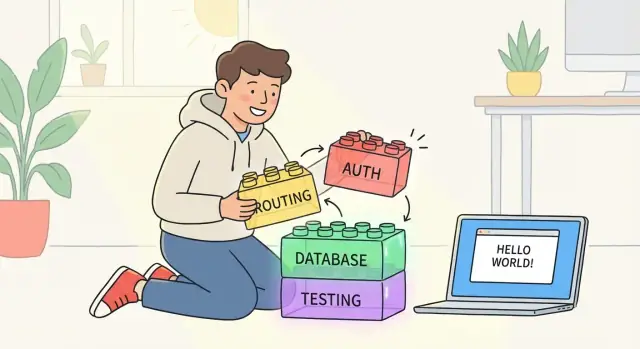
What “Opinionated” Means (Without the Jargon)
An opinionated framework makes a bunch of decisions for you up front—so you don’t have to. It nudges you toward a “default way” to structure, name, and connect the parts of your app.
Think of it like moving into a furnished apartment: you can still rearrange things, but you don’t start with an empty room.
Opinionated vs. “DIY” (or Unopinionated) Stacks
With a more DIY or less opinionated approach, you often choose everything yourself: folder layout, how URLs map to code, how to talk to the database, how to run tests, how to handle authentication, and more. That flexibility is powerful—but it also means more decisions, more setup, and more chances to get stuck.
Opinionated frameworks (classic examples: Rails and Django) reduce those choices by baking in conventions. Even newer tools with strong conventions—like Next.js—guide you toward a particular structure.
What Those “Opinions” Look Like in Practice
Those opinions usually show up as:
- Folders and naming: where pages/controllers/models “should” live, and what they’re called.
- Routing: a predictable way to define URLs (sometimes based on file structure).
- Data access: a recommended ORM pattern, migrations, and where database logic goes.
- Testing: a default test runner and conventions for test files.
- Common features: standard ways to handle sessions, forms, validations, errors, and security basics.
The Expectation to Set as a Beginner
You typically get faster starts because the path is already paved: fewer tools to pick, fewer files to invent, fewer architectural calls to make on day one.
The trade-off is less freedom at first. You can still customize, but you’ll move quickest when you follow the framework’s conventions instead of fighting them.
Why Beginners Lose Time: Too Many Choices
Beginners rarely get stuck because they “can’t code.” More often, they stall because every step requires a decision they don’t yet have the experience to make confidently.
The hidden time sink: decisions before code
When you’re new, even simple goals can trigger a chain of questions:
- Architecture: Do you split your app into services? Use MVC? How should your data flow?
- Libraries: Which router, form library, validation tool, UI kit, ORM, testing framework, state management approach…?
- Folder structure: Where do pages go? Where should components live? Where does business logic belong?
None of these choices are “wrong,” but each one creates a research rabbit hole. You read comparisons, watch tutorials, and open other people’s repos—then you still worry you picked the “bad” option. That second-guessing is expensive: it breaks momentum, and momentum is what makes beginners finish projects.
Defaults cut research and reduce regret
Opinionated frameworks remove many early choices by saying, “Start here.” They provide conventions (how things are usually done) and defaults (what’s already set up) so you can move forward while your understanding catches up.
Fewer choices often means:
- less time evaluating tools you can’t yet judge well,
- fewer incompatible pieces to glue together,
- fewer rewrites caused by early architectural pivots.
A concrete example: auth, forms, validation
Imagine you want a basic app with sign-up, a profile form, and input validation. A beginner path without strong conventions might look like:
- Pick an authentication approach (sessions vs tokens), then find a library.
- Choose how to build forms (custom, library-driven, server-rendered, client-rendered).
- Decide where validation lives (client, server, both), and pick a validation tool.
An opinionated framework typically gives you a recommended path for all three—often with working examples—so you can implement “good enough” quickly and refine later. That’s not just convenience; it’s how beginners keep shipping instead of circling decisions.
How Opinions Turn Into Speed: The Core Mechanisms
Opinionated frameworks speed you up by turning dozens of “what should I do?” decisions into a smaller set of “fill in the blanks” steps. Instead of designing your own approach for every folder, file name, and workflow, you follow a path that’s already been tried by thousands of projects.
Conventions: predictable layout and naming
Conventions are the quiet superpower. When the framework expects controllers in one place, routes in another, and files named a certain way, you spend less time hunting and more time building.
That predictability also makes help easier to apply. Tutorials, error messages, and stack traces assume the same structure you have. Beginners feel this as “I can find things quickly” and “examples match my project.”
Batteries included: common features are ready
Most apps need the same building blocks: routing, forms, validation, database access, auth patterns, security protections, logging, and a deployment story. Opinionated frameworks either ship these features or strongly recommend standard packages.
The speed gain isn’t just fewer installs—it’s fewer debates. You’re not comparing ten libraries for the same job on day one. You accept a solid default and move forward.
Generators and scaffolding: start with working code
Scaffolding tools create real, connected pieces—models, pages, migrations, APIs—so you can iterate from something that already runs.
For a beginner, this is huge: you see an end-to-end slice (data → logic → UI) early, then refine it. You also learn what “normal” code looks like in that ecosystem.
CLI workflows: one command per job
A good command-line workflow reduces setup friction:
- run the dev server
- run tests
- create and apply database migrations
- generate files and boilerplate
Instead of remembering a custom sequence of steps, you build muscle memory around a few commands—and that consistency helps you keep momentum.
Helpful Defaults You Get Out of the Box
Opinionated frameworks earn their keep by deciding a bunch of “small” things for you—things that are easy to get wrong and surprisingly time-consuming to research. For beginner web development, these defaults act like guardrails: you spend less time assembling a stack and more time building features.
Routing patterns that “just work”
Most opinionated frameworks give you a clear, predictable way to map URLs to pages or controllers. Rails and Django push you toward conventional folder structures and naming. Next.js conventions go even further with file-based routing, where creating a file can create a route.
The win isn’t just fewer lines of code—it’s that you stop reinventing URL design on every project. You follow the framework’s conventions, and your app stays consistent as it grows.
Database migrations and ORM defaults
A common beginner trap is changing the database by hand and losing track of what changed. Frameworks like Rails, Django, and Laravel include migrations by default, plus an ORM that nudges you into a standard way of modeling data.
That “convention over configuration” approach means you typically get:
- A place to define schema changes (migrations)
- A consistent way to query data (ORM defaults)
- Sensible conventions for table names, IDs, timestamps, and relationships
Auth/session patterns and security basics
Authentication is where beginners can accidentally create serious holes. Opinionated frameworks often provide starter implementations (or official starter kits) that cover sessions, password hashing, CSRF protection, and secure cookie settings. Laravel starter kits and many Django setups are popular here because they make the “safe path” the easy path.
Asset/build tooling and sensible configuration
Modern front-ends can become a build-tool maze. Opinionated frameworks usually ship with a working baseline: bundling, environment configs, and development servers already wired. Next.js conventions are a good example—many defaults are pre-chosen so you don’t spend a weekend tuning build tooling before you’ve shipped anything.
These defaults don’t remove learning—they reduce the number of decisions you must make before you see progress.
Structure That Teaches While You Build
One of the quiet superpowers of opinionated frameworks is that they don’t just help you build an app—they teach you how apps are usually built while you’re doing it. Instead of inventing your own folder layout, naming scheme, and “where does this code belong?” rules, you inherit a consistent structure.
A map you can actually follow
When a framework expects controllers here, templates there, and database logic somewhere else, tutorials become dramatically easier to follow. The steps in a guide line up with what you see on your screen, so you spend less time translating “their project” into “your project.” That reduces the common beginner trap of getting stuck on small differences that don’t affect the lesson.
Patterns beat one-off fixes
Conventions push you toward reusable patterns: where validation goes, how requests flow through the app, how errors are handled, and how to organize features. Over time, you’re not just collecting random snippets—you’re learning a repeatable way to solve the same class of problems.
This matters because real progress comes from recognizing, “Oh, this is the standard way we add a form / create an endpoint / connect a model,” not from reinventing it every time.
Debugging gets less mysterious
When your code follows common conventions, debugging becomes simpler. You know where to look first, and so do other people. Many fixes become routine: check the route, check the controller/action, check the template, check the model.
Even if you’re solo, this is like giving your future self a cleaner workspace.
Future you (and your future team) will move faster
If you later ask for a code review, hire a contractor, or collaborate with a friend, a conventional structure reduces onboarding time. They can predict where things are, understand your choices faster, and focus on improving the product instead of deciphering your layout.
Scaffolding: Fast Starts, Smart Follow-Through
Scaffolding is the “starter house” many opinionated frameworks can build for you: a working set of pages, routes, and database wiring that turns an idea into something you can click through. It’s not meant to be the final product—it’s meant to remove the blank-page problem.
What scaffolding generates (and what you still must design)
Most scaffolds create the boring-but-essential pieces:
- A model/entity (and often a database migration)
- Basic CRUD screens (create, read, update, delete)
- Routes/URLs, controllers/handlers, and form validation hooks
- A default layout and simple UI patterns
What you still must design is the product: the user flows, the content, what “good” looks like, and where the rules are more than just “required field.” Scaffolding gives you a functional demo, not a differentiated experience.
Don’t ship the “default UI” forever—iterate intentionally
A common beginner trap is treating generated screens as the finished app. Instead, use scaffolds to validate behavior first:
- Confirm the data model makes sense.
- Try the happy path and the edge cases.
- Then improve one screen at a time (copy, layout, accessibility, empty states).
This keeps momentum while ensuring you’re gradually replacing generic UI with product-specific choices.
When it’s safe to delete or replace generated code
Generated code is easiest to modify early, before other features depend on it. A safe approach:
- Replace templates/views freely once you understand where data is coming from.
- Refactor controllers/handlers once tests (even minimal) cover key actions.
- Keep migrations and model changes deliberate—changing a database schema later can be fine, but do it with care and version control.
If you’re unsure, duplicate the generated file and make changes in small commits so you can roll back.
Generators as a learning tool (not a crutch)
Treat scaffolding like a guided tour. After generating a feature, read the files in order: routes → controller/handler → model → view. You’ll learn the framework’s conventions faster than by reading docs in isolation—and you’ll also learn what to customize next.
Shipping Faster Without Skipping Safety
Speed is great—until you ship something that leaks data or gets hacked. One underrated benefit of opinionated frameworks is that they aim for a “pit of success”: the default path is the safer path, so you can move quickly without having to become a security expert on day one.
The “pit of success” in plain terms
When a framework has strong conventions, it can quietly prevent common mistakes. Instead of asking you to remember every rule, it nudges you into secure patterns automatically.
A few everyday examples you’ll often get out of the box:
- Input validation and escaping: conventions for validating forms and preventing injection issues.
- CSRF protection: built-in protection for form submissions so other sites can’t trick your app into making unwanted requests.
- Secure sessions: sensible defaults for session cookies (like signing/encrypting and safer cookie settings).
Less copy‑paste, fewer security bugs
Beginners often build features by copying snippets from tutorials, answers, or old projects. That’s normal—but it’s also how security holes spread:
- A login snippet that forgets rate limiting
- A form handler that skips validation “just for now”
- A homemade auth middleware with one missing check
Opinionated frameworks reduce this risk by making the “standard way” the easiest way. If every form uses the same helpers, every controller follows the same flow, and authentication uses the same official components, you’re less likely to accidentally create a one-off insecure path.
Move fast—then verify with official checklists
Defaults are a head start, not a guarantee. When you’re close to shipping, use the framework’s official security guide as a final pass. Look for checklists covering sessions, CSRF, password storage, file uploads, and production settings.
If you’re unsure where to start, add “Security” to your personal release checklist and link it to the docs you trust (or your own notes in /docs).
The Trade-Offs: Where Opinionated Can Feel Limiting
Opinionated frameworks save beginners time by making decisions for you. The downside is that those decisions don’t always match what you want—especially once you move past the “standard” app.
1) Less flexibility (at least at first)
Early on, you may feel boxed in: folder structure, routing style, file naming, and “the right way” to do common tasks are often non-negotiable. That’s intentional—constraints reduce decision fatigue.
But if you’re trying to build something unusual (custom auth, a non-standard database setup, an atypical UI architecture), you might find yourself spending extra time bending the framework instead of building features.
2) The cost of learning “the framework way”
Opinionated tools often require you to learn their conventions before you can be productive. For beginners, that can feel like you’re learning two things at once: web development fundamentals and a framework-specific approach.
This is still usually faster than assembling your own stack, but it can be frustrating when the framework hides details you want to understand (like how requests flow through the app, or where validation and permissions really happen).
3) Fighting conventions can waste more time than starting from scratch
The biggest time trap is going “off-road” too early. If you ignore conventions—placing code in unexpected locations, bypassing built-in patterns, or replacing core components—you can end up with confusing bugs and harder-to-maintain code.
A good rule: if you’re overriding the framework in three different places just to make one feature work, pause and ask whether you’re solving the right problem.
4) Performance and scaling may demand deeper knowledge later
Defaults are optimized for getting started, not for every edge case. As your app grows, you may need to understand caching, database indexing, background jobs, and deployment details that the framework initially kept out of sight.
5) Signs you’ve outgrown the defaults
You’re likely outgrowing defaults when you need consistent custom patterns across many features (not just one), when upgrades keep breaking your overrides, or when you can’t explain why the framework behaves a certain way—only that it does.
How to Choose an Opinionated Framework as a Beginner
Picking among opinionated frameworks can feel like picking a “forever” tool. It isn’t. For your first project, the best choice is the one that helps you finish something real—an MVP, a portfolio piece, or a small business app—without constant detours.
Start with your goal (not the hype)
Different frameworks shine in different beginner web development scenarios:
- MVP with a database + admin-style screens: Rails vs Django is a common comparison here; both emphasize convention over configuration and have mature patterns for CRUD apps.
- Marketing site + some interactivity: Next.js conventions can help you ship faster when your app is mostly pages, forms, and integrations.
- Small business app on a typical hosting stack: Laravel starter kits can get you authentication, layout, and basic structure quickly.
If you can describe your app in one sentence, you can usually rule out half the options.
Run a quick “beginner friction” checklist
Before committing, spend 30 minutes checking:
- Docs quality: Can you find a “Getting Started” that ends with a deployed app?
- Tutorial ecosystem: Are there recent beginner tutorials that match the current version?
- Community support: Do questions get answered on forums/Discord/Stack Overflow?
A framework can be great, but if the learning curve for frameworks is steep because the learning materials are outdated, you’ll stall.
Prefer strong defaults and a clear path forward
Look for best practices defaults that reduce decisions: sensible folder structure, authentication patterns, environment configuration, and testing guidance.
Also check for:
- Starter templates that match your use case
- Scaffolding and generators (they’re training wheels that teach by example)
- An upgrade path (release notes, migration guides, long-term support signals)
A modern twist: “opinionated platforms” (not just frameworks)
Frameworks aren’t the only way to reduce early decisions. Tools like Koder.ai take the same idea—defaults, conventions, and scaffolding—and push it into a chat-driven workflow.
With Koder.ai, you can describe the app you want in plain language and generate a working project end-to-end (web, backend, and even mobile) using a consistent stack: React on the web, Go on the backend with PostgreSQL, and Flutter for mobile. For beginners, the practical benefit is similar to an opinionated framework: fewer setup decisions and a clearer “happy path,” with features like planning mode, snapshots, rollback, deployment/hosting, and source code export when you’re ready to take full control.
Pick one—and commit for one full project
For your first build, avoid “framework shopping.” Choose a reasonable option, follow the official guide end-to-end, and stick with it until you deploy. Finishing one project teaches more than starting three.
A Simple 3-Phase Plan to Ship Your First App
Opinionated frameworks work best when you let them lead. The goal here isn’t to build the “perfect” app—it’s to finish a small, real one and learn by shipping.
Phase 1: Follow the official tutorial end-to-end
Pick one framework and commit for a week (Rails, Django, Laravel, Next.js—any is fine). Then do the official tutorial exactly as written.
Don’t “improve” it mid-way, don’t swap the database, and don’t redesign the folder structure. The point is to absorb the framework’s conventions: where code lives, how routing works, how data flows, and what “normal” looks like.
If you get stuck, search errors and continue—finishing the tutorial matters more than understanding every line.
Phase 2: Build one small feature at a time
Start from the tutorial project and add features in this order:
- Auth (sign up, login, logout)
- CRUD (create, list, edit, delete one core resource)
- Payments (only if your app needs it—otherwise skip)
Make each feature tiny and shippable. For CRUD, one model is enough. For auth, use the framework’s recommended approach (starter kits, generators, or built-in modules).
Rule of thumb: if a feature takes more than one evening, cut it in half.
Phase 3: Add tests, error handling, basic monitoring
After the app works, add a safety layer:
- One or two happy-path tests (login works, CRUD saves)
- Basic error pages and validation messages
- Minimal monitoring: server logs, simple uptime checks, and a way to see exceptions
This is where opinionated defaults help: testing tools, conventions, and deployment guides are usually already mapped out.
Define “done” (so you actually ship)
Your app is “done” when it’s deployed, you can share a link, and you’ve collected feedback from at least 3 people. Once that happens, you can iterate—or start your second app with far less friction.
Practical Tips to Stay Fast (and Avoid Getting Stuck)
Speed with opinionated frameworks isn’t just about the framework—it’s about how you work with its opinions. The goal is to stay on the “happy path” long enough to finish something real.
Keep a tiny conventions cheat sheet
When you’re new, most time is lost to “Where does this go?” Make a one-page note (or README in your repo) with the conventions you keep forgetting: key folders, naming rules, and the 5–10 commands you run most.
Examples to include:
- Where routes/controllers/pages live
- Where database migrations live
- How to create a new page/model/component
- How to run tests and start the dev server
This turns repeated Googling into muscle memory.
Don’t customize defaults without a clear reason
Opinionated frameworks give you a working baseline—authentication patterns, project structure, build tools, even error handling. Treat defaults as “correct until proven otherwise.”
Before swapping libraries or reorganizing folders, ask: Does this change help me ship the next feature faster? If the answer is “it might someday,” postpone it.
Let the tooling protect your focus
Use the recommended setup for formatting, linting, and testing. It reduces review overhead and prevents tiny style issues from turning into hour-long detours.
A simple rule: if your framework’s starter kit suggests a linter/formatter/test runner, use it as-is until you’ve shipped at least one small app.
Work in milestones and deploy early
Break your app into small, visible checkpoints (login works, one CRUD screen works, payment flow works). After each checkpoint, deploy—even if it’s ugly.
Early deploys surface real problems (config, environment variables, database setup) while the project is still small. Keep a running “next milestone” list and avoid expanding scope until the current milestone is live.
FAQ
What does “opinionated framework” actually mean?
An opinionated framework makes many common project decisions for you—folder structure, routing patterns, database conventions, and recommended tooling—so you can follow a “default way” instead of designing everything from scratch.
You still can customize, but you move fastest when you work with the conventions rather than against them.
Why do opinionated frameworks help beginners ship faster?
Because beginners often lose time to pre-code decisions: picking libraries, inventing structure, and second-guessing architecture.
Opinionated frameworks reduce that decision load by giving you:
- a predictable project layout
- standard workflows (CLI commands, migrations, tests)
- well-trodden patterns for common features (forms, auth, validation)
What’s the difference between opinionated and unopinionated stacks?
“Unopinionated” (DIY) stacks give you flexibility, but they also require you to choose and connect many pieces yourself (router, ORM, auth, testing, structure).
Opinionated frameworks trade some early freedom for speed:
- fewer choices up front
- fewer incompatible parts to glue together
- easier-to-follow tutorials and examples that match your structure
What kinds of decisions do opinionated frameworks usually make for you?
Common places the “opinions” show up include:
- Naming and folders: where controllers/pages/models “should” live
- Routing: conventions for mapping URLs to code (sometimes file-based)
- Database workflow: ORM patterns and migrations
- Testing: default test runner and test file conventions
- Common features: forms, validation, sessions, error handling, security defaults
Is scaffolding good practice, or is it “cheating”?
Use scaffolding to get a working end-to-end slice quickly (data → logic → UI), then iterate.
A practical approach:
- Generate the scaffold.
- Verify the behavior (CRUD works, validation triggers, routes make sense).
- Replace the default UI and refine logic in small steps.
Avoid treating generated screens as “final”—they’re a starting point, not a product.
How do I know if I’m “fighting the framework”?
You’re probably fighting the framework when you’re overriding core patterns in multiple places just to make one feature work.
Try this instead:
- follow the official conventions first
- implement the feature the “standard way” once
- only customize after you can explain what the default is doing and why it doesn’t fit
If customization is unavoidable, keep it consistent (one clear pattern, not many one-off hacks).
Do opinionated frameworks make my app more secure by default?
They often create a “pit of success” where the default path is safer than ad-hoc code.
Common safety-related defaults include:
- CSRF protection for forms
- secure session cookie handling
- built-in/standardized validation and escaping patterns
Still do a pre-ship pass with official security guidance—defaults help, but they’re not a guarantee.
When should I customize or replace the default tools and conventions?
Start by sticking to defaults until you’ve shipped at least one small app.
A good rule: change a default only when it clearly helps you ship the next feature faster or fixes a real constraint (not “it might be better someday”).
If you do customize, do it in small commits so you can roll back easily.
How should a beginner choose an opinionated framework?
Pick the framework that matches your goal and has strong beginner support:
- clear “Getting Started” that ends with deployment
- up-to-date tutorials for the current version
- starter kits/scaffolding for common needs (auth, CRUD)
Then commit to one full project. Finishing one app teaches more than restarting with a new stack.
What’s a practical step-by-step way to learn and ship with an opinionated framework?
A simple plan:
- Phase 1: Follow the official tutorial end-to-end (don’t reorganize or swap major pieces).
- Phase 2: Add one small feature at a time (auth, one CRUD resource, optional extras).
- Phase 3: Add minimal safety (a couple tests, basic error handling, simple monitoring) and deploy.
Define “done” as deployed + shareable link + feedback from a few people to avoid endless tweaking.