

How to Build a Mobile App for Daily Learning Notes
Plan, design, and launch a mobile notes app that supports daily learning with quick capture, tags, reminders, sync, and privacy-first features.
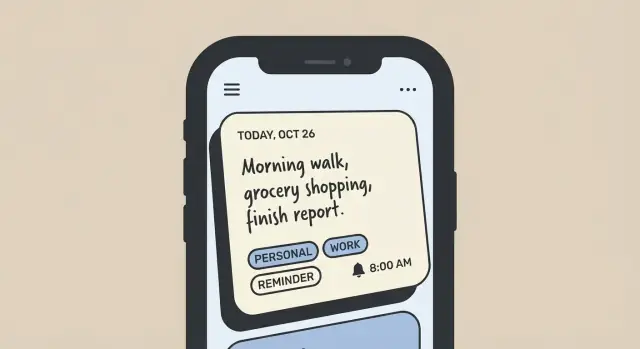
Define the Goal and Target Users
Before you sketch screens or choose tools, get specific about what this app is meant to do for someone—and what it is not. A daily learning notes app is less about writing long documents and more about capturing small insights reliably, then turning them into memory.
Who the app is for
A “daily learning journal” can serve a few clear groups, each with different expectations:
- Students: want quick class takeaways, definitions, and exam-oriented review. They often need structure (subjects, tags) and predictable reminders.
- Self-learners: collect lessons from books, courses, and projects. They care about flexible organization and fast retrieval.
- Professionals: track lessons from meetings, incidents, and new skills. They value speed, privacy, and a workflow that fits into a busy day.
You don’t need to build for everyone at once—pick a primary user and make the default experience feel tailored.
The core job: capture what you learned today in seconds
The main promise should be simple: open the app and record today’s learning in under 30 seconds. That means the default note should be lightweight (a few lines, maybe a prompt), and the app should reduce friction:
- Minimal taps to start a note
- Smart defaults (today’s date, last-used tags)
- An interface that encourages short, useful entries rather than perfect writing
Key outcomes: recall, review, and consistency
Daily notes only matter if they’re easy to revisit. Aim for three outcomes:
- Recall: help users remember what they captured (clear titles, highlights, quick summaries).
- Review: make it natural to look back (weekly review, prompts, resurfacing older notes).
- Consistency: support a habit without guilt or pressure (gentle reminders, streaks as optional).
Define what “success” means
Write down measurable success criteria early so product decisions stay focused. Examples:
- Retention: % of users still active after 7/30 days
- Daily use: average days per week with at least one saved note
- Completion: % of sessions that result in a saved note (not abandoned)
If your success metric is “users capture one learning daily,” you’ll prioritize speed and reliability over complex formatting—exactly the trade-off a focused app should make.
Map User Stories and Main Flows
Before you design screens or pick features, map the everyday situations your app must support. User stories keep you focused on outcomes (“I captured it”) instead of UI details (“I tapped three buttons”). For a daily learning journal, prioritize speed, clarity, and retrieval.
Core user stories (the “must work” set)
- As a learner, I want to create a note in under 10 seconds so I don’t lose the idea.
- As a learner, I want to edit and refine notes later so quick drafts can become useful references.
- As a learner, I want to tag notes (topic, course, project) so my knowledge stays organized.
- As a learner, I want to search by keyword and tag so I can find information when I need it.
- As a learner, I want a lightweight review flow so I can revisit what I learned and retain it.
Main flows to design first
1) Quick Add (capture-first)
This flow is for “I’m in the hallway” moments: open app → cursor ready → type (or voice) → optional single tap for a tag → save automatically. Avoid extra decisions and fields.
2) Full Entry (reflect-and-structure)
This is for end-of-day sessions: create note → add title → add tags → highlight key takeaway → optional attachment/formatting → set reminder or review date. The goal is richer context without feeling like homework.
3) Find & Use (retrieval-first)
Home/search bar → results list → filter by tag/date → open note → quick actions (edit, add tag, pin, mark reviewed). This flow directly addresses messy notes and hard-to-find info.
Accessibility checkpoints
Support adjustable font size, clear contrast, large tap targets, and voice input for capture. Also ensure search and tagging work well with screen readers and keyboard navigation where applicable.
Design the Data Model (Notes, Tags, Reminders)
Your data model is the “contract” your app keeps with users: what a note is, what can be attached to it, and how it stays searchable and reliable over time. A clear model also reduces painful migrations later.
Core entities
- Note is the center. Keep it flexible enough for different kinds of learning (books, podcasts, meetings).
- Tag supports lightweight organization without forcing folders.
- Attachment covers photos, PDFs, audio snippets, or imported files.
- Reminder represents a notification tied to a note (or to a review plan).
- Review Session tracks spaced review or daily check-ins (useful for progress and streaks without rewriting notes).
Suggested fields (start small, extend later)
For a Note, common fields include:
- title (optional, but great for scanning lists)
- body (rich text or markdown—decide early)
- date (created_at and updated_at; also an “entry date” if users backfill)
- source (where it came from: book name, URL, course)
- highlights (structured snippets, or a simple array of quotes)
- links (URLs or internal links to other notes)
For Reminder: scheduled_time, timezone, repeat rules, and completion status.
Relationships that keep organization simple
Notes and tags are typically many-to-many: one note can have many tags, and one tag can belong to many notes. Implement this with a join table/collection (e.g., NoteTag).
Attachments are usually one-to-many from Note → Attachment.
Review Sessions are often one-to-many from Note → Review Session (each review creates a record).
Decide what stays local vs. what syncs
Sync the data that defines the note (text, tags, reminder metadata). Store heavy binaries (attachments) locally first, then upload in the background.
Keep some items local-only by design: full-text search index, temporary drafts, and caches. This keeps the app fast offline while still syncing the user’s actual content reliably.
Plan the App Structure and Screen List
A daily learning notes app feels simple when the structure is predictable: one place to write today’s note, one place to find things later, and one place to review. Before drawing UI screens, decide the small set of “jobs” the app must support every day—capture, recall, and reflect.
Core navigation (keep it boring)
A four-tab layout is usually enough and keeps people oriented:
- Today: the default landing area for daily capture
- Search: find any note fast (text + filters)
- Review: revisit past learning, reminders, streaks, saved prompts
- Settings: account, sync, privacy, editor preferences
This keeps “writing” one tap away while still making retrieval and reflection first-class.
Screen list to design first
Start with a small, complete set of screens that covers the main flow:
- Home / Today
Show today’s note at the top (or a big “Start today’s note” button if empty), then recent notes for quick context, plus quick actions (new note, add checklist item, add tag, set reminder).
- Daily template
A lightweight template reduces blank-page friction. Include prompts such as:
- “What did I learn?”
- “What surprised me?”
- “What will I try next?”
- Editor
Decide early whether you support Markdown or rich text. Either way, nail the basics: headings, bullet lists, checklists, and a clear save state. Keep formatting controls minimal.
- Note detail
A read-friendly view with metadata (date, tags, reminder) and a single obvious edit button.
Small decisions that prevent rewrites
Define where creation happens (Today vs. global “+”), how back navigation works, and what the empty states say. These details shape the whole app more than fancy visuals.
Build the Core Note Creation Experience
The note creation screen is where your app either becomes a daily habit or gets ignored. Optimize for speed, clarity, and the feeling of “I can finish this in seconds,” while still supporting richer notes when the user has time.
Fast capture that doesn’t get in the way
Make “New note” reachable in one tap from anywhere (a floating button, a persistent tab, or a long-press shortcut).
Keep required fields to a minimum—ideally none beyond the note body. Title can be optional and generated automatically (first line, date, or a short summary). Default the cursor into the text area, show the keyboard immediately, and autosave continuously so users never worry about losing a thought.
A practical layout for daily learning notes:
- Body (primary): quick text entry with simple formatting options (bold, bullets) kept subtle
- Context (lightweight): date/time, optional “source” (book, course), optional rating (“clear / unsure”)
- Actions: tag, attach, share/export
Tagging UI that feels effortless
Tags are only useful if adding them is frictionless. Provide:
- Suggested tags based on the note text (e.g., “math,” “leadership”), plus a short list of “top tags”
- Recent tags for quick re-use
- Autocomplete as the user types, with a clear “create new tag” option
Make tags selectable chips so users can tap multiple quickly. Avoid forcing tag management during capture—editing/merging tags can live elsewhere.
Attachments without surprise costs
Support common additions: images, PDFs, and links. Keep the attach flow consistent (one button, then choose type).
Define a storage limits strategy early. For example: compress images by default, cap per-note attachment size, and show a friendly warning before hitting limits. If you offer cloud backup later, make it clear what’s stored locally vs. synced.
Export and share when it matters
Users will want control over their knowledge. Offer export/share from the note menu:
- Plain text for quick copy/paste
- Markdown for people who use structured notes
- PDF only if your audience needs “printable” notes (otherwise it adds complexity)
If you nail fast capture, painless tagging, and dependable attachments, the rest of the app becomes easier to love.
Support Offline Use and Reliable Sync
A daily learning journal is most valuable when you can capture notes anywhere—on a commute, in a basement classroom, or during a quick break. Treat offline as the default: the app should open instantly, show your latest notes, and let you create, edit, tag, and search without waiting for a network.
Offline-first behavior
Store changes locally first (a local database works well) and mark them as “pending sync.” The UI should assume success: let users keep writing, even if the internet drops mid-edit. When connectivity returns, sync should happen quietly in the background.
Choose your sync mode
Decide early whether you support:
- One-device only: simplest and fastest to ship. Data stays on the device (with optional export/backup).
- Multi-device sync: higher value for many users, but requires accounts, a server or cloud database, and careful conflict handling.
Be explicit in onboarding and settings. Surprises around sync are a trust-killer.
Conflict handling that matches note-taking
Conflicts happen when the same note is edited on two devices before syncing.
- Last-write-wins: easiest, but can overwrite useful content.
- Merge prompts: safer. For notes, a practical approach is to show both versions and offer “keep mine,” “keep theirs,” or “combine.” Keep a lightweight edit history so mistakes are reversible.
Background sync without draining battery
Sync should be event-driven and polite: batch changes, avoid constant polling, and schedule work when the OS allows it (e.g., after the app is opened, when the device is charging, or on Wi‑Fi if the user prefers). Provide a clear “Sync now” action plus visible status like “Last synced 10 minutes ago.”
Make Notes Easy to Find (Search and Organization)
A daily learning journal only works if you can reliably pull up the right idea when you need it. Search and organization aren’t “nice to have” note-taking app features—they’re what turn a pile of notes into a usable mobile notes app.
Full-text search that feels instant
Start with full-text search across note titles and bodies, and include tags in the same query so users don’t have to guess where something was stored.
Aim for:
- Tolerant matching (partial words and typos) so “spaced repet” still finds “spaced repetition”
- Highlighted hits in results (a short snippet around the match)
- “Search within results” for power users without adding complexity to the main UI
Filters and sorting that match real recall
People often remember when they wrote something, what topic it belonged to, or how important it felt. Add simple filters that map to those mental shortcuts:
- Date ranges (today, last 7 days, custom)
- Tags (single tag or multiple tags)
- Attachments (has image/audio/file)
- Favorites (starred/pinned)
Pair filters with sorting options that support review habits:
- Newest (default)
- Most reviewed (helps resurface high-value notes)
- Most edited (useful for evolving summaries)
Performance basics: indexing and caching
Search should stay fast even as the note database grows. Plan an indexing strategy early: index commonly queried fields (title, body, tag names, updated date, favorite flag). If you support offline first notes, keep the search index on-device so results don’t depend on connectivity.
Caching matters too. Cache recent searches and the last result set so users can jump back instantly. Also precompute lightweight “preview” text (first N characters without formatting) to avoid heavy rendering while scrolling.
When done well, search and organization make cloud sync notes feel invisible—your content is simply there, quickly findable, and ready to review.
Add Reminders, Streaks, and Review Workflows
A daily learning notes app gets real value when it helps people return consistently—without turning into a guilt machine. Reminders, streaks, and review workflows should be lightweight, optional, and easy to tune.
Daily reminder scheduling
Let users pick a reminder time and make timezone handling explicit. Store reminders in a “local time + timezone” format so travel doesn’t break routines. Include practical controls:
- Time of day (e.g., 8:30 PM)
- Timezone-aware delivery (auto-update when the device timezone changes)
- Skip days (weekends, custom days off, vacation mode)
- Quiet hours (never notify during sleep)
Also support “nudge later” actions (e.g., remind me in 1 hour) so people can keep their intent without being interrupted.
Streaks and goals (simple, optional)
Streaks can motivate some users and stress others. Make them opt-in and frame them as progress, not punishment. Keep configuration minimal:
- A weekly goal (e.g., 3 notes/week) instead of “every day” as the default
- A gentle “streak freeze” option for planned breaks
- Clear definitions: what counts as a “done” day (created a note, edited, or marked as reviewed)
Avoid leaderboards or complex gamification unless your audience asks for it.
Review modes that build learning
Add a review loop so notes don’t vanish into storage. Two approachable options:
- Spaced prompts: “Review 3 notes from last week” with one-tap open
- Weekly digest: a short summary view of notes created, tags used, and highlights
Notification copy: helpful, not pushy
Write notifications like a friendly assistant:
- “Ready to jot today’s takeaway?”
- “Two minutes to capture what you learned.”
- “Want to review last week’s notes?”
Keep language specific, allow easy snooze, and always include an off switch.
Pick a Tech Stack and App Architecture
Your tech stack should match your team’s skills and the product’s must-haves: fast note capture, offline reliability, and safe syncing. Picking tools you can ship with (and maintain) beats chasing the newest framework.
Native vs. cross-platform
Native (Swift for iOS, Kotlin for Android) is a strong choice if you want the best platform feel, top performance, and deep OS integrations (widgets, share sheets, background tasks). The tradeoff is building everything twice.
Cross-platform (Flutter or React Native) can speed up development with a shared codebase and consistent UI. It’s especially attractive for a notes app because most screens are form-and-list driven. The tradeoff is that some platform-specific features may require custom native modules.
A practical rule: if you have one small team and need to launch quickly on both platforms, start cross-platform. If you already have iOS/Android specialists or you depend heavily on platform-only features, go native.
Local storage choices
For offline-first notes, local storage is not optional.
- SQLite: reliable, widely supported, great for search and structured data (notes, tags, reminders). More setup, but very predictable.
- Realm: easier object-style coding and fast reads/writes. Can be simpler for teams who want fewer SQL details.
- Platform storage (UserDefaults/SharedPreferences): fine for settings, not for real note content.
Backend needs (if you sync)
If you offer cloud sync, plan for:
- Authentication (email, Apple/Google sign-in)
- A sync API (handle conflicts when devices edit the same note)
- Optional file storage (if you support attachments)
Architecture that stays maintainable
Use a clear structure like MVVM or Clean Architecture so UI, storage, and sync don’t get tangled. Keep “note editing” logic independent from screens, and hide database/network details behind simple interfaces. This makes it easier to add features like tags, reminders, and encryption later without rewriting the app.
Prototyping faster with Koder.ai (optional)
If your goal is to validate the UX quickly—capture flow, tagging UI, search, and basic sync—you can prototype an MVP with a vibe-coding platform like Koder.ai. Instead of assembling the entire pipeline manually, you can describe screens and flows in a chat interface and iterate rapidly.
Koder.ai is particularly useful when you want a modern, production-oriented stack without spending weeks on scaffolding:
- Web apps with React
- Backends in Go with PostgreSQL
- Mobile apps in Flutter
It also supports source code export, deployment/hosting, custom domains, snapshots, and rollback—handy while you’re refining requirements and testing what users actually do in a daily learning journal.
Handle Security and Privacy from Day One
Security and privacy are easiest to get right when they’re part of the first draft—not a patch after you’ve shipped. A daily learning notes app often contains personal reflections, work details, and routines, so users need to feel safe the moment they start typing.
Authentication: choose the right friction level
Start by deciding how people will access their notes.
- Email/password works everywhere, but requires solid password-reset flows and careful handling of credentials.
- Passkeys reduce password problems and can feel modern and fast—great when you support multiple devices.
- Device-only mode (no account) is ideal for privacy-focused users who want everything stored locally. If you offer this, be explicit: device-only mode usually means no cloud backup and no cross-device sync.
A practical approach is to support device-only mode from day one, and let users add an account later when they want sync.
Protect data at rest (on the device)
Assume devices can be lost or borrowed. Protection at rest should include:
- Relying on device encryption (standard on modern phones) and storing secrets in the platform’s secure storage
- An app lock option (PIN and/or biometric) so someone can’t open the app even if the phone is unlocked
Be clear about what app lock does and doesn’t do. It prevents casual access, but it’s not the same as encrypting each note with a secret only the user knows.
Protect data in transit (during sync)
Any time notes leave the device, protect them with TLS (standard secure connections). If you’re considering end-to-end encryption, weigh tradeoffs early:
- Pros: the service can’t read note content.
- Cons: harder password recovery, more complex multi-device setup, and some features (like server-side search) get trickier.
Privacy basics users actually notice
Keep your privacy posture simple and visible:
- Data minimization: collect the minimum needed to run sync and reminders.
- Clear permission prompts: only ask for notifications (and anything else) when it’s needed, with a plain-language explanation.
- Transparent controls: make it easy to export, delete, or reset data from within the app.
Getting these decisions right early reduces risk, builds trust, and keeps future features from accidentally weakening privacy.
Test, Measure, and Improve Quality
Quality is mostly about trust: users must feel safe writing a thought quickly and finding it later, even if their phone is offline, low on space, or switching time zones.
Test the critical paths
Focus your test suite on the actions people do every day:
- Create a note, save it, reopen it
- Edit an existing note (including undo/cancel behaviors)
- Search by keyword and filter by tag/date
- Sync: create offline, then reconnect and verify the same note appears everywhere
- Restore: reinstall or sign in on a new device and confirm notes return correctly
Automate these flows with UI tests where possible, and back them up with unit tests for parsing, indexing, and sync conflict rules.
Cover the edge cases that break trust
A notes app fails in unglamorous situations, so simulate them intentionally:
- Airplane mode and flaky connectivity (retries, queued writes, “last synced” messaging)
- Low storage (graceful errors, no silent data loss)
- Very large notes (long text, many tags, big attachments if supported)
- Time changes (daylight saving shifts, manual clock changes, travel across time zones)
Make sure reminders and streak logic doesn’t double-count or skip days when time changes.
Measure usage without reading notes
Define an analytics plan that tracks feature use while protecting privacy:
- Events like
note_created,search_used,reminder_set - Counts and timing, not content (avoid logging titles, body text, or search queries)
- Clear opt-in/opt-out controls, and data retention limits
Monitor crashes and performance
Set up crash reporting early so you can fix real-world issues quickly. Add basic performance monitoring for slow app starts, lag when saving, and search time. Treat every crash in the note editor or sync pipeline as a top-priority bug, because it directly affects user confidence.
Launch Plan and Post-Launch Iteration
A good launch is less about a big splash and more about making sure new users succeed in their first five minutes. Plan for a small, controlled beta first, then expand once the basics feel smooth.
Beta checklist (what to validate)
Focus your beta on the moments where people typically drop off:
- Onboarding: Can someone understand the app’s promise and create their first note quickly?
- Empty states: When there are no notes yet, do screens explain what to do next (instead of feeling broken)?
- Sample prompts: Provide a few optional starter prompts like “What did I learn today?” or “One concept to revisit” to reduce blank-page anxiety.
Keep beta feedback structured: ask 3–5 questions after a week of use (not after the first session).
App Store / Play Store launch assets
Treat store assets like part of the product:
- Clear screenshots that show: capture a note, tag it, find it later, and set a reminder
- A short description that highlights outcomes (remembering and reviewing), not features alone
- Keywords aligned to real user intent (daily learning journal, mobile notes app, reminders)
- A visible support contact (email or form) so frustrated users don’t leave silent one-star reviews
Feedback loop and iteration plan
Add a lightweight in-app feedback option (thumbs up/down on key moments, plus “Tell us what happened”). Publish short update notes inside the app so users see progress.
For prioritization, bias toward what improves retention: anything that helps users create notes faster, find them reliably, and trust sync. Use requests as input, but decide based on patterns—especially recurring friction in week-one usage.
FAQ
What should I define before designing screens for a daily learning notes app?
Start by picking a primary user (students, self-learners, or professionals) and writing one clear promise, such as: “Capture today’s learning in under 30 seconds.” Then define 2–3 measurable success metrics like 7/30-day retention, days per week with a saved note, and % of sessions that end with a saved note.
How do I make note capture fast enough for daily use?
Treat Quick Add as the default: open app → cursor ready → type/voice → optional tag → autosave. Remove decisions (no required title, minimal fields) and use smart defaults like today’s date and last-used tags.
What are the three main user flows I should design first?
Design these first:
- Quick Add (capture-first): minimal steps, autosave.
- Full Entry (reflect-and-structure): title, tags, highlight, source, optional reminder.
- Find & Use (retrieval-first): search, filters, open note, quick actions (edit/tag/pin/mark reviewed).
What data model works best for notes, tags, reminders, and reviews?
Start with a small set of core entities:
- Note (title optional, body, created/updated timestamps, entry date)
- Tag (many-to-many with notes via a join table/collection)
- Attachment (one-to-many from note)
- Reminder (time, timezone, repeat, completion)
- Review Session (per-note history of reviews)
Keep it extensible, but ship the minimum fields first.
How should I structure navigation and screens for a learning journal app?
A simple four-tab structure is often enough:
- Today (daily capture)
- Search (full-text + filters)
- Review (weekly digests, resurfacing notes, reminders)
- Settings (sync, privacy, editor preferences)
“Writing” should always be one tap away.
Should my editor use Markdown or rich text?
Pick one early and commit, because it affects editing, export, and rendering:
- Markdown: great for portability and power users; easy export.
- Rich text: more approachable for mainstream users; more complexity to maintain.
Whichever you choose, nail basics like lists, checklists, and a clear save/autosave state.
How do I support offline use and reliable sync?
Use an offline-first approach:
- Write to a local database first and mark changes as “pending sync.”
- Sync quietly in the background when connectivity returns.
- Provide a visible status (e.g., “Last synced 10 minutes ago”) and a manual “Sync now.”
This keeps capture reliable even with flaky networks.
What’s a practical way to handle sync conflicts?
For notes, avoid silent overwrites:
- Last-write-wins is simplest but risky.
- Prefer merge prompts that show both versions with options like “keep mine,” “keep theirs,” or “combine.”
- Keep a lightweight edit history so users can recover from mistakes.
How do I make notes easy to find as the database grows?
Ship full-text search early and make it fast:
- Search title + body + tags together.
- Add tolerant matching (partial words/typos) and snippets with highlighted hits.
- Offer simple filters (date range, tags, attachments, favorites) and sensible sorts (newest, most edited, most reviewed).
Index commonly queried fields and keep the search index on-device for offline speed.
How do I add reminders, streaks, and reviews without creating guilt?
Keep habit features gentle and optional:
- Timezone-aware reminders (local time + timezone), quiet hours, skip days, and “nudge later.”
- Make streaks opt-in and consider weekly goals (e.g., 3 notes/week) instead of daily pressure.
- Add lightweight review loops like “Review 3 notes from last week” or a weekly digest.
Always include an off switch for notifications and gamification.