

How to Build a Mobile App for Digital Warranty Storage
Step-by-step guide to plan, design, and build a mobile app for storing warranties and receipts with scanning, reminders, secure storage, and cloud sync.
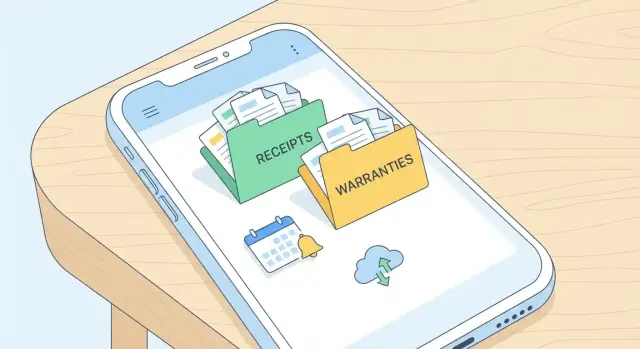
Define the Problem and Who the App Helps
A digital warranty app exists because people don’t lose important paperwork once—they lose it repeatedly, in different places. Receipts fade, warranty cards get tossed with packaging, and confirmation emails end up buried under years of promotions. Then a screen cracks, a vacuum stops working, or a return window is about to close, and suddenly you’re hunting across drawers, photo galleries, inboxes, and retail accounts.
The core pain isn’t “documents are hard.” It’s that proof of purchase and warranty details are scattered, time-sensitive, and often needed under stress.
The app’s promise
A good warranty storage app makes a simple promise:
- Store receipts and warranty documents in one place
- Find them in seconds (by store, product, brand, or date)
- Remind you before deadlines so you can act in time
This is not just “cloud storage.” It’s a purpose-built system for proof + dates + fast retrieval.
Who benefits most
You’ll get the most value if you regularly buy, own, or manage items with warranties and return periods:
- Renters who need records for appliance issues, deposits, or damage disputes
- Families juggling many purchases (phones, kids’ tablets, small appliances) across multiple retailers
- Gadget buyers who upgrade often and need documents for repairs, trade-ins, or resale listings
- Small businesses tracking equipment purchases (POS devices, tools, laptops) and needing quick paperwork for service claims
Common real-life scenarios to design for
These situations happen often and should guide your product decisions:
- Returns and exchanges: a store asks for a receipt or order number, and the return window is tight
- Repairs and warranty claims: a manufacturer requests proof of purchase, serial number, and warranty terms
- Resale: buyers ask for the original receipt or warranty status for higher-priced items
- Insurance claims: you need item value, purchase date, and documentation after theft or damage
If your app helps users get from “something broke” to “here’s the right document and the deadline” in under a minute, you’ve solved the real problem.
Set Goals, MVP Scope, and Success Metrics
Before you pick features or screens, decide what success looks like for the first release. A digital warranty app wins when it removes friction: people should be able to capture a warranty the moment they buy something, without thinking.
The primary goal: “saved in under 30 seconds”
Make a single, measurable promise for the core experience: a user can save a warranty (receipt + basic product info + end date) in under 30 seconds. This goal should shape every decision—camera flow, form fields, defaults, and what can be postponed.
To support that goal, define what counts as “saved.” For an MVP, it might mean: one document image stored, key fields extracted or entered, and a reminder scheduled.
MVP scope vs. later versions
For the MVP, focus on the shortest path from purchase to a searchable record.
MVP (“done”):
- Add warranty via photo/import
- Minimal fields (item name, purchase date, warranty length/end date, store)
- Basic search and filter
- Optional reminder (on/off)
Later versions: product registration, multi-document bundles (manual + serial plate), sharing with family, advanced categorization, extended warranty tracking.
Choose supported item types
Be explicit about what the app supports on day one—e.g., electronics, appliances, furniture, and tools—so your labels, defaults, and examples feel tailored (serial number hints for electronics, model number hints for appliances, etc.).
Success metrics to track
Pick a small set you’ll review weekly:
- Time to add (median seconds from “Add” to “Saved”)
- Search success rate (users find a warranty within 3 taps / first query)
- Reminder engagement (opt-in rate, open rate, and snooze/dismiss behavior)
These metrics keep the team aligned and prevent “feature creep” from replacing the core value.
Choose Core Features for Digital Warranty Storage
Picking features is where a warranty app either stays delightfully simple or turns into a cluttered file cabinet. Start with what users do most often: capture proof of purchase, find it quickly, and get help before coverage expires.
Must-have features (the “use it every week” set)
Add a warranty should be fast: product name, retailer, purchase date, warranty length, and optional serial number.
Store the receipt as a photo/PDF plus key extracted fields (date, total, store) so it’s searchable later.
Search should match how people remember things. Support search by product name, brand, retailer, and “where did I buy this?”-style filters. A simple tag system (e.g., Kitchen, Tools, Baby) beats deep folder trees.
Reminders are the payoff: warranty expiration, return window, and “register your product” nudges. Let users choose timing (e.g., 30/7/1 days before) and silence reminders per item.
Export/share should produce something a support agent accepts: share a single warranty packet (receipt + warranty card + notes) as a PDF, or send via email/messages.
Nice-to-have features (add after the core is solid)
Product registration links can be stored per item (manufacturer URL + required fields checklist). If you support extended warranty tracking, keep it simple: provider, plan ID, start/end dates, and claim phone number.
Offline access basics
People often need proof at a store counter with weak signal. Cache “critical docs” locally: the receipt image/PDF preview, warranty end date, and claim instructions. When offline, allow viewing and sharing; queue uploads until the connection returns.
Accessibility basics that matter
Use readable typography (avoid tiny metadata text), strong color contrast for dates/status labels, and large tap targets for scan/share actions. Support voice input for product name/notes where the device allows it, and don’t rely on color alone to indicate “expiring soon.”
Design the Data Model: What You Store and Why
A digital warranty app is only as useful as the information it can retrieve quickly. A clear data model helps you support scanning, search, reminders, exports, and future features without constantly migrating messy fields.
The core record: an “Item” with proof
Start with an Item (the thing the user owns) and attach documents that prove purchase and coverage. Keep fields structured where you’ll want filtering or reminders, and keep free-form text for notes that don’t fit cleanly.
Item fields (structured): product name, brand, model, serial number, purchase date.
Why: these fields power search (“Samsung fridge”), de-duplication (serial number), and warranty start calculations (purchase date).
Warranty terms: make reminders and support easy
Store warranty details separately from the item so you can handle multiple warranties per item (manufacturer + extended plan).
Warranty fields: duration, start date, coverage notes, provider contact.
Why: duration + start date enable reliable expiration dates. Coverage notes help users answer “Is the battery included?” Provider contact puts support one tap away.
Attachments: keep originals, not just extracted text
Users trust the app when it preserves evidence.
Attachments: receipt images/PDFs, warranty cards, manuals.
Why: OCR can miss details, but the original file is the source of truth. Store attachment metadata too (type, created date, page count) for faster previews and filters.
Metadata for organization (and optional context)
Add lightweight metadata that improves browsing without forcing users to fill forms.
Metadata: tags, categories, store, price, currency, location (optional).
Why: tags/categories support flexible filing (“Kitchen”, “Work gear”). Store + price help returns and insurance claims. Location is optional because it can feel sensitive—use it only if it clearly improves retrieval (e.g., “stored in garage”).
A practical rule of thumb
If a value drives search, sorting, filtering, or notifications, make it a structured field. If it’s mainly for human reference, keep it as a note and rely on attachments for proof.
Plan the User Flows and Screen Layouts
A warranty storage app succeeds or fails on one simple promise: you can find the right document in seconds, even when you’re stressed (at a service desk, on hold with support, or packing for a move). That means your screens and flows should prioritize speed, clarity, and “I can’t mess this up” interactions.
Key screens to design first
Start with a small set of screens that cover 90% of user needs:
- Home: a search bar at the top, plus recently added items and expiring soon cards
- Add: a single, obvious entry point (“Scan receipt” / “Add warranty”)
- Item details: the document viewer, key fields (product, purchase date, warranty end), and actions
- Search & filters: fast filtering by category, store, date, and “has warranty/receipt only”
- Reminders: upcoming warranty expirations, return-window reminders, service appointments
- Settings: backups/sync, notification controls, export/sharing, privacy lock
Avoid feature clutter on the Home screen. Home should answer: “What do I need right now?” and “Where is my stuff?”
The “Add” flow (make it hard to fail)
The most important flow is adding a receipt or warranty. Keep it predictable:
Photo → Crop → OCR → Confirm → Save
- Photo: show tips like “flat surface” and “avoid glare,” but don’t block the camera
- Crop: offer auto-detect with manual handles; default to “good enough”
- OCR: show a progress state and explain what’s being extracted (merchant, total, date)
- Confirm: let users quickly fix errors with big tap targets and smart suggestions
- Save: end with a clear success state and a shortcut to “Set reminder” or “Add product photo”
If OCR fails, don’t dead-end. Save the image anyway and allow manual entry later.
Design for fast retrieval
People don’t remember filenames. They remember context.
- Keep search always visible on Home and Search screens
- Add filters that match real-life questions: “show items from Costco,” “appliances,” “purchased last year”
- Include favorites (star) and recent items to reduce repeated searching
- In Item details, pin the “most asked” info at the top: warranty end date, store, and receipt
Sharing: one-tap “proof package”
Repairs often require multiple files. Add an action like Share → Generate PDF package that bundles:
- the receipt scan
- the warranty document (if separate)
- key summary fields (product name, serial number, purchase date)
Then allow email or messaging share. This single feature can turn your app from “storage” into “support-ready,” especially for users dealing with repair centers.
Build Scanning and OCR That Works in Real Life
Scanning is the make-or-break moment for a digital warranty app. Users will try it at a kitchen counter, in a car, under warm lighting, with curled paper and shiny ink. If capture is slow or the results look wrong, they’ll stop trusting the app.
Receipt capture that tolerates messy conditions
Start with a camera experience that “just works” without requiring photography skills.
- Edge detection + auto-crop: Detect the receipt boundary and crop tightly so the OCR engine sees mostly paper, not the table
- De-skew and perspective correction: Receipts are often shot at an angle; correct automatically to improve readability
- Glare handling: Shiny thermal paper creates bright streaks that erase text. Offer a quick “reduce glare” toggle (often adaptive exposure + contrast), and prompt users to slightly tilt the phone when glare is detected
- Fast feedback: Show a live outline and a “hold still” hint. Save the best frame automatically when it’s sharp, rather than forcing a perfect tap
OCR extraction: focus on the fields people need
For warranty storage, perfect transcription isn’t required. What users actually search and filter by is usually a small set:
- Vendor/Store name (from header patterns)
- Purchase date (common date formats, locale-aware)
- Total amount (currency + number)
- Item name guesses (often imperfect; treat as suggestions)
Build your OCR step to return both the extracted value and a confidence score, so the UI can decide what must be reviewed.
Manual review: a 10-second “confirm and fix” screen
Assume OCR will be wrong sometimes. Provide a quick edit screen with:
- Large, tappable fields for date/vendor/total
- Auto-suggestions (recent vendors, common dates)
- Highlighted “low confidence” fields first
The goal is a fast confirmation flow, not a spreadsheet.
Support imports beyond the camera
Not every receipt starts on paper. Add:
- Email forwarding (users send receipts to a unique address)
- File picker (PDFs from retailers)
- Photo library import (existing receipt photos)
Treat all sources the same after ingestion: normalize the image/PDF, run OCR, then route to the same review screen for consistency.
Add Reminders and Notifications Users Can Control
Reminders are the part of a digital warranty app that users feel every day—so they need to be helpful, not noisy. Treat reminders as a user-controlled feature with clear defaults, easy editing, and predictable timing.
What to remind users about
Start with a small set of high-value reminder types:
- Warranty expiring: e.g., 30 days before and 7 days before
- Return/exchange window ending: often much sooner than the warranty, and frequently forgotten
- Service schedule: filter replacements, annual maintenance, or recommended checkups
A simple rule: reminders should be tied to a specific item (product + receipt/warranty document) and be editable from that item’s detail screen.
Notification controls that feel respectful
Give users clear settings rather than hiding them behind OS prompts:
- Channels: push, email, or both (email is useful when phones change)
- Frequency: “only critical,” “standard,” or “custom”
- Quiet hours: let users block notifications at night, and show a preview like “We’ll notify you between 9:00–18:00”
Keep a per-item override (e.g., silence reminders for low-value items) so users don’t have to choose between “all” and “nothing.”
Time zones, locales, and date edge cases
Dates are surprisingly fragile. Store expiration dates in an unambiguous format (e.g., ISO date plus time zone rules), then display them in the user’s locale (MM/DD vs DD/MM). Be careful around daylight savings changes—schedule reminders for a safe local hour (like 9:00 AM) instead of midnight.
Optional: calendar integration
For users who live in their calendar, offer “Add to calendar” on the warranty screen. Create an event for the expiration date (and optionally the return-window deadline), with a short title like “Warranty ends: Dyson V8.” Don’t require calendar access for core app functionality.
Handle Accounts, Sync, and Backups
A warranty app is only useful if people can trust that their documents won’t disappear when they switch phones, reinstall the app, or use a second device. That trust starts with clear account choices and predictable syncing.
Choose an account model that matches real behavior
Most people want to scan a receipt immediately, without making decisions. Consider offering guest mode for quick capture, then gently prompting users to create an account when they try to sync, add reminders, or save multiple documents.
If you require sign-in from the start, make it frictionless: “Continue with Apple/Google” plus email. Whatever you choose, explain the tradeoff in one sentence: guest mode is faster, accounts protect data across devices.
Cloud sync without surprises (and with conflict rules)
Sync problems usually show up when someone edits the same warranty on two devices: they change the product name on their tablet, then update the expiration date on their phone.
Set a clear, user-friendly rule:
- Field-level merge when possible (keep the latest change per field)
- If changes collide, show a simple “Choose version” screen with timestamps and a preview
Also communicate syncing status: “Saved on device” vs “Synced to cloud.” For a document app, that tiny label reduces anxiety.
Backups and restore: plan for the worst day
People reinstall apps after phone repairs, upgrades, or lost devices. Build a restore flow that’s boring (in a good way): sign in, choose what to restore, and confirm.
Include these cases in your plan:
- Device change: automatic restore after login
- Lost phone: ability to sign out other devices and re-secure the account
- Reinstall: no missing attachments, not just metadata
If you support guest mode, consider an optional “Export backup” (e.g., a local file) for users who never create accounts.
Storage limits and attachment sizes
Receipts and PDFs can get large fast. Set practical caps (for example, maximum pages per document and a max MB per attachment), and apply automatic compression for photos while keeping text readable.
Be transparent: show remaining storage, warn before hitting limits, and offer a path to upgrade or clean up (e.g., delete duplicate scans).
Security and Privacy Basics for Receipts and Documents
Receipts and warranty PDFs can reveal more than people expect—names, emails, partial card details, home addresses, even store locations. Treat this data like personal paperwork: store only what’s needed, protect it by default, and make privacy choices easy to understand.
Protect files in transit and at rest
Use TLS for all network traffic so uploads, downloads, and sync can’t be read on public Wi‑Fi. On the storage side, encrypt documents “at rest” (in the database/object storage and in any server backups). If you generate thumbnails or OCR text, encrypt those too—leaks often happen through secondary copies.
Local security: assume phones get shared or lost
Rely on device-level encryption, but also offer an in-app lock with PIN and/or biometrics. Make it optional, but easy to turn on during onboarding. For extra safety, hide document previews in the app switcher and lock sensitive screens after a short period of inactivity.
Minimize what you collect (and keep)
Don’t ask for a full profile if you can avoid it. For many apps, an email is enough for account recovery. If you store product serial numbers or purchase prices, explain why and allow users to delete items (and their OCR text) permanently.
Permission prompts that earn trust
Request permissions only when needed (camera when scanning, photos when importing, notifications when setting reminders). In the pre-prompt screen, clearly explain the benefit: “Scan receipts faster,” “Import warranty PDFs,” “Get reminders you control.” Provide a fallback path when a permission is denied (manual entry, upload later, or reminders via email).
Select a Tech Stack and Architecture
Your tech stack should match the product’s “shape”: lots of document capture, reliable search, and safe syncing across devices. Aim for boring, proven choices—especially for storage and authentication.
Choose platforms: iOS, Android, or cross-platform
If you need the best camera capture and the smoothest document UI, native (Swift/Kotlin) is hard to beat.
If you need to ship faster with one codebase, cross-platform is usually the sweet spot:
- Flutter: strong UI consistency, good camera plugins, fast iteration
- React Native: large ecosystem, easy to hire for, great if your team already knows TypeScript
A practical approach is cross-platform for most screens + native modules for camera/OCR performance hot spots.
If you want to validate the MVP quickly (flows, data model, reminders, and sharing) before investing in a full engineering cycle, you can also prototype this kind of app on Koder.ai. It’s a vibe-coding platform where you build web, backend, and mobile apps through chat—useful for generating a working baseline (for example, Flutter for mobile screens, and a Go + PostgreSQL backend) that you can iterate on, export as source code, and later productionize.
Pick a storage approach: on-device + cloud
Use a layered model:
- On-device database (SQLite/Room, Core Data, or Drift/Isar) for metadata: product name, dates, tags, warranty length
- Cloud object storage (e.g., S3/GCS/Firebase Storage) for original images/PDFs
Keep documents offline-first: users should still find warranties in a basement or at a store counter.
Select OCR: on-device vs. cloud trade-offs
- On-device OCR: faster, cheaper per scan, better for privacy; accuracy can vary by device
- Cloud OCR: often higher accuracy and better layout extraction; adds latency and per-document cost
Many apps start with on-device OCR, then offer “improve text” via cloud OCR when users opt in.
Define admin and support tooling
You’ll want lightweight tools from day one:
- User data export (self-serve + support workflow)
- Issue diagnostics: upload logs, OCR confidence, device info (with consent)
- Content moderation hooks: handle illegal uploads without reading private docs by default
Design the architecture so these tools can evolve without rewriting the app core.
Testing Plan: Accuracy, Reliability, and Performance
Testing a digital warranty app isn’t just about “does it crash?” You’re verifying that scanning, text recognition, and reminders behave predictably across messy real-life conditions—crumpled receipts, glare, and time zones.
Accuracy: scanning and OCR you can trust
Start with the most important journey: Add warranty → extract key fields → save → find later.
- Test the “add warranty” path on different lighting and paper types (bright sunlight, warm indoor light, low light; glossy receipts; faded thermal paper; folded corners)
- Compare OCR results against expected values for key fields: merchant, purchase date, total, warranty length, serial number
Track an accuracy score (for example: “% of scans where purchase date and merchant are correct without edits”). Repeat tests after every OCR model or camera change.
Reliability: search, filters, and reminders
Search is where users notice mistakes fastest.
- Validate search and filters: typos, partial matches, and tag search (e.g., “Sams” should find “Samsonite”; “TV” should find “OLED TV”; tag “kitchen” should narrow results)
- Test reminders: time changes, disabled notifications, and missed events (DST shifts, timezone travel, phone reboot, app not opened for weeks)
Also verify that undo/edit flows don’t create duplicates or lose attachments.
Performance: fast lists, smooth scrolling
Receipts are image-heavy, so performance needs explicit checks.
- Include performance checks for image-heavy lists (thumbnail caching, pagination, quick search results)
Set measurable targets such as “list opens in under 1 second with 500 items” and “scan screen opens without lag,” and test on at least one older device model.
Launch Checklist and What to Improve After Release
A warranty storage app can feel “done” when scanning works on your phone—but launch success depends on everything around that moment: onboarding, store assets, support, and what you measure after users arrive.
Onboarding that gets users to the first saved warranty
Aim for a first session that takes under a minute.
Include a sample item (a mock receipt + warranty card) so people can explore without permission prompts or personal data.
Add scan tips right where they matter: good lighting, fill the frame, avoid glare, and hold still for a second. Keep it skimmable.
Place privacy notes early: what’s stored on-device vs. in the cloud, how deletion works, and whether OCR text is sent to servers. This reduces hesitation before users scan their first real receipt.
App store readiness (and trust signals)
Before you submit, ensure your listing answers “Why should I install this?” in seconds:
- Clear screenshots of: scan → confirm fields → warranty expiry → reminder settings
- A short feature list that matches the real app (no promises you can’t keep)
- Support and policy links (for example: /pricing, /help, /privacy)
- A simple “contact us” path inside the app that doesn’t require an account
Also verify edge cases: offline startup, first-time permission prompts, and what happens if scanning fails.
Analytics plan: measure the drop-offs that matter
Track the funnel around your core value:
- Open app → 2) Start scan → 3) OCR preview shown → 4) User confirms/edits → 5) Warranty saved
Log where people abandon (especially between OCR preview and confirmation). Pair events with non-sensitive metadata like device model, OS version, and scan duration—never the receipt contents.
Post-launch roadmap: learn, then tune
Use feedback and analytics to prioritize:
- OCR tuning for common failures (crumpled paper, long receipts, faint ink)
- Faster confirmation UI (better field suggestions, fewer required inputs)
- New imports (email/PDF receipts, retailer integrations) based on real requests
Ship small updates frequently, and write release notes that highlight improvements users can feel immediately.
FAQ
What problem should a digital warranty storage app solve first?
Start by solving the “under stress” moment: users need proof + key dates + fast retrieval when something breaks or a return window is closing.
A good north-star is: get from “this item failed” to “here’s the receipt/warranty and the deadline” in under a minute.
Who benefits most from a warranty storage app?
The best early adopters are people who manage lots of purchases across places:
- Renters dealing with appliances, deposits, and disputes
- Families juggling multiple devices and small appliances
- Frequent gadget upgraders (repairs, trade-ins, resale)
- Small businesses tracking equipment and service claims
Design your defaults and examples around these real scenarios so the app feels immediately relevant.
What should count as “saved” in the MVP?
For an MVP, define “saved” as: a document attached + essential fields captured + optional reminder scheduled.
Keep required fields minimal:
- Item name
- Store/vendor
- Purchase date
- Warranty length or end date
Everything else (serial number, model, manuals, extended plans) can be optional or postponed until later.
What success metrics matter most for the first release?
Use one measurable promise: a user can add a warranty in under 30 seconds.
Track a small weekly set:
- Median time to add
- Search success rate (find within 3 taps / first query)
- Reminder engagement (opt-in, open rate, snooze/dismiss)
These metrics help prevent feature creep from replacing the core value.
Which features are must-haves vs. nice-to-haves?
Focus on the “use it every week” set:
- Add warranty via photo/import
- Store original receipt/PDF + extracted key fields
- Search by product/brand/store/date + simple filters/tags
- Reminders for return windows and warranty expiration
- Export/share a “proof package” (receipt + warranty + summary)
If any feature slows capture or retrieval, it’s likely not MVP-critical.
What data model should a warranty app use?
Store structured fields for anything you’ll filter, sort, or notify on, and keep everything else as notes.
A practical split:
- Item (thing owned): name, brand, model, serial, purchase date
- Warranty (terms): provider, start date, duration/end date, coverage notes, contact
- Attachments: original receipt/warranty/manual files + metadata
- Metadata: tags, category, store, price/currency (optional)
This structure supports multiple warranties per item (manufacturer + extended plan) without hacks.
How should the scanning and OCR flow work?
Use a predictable flow and avoid dead-ends:
- Photo → Crop → OCR → Confirm → Save
Key rules:
- If OCR fails, still save the image and allow manual entry later
- Highlight low-confidence fields first
- Keep edits quick (big tap targets, smart suggestions like recent vendors)
The goal is confirmation, not perfect transcription.
How do you design reminders without annoying users?
Treat reminders as user-controlled and item-specific:
- Default types: return window ending, warranty expiring (e.g., 30/7/1 days), optional service schedules
- Controls: per-item silence, quiet hours, “critical vs standard vs custom”
- Schedule notifications at a safe local time (e.g., 9:00 AM) to avoid DST/midnight issues
Respectful reminders keep users opted in long-term.
How do you handle offline access and reliable sync?
Build for weak-signal store counters and basements:
- Cache critical data locally (receipt preview/PDF, warranty end date, claim instructions)
- Allow viewing and sharing while offline
- Queue uploads/sync until a connection returns
Make sync status explicit (“Saved on device” vs “Synced to cloud”) to reduce anxiety.
What privacy and security basics should the app include?
Protect receipts like personal paperwork:
- Encrypt in transit (TLS) and at rest (documents, thumbnails, OCR text)
- Offer optional in-app lock (PIN/biometrics) and hide previews in the app switcher
- Minimize collection (often email is enough) and allow permanent deletion of items and OCR text
- Ask permissions only when needed (camera/photos/notifications) with clear benefit and fallbacks
Trust is a feature—especially for documents that may include addresses or payment details.