

How to Build a Mobile App for Event Volunteer Coordination
Learn how to plan, design, and build a mobile app for coordinating event volunteers—from sign-ups and scheduling to check-in, messaging, and reporting.
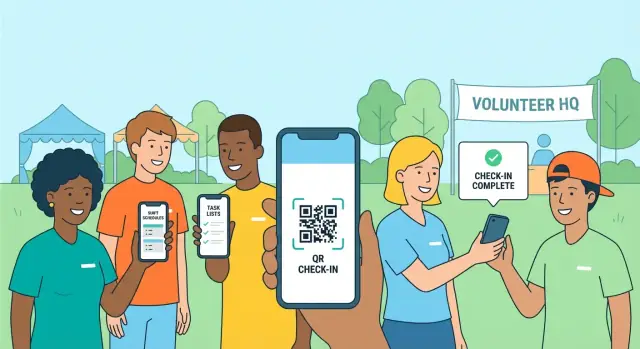
What a Volunteer Coordination App Should Solve
A volunteer coordination app exists to reduce the “human spreadsheet” problem: too many moving parts, too many last-minute changes, and too many messages scattered across email, texts, and group chats. Whether you’re building an event management mobile app for a one-day fundraiser or a multi-day festival, the goal is the same—keep volunteers scheduled, informed, and accountable without making the coordinator’s job harder.
Event types you should design for
Most volunteer workflows look similar, but the details change by event:
- Festivals: multiple entrances, stages, and vendors; frequent shift swaps.
- Conferences: role-based access (registration, room monitors, speaker support).
- Races: fixed time windows, location-specific tasks, weather contingencies.
- Fundraisers: donation handling rules, smaller teams, lots of ad-hoc requests.
If your MVP can handle these four, you’re covering a wide range of real conditions.
The core problem: scheduling + communication + accountability
A shift sign-up app isn’t just a calendar. Coordinators need confidence that:
- Shifts are filled (and gaps are visible early).
- Volunteers know what to do (task details, location, time, who to report to).
- Changes reach the right people fast (push notifications for volunteers, not mass spam).
- Attendance is confirmed (simple check-in, ideally event check-in QR).
Who the app serves (stakeholders)
Your volunteer communication tools should support different needs:
- Coordinators: staffing overview, approvals, escalation.
- Team leads: task assignment workflow, check-in/out, quick broadcasts.
- Volunteers: clear shift schedule, one-tap directions, swap/request help.
- Venue staff: visibility into who is assigned where (often read-only).
MVP first, expansion later
Start with a mobile app MVP that nails sign-up, scheduling, messaging, and check-in. Then add advanced features (training, credentials, inventory, deeper reporting) only after you’ve run a pilot event and learned what people actually use.
Users, Roles, and Real-World Workflows
A volunteer coordination app succeeds when it matches how people actually behave on event week—not how an org chart looks on paper. Define a few clear personas first, then design the workflows that connect them.
Key personas (and what they need)
Volunteer wants a simple shift sign-up app experience: see open shifts, understand expectations, and get reminders. They care about clarity (where/when/what to wear) more than extra features.
Team Lead (captain) needs a quick way to see who’s on their crew, send updates, and report issues (late arrivals, missing supplies). They benefit from lightweight task assignment workflow tools.
Coordinator manages coverage: create roles, approve sign-ups, handle swaps, and push last-minute changes. This is the primary user of volunteer scheduling.
Admin oversees multiple events or departments, handles permissions, and needs exports for compliance or sponsors.
The volunteer journey you’re designing for
A realistic flow is: discover → sign up → onboard → work shift → follow-up.
- Discover: link from email/social to a specific event and role.
- Sign up: pick a shift, confirm requirements, receive confirmation.
- Onboard: read instructions, complete forms, get updates via push notifications for volunteers.
- Work shift: check in fast (often via event check-in QR), find the right point-of-contact, complete tasks.
- Follow-up: thank-you message, hours confirmation, feedback.
Must-have data (keep it minimal, but sufficient)
Collect only what supports staffing and safety: contact info, availability, preferred roles, certifications (if relevant), and emergency contact. Optional notes (accessibility needs, languages) can reduce day-of friction without bloating onboarding.
Common pain points to design around
No-shows, last-minute changes, and unclear instructions are the big three. Your event management mobile app should make it easy to confirm attendance, communicate changes instantly, and show “what to do next” at every step.
Core Features to Include in Your MVP
An MVP for a volunteer coordination app should reduce coordinator back-and-forth while making it easy for volunteers to commit and show up. Aim for the smallest set of screens that supports the full loop: register → sign up → get instructions → check in.
1) Volunteer registration + profiles
Make onboarding quick, but capture what matters for staffing:
- Basic info (name, phone, emergency contact)
- Skills/certifications (first aid, language, forklift, youth clearance)
- Availability and preferences (morning/evening, indoors/outdoors)
This profile becomes the backbone of volunteer scheduling and prevents mismatches later.
2) Shift browsing and sign-up with guardrails
Your shift sign-up app needs structure, not just a list:
- Role requirements (e.g., “2 ushers, 1 lead”) and capacity limits
- Clear shift times (including call time) and break notes
- Conflict warnings (overlapping shifts) and a waitlist if full
This is the core of event staffing software: reliable coverage without spreadsheets.
3) Task cards that answer “what do I do?”
Each shift should open into a task detail page with location, arrival point, what to bring, step-by-step instructions, and a single tap to contact the shift lead. A strong task assignment workflow reduces day-of confusion and coordinator interruptions.
4) Announcements + push notifications
Include in-app announcements plus push notifications for volunteers for urgent updates (weather changes, entrance moved, “check-in now”). Keep messages targeted by role, team, or shift.
5) Check-in/check-out and attendance tracking
For event check-in QR, let coordinators generate a code per shift (or per venue). Scanning marks attendance instantly; GPS can be optional for larger sites. Exportable attendance logs are enough for an MVP.
Communication and Change Management
Volunteer coordination fails most often when information changes and people don’t find out in time. Treat communication as part of the workflow—not a separate “messages” feature.
Targeted updates (without spamming)
Bulk messaging should be filterable by role, shift, and location so coordinators can reach only the affected people (e.g., “Registration desk volunteers for Entrance B, 8–11am”). Include templates for common changes: meeting point moved, dress code reminder, weather plan.
To prevent overload, add simple controls: “send now” vs “schedule,” plus a preview of how many volunteers will receive the message.
Announcements vs chat: pick the right channel
Use one-way announcements for instructions that must stay consistent (arrival time, safety rules, venue map updates). These should be easy to find later—ideally pinned and searchable.
Use two-way chat for exceptions and clarifications (late arrival, “where do I pick up radios?”). Keep chat scoped: per shift, per team, or per location. That reduces noise and helps new volunteers quickly catch up.
Shift swaps and replacement requests
A practical shift sign-up app needs a clear swap flow:
- Volunteer requests a swap or replacement
- App suggests eligible replacements (same role/training)
- Coordinator or lead approves (or auto-approves with rules)
- Everyone involved gets a confirmation
This avoids “side deals” that leave the schedule inaccurate.
Help button and escalation path
Add a Help button that routes to the right lead based on location/shift. Include quick categories (injury, lost attendee, supplies, other) and allow attaching a note. Keep an audit trail so coordinators can review what happened.
Offline-friendly access
Venues often have weak reception. Make shift details, contact info for leads, and the latest announcements available offline, then sync messages when connectivity returns.
Scheduling Logic That Works for Events
Scheduling is where a volunteer coordination app earns trust. If shifts are confusing, overfilled, or ignore basic rules, coordinators end up back in spreadsheets.
Model the schedule like the event is run
Start with a simple structure that matches real operations:
- Roles (e.g., Registration, Usher, Runner)
- Shifts (start/end time)
- Locations (Gate A, Main Hall, Parking)
- Teams (optional grouping under a lead)
- Capacity (how many volunteers needed per shift)
This model supports both a shift sign-up app experience for volunteers and coordinator-driven staffing.
Encode rules before conflicts happen
Events have constraints that shouldn’t rely on memory:
- Minimum age requirements per role
- Training required (e.g., “Cash handling certified”)
- Break times (automatic break insertion or warnings)
- Max hours per day and minimum rest between shifts
Surface these as clear messages (“You need training X for this shift”) rather than silent failures.
Self-serve sign-up vs auto-assignment
Self-serve volunteer scheduling is fast and transparent, but can leave unpopular shifts empty. Auto-assignment fills gaps and balances workload, but volunteers may feel less control.
A practical MVP approach: default to self-serve, then let coordinators run a “fill remaining shifts” action with suggested assignments they can approve.
Waitlists and overbooking safeguards
Use hard capacity limits by default. Add a waitlist per shift so cancellations instantly notify the next person. If you allow overbooking, make it an explicit admin setting with a clear count (“+2 overbooked”) to avoid event-day surprises.
Calendar sync and reminders
Support ICS export so volunteers can add shifts to any calendar. Pair it with reminders (email or push notifications for volunteers) at sensible times: 24 hours before, 2 hours before, and “check-in opens now.”
Admin Tools Coordinators Actually Need
A volunteer coordination app succeeds or fails on the admin experience. Coordinators are juggling changing needs, anxious volunteers, and tight timelines—so the back office must be fast, forgiving, and built for real event-day pressure.
A coordinator dashboard that mirrors how events are planned
Start with a single dashboard where an admin can create an event, define roles (e.g., Registration, Usher, Runner), and publish shifts with clear instructions.
Make “instructions” first-class content: what to wear, where to meet, who to report to, and what “done” looks like. This reduces repetitive messages and makes your volunteer scheduling and task assignment workflow more reliable.
Rosters and last-minute coverage without panic
Coordinators need to answer simple questions instantly: Who is assigned? Who is missing? Who can fill in?
Build roster tools that support:
- Search and filters (role, shift time, status, skills, checked-in/not checked-in)
- One-tap contact actions (call, SMS, email, in-app message)
- Quick reassignment and “request coverage” flows when someone cancels
These are core volunteer communication tools—and they’re what turns a shift sign-up app into event staffing software.
Check-in station mode (fast scanning, low taps)
On event day, you need a dedicated “station mode” that feels like a kiosk: big buttons, minimal navigation, and offline-tolerant behavior.
Support event check-in QR scanning with instant feedback (checked in, wrong day, already checked in). Keep it optimized for speed: scan → confirm → next.
Role-based access control and an audit trail
Not every user should be able to change shifts. Add role-based access control so coordinators, team leads, and check-in staff only see and edit what they need.
Include an audit trail for key actions—shift changes, approvals, and check-ins—so issues can be resolved quickly (“who changed this, and when?”). This also builds trust as your event management mobile app scales across teams and venues.
UX and Screen Map for a Simple, Clear App
A volunteer coordination app succeeds when people can act quickly—often on a noisy event floor with limited time. That means fewer screens, fewer fields, and obvious “what do I do next?” cues.
Information architecture: the essential screens
Keep the app split into two clear modes: Volunteer and Coordinator. If someone can be both, let them switch with a simple toggle in the menu.
Volunteer screens should usually be:
- Home / Today: next shift, check-in status, location, and one primary action button
- My Shifts: upcoming and past shifts with clear statuses (Assigned / Confirmed / Checked in)
- Shift Details: time, role, location map link, what to bring, contact person
- Sign Up (if allowed): browse open shifts, filter by day/role, one-tap claim
- Tasks (optional MVP): assigned tasks with “Start” and “Done”
- Messages / Updates: announcements and direct messages
- Profile: emergency contact, pronouns/name badge preference, certifications
Coordinator screens should usually be:
- Dashboard: staffing gaps, no-shows, last-minute broadcasts
- Schedule: shift list and “needs coverage” view
- Volunteer Directory: search, contact, notes, availability
- Check-in: QR scan + manual lookup fallback
- Assignments: drag-and-drop or quick assign to fill holes
- Reports (later): hours, attendance, export
UX tips for speed under pressure
Design for thumbs and urgency:
- Big buttons, one primary action per screen (“Check in”, “Confirm shift”, “Message coordinator”).
- Clear statuses everywhere. Use words first (e.g., “Checked in”) and color second.
- Minimal forms: default values, toggles, and pickers. Avoid typing on event day.
- Fast search for coordinators (name, phone, role, shift). Add recent items.
- Offline-aware behavior: show cached shifts and a “Trying to reconnect…” banner rather than blocking users.
Accessibility basics you can ship from day one
- Support large text and avoid layouts that break when text grows.
- Maintain readable contrast and don’t rely on color alone to convey meaning.
- Use simple language (“Go to Gate B” vs. internal codes).
- Make tap targets large enough and label icons with text where possible.
Localization for multi-language events
If your event is multilingual, plan early:
- Store all UI strings in a translation system (not hard-coded).
- Keep sentences short so they fit in other languages.
- Allow coordinators to send announcements in multiple languages (even if it’s just two fields).
Prototype first with clickable mockups
Before building, create a clickable prototype of the main flows: sign-up, shift details, check-in, and coordinator gap-filling. Test it with 2–3 volunteers and a coordinator—then simplify anything that takes more than a few taps.
Tech Stack Options (Without Overengineering)
A volunteer coordination app doesn’t need exotic tech to work well. Optimize for reliability (especially on event day), fast iteration, and a stack your team can maintain.
Mobile: native vs. cross-platform
If you have separate iOS and Android teams, native (Swift/Kotlin) can deliver the smoothest UI and easiest access to device features. But for most MVPs, cross-platform is the practical choice:
- Flutter: consistent UI across devices, strong performance, great for custom screens.
- React Native: large ecosystem, easier hiring in many markets, good for typical business apps.
Pick one and commit—mixing approaches early usually slows you down.
Backend: managed, custom, or low-code
Your backend choice should match the complexity of your rules (shifts, roles, check-ins) and how quickly you need to ship:
- Managed backend (recommended for MVP): Firebase/Supabase-style services provide auth, database, file storage, and push notification hooks with less setup.
- Custom API: Node.js/Express, Django, or Rails gives maximum control (useful for complex scheduling rules or enterprise requirements), but adds maintenance.
- No-code/low-code: workable for a prototype or small pilot, but watch out for limits around permissions, offline mode, and QR check-in speed.
If you want to move even faster without locking yourself into a rigid no-code tool, a vibe-coding platform like Koder.ai can be a practical middle ground for an MVP: you can describe the volunteer scheduling, messaging, and event check-in QR flows in chat, iterate in “planning mode,” and still end up with real code you can export. Koder.ai’s default stack (React on the web, Go + PostgreSQL on the backend, Flutter for mobile) also maps well to the reliability and performance needs of event-day operations.
Data model: keep it simple, but complete
Plan your core entities early so you don’t redesign mid-pilot:
- Users (volunteers, coordinators)
- Events
- Roles (registration desk, runner, etc.)
- Shifts (time slots)
- Assignments (who is on which shift)
- Check-ins (timestamp, location, method)
- Messages (announcements, 1:1, group)
Integrations worth considering
Start with only what improves operations:
- Email/SMS for account setup and urgent alerts
- Maps for venue directions and shift locations
- Calendar (ICS export or Google/Apple calendar add)
- QR scanning for fast check-in
Offline mode and sync conflicts
Assume connectivity will be imperfect. Cache schedules and assignments on-device, queue actions (check-ins, notes), and sync when back online. Define conflict rules upfront (e.g., “latest timestamp wins” for check-ins; coordinator edits override volunteer changes).
Privacy, Security, and Permissions
Volunteer data is sensitive. Even a simple MVP should treat phone numbers, availability, and emergency contacts as “need-to-know,” not “nice-to-have.” Getting this right early reduces risk and builds trust with volunteers and organizers.
Collect only what you need
Start with a minimal profile: name, preferred contact method, and availability. If you require emergency contacts or accessibility notes, make them optional, explain why you’re asking, and keep them hidden from other volunteers by default.
Authentication that matches event reality
For most events, low-friction sign-in wins:
- Email magic link (tap to verify) is friendly for one-off volunteers.
- SMS/OTP works when volunteers may not check email on-site.
- Password can be offered, but it increases support requests.
Coordinator SSO (Google/Microsoft) is useful later, but don’t block your first pilot on it.
Permissions and visibility rules
Define roles clearly (e.g., Volunteer, Team Lead, Coordinator) and map them to permissions:
- Who can message everyone vs. only their team
- Who can see volunteer phone numbers and emergency contacts
- Who can view schedules across teams
- Who can edit assignments and publish changes
Default to least access: volunteers should see their own shifts and essential instructions—nothing more.
Data retention, export, and deletion
Events end; data shouldn’t linger by accident. Choose a retention policy per event (e.g., delete volunteer contact info after 30–90 days). Provide simple tools to export (CSV) and delete event data, and document it in your admin settings (e.g., /help/privacy).
Basic security hygiene
Use encryption in transit (HTTPS), restrict database access by role, and log admin actions (who changed a shift, who exported data). These are small steps that prevent big problems.
Build Plan: From Prototype to Pilot Event
A volunteer coordination app succeeds when it’s proven on a real event day—not when it has every feature. The goal here is to ship a small, reliable MVP, test it under pressure, and iterate quickly.
1) Define the MVP scope (what you’ll build first)
Keep the first release focused on the actions that happen most often:
- Create an event, roles, and shifts
- Volunteer onboarding (account + basic profile)
- Shift sign-up and simple task assignments
- Basic messaging (broadcast + shift-specific)
- Check-in (manual or QR) and attendance capture
Everything else (advanced analytics, complex permissions, multi-event dashboards) can wait until after a pilot.
2) Timeline and milestones
A practical plan is 4–8 weeks to MVP, then 1–2 weeks to pilot:
- Prototype (Week 1): clickable screens for sign-up, schedule, and check-in
- MVP build (Weeks 2–6): core flows + admin tools
- Stabilization (Week 7): bug fixes, performance, offline handling
- Pilot (Week 8+): run a small event and measure results
If you’re building with a platform like Koder.ai, you can often compress the early phases by generating working CRUD + auth + admin screens quickly, then spending your time where it matters: scheduling rules, targeted notifications, and check-in reliability. Snapshots and rollback are also useful when you’re iterating rapidly ahead of a live event.
3) Suggested sprint sequence
Build in the order that reduces rework:
- Onboarding: accounts, invite links, duplicate-account handling
- Scheduling: shifts, capacity, sign-up, coordinator overrides
- Messaging: announcements, reminders, delivery status
- Check-in: QR/manual check-in, late arrivals, attendance export
4) Testing checklist (realistic edge cases)
Test early with coordinators and a few volunteers:
- No internet / weak signal: schedule view, check-in queue, sync later
- Late changes: canceled shifts, reassignment, last-minute capacity changes
- Duplicate accounts: same phone/email, re-invites, device changes
- Notification gaps: push disabled, fallback to in-app banners
5) Pilot, feedback, and success metrics
Pilot with a small event first. Collect feedback after each shift (two questions is enough). Track metrics that prove the app is helping:
- Fill rate: % of shifts filled by start time
- No-show rate: check-ins vs sign-ups
- Time-to-cover: how long it takes to fill an open shift
- Message reach: % of volunteers who received/opened key updates
After the pilot, prioritize fixes that reduce coordinator workload and prevent day-of confusion—then plan the next iteration.
Launch, Onboard, and Run Event Day Smoothly
A volunteer coordination app succeeds or fails on the last mile: getting the right people into the app, confident, and checked in when the pressure is on.
Distribution: App Store vs. Private Release
If you’re coordinating public events with volunteers joining year-round, an App Store/Play Store release reduces friction and builds trust. If the app is only for a single organization or a one-off pilot, private distribution can be faster: TestFlight (iOS), internal testing tracks (Android), or an MDM solution for larger orgs.
A practical rule: choose the App Store when you need discoverability and low “install help,” choose private distribution when you need speed and tight access control.
Onboarding that volunteers actually finish
Use multiple entry points so people can join in seconds:
- Invite links that open the install page (or deep-link into sign-up)
- QR posters at training sessions and check-in desks
- Short email templates for captains to forward (with a one-minute “what to do next”)
Keep first-time setup minimal: name, phone/email, emergency contact if required, then show their assigned shifts.
Coordinator training for event day
Give coordinators a short playbook: “create shifts → assign leads → message volunteers → check-in flow.” Add a one-page checklist they can print and carry. Make sure they practice scanning QR check-in and moving someone to a new role.
Volunteer support and fast fixes
Bake in an FAQ and a single “Need help?” button with contact options (SMS, call, or a help desk location). Include quick troubleshooting tips: password reset, notification settings, and where to find the day’s schedule.
Operational backups (because reality happens)
Even the best event staffing software needs a fallback:
- Printed rosters by role/location
- A manual check-in plan (paper ticks or spreadsheet)
- A procedure for late arrivals and no-shows
These backups keep the event running even if a device dies, cell service drops, or a volunteer shows up without installing the volunteer coordination app.
After the Event: Reporting and Iterating the Product
Event day is the stress test; the week after is where your product gets sharper. Plan for post-event workflows in your MVP so coordinators don’t fall back to spreadsheets the moment the last shift ends.
Post-event follow-up that doesn’t feel manual
Good volunteer experiences end with closure. Automate:
- Thank-you messages segmented by role, team, or venue
- Downloadable certificates (name + event + dates)
- Hours tracking that volunteers can view and export (useful for schools, grants, and service requirements)
Keep it simple: one “Send follow-up” screen with templates, plus a preview so coordinators feel in control.
Reporting that drives better scheduling next time
Reports should answer practical questions, not just look pretty. Useful basics include:
- Attendance: checked-in vs. scheduled, by shift and location
- Hours served: totals per volunteer and per team
- Coverage gaps: which roles or time blocks ran short
- No-show patterns: repeat no-shows, late arrivals, and last-minute cancellations
Add filters (date range, venue, role) and export options (CSV/PDF). If your app supports QR check-in, connect check-in timestamps to attendance automatically.
What to build next (based on real signals)
Upgrade features only after you see repeat needs:
- Badges/recognition (e.g., “5 events completed”)
- Training modules with quick confirmations (e.g., “Read safety guidelines”) and reminders
- Multi-event profiles so volunteers don’t re-enter details each time
Scaling without breaking performance
As events grow, assumptions break: volunteers move between venues, coordinators split responsibilities, and peak check-in traffic spikes.
Design for:
- Multi-venue events (separate capacity, maps/notes, local leads)
- Multi-organization support (separate data, templates, and permissions)
- Performance limits (bulk messaging, offline-friendly check-in, and fast search)
If you’re comparing plans or want to see what features are typically bundled, check /pricing. For more build and ops guides, browse /blog.
FAQ
What problem is a volunteer coordination app actually solving?
A volunteer coordination app replaces the “human spreadsheet” workflow with a single system for:
- Scheduling (roles, shifts, capacity)
- Communication (targeted announcements and updates)
- Accountability (check-in/check-out and attendance logs)
The goal is fewer last-minute messages and fewer surprises on event day.
Which event types should the app be designed for from day one?
A practical MVP should handle multiple real-world patterns:
- Festivals (many locations, frequent shift swaps)
- Conferences (role-based staffing like registration and room monitors)
- Races (tight time windows and weather contingencies)
- Fundraisers (smaller teams and lots of ad-hoc needs)
If your MVP works for these, it’s resilient enough for most events.
Who are the key users and stakeholders the app should support?
Build for the people who run the event, not just the org chart:
- Volunteers: clear “where/when/what” and reminders
- Team leads: who’s on the crew, quick updates, issue reporting
- Coordinators: coverage overview, approvals, swaps, broadcasts
- Admins: permissions, exports, multi-event oversight
Each role should see only what they need to act quickly.
What end-to-end volunteer journey should the app support?
Optimize the full loop: discover → sign up → onboard → work shift → follow-up.
That means:
- Event link to the right role/shift
- Simple sign-up and confirmation
- Instructions and updates available in-app
- Fast check-in (QR or manual)
- Post-event thank-you, hours confirmation, and feedback
What data should you collect in volunteer profiles (and what should you avoid)?
Keep it minimal and operational:
- Name + contact info
- Availability + preferred roles
- Emergency contact (often required for safety)
- Certifications/training only when relevant
- Optional notes (languages, accessibility needs)
Avoid collecting anything that doesn’t directly improve staffing or safety.
What core features belong in the MVP for a volunteer coordination app?
An MVP should reliably support: register → sign up → get instructions → check in.
Include:
- Volunteer profiles
- Shift browsing/sign-up with capacity limits and conflict warnings
- Task details (location, arrival point, instructions, contact person)
- Announcements + targeted push notifications
- Check-in/check-out with an exportable attendance log
How should the app handle announcements versus chat?
Use two channels with clear intent:
- Announcements (one-way): pinned, searchable instructions that must stay consistent
- Chat (two-way): exceptions and clarifications, scoped to a shift/team/location
This keeps urgent information discoverable while preventing noisy group chats.
What’s a practical way to handle shift swaps and replacement requests?
A workable swap flow prevents “side deals” that break the schedule:
- Volunteer requests a swap/replacement
- App suggests eligible replacements (same role/training)
- Coordinator/lead approves (or auto-approves by rule)
- Everyone gets a confirmation and the roster updates
Add waitlists so cancellations automatically notify the next person.
What scheduling logic and constraints should be built in to avoid chaos?
Model the schedule the way events are actually run:
- Roles (Registration, Usher, Runner)
- Shifts (start/end, call time, breaks)
- Locations (Gate A, Main Hall)
- Teams (optional, under a lead)
- Capacity per shift
Then encode constraints (training required, max hours, rest time) as clear, user-friendly warnings—not silent failures.
What privacy, security, and permissions should an MVP include?
Start with a simple, defensible baseline:
- Least-privilege permissions (volunteers see their own shifts; sensitive data stays restricted)
- Low-friction auth (email magic link or SMS/OTP for one-off volunteers)
- HTTPS + role-based database rules
- Audit trail for shift changes, approvals, exports, and check-ins
- Retention controls (e.g., delete contact info 30–90 days after the event) and CSV export
Document privacy settings in a relative help page like /help/privacy.