

How to Build a Mobile App for Micro‑Learning Reminders
A practical step-by-step guide to design, build, and launch a micro-learning reminder app: content model, notifications, streaks, analytics, and privacy.
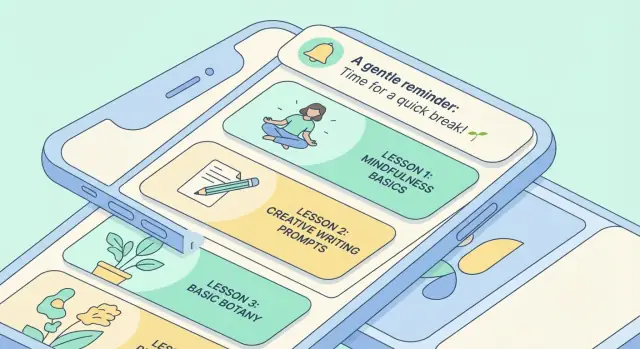
What a Micro‑Learning Reminder App Should Do
A micro‑learning reminder app is a tiny daily practice tool: it delivers a 1–5 minute lesson, prompts the user at the right time, and makes it easy to complete (or reschedule) without guilt. The goal isn’t to “teach everything” in the app—it’s to make learning happen consistently.
Core promise: short lessons, right on time
Your app should help users:
- Start fast: open the app and see exactly what to do next (no browsing required).
- Finish quickly: complete a lesson in one sitting, ideally under two minutes.
- Remember better: repeat key items over time so knowledge sticks (often via spaced repetition).
What “success” looks like (define it early)
Before you design screens, define a small set of metrics that match the habit you’re building:
- Daily completion rate: % of users who finish today’s micro‑session.
- Retention: D1/D7/D30 return rate (do they keep coming back?).
- Lesson mastery: % of items marked “learned” (or accuracy over reviews).
These metrics will influence everything—from notification frequency to lesson length.
Platform choice: iOS, Android, or cross‑platform
Micro‑learning apps live and die by reminders, so platform behavior matters.
- iOS first: great audience reach in some markets, stricter notification behavior.
- Android first: more device variety, flexible notification channels.
- Cross‑platform first: faster iteration with one codebase, but test notifications carefully on both.
Map the full build, from idea to iteration
Plan for an end‑to‑end structure: definition → content model → scheduling logic → notifications → UX → motivation → backend/sync → analytics → privacy → testing → launch → post‑release improvements.
Keeping this roadmap visible prevents feature drift and keeps the product focused on daily learning.
Audience, Use Cases, and Clear Product Goals
A micro‑learning reminder app succeeds when it feels like it was made for someone specific. If you try to serve “everyone who wants to learn,” your reminders, content, and progress signals become too generic to stick.
Identify primary users (and what they’re optimizing for)
Most micro‑learning apps cluster around a few high‑value audiences:
- Students who need short daily practice and fast feedback.
- Employees doing ongoing training in small bursts between meetings.
- Language learners building consistency and recall through spaced repetition.
- Compliance trainees who must remember key rules and pass periodic checks.
Each group has different tolerance for notifications, different “win conditions,” and different content formats (flashcards vs. scenario questions vs. policy checkpoints).
Map top use cases into daily moments
Write use cases as real moments, not features:
- Daily drill: 2–5 minutes after breakfast or during commute.
- Exam prep: escalating intensity over a set date range.
- Onboarding: a 10‑day sequence that introduces tools, terms, and workflows.
- Skill refresh: occasional nudges to prevent forgetting (perfect for spaced repetition).
Personas + jobs‑to‑be‑done (keep them simple)
Create 2–3 lightweight personas, each with a single job statement, e.g.:
“When I have a spare minute, help me review the most forgettable items so I can stay confident without planning study sessions.”
These statements guide notification wording, session length, and what “success” means.
Decide your app’s promise
Pick one primary promise and design everything around it:
- Speed: “Learn something useful in 60 seconds.”
- Consistency: “Never miss a day.”
- Mastery: “Remember it for months.”
Your promise determines product goals and metrics. For example, “consistency” cares about weekly active days and streak recovery; “mastery” cares about long‑term recall and spaced repetition performance.
Designing the Micro‑Content Model
A reminder app is only as good as the “unit” it reminds people to complete. If your content is too big, users postpone it. If it’s too small or repetitive, they stop caring.
Aim for micro‑content that can be finished in 30–90 seconds and still feels meaningful.
Pick lesson formats that fit a daily habit
Choose a small set of formats you can execute consistently:
- Cards: a single idea with a quick example (great for concepts and vocabulary).
- Flashcards: prompt → reveal (works well with spaced repetition later).
- Single‑question quizzes: one multiple‑choice or short answer to confirm understanding.
- Short audio: 10–30 seconds with one takeaway (useful for pronunciation or “listen‑and‑repeat”).
Limit formats early so your UI stays fast and your content team doesn’t need five different production pipelines.
Define a clear content schema
A practical hierarchy keeps both navigation and analytics clean:
Topic → Module → Lesson → Item
- Topic: broad category (e.g., “Spanish Basics”).
- Module: a focused cluster (e.g., “Greetings”).
- Lesson: what appears on a given day or session (e.g., “Saying hello”).
- Item: the smallest deliverable unit (one card, one flashcard, one quiz question).
Design items to be reusable. The same flashcard can appear in multiple lessons, or return later as a review.
Plan the authoring workflow early
Your content model should match how content gets made:
- Admin panel: best for ongoing iteration and non‑technical editors.
- Import (CSV/JSON): fastest for initial library creation and bulk edits.
- In‑app editor: useful only if your creators are also app users and the editing needs are simple.
Add tagging for personalization
Tags make reminders feel relevant without rewriting content:
- Difficulty (easy/medium/hard)
- Topic tags (grammar, travel, numbers)
- Time estimate (30s, 60s, 2m)
Later, these tags can drive “quick sessions,” smarter review mixes, and better recommendations—while keeping the core content model stable.
Reminder Scheduling and Learning Logic
Scheduling is where a micro‑learning reminder app either becomes a helpful coach—or an annoying alarm. Treat it as product logic, not just a cron job.
Pick a reminder approach
Most apps start with one of three models:
- Fixed schedule: “Every day at 8:30.” Simple and predictable, great for habit formation.
- User‑chosen windows: “Weekdays 7–9am or 6–9pm.” More flexible and usually less intrusive.
- Adaptive timing: the app nudges when the user is likely to respond (based on past opens). Best for engagement, but needs careful privacy messaging.
A practical path is to launch with fixed schedules + windows, then add adaptive timing once you have enough behavioral data.
Spaced repetition vs. simple reminders
Simple reminders work when the goal is consistency: daily vocabulary, a short quiz, a reflection prompt.
Spaced repetition is for long‑term memory. If a user answers correctly, the item returns later; if they struggle, it returns sooner. Your logic can start basic (e.g., 1 day → 3 days → 7 days → 14 days) and evolve into per‑item intervals.
Define guardrails users can feel
Build rules that protect attention:
- Quiet hours (sleep, meetings) and a “pause for a week” option
- Snooze choices (10 min, 1 hour, tonight) with a minimum interval to avoid spam loops
- Max notifications per day, plus a fallback to in‑app reminders if limits are hit
Personalization that doesn’t creep people out
Handle time zones automatically (travel shouldn’t break habits). Let users set a preferred cadence (3×/week vs. daily).
For routine detection, keep it lightweight: learn from “when they tend to complete a session” and shift the next window subtly—while offering an obvious toggle like “Use smart timing” so users stay in control.
Push Notifications That Users Don’t Disable
Push notifications are a privilege: users keep them on only if every message feels timely, relevant, and easy to act on. The goal isn’t “more notifications”—it’s fewer, better ones that reliably deliver the next tiny learning step.
Local vs. push: which to use (and when)
Local notifications are scheduled on the device. They’re great for predictable daily reminders (e.g., “8:15 AM learning prompt”), work offline, and avoid server delays. The downside: if the user changes phones, reinstalls the app, or the OS limits background scheduling, reliability can suffer.
Push notifications are sent from your server (often via Firebase Cloud Messaging / APNs). They’re better for dynamic timing (e.g., “review is due now based on your schedule”), cross‑device consistency, and re‑engagement campaigns. The downside: delivery is not guaranteed (Do Not Disturb, battery restrictions), and overuse is the fastest way to get disabled.
Many micro‑learning apps use local notifications for routine habits and push for schedule changes or critical nudges.
Notification copy: short, specific, never guilting
Write copy that answers: What is it? How long will it take? What happens if I tap?
Guidelines:
- Keep it under ~80 characters when possible.
- Reference the exact item: “Review: 5 Spanish verbs (60 sec)” beats “Time to learn!”
- Avoid guilt or streak threats (“Don’t break your streak!”). Use gentle, optional language.
- Use a consistent structure so users recognize it instantly.
Deep links that open the exact lesson
A tap should land the user on the specific micro‑lesson or review card, not the home screen. Use deep links like /lesson/123 or /review?set=verbs-1 so the session starts immediately.
If the item is unavailable (deleted, synced later), fall back to the closest safe screen with a clear explanation.
Built‑in controls: snooze, reschedule, mark as done
Where supported (Android notification actions, iOS categories), add quick actions:
- Snooze (e.g., 15–30 minutes)
- Reschedule (choose later today)
- Mark as done (logs completion without opening the app)
These controls reduce friction and prevent “disable notifications” moments when the timing is inconvenient.
UX Patterns for Fast Daily Sessions
Micro‑learning only works when the daily session feels effortless. Your UX should assume users are busy, interrupted, and often using the app one‑handed.
A simple screen map (and what each one must answer)
Design around a small set of predictable screens:
- Home: “What should I do next?” Show a single primary action (e.g., Start today’s lesson) plus a quick glance at streak/progress.
- Today’s lesson: “How long will this take?” Communicate scope (e.g., 3 cards, ~2 minutes) and let users start with one tap.
- Lesson player: “What’s the next step?” Keep controls minimal: answer, reveal, rate difficulty, next.
- Progress: “Am I improving?” Use simple trends and milestones, not dense charts.
- Settings: “Let me stay in control.” Notifications, quiet hours, content preferences, accessibility, data/privacy.
Make completion frictionless
A fast session is mostly about removing tiny delays:
- One‑tap start from home (no modal funnels).
- Quick feedback after each interaction (subtle haptics, short confirmations, clear microcopy).
- Auto‑advance to the next item so users don’t tap “Next” repeatedly.
- End screen that exits cleanly: show “Done for today” and return to home automatically.
Support interruptions and tiny sessions
Assume users will get a call mid‑lesson. Save state automatically:
- Resume exactly where they left off (same card, same step).
- Keep sessions chunked so stopping early still feels like progress.
Accessibility basics that pay off
Use readable font sizes, strong contrast, and clear tap targets. Ensure VoiceOver/TalkBack can read the lesson content and buttons in a sensible order, and avoid relying on color alone to communicate “correct/incorrect.”
Motivation Features: Streaks, Goals, and Recovery
Motivation in a micro‑learning app isn’t about flashy rewards—it’s about helping users show up for 60 seconds, then leave feeling “that was worth it.” The best features support consistency while staying tied to learning progress.
Streaks that encourage (not punish)
Streaks can be powerful, but they shouldn’t create anxiety. Consider a “learning days” streak (days with any completed card) plus a softer “consistency score” (e.g., last 7 days) so one missed day doesn’t feel like failure.
Add gentle nudges when a streak is at risk: “2 minutes keeps your week on track.” Keep the tone supportive and avoid guilt.
Goals users can actually reach
Offer simple goals that fit micro‑sessions:
- Daily goal: “Complete 3 cards” or “1 minute of review”
- Weekly goal: “5 learning days”
- Topic goals: “Finish Basics set”
Let users pick (or auto‑suggest) a goal based on past behavior. If someone averages two sessions a week, a seven‑day target will backfire.
Badges and rewards tied to outcomes
Badges work best when they reflect real learning milestones, not endless tapping:
- “Reviewed 20 items to ‘Mastered’”
- “No missed reviews in a week (spaced repetition plan)”
- “Recovered and caught up after a break”
Avoid over‑gamification like random loot or streaks that only measure app opens. Users should feel they’re getting smarter, not grinding.
Recovery: missed‑day support and smart catch‑up
People miss days. Build a recovery flow that reduces friction:
- “Welcome back” screen with a tiny restart plan (e.g., 5 cards)
- Smart catch‑up mode that caps backlog and prioritizes most‑due items
- Optional “streak freeze” or a limited number of “rest days” per month
Social, but pressure‑free
If you add sharing, keep it optional and lightweight: share a milestone badge or weekly summary, not leaderboards. The goal is encouragement, not comparison.
Tech Stack and Architecture Choices
Your tech stack should support one key promise: a fast, reliable daily session—even when the user has spotty connection or hasn’t opened the app in a week. Choose your client approach first, then define the core modules, and only then pick the backend.
Native vs. cross‑platform
Native (Swift for iOS, Kotlin for Android) is a strong choice when you want best‑in‑class push notification handling, background scheduling nuances, and platform‑polished UX.
Cross‑platform (Flutter or React Native) can reduce cost and keep feature parity across iOS/Android. Flutter tends to deliver consistent UI performance; React Native can be faster if your team is already deep in JavaScript/TypeScript.
A practical rule: if reminder interactions are “the product,” lean native or plan extra time for platform‑specific work in a cross‑platform setup.
If you want to validate the full loop quickly (content → reminders → lesson player → analytics), a vibe‑coding platform like Koder.ai can be useful for prototyping: you can iterate through flows in a chat interface, generate a React web app or Flutter mobile app, and keep the option to export source code once the product shape is right.
Core modules to plan early
Keep the app modular so reminders, learning logic, and content can evolve without a rewrite:
- Auth: email, Apple/Google sign‑in, or anonymous‑to‑registered upgrade.
- Content delivery: download micro‑lessons, handle versioning, and A/B variants.
- Scheduler: local schedule + server‑backed rules (time windows, retries, quiet hours).
- Progress & learning state: what was shown, answered, and when it should return.
- Analytics: event tracking for sessions, notification opens, and retention.
- Billing (optional): subscriptions, trials, entitlement checks.
Backend options and offline‑first
Firebase works well for push (FCM), analytics, auth, and quick iteration. Supabase is attractive if you prefer Postgres and SQL access. A custom API (e.g., Node/Go) makes sense when you need complex learning rules, custom billing, or strict data residency.
Design offline‑first from day one: cache lessons locally, write progress to a local store, and sync in the background. When conflicts happen (two devices), prefer “append‑only” events and resolve by timestamp/version rather than overwriting user progress.
For teams that want a conventional stack without building everything from scratch, Koder.ai commonly generates React on the front end and Go + PostgreSQL on the back end, which maps well to an offline‑first model with a clean sync API.
Backend, Database, and Sync Design
A micro‑learning reminder app feels simple on the surface, but the backend keeps progress consistent across devices, makes “due” reviews trustworthy, and prevents users from losing streaks when they reinstall.
Core data entities (keep them boring and explicit)
Start with a small set of entities you can evolve:
- User: id, timezone, consent flags, onboarding state.
- Lesson item: id, prompt/content, tags, difficulty, version.
- Review history: timestamp, result (correct/skip), response time, device id.
- Preferences: notification windows, daily goal, language, accessibility settings.
- Devices: push token, platform, last seen, notification opt‑in status.
Even if you use a managed backend like Firebase, define these as if you could move later. It reduces messy migrations.
Progress tracking: events first, scores second
Treat progress as a stream of completion events (e.g., “reviewed item X at 08:12, outcome=correct”). From events you can compute:
- Mastery score (a simple 0–1 value or 0–100)
- Review due date (next scheduled review)
- Streak eligibility (did the user complete a meaningful session today?)
Storing the raw event and the derived fields gives you both: auditability (why did something happen?) and speed (show “due now” instantly).
Sync strategy: choose your conflict rule deliberately
Two common options:
- Last‑write‑wins: easiest, but risky when offline usage is common.
- Event log: append‑only events; conflicts are rare because you merge by time/order.
For micro‑learning, an event log is usually safer: offline sessions can sync later without overwriting other progress. You can still store a “current state” snapshot per item for quick loading.
Admin tools you’ll be glad you built
Plan lightweight tooling for:
- Content upload and versioning (so edits don’t corrupt existing progress)
- Item retirement (hide broken content without deleting history)
- User support actions (reset a streak, delete data on request, resend verification)
If you build with Koder.ai, consider using planning mode to lock the data model and admin workflows before generating screens and APIs—then rely on snapshots/rollback while you iterate on schema and sync rules.
Analytics, Experiments, and Measuring Learning
Analytics should answer one question: is the app helping people learn with less effort? That means tracking behavior end‑to‑end and pairing product metrics with simple learning signals.
Instrument the events that matter
Start with a small, consistent event taxonomy and resist adding “nice‑to‑have” events you’ll never use.
Track key milestones and outcomes:
lesson_startedandlesson_completed(include lesson_id, duration, and whether it was scheduled or user‑initiated)reminder_sentandreminder_opened(include channel, local send time, and notification variant)- Optional but powerful:
answer_correct,answer_incorrect, anditem_reviewedto measure learning, not just usage
Keep properties human‑readable, and document them in a shared spec so product, marketing, and engineering interpret metrics the same way.
Build funnels that explain retention
A funnel should tell you where users get stuck, not just how many users you have. A practical baseline is:
install → onboarding_completed → first_lesson_completed → day_7_retained
If day‑7 retention is weak, break it down further: did users receive reminders, open them, and complete sessions after opening?
Run A/B tests with clear decisions
Experiments work when they’re tied to a choice you’re willing to make. High‑impact tests for a micro‑learning reminder app include:
- Reminder timing windows (e.g., user‑chosen vs. “smart” suggestions)
- Notification copy (benefit‑led vs. curiosity‑led)
- Streak rules (strict vs. grace days)
- Onboarding flow (short vs. guided setup)
Define a primary metric (e.g., day‑7 retention) and a guardrail (e.g., notification disable rate).
Dashboards for decisions, not vanity metrics
A useful dashboard shows a few trends weekly: retention, completion rate per reminder open, and learning progress (accuracy over time or reduced time‑to‑correct). If it doesn’t change what you build next, it doesn’t belong on the dashboard.
Privacy, Permissions, and User Trust
Trust is a feature. A micro‑learning reminder app sits close to daily routines, so users need to feel confident that reminders, progress, and personal data aren’t being misused.
Collect only what you need (and say why)
Start with a “minimum viable profile.” For many apps, that’s just an account identifier (or anonymous ID), learning progress, and a device token for push notifications.
Make a habit of documenting each data field:
- What it’s used for (e.g., “send reminders,” “sync progress across devices”)
- Where it’s stored (device, backend)
- How long it’s kept
If a field doesn’t clearly improve the learning experience, don’t collect it.
Consent and easy‑to‑change settings
Ask for permissions in context—right before they’re needed. For notifications, explain the benefit (“daily 30‑second review reminders”) and offer choices (time window, frequency).
For analytics, avoid hiding behind legal text. Give a simple toggle:
- Notifications: on/off + schedule controls
- Analytics: opt‑in/opt‑out (or at least a clear notice)
Make these settings reachable in two taps from the main screen. If people can’t control it, they’ll disable notifications or uninstall.
Retention, export, and deletion
Plan “end of relationship” flows from day one:
- Delete account: remove personal identifiers and progress from servers within a stated timeframe
- Export data: let users download their learning history (even a simple CSV)
- Retention rules: automatically clean up inactive or unverified accounts if appropriate
Privacy UX people will actually read
Write plain‑language summaries in‑app, then link to the full policies at /privacy and /terms.
Keep the promise consistent: what you say in onboarding, what you request in permissions, and what you do on the backend should match exactly.
Testing, Launch, and Iteration After Release
Shipping a micro‑learning reminder app isn’t only about “does it work?” It’s about “does it keep working at 7:30am, every day, for everyone?” Testing and launch planning should focus on reliability, edge cases, and fast feedback loops.
Test the hard notification cases
Reminders are where apps quietly fail. Build a small test matrix and run it on real devices (not just simulators):
- Time zones: travel across zones, change the device time zone manually, and verify reminders stay consistent with the user’s intent.
- DST changes: test the week DST starts/ends; confirm 8:00am doesn’t become 7:00am (or skip entirely).
- Power and focus modes: iOS Focus, Android Doze, battery saver, background refresh off. Validate what happens and how the app recovers.
Log each scheduled notification (locally) with an ID so QA can compare “scheduled vs. delivered.”
QA for weak devices and weak networks
Daily learning sessions are short, so performance matters. Run end‑to‑end QA on:
- Low‑end devices (slow CPU, limited RAM)
- Poor connectivity (2G/3G throttling, airplane mode, flaky Wi‑Fi)
Confirm the app still opens quickly, loads today’s card, and doesn’t block the session on sync.
App Store / Play launch assets
Your listing is part of onboarding. Prepare:
- Screenshots that show the daily flow (reminder → 20‑second lesson → done)
- Keyword‑aligned description (micro‑learning, spaced repetition, reminders)
- A short onboarding video that demonstrates the first session
Post‑launch checklist: learn, fix, iterate
Treat release day as the start of measurement:
- Crash monitoring and performance alerts (daily review at first)
- A support inbox with saved replies for notification and login issues
- A simple roadmap: top bugs, top UX friction, and the next experiment
Ship small updates frequently, and prioritize anything that reduces missed reminders or failed sessions.
FAQ
What is a micro-learning reminder app, and what problem does it solve?
A micro-learning reminder app is a daily practice tool that delivers a 1–5 minute lesson at the right time and makes it easy to complete or reschedule.
The focus is consistency: help users do the next tiny step without planning a study session.
Which metrics should I define before designing screens?
Define success early with a small set of habit-aligned metrics, such as:
- Daily completion rate (who finishes today’s session)
- D1/D7/D30 retention (who comes back)
- Lesson mastery / review accuracy (who is actually learning)
These metrics should directly influence lesson size, reminder cadence, and UX choices.
Should I build iOS, Android, or cross-platform first?
Pick the platform based on how critical reminder reliability and iteration speed are:
- iOS first: strong audience in some markets; notifications have stricter behavior.
- Android first: more device variety; flexible notification channels.
- Cross-platform: faster development, but you must test notifications thoroughly on both OSes.
If reminders are “the product,” plan extra time for platform-specific notification work.
What’s a good content model for micro-lessons?
A practical starting schema is:
- Topic → Module → Lesson → Item
Keep the Item small enough to finish in 30–90 seconds, and design items to be reusable (e.g., the same flashcard can appear in lessons and later reviews).
Which lesson formats work best for daily micro-learning?
Choose a small set of formats you can ship consistently, such as:
- Cards (one idea + example)
- Flashcards (prompt → reveal)
- Single-question quizzes
- Short audio (10–30 seconds)
Limiting formats early keeps the UI fast and avoids multiple content production pipelines.
How should reminder scheduling work without annoying users?
Common approaches are:
- Fixed schedule (e.g., every day at 8:30)
- User-chosen windows (e.g., weekdays 7–9am)
- Adaptive timing (based on past opens)
A safe rollout is fixed schedules + windows first, then add adaptive timing once you have enough data and clear user controls (like a “Use smart timing” toggle).
When should I use spaced repetition vs. simple daily reminders?
Use simple reminders when the goal is consistency (do a small session daily).
Use spaced repetition when the goal is long-term memory: correct items return later; difficult items return sooner. You can start with a simple interval ladder (e.g., 1 → 3 → 7 → 14 days) and evolve into per-item intervals.
Should my app use local notifications or server push notifications?
Use local notifications for predictable routines because they work offline and avoid server delays.
Use push notifications for dynamic timing, cross-device consistency, and re-engagement (but delivery isn’t guaranteed and overuse gets you disabled).
Many apps combine both: local for the daily habit, push for schedule changes or critical “due now” nudges.
How do I write notification messages people won’t disable?
Write copy that answers: what it is, how long it takes, and what happens if I tap.
Good patterns:
- Keep it short (often under ~80 characters).
- Be specific: “Review: 5 Spanish verbs (60 sec)” beats “Time to learn!”
- Avoid guilt (“Don’t break your streak!”).
Always deep link to the exact next step (e.g., /lesson/123), not the home screen.
What UX patterns make daily sessions fast and reliable?
Design for speed and interruption:
- One-tap start from home
- Auto-save state and resume on the same item
- Auto-advance to reduce taps
- A clear end state (“Done for today”)
Also build guardrails: quiet hours, snooze/reschedule, and a max notifications per day to protect attention.