

How to Build a Mobile App for Personal Process Tracking
Learn how to plan, design, and build a mobile app for tracking personal routines and processes—from MVP features and UX to data, privacy, testing, and launch.
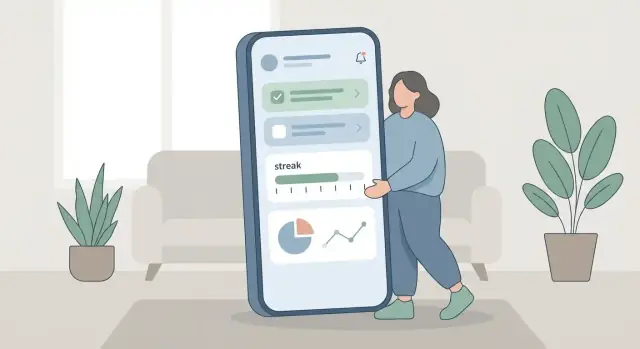
Define the Problem and the Tracking Use Case
“Personal process tracking” is any system that helps someone record what they did, when they did it, and whether they completed a defined sequence. It can look like a habit tracker (daily meditation), a routine log (morning checklist), or a step-by-step workflow (physical therapy exercises, study sessions, medication + symptoms).
Pick one clear use case
Tracking apps fail most often when they try to support every kind of tracking on day one. Decide what you’re building first:
- Habits: a simple “did it / didn’t do it” with streaks and gentle reminders
- Routines/checklists: multiple items that together mean “done” (e.g., a “close the day” routine)
- Workflows: ordered steps, timing, optional notes, and exceptions (e.g., an asthma action plan)
Define the target user and context
Be specific about who will use it and under what constraints. A busy professional may only log in 10 seconds between meetings. A student may track in bursts after class. A caregiver may need one-handed use, offline logging, and clearer summaries.
Write a one-sentence scenario: “A home nurse logs wound-care steps in a hallway with poor reception.” That scenario will guide UX decisions, offline needs, and data fields.
Decide the outcome you’re promising
Most users want one primary outcome: consistency (do it more), visibility (see what happened), accountability (stay on track), or insights (notice patterns). Choose one as the headline value; everything else should support it.
Set measurable success metrics
Pick metrics you can track from v1:
- Activation: % of new users who create a tracker and log once within 24 hours
- Daily active use: logs per day per active user (or % who log daily)
- Completion rate: tasks completed vs planned
- Retention: day-7 and day-30 returning users
These metrics keep product decisions grounded as you add features.
Map the Process: Steps, Frequency, and Completion Rules
Before you design screens or databases, get crisp on what users are actually tracking. “Tracking a process” isn’t one thing—it’s a pattern: a repeatable sequence, a cadence, and a clear definition of completion.
Common processes people track
Start by listing 5–10 processes your audience will recognize. A few reliable examples:
- Morning routine (wake up, water, meds, stretch)
- Therapy or rehab exercises (sets, reps, pain rating)
- Job search pipeline (find role, tailor resume, apply, follow up)
- Content pipeline (idea, outline, draft, edit, publish)
- Study session workflow (review, practice, quiz)
- Skincare routine (AM/PM steps)
- Cleaning checklist (rooms, chores)
- Sales outreach (prospect, message, follow-up)
Pick a couple to model in detail so product decisions aren’t abstract.
Break the process into steps and inputs
For each process, write the steps in plain language and note what data each step needs.
Example: “Therapy exercises”
- Step: Warm-up (duration)
- Step: Exercise A (sets, reps, difficulty)
- Step: Exercise B (sets, reps)
- Step: Notes (free text)
Also decide whether steps are optional, reorderable, or conditional (e.g., “Only show ‘Ice’ step if pain ≥ 6”).
Decide what “done” means
Completion rules should be explicit and consistent:
- All steps completed: best for checklists and routines.
- Minimum threshold: e.g., “2 of 3 exercises” or “at least 10 minutes.”
- Timed session: done when the timer ends, even if steps weren’t checked.
Avoid ambiguous states like “kinda done.” If you want nuance, store it as notes or a confidence rating—not as a vague completion state.
Frequency and edge cases
Define cadence per process: daily, weekdays-only, custom days, or one-off. Then handle edge cases up front:
- Skipped days: are they failures, neutral gaps, or explicitly “skipped”?
- Partial completion: does it count toward streaks or goals?
- Recurring vs one-off: job applications are unique instances; a morning routine repeats.
These decisions shape everything later—from reminders to progress charts—so write them down as rules your whole team can follow.
Plan the MVP: User Stories and Feature Priorities
An MVP (minimum viable product) is the smallest version of your tracking app that proves the idea, feels good to use, and gives you real feedback. The fastest way to get there is to write a few simple user stories, then aggressively prioritize.
Start with plain-language user stories
Keep stories focused on outcomes, not features. For a personal process tracking app, a solid starting set is:
- As a user, I want to create a process (name it, define steps, set how often it repeats) so I can track something consistently.
- As a user, I want to check off a step quickly so logging doesn’t feel like work.
- As a user, I want to review my progress so I can see if I’m improving over time.
If a story doesn’t connect to “track it” or “learn from it,” it’s probably not v1.
Prioritize: must-have vs nice-to-have
Use a simple “must-have / nice-to-have” split to prevent scope creep.
Must-have is what makes the product usable end-to-end: create a process, log completion, and view basic history.
Nice-to-have is anything that improves convenience or polish but isn’t required to learn from real users (themes, elaborate charts, advanced automation).
Define what you will not build in v1
Write a short “not in v1” list and treat it like a contract. Common exclusions: social sharing, deep customization, complex analytics, integrations, and multi-user collaboration.
Keep a lightweight roadmap for v2 and v3
Capture future ideas without building them now:
- v2: reminders, improved insights, simple streaks, export
- v3: multi-device sync, templates, integrations
This roadmap guides decisions without bloating your first release.
Design the Data Model for Tracking and History
A tracking app lives or dies by its data model. If you get the “what happened, when, and for which process?” questions right early, everything else—screens, reminders, insights—gets easier.
Start with a small set of core objects
Keep the first version centered on a few clear building blocks:
- User: the owner of the data (even if you only support one device/user at first)
- Process: what’s being tracked (e.g., “Morning routine,” “Expense review”)
- Step: optional checklist items within a process (e.g., “Stretch,” “Drink water”)
- Entry/Log: the record of an actual event (“I did it”) with timestamps and optional notes
- Reminder: scheduled prompts tied to a process (and sometimes to specific steps)
- Tag: lightweight labels for filtering (“work,” “health,” “travel”)
A good rule: processes define intent; logs capture reality.
Decide how you store time (and don’t hand-wave time zones)
Time choices affect streaks, daily goals, and charts.
- Store an exact moment as a UTC timestamp, plus the user’s time zone at the time of logging.
- For “daily” tracking, also store a local date key (e.g.,
2025-12-26) so “today” remains consistent even if the user travels. - If you support schedules/recurrence, keep rules explicit (days of week, time-of-day, interval). Avoid magical “every day” strings that are hard to edit later.
Plan for history: immutable logs vs editable entries
If users care about accuracy and auditability, treat logs as append-only (immutable) and handle mistakes with a “delete log” or “add correction” action.
If the app is more casual (habit tracking), editable entries can feel friendlier. A hybrid approach works well: allow edits to notes/tags, keep the original timestamp, and maintain a small change history field.
Think about export and deletion early
Even if you ship these later, design for them now:
- Add stable IDs and clear ownership so you can export a user’s processes, steps, and logs cleanly.
- Support soft delete (for undo) and eventual hard delete (for privacy requests).
- Consider a simple export format boundary: “one user → many processes → many logs,” so you’re not locked into your first database forever.
UX and Core Screens: Make Logging Fast and Clear
A tracking app succeeds or fails on one moment: when the user tries to log something. If logging feels slow, confusing, or “too much,” people stop—even if the rest of the app is beautiful. Design the core screens around speed, clarity, and confidence.
The key screens to sketch first
Start with a simple map of the essential screens. You can refine visuals later, but the flow should already feel effortless.
- Home: a calm overview (what needs attention today, quick access to recent processes).
- Process list: all tracked items, searchable, grouped if needed (e.g., Health, Work, Home).
- Process detail: what this process is, its rules, history, and a prominent action button.
- Today view: a focused “do and log” page for daily completion (especially useful for routines).
- Add/Edit process: keep it short; advanced settings can be tucked behind “More options.”
- Insights: lightweight progress summaries and trends that reward consistency.
Make logging possible in 1–2 taps
For frequent actions, aim for one primary button per process (e.g., “Log,” “Done,” “+1,” “Start timer”). If the action needs details (notes, duration, quantity), offer a fast default first, then optional detail.
Good patterns include:
- A large “Log now” button on the process card and on the detail screen.
- Long-press or swipe to log quickly from the list (optional, not required).
- Smart defaults like “1 time” or “5 minutes,” with an “Edit” step only when needed.
Clear feedback builds trust
When users tap, they should immediately see that it worked.
Use simple, readable feedback such as:
- Checkmarks for completed today
- Progress bars for goals (e.g., 3/5)
- Streak indicators only when your completion rules are unambiguous
Also include an easy Undo for a few seconds after logging. It reduces anxiety and prevents rage-quitting over mistakes.
Accessibility basics from day one
Treat accessibility as core UX, not polish:
- Comfortable tap targets (don’t cram actions into tiny icons)
- Strong contrast and clear states (selected vs. not selected)
- Support larger font sizes without breaking layouts
Decide what works without an account
Many users want to try a personal process tracking app privately before signing up. Consider making these features available offline and without an account:
- Create/edit processes
- Log actions and view history
- Basic insights
Then treat accounts as optional: mainly for sync and multi-device continuity, not as a barrier to getting started.
Choose Your Tech Stack: Native, Cross-Platform, and Backend
Your tech stack should match the tracking use case and your team’s strengths. A personal process tracking app usually needs fast logging, reliable offline behavior, and clean data storage—more than fancy graphics.
Native vs Cross-Platform (choose based on your team)
Native (Swift for iOS, Kotlin for Android) is a strong choice when you:
- Have separate iOS/Android developers (or can hire them)
- Want the smoothest platform feel and easiest access to OS features (widgets, health APIs, background tasks)
- Expect to optimize performance and battery usage over time
Cross-platform (Flutter or React Native) is often better when you:
- Want one codebase and a smaller team
- Need to ship an MVP quickly and iterate weekly
- Have existing JavaScript/TypeScript skills (React Native) or are comfortable adopting Dart (Flutter)
Rule of thumb: for a simple habit tracker or workflow-tracking MVP, cross-platform is usually enough. Go native if deep OS integration is a core requirement from day one.
Backend: local-only, sync backend, or third-party
You have three realistic options:
-
No backend (local-only): simplest and cheapest. Works well if users don’t need multi-device sync.
-
Your own sync backend: best control for multi-device support and future features (sharing, analytics). Requires building APIs, auth, and handling data conflicts.
-
Third-party auth/storage: fastest path to “accounts + sync.” Great for v1, but consider long-term cost and vendor lock-in.
If you want to validate the product loop quickly before committing to a full engineering pipeline, a vibe-coding platform like Koder.ai can help you prototype a React web app, a Go + PostgreSQL backend, or even a Flutter mobile client from a chat-driven build flow—and then export the source code when you’re ready to harden the architecture.
Database choices
- On-device: SQLite (common, flexible) or Realm (simple object-based approach). Pick the one your team can maintain.
- Server-side (if you sync): Postgres is a practical default for structured tracking history.
Integrations (only if essential)
Keep integrations minimal for v1. Notifications are usually essential; calendars and home-screen widgets are “nice-to-have” unless your app’s value depends on them.
Offline, Sync, and Multi-Device Support
Offline support is not a “nice to have” for a personal process tracking app. People log at the gym, on commutes, in basements, and in places with flaky reception. If logging fails, the habit often fails with it.
Define what “offline-first” means
Be explicit about which actions work without internet:
- Create logs (check-ins, steps completed, notes, photos if you support them)
- Edit processes (rename a routine, adjust steps, change schedules)
- View recent history and streak/progress summaries
A simple rule: any screen involved in logging should be fully usable offline, with clear feedback like “Saved on this device” and a subtle “Syncing…” state when connectivity returns.
Local cache: what to store on the device
Store a local database as the source of truth while offline. Keep:
- The process definitions (templates, steps, completion rules)
- All logs and edits, plus a “pending sync” queue
- Enough history to feel complete (often all-time logs are fine for small apps; otherwise cache a rolling window)
Design the cache so reads are fast and predictable. If a user can’t see yesterday’s entries on a plane, the app won’t feel trustworthy.
Sync rules and conflict handling
When multiple devices edit the same item, decide how to resolve conflicts:
- Last write wins: easiest; good for simple notes and settings
- Merge per field: better for process definitions (e.g., name changed on one device, steps reordered on another)
Track updated_at, a unique device/client id, and ideally a version number per record. For logs, prefer append-only writes (new entries) to reduce conflicts.
Device changes, restore, and multi-device expectations
Support a “new phone” path: sign-in restore or secure backups that rehydrate the local database. For multi-device sync, set expectations in UI: show last sync time, handle long-offline devices gracefully, and avoid scary error messages—queue changes and retry automatically.
Reminders and Notifications Without Annoying Users
Reminders are a key driver of follow-through in a personal process tracking app, but they can also be the fastest way to get uninstalled. The goal is simple: send fewer notifications, and make each one feel timely, relevant, and clearly actionable.
Pick the right notification types
Start with a small set and add sophistication only if users ask for it:
- Scheduled reminders: “Log your evening steps at 8:30 PM.” Best for routines.
- Smart reminders: trigger based on patterns (for example, if a user typically logs around lunch but hasn’t today). Keep these conservative.
- Missed-step nudges: helpful for multi-step processes (“You completed Step 2 yesterday—want to continue?”). These work best when they reference a specific next action.
Give users real control
Controls should be per-process, not just global. At minimum, support:
- Quiet hours (no interruptions during sleep/work)
- Frequency limits (e.g., max 1–2 per day per process)
- Snooze with simple choices (15 min, 1 hour, tomorrow)
- Per-process toggles for all reminder types
If settings are hard to find, people won’t tune them—they’ll disable notifications entirely.
Prevent overload with prioritization
When multiple processes want attention, choose the single most important prompt. A simple priority rule can be: due soonest, highest streak risk, or user-marked “important.” If you can’t confidently pick, don’t send anything.
Respect platform rules and permissions
iOS and Android both make it easy for users to mute you permanently. Ask for permission only after users see value (for example, after they create a process and set a schedule). Also expect system-level overrides: detect disabled notifications and show a gentle in-app hint rather than repeatedly nagging.
Progress, Insights, and Simple Visualizations
People stick with a personal process tracking app when it gives them clarity, not just a log. The goal is to turn entries into a few trustworthy signals that answer: “Am I improving?” and “What should I do next?”
Choose insights that actually matter
Start with a small set of metrics that map to the user’s purpose:
- Completion trends: how often the process gets finished per day/week, and whether it’s rising or falling.
- Streaks (with context): consecutive days completed, plus a note like “3 of 5 planned days” for flexible schedules.
- Time spent (if you track it): total time and average time per step. Keep it optional to avoid extra logging burden.
- Bottlenecks: steps that are skipped, delayed, or repeatedly take the longest.
Keep visuals simple—and explain them
Use a few familiar chart types:
- Calendar heatmap for frequency (quick to read).
- Bar chart for weekly completions.
- Line chart for a single trend (time or completion rate).
Add plain-language labels right on the screen: “You completed this 9 times in the last 14 days (up from 6).” Avoid charts that require interpretation.
Insights should lead to action
Pair each insight with a gentle next step:
- “Your slowest step is ‘Prep’. Try creating a saved template.”
- “Most misses happen on Tuesdays. Want a reminder at 7pm?”
- “Shortest win: log just Step 1 when you’re busy.”
Be careful with scoring
A single “productivity score” can be misleading and demotivating, especially when users change goals or track different processes. If you include scoring, let users control it, explain the formula, and show the underlying data so it feels fair.
Testing Strategy and Quality Checklist
A personal process tracking app feels “simple” until it misses a reminder, logs a duplicate entry, or behaves differently after a time zone change. A good testing plan focuses on the workflows users repeat every day, plus the edge cases that silently break trust.
Core test scenarios (high value)
Test these end-to-end flows on both iOS and Android (and on at least one older device):
- Create and edit processes: create a new process, rename it, change steps, reorder steps, archive/unarchive, delete (and confirm what happens to history).
- Recurring schedules: daily/weekly/monthly, custom intervals, “skip” behavior, and what “completed” means (all steps vs. any step).
- Time zone and clock changes: travel across time zones, daylight saving changes, manual clock edits; verify that streaks, “today” views, and reminders stay correct.
- Offline mode: create logs offline, edit them, then reconnect; confirm sync doesn’t duplicate entries or overwrite newer changes.
Notifications on real devices
Notification behavior is heavily OS-dependent, so use real devices to test:
- Permission prompts: first run, after denial, after enabling in Settings.
- Timing: exact trigger time, quiet hours, and rescheduling after completing early.
- Multiple reminders: ensure they don’t stack or fire after a process is paused.
Lightweight analytics (without sensitive content)
Instrument a few events to understand usage without collecting private text:
process_created,step_completed,reminder_enabled,sync_conflict_shown,export_started.- Store only metadata (counts, timestamps, feature flags), not step names or notes.
Release QA checklist
Before each release: fresh install test, upgrade test, offline/online toggle, notification sanity check, accessibility pass (font size + screen reader basics), and a quick regression of the top 5 user flows.
Privacy, Security, and User Trust Basics
A personal process tracking app can feel intimate: routines, health notes, productivity patterns. Trust isn’t a “nice to have”—it determines whether people log consistently or abandon the app.
Collect less, protect more
Start with data minimization: store only what you need to deliver the feature. If a user is tracking “Did I complete my morning walk?”, you usually don’t need exact GPS routes, contacts, or a full profile.
A simple rule: every field in your data model should have a clear reason to exist. If you can’t explain why you’re storing it, remove it.
Explain privacy choices in plain language
Put a short “Privacy & Data” screen inside the app (not just a long legal document). Use direct statements like:
- What is stored on the device
- What is synced to your servers (if anything)
- What is shared with third parties (ideally: none)
If you offer sync, make it opt-in and explain the tradeoff: convenience across devices vs. storing data beyond the phone.
Secure storage and transport
Security basics for tracking apps often come down to three areas:
- On-device protection: rely on device encryption, and consider additional app-level protection (like biometric lock) for sensitive logs.
- In transit: use secure transport (HTTPS/TLS) for any API calls, including analytics.
- On the server: encrypt sensitive data at rest where appropriate, and restrict access internally.
Give users control
Provide clear account and data controls:
- Export (so they can take their history elsewhere)
- Delete data (specific entries and full account deletion)
- Sign-out expectations (what remains on the device, what gets removed, and what happens when they sign back in)
When these basics are handled well, users feel safe logging the real story—messy days included.
Launch, Learn, and Iterate After v1
Your first release should prove one thing: people can reliably log their process and want to keep doing it. Treat v1 as a learning build with a clear plan for what you’ll measure and improve.
Prepare your app store presence
App store assets are part of the product. Create screenshots that tell a simple story in order:
- Fast logging (the core moment)
- Reminders (how users stay on track)
- Insights (what they get back)
Keep copy short and benefit-led (“Log in 5 seconds”, “See streaks and trends”). Make sure the screenshots match your actual UI to avoid disappointed installs.
Reduce blank-state friction with templates
Many people quit at the empty screen. Ship with a small set of templates for common routines so users can start in under a minute. Examples: “Morning routine”, “Workout”, “Medication”, “Study session”, “Daily chores”.
Templates should be optional and editable. The goal is to provide a starting point, not force a method.
Set up feedback and bug triage
Add a simple feedback channel: an in-app form or an “Email support” action that includes device/app version automatically. Pair this with a lightweight triage process:
- Tag issues as Bug, UX confusion, Feature request
- Track severity (blocks logging vs. minor annoyance)
- Respond with timelines when possible
Plan the first iteration cycle
Pick a short cycle (e.g., 2–4 weeks): review feedback, prioritize improvements, ship, and repeat. Focus early iterations on retention drivers: logging speed, reminder usefulness, and data trust (no lost entries). Avoid expanding features until the core loop feels effortless.
FAQ
What should I build first: a habit tracker, a routine checklist, or a workflow tracker?
Start by choosing one primary pattern to support:
- Habits: single tap “done/not done,” optional streaks.
- Routines/checklists: multiple steps that roll up into one completion.
- Workflows: ordered steps, timers, exceptions, and richer notes.
Ship the smallest version that makes that one pattern feel effortless, then expand.
How do I define the target user and context clearly enough to guide product decisions?
Write a one-sentence scenario that includes who, where, and constraints (time, connectivity, one-handed use).
Example: “A caregiver logs medication and symptoms in a dim room with no reception.”
Use that sentence to decide defaults like offline-first logging, big tap targets, and minimal required fields.
How do I decide what “done” means for a tracked process?
Pick one rule per process and make it consistent:
- All steps completed (best for checklists).
- Minimum threshold (e.g., 10 minutes, 2 of 3 steps).
- Timed session (done when the timer ends).
Avoid fuzzy states like “kind of done.” If you need nuance, store it as a note or rating rather than an ambiguous completion state.
How should I handle skipped days, partial completion, and one-off events?
Define it up front so charts and streaks don’t lie:
- Skipped days: treat as a separate state (not automatically a failure).
- Partial completion: decide whether it counts toward streaks/goals.
- Recurring vs one-off: repeating routines need schedules; one-off items need unique instances.
Write these rules down as product logic, not just UI behavior.
What’s the minimum viable feature set for a personal tracking app MVP?
A practical v1 can be just three loops:
- Create a process (name, steps, frequency).
- Log quickly (1–2 taps, smart defaults).
- Review history (simple list or calendar view).
Delay anything that doesn’t prove the core loop: social features, complex analytics, deep customization, and heavy integrations.
What’s a good data model for processes, steps, and logging history?
Keep your core entities small and explicit:
- Process (intent and rules)
- Steps (optional checklist items)
- Log/Entry (what happened, when, notes)
A useful rule: processes define intent; logs capture reality. Build everything else (streaks, charts, reminders) from logs rather than adding “computed” state everywhere.
How should I store time so streaks and “today” stay correct across time zones?
Do both an exact timestamp and a “daily key”:
- Store the event time as a UTC timestamp.
- Store the user’s time zone at logging.
- Store a local date key (e.g.,
2025-12-26) for daily views and streaks.
This prevents “today” and streaks from breaking when users travel or daylight saving time changes.
What does “offline-first” mean in practice, and how do I handle sync conflicts?
Make the device database the source of truth while offline:
- Save processes and logs locally.
- Queue pending changes for sync.
- Show clear states like “Saved on this device” and “Syncing…”
For conflicts, keep it simple:
- Prefer append-only logs to reduce collisions.
- For editable records (process definitions), start with last write wins or a small per-field merge strategy.
How can I add reminders without annoying users and getting uninstalled?
Send fewer notifications, but make each one actionable:
- Start with scheduled reminders per process.
- Add controls: quiet hours, snooze, frequency limits, and per-process toggles.
- Ask for notification permission after the user creates a process (when the value is clear).
If multiple reminders compete, pick the single highest-priority one—or send none.
What should I test to prevent the most common tracking app failures?
Test the flows that can silently destroy trust:
- Create/edit processes (including delete/archive and what happens to history).
- Recurrence rules + “skip” behavior.
- Time zone travel, DST, and manual clock changes.
- Offline logging → reconnect → sync (no duplicates, no overwrites).
Also test notifications on real devices (permissions, quiet hours, rescheduling) and keep analytics metadata-only (avoid collecting private text like step names/notes).