

How to Build a Mobile App for Subscription Content
Learn how to plan, build, and launch a mobile app for subscription content—from paywalls and billing to content delivery, analytics, and App Store approval.
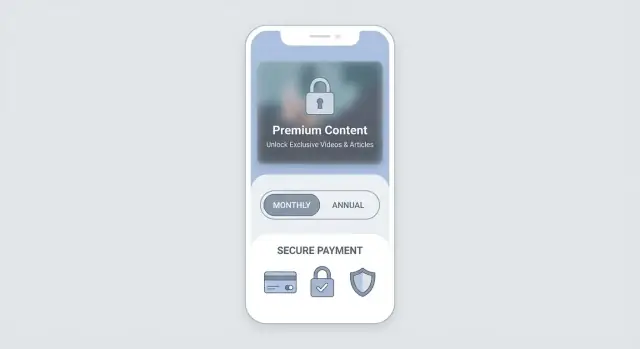
Clarify Your Subscription App Concept
Before you talk to designers or start mobile app development, get specific about what “subscription content” means for your business. A subscription app isn’t just “content behind a paywall”—it’s a promise: members pay repeatedly because the value is ongoing.
Define the content you’re actually selling
Start with a plain-language description of what subscribers receive:
- Video (workouts, tutorials, shows, live streams)
- Courses (structured lessons, assignments, certificates)
- Articles/newsletters (deep dives, research, archives)
- Audio (podcasts, meditation, language)
- Community (member chat, Q&A, events, office hours)
Be careful mixing too many formats at launch. The clearer your membership offer, the easier it is to design the paywall, onboarding, and retention features.
Pick a simple subscription model
Choose one model you can explain in a single sentence. Common starting points:
- Monthly + annual (annual discounted)
- Free trial (e.g., 7 days) to reduce purchase friction
- Tiers (e.g., Basic vs Pro) only if benefits are obvious
If you’re using in-app purchases, the app stores will shape your subscription billing options and how paywall messaging must work. Make sure the model you want is feasible under current app store guidelines (more on that later).
Clarify your primary goal
Different goals change the product you build:
- Revenue: optimize pricing, paywall, and upsells
- Retention: invest in release cadence, reminders, and “next best content”
- Engagement: community, streaks, live sessions, and personalized feeds
- Lead generation: a strong free layer, sampling, and email capture (where allowed)
Pick one primary goal for the MVP. Secondary goals can follow once you see real retention metrics.
Identify constraints early
Write down the realities that will shape scope:
- Budget and timeline (including review time for app stores)
- Small team vs agency capacity
- Content production bandwidth (weekly? monthly?)
- Existing assets (CMS, video host, newsletter platform)
A useful check: if you can’t describe your subscription app in 2–3 sentences, the concept is still too broad—and any paywall you build will feel vague to users.
Define Users, Content Types, and Key Flows
Before you choose features or pricing, get specific about who the app is for and what job your content does for them. Subscription apps win when they solve a repeatable need—learning a skill, staying informed, improving health, or getting entertainment without interruptions.
Define your target users (and their “why”)
Write 2–3 simple personas. For each one, capture:
- Goal: what they’re trying to achieve (e.g., “practice Spanish 10 minutes a day”)
- Pain point: what’s missing today (too much noise, low-quality content, no structure)
- Context: when they use the app (commute, evenings, gym, work breaks)
This will guide everything from content length to notification timing.
Decide your content types
List the formats you’ll ship first and what “finished” looks like for each:
- Articles, newsletters, audio episodes, video lessons/live streams, PDFs, workouts, templates, or a mixed library
- Metadata you’ll need: title, summary, duration, tags, level, creator, publish date
Map the core user journeys
At minimum, define these flows end-to-end:
- Browse: home feed, categories, search, and “continue where you left off”
- Preview: trailers, sample chapters, limited-time access, or a small free catalog
- Subscribe: paywall view → plan selection → purchase → confirmation
- Consume: reading/watching/listening, progress tracking, saved items
- Renew/cancel: renewal reminders, updating payment, cancel flow, win-back offers
Free vs paid access (make it obvious)
Choose a clear rule (not a confusing mix). Common models:
- Free previews for every item
- A limited “starter” library
- Time-limited trials with full access
Label locked content consistently and show the value of upgrading.
Offline downloads: allowed, limited, or blocked
If your audience travels or uses the app in low-signal areas, offline can increase retention. Decide early whether downloads are:
- Allowed (and for which tiers)
- Limited (e.g., 10 items, 30 days, device cap)
- Not supported (due to licensing, DRM, or creator terms)
Your offline decision affects storage, rights management, and the overall subscription promise.
Choose Platforms and an MVP Scope
Choosing where to launch (and what to ship first) is the fastest way to keep your subscription app on budget and on schedule.
Pick your platforms
- iOS first: strong subscription adoption, consistent devices, faster QA. A common choice for creator monetization and premium content.
- Android first: larger global reach, broader device range (more testing), strong for price-sensitive markets.
- Both at once: best if your audience expects parity (e.g., OTT app fans), but it increases design, development, and testing effort.
A practical rule: start where your paying audience already is, then expand once the paywall and billing are proven.
Choose an implementation approach (in plain terms)
- Native (Swift/Kotlin): best performance and smoothest platform feel; typically higher cost because you build twice.
- Cross-platform (Flutter/React Native): one codebase for iOS + Android; faster for small teams; may need extra work for edge cases like in-app purchases and media playback.
- Web + wrapper: quickest to ship a basic experience, but you may face limitations around app store rules, purchase flows, and overall polish.
If your goal is to validate quickly before committing to a full engineering pipeline, a vibe-coding platform like Koder.ai can be useful for prototyping the core flows (catalog → paywall → account) via chat, then exporting source code when you’re ready to hand it to a team.
Must-have MVP screens
For a subscription content membership app, the MVP should include:
- Home / feed (what’s new, what’s included)
- Content detail (description, preview, download/stream info)
- Player/reader (video/audio player or article reader)
- Paywall (plans, benefits, restore purchases)
- Account (subscription status, billing info link, sign out)
- Settings (notifications, downloads, help)
Iterate: MVP → v1 → v2
- MVP: core content browsing + playback/reading + paywall + basic account management.
- v1: onboarding, search, favorites/bookmarks, downloads (if media), simple retention hooks (e.g., “continue watching/reading”).
- v2: personalization, bundles/family sharing (where allowed), referral or promo flows, richer creator tools, and experiments to improve conversion and retention.
Keeping scope tight early helps you validate pricing and paywall performance before investing in advanced features.
Plan Subscription Billing and Paywall Strategy
Your billing choice shapes everything else: pricing, onboarding, customer support, and even which features you can offer. Make this decision early so your product, legal, and engineering plans stay aligned.
In-app purchases vs external billing
App Store / Google Play in-app purchases (IAP) are the default for most subscription content apps. The stores handle payment processing, taxes in many regions, subscription management UI, and “Restore purchases.” The trade-off is platform rules, revenue share, and less flexibility in checkout.
External billing (web checkout, Stripe, etc.) can offer more control over pricing pages, bundles, and customer data. But it increases compliance work and can be restricted or heavily regulated by app store policies depending on your app category and region. Plan for a more complex support path (refunds, chargebacks, VAT/GST handling, account recovery).
If you’re unsure, choose IAP for the MVP to reduce risk and review the latest /blog/app-store-guidelines before building.
Paywall structure and subscription rules
Decide what the paywall protects and how users discover value before paying:
- Hard paywall: block most content until subscription.
- Metered / freemium: allow a limited number of articles/videos or “free previews.”
At a high level, define how you’ll support:
- Upgrades/downgrades: when the new plan takes effect (immediately vs next renewal).
- Trials: who is eligible, how you message trial ending, and what happens at trial conversion.
- Promos: intro offers, coupon codes (if supported), and win-back offers.
- Refunds: who can initiate them (store vs your support) and how access changes after a refund.
Subscription status checks (cancellations and failed payments)
A common mistake is treating “cancelled” as “no access.” Usually, users keep access until the end of the paid period.
Also define what happens when a payment fails:
- Grace period: keep access for a short window while prompting the user to update payment.
- Hard stop: remove premium access after the store confirms expiration.
Design your app so it re-checks entitlements on app launch and when opening premium content.
“Restore purchases” is not optional
If you use IAP, include a clear Restore purchases action in Settings (and ideally on the paywall). After restore, show a confirmation state (“Subscription active until…”) so users trust it worked.
Design Your Backend and Content Delivery
A subscription app lives or dies on whether content loads fast, access rules are enforced, and updates are painless. Before you write code, map the core components: the mobile app, a backend API, a database, and content storage plus a CDN (content delivery network) to deliver media reliably.
Where your content should live
Start by deciding where the source of truth is for your content membership catalog:
- CMS (headless): Great for articles, audio shows, and structured metadata (titles, tags, publish dates). Non-technical teammates can publish without an app update.
- Video hosting / OTT platform: Often the fastest path for an OTT app with streaming, adaptive bitrate, and DRM options.
- Your own object storage + CDN: Flexible and cost-effective at scale, but you’ll own more of the media pipeline (uploads, transcoding, caching, signed URLs).
A common pattern is CMS for metadata + object storage/CDN for files.
Backend API, database, and caching
Your backend API typically handles:
- user profiles and devices
- content catalog queries and search
- entitlements (what a user can access)
- paywall configuration (offers, trials, plan IDs)
Store user and entitlement data in a database you can query quickly, and add caching for “hot” reads like the home feed.
If you’re building from scratch and want a modern default stack, Koder.ai commonly generates React frontends and Go + PostgreSQL backends—useful for getting a clean API + database foundation in place quickly (with source code export when you need it).
Accounts and authentication
Plan user accounts early:
- Email/password for portability across devices
- Social sign-in for lower friction
- Device-based access for ultra-simple onboarding (but harder to support cross-device use)
Document permissions (entitlements)
Write down the rules in plain language: which content types are free previews, which require subscription billing, and what happens when a subscription expires. Then implement these rules in one place (your backend), so the paywall and in-app purchases state always produce consistent access control across iOS and Android.
Build Authentication, Entitlements, and Access Control
This is the “locks and keys” part of a subscription app: letting the right people in, remembering what they paid for, and keeping premium content from being shared freely.
Authentication: sign-in that doesn’t annoy users
Start with a simple, reliable login system:
- Sign-in methods: email + password is the baseline; add Apple/Google sign-in if it fits your audience.
- Password reset: make it one tap from the login screen, with time-limited reset links or codes.
- Session handling: store a short-lived access token and a refresh token (or similar approach). Users should stay logged in, but you should be able to revoke sessions if needed (e.g., suspicious activity).
Keep edge cases in mind: users changing email, logging in on a new phone, or reinstalling the app.
Entitlements: define what “access” means
A subscription purchase is not the same as access. You need an entitlements layer that translates billing state into permissions.
Typical entitlement fields include:
- plan name (Monthly, Annual)
- status (active, grace period, expired)
- renewal date
- content scope (all premium, specific series, downloads, etc.)
On app launch and after purchase/restore, the app should validate entitlements against your backend (and/or store receipt validation). Your UI should react to the entitlement state, not just “did the user tap subscribe?”
Access control: protect content URLs
Avoid shipping permanent, shareable links to premium content. Use one of these patterns:
- Signed URLs for video/audio/files that expire quickly
- Token checks on every content request (API gating)
- Short-lived playback/download tokens for sensitive media
Basic admin tools: keep operations sane
Even a lightweight admin panel should let you:
- upload content
- set publish dates/scheduling
- mark items as premium vs. free
This prevents constant app updates for content changes and keeps your paywall rules consistent.
UX and UI for Subscription Content Apps
Great subscription apps feel generous before they ask for money and effortless after someone pays. Your UX job is to reduce uncertainty (What do I get?) and reduce effort (How do I find the next thing I want?).
A paywall that earns trust
Your paywall should be simple and honest: clearly state what’s included, the price, and the billing period. Avoid vague promises and hide-and-seek pricing.
Add friction reducers that help users feel safe committing:
- Offer previews or free samples so people can judge quality quickly.
- Show clear cancellation info (and keep it consistent with platform rules).
- Include a prominent “Restore Purchases” action so returning users aren’t blocked.
A small detail that matters: keep the paywall focused. One main plan (plus an optional annual toggle) usually converts better than a wall of options.
Discovery that gets users to value fast
Subscribers stay when they can reliably find something good in under a minute. Design for fast content discovery with:
- Clear categories and curated collections (e.g., “Start Here,” “Top This Week”).
- Search that works with typos and partial matches.
- “Continue watching/reading” as a top-level element, not hidden in a profile tab.
If your content is episodic (courses, series, newsletters), show progress and “Up next” recommendations to reduce decision fatigue.
Accessibility that improves everyone’s experience
Accessibility basics are not extra polish; they prevent drop-offs. Cover the essentials:
- Readable text (sane font sizes, comfortable line height).
- Captions/subtitles for video and transcripts where possible.
- Strong contrast and clear focus states.
- Large tap targets and spacing that prevents mis-taps.
Also test key flows one-handed and in poor lighting. If browsing is pleasant and the paywall feels fair, users are more likely to subscribe—and to keep subscribing.
Analytics: Measure Conversions and Retention
Analytics turns “people seem to like the app” into clear decisions: what to fix, what to improve, and what’s actually working.
The key subscription metrics (plain-English)
Start with a small set you can explain to anyone on the team:
- Trial starts: how many people begin a free trial.
- Trial-to-paid conversion: the percentage of trials that turn into paying subscribers.
- Retention: how many subscribers are still active after a certain time (for example, 30 days).
- Churn: the percentage of subscribers who cancel in a given period.
- LTV (lifetime value): the average revenue you get from a subscriber before they cancel.
These metrics connect directly to your paywall and content quality: if retention is low, “more installs” won’t fix the business.
Track the full funnel (not just purchases)
A subscription app needs event tracking across the entire journey:
- View paywall (who sees it, when, and from which screen)
- Start purchase (tap “Subscribe”)
- Purchase result: success vs. fail (and failure reason if available)
- First content consumed (the moment a new subscriber gets value)
That last step is often missed. Many apps convert users but lose them because subscribers don’t quickly find something worth staying for.
Dashboards and alerts you’ll actually use
Create dashboards for your main funnel and retention cohorts, then add alerts for abnormal drops—especially:
- Paywall views staying steady but purchase starts falling
- Purchase failures spiking (store issues, configuration errors, or regional payment problems)
- A sudden retention dip after a release
Alerts should be tied to action: who checks them, and what the first investigation step is.
A/B tests: careful, focused, and not too early
A/B testing helps, but avoid overtesting before you have stable data. Start with high-impact, easy-to-interpret experiments such as:
- Paywall layout (simpler vs. more detailed)
- Price display (weekly vs. monthly framing)
- Trial length (if your product supports it)
Run one primary test at a time, define success upfront (for example, trial-to-paid conversion without increasing churn), and keep a holdout so you can trust the result.
Retention Features That Keep Subscribers Engaged
Subscription apps don’t win by getting a user to pay once—they win by helping people feel value repeatedly, with minimal friction. Retention features should guide users back to great content, reduce “I forgot about this app” moments, and make it easy to pick up where they left off.
Onboarding to the first “aha” moment
Your onboarding should do one job: get the user to a satisfying outcome fast (finish a short lesson, save a first recipe, start a pilot episode, follow a creator). Keep it short, skip long tours, and ask only for what you need.
A practical pattern is:
- Choose interests (or a goal)
- Show a curated “Start here” feed
- Encourage one high-value action (play, read, save)
Thoughtful reminders (with clear consent)
Notifications and email can lift retention, but only when they’re relevant and user-controlled. Offer preferences like “New episodes,” “Continue where I left off,” or “Weekly highlights,” and let people fine-tune frequency.
Send reminders based on behavior, not a fixed schedule—for example, a gentle nudge when a user abandoned something mid-way, or when a followed creator posts.
Convenience features users actually notice
Small usability wins reduce churn because they make the subscription feel easier to use:
- Watch/Read later for building a personal queue
- Downloads (when your content rights and platform support it) for commuting and travel
- Personalized recommendations that explain “why this” (e.g., “Because you watched…”)
Also make “resume” a first-class feature: continue from the last position, across devices if relevant.
Win-back and reactivation flows
Assume some subscribers will cancel—plan for it without being pushy. After cancellation, keep access clear (“Active until date X”), and offer a lightweight path back: a single tap to resubscribe, or a plan change if pricing was the issue.
For lapsed users, send a targeted win-back message centered on new value (fresh content, improvements, a limited-time offer) and drop them directly into something compelling—not your home screen.
Privacy, Compliance, and App Store Guidelines
Subscription apps live or die by trust. If users feel surprised by charges, can’t find account controls, or don’t understand what data you collect, they’ll refund, churn, or report the app. Treat privacy and store compliance as product features, not paperwork.
App Store + Google Play subscription expectations
Both stores expect clear subscription disclosures and easy account management. Make sure users can:
- See the price, billing period, and what’s included before starting a trial or purchase.
- Understand when a trial converts to paid and how to cancel.
- Manage the subscription from the OS settings (and link to instructions from your app).
Also follow platform rules around in-app purchases (especially if you’re unlocking digital content). If you also sell on the web, ensure your in-app messaging doesn’t violate steering policies—keep wording compliant for each store’s current guidelines.
Privacy policy and terms: make them visible
Prepare a clear Privacy Policy and Terms page and link them:
- In the app (e.g., Settings → Legal)
- In the App Store / Google Play listing
- On your website (e.g., /privacy and /terms)
Write for humans: what you collect, why, who you share with, retention period, and how to contact you.
Handle user data responsibly
Collect the minimum data you need to run the subscription app. Protect it with secure storage and restricted access. If you support accounts, be ready for common requests:
- Delete my account/data
- Export my data (if applicable)
- Opt out of analytics/marketing where required
Content rights and moderation (if users can post)
If users can upload, comment, or message, define rules early: who owns uploaded content, what’s prohibited, and how takedowns work. Add basic reporting and moderation tools so you can respond quickly to abuse and protect your subscription community.
Testing: Payments, Access, and Real-World Scenarios
Subscription content apps fail in very specific ways: someone pays but can’t access content, restore doesn’t work after reinstall, or playback collapses on a train with poor reception. Testing should focus less on “does the screen load?” and more on “do entitlements behave correctly across time, devices, and network conditions?”
Test billing end-to-end (not just the happy path)
Use Apple/Google sandbox or test environments to run the full subscription lifecycle. Create a simple test plan that includes:
- Free trial start → trial ends → paid renewal (confirm access changes as expected)
- Cancellation during trial and after renewal (confirm access and messaging)
- Failed renewal (card issue) → grace period (if enabled) → recovery
- Upgrade/downgrade between tiers (if you support multiple plans)
- Restore purchases after reinstall and on a second device (same account)
For each scenario, validate three things: the store transaction, your server receipt validation (if used), and the in-app entitlement state (what content becomes locked/unlocked).
Validate access control under real usage
Run walkthrough tests that mimic actual subscriber behavior:
- Log out/in, reinstall, and switch devices to ensure entitlements sync reliably
- Try accessing premium content from deep links and notifications (not only from the home screen)
- Check offline behavior: what’s available, what’s blocked, and how the app recovers when connectivity returns
Stress-test playback/reading on weak networks
Test content on slow connections and older devices. Focus on startup time, buffering/loading indicators, and whether the app fails gracefully (clear retry, no infinite spinners). If you support downloads, test partially downloaded files and interrupted downloads.
Add crash reporting and ship with confidence
Integrate crash reporting early, then fix the top issues before launch—especially those tied to login, paywall display, and content rendering.
Create a QA checklist for every release covering: paywall, login, content access, restore, offline mode, and analytics events (view paywall, start trial, subscribe, cancel, restore). This keeps subscription-critical flows from regressing over time.
Launch, Marketing, and Ongoing Operations
Launch isn’t a finish line—it’s when real usage begins. The best subscription apps ship with a clear promise, a smooth first session, and a plan for what happens after the first wave of downloads.
Write an app store listing that matches the app
Your App Store/Google Play listing should mirror the real experience: what users get for free, what requires a subscription, and how often new content appears. Avoid vague claims like “unlimited access” if key parts are locked or time-limited.
Be specific about:
- What the subscription includes (e.g., full library, exclusive series, offline access)
- Who it’s for (beginners vs. advanced, niche interests, etc.)
- Content cadence (“new lessons weekly” is better than “updated regularly”)
This alignment reduces negative reviews, refund requests, and churn from disappointed first-time subscribers.
Plan pricing, launch offers, and promotion
Treat pricing as part of your product design. Decide what you want to optimize first: trial starts, paid conversions, or long-term retention. Then match your messaging and paywall to that goal.
If your platform and store policies allow, consider a launch offer (for example, a limited-time discount or a free trial). Keep it simple: users should instantly understand what happens after the offer ends.
For marketing, don’t rely only on app store discovery. Plan how you’ll activate audiences you already have:
- Email list: announce the app, highlight what’s new vs. your existing channels
- Social: short previews that lead to the same promise shown in the store listing
- Creator/community channels: a pinned post, a recurring mention, a “start here” link
If you plan to promote through referrals or content creation, consider systems that are easy to operationalize. For example, Koder.ai supports referral links and an earn-credits program for creating content—useful patterns to borrow when you design your own growth loops.
Set up support that subscribers can actually use
Subscriptions raise expectations. Make support easy to find and fast to act on.
Include:
- A lightweight FAQ (billing, restore purchases, cancellation basics)
- A contact form or email, plus response time expectations
- An in-app “Help” entry that links to /support
Also prepare templates for common issues: “I was charged but don’t have access,” “How do I cancel,” and “I switched phones.”
Run ongoing operations with a post-launch roadmap
Plan the first 30–90 days before you submit your build. Your roadmap should cover:
- Bug fixes from real devices and edge cases (especially paywall and login)
- Feature requests you’ll hear immediately (downloads, playlists, search, notifications)
- A content cadence that keeps the subscription feeling alive
Set a weekly rhythm: review feedback, check subscription KPIs, ship small improvements, and publish (or schedule) content. Consistency is what turns a launch spike into a stable subscriber base.
FAQ
What’s the first step before building a subscription content app?
Start with a one-sentence promise that explains the ongoing value (not just “content behind a paywall”). Define:
- The primary format you’ll ship first (video, audio, articles, courses, or community)
- The release cadence (weekly/monthly)
- The subscription model (monthly/annual, trial, or simple tiering)
If you can’t describe it in 2–3 sentences, the concept is still too broad for a strong paywall and onboarding.
Which content types work best for subscription apps?
Avoid launching with too many formats at once. Pick the content type that best delivers repeatable value for your target user (e.g., short audio for commutes, workouts for the gym, structured lessons for learning).
A practical MVP pattern is one primary format + optional supporting format (e.g., video lessons with short articles as notes), then expand after you see retention metrics.
What subscription model should I use for an MVP?
Keep it explainable in one sentence. Most MVPs do best with:
- Monthly + annual (annual discounted)
- Optional free trial (e.g., 7 days) if your funnel supports it
Add tiers only when the benefits are obvious (e.g., Basic = streaming, Pro = downloads + live sessions). Too many options can reduce conversion on the paywall.
How do I define the target users for a subscription content app?
Define 2–3 simple personas by capturing:
- Their goal (what they want to achieve)
- Their pain point (what’s missing today)
- Their context (when/where they’ll use the app)
This directly impacts content length, homepage layout, and notification timing—key drivers of conversion and retention.
What core user flows should a subscription app include?
Map these end-to-end journeys early:
- Browse (home feed, categories, search, continue where you left off)
- Preview (trailers, sample chapters, free catalog)
- Subscribe (paywall → plan → purchase → confirmation)
- Consume (player/reader, progress, saved items)
- Renew/cancel (status, reminders, cancellation, win-back)
If any flow is unclear, it will usually show up later as churn or support tickets.
How should I handle free vs paid access?
Make the rule obvious and consistent. Common options:
- Free preview for every item
- A limited starter library
- Time-limited trial with full access
Label locked content clearly and show what changes when someone upgrades. Confusing mixes (some items free, some partially free, unclear limits) tend to reduce trust and conversions.
Should I launch on iOS, Android, or both?
Start where your paying audience already is:
- iOS first if you want strong subscription adoption and simpler device QA
- Android first for broader global reach (more device testing)
- Both if your audience expects parity, but budget extra for QA and edge cases
A common approach is launching on one platform to validate paywall performance, then expanding once billing and retention are stable.
What do I need to know about in-app purchases and paywalls?
If you use in-app purchases, plan around store expectations:
- Clear price, billing period, and what’s included
- Honest trial messaging (when it converts, how to cancel)
- Subscription management guidance (link to OS subscription settings)
- A visible Restore purchases action (Settings and ideally the paywall)
Your paywall should earn trust: fewer options, clearer benefits, no hidden pricing.
How do authentication and entitlements work in a subscription app?
Use an entitlements layer that translates billing state into access rules. Track fields like:
- Plan and status (active, grace period, expired)
- Renewal/expiration date
- Scope (what content/features are unlocked)
Validate entitlements on app launch and when opening premium content. Also avoid shareable premium URLs—use signed URLs or short-lived playback/download tokens.
How do I test subscriptions, access control, and restore purchases?
Focus on subscription-critical scenarios, not just “does the screen load?” Test:
- Trial start → conversion → renewal
- Cancel during trial and after renewal (access until end date)
- Failed renewal → grace period → recovery
- Upgrade/downgrade behavior (if supported)
- Restore purchases after reinstall and on a second device
Verify three layers: store transaction, your receipt/server validation (if used), and the in-app entitlement state.