

How to Build a Website for a Product Hunt–Style Launch Page
Learn how to plan, design, and publish a Product Hunt–style launch page that captures emails, explains value fast, loads quickly, and is ready for launch day.
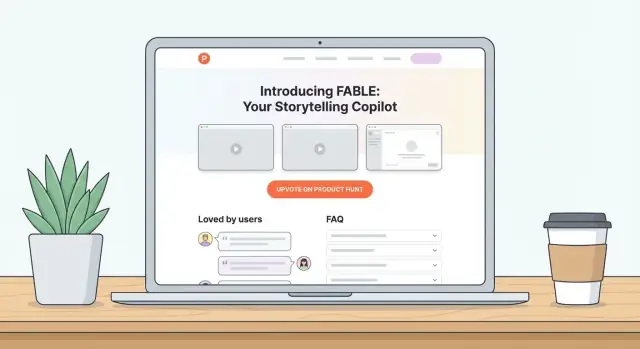
What a Product Hunt–Style Launch Page Must Do
A Product Hunt–style launch page is a single, focused page designed to make strangers “get it” fast—and take one next step. It’s not a full website with five dropdown menus, and it’s not a pitch deck in paragraph form. Think: clear promise, quick proof, simple action.
What it is (and isn’t)
A launch page is a lightweight marketing page built around a specific moment (Product Hunt, beta opening, new feature drop). It highlights the product’s core value, shows what it looks like, answers obvious questions, and nudges visitors to act.
It isn’t:
- A complete marketing site with deep pages for every use case
- A documentation portal or knowledge base
- A place to “tell your whole story”
Primary goal: convert the click
Your #1 job is conversion: turn visitors into an email signup, a trial, a “Get the app” click, or a calendar booking—whatever matches your product and stage.
That goal should be obvious above the fold (headline + one sentence + one button). If you have multiple equal-weight CTAs, you’re usually forcing people to decide before they understand.
Secondary goals: credibility, clarity, shareability
Once the page has a clear next step, it should also:
- Build credibility: show real screenshots, specific benefits, and lightweight trust signals (numbers, logos, testimonials, or “built by” context).
- Create clarity: explain who it’s for and what problem it solves in plain language.
- Be shareable: look good when posted in Slack/X and be easy to skim on mobile.
When you need a launch page vs. a full marketing site
Choose a launch page when you have one main offer, you’re driving traffic from a single channel (like Product Hunt), and you want a tight, measurable funnel.
Choose a full marketing site when you have multiple audiences, multiple products/plans, heavy SEO ambitions, or when buyers need deeper proof (case studies, comparisons, docs) before converting.
If you’re unsure, start with a launch page—you can expand it into a full site later without wasting your best “first impression” traffic.
Set Goals, Audience, and One Clear CTA
Before you design anything, decide what “success” means for this page. A Product Hunt–style launch page is not a brochure—it’s a focused conversion machine. If you try to make it do five things, it will do none of them well.
Pick one conversion action (your CTA)
Choose a single primary action and make everything on the page support it:
- Join the waitlist (best for pre-launch)
- Start a free trial (best if onboarding is smooth)
- Book a demo (best for higher-priced B2B)
- Buy now (best if pricing is simple and trust is high)
Once you pick it, commit: one button label, one form, one “next step.” Secondary links (like “Read docs”) should be visually quieter.
Write a one-sentence value proposition you can test
Your headline should answer, in plain language: who it’s for + the outcome + why you’re different.
A quick test: if someone reads your headline for 3 seconds and can’t explain what you do, rewrite it. Keep it specific enough to disqualify the wrong people.
Define your top 3 audience segments (and their pain)
List 2–3 real groups you expect on launch day, and write the #1 problem they want solved.
Example format:
- Segment: Freelance designers → Pain: chasing approvals and losing time
- Segment: Startup founders → Pain: messy handoffs and unclear status
- Segment: Agencies → Pain: scaling a repeatable workflow
This keeps your copy focused and prevents generic “for everyone” messaging.
Choose 3 success metrics
Track a small set of numbers you’ll actually use:
- Conversion rate (visitors → CTA)
- Signups (total and by source)
- Referral shares (how many people share after converting)
You’ll use these metrics later to decide what to change first: headline, CTA, or traffic quality.
Map the Page Structure (Simple, Skimmable, Focused)
A Product Hunt–style launch page isn’t a full website. It’s a guided reading path that helps a visitor understand your value quickly and take one action (join, request access, or buy).
Above the fold: the “decision” zone
Start with a hero that answers three questions fast: what it is, who it’s for, and why it’s better.
- Headline: specific outcome (not a slogan)
- Subhead: one sentence of context (how you deliver the outcome)
- Primary CTA: one clear action (e.g., “Join the waitlist”)
- Secondary link: low-friction option (e.g., “Watch 45-sec demo”)
Keep this area tight. If someone only reads the hero, they should still get it.
Problem → solution in 3–5 short blocks
Next, walk people through the story in small, scannable chunks:
- The problem (in your customer’s words)
- What changes with your product
- How it works at a high level
- What they get (results, time saved, fewer steps)
Each block should have a bold mini-heading and 2–3 sentences max.
Skimmable benefits (not a feature dump)
Use a simple grid (3–6 items). Lead with benefits, then back them up with one concrete detail.
Example format: “Ship updates faster” → “One-click release notes + automatic changelog.”
Visual proof: screenshots or a short demo
Add 2–4 annotated screenshots or a short video (30–60 seconds). Place it right after the benefits so readers can confirm what you promised.
Trust + answers + final CTA
Close with:
- Social proof: logos, testimonials, metrics, or “Built by…” credibility
- FAQ: pricing expectations, who it’s for, setup time, privacy/security basics
- Final CTA: repeat the same primary action
If you need more pages, keep them lightweight and linked in the footer (e.g., /privacy, /terms, /pricing).
Write Copy That Explains Value in 10 Seconds
People skim launch pages like a feed. Your job is to make the value obvious before they scroll, hesitate, or start doubting.
Start with a headline that answers “What do I get?”
Use a simple formula:
Outcome + audience + differentiator
Examples:
- “Ship better release notes for indie makers — auto-generated from your commits.”
- “A lightweight CRM for freelancers — designed around invoices, not pipelines.”
- “Turn customer calls into action items for product teams — with instant summaries.”
If your headline needs a second sentence to make sense, it’s usually too vague.
Add a subhead that explains what it is (in plain words)
Your subhead should define the product without buzzwords:
- What it is: “A web app that…”
- Who it’s for: “Built for…”
- What problem it solves: “So you can…”
Example:
“A simple feedback portal that collects feature requests, helps you prioritize, and keeps users updated automatically.”
Write CTA buttons like mini-promises
Avoid generic button labels like “Submit.” Use:
Action + outcome
Examples:
- “Join the waitlist” → “Get early access”
- “Sign up” → “Create my page”
- “Request demo” → “See it in action”
Keep one primary CTA above the fold. If you add a second, make it clearly secondary (e.g., “Watch 60-sec demo”).
Use urgency carefully (and honestly)
Real urgency works: “Early access spots for 200 testers” (only if true). Prefer clarity over pressure: “Launching on Jan 15 — join to get the invite.”
Create 2–3 copy variants now (for quick A/B tests later)
Draft small alternatives you can swap in minutes:
- Headline: outcome-focused vs problem-focused
- CTA: “Get early access” vs “Join the beta”
- Subhead: short definition vs definition + key benefit
This makes later testing faster without rewriting the whole page.
Create Visuals: Screenshots, Demo Video, and Image SEO
People decide fast on a Product Hunt launch page. Your visuals should answer three questions at a glance: What is it? How does it work? Why should I care? Aim for clarity over polish—clean, readable screens beat cinematic graphics.
Decide the format: screenshots, GIFs, or a short video
Choose the lightest format that still communicates the experience:
- Static screenshots are best for speed and SEO, and they’re easiest to scan.
- Animated GIFs can show a single interaction (e.g., “import → generate → share”), but keep them short and avoid huge files.
- A short demo video (30–60 seconds) works well if your product is hard to understand from stills (automation, AI workflows, multi-step setups). Place it near the top and include a clear play button.
If you do video, add 2–3 key screenshots underneath so visitors who don’t press play still get the story.
Create 3–6 images that tell a story
Instead of dumping random screenshots, build a mini narrative:
- The outcome (what the user gets)
- The key moment (your main differentiator)
- The flow (how it works in 2–3 steps)
- Proof or context (templates, integrations, results, settings)
Helpful patterns include before/after, problem → solution, or A → B → C (input, magic, output). Keep UI text legible—don’t shrink images so much that users can’t read them on mobile.
Use captions to connect visuals to benefits
A screenshot without context is just a rectangle. Add one-sentence captions that translate features into value.
Bad: “Dashboard view.”
Better: “See every customer conversation in one place—no more switching tabs.”
Captions also help skimmers and make your page easier to understand when images load slowly.
Compress media and set proper dimensions
Speed matters for a launch page website. Export images at the size they’ll display (avoid serving 4000px images into a 900px container), and compress aggressively.
- Use modern formats like WebP where possible.
- Don’t autoplay heavy videos; use a lightweight preview image.
- Avoid huge GIFs; if you need motion, consider a short MP4/WebM instead.
Add alt text for accessibility and SEO
Alt text should describe what’s shown and why it matters. Good alt text helps screen readers and supports SEO for landing pages.
Example: Alt: Create a Product Hunt launch page with a hero headline, email waitlist form, and social proof section.
Keep alt text specific, not spammy—use your keywords naturally only when they fit.
Build Email Capture and a Simple Funnel
Your launch page only needs one “next step,” and email is usually the best one. It’s portable (not tied to any platform), easy to measure, and gives you a way to follow up before and after Product Hunt.
Pick one main offer (and make it explicit)
Decide what people get for leaving their email: a waitlist spot, beta access, a launch discount, a free template, or early feature access. Put that offer right next to the form so visitors don’t have to guess.
If you have multiple offers, choose one primary and move the rest to a secondary link (for example, “Get updates instead”).
Keep the form short
Ask for email and, at most, one optional question (e.g., “What are you hoping to use this for?”). Every extra field reduces signups.
Add a clear privacy note under the button, like: “No spam. Unsubscribe anytime.” Link it to /privacy so it’s easy to verify.
Confirm, thank, and track
After signup, send an automated confirmation email. If you operate in regions or industries where consent needs to be explicit, use double opt-in—just keep the email copy short and clear.
Also create a dedicated thank-you page (e.g., /thanks) instead of only showing an inline success message. That page lets you:
- track conversions cleanly in analytics
- add a “what happens next” message (timeline, expectations)
- offer a simple share link (“Tell a friend”) without distracting from the signup itself
This is the smallest “funnel” that still feels polished: page → signup → confirmation → thank-you page → occasional updates.
Choose Tools: No-Code vs CMS vs Custom Build
Your launch page tool choice should optimize for one thing: shipping a clean, editable page without surprises on launch day. Pick the option that matches your timeline, budget, and who will maintain the page after it’s live.
Option 1: No-code (Webflow, Carrd)
No-code is the fastest path to “live and polished.” It’s ideal if you need a strong visual page, quick edits, and minimal engineering time.
Use it when:
- You want to iterate on layout and copy daily.
- A non-developer will own updates.
- You don’t need complex logic beyond forms, embeds, and analytics.
Trade-offs: customization is limited to the platform, and some advanced performance tweaks can be harder.
Option 2: CMS (WordPress)
A CMS works well if you’ll pair the launch page with a blog, changelog, or ongoing content. WordPress can be quick if you keep the theme and plugins simple.
Use it when:
- Content marketing matters (posts, updates, SEO pages).
- You want easy editing, drafts, and roles.
Trade-offs: too many plugins can slow the site and increase the odds of conflicts right before launch.
Option 3: Custom build (Next.js)
A coded page gives maximum control over speed, SEO markup, and custom interactions. It’s best if you already have engineers available and a deployment workflow.
Use it when:
- You need custom components, experiments, or integrations.
- You want a single codebase with your main product site.
Trade-offs: slower to change copy unless you add a CMS; more moving parts.
Option 4: Vibe-coding (ship from a chat prompt)
If you want the flexibility of a custom build but don’t want to start from a blank repo, a vibe-coding platform can be a practical middle path.
For example, Koder.ai lets you create a launch page website (and even the surrounding app) from a simple chat: describe the sections you want (hero + benefits + screenshots + FAQ + email waitlist), iterate on copy/layout quickly, and then deploy with a custom domain. It also supports snapshots and rollback, which is exactly what you want before a Product Hunt spike—change fast, but revert instantly if something breaks.
If you outgrow the page later, you can export the source code and keep building.
Domain + DNS + SSL (quick setup checklist)
Buy a short, memorable domain. Point DNS to your host (usually A/AAAA records or a CNAME), then enable SSL so the page loads on HTTPS. Most modern hosts issue certificates automatically—confirm it’s active before you share the link.
Hosting basics (don’t skip rollbacks)
Choose hosting that’s fast, reliable, and supports instant rollbacks (or versioned deployments). On launch day, you want the ability to revert in minutes if something breaks.
Keep dependencies minimal
Whatever stack you choose, reduce breakage risk by limiting plugins, third-party scripts, and heavy integrations. Add only what you truly need for launch, then expand after the page is stable.
Design for Speed, Mobile, and SEO From Day One
A Product Hunt–style launch page has one job: get people to understand the value fast and take action. If the page is slow, awkward on mobile, or invisible in search and social shares, you lose that moment.
Speed: ship a lightweight page
Treat performance as a feature. A simple checklist goes a long way:
- Compress images (prefer WebP/AVIF) and serve the right sizes (don’t ship a 3000px screenshot to a 390px phone).
- Lazy-load below-the-fold media (extra screenshots, long testimonials, embedded video).
- Reduce scripts: avoid stacking multiple chat widgets, heatmaps, and trackers on day one.
- Preload your main font (or use system fonts) and keep font weights to a minimum.
If you only measure one thing, watch Core Web Vitals—especially LCP (how fast the main content appears).
Mobile-first: make it thumb-friendly
Most Product Hunt traffic is mobile. Design for small screens first:
- Use readable type (16–18px body text) and short line lengths.
- Put the primary CTA where it stays obvious without scrolling.
- Make buttons large enough for thumbs, with clear tap states.
- Keep your hero section simple: headline, one sentence, one CTA.
Accessibility: small fixes, big payoff
Accessibility also improves conversions.
- Ensure strong contrast between text and background.
- Use proper labels for form fields (not just placeholder text).
- Confirm keyboard navigation works (tab through links, buttons, forms).
- Add descriptive alt text for meaningful images (screenshots can be brief).
SEO + social previews: control how you appear
Even if SEO isn’t your main acquisition channel yet, you want clean basics:
- Write a clear title tag and meta description that matches the headline.
- Use a single H1 and logical headings.
- Add a lightweight schema (Organization or Product) where appropriate.
- Set Open Graph and Twitter/X card metadata with a crisp OG image (1200×630). This is what people see when your link is shared in group chats and on X.
If you need a deeper checklist later, link out to your own guide like /blog/landing-page-seo-basics.
Set Up Analytics and Track the Right Events
If you can’t measure what visitors do on launch day, you’ll end up guessing which message, channel, or CTA actually worked. Set up analytics early, confirm it’s collecting data, and decide on a few simple events that map to your goal (usually: signups).
Pick an analytics tool (and keep it simple)
GA4 is the default choice and integrates well with ad platforms. If you prefer privacy-focused options, Plausible or Fathom are popular and easier to read.
Whatever you choose, install it once and verify it’s firing on:
- Desktop and mobile
- Your main landing page and “thank you” page (if you have one)
Track the events that matter
Pageviews alone won’t tell you if the page is doing its job. Track a few high-signal events:
- CTA clicks (primary button: “Join waitlist”, “Get early access”)
- Form submits (email capture complete)
- Scroll depth (e.g., 25/50/75/100%) to see if people reach your proof/FAQ
Name events clearly (e.g., cta_click_primary, waitlist_submit, scroll_75) so they’re readable in reports.
Use UTMs consistently for launch links
Decide on a UTM convention before you post anywhere.
Example:
utm_source: producthunt, x, linkedin, newsletterutm_medium: launch, social, emailutm_campaign: ph_launch_2026_01
This makes it obvious which posts and communities drove real signups—not just clicks.
Create a lightweight dashboard or weekly report
You don’t need a complex BI setup. A simple dashboard (or a weekly spreadsheet) should answer:
- Top traffic sources (by signups)
- Conversion rate (visits → waitlist)
- Drop-off points (low scroll depth, low CTA click rate)
Cookie banner and consent considerations
If you operate in regions like the EU/UK, you may need a cookie banner and consent controls—especially for GA4 or ad pixels. Privacy-focused analytics may reduce the need for consent popups, but confirm requirements for your region and setup.
Add Trust: Social Proof, Pricing Signals, and FAQ
A Product Hunt–style launch page is often the first time people meet your product—and they’re deciding fast whether it’s real, safe, and worth their time. Trust elements answer those questions without turning the page into a wall of claims.
Social proof that feels believable
Start by gathering proof you can defend. That means quotes from real users, logos you have permission to display, and numbers that can be verified (not “10x better” with no context).
When you use testimonials, format them clearly so they read like evidence, not marketing:
- Name + role (and company, if relevant)
- What they used it for (one sentence of context)
- Specific result (time saved, revenue impact, reduced errors, faster onboarding)
If you want an “As seen on” row, only include it if it’s accurate. If you haven’t been featured yet, skip it—forced credibility markers can backfire.
Pricing signals that reduce anxiety
People don’t always need full pricing on launch day, but they do want to know whether you’re in the right ballpark. If you’re confident, add a simple signal like:
- “Starting at $X/month”
- “Free plan available”
- “Early access pricing for first 100 teams”
Avoid vague phrases like “Affordable” or “Pricing depends” unless you immediately explain what it depends on (users, usage, features). If pricing isn’t ready, be explicit: “Pricing is being finalized—join the waitlist for early access and first details.”
FAQ: handle objections before they bounce
A good FAQ removes friction for the exact questions people hesitate on, especially for a new product. Keep answers short, concrete, and skimmable.
Prioritize objections like:
- Security & privacy: where data is stored, basic compliance, encryption (only if true)
- Integrations: what you support now and what’s planned
- Timeline: when access starts, onboarding time, current availability
- Cost: what affects pricing and what’s included
Treat the FAQ as the last mile of conversion: it should make the next step (your CTA) feel safer, clearer, and more predictable.
Pre-Launch QA Checklist (So Nothing Breaks at Go-Time)
A Product Hunt–style launch page gets a burst of traffic and attention in a short window. Pre-launch QA is about removing friction: people should land, understand, and take action without errors, confusion, or missing pages.
Technical sanity checks
Before you share the link anywhere, verify the basics:
- Redirects & canonical URL: confirm the “one true” URL (with/without www, HTTP→HTTPS) redirects correctly.
- Broken links: click every nav, footer, and CTA link; verify any external links open correctly.
- 404 page: intentionally visit a bad URL and confirm your 404 is friendly and points back to the main CTA.
- Sitemap: generate and validate /sitemap.xml, and ensure robots.txt doesn’t block the page.
Copy and CTA checks
Read the page out loud once. Then check:
- Typos and formatting: headings, button labels, and captions.
- Consistent terms: product name, feature names, and pricing wording used the same way everywhere.
- Clear primary CTA above the fold: on mobile and desktop. If there are multiple CTAs, make the main one visually dominant.
Legal and contact basics
At minimum, add:
- /privacy (especially if you collect emails)
- /terms (if you sell or provide an account, often required)
- A clear contact method (email or a simple form)
Email capture and deliverability
Submit the form yourself (and ask a friend to do it too):
- Confirmation page/message works
- Welcome email arrives (check Spam and Promotions)
- Any promised sequence triggers correctly
Rollback plan (just in case)
Decide in advance:
- Where backups/version history live
- Who can deploy changes
- How to revert to the last known-good version in minutes
If your tooling supports snapshots (for example, Koder.ai’s snapshot + rollback flow), do one practice run before launch day so you’re not learning under pressure.
Launch Day Plan and Post-Launch Iteration
Launch day is less about “going live” and more about running a tight feedback loop. Your page should already be stable, fast, and clear—now your job is to drive the right people to it, learn quickly, and keep the page fresh.
The day-before asset pack
Prepare everything you’ll need so you’re not writing under pressure:
- Product Hunt visuals (thumbnail, gallery images, and a clean hero screenshot)
- A one-line tagline you can reuse everywhere
- A drafted “maker comment” (your quick story + who it’s for + what to do next)
Keep these in a shared folder so anyone on the team can help post and reply.
Launch-day traffic plan (simple, realistic)
Traffic rarely “just happens.” Build a plan with a few high-intent sources:
- Your email list: one launch email, plus a short reminder later if appropriate
- Communities where you’re already active (don’t spam): a couple of relevant forums/Slack/Reddit threads
- Partners and friends: send a small outreach note with the exact link and suggested copy
Make the ask clear: visit, try the product, and leave feedback.
Updates you should schedule
Plan small page updates so you can react without redesigning:
- Add new screenshots based on common questions
- Expand the FAQ as patterns appear
- Add a simple “We’re live on Product Hunt” banner that you can remove later
Respond fast, then turn feedback into content
Reply quickly and politely—even to tough comments. Capture repeated questions and convert them into:
- New FAQ entries
- A short explainer section on the page
- A follow-up post you can publish later
Post-launch iteration (week 1–2)
Use real data to guide changes: tighten the headline, adjust the CTA text, and clarify pricing signals if people hesitate.
Once things settle, consider adding a lightweight /blog or /changelog to keep momentum and give you a place to answer common questions in depth.
FAQ
What is a Product Hunt–style launch page, exactly?
A Product Hunt–style launch page is a single, focused page built for a launch moment (Product Hunt, beta opening, feature drop).
Its job is to help strangers understand your product quickly and take one next step (signup, trial, demo, purchase)—not to act like a full multi-page marketing site.
What’s the best primary CTA for a launch page?
Pick a primary action that matches your stage:
- Join the waitlist: best pre-launch
- Start a free trial: best when onboarding is smooth and self-serve
- Book a demo: best for higher-priced B2B or complex products
- Buy now: best when pricing is simple and trust is already strong
Then make the entire page support that single action.
How do I write a headline that people understand in 10 seconds?
Use a plain-language formula: Outcome + audience + differentiator.
A quick check: if someone can’t explain what you do after 3 seconds of reading the headline, it’s too vague. Aim to be specific enough to disqualify the wrong visitors.
What sections should a Product Hunt–style launch page include?
A simple structure that works:
- Hero: headline, one-sentence subhead, one primary CTA, optional secondary link (e.g., short demo)
- Problem → solution: 3–5 short blocks that tell the story
- Benefits grid: 3–6 benefit-led items (not a feature dump)
- Visual proof: 2–4 screenshots or a 30–60s demo video
- Trust + FAQ + final CTA: remove last objections, repeat the same CTA
Keep everything skimmable and mobile-friendly.
Should I use screenshots, GIFs, or a demo video?
Use the lightest media that still communicates the experience:
- Screenshots: fastest, easiest to scan, best for performance and basic SEO
- GIFs: good for one interaction, but watch file size
- Short video (30–60s): best if the product is hard to understand from stills
If you use video, add a few key screenshots underneath for visitors who don’t press play.
How do I set up email capture without hurting conversions?
Keep it short: email + (optional) one question.
Make the offer explicit next to the form (e.g., “Get early access” or “Launch discount”). Add a short privacy note like “No spam. Unsubscribe anytime.” linking to /privacy.
If possible, send users to a dedicated /thanks page so you can track conversions cleanly and set expectations.
Do I need to show pricing on a launch page?
The best signal is a ballpark expectation, not a wall of plans.
Good options:
- “Starting at $X/month”
- “Free plan available”
- “Early access pricing for the first 100 teams”
If pricing isn’t ready, say so clearly and tell people what they’ll get by joining (e.g., “Join the waitlist to get early pricing details”). Avoid vague words like “affordable” without context.
What’s the best way to build it: no-code, CMS, or custom?
Choose based on speed to ship and who will maintain it:
- No-code (Webflow, Carrd): fastest to publish and iterate on copy/design
- CMS (WordPress): good if you’ll pair the page with ongoing content (blog/changelog)
- Custom (Next.js): best control over performance/SEO/experiments, but slower edits unless you add a CMS
Optimize for reliability on launch day and the ability to make fast fixes.
What should I track in analytics for a launch page?
Install analytics early and track a few high-signal events:
- Primary CTA clicks
- Form submits (completed signup)
- Scroll depth (to see if people reach proof/FAQ)
Use consistent UTMs (source/medium/campaign) so you can attribute signups to Product Hunt vs. other channels. A dedicated /thanks page makes measurement much easier.
What’s the essential pre-launch QA checklist for launch day?
Run a fast QA pass the day before:
- Confirm the canonical URL (www vs non-www) and HTTP→HTTPS redirects
- Click every CTA and footer link; ensure no broken links
- Test the form end-to-end (signup → confirmation → welcome email → /thanks)
- Verify mobile layout and that the primary CTA is visible above the fold
- Ensure /privacy, /terms, and a contact method exist
- Confirm you can roll back quickly (version history or redeploy)
Launch traffic is unforgiving—remove friction before you share the link.