

How to Build a Website for a Niche Industry News Aggregator
Learn how to plan, build, and launch a niche industry news aggregator website: sourcing, UX, SEO, compliance, automation, and monetization basics.
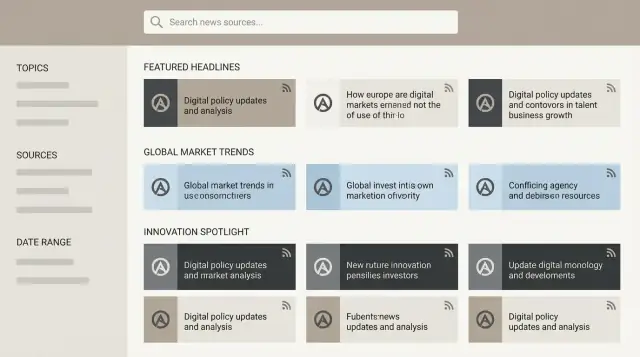
Define Your Niche, Audience, and Value Proposition
A niche news aggregator only works if it’s unmistakably for someone and for something. Start by naming the niche narrowly enough that readers instantly recognize what’s included—and what’s not.
Define the niche (and the boundaries)
Write a one-sentence scope statement:
- Industry slice: “commercial HVAC regulation and product updates” beats “construction.”
- Geography (optional): global vs. EU vs. “US federal + top 10 states.”
- Source types: trade publications, regulators, vendor blogs, podcasts, academic journals.
Then list exclusions you’ll enforce from day one (e.g., general business news, lifestyle content, broad tech).
Choose the audience and the problem you solve
Be explicit about who you’re serving and why they’ll return:
- Speed: “What changed since yesterday?” for operators and sales teams.
- Depth: “What matters and why?” for analysts and executives.
- Trust: vetted sources, fewer duplicates, clear attribution.
- Coverage: long-tail publications people don’t have time to track.
Pick a primary format (and stick to it)
Your format drives everything from page design to editorial workload:
- Headlines + links: fastest, safest, and easiest to scale.
- Summaries: more value, but needs stronger review and consistency.
- Mixed: best for engagement, but requires clear labeling (“Excerpt,” “Summary,” “Link”).
Decide cadence and expectations
Choose one primary rhythm so readers learn what to expect:
- Real-time stream for active industries.
- Daily digest for busy professionals.
- Weekly roundups for slower-moving niches.
Set success metrics and non-negotiables
Pick 3–5 measurable goals early (returning users, newsletter signups, time on site, alert subscriptions).
Also clarify what you will not do—especially around paywalls and copying. A simple rule: link out, credit clearly, and avoid full-article reposting. This protects your reputation and makes future partnerships easier.
Map Content Sources and Build a Taxonomy
Before you build features, decide what you’re aggregating and how it will be organized. A clear map of sources plus a sensible taxonomy is what turns “a pile of links” into a useful industry news website.
What content types will you include?
Most niche news aggregators work best when they mix formats:
- Industry news sites and trade publications
- Company blogs and expert newsletters
- Press releases (useful, but often promotional)
- Podcasts and webinar recordings
- Videos (conference talks, product demos)
- Social posts (X/LinkedIn) for breaking updates and signals
The key is consistency: if you can’t ingest and categorize a content type reliably, don’t add it yet.
Set source criteria (so quality doesn’t drift)
Create a simple checklist for approving sources:
- Credibility: editorial standards, author transparency, track record
- Update frequency: daily, weekly, sporadic (set expectations)
- Geographic scope: global vs. specific regions you serve
- Bias/angle: vendor-owned channels vs. independent reporting
- Stability: working feeds, predictable URLs, minimal paywall surprises
Document these rules so future additions don’t dilute the niche.
Plan a taxonomy people will actually browse
Start small, then expand:
- Categories: broad buckets (e.g., Funding, Regulation, Security)
- Tags: specific topics (e.g., “tokenization,” “FDA guidance”)
- Entities: Companies, People, Products (for entity pages)
- Regions: country/state or market-specific filters
Duplicates and syndication rules
Decide what happens when the same story appears across outlets:
- Prefer the original source when you can identify it
- Group duplicates under one story card (“Also covered by…”) or hide exact repeats
- Keep UTM-heavy or republished links from crowding the feed
Draft the “Source Directory” page structure
A source directory builds trust and helps discovery. Include:
- Source name + short description
- Content types provided (RSS, podcast, YouTube, social)
- Coverage areas (topics/regions)
- Update cadence and last ingested date
- A way to suggest a source (simple form link)
Handle Licensing, Attribution, and Compliance
A niche news aggregator is only as sustainable as its relationships with sources and readers. Getting licensing and compliance right early prevents takedowns, broken partnerships, and credibility issues later.
Prefer official feeds and APIs
Whenever possible, pull content from official RSS/Atom feeds or publisher APIs. These channels are explicitly designed for syndication and are less likely to change without notice. They also tend to include the metadata you need for clean attribution (title, author, publication date, canonical URL).
Be cautious with scraping. Even if it’s technically possible, it may violate a site’s terms, create load on their servers, or trigger legal complaints. If a source doesn’t offer a feed, consider reaching out and asking for permission or an alternative access method.
Use excerpts, not full-text copying
If you publish summaries, keep them genuinely short and additive—think a brief excerpt plus your own context. Always include:
- The publisher name
- A clear link to the original article
- The original headline (if allowed by the feed terms)
Avoid republishing full articles. It reduces the incentive for publishers to tolerate your aggregator, and it increases copyright risk.
Track permissions and terms per source
Create a simple “source register” (a spreadsheet is fine at MVP stage) where you document:
- Source name and URL
- Allowed usage (headline only, excerpt length, logo usage, etc.)
- Any restrictions (no caching, no commercial use, rate limits)
- Date you reviewed their terms and who approved it
This documentation is invaluable when you scale your catalog or onboard a team.
Add a takedown and contact path
Publish a clear way for publishers to reach you. At minimum, add a dedicated page such as /contact explaining how to request changes, attribution fixes, or removals. Having a transparent, responsive process often prevents minor issues from turning into public disputes.
Don’t forget privacy and email compliance
If you track user behavior (analytics, personalization) or run alerts/newsletters, plan your privacy approach upfront. Create a /privacy-policy page that explains what you collect and why, and ensure your newsletter flow supports consent and unsubscribes. Privacy rules vary by region, but the practical baseline is: collect the minimum, store it securely, and make opting out easy.
Plan Your Ingestion Pipeline (RSS, APIs, and Caution with Scraping)
Your ingestion pipeline is the “front door” of your aggregator: how items enter your system, get cleaned up, and become usable posts and alerts. A simple, reliable pipeline beats a clever one—especially early on.
Choose how content gets in
Most niche news aggregators use a mix of sources, because not every publisher offers the same access:
- RSS feeds: Often the quickest win. Feeds are predictable, cheap to run, and widely supported.
- APIs: Great for structured metadata (categories, authors, images). They can be more stable than RSS, but may require keys, quotas, or paid plans.
- Email-to-ingest: Useful when sources send press releases or weekly digests. A dedicated mailbox can funnel submissions into a review queue.
- Manual submissions: A “Submit a link” form can help you discover new sources and community updates without automating everything.
If you consider scraping, set strict limits
Scraping should be a last resort. Before you build anything, check the site’s terms and whether you’re allowed to reuse headlines, summaries, or full text.
If you still proceed, be conservative:
- Respect robots.txt and published crawling rules
- Use tight rate limits (and exponential backoff on errors)
- Cache responses and avoid re-fetching the same pages
- Store proof of permission where applicable (email, contract, or policy link)
When in doubt, link out rather than copy. It reduces risk and keeps relationships with publishers healthy.
Normalize what you ingest (so it’s searchable and deduplicated)
Different sources format content differently, so plan a normalization step before anything hits your database.
Key tasks:
- Title cleanup: Remove “Breaking:”, source prefixes, and weird whitespace—without changing meaning.
- Canonical URLs: Prefer canonical links to avoid tracking parameters and duplicates.
- Publication date parsing: Convert time zones reliably; decide how to handle missing dates.
For duplicates, combine techniques:
- URL hashing (after removing UTM parameters)
- Fuzzy matching on titles (catch small variations)
- Canonical link checks (when provided)
Decide what metadata you store
Metadata is what makes your aggregator feel curated rather than chaotic. At minimum, store:
- Source/publisher
- Author (when available)
- Tags/topics (your internal taxonomy)
- Images (thumbnail URL + attribution where needed)
- Language and region
Tip: store both the raw original fields and your normalized fields. When a feed changes formatting, you’ll thank yourself later.
Design the Information Architecture and Key Pages
A niche news aggregator wins when readers can scan quickly, trust what they’re seeing, and jump to what matters in a few taps. Start by defining a small set of core page types, then standardize how headlines, metadata, and summaries appear across the site.
Core pages you should design first
Home page: a “front page” for the niche. Lead with the freshest and most important items, then provide clear paths into categories (not endless mixed feeds).
Category pages: the workhorse for returning readers. Each category should have a consistent layout and a predictable set of filters.
Article (item) page: even if you link out to the original source, the item page is where you add value: short summary, key tags, source attribution, and related items.
Source directory: a browsable list of publications, blogs, company newsrooms, and regulatory sites you track, with a short description and what topics they tend to cover.
Search results: fast, typo-tolerant search with results grouped by recency and relevance, plus visible filters.
Wireframe your headline lists for scanning
Design the “headline card” once and reuse it everywhere. For each item, make these elements immediately scannable:
- Title (primary)
- Timestamp (relative time like “3h ago” plus exact time on hover/tap)
- Source label (publisher name; optionally source type like “Regulator”)
- Badges such as “Must-read” or “Analysis”
Keep the card height tight so users can scan 8–12 items without excessive scrolling.
Filters that match how professionals think
Common filters that work well for niche industries:
- Topic/subtopic
- Region (or jurisdiction)
- Company/organization
- Timeframe (24h / 7d / 30d)
- “Must-read” toggle for editor-picked items
Make filters sticky on mobile (a bottom sheet works well) so readers can adjust without losing their place.
Summaries: short, optional, and consistent
Summaries should be brief (1–3 sentences) and clearly separated from the headline. Consider expand/collapse so power users can stay in “scan mode,” while newcomers can get context without leaving the page.
Mobile-first navigation and speed
Assume most readers will check headlines between meetings. Use large tap targets, a simple bottom or top navigation, and avoid multi-step flows. Fast navigation (including back/forward behavior) matters as much as visual design.
Create Curation Rules and Editorial Workflow
A niche news aggregator lives or dies by trust. Clear curation rules keep the feed useful, prevent “everything-and-nothing” coverage, and make your decisions defensible when readers disagree.
Define what gets shown (and why)
Start with a simple scoring model that reflects what your audience actually values:
- Relevance score: based on tags/keywords, companies, locations, and topic priority (e.g., “regulatory updates” > “general commentary”).
- Freshness: newer items get a boost, but don’t bury critical evergreen updates (like major recalls or standards changes).
- Source reliability weighting: give more weight to primary sources (regulators, official filings, peer-reviewed journals) and consistently accurate trade outlets.
Keep the first version understandable. If you can’t explain the ranking in two sentences, it’s too complex for an MVP.
Build an editorial workflow that scales
Even if most items are automatically ingested, use an editorial layer for quality:
- Approval queue for borderline content (duplicates, unclear sourcing, overly promotional posts).
- A curated module for “Top stories” that an editor can promote, demote, or summarize.
- The ability to pin important updates (breaking safety notices, major policy changes) for a set time.
Define “who can do what” early: contributor, editor, admin. That prevents accidental front-page changes later.
Add feedback signals from users
Readers will help you maintain quality if you make it easy:
- “Hide this source” to personalize feeds without penalizing the whole catalog.
- “Report an issue” (wrong link, misleading headline, spam, duplicate).
- “Suggest a correction” with optional supporting evidence.
Route these signals into an internal review list so they lead to action.
Commit to transparency (labels + ranking explanation)
Publish a short explainer: what you index, how ranking works at a high level, and how users can influence results.
Use clear labels such as Sponsored, Press release, and Opinion. Don’t rely on subtle styling alone.
Keep headlines neutral
Avoid sensational rewrites. Prefer the source headline, lightly cleaned for consistency (case, punctuation, removing clickbait emojis/ALL CAPS). If you edit meaning, add a note like “Headline edited for clarity.”
Choose Your Tech Stack and Build an MVP
Your tech stack should match your team’s skills and the speed you need. The goal of an MVP is simple: prove that your aggregator can reliably collect, organize, and deliver useful updates—before you invest in advanced features.
Pick a build approach that fits your team
If you’re a small team (or solo), a CMS-based approach is often the fastest path: WordPress, Webflow + a backend tool, or a headless CMS (like Strapi) with a lightweight frontend. No-code/low-code tools can work for early validation, but make sure they can handle scheduled imports and tagging without lots of manual work.
If you have developers, a custom build gives you more control over ingestion, deduplication, and ranking. Many teams start with a headless CMS + a simple frontend so editors can manage taxonomy while the ingestion pipeline runs separately.
If you want the speed of a chat-first workflow but still want real, exportable source code, a vibe-coding platform like Koder.ai can be a practical middle path: you can describe your ingestion jobs, taxonomy, and core pages in plain language, then iterate quickly while the platform generates a React frontend, a Go backend, and a PostgreSQL database. It’s especially useful when you need “MVP now” but don’t want to lock yourself into brittle no-code constraints.
Minimum features to ship
Keep launch scope tight. A useful MVP usually includes:
- Feed ingestion (RSS and/or APIs) on a schedule
- Basic tagging and categories (your taxonomy, not just “source”)
- Search across headlines and summaries
- Email capture (so you can build a subscriber base from day one)
- Analytics to learn what people actually read and search for
Hosting and performance basics
Aggregators can grow quickly in page count. Use caching (page and object where possible), a CDN, and optimized images for any source logos or thumbnails you host. Even if your site is mostly text, fast page loads improve engagement and SEO.
Staging, backups, and monitoring
Set up a staging environment so you can test new sources and rule changes safely. Automate backups (database + media), and add basic monitoring: uptime alerts and error tracking so you notice ingestion failures quickly.
Build an upgrade path early
Choose tooling that won’t break when you add more sources, categories, and users. Plan for:
- Queue-based ingestion (so imports don’t overload the site)
- A flexible taxonomy you can extend
- Clear separation between ingestion, editorial review, and publishing
This makes it easier to scale features later—like alerts and newsletters—without rebuilding from scratch.
Add Search, Alerts, and Newsletter Features
Search and notifications are what turn an aggregator from “a page of links” into a daily tool. For niche industries, people often arrive with a very specific question (“new regulation in EU,” “Series B funding,” “vendor outage”), so your job is to get them to the right cluster of stories quickly.
Fast search that understands your niche
Prioritize speed and relevance over fancy UI. Add filters for the things readers naturally scan for:
- Category/topic (e.g., policy, funding, product releases)
- Source/publication
- Date range
- Content type (news, analysis, press releases)
Bake in industry synonyms and acronyms. For example, searching “KYC” should also surface “know your customer,” and “SME” should match “small and medium enterprise.” A lightweight approach is a managed search index with a synonym list you can update without redeploying.
Saved searches and alerts (only if they add value)
If feasible, let readers save a query (e.g., “battery recycling + Canada”) and opt into alerts. Start simple:
- Email alerts for “new matches”
- Optional on-site notifications for logged-in users
Keep alert frequency controls obvious (instant/daily/weekly) to prevent fatigue.
Newsletter digests that feel personalized
A daily or weekly digest often becomes your main retention channel. Offer category preferences (and possibly “top sources”) so subscribers don’t get an everything-bagel email. Keep the template scannable: a short intro, 5–10 top items, and clearly labeled sections.
Accounts: optional, low-friction
Only require accounts for features that truly need identity (saved searches, alert settings). Otherwise, let people browse and subscribe without creating a password.
Publish your own RSS feed
Create an RSS feed of your curated output for power users and teams who live in feed readers. Consider separate feeds by category and a combined “All Stories” feed, linked from /rss.
Optimize for SEO Without Creating Thin Content
An aggregator can earn steady search traffic, but only if your pages offer more than a pile of links. Search engines tend to downrank “thin” pages—especially tag archives and near-duplicate category views—so your goal is to make each indexable page genuinely useful to a reader in your niche.
Make category pages worth ranking
Treat category pages like editorial products, not auto-generated archives.
Write unique, specific titles and meta descriptions for each category (and major subcategory) so they don’t all read like variations of the same template. Add a short intro paragraph that explains what’s included, who it’s for, and what makes your selection different.
If you have room, include a small “How we curate this feed” note and a rotating panel like “This week’s highlights” to signal freshness and intent.
Use structured data (without overdoing it)
Structured data helps search engines understand your site and can improve how you appear in results. Common fits for an industry news website include:
Organization(publisher info)WebSite(site-level search, name)BreadcrumbList(clear hierarchy on category and article pages)
Keep it accurate and consistent with what’s visible on the page; avoid marking up aggregated snippets as if you wrote the full article.
Control duplication with canonicals and indexing rules
Aggregators often generate many URLs that show nearly the same list (tags, filters, query parameters, “page=2”). Decide what deserves indexing.
Use canonical URLs for your primary versions of category and “best of” pages. For low-value variations—like ultra-specific tags with only a handful of items—consider noindex to prevent tag spam from diluting your site quality.
Build internal links that guide readers
Internal linking is where aggregators can shine. Connect categories, tags, and curated “best of” collections so users (and crawlers) can discover depth.
Example: a category page can link to a few related tags and a “Best of the Month” page; those pages should link back to the category and to other adjacent topics.
Support SEO with an original content hub
Plan a content hub for original explainers and guides—often a simple /blog. These pieces can target informational searches your audience has (definitions, comparisons, regulations, “how it works” topics) and then naturally link into your curated categories.
This combination—original evergreen content plus high-quality curation—helps you earn rankings without relying on thin aggregation alone.
Monetization Options for a News Aggregator
Monetization works best when it matches why people visit your site: speed, relevance, and trust. Start with one primary revenue stream, then add a second once your traffic and workflow are stable.
Sponsorships and sponsored placements
For niche audiences, sponsorships often outperform generic ads. You can sell a “sponsored slot” in the daily digest, a weekly featured vendor, or a fixed banner in category pages.
Keep sponsored items unmistakable:
- Label them clearly (“Sponsored”, “Partner”) and style them consistently.
- Separate sponsorship decisions from editorial curation rules so the feed stays credible.
Create a simple media kit at /media-kit with your audience profile, monthly reach, example placements, and basic terms (what’s allowed, what’s not).
Ads that don’t wreck readability
If you run display ads, place them where they won’t interrupt scanning:
- Between sections (not mid-card)
- At the end of an article list
- In sidebars on desktop only
Cap frequency and avoid auto-play or sticky units that cover headlines—your product is “easy reading.”
Premium alerts, paid newsletter, and memberships
The most natural paid upgrade is time-sensitive value:
- Premium alerts (keyword/company tracking)
- A paid newsletter with analysis and briefings
- Membership perks (ad-free mode, saved searches, early access)
Keep the offer simple, with one or two tiers, and link details from your header or email footer to /pricing.
Affiliate links (selectively)
Affiliate revenue can work for tools, events, and training relevant to your niche. Use it sparingly, disclose clearly, and avoid adding affiliates to stories where they don’t belong—trust is harder to earn than clicks.
Analytics, Quality Control, and Iteration
Shipping an MVP is only the start. A niche news aggregator gets better (and more trustworthy) when you measure what readers actually do, keep content clean, and iterate in small, regular cycles.
Track the events that matter
Set up analytics around the actions that signal value—not just pageviews. For most aggregator sites, the core events are:
- Search usage (queries, “no results” searches, refinements)
- Clicks to sources (outbound clicks per article and per category)
- Newsletter signups (by placement: header, article page, exit intent)
- Returning visits (7-day/30-day retention, frequency)
If outbound clicks are high but return visits are low, you may be sending readers away without giving them a reason to come back (e.g., weak “related stories,” limited topic pages, or poor newsletter onboarding).
Monitor content quality continuously
Automate quality checks so editorial time goes into improving coverage, not cleaning up messes. Track:
- Broken links and redirects (especially for older items)
- Duplicate rates (same story from multiple sources, repeated republishing)
- Coverage gaps (key sources not showing up, categories going quiet)
Create alerts for spikes in duplicates or a sudden drop in items from an important source—often a feed change, an API issue, or a parsing bug.
Build editorial dashboards
Give editors a simple dashboard showing top categories, trending entities (companies, people, products), and under-covered topics. The goal is to spot what readers want and what your source mix is missing.
Run lightweight experiments
Plan A/B tests that directly affect engagement:
- Homepage modules (e.g., “Top stories” vs. “Latest by category”)
- Newsletter subject lines and send times
Keep experiments short, define success metrics in advance, and change one variable at a time.
Close the feedback loop
Add a small “Suggest a source” and “Request a topic” flow, and run occasional surveys. Pair qualitative feedback with your dashboards to prioritize what to improve next.
Launch Plan and Ongoing Operations
A niche news aggregator lives or dies by consistency. Treat launch as the start of a repeatable operating rhythm—not a one-time event.
Pre-launch checklist (the boring stuff that prevents headaches)
Before you announce anything, run through a short checklist:
- Sitemap + indexing controls: generate /sitemap.xml, set up robots.txt, and confirm canonical URLs.
- Performance: test on mobile, compress images/icons, and verify pages load quickly on average connections.
- Accessibility: readable contrast, keyboard navigation, sensible headings, and descriptive link text.
- Legal pages: publish /privacy, /terms, and a clear /contact page for takedowns, corrections, and source requests.
Seed content so the site feels “real” on day one
Don’t launch with empty categories. Seed initial content so every category/tag page has enough items to be useful (and to avoid thin pages getting indexed too early). If a category can’t stay populated, merge it or hide it until it can.
Outreach: sources, experts, and the community
A strong launch includes direct outreach:
- Let sources know you’re linking to them and invite preferred attribution wording.
- Reach out to relevant communities (forums, associations, LinkedIn groups) and invite submissions and corrections.
- Add a lightweight submission form and set expectations on review time.
If you build your aggregator on Koder.ai, you can also use its earn-credits program (creating content about the platform) or referrals to offset early tooling costs while you validate the niche—useful when you’re reinvesting time into sourcing and editorial operations.
Ongoing operations and improvement cadence
Set a cadence you can sustain (weekly is often enough): review feed health, fix broken links, adjust curation rules, and add one small improvement at a time.
Publish a simple public roadmap and keep it updated—e.g., a recurring post series at /blog/product-updates. This builds trust and gives early users a reason to return even between big features.
FAQ
How narrow should my niche be for a news aggregator?
Start with a one-sentence scope statement that defines what’s in-bounds (industry slice, optional geography, and source types) and what’s out-of-bounds.
Example: “US federal + top 10 states commercial HVAC regulation and product updates, from regulators and trade publications—excluding general business news and lifestyle.”
How do I choose the right audience and value proposition?
Pick one primary audience and the core job you’re helping them do:
- Operators/sales: “What changed since yesterday?” (speed)
- Executives/analysts: “What matters and why?” (depth)
- Compliance teams: “What’s official and attributable?” (trust)
If you try to serve all of them at launch, your ranking and UX will get muddy fast.
Should my aggregator publish only links, or also summaries?
Choose the format that matches your capacity:
- Headlines + links: easiest to scale and lowest compliance risk.
- Short summaries (1–3 sentences): higher value, but needs consistent editorial review.
- Mixed: works well if you label clearly (e.g., “Link,” “Excerpt,” “Summary”).
Pick one default format for the feed so users learn what to expect.
What publishing cadence works best for a niche aggregator?
Choose a primary cadence your audience can rely on:
- Real-time stream for fast-moving niches.
- Daily digest for busy professionals.
- Weekly roundup for slower industries.
Then design everything around that rhythm (ingestion schedule, “freshness” scoring, and newsletter timing).
How do I decide which sources to include (and keep quality high)?
Use a simple source-approval checklist and document it:
- Credibility (editorial standards, author transparency)
- Update frequency
- Geographic scope and bias/angle
- Stability (feeds/APIs, predictable URLs, paywall surprises)
Keeping the rules written prevents “quality drift” as you add more sources.
What’s the simplest taxonomy that still feels curated?
Start small and browsable:
- Categories for broad buckets (e.g., Regulation, Security, Funding)
- Tags for specifics (e.g., “FDA guidance,” “tokenization”)
- Entities (companies/people/products) for entity pages
- Regions for jurisdiction-based filtering
If users can’t guess where something belongs, your taxonomy is too complex for the current stage.
How do I handle duplicates and syndicated stories?
Set duplicate rules early:
- Prefer the original source when identifiable.
- Strip tracking parameters and store canonical URLs.
- Group duplicates under one story card (“Also covered by…”) or suppress exact repeats.
- Add fuzzy title matching to catch near-identical reposts.
This keeps the feed readable and prevents syndication from overwhelming your top stories.
How do I avoid copyright and compliance issues when aggregating?
Prioritize official syndication channels:
- Use publisher RSS/Atom and APIs when available.
- Avoid full-text copying; keep excerpts short and additive.
- Always show clear attribution: publisher name, link to original, and allowed headline usage.
- Maintain a per-source “terms register” (usage limits, logo rules, caching, rate limits).
If you must scrape, be conservative: respect robots.txt, rate-limit, cache, and keep proof of permission.
What are the minimum features I need to launch an MVP aggregator?
A practical MVP includes:
- Scheduled ingestion (RSS/APIs)
- Categories/tags you control (not just “by source”)
- Search across headlines (and summaries if you have them)
- Email capture/newsletter signup
- Basic analytics and monitoring for ingestion failures
Add saved searches/alerts after you’ve proven the feed is reliably relevant and clean.
How can a news aggregator do SEO well without creating thin content?
Avoid thin, near-duplicate index pages:
- Write unique intros and metadata for category pages.
- Use structured data accurately (e.g.,
Organization,WebSite,BreadcrumbList). - Control indexing with canonicals and selective
noindexfor low-value tag/filter variants. - Build strong internal links between categories, tags, and “best of” collections.
Consider adding an original content hub (e.g., /blog) for evergreen explainers that naturally link into your curated feeds.