

How to Build a Mobile App for Shift Start and End Logging
Plan and build a mobile shift logging app with clock-in/out, breaks, approvals, offline mode, location rules, and secure timesheet exports and reports.
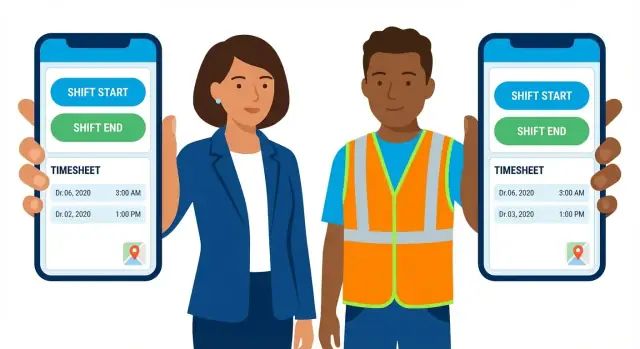
What a shift start/end logging app should solve
A shift logging app exists to capture when work actually starts and ends—quickly, consistently, and in a way that holds up when questions come later. If time records feel unreliable or slow to use, managers will revert to “fixing it in spreadsheets,” and payroll will keep chasing corrections.
The real problem: accuracy without friction
The goal isn’t just collecting timestamps; it’s reducing the messy middle: forgotten clock-ins, unclear breaks, mismatched schedules, and end-of-week disputes. A good app makes it easier to do the right thing than to work around the system.
It should answer basic questions with confidence:
- Did the employee clock in on time?
- Was the shift ended properly?
- If something changed, who changed it and why?
Who it’s for (and why their needs differ)
Hourly staff need a two-tap experience that works under pressure (hands full, wearing gloves, in a hurry). Supervisors need quick visibility into exceptions—missed punches, early departures—without spending their day policing the app. Payroll admins care about clean, auditable data that exports without manual rework.
What “success” looks like
Define success early using measurable outcomes:
- High adoption: most shifts are logged in the app, not patched later
- Fewer edits and disputes: fewer “I was there, trust me” conversations
- Faster payroll close: fewer back-and-forth messages to confirm time
If you want a simple KPI set, track “% of shifts with complete punches,” “edit rate,” and “average time-to-approve.”
Common constraints you must design around
Real workplaces introduce constraints that shape requirements from day one:
- Shared devices (kiosks, tablets at a site) and fast user switching
- Poor connectivity (basements, job sites, warehouses)
- Compliance needs (audit trails, retention rules, required break handling)
Solving these constraints is what turns a basic clock-in tool into a dependable system people will actually use.
Users, roles, and the main workflows
A shift logging app is only as smooth as the roles and workflows behind it. Before you design screens, define who does what—and what happens when reality doesn’t follow the “perfect shift” script.
Core user roles
Most products can start with three roles:
- Employee: clocks in/out, starts/ends breaks, checks schedule (if included), and submits corrections.
- Manager/Supervisor: monitors attendance, reviews exceptions, and approves or rejects edits.
- Admin/Payroll: configures rules (pay periods, rounding, locations), manages users, and exports approved time.
Keep permissions tight. For example, employees should never be able to edit approved time, while admins may need audit-only access to see what changed and when.
Main workflows to map
Design these flows end-to-end (including confirmations and error states), not just the “tap button” moment:
- Clock in: employee selects job/site (if needed) → confirms → app stores time + optional location metadata.
- Clock out: same as clock in, but also prompts for missing break info if policy requires it.
- Breaks: start break → end break, with clear status visible on the home screen to prevent forgetting.
- Edit request: employee selects shift → proposes correction (time, break, role/site) → adds reason → submits.
- Approval: manager sees a queue → compares original vs requested → approves/rejects → comment back to employee.
Edge cases you’ll want from day one
Real shifts get messy, so plan for them early:
- Late clock-in: allow clock-in, but flag it as an exception for manager review.
- Missed clock-out: use reminders plus a “submit end time” correction flow.
- Double shifts / split shifts: support multiple clock-in/out pairs in a day without confusing totals.
Device strategy: BYOD vs kiosk mode
Decide early whether your app is:
- BYOD (Bring Your Own Device): better for distributed teams; needs stronger identity checks and clear privacy messaging.
- Kiosk/tablet mode: great for job sites; needs fast user switching (PIN/badge) and strict controls to prevent “buddy punching.”
Many teams start with BYOD and add kiosk mode later—just make sure your workflows don’t assume one device per person.
Core features (must-have MVP)
An MVP for a shift logging app should focus on capturing accurate time events with minimal taps, while keeping data trustworthy enough for payroll. Everything else can come later.
1) Clock in/out (fast, clear, complete)
Employees need a single, obvious action to clock in and clock out, with the app recording an immutable timestamp.
Allow optional notes at the moment of clocking (e.g., “Arrived early to set up” or “Late due to traffic”), but don’t force typing—make it skippable to keep the flow fast.
2) Break tracking with rules
Add break start/end as first-class events, not just fields on a timesheet. Your MVP should support:
- Paid vs. unpaid breaks
- Simple guardrails (e.g., prevent “end break” if no break is running)
- Automatic duration calculation to reduce manual math and disputes
If your business has complex compliance rules, keep the MVP to configurable defaults per team/location and iterate later.
3) Shift context (where and what work)
Time without context is hard to approve and harder to export. At clock-in (or immediately after), require selecting the work context:
- Job site / location
- Department
- Role
- Project code
Keep the list short via favorites and “last used,” otherwise users will pick the wrong option just to keep moving.
4) Audit trail for trust
Every edit must leave a trail: who changed it, what changed, when it changed, and why. Even in an MVP, this is non-negotiable because it protects employees and managers alike.
Include a required reason when modifying a submitted shift, and display the change history directly on the shift details screen.
Nice-to-have features that add real value
Once your MVP reliably supports clock in/clock out and basic time tracking, a few add-ons can lift adoption and reduce admin work—without turning the product into a full workforce management app.
Smarter schedules and reminders
If employees regularly forget to clock in, reminders are a high-ROI upgrade. Pull from published schedules (or simple repeating patterns) and send push notifications shortly before a shift starts, plus a “did you forget to clock out?” nudge near the expected end time.
Keep controls simple: opt-in per user, quiet hours, and a per-site policy so you’re not spamming people on days off.
Overtime rules (and early warnings)
Overtime surprises create payroll friction. Add configurable thresholds (daily/weekly) and show real-time progress during a shift. Managers can get alerts when someone is about to cross a limit, with a quick action like “approve extra time” or “end shift now.” This pairs well with a shift approvals workflow later.
Proof-of-presence—only when it’s necessary
Some teams need stronger verification than a tap.
- Photo/selfie capture at clock-in/out (with clear consent messaging)
- Badge/QR scan at the site entrance
Make these optional and policy-driven, so the clock in clock out mobile app stays fast for low-risk roles.
Shift attachments and incident notes
Let employees attach photos, documents, or short notes tied to a shift (e.g., safety incident, equipment issue, customer signature). This turns your employee time tracking tool into a lightweight operational record, especially useful for field work.
Multi-language and accessibility basics
Small touches matter: language selection, large-tap controls, screen reader labels, and high-contrast mode. This reduces clocking errors and makes the timesheet app features usable for more of your workforce.
UX and UI patterns for fast, low-error clocking
A shift logging app is judged in the first five seconds: can someone clock in with one thumb, in poor lighting, while wearing gloves, and without thinking? The UI should optimize for speed, clarity, and recovery from mistakes.
Make the primary action impossible to miss
Use two simple, large buttons: Clock In and Clock Out (and optionally Start Break / End Break). Keep them above the fold, centered, and reachable with one hand.
Add a short confirm step only when it prevents real errors:
- Confirm when clocking out unusually early/late.
- Confirm if the user taps the opposite of their current status.
Avoid multi-step forms at the moment of clocking; collect optional details (job code, notes) after the action.
Always show “what’s happening right now”
People need immediate reassurance. Keep a persistent status card that shows:
- Current state: On shift / On break / Off shift
- Last action and timestamp (e.g., “Clocked in at 08:02”)
- If relevant: scheduled start time, and whether they’re early/late
Use color carefully (e.g., green for on shift), but never rely on color alone—include text labels for accessibility.
Explain blocks in plain language
If clocking is blocked, don’t just show an error. Explain why and what to do next:
- “You’re outside the approved location. Move closer to the site or request an override.”
- “It’s too early to clock in (allowed from 10 minutes before).”
- “No matching shift found for today. Check your schedule or contact a manager.”
Design for real-world conditions
Include big text, generous spacing, and a low-light (dark) mode. Keep tap targets large, support haptic feedback, and show a clear success state (“Clock In recorded”) with the exact time to reduce disputes.
Location rules and anti-fraud options
Location checks are useful when your policy requires people to start and end shifts on site (construction, retail, warehousing, field service). The goal isn’t to “spy”—it’s to reduce accidental mistakes and obvious abuse while keeping clocking fast.
GPS checks, geofencing, and allowed locations
A practical approach is to define allowed locations per job site (or per shift): an address plus a radius (for example, 100–300 meters). On clock-in/clock-out, the app requests a location fix and compares it to that rule.
Keep the outcome simple: Allowed, Not allowed, or Can’t verify. “Can’t verify” should not block everyone by default; treat it as a reason to collect a note or require a fallback method.
Privacy: disclose what’s collected (and when)
Be explicit in the UI and policy text: the app checks location only at clock events (or whatever you decide), not continuous tracking. Show a short disclosure on first use and a clear “Why we ask” message near the permission prompt.
Also, store only what you need: the coordinates (or “inside/outside geofence”), timestamp, and accuracy. Avoid background location unless there is a strong, documented business requirement.
When GPS fails: Wi‑Fi, QR, or manager override
GPS can be unreliable indoors or in dense areas. Add alternatives:
- Wi‑Fi validation (match SSID/BSSID to a known site network)
- QR code at the site (printed near the entrance; scan to confirm presence)
- Manager override (requires reason, optional photo, and an audit trail)
Let admins configure which fallbacks are acceptable per site.
Fraud prevention with low friction
Instead of adding steps for everyone, focus on lightweight controls:
- Rate limits (prevent rapid repeated clock events)
- Device binding (one user ↔ approved device, with self-service rebind and admin approval)
- Anomaly flags (impossible travel speed, repeated “Can’t verify,” frequent overrides)
These measures keep honest users moving while giving supervisors the signals they need to review exceptions.
Offline mode, syncing, and reliability
Shift logging often happens in basements, warehouses, or on job sites where coverage is patchy. If the app fails when the network drops, people will work around it (paper notes, texting managers), and your data quality collapses. Treat offline as a normal state, not an edge case.
Offline-first event capture
Record every clock-in/clock-out as an immutable “event” on the device first, with a local ID, timestamp, and any required context (job/site, role, notes). Store it in an on-device database and mark it as Pending sync. The UI should immediately confirm success (“Clock-in saved”) even with no signal.
Sync later, safely
When connectivity returns, sync events in the background with retries and exponential backoff. Make uploads idempotent: if the same event is sent twice, the server should recognize it and ignore duplicates.
Show a simple sync indicator (e.g., Pending / Syncing / Synced / Needs attention) and let users tap to see what’s stuck. Avoid scary error messages; provide a clear next step like “Try again” or “Contact support.”
Handling conflicts and weird timelines
Mobile apps will see messy sequences: duplicate taps, out-of-order timestamps, or a clock-out recorded before a clock-in due to delayed syncing.
Use rules such as:
- De-duplicate events within a short window (e.g., double-tap).
- Accept out-of-order uploads but sort by event time server-side.
- Flag impossible pairs (two clock-ins in a row) for review instead of silently “fixing” them.
Time source strategy
Device time is convenient but can be wrong. A common approach is to store both:
- Device timestamp (what the user’s phone says)
- Server-received timestamp (when the server got it)
If drift is large, mark the event for manager review and optionally prompt the user to correct device time.
Reliability checklist
Prioritize predictable behavior: background sync, persistent queues, safe retries, and honest status. Reliability is a feature users notice only when it’s missing—and then they stop trusting the timesheet.
Architecture and tech stack decisions
Your architecture should make clock-ins fast, resilient, and easy to audit—while staying simple enough to maintain.
Start with a clear data model
A practical MVP model usually includes:
- Users (employee, supervisor, admin) plus team/department
- Shifts (a worked period) tied to a user and optionally a scheduled shift
- Time events (clock-in, clock-out, break start/end) with timestamp, device info, and optional location proof
- Schedules (planned shifts) to compare planned vs actual
- Approvals (status, approver, notes) and an edit history (who changed what, when, and why)
This structure supports payroll export and dispute handling without boxing you in later.
API shape: keep it small, predictable
Typical endpoints:
POST /time-events(clock-in/out, breaks)GET /timesheets?from=&to=&userId=(for employees and managers)POST /timesheets/{id}/edits(corrections with reason codes)POST /approvals/{timesheetId}(approve/reject)GET /reports/*(summary exports, overtime, exceptions)
Design them to be idempotent (safe to retry) to support spotty connectivity.
Platform choice: native vs cross-platform vs PWA
- Native (Swift/Kotlin): best performance and background behavior; higher cost to build twice.
- Cross-platform (Flutter/React Native): one codebase, strong UI performance; depends on team experience.
- PWA: fastest to ship; weaker device integration (background sync, kiosk usage) and OS limitations.
For most clock in clock out mobile app projects, cross-platform is a strong default unless you need deep OS-specific behavior.
Don’t forget the admin console
Plan a lightweight web admin for user management, locations/rules, schedule import, approvals visibility, and exports (CSV, payroll formats). It’s often where most operational time is saved—see also /blog/shift-approvals-workflow.
If you want to move faster on the admin portal and backend, a vibe-coding platform like Koder.ai can be a practical accelerator: you can prototype the React-based admin console and Go/PostgreSQL backend flows from a chat-driven spec, then iterate on edge cases (offline sync, approvals, audit history) with snapshots and rollback as requirements evolve.
Security, privacy, and permissions
Shift start/end logs look simple, but they quickly become sensitive data: they can reveal schedules, routines, and sometimes location. Treat security and privacy as product requirements from day one, not as a “later” checklist.
Authentication and role-based access
Start with a clear login strategy:
- SSO (recommended for companies): easier onboarding/offboarding, centralized password policies, and fewer support tickets. Common options include Microsoft Entra ID, Google Workspace, or Okta.
- Email/password: acceptable for small teams, but requires strong password rules, reset flows, and additional protection against credential stuffing.
Then enforce role-based access control (RBAC) so users only see what they need. Typical roles include employee, supervisor, payroll/admin, and auditor. Permissions should cover actions like editing a shift, approving time, exporting payroll, and viewing reports.
Protecting data (in transit, at rest, and on-device)
For a clock in clock out mobile app, baseline protections should include:
- TLS for all network traffic (including APIs and file downloads).
- Encryption at rest in your database and backups.
- Secure tokens on the device using Keychain/Keystore; avoid storing tokens in plain preferences.
- Short-lived access tokens with refresh tokens, plus server-side revocation when a user leaves the company.
If you support an offline time clock, treat the local cache like production data: encrypt it and restrict what’s stored (for example, store event timestamps and IDs, not full profiles).
Audit logs, retention, and privacy basics
Define audit requirements early—retro-fitting audits into an employee time tracking system is painful. Log key events (clock-in/out, edits, approvals, export actions, admin permission changes) with who/what/when, and set retention rules (e.g., 1–7 years depending on local labor rules and company policy).
Keep privacy straightforward:
- Minimize data collection (only collect location if you truly need geofencing for attendance).
- Provide clear consent text and in-app explanations.
- Support access/deletion requests where legally required, and document how requests are handled.
Approvals, payroll exports, and integrations
A shift logging app becomes truly useful when recorded time can be reviewed, finalized, and sent where payroll and operations teams already work. This section covers the handoff from “clocked time” to “payable time” without creating extra admin work.
Timesheet approval workflow (submit → review → approve → lock)
Keep approvals simple and consistent:
- Submit: At the end of a day or pay period, employees (or supervisors) submit a timesheet. The app should clearly show what’s included and flag missing breaks or overlapping shifts.
- Review: Approvers see a queue with exceptions highlighted (late clock-ins, unusually long shifts, edits, location mismatches). Fast filters like “My sites” and “Needs attention” prevent hunting.
- Approve/Reject: Approvals should record who, when, and what changed. Rejections should require a short reason and route back to the employee for correction.
- Lock: Once approved, entries should be locked from editing. If changes are needed later, use an “adjustment” record rather than rewriting history.
A practical pattern is tiered approvals: supervisor approval first, then payroll/admin approval only for exceptions.
Exports that payroll will actually use
Payroll teams often need multiple formats, not just a generic CSV. Aim for:
- CSV export with stable column names (employee ID, cost center/site, shift start/end, breaks, regular/overtime hours, notes).
- Payroll-specific templates (e.g., earnings codes, job codes, pay period boundaries).
- Scheduled delivery by email (or secure download), so payroll doesn’t have to “remember to export” every period.
Also include export metadata: pay period, time zone, and whether data is locked.
Integrations via API and webhooks
Integrations reduce double entry with payroll, HRIS, and scheduling tools. Provide:
- REST API for reading approved timesheets and writing reference data (employees, sites, roles, pay rules).
- Webhooks for events like
timesheet.submitted,timesheet.approved,employee.updated, enabling near-real-time sync. - Idempotency and retries so partners can safely re-send requests without duplicates.
Link to integration docs from within the admin area (for example, /docs/api).
Reporting for operations and compliance
Reporting should answer common questions quickly:
- Hours by person, site, and role
- Overtime totals and trends
- Exceptions (missed punches, edits, out-of-geo clock-ins, unusually long breaks)
A small set of reliable reports beats a complex dashboard that nobody trusts.
Testing plan and pilot rollout
A shift logging app fails when it’s unreliable at the exact moment someone needs to clock in or out. Your testing plan should focus less on “happy paths” and more on real-world failure conditions: weak connectivity, depleted devices, and confused users under time pressure.
High-risk scenarios to test first
Run scripted scenarios that mirror how mistakes actually happen:
- Missed clock-out: user forgets to end a shift, force-closes the app, or ends the shift the next day. Verify how you detect it, how it’s shown in timesheets, and how corrections flow to managers.
- Low battery: device dies mid-shift. Confirm that the last successful event is preserved and that the next app launch prompts the user appropriately.
- Airplane mode / no signal: clock-in and clock-out while offline, then reconnect. Ensure events queue locally and sync without duplicates.
- GPS off or denied: validate the fallback (manual location note, last known location, or “location unavailable” flag) and make sure the user isn’t blocked without a clear reason.
Device and OS coverage (including low-end phones)
Don’t rely on a few flagship devices. Test across:
- Multiple OS versions (especially older versions your workforce uses)
- Low-memory and low-storage devices
- Different screen sizes and OEM Android skins
Pay attention to background restrictions that affect syncing, battery optimizations that pause services, and time zone/date changes that can break timestamps.
Security testing basics (practical, not theoretical)
At minimum, validate:
- Authentication flows (expired sessions, password reset, device change)
- Authorization rules (employee vs manager vs admin actions)
- Data leakage risks (logs, screenshots on sensitive screens, cached files)
Also confirm that a stolen device can’t expose timesheets without re-authentication.
Pilot rollout and iteration loop
Start with a small team (one location or a single department) for 1–2 pay cycles. Track: clock-in success rate, offline event counts, correction requests, and support tickets.
Collect feedback weekly, ship small fixes quickly, and only expand rollout once the pilot group reports consistent, low-friction clocking and managers trust the exported data.
Launch, ongoing support, and cost planning
A shift logging app isn’t “done” at release. The real work starts when hundreds of people rely on it at 6am on a Monday. Planning launch, support, and costs early prevents operational surprises.
Distribution: public app stores, private release, or kiosk
App Store / Google Play works well when employees use their own devices (BYOD) and updates must be frictionless. You’ll still want a lightweight onboarding flow (company code, SSO, or invite link) to prevent random sign-ups.
Private distribution (MDM) is a better fit for company-owned devices. With Apple Business Manager / Android Enterprise you can push installs, configure settings, and enforce updates. For shared devices, consider kiosk mode:
- Lock the device to your time clock app (or a small set of apps)
- Disable notifications and personal accounts
- Use a fixed sign-in method (badge PIN, QR, NFC) plus a clear “Log out” step
Operational needs: support, incidents, and transparency
Define who owns support and what “good” looks like:
- Support channels: in-app help, email ticketing, and an emergency path for “can’t clock in” incidents
- Incident handling: on-call rotation, severity levels, and a runbook (e.g., “sync delay”, “login outage”, “geofence mismatch”)
- Status page: even a simple /status page reduces noise and builds trust during outages
Also plan for admin tasks: user provisioning, device resets, location updates, and audit requests.
Cost drivers to expect
Your biggest cost multipliers are usually:
- Platforms: iOS + Android + web admin portal (and sometimes a kiosk build)
- Offline sync: conflict resolution, local storage encryption, and careful testing across edge cases
- Integrations: payroll exports, HRIS connectors, SSO, and webhooks
- Admin tooling: approvals screens, reporting, and “fix this timesheet” workflows that save payroll teams hours
Roadmap after MVP
After reliable clock-in/clock-out and approvals, teams commonly add:
- Scheduling and shift swaps
- Job costing (time by project/site/task)
- Analytics (late arrivals, overtime trends, staffing gaps)
- Compliance add-ons (break rules, attestations, region-specific policies)
If you publish a roadmap, keep it practical and tied to measurable outcomes (fewer corrections, faster payroll, fewer missed punches).
FAQ
What core problem should a shift start/end logging app solve?
Focus on accurate timestamps with minimal friction so people don’t work around the system. The app should reduce missed punches, unclear breaks, and end-of-week disputes, while producing data payroll can export without cleanup.
Which user roles should a shift logging app support from day one?
Start with three roles:
- Employee: clock in/out, manage breaks, submit correction requests.
- Manager/Supervisor: monitor exceptions, review and approve/reject edits.
- Admin/Payroll: configure rules, manage users/locations, export approved time.
Keep permissions tight (e.g., employees shouldn’t edit approved records).
What workflows are essential to design end-to-end?
Map the full set of flows:
- Clock in/out (including confirmations and error states)
- Break start/end with clear current status
- Edit request with a required reason
- Approval queue for managers with original vs requested comparison
Design the “what happens when something goes wrong” states as carefully as the happy path.
What edge cases should the app handle in the MVP?
Handle the messy reality early:
- Late clock-ins: allow but flag as an exception.
- Missed clock-outs: reminders plus a correction flow.
- Split/double shifts: multiple in/out pairs per day with clear totals.
Flag questionable sequences for review instead of silently auto-fixing them.
Should we build for BYOD or kiosk mode?
Choose based on how teams work:
- BYOD: better for distributed teams; requires stronger identity checks and clear privacy messaging.
- Kiosk/tablet mode: great for shared devices; needs fast switching (PIN/badge) and controls against buddy punching.
Many teams start with BYOD and add kiosk later—avoid assumptions like “one device per person.”
What are the must-have MVP features for shift start/end logging?
An MVP should include:
- Fast clock in/out with immutable timestamps
- Break events (start/end) with guardrails and automatic duration
- Work context (site/role/project) via short lists + favorites/last used
- Audit trail for edits (who/what/when/why) visible on shift details
These features make time trustworthy enough for approvals and payroll.
How should offline mode and syncing work?
Treat offline as normal:
- Save each clock event locally first with a “Pending sync” state.
- Sync in the background with retries; make uploads idempotent to avoid duplicates.
- Show simple statuses (Pending/Syncing/Synced/Needs attention).
Users should still see immediate success confirmation even with no signal.
How can we use GPS/geofencing without creating privacy issues or blocking work?
Use location checks only when policy needs it:
- Implement geofences (site + radius) with outcomes like Allowed/Not allowed/Can’t verify.
- Provide fallbacks: Wi‑Fi validation, QR scan, or manager override (with a reason + audit trail).
- Disclose clearly that location is checked at clock events, not continuously (unless explicitly required).
What does a practical timesheet approval process look like?
Use a simple workflow: submit → review → approve/reject → lock.
- Highlight exceptions (missed punches, edits, location mismatches).
- Record approver identity, timestamp, and comments.
- After approval, lock entries; if changes are needed later, create an adjustment record rather than rewriting history.
How should we test and pilot a shift logging app before full rollout?
Run a 1–2 pay-cycle pilot and test failure conditions first:
- Offline clock in/out + delayed sync
- GPS denied/unavailable and fallback behavior
- Low battery/device death mid-shift
- Authorization boundaries (employee vs manager vs admin)
Track metrics like % complete punches, edit rate, and time-to-approve before expanding rollout.