

How Vue Prioritized Simplicity and Approachability for UI Dev
Explore how Vue focuses on simplicity and approachability for UI development, from its progressive adoption model to clear templates and friendly tooling.
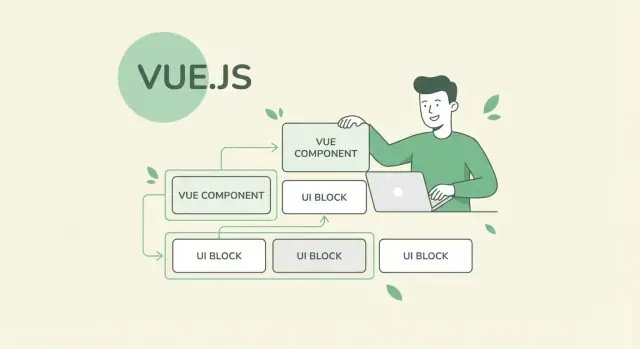
Why Simplicity Matters in UI Development
“Simplicity” in UI development isn’t about building tiny apps or avoiding powerful features. It’s about reducing the number of decisions you must make just to get something working.
When a framework feels approachable, you spend more time shaping the interface—copy, layout, states, edge cases—and less time wrestling with ceremony, configuration, or mental overhead.
What “simplicity” and “approachability” look like day to day
In everyday work, simplicity means:
- You can read a component and quickly understand what it renders and why.
- Common tasks (show/hide, lists, forms, loading states) stay straightforward without extra patterns.
- The “happy path” is clear, while advanced techniques are available when you actually need them.
Approachability adds something important: the first hour feels productive. You can start with familiar concepts—HTML-like templates, clear component boundaries, predictable state updates—and grow from there.
Who benefits most from this approach
This style helps beginners who want to build real UIs before mastering a long list of concepts. It also helps teams: shared code becomes easier to review and maintain when the framework encourages consistent structure.
Designers who code benefit too. When templates resemble HTML and the component model is easy to grasp, design tweaks and UI iterations can happen faster, with fewer handoffs.
The trade-off: fewer concepts upfront vs. flexibility later
Choosing simplicity early usually means accepting some constraints: you follow the framework’s conventions, and you may postpone advanced abstractions.
The upside is momentum and clarity. The risk is that, as an app grows, you’ll eventually need stronger architecture decisions—naming, folder structure, state boundaries, and reusable patterns.
How to use this guide
Treat this article as a set of practical lenses for your next project:
- Start with the simplest patterns that ship UI.
- Add complexity only when a real problem appears.
- Re-check readability as your components grow.
With that mindset, Vue’s emphasis on simplicity becomes less of a slogan and more of a daily workflow advantage.
Vue’s Core Philosophy: Progressive and Friendly
Vue started as a practical response to a common frustration: building user interfaces often felt heavier than it needed to be.
Evan You’s early goal wasn’t to invent a new “theory” of UI—it was to keep the best ideas from modern frameworks while making everyday development feel straightforward and pleasant.
“Progressive” in plain terms
When Vue calls itself progressive, it means you can adopt it step by step.
You can add Vue to enhance a small part of a page (like a form, a table, or a modal) without rewriting the whole site. If that goes well, you can keep scaling the same approach into a full single-page app with routing, state management, and build tooling—using the same core concepts along the way.
Reducing setup and conceptual overhead
Vue aims to keep the “starting line” close. The framework is designed so that you can be productive with familiar building blocks:
- Templates that look like HTML, so you can read the UI structure directly.
- A component model that doesn’t force you to learn a lot of extra patterns up front.
- Clear defaults that help you build something working before optimizing everything.
This doesn’t remove complexity from UI development (real apps are still real apps), but it tries to keep complexity tied to your product needs—not to the framework’s ceremony.
Where Vue is commonly used
Vue is often chosen for:
- Enhancing server-rendered apps with interactive widgets
- Admin dashboards and internal tools
- Content-heavy sites that need “sprinkled” interactivity
- Full apps where the team wants a gentle learning curve and readable components
The unifying theme isn’t “Vue can do everything,” but “Vue helps you do what you need without making the first steps feel steep.”
The Progressive Adoption Model
Vue is designed so you can start where you are, not where a framework thinks you “should” be.
Start small: enhance an existing page
You don’t have to commit to a full single-page app on day one. Teams often begin by dropping Vue into a server-rendered page to improve one interaction—like a filter panel, pricing calculator, or a “save for later” widget—while leaving the rest of the site unchanged.
That means you can validate the framework with real users and real constraints, without rewriting navigation, authentication, or your build pipeline immediately.
Incremental complexity (only when you need it)
Vue’s adoption path is naturally layered:
- Components first: break a messy UI into small, reusable pieces.
- Routing later: add a router if the product truly behaves like an app.
- State management when necessary: introduce shared state patterns once passing props becomes painful.
This sequencing matters because each step adds power and mental overhead. Vue makes it normal to postpone complexity until it earns its place.
Why this lowers risk for teams
Progressive adoption reduces the “all-or-nothing” bet. You can:
- Ship improvements sooner
- Keep rollback options simple
- Train the team gradually
- Prove maintainability before scaling usage
It also helps mixed-skill teams: designers or backend developers can contribute to templates and small components early, while more experienced frontend devs handle the advanced pieces later.
Example adoption paths
Marketing site: start with a signup form + dynamic pricing section, then move to a component library for consistent UI.
Dashboard: begin with a couple of data tables and charts on existing pages, then adopt routing for a multi-view experience.
Internal tools: build a small SPA for one workflow, then add state management only when multiple screens need shared data and caching.
The key idea: Vue lets your architecture grow at the same pace as your product.
Component Thinking Without the Cognitive Overhead
Vue encourages you to think in components, but it doesn’t force you into a complex mental model to get started. A component can begin as a small, self-contained chunk of UI—then grow only when your app needs it.
Single-File Components keep related code together
Vue’s single-file components (SFCs) are intentionally straightforward: one file that groups what you need for a piece of UI.
<template>: what it shows (markup)<script>: what it does (data, events, logic)<style>: how it looks (scoped or global styling)
This reduces the “where did we put that?” feeling. When you’re scanning a feature, you’re not jumping between multiple files just to understand a button and its behavior.
Component boundaries make UIs easier to reason about
A helpful rule: create a component when a UI piece has a clear job and could be reused, tested, or changed independently.
Good boundaries are usually:
- A repeated pattern (e.g.,
UserCard,ProductRow) - A distinct interactive area (e.g.,
SearchBarwith its own input and events) - A UI section with its own state (e.g.,
CheckoutSummary)
When boundaries are clear, you can edit one component with confidence that you’re not breaking unrelated screens.
Beginner-friendly naming and folders
Keep conventions boring and predictable:
components/for reusable building blocks (BaseButton.vue,Modal.vue)views/(orpages/) for route-level screens (SettingsView.vue)- Use PascalCase for component files and names (
UserProfile.vue)
This makes the project readable for new teammates—and for “future you.”
Avoid over-engineering: start simple, split later
Not everything needs its own component. If a piece of markup is used once and is short, keep it inline.
A practical heuristic: split into a component when it’s reused, getting long, or mixing too many concerns (layout + business rules + interactions). Vue makes refactoring into components easy, so you can delay that decision until it’s actually beneficial.
Readable Templates and Familiar HTML
Vue’s templates are often readable at a glance because they look like normal HTML first, with small, purposeful additions. For many teams, that means you can open a component and immediately understand the structure—headers, buttons, forms—without having to mentally decode a new syntax.
Directives that read like intent
Vue’s directives are short and surprisingly literal:
v-if: “render this only if…”v-for: “repeat this for each item…”v-model: “keep this input and this state in sync”v-bind(or:): “bind this attribute to data”v-on(or@): “listen for this event”
Because these directives sit where you’d expect attributes to be, you can scan a template and quickly spot what’s conditional, what’s repeated, and what’s interactive.
Markup vs. logic (and when to mix carefully)
Vue encourages a clean separation: templates describe what the UI looks like; script describes how data changes. Some light mixing is practical—simple bindings and straightforward conditionals.
A good rule: keep templates “layout-first.” If an expression is hard to read out loud, it probably belongs in a computed value or a method instead.
Common pitfalls and simple rules of thumb
Templates become messy when they turn into mini-programs. A few consistency rules help:
- Prefer computed values over long inline expressions.
- Avoid stacking multiple conditionals in one element; extract parts into smaller components.
- Use
v-forwith a stable:keyto keep updates predictable. - Keep event handlers readable:
@click="save"is clearer than@click="doThing(a, b, c)".
Done well, Vue templates stay close to HTML, which keeps UI work approachable for both developers and designers reviewing code.
Reactivity Made Understandable
Vue’s reactivity is basically a promise: when your data changes, the UI stays in sync automatically. You don’t “tell” the page to redraw specific parts—Vue tracks what your template uses and updates only what’s affected.
Reactivity, explained with a UI example
Imagine a small checkout widget with a quantity input and a total price:
quantitychanges when the user clicks +/−.unitPricestays the same.totalshown on screen should update immediately.
In Vue, you update the data (quantity++), and the displayed total updates because it depends on that state. You’re not managing DOM updates or calling a special “refresh total” function.
Straightforward state updates
Vue encourages direct, readable updates to state—especially in event handlers. Instead of wrapping changes in extra layers, you usually set the value you mean:
- Toggle a flag:
isOpen = !isOpen - Update a form field:
email = newValue - Add/remove items:
cartItems.push(item)/ filter to remove
That simplicity makes it easier to debug because the “what changed” is visible in one place.
Computed vs methods: choosing without confusion
A simple rule:
- Use computed when you’re deriving a value from other state (like
total = quantity * unitPrice). It stays up to date and avoids repeated work. - Use methods when you’re doing an action (submit a form, increment, validate on demand) or when the result depends on the moment it’s called rather than just state.
If you find yourself calling a method just to calculate something for display, that’s often a sign it should be computed.
Watching data changes: helpful vs complicated
Watchers are useful for side effects: saving drafts, calling an API after a filter changes, syncing to localStorage.
They get complicated when they’re used to “keep state in sync with state” (watch A, set B, then watch B, set A). If a UI value can be derived, prefer computed instead of watchers—fewer moving parts, fewer surprising loops.
Options API and Composition API: Choosing What Fits
Vue gives you two ways to write components, and the key point is that you don’t have to treat this as a fork in the road. Both are “real Vue,” and you can mix them in the same app.
Options API: familiar and readable
The Options API feels like filling in a well-labeled form. You place logic into clear buckets like data, computed, methods, and watch.
For many teams, this is the fastest path to consistent code because the structure is predictable and easy to scan in code reviews. It’s especially comfortable if your team is coming from classic MVC-style thinking, or if you want newer developers to quickly answer: “Where does this value come from?”
Composition API: group logic by feature
The Composition API lets you organize code around what it does (a feature), not what type it is. Related state, computed values, and functions can live together—useful when a component grows or when you want to extract reusable logic into a composable.
It tends to shine in larger components, shared behaviors, and codebases where you value flexible organization.
How to choose (and how to migrate gently)
- If your team is mixed-experience or your UI is mostly straightforward, start with the Options API for consistency.
- If your project has many cross-cutting concerns (filters, permissions, syncing, forms), introduce the Composition API where it reduces duplication.
A practical mindset: don’t “switch the codebase.” Add Composition API only when it clearly improves readability. Keep patterns simple—prefer small composables with explicit inputs/outputs, avoid hidden globals, and name things like you’d explain them to a teammate.
Clear Component Communication Patterns
Vue encourages a small set of communication tools that feel like everyday UI building blocks. Instead of inventing new patterns for each feature, you typically rely on the same few mechanisms—making components easier to read, review, and reuse.
Props + events: a simple contract
The default contract is straightforward: parents pass data down with props, children notify changes with events.
A form component, for example, can accept initial values via props and emit updates or submissions:
:modelValue="form"and@update:modelValue="..."for controlled inputs@submit="save"for the main action
This keeps data flow predictable in small and medium apps: the “source of truth” stays in the parent, while the child focuses on UI.
Slots: flexibility without complicated abstractions
Slots let you customize a component’s layout without turning it into a one-off.
A modal can expose a default slot for content and a footer slot for actions:
- Modal handles overlay, focus trap, and close behavior
- Parent supplies the specific buttons and content
This pattern scales nicely for tables too: a <DataTable> can render structure, while slots define how each cell looks (badges, links, inline menus) without needing a new table component each time.
Practical, repeatable patterns
A navigation component can accept an array of items via props and emit select events. A table can emit sort or rowClick. A modal can emit close.
When every component follows the same “inputs (props) → outputs (events)” rhythm, teams spend less time deciphering behavior and more time shipping UI that’s consistent across the app.
Tooling and Setup That Stay Out of the Way
Vue’s learning curve isn’t only about syntax—it’s also about how quickly you can get from “empty folder” to “working UI.” The official tooling is designed to keep that path short, with sensible defaults and an easy way to add extras only when you need them.
Low-friction setup (high level)
Most teams start with the official project creator (commonly paired with Vite), which prioritizes fast startup, quick hot reload, and a clean project structure.
You don’t have to understand bundlers, loaders, or complex configs on day one—yet you can still customize later if your app grows or your standards change.
Scaffolding: minimal vs feature-rich starters
A key choice is whether to begin “small” or “complete.”
A minimal starter is great when you’re exploring a UI idea, building a prototype, or migrating an existing app screen-by-screen. You get Vue, a simple build, and room to decide on routing, state management, and testing later.
A more feature-rich starter can include routing, linting, formatting, testing hooks, and sometimes preset TypeScript support. This works well for teams that already know their baseline needs and want consistency from the first commit.
TypeScript without the all-or-nothing decision
If your team wants TypeScript, Vue makes it practical to adopt gradually. You can start with JavaScript, then:
- Enable TypeScript in the project template when you’re ready
- Convert one component or module at a time
- Add type checking to CI before requiring full coverage
This avoids blocking UI delivery while still moving toward stronger safety.
A practical note on faster iteration
If your goal is “ship a UI fast, keep it readable,” the same simplicity-first mindset can apply beyond Vue.
Some teams use Koder.ai as a companion for rapid UI iteration: you can describe screens and states in a chat, use Planning Mode to outline components and data flow, then generate a working web app (typically React on the frontend, with Go + PostgreSQL on the backend). When you’re happy with the structure, you can export the source code, deploy, and roll back via snapshots—useful for prototypes, internal tools, or validating a UI architecture before committing to a longer build.
Where to read next
If you’re evaluating plans or support options, see /pricing. For more practical guides and patterns, browse /blog.
Practical UI Architecture with Vue
A simple Vue UI architecture starts by resisting the urge to “componentize everything” too early.
The fastest route to clarity is to build the page as a whole, then extract repeatable pieces once you can name them and describe their responsibility in one sentence.
Start page-first, then extract
Begin with a single page component that renders the full flow (loading, empty state, errors, success). Once it’s working, pull out components that are:
- Reused in multiple places
- Visually consistent but hard to keep consistent by copy/paste
- Logically independent (e.g., a search bar, pagination, a confirmation dialog)
This keeps your component tree shallow and your mental model intact.
Keep a small set of shared UI building blocks
Create a tiny “base” layer: BaseButton, BaseInput, BaseSelect, BaseCard, maybe BaseModal.
These components should be boring on purpose: consistent padding, states, and accessibility, with a few props for common variants.
A good rule: if you can’t explain a component’s API to a teammate in 30 seconds, it’s probably too much.
Styling that stays approachable
Vue single-file components make it easy to keep styles close to the markup:
- Scoped CSS for component-specific tweaks without global side effects
- Utility classes (like spacing and typography helpers) for quick, readable layout adjustments
Mixing both is fine: utilities for structure, scoped CSS for component details.
Accessibility basics to bake in early
Small habits prevent big rewrites:
- Always pair inputs with labels (or
aria-labelwhen necessary) - Ensure a visible focus state for keyboard users
- Test keyboard navigation (Tab, Enter, Escape) for interactive elements
When these are part of your “base” components, the rest of your app benefits automatically.
How Vue’s Approach Compares (Without the Hype)
Choosing a UI framework shouldn’t be a personality test.
Vue’s “simple by default” style tends to feel calmer than alternatives that ask you to adopt more conventions, tooling, or patterns on day one—but that doesn’t automatically make it the right pick for every team.
Learning curve: how quickly can someone ship?
Vue often rewards beginners early: templates look like HTML, component files are easy to scan, and you can build useful interfaces before you’ve memorized an ecosystem of add-ons.
Some other approaches lean on more upfront concepts (or more indirect patterns) that can pay off later—but can feel slower to internalize.
Code readability: what will maintainers see?
A practical test is: can a teammate open a component and understand what it does in 30 seconds?
Vue’s single-file components and straightforward directives usually support that goal. Frameworks that push more abstraction can still be readable, but may require shared team conventions to avoid “every file looks different.”
Flexibility vs. structure: what do you want enforced?
Vue is flexible without demanding a strict architecture from the start.
If your organization prefers a heavily standardized setup (with strong opinions about data flow, file structure, and patterns), a more prescriptive stack might reduce decision-making—at the cost of extra ceremony.
Questions to ask (instead of debating frameworks)
- How experienced is the team with component-based UI?
- Do we need strong conventions for a large, rotating team?
- Are we building an app or mostly embedding UI into an existing product?
- What matters more: fast onboarding or strict uniformity?
If you align the choice with your product constraints—timeline, team makeup, and long-term maintenance—Vue’s simplicity becomes a concrete advantage, not a talking point.
Checklist: Keeping Your Vue UI Simple as It Grows
Simplicity doesn’t maintain itself. As a Vue app adds features, it’s easy to drift into “it works, ship it” patterns that raise the learning curve for everyone else.
A simple-first Vue UI checklist
- Keep components small and single-purpose: one component, one clear job.
- Prefer plain templates over clever abstractions (filters, magic helpers, hidden side effects).
- Use one way to do things per feature area (one state approach, one form pattern, one validation style).
- Name things for intent:
UserMenu,OrderSummary,useBillingAddress(). - Co-locate what changes together (template + logic + styles), but avoid dumping unrelated code into one file.
- Keep props explicit and typed (even if you’re not using TypeScript, document shapes in code).
- Emit events with predictable names (
update:modelValue,submit,close) and document what payloads look like. - Extract composables only when they’re reused or clearly isolate a concern (data fetching, formatting, permissions).
Team practices that protect clarity
Use code reviews to ask: “Could a new teammate understand this in 5 minutes?”
Agree on conventions (Options vs Composition per module, folder structure, naming, formatting), and enforce them with linting and lightweight examples in your repo.
When complexity is justified
Some complexity is worth it when it buys measurable wins: performance bottlenecks, large-scale routing/data needs, or cross-team modules that must be stable and versioned.
In those cases, add structure deliberately—and document it—rather than letting it grow accidentally.
Next steps
If you want a clean baseline to build from, start with /blog/getting-started-vue and apply the checklist to your first few components before the codebase has momentum.
FAQ
What does “simplicity” in Vue UI development actually mean?
In practice, simplicity means you can build and change UI with fewer “extra steps” that don’t ship product value:
- You can read a component and quickly understand what it renders.
- Common patterns (lists, forms, loading/empty/error states) don’t require lots of extra abstractions.
- You add advanced patterns only when the app truly needs them, not on day one.
What does “progressive” mean in Vue, and why does it matter?
A progressive framework lets you adopt it in layers:
- Start by enhancing a small part of a server-rendered page (a form, table, modal).
- Later add routing if the product behaves like a multi-view app.
- Introduce shared state patterns only when prop-drilling becomes painful.
This reduces risk because you can prove value before committing to a full rewrite.
How can a team start using Vue without rewriting the whole app?
A low-risk path is:
- Pick one interactive widget (filters, pricing calculator, “save” panel).
- Keep the rest of the page/server stack unchanged.
- Ship it, learn, and then expand usage feature-by-feature.
This keeps rollback easy and avoids forcing routing/auth/build-pipeline decisions up front.
Should we begin with a minimal Vue starter or a full-featured scaffold?
Start with a minimal setup when you’re exploring or migrating incrementally; choose a more feature-rich scaffold when you already know you’ll need consistent defaults.
Common “add later” milestones:
- Router when you genuinely have multiple screens.
- Shared state when passing props/events becomes friction.
- Type checking/testing when the codebase becomes multi-person and long-lived.
How do I choose between the Options API and the Composition API?
Use Options API when you want predictable structure and easy scanning in reviews (data, computed, methods, watch). It’s often great for mixed-experience teams.
Use Composition API when components grow and you want to group logic by feature, or extract reusable logic into composables.
A practical approach: default to one style for consistency, and introduce the other only where it clearly improves readability.
What’s the simplest way to think about Vue reactivity (computed vs watch)?
Vue reactivity means your UI stays in sync with state changes automatically.
A simple mental model:
- You update state directly (e.g.,
quantity++). - Anything derived from that state updates in the template.
Prefer computed values for derived display data (totals, filtered lists). Use watchers mainly for side effects (API calls, saving drafts), not for “state syncing state.”
How do I keep Vue templates readable as they grow?
Keep templates “layout-first” and move complexity out of markup:
- Use computed properties instead of long inline expressions.
- Avoid stacking multiple conditionals on one element; extract sections/components.
- Always use a stable
:keywithv-for. - Prefer readable handlers like
@click="save"over complex inline calls.
If you can’t read a template line out loud, it probably belongs in script.
What are the recommended patterns for component communication in Vue?
Use the default contract:
- Props down for data/config.
- Events up for changes (
update:modelValue,submit,close).
Use slots when you want flexible layout while keeping shared behavior inside the component (modals, tables).
This “inputs → outputs” rhythm makes components easier to reuse and review.
What’s a practical way to structure components so the app stays simple?
A simple architecture is “page-first, extract later”:
- Build the whole page flow first (loading/empty/error/success).
- Extract components only when they’re reused, getting long, or mixing concerns.
- Keep a small set of boring base components (
BaseButton,BaseInput,BaseModal) to standardize UI and accessibility.
This helps you avoid premature component fragmentation.
When is it worth adding more structure, and how do we prevent accidental complexity?
Add complexity when it buys a concrete win (performance, cross-screen shared state, large routing needs, multi-team modules).
Guardrails that help:
- Enforce conventions in reviews (naming, folders, one preferred pattern per feature area).
- Extract composables only when reused or clearly isolating a concern.
- Document component APIs (props/events payloads) so behavior stays predictable.
Simplicity doesn’t maintain itself—treat it as an ongoing constraint.