

HP’s Installed Base: PCs, Printers, and Recurring Economics
A plain-English breakdown of how HP’s large installed base drives repeat sales—from printer supplies to device services and workflow subscriptions.
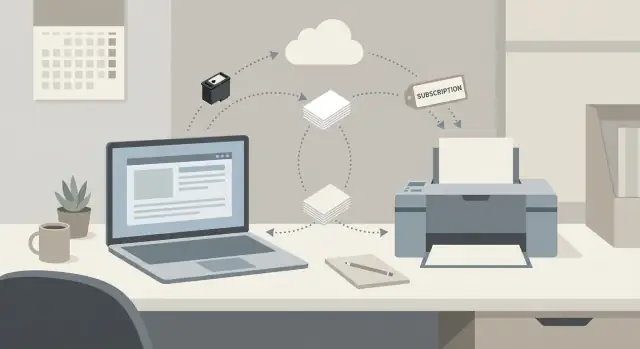
What “installed base economics” means for HP
“Installed base” is simply the number of HP devices already out in the world—PCs on desks and printers in homes, schools, and offices. Once a device is installed and in regular use, it can keep generating revenue long after the initial purchase.
That’s the core idea behind installed base economics: the first sale places the hardware, but the lifetime value is often shaped by what happens next—supplies, services, upgrades, and renewals.
One-time hardware vs. repeat monetization
A one-time hardware sale is straightforward: HP ships a laptop or printer, books revenue, and the relationship could end there.
Repeat monetization is different. It relies on ongoing needs tied to the device:
- A printer needs ink and toner (and sometimes paper, parts, or maintenance).
- A PC eventually enters a refresh cycle or gets added to a managed fleet.
- Business customers may adopt services and software that sit around the devices (support, security, workflow tools).
The three recurring engines this article focuses on
This article breaks HP’s installed base into three practical “engines” that can drive recurring revenue:
- PCs: lifecycle replacement, standardization across fleets, and attached services.
- Printing: printer consumables as a repeat-purchase engine.
- Enterprise workflows: software and services that help organizations manage documents, devices, and processes.
What this is (and isn’t)
The goal here is to understand how the economics work—where repeat demand can come from, what keeps customers sticky, and what can disrupt the pattern. It’s an operating-model explanation, not an investment recommendation or a forecast.
The flywheel: from device sale to repeat purchases
The installed base “flywheel” starts with a one-time hardware decision and turns into a series of smaller, repeat decisions. A customer buys a PC or printer, uses it daily, and then naturally re-engages for the things that keep it running—supplies, support, accessories, and eventually a refresh.
The customer journey, end to end
A simple way to see it is:
- Buy device (new PC, printer, or fleet rollout)
- Use device (workflows, printing habits, IT policies)
- Maintain (ink and toner, paper, parts, warranties, help desk)
- Upgrade/refresh (new models, expanded fleet)
Each step creates chances for repeat purchases without needing a “new” customer every time.
Recurring touchpoints that make the wheel spin
Once the device is in place, repeat revenue is often driven by predictable needs:
- Supplies: ink and toner replenishment, specialty media
- Services: warranty extensions, break/fix, device management, on-site support
- Subscriptions: device subscriptions or automatic replenishment programs
- Accessories and add-ons: docks, chargers, printheads, trays
Practical switching costs (not just contracts)
Switching isn’t impossible, but it can be inconvenient. Compatibility with existing cartridges, established IT standards, driver images, security requirements, and familiar user habits all create friction. Even small frictions can tilt buyers toward “just reordering what works.”
Where the flywheel can slow down
Competition still pressures pricing and retention: third-party consumables, aggressive device discounts from rivals, and customers tightening print volumes or extending PC lifecycles. The flywheel works best when the ongoing experience (cost, reliability, and service) stays strong enough to beat “good enough” alternatives.
PCs: refresh cycles, fleet standardization, and services
A large installed base of PCs creates a simple reality: even when total demand is flat, replacements keep happening. For households it’s usually performance (slowing devices, battery wear, new apps) and compatibility. For businesses it’s often security, reliability, and supportability—when an endpoint can’t meet policy requirements or becomes too costly to manage, it gets retired.
Predictable refresh cycles
Most organizations operate on planned PC lifecycle schedules rather than “replace when it breaks.” Three- to five-year refresh cycles are common for laptops and desktops, especially in managed environments. That predictability matters: it turns one-time hardware purchases into a rolling calendar of upgrades across departments, geographies, and job roles.
When you multiply that by thousands of devices in an enterprise fleet, even small changes in replacement timing can create meaningful, recurring volume for vendors and for channel partners who coordinate procurement.
Fleet standardization reinforces repeat purchasing
IT teams prefer standard models (or a short approved list) to reduce imaging complexity, driver issues, spare parts, and help desk time. Once a company standardizes on a platform, the easiest next purchase is “more of the same,” because it keeps deployment and training consistent.
Standardization also encourages bulk buying and framework agreements, which can lock in preferred configurations for the next refresh cycle—extending retention without needing constant re-selling.
Services and add-ons that recur
Beyond the device sale, recurring economics can come from:
- Extended warranties and accidental damage protection
- On-site support and break/fix services
- Device management, security tooling, and endpoint analytics
- Leasing and device subscriptions that bundle hardware + services
Together, these layers can make the PC a repeat-revenue model anchored by predictable replacement and ongoing support needs.
Commercial PCs: why enterprise fleets can be recurring
Consumer PCs are often one-off decisions: a person picks a laptop, uses it for years, and replaces it when it feels slow or breaks. The relationship is mostly with the retailer, not the manufacturer, and support tends to be “best effort.” That makes repeat purchasing real—but irregular and hard to predict.
Commercial PCs work differently because companies buy fleets, not single devices. Once an IT team standardizes on a model family (or a short list), it often stays in place across refresh cycles to reduce risk and training overhead.
Why enterprise relationships are stickier
Enterprise buying is anchored in process. Procurement teams prefer approved vendors, negotiated pricing, and consistent SKUs. IT prefers devices that fit their imaging, security, and management standards.
If a fleet is already deployed, switching isn’t just choosing a new laptop—it can mean re-testing drivers, updating images, retraining help desk, and revalidating accessories and docks. Add SLAs, on-site repair, and warranty extensions, and the relationship can become a multi-year operating routine.
Common buying motions that create repeat orders
Commercial PC demand often shows up in predictable “motions”:
- Bulk purchases tied to hiring, site expansions, or refresh projects
- Leasing or device financing that bundles hardware with planned replacement dates
- Managed device programs where provisioning, endpoint management, and break/fix support are packaged into a per-device monthly fee
These motions turn PCs from a sporadic capital purchase into a schedule: deploy, support, replace—then repeat.
The economic levers to watch
For PC installed-base economics, the core levers are straightforward:
- Unit volume: size of the fleet and growth in seat count
- Service attach: warranties, support, docks/monitors, and device management add-ons
- Renewal rates: how often contracts, leasing terms, and managed programs roll over
When these levers move together—standardization plus services plus renewals—commercial PCs can behave less like a product sale and more like an annuity tied to the installed base.
Printing: consumables as the repeat-revenue engine
Printers are often sold with relatively thin margins, but they create an installed base that can generate repeat purchases for years. The classic “razor-and-blades” pattern applies: the first product (the printer) gets placed, and ongoing refills (supplies) drive repeat spending.
What counts as consumables (and why it matters)
Consumables aren’t just “ink.” They include:
- Ink and toner cartridges (the most obvious repeat purchase)
- Paper and specialty media (especially in office and production-like settings)
- Maintenance kits and parts with replacement intervals (rollers, fusers, printheads—depending on model)
These items tie revenue to ongoing use, not just the one-time decision to buy a device.
Why usage-based revenue can be more stable than device-only revenue
Device sales can be lumpy: customers buy a printer this quarter, then don’t think about hardware again for a long time. Supplies behave differently. As long as printing continues, replenishment follows a more regular rhythm—often monthly or quarterly—because organizations run out of consumables based on pages printed, not on a refresh cycle.
That’s why a large installed base can act like a revenue engine: even if new printer shipments slow, the demand for supplies can remain relatively steady, supported by routine business activity (invoices, labels, compliance documents, shipping, internal workflows).
The human factor: frustrations that can erode retention
This model isn’t automatic. Customers get frustrated by confusing cartridge compatibility, perceived high costs, subscription fatigue, or feeling locked into a vendor. Those pain points can push people to print less, switch to third-party supplies, consolidate vendors through a contract, or rethink their device choice at renewal.
Keeping retention high typically depends on making replenishment predictable, pricing understandable, and downtime minimal—because when printing becomes annoying, people look for alternatives.
How print usage turns into predictable demand for supplies
Printing is unusual among hardware categories because usage is measurable and repeatable. Once a printer is installed and people keep printing, supplies follow a fairly steady rhythm.
Yields and cost-per-page (plain English)
A cartridge’s yield is simply how many pages it can print before it needs replacing. If a black toner cartridge is rated for 2,000 pages, that’s the “tank size.”
Cost-per-page is the average supply cost for one printed page. You can think of it as:
- Cost-per-page = cartridge price ÷ cartridge yield
That number helps organizations compare printers and plan budgets without getting lost in specs.
Why page volume drives supply demand
Once you know two things—(1) how many pages a printer produces per month and (2) the cartridge yield—you can estimate replacement frequency.
Example: if a workgroup prints 1,000 pages/month and a cartridge yields 2,000 pages, you should expect roughly one cartridge every two months (with some variation for color mixes, coverage, and reprints).
Across a large installed base, those individual “refill moments” add up into a stable flow of ink and toner orders through channels and programs.
What changes usage (and why it matters at scale)
Print volume isn’t fixed. It moves with behavior and policy:
- Home office and hybrid work: fewer office pages, but sometimes more home printing (often smaller, less predictable jobs).
- Compliance and regulated workflows: industries that require paper trails can sustain higher baseline printing.
- Process changes: digitizing forms, e-signatures, or “print only when necessary” rules can reduce pages.
Even small shifts matter. If average monthly pages drop by 5–10% across a large fleet, that can mean millions fewer pages—and a meaningful change in how quickly supplies are consumed and reordered.
Managed Print Services: contracts, renewals, and retention
Managed Print Services (MPS) is “outsourced printing operations” in plain English: instead of a company managing printers, supplies, and repairs internally, it hires a vendor (often HP or an HP partner) to run printing end-to-end.
What an MPS contract usually includes
Most MPS deals bundle a few practical components into one program:
- Device fleet management: deciding which printers go where, standardizing models, and replacing aging devices.
- Automatic supplies delivery: ink and toner replenishment based on actual usage so teams don’t run out—or overstock.
- Service and maintenance: break/fix support, parts, onsite visits, and proactive monitoring.
- Reporting and optimization: dashboards for pages printed, department usage, costs, and policy compliance.
Why it becomes recurring revenue
MPS shifts printing from one-off hardware purchases into ongoing billing. Contracts are often priced per device, per page, or as a monthly bundle that includes service and supplies. Because printing is a daily operational need, companies prefer multi-year terms with clear service levels, which creates predictable renewals when the agreement is up.
Retention tends to be strong once MPS is running: the vendor has device telemetry, established supply logistics, trained support workflows, and reporting tied to the customer’s internal processes. Switching providers can mean downtime, re-onboarding, and disruptions—costs many buyers want to avoid.
What buyers care about most
Decision-makers typically focus on uptime, cost control, security, and fewer vendors to manage. If MPS consistently delivers on those basics, renewals become less about “should we keep it?” and more about “how do we expand or refresh it?”
Enterprise workflows: where software and services can layer in
For many organizations, the real “installed base” isn’t just devices—it’s the daily work that happens around them.
A workflow is the set of steps people follow to create, approve, store, and share documents. That might involve a laptop for drafting, a printer or scanner for paper steps, and shared systems for routing, signing, and archiving.
Relatable workflow examples
Consider a few common ones:
- Employee onboarding: collect forms, verify IDs, route approvals, store documents in an HR system, and share access confirmations.
- Invoicing: capture invoices (email or paper), match to purchase orders, approve spending, and push data into accounting.
- Expense approvals: submit receipts, validate policy rules, request manager approval, and archive for audit.
- Forms and requests: internal IT requests, facilities work orders, or customer intake forms that need review and status tracking.
Even when a company wants “paperless,” these workflows often still touch printing and scanning—especially in regulated teams, customer-facing locations, or hybrid offices.
Where subscriptions fit on top of PCs and printers
This is where software and services can sit above the hardware: document capture and OCR, e-signature, secure print release, permissions, and automated routing (e.g., “scan-to-folder” that actually tags, files, and notifies the right person). The value is not the device itself, but the repeatable process the device enables.
This is also where internal teams increasingly build lightweight workflow apps instead of buying heavy suites. For example, teams can use Koder.ai (a vibe-coding platform) to create small web tools for intake forms, approvals, and document routing from a chat interface—then export the source code or deploy with rollback/snapshots as requirements evolve.
What buyers are trying to achieve
Buyers typically pay for workflow tools to get:
- Fewer manual steps (less copy/paste, fewer email threads)
- Fewer errors (version control, validation rules)
- Better compliance (audit trails, access controls, retention policies)
When these tools are tied to an existing fleet of PCs and printers, they can turn day-to-day document work into a predictable, renewals-driven software stream.
Cross-sell paths: connecting PCs, print, and workflow tools
HP’s installed base isn’t just “units in the field.” Each PC or printer is an ongoing touchpoint: it’s where admins deploy settings, users see prompts, and IT decides what to standardize next. That makes the device itself a practical distribution channel for add-on services—because the workflow already runs through it.
From a single purchase to a broader relationship
Cross-sell usually starts with a real operational problem. A company that standardizes on HP commercial PCs might also want simpler onboarding, fewer help-desk tickets, and predictable budgeting. That can naturally expand into a bundle: hardware plus warranty/support, device management tools, and (for print-heavy teams) supplies and print services—under one vendor relationship and one renewal cadence.
On the print side, the path is even clearer: if you manage printers, you can also manage supplies. When procurement and IT agree on compatible models, it becomes easier to forecast ink and toner needs, reduce emergency orders, and control who can install nonstandard consumables.
Why it can lift lifetime value (when customers win)
Cross-selling can raise lifetime value by increasing “share of wallet” while lowering friction for the customer: fewer vendors, fewer invoices, fewer compatibility surprises, and clearer support ownership. Adding workflow tools—like scanning, secure release, document routing, or basic process automation—can deepen retention if they meaningfully reduce manual work.
The risk is the same as the upside: bundles fail when they feel restrictive, confusing, or priced like a lock-in. If customers can’t see what they’re paying for—or can’t exit parts they don’t need—they’ll resist, churn, or unbundle at the first renewal.
Distribution and channels: how repeat sales are maintained
HP’s installed-base economics don’t rely only on what’s inside the device. They also rely on how customers buy, replenish, and get support—mostly through channels that make repeat purchasing routine.
The channel roles that keep buying friction low
- Retailers and e-commerce partners win when a home or small-business customer needs ink and toner fast. Familiar SKUs, search placement, and “buy again” flows turn a one-time printer sale into many small replenishment purchases.
- Resellers and distributors handle availability, pricing programs, and procurement processes for SMBs and mid-market accounts—especially where customers want consolidated invoicing or recurring purchase orders.
- System integrators (SIs) and VARs matter most in enterprise. They help standardize PC fleets, deploy print environments, and bundle services—so the customer renews what’s already working instead of re-evaluating every year.
Operational advantages: auto-replenishment and service dispatch
Two channel-enabled operations increase repeat revenue while improving customer experience:
- Auto-replenishment (subscriptions, managed supply programs, or “instant ink”-style services) reduces the chance customers switch brands during an emergency purchase. It also smooths demand, helping partners plan inventory and delivery.
- Service dispatch through authorized networks gets devices back online quickly. Fewer headaches translates into higher customer retention—and retention is what keeps consumables and services attached to the installed base.
Why renewals get easier over time
Renewals are simplest when the value is obvious and procurement is painless: clear ROI (lower downtime, lower cost per page), contract terms that match budgeting cycles, and reliable delivery through the channel.
Support experience is the quiet driver here. When service tickets, returns, and replacements are handled smoothly, customers are far more likely to reorder the same supplies and renew managed print services rather than shop around.
Unit economics: where profits can concentrate across the stack
Installed base economics gets clearer when you look at unit economics: what it costs to land a device, and what it earns over the life of that device through supplies, services, and software.
The main cost drivers
Across PCs and printers, the heavy costs tend to fall into a few buckets:
- Manufacturing and components (materials, assembly, yield)
- Logistics and channel costs (shipping, inventory carrying, returns, promotions)
- R&D and tooling (new models, firmware, security features, design refreshes)
- Service delivery (support, on-site labor for enterprise, parts, help desks)
A useful mental model: hardware is often “costly to win, necessary to place,” while the installed base is what enables repeat transactions.
Why margins differ by layer
Hardware margin is constrained by competition and component pricing. Even when a PC or printer sells at a profit, that profit can be sensitive to mix (premium vs entry) and discounting.
Supplies and services (ink and toner, managed print, device subscriptions, workflow tools) can carry higher margins because they’re tied to ongoing usage, convenience, and integration. Once a device is embedded in a home or office process, switching costs rise—drivers, compatibility, procurement approvals, fleet management—so repeat purchases can be “stickier” than the initial device sale.
Unit metrics worth tracking
To judge where profit concentrates, focus on a few recurring signals:
- Attach rate: how many devices enroll in a plan, MPS, warranty, or workflow service
- Usage: pages printed per device, share of devices actively printing, or seat utilization in fleets
- Churn / renewal: contract renewal rates and cancellation trends for subscriptions and MPS
- Mix: how much revenue shifts toward supplies, services, and commercial vs. consumer
What to look for in disclosures (without hunting for a single number)
In filings and earnings materials, watch for commentary on installed base size, supplies revenue trends, contracted vs. transactional revenue, hardware ASP/mix, and channel inventory. Management language about “higher attach,” “improving retention,” or “usage stabilization” often matters as much as device shipment volume because it hints at lifetime value per device—not just units sold.
What can weaken the model: risks and changing customer behavior
Installed base economics look “sticky” until something breaks the repeat-purchase loop. For HP, the loop depends on customers continuing to print, replace supplies through approved channels, renew service contracts, and refresh PC fleets on a predictable cadence.
Competitive and pricing pressures
Competitors can attack the highest-margin parts of the stack—especially printer consumables. Discounting on hardware can also reset customer expectations: if devices are sold cheaply, buyers may resist paying premium prices later for ink and toner.
Third-party and counterfeit supplies are a direct leak in the model. Even when print volume stays stable, switching to cheaper cartridges can reduce revenue per page and weaken channel strategy by shifting purchases away from trusted distributors.
Regulation and policy changes can matter too—rules around environmental claims, right-to-repair, or disclosures in device subscriptions may force changes in how supplies and services are packaged and priced.
Behavior shifts that reduce repeat demand
Some shifts are structural:
- Paperless workflows reduce overall print usage, especially in knowledge work.
- Hybrid work can move printing from centralized office fleets to inconsistent home setups.
- Longer PC replacement cycles (better device durability, budget pressure) slow down refresh-driven services and accessory sales.
Even small declines in pages printed can compound, because consumables are often the repeat-revenue engine.
Customer experience and reputation risk
Support quality, supply availability, and transparency can strengthen—or damage—retention. Aggressive supply policies, confusing subscription terms, or friction in setup and device management can push customers to switch brands at the next contract renewal or fleet refresh.
Quick durability checklist
Use these questions to judge how resilient the model is:
- Are print volumes holding steady in the customer segments that matter most?
- How much share is being lost to third-party or counterfeit ink and toner?
- Are managed print services renewals rising, flat, or slipping?
- Do customers report friction around subscriptions, chip-based controls, or returns?
- Are PC refresh cycles lengthening, and are services making up for slower unit sales?
- Is the channel (resellers, distributors) still incentivized to prioritize HP supplies?
- What reputational issues could trigger switching costs to fall (support, transparency, availability)?
FAQ
What does “installed base economics” mean in the context of HP?
Installed base economics is the idea that placing a device (a PC or printer) creates downstream, repeatable revenue opportunities over the device’s life—through consumables, support, subscriptions, upgrades, and renewals.
The initial hardware sale “installs” the platform; the ongoing usage creates the repeat purchase cycle.
How is repeat monetization different from a one-time device sale?
A one-time hardware sale ends (economically) when the device is shipped and paid for.
Repeat monetization comes from what the device needs to keep delivering value, such as:
- Ink/toner and maintenance parts (printing)
- Warranties, break/fix, and device management (PCs and printers)
- Subscriptions and workflow software layered on top (enterprise)
What is the installed base “flywheel,” and how does it create recurring revenue?
The flywheel is a sequence of smaller decisions that follow the first device purchase:
- Buy device
- Use it in daily workflows
- Reorder what’s required to keep it running (supplies, parts, support)
- Refresh/upgrade on a schedule
If the experience stays reliable and convenient, customers tend to keep reordering and renewing rather than re-evaluating from scratch each time.
What are “switching costs” in PCs and printing, and why do they matter?
Switching costs are often operational friction rather than legal lock-in. Examples include:
- Cartridge and model compatibility
- IT standards (images, drivers, security baselines)
- Tested accessories (docks, trays, parts)
- Help desk training and existing support processes
Even small hassles can push buyers toward “reorder what already works.”
Why are PC refresh cycles important for installed base economics?
Enterprises commonly plan laptop/desktop replacement on a 3–5 year lifecycle to manage security, reliability, and supportability.
That schedule makes demand more predictable: instead of random replacements, upgrades happen in waves across departments and sites—creating recurring volume for devices plus attached services.
How does enterprise fleet standardization increase repeat purchasing?
Fleet standardization reduces complexity (fewer models, fewer drivers, fewer spares), which lowers IT effort and risk.
Once a company commits to a short approved list of SKUs, the “default next purchase” is often the same platform—reinforcing repeat orders and making it easier to attach services like warranties, endpoint management, and leasing programs.
Why are printer consumables a key recurring-revenue engine?
Printers often follow a “razor-and-blades” pattern: the printer places the installed base, and the repeat spending comes from ink/toner and other consumables.
Because supplies are consumed by page volume (monthly/quarterly replenishment), supplies demand can be steadier than new printer shipments.
What do “yield” and “cost-per-page” mean, and how do they help forecast supplies demand?
Yield is how many pages a cartridge can print before replacement. Cost-per-page is a simple budgeting metric:
- Cost-per-page = cartridge price ÷ cartridge yield
If you know monthly pages and yield, you can estimate reorder frequency (then scale that logic across a fleet).
What is Managed Print Services (MPS), and why does it tend to renew?
Managed Print Services (MPS) is outsourced printing operations—fleet management, automatic supplies, maintenance, and reporting—packaged into ongoing billing.
It becomes recurring because contracts are typically multi-year and priced per page, per device, or as a monthly bundle, with renewals driven by operational dependency and the hassle of switching providers.
What can weaken installed base economics over time?
Common disruptors include:
- Lower print volumes (digitization, policy shifts, hybrid work)
- Third-party or counterfeit supplies reducing revenue per page
- Longer PC replacement cycles slowing refresh-driven demand
- Poor customer experience (support quality, confusing subscriptions, supply availability)
- Competitive discounting that resets price expectations
A practical way to monitor durability is to watch usage, attach rates, and renewal/churn trends—not just hardware shipments.