

Human + AI Software Creation: A Future-Oriented Playbook
A practical, future-oriented view of how humans and AI can co-create software—from idea to launch—with clear roles, workflows, and safeguards.
What “Human + AI” Software Creation Really Means
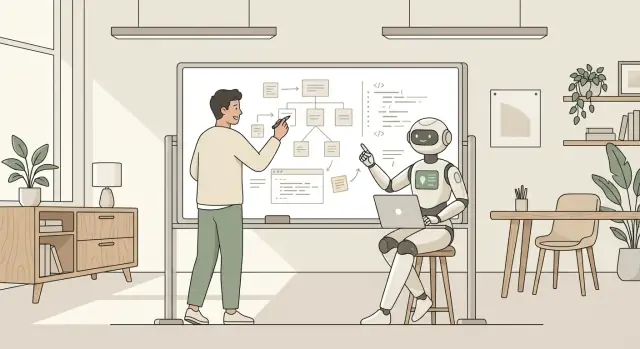
“Human + AI” software creation is co-creation: a team builds software while using AI tools (like coding assistants and LLMs) as active helpers throughout the process. It’s not full automation, and it’s not “press a button, get a product.” Think of AI as a fast collaborator that can draft, suggest, check, and summarize—while humans stay responsible for decisions and outcomes.
Co-creation vs. full automation (plain terms)
Co-creation means people set the goal, define what “good” looks like, and steer the work. AI contributes speed and options: it can propose code, generate tests, rewrite documentation, or surface edge cases.
Full automation would mean AI owns the end-to-end product work with minimal human direction—requirements, architecture, implementation, and release—plus accountability. Most teams aren’t aiming for that, and most organizations can’t accept the risk.
Why collaboration is the model that fits real teams
Software isn’t just code. It’s also business context, user needs, compliance, brand trust, and the cost of mistakes. AI is excellent at producing drafts and exploring alternatives, but it doesn’t truly understand your customers, internal constraints, or what your company can safely ship. Collaboration keeps the benefits while ensuring the product remains aligned with real-world goals.
Setting expectations: faster cycles, new failure modes
You should expect meaningful speed gains in drafting and iteration—especially for repetitive work, boilerplate, and first-pass solutions. At the same time, quality risks change shape: confident-sounding wrong answers, subtle bugs, insecure patterns, and licensing or data-handling mistakes.
Humans stay in charge of:
- Product intent and prioritization
- Trade-offs (cost, reliability, security, maintainability)
- Final review, approvals, and accountability
What this playbook will cover
The sections ahead walk through a practical workflow: turning ideas into requirements, co-designing the system, pair-programming with AI, testing and code review, security and privacy guardrails, keeping documentation current, and measuring outcomes so the next iteration is better—not just faster.
Where AI Helps Most—and Where Humans Must Lead
AI is excellent at accelerating execution—turning well-formed intent into workable drafts. Humans are still best at defining intent in the first place, and at making decisions when reality is messy.
Tasks AI can accelerate
Used well, an AI assistant can save time on:
- Drafting boilerplate (endpoints, CRUD, UI scaffolding, config)
- Refactoring (renaming, extracting functions, simplifying logic)
- Writing tests (suggesting edge cases, generating test skeletons)
- Documentation (README drafts, API usage examples, release notes)
- Debugging support (summarizing logs, proposing likely causes, suggesting experiments)
- Code search and explanation (summarizing unfamiliar modules and flows)
The theme: AI is fast at producing candidates—draft code, draft text, draft test cases.
Where humans add the most value
Humans should lead on:
- Clarifying goals and success metrics (what “done” means)
- Choosing trade-offs (speed vs. cost, consistency vs. flexibility, build vs. buy)
- Product judgment (what users actually need, what can wait)
- Architecture and risk decisions (operability, scalability, failure modes)
- Accountability (signing off on behavior, data handling, and quality)
AI can describe options, but it doesn’t own outcomes. That ownership stays with the team.
AI output is a suggestion—not a source of truth
Treat AI like a smart colleague who drafts quickly and confidently, but can still be wrong. Verify with tests, reviews, benchmarks, and a quick check against your real requirements.
A simple “good” vs. “bad” use
Good use: “Here’s our existing function and constraints (latency < 50ms, must preserve ordering). Propose a refactor, explain the trade-offs, and generate tests that prove equivalence.”
Bad use: “Rewrite our authentication middleware for security,” then copying the output straight into production without understanding it, threat-modeling it, or validating it with tests and logging.
The win is not letting AI drive—it’s letting AI accelerate the parts you already know how to steer.
A Clear Division of Labor: Roles, Ownership, and Accountability
Human + AI collaboration works best when everyone knows what they own—and what they don’t. AI can draft quickly, but it can’t carry accountability for product outcomes, user impact, or business risk. Clear roles prevent “AI said so” decisions and keep the team moving with confidence.
Role clarity: who’s responsible for what
Think of AI as a high-speed contributor that supports each function, not a replacement for it.
- Product owns goals, scope, and prioritization. AI can help summarize research, draft user stories, and propose acceptance criteria.
- Design owns user experience, accessibility, and interaction decisions. AI can generate variants, critique flows, and draft copy options.
- Engineering owns architecture, implementation, reliability, and long-term maintainability. AI can suggest approaches, draft code, and help debug.
- AI (tooling) owns nothing—yet it can accelerate drafts, surface risks, and offer alternatives. Humans must validate.
A lightweight responsibility matrix (Decide / Draft / Verify)
Use a simple matrix to avoid confusion in tickets and pull requests:
| Activity | Who decides | Who drafts | Who verifies |
|---|---|---|---|
| Problem statement & success metrics | Product | Product + AI | Product + Eng |
| UX flows & UI spec | Design | Design + AI | Design + Product |
| Technical approach | Engineering | Engineering + AI | Engineering lead |
| Test plan | Engineering | Eng + AI | QA/Eng |
| Release readiness | Product + Eng | Eng | Product + Eng |
Review gates before merges or releases
Add explicit gates so speed doesn’t outrun quality:
- Spec gate: problem, scope, and acceptance criteria agreed.
- Design gate: key screens/flows approved (including accessibility checks).
- Implementation gate: PR reviewed by a human; AI feedback is advisory.
- Safety gate: tests pass; security/privacy checks completed where relevant.
- Release gate: changelog written; monitoring/rollback plan confirmed.
Make decisions visible (and auditable)
Capture the “why” in places the team already uses: ticket comments for trade-offs, PR notes for AI-generated changes, and a concise changelog for releases. When decisions are visible, accountability is obvious—and future work gets easier.
From Ideas to Requirements: Co-Writing the Product Spec
A good product spec is less about “documenting everything” and more about aligning people on what will be built, why it matters, and what “done” means. With AI in the loop, you can get to a clear, testable spec faster—so long as a human stays accountable for the decisions.
Start with the problem, not the feature
Begin by writing three anchors in plain language:
- Problem statement: What user pain or business risk are we reducing?
- Success metrics: How will we know it worked (time saved, conversion, fewer tickets, revenue impact)?
- Constraints: Budget, timeline, supported platforms, data sources, and “must not” rules.
Then ask AI to challenge the draft: “What assumptions am I making? What would make this fail? What questions should I answer before engineering starts?” Treat the output as a to-do list for validation, not truth.
Use AI to propose options—and expose trade-offs
Have the model generate 2–4 solution approaches (including a “do nothing” baseline). Require it to call out:
- Dependencies (systems, teams, vendors)
- Risks and unknowns
- Expected effort ranges
- What would need user research or legal review
You choose the direction; AI helps you see what you might be missing.
Turn ideas into a short PRD outline
Keep the PRD tight enough that people actually read it:
- Goal and non-goals
- Target users and key scenarios
- Scope (MVP vs later)
- Acceptance criteria (testable statements, not vague promises)
Example acceptance criterion: “A signed-in user can export a CSV in under 10 seconds for datasets up to 50k rows.”
Requirements checklist (don’t skip this)
Before the spec is considered ready, confirm:
- Privacy & data handling: what data is used, stored, shared, and retained
- Compliance: industry rules and internal policies
- Performance: response times, throughput, scaling expectations
- Accessibility: WCAG targets, keyboard navigation, screen reader support
When AI drafts parts of the PRD, ensure every requirement traces back to a real user need or constraint—and that a named owner signs off.
Co-Designing the System: Options, Trade-Offs, and Decisions
System design is where “Human + AI” collaboration can feel most powerful: you can explore several viable architectures quickly, then apply human judgment to pick the one that fits your real constraints.
Use AI to generate options—then force it to compare
Ask the AI for 2–4 architecture candidates (for example: modular monolith, microservices, serverless, event-driven), and require a structured comparison across cost, complexity, delivery speed, operational risk, and vendor lock-in. Don’t accept a single “best” answer—make it argue both sides.
A simple prompt pattern:
- “Propose three architectures for X; list assumptions.”
- “Compare them using a table: cost/complexity/risk.”
- “What would make each option fail in production?”
Map the seams: integration points, data flows, failure modes
After you select a direction, use AI to help enumerate the seams where systems touch. Have it produce:
- Integration points (APIs, queues, webhooks, batch imports)
- Data flows (what data moves where, and why)
- Failure modes (timeouts, retries, duplicated events, partial writes)
Then validate with humans: do these match how your business actually operates, including edge cases and messy real-world data?
Keep a decision log that survives personnel changes
Create a lightweight decision log (one page per decision) capturing:
- Context and constraints
- Options considered
- The decision and why
- Trade-offs accepted
- Follow-ups (what to measure, when to revisit)
Store it next to the codebase so it stays discoverable (for example, in /docs/decisions).
Define non-negotiables early
Before implementation, write down security boundaries and data handling rules that cannot be “optimized away,” such as:
- Where sensitive data may be stored and processed
- Authentication/authorization model and trust boundaries
- Logging/redaction requirements
- Retention and deletion expectations
AI can draft these policies, but humans must own them—because accountability doesn’t delegate.
Pair Programming with AI: A Practical Build Workflow
Pair programming with AI works best when you treat the model like a junior collaborator: fast at producing options, weak at understanding your unique codebase unless you teach it. The goal isn’t “let AI write the app”—it’s a tight loop where humans steer and AI accelerates.
If you want this workflow to feel more “end-to-end” than a standalone coding assistant, a vibe-coding platform like Koder.ai can help: you describe the feature in chat, iterate in small slices, and still keep human review gates—while the platform scaffolds web (React), backend services (Go + PostgreSQL), or mobile apps (Flutter) with exportable source code.
Step 1: Set the stage with real context
Before you ask for code, provide the constraints that humans normally learn from the repo:
- The relevant files (or key excerpts), plus folder structure
- Naming conventions, linting/formatting rules, and preferred libraries
- Non-negotiables (performance, accessibility, security, API versioning)
- “Definition of done” for this slice (expected inputs/outputs, edge cases)
A simple prompt template helps:
You are helping me implement ONE small change.
Context:
- Tech stack: …
- Conventions: …
- Constraints: …
- Existing code (snippets): …
Task:
- Add/modify: …
Acceptance criteria:
- …
Return:
- Patch-style diff + brief reasoning + risks
Step 2: Work in small slices, not big rewrites
Keep the scope tiny: one function, one endpoint, one component. Smaller slices make it easier to verify behavior, avoid hidden regressions, and keep ownership clear.
A good rhythm is:
- You describe the intent and boundaries.
- AI proposes scaffolding (files, interfaces, wiring).
- You choose the approach and ask for the next incremental change.
Step 3: Let AI do the repetitive work—then you polish
AI shines at scaffolding boilerplate, mapping fields, generating typed DTOs, creating basic UI components, and performing mechanical refactors. Humans should still:
- Verify correctness against the product intent
- Simplify and name things well
- Align with architecture and long-term maintainability
Step 4: No silent copy/paste into production
Make it a rule: generated code must be reviewed like any other contribution. Run it, read it, test it, and ensure it matches your conventions and constraints. If you can’t explain what it does, it doesn’t ship.
Testing as the Shared Safety Net
Testing is where “Human + AI” collaboration can be at its most practical. AI can generate ideas, scaffolding, and volume; humans provide intent, judgment, and accountability. The goal is not more tests—it’s better confidence.
Let AI expand your thinking (especially on edge cases)
A good prompt can turn an LLM into a tireless test partner. Ask it to propose edge cases and failure modes you might miss:
- Boundary values (empty inputs, max lengths, unusual encodings)
- Time-based quirks (time zones, daylight saving changes, clock drift)
- Concurrency and retries (double submits, partial failures)
- Permission and role combinations
Treat these suggestions as hypotheses, not truth. Humans decide which scenarios matter based on product risk and user impact.
Draft tests with AI—then verify meaning and coverage
AI can quickly draft unit and integration tests, but you still need to validate two things:
- Coverage: Do the tests exercise the behaviors that matter, or just the happy path?
- Meaning: Do assertions prove the right thing, or are they brittle snapshots that will create noise?
A useful workflow is: you describe expected behavior in plain language, AI proposes test cases, and you refine them into a small, readable suite. If a test is hard to understand, it’s a warning sign that the requirement may be unclear.
Generate test data thoughtfully (and safely)
AI can help create realistic-looking test data—names, addresses, invoices, logs—but never seed it with real customer data. Prefer synthetic datasets, anonymized fixtures, and clearly-labeled “fake” values. For regulated contexts, document how test data is produced and stored.
Redefine “done” beyond “it compiles”
In an AI-assisted build loop, code can appear “finished” quickly. Make “done” a shared contract:
- Tests pass locally and in CI
- New behavior has new/updated tests
- A human reviews test intent and risk coverage
That standard keeps speed from outrunning safety—and makes AI a multiplier rather than a shortcut.
Code Review with AI: Faster Feedback, Same Standards
AI can make code review faster by handling the “first pass” work: summarizing what changed, flagging inconsistencies, and proposing small improvements. But it doesn’t change what a review is for. The standard stays the same: protect users, protect the business, and keep the codebase easy to evolve.
What AI can do before a human even opens the diff
Used well, an AI assistant becomes a pre-review checklist generator:
- Summarize changes: “What does this PR do, in plain language? Which files and behaviors are affected?”
- Spot inconsistencies: mismatched naming, duplicated logic, missing error handling, surprising defaults.
- Suggest improvements: tighter validation, clearer variable names, simpler control flow, better comments.
This is especially valuable in large PRs—AI can point reviewers to the 3–5 areas that actually carry risk.
What human reviewers must still verify
AI can be wrong in confident ways, so humans stay accountable for:
- Correctness: Does it meet the requirement? Are edge cases covered? Are failure modes acceptable?
- Security & privacy: Any injection risk, unsafe deserialization, authorization gaps, or secrets exposure?
- Maintainability: Is it readable? Does it fit the architecture? Is it testable? Will on-call engineers understand it at 2 a.m.?
A helpful rule: treat AI feedback like a smart intern—use it, but verify everything important.
Prompts reviewers can use
Paste a PR diff (or key files) and try:
- “Summarize the behavior changes and list the user-visible impact.”
- “Find risky assumptions or hidden coupling to other modules.”
- “Identify security issues and the exact lines involved.”
- “What edge cases are not covered by the tests?”
- “Suggest refactors that reduce complexity without changing behavior.”
Make AI use visible in the PR
Ask authors to add a short PR note:
- What AI did: generated a function, proposed a regex, rewrote error handling, drafted tests.
- What humans verified: requirements met, tests added/updated, security checks performed, manual testing steps.
That transparency turns AI from a mystery box into a documented part of your engineering process.
Security, Privacy, and Licensing: Guardrails That Matter
AI can accelerate delivery, but it also accelerates mistakes. The goal isn’t to “trust less,” it’s to verify faster with clear guardrails that keep quality, safety, and compliance intact.
Key risk areas to plan for
Hallucinations: the model may invent APIs, configuration flags, or “facts” about your codebase.
Insecure patterns: suggestions can include unsafe defaults (e.g., permissive CORS, weak crypto, missing auth checks) or copy common-but-risky snippets.
Licensing uncertainty: generated code may resemble licensed examples, and AI-suggested dependencies can introduce viral licenses or restrictive terms.
Practical safeguards (make them non-optional)
Treat AI output like any other third-party contribution:
- Dependency scanning (SCA) in CI to catch vulnerable packages and banned licenses.
- SAST on every PR to flag injection, auth flaws, insecure deserialization, and dangerous sinks.
- DAST (or at least API fuzzing/smoke security tests) on staging for real runtime signals.
- Secret detection in commits and build logs; fail builds on leaked keys.
- A lightweight threat modeling checkpoint for high-impact changes (auth, payments, data exports).
Keep results visible: pipe findings into the same PR checks developers already use, so security is part of “done,” not a separate phase.
Rules for sensitive data in prompts
Write these rules down and enforce them:
- Never paste credentials, private keys, tokens, or session cookies.
- Never paste customer data, personal data, or production logs containing identifiers.
- Avoid proprietary source code unless your tooling and contracts explicitly allow it.
- Prefer redacted examples and synthetic test data.
When AI conflicts with requirements: a simple escalation path
If an AI suggestion contradicts the spec, security policy, or compliance rule:
- Engineer flags it in the PR (“AI suggestion conflicts with requirement X”).
- Re-check the spec and add a clarifying note or acceptance criterion.
- Escalate to the code owner/security reviewer for a final decision.
- Capture the outcome as a short rule in your team docs so the same conflict doesn’t repeat.
Documentation and Knowledge Sharing That Stays Current
Good documentation isn’t a separate project—it’s the “operating system” for how a team builds, ships, and supports software. The best Human + AI teams treat docs as a first-class deliverable and use AI to keep them aligned with reality.
What AI should draft (and what humans should finalize)
AI is great at producing the first usable version of:
- Runbooks: step-by-step “when X happens, do Y” guides for incidents and common operational tasks.
- Onboarding notes: “how to run the project locally,” key concepts, and a map of important folders.
- Decision summaries: short records of why a trade-off was chosen, written in plain language.
Humans should verify accuracy, remove assumptions, and add context that only the team knows—like what “good” looks like, what’s risky, and what’s intentionally out of scope.
Turning technical work into release notes people can read
After a sprint or release, AI can translate commits and pull requests into customer-facing release notes: what changed, why it matters, and any action required.
A practical pattern is to feed AI a curated set of inputs (merged PR titles, issue links, and a short “what’s important” note) and ask for two outputs:
-
A version for non-technical readers (product, sales, customers)
-
A version for operators (support, on-call, internal teams)
Then a human owner edits for tone, accuracy, and messaging.
Preventing documentation drift
Documentation goes stale when it’s detached from code changes. Keep docs tied to the work by:
- Updating docs in the same PR as the code change
- Adding a lightweight PR checklist item: “Docs updated or not needed”
- Using AI in code review to detect likely drift (e.g., renamed endpoints, config changes, new flags)
If you maintain a product site, use internal links to reduce repeat questions and guide readers to stable resources—like /pricing for plan details, or /blog for deeper explainers that support what the docs mention.
Measuring Outcomes and Preparing for the Next Wave
If you can’t measure the impact of AI assistance, you’ll end up debating it by vibe: “It feels faster” vs “It feels risky.” Treat Human + AI delivery like any other process change—instrument it, review it, and adjust.
What to measure (and why)
Start with a small set of metrics that reflect real outcomes, not novelty:
- Lead time (idea → production): Are you shipping sooner, or just producing more drafts?
- Defects and escapes: Track bug rate, severity, and how many issues reach customers.
- Incidents: Frequency, time to detect, time to recover, and post-incident follow-ups.
- Satisfaction: Short pulse surveys for developers and stakeholders (clarity, confidence, perceived quality).
Pair these with review throughput (PR cycle time, number of review rounds) to see whether AI is reducing bottlenecks or adding churn.
Track where AI helps—and where it increases rework
Don’t label tasks as “AI” or “human” in a moral way. Label them to learn.
A practical approach is to tag work items or pull requests with simple flags like:
- AI used for boilerplate/scaffolding
- AI used for refactoring
- AI used for test generation
- AI used for debugging
Then compare outcomes: Do AI-assisted changes get approved faster? Do they trigger more follow-up PRs? Do they correlate with more rollbacks? The goal is to identify the sweet spots (high leverage) and the danger zones (high rework).
If you’re evaluating platforms (not just assistants), include operational “rework reducers” in your criteria—things like snapshots/rollback, deployment/hosting, and the ability to export source code. That’s one reason teams use Koder.ai beyond prototyping: you can iterate quickly in chat while keeping conventional controls (review, CI, release gates) and maintaining a clean escape hatch to a standard repo.
Build a tight feedback loop
Create a lightweight team “learning system”:
- A shared prompt library (what to ask, when, and with what context)
- A gallery of good outputs (what “done” looks like)
- A gallery of bad outputs (hallucinations, insecure patterns, misleading tests) and how they were caught
Keep it practical and current—update it during retros, not as a quarterly documentation project.
Preparing for what’s next
Expect roles to evolve. Engineers will spend more time on problem framing, risk management, and decision-making, and less on repetitive translation of intent into syntax. New skills matter: writing clear specs, evaluating AI outputs, understanding security/licensing constraints, and teaching the team through examples. Continuous learning stops being optional—it becomes part of the workflow.
FAQ
What does “Human + AI” software creation mean in practice?
It’s a co-creation workflow where humans define intent, constraints, and success metrics, and AI helps generate candidates (code drafts, test ideas, docs, refactors). Humans stay accountable for decisions, reviews, and what ships.
How is co-creation different from full automation?
Co-creation means people steer the work: they set goals, choose trade-offs, and validate outcomes. Full automation would mean AI drives requirements, architecture, implementation, release decisions, and accountability—which most teams can’t safely accept.
Why is collaboration the model that fits real teams best?
AI can speed up execution, but software also involves business context, user needs, compliance, and risk. Collaboration lets teams capture speed gains while keeping alignment with reality, policies, and what the organization can safely ship.
What should teams realistically expect when adding AI to the workflow?
Expect faster drafting and iteration, especially for boilerplate and first-pass solutions. Also expect new failure modes:
- Confident-sounding wrong answers
- Subtle bugs and insecure patterns
- Licensing or data-handling mistakes
The fix is tighter verification (tests, review gates, and security checks), not blind trust.
What must humans continue to own, even with great AI tools?
Humans should remain responsible for:
- Product intent and prioritization
- Trade-offs (cost, reliability, security, maintainability)
- Final review, approvals, and accountability
AI can propose options, but it should never be treated as the “owner” of outcomes.
Which tasks does AI typically accelerate the most?
High-leverage areas include:
- Boilerplate scaffolding (endpoints, CRUD, UI wiring)
- Mechanical refactors (renames, extraction, simplification)
- Test skeletons and edge-case brainstorming
- Documentation drafts (README, API examples, release notes)
- Debugging assistance (log summaries, experiment ideas)
The common theme: AI produces fast drafts; you decide and validate.
What’s a practical way to pair-program with AI without losing control?
Use small, bounded tasks. Provide real context (snippets, conventions, constraints, definition of done) and ask for a patch-style diff plus risks. Avoid big rewrites; iterate in slices so you can verify behavior at each step.
How do you keep AI-generated code from becoming a quality risk?
Treat AI output like a suggestion from a fast colleague:
- Run the code and read it end-to-end
- Add or update tests that prove the intended behavior
- Verify it matches your conventions and constraints
- Don’t ship what you can’t explain
A simple rule: no silent copy/paste into production.
How should roles and accountability be structured on an AI-assisted team?
Use a simple responsibility model like Decide / Draft / Verify:
- Someone named decides (product intent, design, technical approach)
- AI can draft supporting artifacts
- A human verifies with reviews, tests, and gates
Then add explicit gates (spec, design, implementation, safety, release) so speed doesn’t outrun quality.
What security, privacy, and licensing guardrails matter most with AI?
Key guardrails include:
- Never paste secrets, customer data, or identifying production logs into prompts
- Use dependency scanning (SCA) and secret detection in CI
- Run SAST on every PR; use DAST/fuzzing on staging where possible
- Add a lightweight threat-model checkpoint for high-impact changes
- Track licensing risk in dependencies and copied snippets
When AI advice conflicts with requirements or policy, escalate to the relevant code owner/security reviewer and record the decision.