

Human review checkpoints in AI development that save days
Human review checkpoints in AI development: 5-minute checks for schema sanity, auth rules, destructive actions, and deployment settings before they bite.
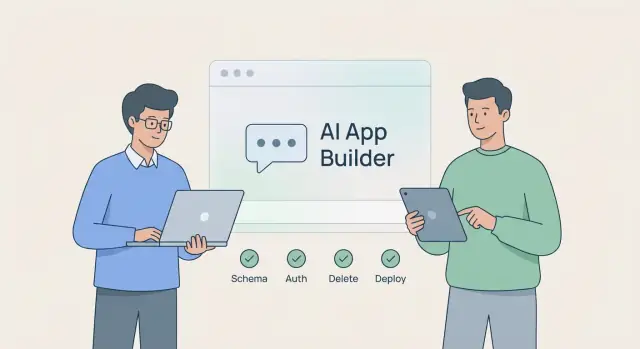
Why 5-minute human reviews save so much time
AI-assisted building can feel instant. You describe a feature, get a working screen, and the app looks done. The catch is that small details often fail in edge cases: real data, real permissions, real production settings. Those “tiny” misses are exactly what turn into a week of cleanup.
A checkpoint is a short human pause before you accept or ship a change. It’s not a meeting and it’s not a long QA cycle. It’s a deliberate 5-minute scan where you ask: if this is wrong, what breaks hardest?
Most painful cleanups come from four high-risk areas:
- Data schema: wrong types, missing constraints, confusing names, missing indexes.
- Auth and permissions: users can see or edit what they shouldn’t, or admins can’t do their job.
- Destructive actions: delete/overwrite/bulk updates that run too easily, with no recovery.
- Deployment settings: wrong env vars, mixed dev/prod data, sloppy secret handling, domain misconfig.
A quick pause helps because these problems are cross-cutting. A small schema mistake ripples into APIs, screens, reports, and migrations. A permission mistake can become a security incident. A bad deploy setting can cause downtime.
Whether you code by hand or use a vibe-coding tool like Koder.ai, the rule is the same: move fast, but add tiny guardrails where the damage is big.
A simple 5-minute checkpoint routine
Checkpoints work best when they’re predictable. Don’t review everything. Review the few things that are expensive to undo.
Pick moments that always trigger a checkpoint: after finishing a feature, right before deployment, and right after a refactor that touches data, auth, billing, or anything production-facing.
Set a timer for 5 minutes. When it ends, stop. If you found real risk, schedule a longer follow-up. If you didn’t, ship with more confidence.
The routine
- Name the change in one sentence (what users can do now).
- Check the blast radius (what data, roles, and environments it touches).
- Scan risky edges (schema, auth rules, destructive actions, deploy settings).
- Run one reality test (the simplest flow that proves it works).
- Decide: proceed, adjust the prompt and regenerate, or rollback.
Assign a reviewer role, even if it’s “future you.” Pretend you’re approving this for a teammate you can’t interrupt later.
A tiny template helps you stay consistent:
Change:
Risky areas touched:
1 quick test to run:
Decision (proceed / adjust prompt / rollback):
If you’re building in Koder.ai, make the last step easy on purpose. Snapshots and rollback turn “I’m not sure” into a safe decision.
Schema sanity: catch data problems early
The fastest way to lose days is to accept a database schema that only “kind of” matches what you meant. Small data mistakes spread into every screen, API, report, and migration.
Start by checking whether the core entities match the real world. A simple CRM usually needs Customers, Contacts, Deals, and Notes. If you see vague names like “ClientItem” or “Record,” you’re already drifting.
A five-minute schema scan:
- Names match reality: tables represent things you actually talk about (users, invoices, subscriptions).
- Names are readable and consistent: pick one style (created_at vs createdAt) and stick to it.
- Relationships are complete: one-to-many where it belongs, and many-to-many when roles or memberships matter.
- Constraints are intentional: required fields aren’t nullable, duplicates are blocked where they hurt (email, invoice_number), status fields have a known set.
- Growth won’t break the app: common lookups have indexes, and you’re not storing huge blobs in the wrong place.
A small example: an Invoices table without a unique invoice_number looks fine in a demo. A month later, duplicates appear, payments get applied to the wrong record, and you’re writing cleanup scripts and apology emails. Catching it in review is a 30-second fix.
If you only ask one question, make it this: can you explain the schema to a new teammate in two minutes? If not, tighten it before building on top.
Auth rules: who can do what (and how to verify)
Auth bugs are expensive because happy-path demos hide them. The two common failures are “everyone can do everything” and “nobody can do anything.”
Write roles in plain words: admin, staff, customer. If the app has teams, add workspace member and workspace owner. If you can’t explain a role in one sentence, the rules will sprawl.
Then apply one rule: least access by default. New roles should start with no access or read-only and gain exactly what they need. AI-generated code often starts permissive because it makes tests pass.
To verify quickly, use a tiny access matrix and actually try it in the UI and API:
- For each role, confirm create/read/update/delete on the main objects.
- Check ownership: users should only see their own records unless explicitly shared.
- Try one guessing attempt: open another user’s item by changing an ID.
- Confirm admin-only actions are truly admin-only (billing, exports, user management).
- Don’t miss “hidden” access: list endpoints, search, downloads.
Ownership checks deserve special attention. “User can read Task” isn’t enough. It should be “user can read Task where task.ownerId == user.id” (or the user belongs to the workspace).
Edge cases are where leaks happen: invited-but-not-accepted users, deleted accounts, removed workspace members with old sessions. One missed edge can turn into a week of cleanup.
If you use Koder.ai, ask the assistant to output roles and an access table before you accept changes, then verify with two test accounts per role.
Destructive actions: prevent accidental data loss
Destructive actions are the fastest path from a small mistake to days of cleanup.
First, list anything that can erase or overwrite data. It’s not just delete buttons. It’s reset, sync, import/replace, rebuild index, seed actions, and broad admin tools.
Look for a few clear safety signals:
- Explicit confirmation for dangerous actions (type-to-confirm is best).
- Scoped impact (one record, one user, one workspace), not an easy “all.”
- Logging of who triggered it and what was affected.
- Safe defaults like dry run, preview, or archive instead of delete.
For most user-generated data, prefer soft delete. A simple deleted_at field plus filtering keeps undo possible and buys you time if a bug shows up later.
Also treat schema changes as potentially destructive. Dropping columns, changing types, and tightening constraints can lose data even if nobody calls a delete endpoint. If the AI proposed a migration, ask: what happens to existing rows, and how do we restore them?
If you can’t explain the rollback plan in one sentence, don’t ship the destructive change yet.
Deployment settings: small config mistakes that hurt
Most cleanup stories start the same way: the app worked in dev, then production behaved differently.
Separate dev and production on purpose: different databases, keys, buckets, and email providers. If both environments point at the same database, one test script can pollute real data, and a “quick reset” can erase it.
Next, look at secrets. If you see keys in a config file, a prompt, or a commit message, assume they’ll leak. Secrets should be injected at deploy time (env vars or a secrets manager). Production should fail to start if a required secret is missing. That failure is cheaper than a silent fallback.
Then confirm browser-facing settings: allowed origins (CORS), redirect URLs, OAuth callback URLs. These are easy to almost match, and that’s how you end up debugging “broken login” when the code is fine.
A five-minute deployment check:
- Dev and prod use different databases and keys.
- Secrets are injected, not hardcoded.
- Origins, redirects, and callbacks match the real domain.
- Custom domain basics are correct (DNS points to the right place, HTTPS is expected).
- Production logging and error reporting are on (without logging sensitive data).
If you’re deploying from Koder.ai, this is also a good time to confirm you deployed the right environment and that rollback is available if something looks off.
The 60-second pre-merge checklist
Before you accept an AI-generated change and ship it, pause for one minute. You’re not reviewing style. You’re hunting for the mistakes that turn into long cleanups.
- Schema: Do the entities make sense? Are relationships correct? Are constraints present (unique, not null)? Will growth break queries or storage?
- Auth: Is it default-deny? Can you explain who can create/read/update/delete each resource? Are ownership checks enforced server-side (not only in the UI)?
- Destructive actions: Is there confirmation for irreversible actions? Is soft delete used where it should be? Is there a rollback plan (snapshot, backup, reversible migration)?
- Deployment: Are dev and prod separated? Are secrets out of code and logs? Are domain and redirects correct?
One example: you merge an “admin delete user” feature. In 60 seconds you notice there’s no role check in the backend, only a hidden UI button. A real user can still call the endpoint directly. That one catch saves you from an incident.
Finish with a question that forces reality:
What is the worst thing a real user can do here, on purpose or by accident?
If the answer includes “delete other people’s data,” “see private records,” or “break production,” stop and tighten the change.
Example: a 5-minute review that prevents a week of cleanup
You’re building a small CRM and you ask an AI tool to add a “Delete customer” button on the customer page. In minutes, it generates the UI, a backend endpoint, and a database change to remove related records.
Everything appears to work: the button shows up, the request returns 200, and the customer disappears from the list. Many teams would move on.
A 5-minute review catches two problems:
- The database change uses cascade delete that also removes invoices and activity logs. That might be fine for test data, but in a real CRM it breaks reporting, audits, and customer history.
- The endpoint checks only that the user is signed in, not that they have an admin role. Any staff member could delete any customer.
A quick review in practice:
- Click the button as a non-admin test user and confirm it fails.
- Check the endpoint and verify it rejects users without the right role.
- Scan the schema and confirm what happens to invoices, notes, and logs.
- Confirm the UI asks for confirmation and shows what will be deleted.
- Verify you’re testing against the correct database before trying it.
A prompt tweak fixes it before it ships:
“Make delete customer a soft delete. Keep invoices and logs. Only admins can delete. Add a confirmation step that requires typing DELETE. Return a clear error message when unauthorized.”
To keep it from breaking again, document three things in project notes: the delete rule (soft vs hard), the permission requirement (who can delete), and the expected side effects (what related data stays).
Prompts that force clarity before you accept changes
AI output can sound confident while hiding assumptions. The goal is to make those assumptions visible.
Words that should trigger follow-up questions: “assume”, “default”, “simple”, “should”, “usually”. They often mean “I picked something without confirming it fits your app.”
Useful prompt patterns:
“Rewrite your proposal as acceptance criteria. Include: required fields, error states, and 5 edge cases. If you made assumptions, list them and ask me to confirm.”
Two more prompts that expose risk fast:
- “Show the data model changes as a before/after table. For each field: type, nullability, default, and migration risk.”
- “List all destructive operations you introduced (drop table/column, delete endpoints, cascade rules). For each, show how to undo it and what data is lost.”
For auth:
“Show roles and permissions for each API route and UI action. For every role: allowed actions, denied actions, and one example request that should fail.”
Decide what must always be human-verified, and keep it short:
- Auth rules and admin actions
- Deletes, cascades, irreversible migrations
- Environment and deployment settings (prod vs staging)
- Payment, email, and user-data flows
- Rollback plan (snapshot or release point)
Common mistakes that make cleanup take days
Most long cleanups start with the same small choice: trusting output because it works right now.
“It works on my machine” is the classic trap. A feature can pass local tests and still fail with real data sizes, real permissions, or a slightly different environment. The fix becomes a pile of emergency patches.
Schema drift is another magnet. When tables evolve without clear names, constraints, and defaults, you end up with one-off migrations and weird workarounds. Later someone asks, “what does status mean?” and nobody can answer.
Auth added last is painful because it rewrites assumptions. If you build everything as if every user can do everything, you’ll spend weeks plugging holes across random endpoints and screens.
Destructive actions cause the loudest disasters. “Delete project” or “reset database” is easy to implement and easy to regret without soft delete, snapshots, or a rollback plan.
A few recurring causes of multi-day cleanup:
- Schema changes without constraints (unique, not null, foreign keys)
- UI-only permission rules instead of server-side checks
- Delete endpoints without confirmation and recovery
- Treating staging and production as “basically the same”
- No record of who changed what
Next steps: make checkpoints part of how you build
The easiest way to make checkpoints stick is to attach them to moments you already have: starting a feature, merging it, deploying it, and verifying it.
A lightweight rhythm:
- Before building: agree on the data shape (tables, key fields) and the roles (who can read/create/update/delete).
- Before merge: do the 60-second pass for auth, destructive actions, and anything touching production data.
- Before deploy: confirm environment settings (domains, secrets, email, storage, region) match the target.
- After deploy: run one real user flow end-to-end.
If you work in Koder.ai, its planning mode can serve as the “before building” checkpoint: write down decisions like “orders can be created by signed-in users, but only admins can change status” before generating changes. Snapshots and rollback also make it easier to treat “I’m not sure” as a reason to revert safely, then regenerate with a clearer prompt.
Five minutes won’t catch everything. It reliably catches the expensive mistakes while they’re still cheap.
FAQ
When should I do a 5-minute checkpoint review?
Use a checkpoint right after a feature is generated, right before deployment, and right after any change that touches data, auth, billing, or production settings. These moments have the biggest “blast radius,” so a small review catches the expensive mistakes early.
What’s the fastest 5-minute review routine that actually works?
Keep it strict: set a 5-minute timer and follow the same steps every time. Name the change in one sentence, check what it touches (data, roles, environments), scan the four risky areas, run one simple reality test, then decide to proceed, adjust the prompt, or rollback.
Why do tiny schema mistakes turn into days of cleanup?
Because the failures are cross-cutting. A small schema mistake can ripple into APIs, screens, reports, and migrations, and fixing it later often means rewriting multiple layers. Catching the issue while it’s still a fresh change is usually a quick edit instead of a cleanup project.
What should I look for in a quick database schema sanity check?
Verify that tables and fields match real-world concepts, names are consistent, relationships are complete, and constraints are intentional (not null, unique, foreign keys). Also sanity-check indexes for common lookups so performance doesn’t collapse as data grows.
How do I quickly catch auth and permissions bugs that demos hide?
Assume the UI is lying and test the backend rules. Confirm roles in plain language, start from least access by default, and verify ownership checks server-side by trying to access another user’s record by changing an ID. Also check list/search/download endpoints, not just the main screens.
What counts as a destructive action, and what guardrails should it have?
List every operation that can erase or overwrite data, including imports, resets, bulk updates, and admin tools. Require explicit confirmation, keep the scope narrow, log who triggered it, and prefer archive or soft delete for user-generated data so you can recover from mistakes.
Should I use soft delete or hard delete in my app?
Default to soft delete for most business data so you can undo accidents and investigate bugs without losing history. Use hard delete only when you truly need permanent removal, and make sure you can explain the recovery plan in one sentence before shipping it.
What are the top deployment settings to verify before shipping?
Separate dev and prod databases and keys, inject secrets at deploy time (not in code or prompts), and verify CORS origins, redirect URLs, and OAuth callbacks match the real domain. Also ensure production logging is on without leaking sensitive data, because silent misconfigurations are the hardest to debug.
How do snapshots and rollback help during AI-assisted building (like in Koder.ai)?
Treat it as a safety net, not a substitute for thinking. Use snapshots to create a safe rollback point before risky changes, and rollback immediately if the review finds real risk or uncertainty. Then regenerate with a clearer prompt that includes the missing constraints, role checks, or confirmations.
What should be on my 60-second pre-merge checklist for AI-generated changes?
It’s a one-minute scan for the costly failures: schema clarity and constraints, default-deny auth with server-side checks, confirmations and recovery for destructive actions, and clean dev/prod separation with safe secrets. Finish by asking what the worst realistic user mistake or abuse could be, and stop if the answer includes data loss, data leaks, or breaking production.