

How to Improve an App Over Time Without Rewriting Everything
Learn practical ways to improve an app over time—refactoring, testing, feature flags, and gradual replacement patterns—without a risky full rewrite.
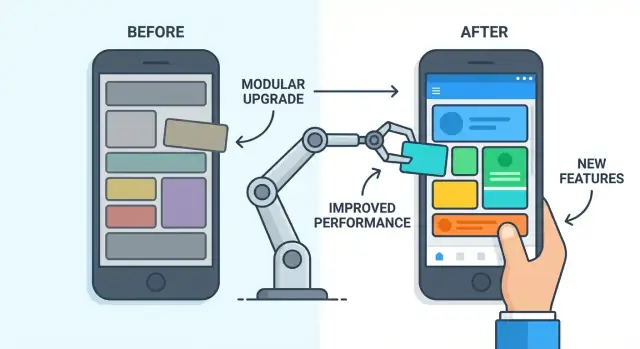
What it means to improve an app without rewriting it
Improving an app without rewriting it means making small, continuous changes that add up over time—while the existing product keeps running. Instead of a “stop everything and rebuild” project, you treat the app like a living system: you fix pain points, modernize parts that slow you down, and steadily raise quality with each release.
Incremental improvement, not a “big bang”
Incremental improvement usually looks like:
- Cleaning up a messy module as you touch it for a new feature
- Replacing one risky dependency without changing the rest of the app
- Simplifying a slow workflow in the UI while keeping the same user outcome
The key is that users (and the business) still get value along the way. You ship improvements in slices, not in one giant delivery.
Why full rewrites are risky
A full rewrite can feel appealing—new tech, fewer constraints—but it’s risky because it tends to:
- Take longer than planned (requirements keep moving)
- Reintroduce old bugs and create new ones
- Lose “invisible features” users rely on (edge cases, integrations, admin tools)
Often, the current app contains years of product learning. A rewrite can accidentally throw that away.
Set expectations: measurable, not instant
This approach isn’t overnight magic. Progress is real, but it shows up in measurable ways: fewer incidents, faster release cycles, improved performance, or reduced time to implement changes.
Who this is for
Incremental improvement requires alignment across product, design, engineering, and stakeholders. Product helps prioritize what matters most, design ensures changes don’t confuse users, engineering keeps changes safe and sustainable, and stakeholders support steady investment rather than betting everything on a single deadline.
Spot the real problems before changing anything
Before you refactor code or buy new tools, get clear on what’s actually hurting. Teams often treat symptoms (like “the code is messy”) when the real issue is a bottleneck in review, unclear requirements, or missing test coverage. A quick diagnosis can save months of “improvements” that don’t move the needle.
Common pain points to look for
Most legacy apps don’t fail in one dramatic way—they fail through friction. Typical complaints include:
- Releases feel slow, risky, or require late nights
- Bugs keep reappearing (or hotfixes become normal)
- Certain areas are “untouchable” because changes break unrelated features
- Simple requests take weeks because the impact is hard to predict
Signals that point to deeper issues
Pay attention to patterns, not one-off bad weeks. These are strong indicators you’re dealing with systemic problems:
- A steady stream of hotfixes after every release
- Long onboarding time because “only a few people understand it”
- Fear of touching specific modules (“don’t change payments”)
- High support load for issues that should be caught earlier
Separate symptoms from causes
Try grouping findings into three buckets:
- Process: approvals, handoffs, release steps, unclear ownership
- Code/architecture: tight coupling, duplicated logic, missing boundaries
- Product/requirements: vague specs, shifting priorities, inconsistent definitions of “done”
This keeps you from “fixing” the code when the real problem is that requirements arrive late or change mid-sprint.
Establish a simple baseline
Pick a handful of metrics you can track consistently before any changes:
- Crash rate or error rate (how often users hit failures)
- Cycle time (from starting work to shipping it)
- Support tickets volume and top categories
- Hotfix frequency (how often you patch production urgently)
These numbers become your scoreboard. If refactoring doesn’t reduce hotfixes or cycle time, it’s not helping—yet.
Technical debt: what it is and how to manage it
Technical debt is the “future cost” you take on when you choose the quick solution now. Like skipping routine car maintenance: you save time today, but you’ll likely pay more later—with interest—through slower changes, more bugs, and stressful releases.
How debt builds up (often for understandable reasons)
Most teams don’t create technical debt on purpose. It accumulates when:
- Deadlines force shortcuts (hard-coded rules, “temporary” hacks that become permanent)
- Copy‑paste spreads the same logic into multiple places
- The original authors leave and ownership becomes unclear
- Requirements shift, but the code keeps old assumptions
Over time, the app still works—but making any change feels risky, because you’re never sure what else you’ll break.
Prioritize the debt that hurts you now
Not all debt deserves immediate attention. Focus on the items that:
- Block new features (every change requires days of careful manual work)
- Cause outages or security risk (fragile areas that fail under load)
- Make troubleshooting slow (no clear logs, unclear error handling)
A simple rule: if a part of the code is touched often and fails often, it’s a good candidate for cleanup.
Track it lightly, not perfectly
You don’t need a separate system or long documents. Use your existing backlog and add a tag like tech-debt (optionally tech-debt:performance, tech-debt:reliability).
When you find debt during feature work, create a small, concrete backlog item (what to change, why it matters, how you’ll know it’s better). Then schedule it alongside product work—so debt stays visible and doesn’t quietly pile up.
Set a clear improvement plan and success measures
If you try to “improve the app” without a plan, every request sounds equally urgent and the work turns into scattered fixes. A simple, written plan makes improvements easier to schedule, explain, and defend when priorities shift.
Pick a short list of goals
Start by choosing 2–4 goals that matter to the business and users. Keep them concrete and easy to discuss:
- Speed: pages load faster, key workflows feel snappier
- Reliability: fewer outages, fewer failed payments/logins/uploads
- Usability: fewer support tickets, higher task completion
- Cost: lower hosting spend, less time spent firefighting
Avoid goals like “modernize” or “clean up code” on their own. Those can be valid activities, but they should support a clear outcome.
Set a time horizon and success criteria (4–12 weeks)
Choose a near-term window—often 4–12 weeks—and define what “better” means using a handful of measures. For example:
- “Reduce checkout error rate from 1.2% to under 0.5%.”
- “Cut average API response time from 800ms to 400ms for top 5 endpoints.”
- “Bring on-call alerts down from 40/week to 15/week.”
If you can’t measure it precisely, use a proxy (support ticket volume, time-to-resolve incidents, user drop-off rate).
Allocate capacity explicitly
Improvements compete with features. Decide upfront how much capacity is reserved for each (for example, 70% features / 30% improvements, or alternating sprints). Put it in the plan so improvement work doesn’t vanish the moment a deadline appears.
Align stakeholders on trade-offs
Share what you will do, what you won’t do yet, and why. Agree on the trade-offs: a slightly later feature release might buy fewer incidents, faster support, and more predictable delivery. When everyone signs onto the plan, it’s easier to stick with incremental improvement instead of reacting to the loudest request.
Refactoring in small steps (without breaking features)
Refactoring is reorganizing code without changing what the app does. Users shouldn’t notice anything different—same screens, same results—while the inside becomes easier to understand and safer to change.
Start with “safe” refactors
Begin with changes that are unlikely to affect behavior:
- Rename unclear variables, functions, and files so the intent is obvious.
- Remove duplication by extracting shared logic into one place.
- Create small modules around a single responsibility (for example, moving all “invoice total” calculations into one service).
These steps reduce confusion and make future improvements cheaper, even if they don’t add new features.
Work in tiny slices (the boy scout rule)
A practical habit is the boy scout rule: leave the code a little better than you found it. If you’re already touching a part of the app to fix a bug or add a feature, take a few extra minutes to tidy that same area—rename one function, extract one helper, delete dead code.
Small refactors are easier to review, easier to undo, and less likely to introduce subtle bugs than big “cleanup projects.”
Define what “done” means for a refactor
Refactoring can drift without clear finish lines. Treat it like real work with clear completion criteria:
- All tests pass (or, if there are few tests, at least key flows are verified).
- Behavior is unchanged (same outputs for the same inputs).
- Performance is unchanged or better (no new slow pages or heavier queries).
- Code is simpler to change next time (fewer moving parts, clearer names, less duplication).
If you can’t explain the refactor in one or two sentences, it’s probably too large—split it into smaller steps.
Build a safety net with automated testing
Improving a live app is much easier when you can tell—quickly and confidently—whether a change broke something. Automated tests provide that confidence. They don’t eliminate bugs, but they sharply reduce the risk of “small” refactors turning into expensive incidents.
Start with the tests that catch real damage
Not every screen needs perfect coverage on day one. Prioritize tests around the flows that would hurt the business or users the most if they fail:
- Login and password reset
- Checkout, payments, and refunds
- Data sync (imports/exports, background jobs)
- Any “core action” users do every day
These tests act like guardrails. When you later improve performance, reorganize code, or replace parts of the system, you’ll know if the essentials still work.
Use the right mix: unit, integration, and end-to-end
A healthy test suite usually blends three types:
- Unit tests for small rules (calculations, validation). Fast and cheap.
- Integration tests for boundaries (database queries, API calls). Great for catching wiring issues.
- End-to-end tests for critical journeys (a real user path through the app). Fewer of these, because they’re slower.
Add tests before refactoring risky areas
When you’re touching legacy code that “works but nobody knows why,” write characterization tests first. These tests don’t judge whether behavior is ideal—they simply lock in what the app does today. Then you refactor with less fear, because any accidental behavior change shows up immediately.
Keep tests maintainable (or they’ll be ignored)
Tests only help if they stay reliable:
- Use stable selectors in UI tests (data-test IDs, not fragile CSS paths).
- Give tests clear names that explain intent (“blocks checkout when card is expired”).
- Keep runs fast by focusing end-to-end tests on a handful of critical flows.
Once this safety net exists, you can improve the app in smaller steps—and ship more often—with much less stress.
Modularize the app so improvements don’t ripple everywhere
When a small change triggers unexpected breakage in five other places, the problem is usually tight coupling: parts of the app depend on each other in hidden, fragile ways. Modularizing is the practical fix. It means separating the app into parts where most changes stay local, and where connections between parts are explicit and limited.
Find natural boundaries first
Start with areas that already feel like “products within the product.” Common boundaries include billing, user profiles, notifications, and analytics. A good boundary typically has:
- A clear purpose (“handles payments and subscriptions”)
- Its own data and rules
- Few reasons to change when other parts change
If the team argues about where something belongs, that’s a sign the boundary needs to be defined more clearly.
Reduce coupling with clear interfaces
A module isn’t “separate” just because it’s in a new folder. The separation is created by interfaces and data contracts.
For example, instead of many parts of the app reading billing tables directly, create a small billing API (even if it’s just an internal service/class at first). Define what can be asked and what will be returned. This lets you change billing internals without rewriting the rest of the app.
Key idea: make dependencies one-way and intentional. Prefer passing stable IDs and simple objects over sharing internal database structures.
Extract gradually (avoid the big redesign)
You don’t need to redesign everything up front. Pick one module, wrap its current behavior behind an interface, and move code behind that boundary step by step. Each extraction should be small enough to ship, so you can confirm nothing else broke—and so improvements don’t ripple through the whole codebase.
Use gradual replacement patterns (like the strangler approach)
A full rewrite forces you to bet everything on one big launch. The strangler approach flips that: you build new capabilities around the existing app, route only the relevant requests to the new parts, and gradually “shrink” the old system until it can be removed.
How the strangler approach works
Think of your current app as the “old core.” You introduce a new edge (a new service, module, or UI slice) that can handle a small piece of functionality end-to-end. Then you add routing rules so some traffic uses the new path while everything else continues to use the old one.
Concrete examples of “small pieces” worth replacing first:
- One screen: rebuild a single settings page in the new UI stack, while the rest of the app remains unchanged.
- One API endpoint: implement
/users/{id}/profilein a new service, but leave other endpoints in the legacy API. - One background job: replace a nightly cleanup task with a new worker that writes to the same database (or a safe replica).
Run old and new in parallel
Parallel runs reduce risk. Route requests using rules like: “10% of users go to the new endpoint,” or “only internal staff use the new screen.” Keep fallbacks: if the new path errors or times out, you can serve the legacy response instead, while capturing logs to fix the issue.
Retire old parts safely
Retirement should be a planned milestone, not an afterthought:
- Shift traffic gradually (10% → 50% → 100%) while monitoring errors, latency, and support tickets.
- Freeze changes to the legacy component once the replacement is stable.
- Delete with confidence: remove routes, code, and configs, and confirm nothing calls the old path (dashboards and access logs help).
Done well, the strangler approach delivers visible improvements continuously—without the “all-or-nothing” risk of a rewrite.
Release improvements safely with feature flags and rollouts
Feature flags are simple switches in your app that let you turn a new change on or off without redeploying. Instead of “ship it to everyone and hope,” you can ship the code behind a disabled switch, then enable it carefully when you’re ready.
How flags reduce risk
With a flag, the new behavior can be limited to a small audience first. If anything goes wrong, you can flip the switch off and get an instant rollback—often faster than reverting a release.
Common rollout patterns include:
- Phased rollouts: enable for 1% of users, then 10%, then 50%, then 100% as confidence grows.
- Targeted releases: enable only for internal staff, beta customers, or a specific region.
- A/B experiments: show different versions to different groups to compare metrics (conversion, retention, support tickets) before committing.
Flag hygiene: keep them under control
Feature flags can turn into a messy “control panel” if you don’t manage them. Treat each flag like a mini project:
- Naming: use clear, searchable names (e.g.,
checkout_new_tax_calc). - Ownership: assign a person/team responsible for the flag.
- Expiration date: set a deadline to remove the flag or make the new behavior permanent.
- Documentation: note what it changes, who is affected, and how to disable it.
Don’t overuse flags
Flags are great for risky changes, but too many can make the app harder to understand and test. Keep critical paths (login, payments) as simple as possible, and remove old flags promptly so you don’t end up maintaining multiple “versions” of the same feature forever.
Make delivery easier with CI/CD and smaller releases
If improving the app feels risky, it’s often because shipping changes is slow, manual, and inconsistent. CI/CD (Continuous Integration / Continuous Delivery) makes delivery routine: every change is handled the same way, with checks that catch issues early.
A basic CI/CD pipeline (the “happy path”)
A simple pipeline doesn’t need to be fancy to be useful:
- Build: compile/package the app the same way every time.
- Test: run automated tests (even a small set) to catch obvious breakages.
- Review: require a pull request review so changes aren’t merged blindly.
- Deploy: push to a staging environment first, then production with a repeatable process.
The key is consistency. When the pipeline is the default path, you stop relying on “tribal knowledge” to ship safely.
Why small, frequent releases reduce risk
Large releases turn debugging into detective work: too many changes land at once, so it’s unclear what caused a bug or slowdown. Smaller releases make cause-and-effect clearer.
They also reduce coordination overhead. Instead of scheduling a “big release day,” teams can ship improvements as they’re ready, which is especially valuable when you’re doing incremental improvement and refactoring.
Add quality checks that prevent common issues
Automate the easy wins:
- Linting to catch common mistakes and suspicious patterns.
- Formatting (auto-format on commit/CI) to avoid style debates in reviews.
- Dependency and security checks to flag known vulnerabilities.
These checks should be fast and predictable. If they’re slow or flaky, people will ignore them.
A simple release checklist and rollback plan
Document a short checklist in your repo (for example, /docs/releasing): what must be green, who approves, and how you verify success after deploy.
Include a rollback plan that answers: How do we revert quickly? (previous version, config switch, or database-safe rollback steps). When everyone knows the escape hatch, shipping improvements feels safer—and happens more often.
Tooling note: If your team is experimenting with new UI slices or services as part of incremental modernization, a platform like Koder.ai can help you prototype and iterate quickly via chat, then export the source code and integrate it into your existing pipeline. Features like snapshots/rollback and planning mode are especially useful when you’re shipping small, frequent changes.
Measure what happens in production with monitoring and logging
If you can’t see how your app behaves after release, every “improvement” is partly guesswork. Production monitoring gives you evidence: what’s slow, what’s breaking, who is affected, and whether a change helped.
Observability: logs, metrics, and traces
Think of observability as three complementary views:
- Logs tell you what happened (a checkout failed, an API call timed out) with context like user ID (hashed), request ID, and the step that failed.
- Metrics show how often and how bad (error rate, latency percentiles, queue depth) so you can spot trends quickly.
- Traces connect events across services so you can see where time is spent end-to-end (e.g., “payment call took 3.2s, DB query took 1.8s”).
A practical start is to standardize a few fields everywhere (timestamp, environment, request ID, release version) and make sure errors include a clear message and stack trace.
Track user-impact signals first
Prioritize signals customers feel:
- Crash rate and frozen screens
- Latency (especially p95/p99) for key actions like login and checkout
- Error rates by endpoint and by release version
- Business failures: failed payments, failed signups, dropped confirmations
Alerts that someone can act on
An alert should answer: who owns it, what is broken, and what to do next. Avoid noisy alerts based on a single spike; prefer thresholds over a window (e.g., “error rate >2% for 10 minutes”) and include links to the relevant dashboard or runbook (/blog/runbooks).
Use the data to choose the next improvements
Once you can connect issues to releases and user impact, you can prioritize refactoring and fixes by measurable outcomes—fewer crashes, faster checkout, lower payment failures—not by gut feel.
Keep improvements going: ownership, standards, and pitfalls
Improving a legacy app isn’t a one-time project—it’s a habit. The easiest way to lose momentum is to treat modernization as “extra work” that no one owns, measured by nothing, and postponed by every urgent request.
Assign ownership (so work doesn’t fall through the cracks)
Make it clear who owns what. Ownership can be by module (billing, search), by cross-cutting areas (performance, security), or by services if you’ve split the system.
Ownership doesn’t mean “only you can touch it.” It means one person (or a small group) is responsible for:
- Knowing the current state and risks
- Approving higher-impact changes
- Keeping a short, prioritized improvement backlog
- Deciding when something is “good enough” to stop polishing
Create lightweight standards that prevent backsliding
Standards work best when they’re small, visible, and enforced in the same place every time (code review and CI). Keep them practical:
- Coding conventions that reduce churn (naming, file structure, error handling)
- API contracts that limit accidental breaking changes (request/response shape, versioning rules)
- Review expectations (what must be checked: tests, logs, backwards compatibility, migration steps)
Document the minimum in a short “Engineering Playbook” page so new teammates can follow it.
Schedule maintenance time (and protect it)
If improvement work is always “when there’s time,” it will never happen. Reserve a small, recurring budget—monthly cleanup days or quarterly goals tied to one or two measurable outcomes (fewer incidents, faster deploys, lower error rate).
Common pitfalls to watch for
The usual failure modes are predictable: trying to fix everything at once, making changes without metrics, and never retiring old code paths. Plan small, verify impact, and delete what you replace—otherwise complexity only grows.
FAQ
How do we start improving a legacy app without kicking off a rewrite?
Start by deciding what “better” means and how you’ll measure it (e.g., fewer hotfixes, faster cycle time, lower error rate). Then reserve explicit capacity (like 20–30%) for improvement work and ship it in small slices alongside features.
Why are full rewrites so risky compared to incremental improvement?
Because rewrites often take longer than planned, recreate old bugs, and miss “invisible features” (edge cases, integrations, admin workflows). Incremental improvements keep delivering value while reducing risk and preserving product learnings.
How can we diagnose the real problems before refactoring anything?
Look for recurring patterns: frequent hotfixes, long onboarding, “untouchable” modules, slow releases, and high support load. Then sort findings into process, code/architecture, and product/requirements so you don’t fix code when the real problem is approvals or unclear specs.
What metrics should we track to prove the improvements are working?
Track a small baseline you can review weekly:
- Error/crash rate
- Cycle time (start → shipped)
- Hotfix frequency
- Support ticket volume/top categories
Use these as your scoreboard; if changes don’t move the numbers, adjust the plan.
How should we prioritize and manage technical debt without drowning in it?
Treat tech debt as a backlog item with a clear outcome. Prioritize debt that:
- Blocks frequent feature work
- Causes outages/security risk
- Makes troubleshooting slow
Tag items lightly (e.g., tech-debt:reliability) and schedule them alongside product work so they stay visible.
How do we refactor safely without breaking existing features?
Make refactors small and behavior-preserving:
- Rename for clarity, remove duplication, extract small modules
- Apply the “boy scout rule” while doing feature/bug work
- Define “done” (tests pass, behavior unchanged, performance not worse)
If you can’t summarize the refactor in 1–2 sentences, split it.
What’s the best way to add automated tests to an app that has few or none?
Start with tests that protect revenue and core usage (login, checkout, imports/jobs). Add characterization tests before touching risky legacy code to lock in current behavior, then refactor with confidence. Keep UI tests stable with data-test selectors and limit end-to-end tests to critical journeys.
How do we modularize a tightly coupled app so changes don’t ripple everywhere?
Identify “product-like” areas (billing, profiles, notifications) and create explicit interfaces so dependencies become intentional and one-way. Avoid letting multiple parts of the app read/write the same internals directly; instead, route access through a small API/service layer that you can change independently.
How can we replace parts of the system gradually instead of rewriting everything?
Use gradual replacement (often called the strangler approach): build a new slice (one screen, one endpoint, one background job), route a small percentage of traffic to it, and keep a fallback to the legacy path. Increase traffic gradually (10% → 50% → 100%), then freeze and delete the old path deliberately.
How do feature flags and phased rollouts make improvements safer in production?
Use feature flags and staged rollouts:
- Ship code behind a disabled flag
- Enable for internal users or 1% first
- Ramp up while monitoring errors/latency
Keep flags clean with clear naming, ownership, and an expiration date so you don’t maintain multiple versions forever.