

Indian wear merchandising: collection structure for easy browsing
Indian wear merchandising patterns for sarees, kurtas, and lehengas, with clear categories, filters, and UX tips that help shoppers find outfits faster.
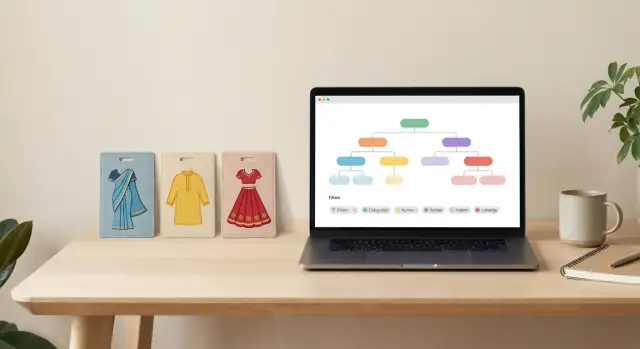
What goes wrong when Indian wear collections are messy
Messy Indian wear collections usually fail in the same way: everything looks similar at first glance, and the shopper has no clear “next choice” to make. When sarees, kurtas, and lehengas are mixed under vague labels like “New In” or “Traditional,” people start scrolling instead of deciding. That is when they abandon, or they buy the wrong thing and return it.
Unclear naming is a big part of the problem. A collection called “Festive Edit” might contain cotton office kurtas, heavy bridal lehengas, and partywear sarees together. Even if the products are good, the shopper cannot predict what they will see after the next tap.
The pain shows up in common real-life moments. A wedding guest often wants one fast decision: “What can I wear to a sangeet that looks dressy but not bridal?” A last-minute festive shopper thinks in shortcuts like “ready to wear” and “ships fast,” not in designer terms. For an office ethnic day, shoppers want “comfortable, not see-through, easy to style” and will leave if they have to open 20 products to confirm basics.
Good browsing feels like fewer clicks with clearer forks in the road. The shopper should be able to start with product type (saree, kurta set, lehenga), then narrow by an obvious intent like occasion, fabric, and style. If a collection is doing its job, it reduces scrolling and increases confident filtering.
To know if your structure is working, track a few simple signals:
- List-to-product click rate (do people find items worth opening?)
- Filter usage (are filters helping, or being ignored?)
- Search exits (do people search, fail, and leave?)
- Product page bounce rate from collections (are listings mismatched to intent?)
A practical collection model: type first, then narrow
Indian wear shopping gets easier when your structure matches how people think: “What am I buying?” first, then “When will I wear it?”, then the details.
Start with a simple 3-axis model:
- Product type (your stable top level)
- Occasion (a second layer that stays consistent)
- Attributes like fabric, work, sleeve length, neckline, silhouette, color (mostly filters)
Keep product type steady and predictable across the site. For most stores, that means separate, always-visible entry points like Sarees, Kurtas and Sets, and Lehengas. Resist mixing in “Wedding Wear” as a top-level type, because it’s an occasion, not a product.
For Indian wear merchandising, the easiest rule is: make a collection when shoppers expect a curated rack; make a filter when it’s a spec they want to toggle.
Use collections for things that change the whole vibe and need editorial choice (and sometimes different banners, sort order, and hero products). Good collection candidates are:
- Product type (Sarees, Kurtas and Sets, Lehengas)
- Occasion (Wedding guest, Festive, Workwear, Casual)
- Big style families (for example: Anarkali sets, Banarasi sarees, Mermaid lehengas)
Use filters for details that can stack without creating confusion: fabric (cotton, georgette), work (zari, sequins), blouse type, dupatta included, sleeve length, color, price, and delivery time.
Avoid duplicate meanings. If “Cotton” is a filter, don’t also create ten near-identical collections like “Cotton Sarees,” “Soft Cotton Sarees,” “Everyday Cotton Sarees” unless each is truly curated and different.
A quick example: a shopper lands on Sarees (type), taps “Festive” (occasion collection), then filters to “Silk,” “Zari work,” and “Red.” They feel in control, and you avoid sending them through three separate pages that all show the same products in a new order.
Occasion collections that work for sarees, kurtas, lehengas
Occasion is one of the fastest ways people shop Indian wear. It helps when a shopper is not sure what fabric or silhouette they want yet, they just know where they are going. For Indian wear merchandising, occasion collections work best when they feel “curated”, not like a random mix of everything tagged festive.
What shoppers expect by occasion
Treat each occasion as a promise about vibe, modesty, and budget. If the products inside don’t match that promise, shoppers bounce.
A simple set that covers most intent:
- Wedding guest: richer colors, embroidery, heavier drape, easy-to-style sets (sarees with blouse options, lehengas with dupatta, kurtas with matching bottoms).
- Festive: bright but wearable, mix of embellished and lighter pieces, family-friendly necklines and lengths.
- Party: statement details (sequins, metallics), trend silhouettes, bolder cuts, clearer “wow” factor.
- Workwear: softer colors, minimal shine, comfortable fabrics, easy care, reliable coverage.
- Casual: light fabrics, simple prints, mix-and-match kurtas and sets, everyday sarees.
Price expectations matter too. A “Workwear sarees” collection filled with high-shine zari and premium price tags feels off, even if the items are technically appropriate.
When to add Bridal and Last-minute
Add Bridal only if you can show real depth. Otherwise it becomes a thin category that looks understocked. If you do have depth, split it by clear shopper language (for example, bridal sarees vs bridal lehengas, and within that, traditional vs modern).
Create Last minute outfits or Ready to wear only if fulfillment supports it. Shoppers read these labels as a delivery promise. Keep the rules strict:
- in-stock only (no long lead times)
- clear dispatch timeline shown consistently
- limited customization (or none)
- predictable sizing and returns
One practical example: a shopper looking for a “Wedding guest lehenga” should mostly see mid to premium sets with visible festive work, not casual cotton skirts mixed in just because they are lehengas. That single mismatch is what makes occasion browsing feel unreliable.
Fabric-driven browsing without overwhelming people
Fabric is one of the fastest ways shoppers self-select Indian wear. Someone looking for a cotton kurta usually wants comfort and easy care, while silk often signals festive or formal. Treat fabric as a helpful shortcut, not a maze.
Promote a fabric into its own collection only when it can stand on its own. A simple rule: if you can stock it consistently and customers search for it often, make it visible at the collection level. If it is a small slice of inventory, keep it as a filter.
Use fabric collections when you have:
- High inventory depth (enough styles and sizes to browse)
- Clear seasonality (cotton/linen in summer, heavier silks in peak festive)
- Strong demand or repeat buying (for example, “Cotton Kurtas” or “Silk Sarees”)
- A clear promise shoppers understand (drape, shine, breathability)
For everything else, keep fabric under filters, and keep the filter list short and familiar. Most stores can cover intent with 6-10 options across sarees, kurtas, and lehengas: Cotton, Silk, Georgette, Chiffon, Organza, Linen, plus “Velvet” or “Wool blend” if relevant.
Blends and ambiguous materials are where confusion starts. Be consistent in naming, and show the dominant fabric first. If the label is unclear, shoppers lose trust.
Good labeling patterns:
- “Cotton-Silk (Blend)” instead of “Mixed Fabric”
- “Art Silk” as its own value-focused fabric term (not under pure silk)
- “Georgette (Poly)” vs “Georgette (Silk)” only if you actually have both
Seasonal groupings work best as lightweight tags, not deep category trees. Use them as quick chips or filter toggles like “Summer-friendly”, “Monsoon-friendly”, or “Winter festive”. For example: a shopper opens Sarees, taps “Monsoon-friendly”, then narrows to “Georgette” for quick-dry, easy-drape options without wading through every fabric on your site.
Done well, fabric-driven Indian wear merchandising feels like guidance, not extra work.
Style and silhouette patterns for each product type
Style filters work best when they match the first question shoppers ask in their head: “What shape is it, and how will it look on me?” If you get this right, Indian wear merchandising feels effortless because people can narrow fast without learning your internal jargon.
Sarees: filter by what changes the look
For sarees, shoppers usually decide by the overall vibe (traditional, modern), then the visible details (border, weave, print). Good, plain filter groups are:
- Drape feel: lightweight, structured, flowy (avoid niche drape names unless you explain them)
- Border: no border, thin border, broad border, contrast border
- Weave/print: woven, jacquard, zari, embroidered, printed
- Finish: sheer, opaque, shimmer
- Blouse option: unstitched, stitched, readymade
Keep drape-type labels consistent. If you must use terms like “Nivi” or “seedha pallu,” add a one-line tooltip like: “Pallu in the front; easy for formal looks.”
Kurtas and lehengas: name silhouettes like shapes
Kurtas are easiest when you separate shape from “what’s included.” A shopper looking for a daily kurta should not wade through “kurta set” results unless they chose that.
Use simple silhouette words and reserve fancy names for the product title. Helpful filter patterns (keep them the same across categories):
- Kurta shape: straight, A-line, anarkali
- Kurta details: short/3-4/full sleeves, round/V/boat neckline, calf/ankle length
- Buy type: kurta only, kurta set
- Lehenga silhouette: A-line, circular, mermaid (rare, but clear)
- Lehenga build: high flare/medium/low, can-can/lining included, dupatta style (net/organza/heavy border)
A quick sanity check: if two labels could mean the same thing (for example “umbrella” vs “circular”), pick one and stick to it everywhere. This alone cuts confusion and wrong-size returns.
Filtering UX that feels simple on mobile and desktop
Good filters are a big part of Indian wear merchandising because shoppers often know the vibe they want, but not the exact product name. The goal is to help them narrow fast without making them think.
Start by limiting what you show upfront. For each product type (sarees, kurtas, lehengas), keep 6-10 primary filters visible and tuck the rest under “More filters”. Too many choices up front makes people abandon.
Put filters in the order people decide things. On both mobile and desktop, this order usually works:
- Occasion (single-select)
- Price
- Color (multi-select)
- Size (where relevant)
- Fabric (multi-select)
Then, under “More filters”, place the details that matter later: work (zari, sequins, embroidery), weave, sleeve, neckline, length, blouse type, dupatta included, and so on.
Use multi-select where mixing makes sense. Colors and fabrics often need it because shoppers will say “red or maroon” and “silk or tissue”. Use single-select where contradictions cause confusion, especially occasion. “Wedding guest” plus “daily wear” creates messy results and buyer doubt.
On mobile, keep the filter panel simple: clear section titles, big tap targets, and selected values shown as chips above the grid. Add “Clear all” and show how many products are currently matching before they hit Apply. On desktop, a left sidebar works well, but still consider collapsing long sections to avoid a wall of options.
Sorting should be limited to what people actually use:
- New in
- Price: low to high
- Price: high to low
- Best selling
- Rating (only if you have enough reviews)
Example: a shopper opens lehengas on their phone, picks Occasion: “Sangeet”, selects Colors: “teal” and “navy”, sets a price range, and only then checks “sequins” under More filters. They reach a short, confident set of options without scrolling through dozens of irrelevant styles.
Small UX details that reduce confusion and returns
Most returns in Indian wear happen when the shopper expected one thing and received another. Small UX choices can prevent that mismatch, especially when people shop fast on mobile.
Applied filters should be visible and easy to undo. Show them as chips near the top of the product grid, and make each chip removable with one tap. Add a clear, always-visible "Clear all" action so people can reset quickly when they feel stuck.
Result feedback needs to feel immediate. When someone changes a filter, update the result count fast (and keep the grid stable so it does not jump around). If a filter leads to zero results, say so plainly and suggest the closest alternative, like removing one filter or widening price.
For pricing, a slider is useful, but many shoppers prefer quick choices. Pair the slider with simple presets like "Under 2,000" or "2,000-5,000" based on your catalog. For stitched items like kurtas and lehengas, sizes should be scannable: show standard size options plus a readable range (for example, bust/waist range) so the customer does not guess.
Color filtering needs restraint. Too many near-duplicate shades create doubt. Keep it to about 10-12 grouped colors (like Red, Pink, Maroon, Orange) and let product pages handle exact shade names. Consistency matters: the same "Ivory" should not appear as "Off-white" in one place and "Cream" in another.
A simple "Work / embellishment" filter reduces surprises more than most filters. Use three levels with plain examples in the label:
- Minimal (prints, small border)
- Medium (buttis, light zari, scattered sequins)
- Heavy (all-over embroidery, stone work, dense zari)
This one choice helps saree, kurta, and lehenga shoppers understand effort, weight, and occasion fit before they buy.
Step-by-step: build your taxonomy and collection rules
Start by writing down what shoppers actually try to do, separately for sarees, kurtas, and lehengas. Use your site search terms, customer questions, and what your store team hears most. “Wedding guest saree,” “office kurta set,” and “lehenga for sangeet” are intents. “Georgette” is usually not the first intent, but it matters once they are browsing.
Next, lock a small, controlled vocabulary so the same idea never has three names. This is where messy catalogs get fixed.
Here’s a simple starting set to standardize:
- Occasion: Work, Festive, Wedding, Party
- Fabric: Cotton, Silk, Georgette, Chiffon
- Work/embellishment: Printed, Embroidered, Zari, Sequin
- Silhouette/style: A-line, Anarkali, Straight, Mermaid
- Set type: Kurta only, Kurta set, Lehenga set, Saree with blouse
Then decide what becomes a collection (good for landing pages) vs what stays as a filter (better for narrowing). Rule of thumb: if someone would happily click it from the home page and it can hold enough products year-round, make it a collection. If it is a detail that’s helpful but too specific, keep it as a filter.
Now set tagging rules so your catalog stays clean after launch. Make a few attributes mandatory for every product type (for example: occasion, fabric, and work). Keep allowed values fixed, and decide who can add new values and who approves changes. This avoids “silk-saree” vs “silk saree” splitting results.
Finally, test with real items before you roll it out. Pick 10 sarees, 10 kurtas, and 10 lehengas. Apply tags, then try narrowing: does each filter reduce results in a sensible way, without dead ends? If you are building or updating the filtering UI, a build tool like Koder.ai can help you prototype the collection logic and filter behavior quickly before you commit to a full rebuild.
Example shopper journeys (sarees, kurtas, lehengas)
Good Indian wear merchandising feels like a guided choice, not a puzzle. Here are three shopper journeys that show a simple, repeatable pattern: start with product type, then narrow with the few filters that matter most for that item.
Journey 1: Festive saree, budget cap, medium work, specific fabric
A shopper wants something festive but wearable, and they already know they like a certain fabric (say, organza or chiffon). If they land on a mixed “Festive” page with sarees, kurtas, and lehengas together, they will bounce. Put them on Sarees first, then let occasion do the sorting.
Path: Sarees -> Occasion: Festive -> Fabric: Organza/Chiffon -> Work level: Medium -> Price: Under X -> Color: (optional).
Work level is the “decision maker” here. Put it above fine-grain filters like border type or zari style.
Journey 2: Office kurta set, cotton, knee length, avoid heavy embroidery
This shopper is trying to solve a weekly problem: what can I wear to work that looks neat and feels comfortable?
Path: Kurta Sets -> Occasion: Work/Everyday -> Fabric: Cotton -> Length: Knee -> Embellishment: None/Light.
If “Kurta Sets” includes both partywear and office styles, add a clear Work/Everyday collection. Then use one filter that reduces risk: “Embellishment” (so they can exclude heavy embroidery fast).
Journey 3: Wedding guest lehenga, lightweight, pastel, needs stitched blouse
A guest wants a wedding-ready look, but not a heavy bridal piece. They also care about convenience.
Path: Lehengas -> Occasion: Wedding Guest -> Weight/Comfort: Lightweight -> Color family: Pastels -> Blouse: Stitched/Ready-to-wear.
This is where Indian wear merchandising wins or loses sales: shoppers should not have to open five product pages just to learn if the blouse is stitched or if the lehenga is heavy. Put those attributes in filters and in the product card highlights.
Common merchandising traps and how to avoid them
The fastest way to make Indian wear feel hard to shop is to build collections like a scrapbook. A shopper clicks around, sees the same pieces everywhere, and still cannot answer simple questions like “Is this stitched?” or “Will it arrive in time for a wedding?”
Trap 1: Too many tiny collections
Micro-collections (for every niche fabric, color, and mood) look neat on a spreadsheet but turn into duplicates and broken pages. Keep collections broader and let filters do the narrowing.
A simple rule: if a collection needs fewer than 10-15 items to feel “real” most of the time, it is usually better as a filter or a tag.
Trap 2: Names that drift over time
In Indian wear merchandising, small spelling differences create big messes: Banarasi vs Banarsi, “Anarkali Kurta” vs “Anarkali Suit,” “Lehenga” vs “Lehenga Set.” Shoppers do not care which spelling your team picked, but they do care that filters work.
Fix it with a glossary of approved values and make those values the only options in your catalog fields. If you allow free text, your filters will slowly stop matching products.
Here are the traps that cause the most confusion, plus practical fixes:
- Mixing stitched and unstitched in one list without an obvious switch: add a top-level “Stitched / Unstitched” choice (and show it near size, not buried in filters).
- Filters that often lead to zero results: hide filter values with low stock, and default to broad choices (for example, show “Wedding guest” before “Reception lehenga in organza”).
- The same product showing up in unrelated collections: define membership rules (based on product type, occasion, and a small set of approved tags) instead of adding items manually.
- Duplicate “lookalike” categories created by different teams: assign one owner for taxonomy changes and review new categories monthly.
A quick example: if a lehenga is tagged “Bridal” and “Sangeet,” it should appear in those occasion collections only if it also matches required basics like product type = lehenga and stock status = in stock. Otherwise you get “random” placements that feel like errors.
When you write down these rules once and enforce them consistently, browsing becomes calmer, filters feel trustworthy, and your catalog stays maintainable as it grows.
Checklist and next steps to implement confidently
Good Indian wear merchandising should feel effortless: the shopper picks a product type, then gets to a helpful list fast, with filters that make sense.
Quick checks (10 minutes)
Use these as a fast health check on your current navigation and filters:
- On mobile, can a shopper reach a solid product list in 3-5 taps without guessing where to go next?
- Do your top collections match real intent: wedding, festive, workwear, casual, and party (or the closest 5 for your audience)?
- Are filter names plain and consistent (no duplicates like “Festive Wear” vs “Festive-wear”, and no spelling variants like “Embroidered” vs “Embroided”)?
- For each product type (sarees, kurtas, lehengas), do you have 6-10 primary filters that cover the basics (price, color, size, fabric, work/embellishment, and fit or silhouette)?
- Do collection titles and filter values avoid internal jargon (use “Georgette”, not “GGT”, and “Ready to wear saree”, not “Pre-stitched SKU”)?
If you fail any one check, shoppers will often bounce, or they will buy the wrong thing and return it.
Next steps (build once, then maintain)
Treat your structure like a small system, not a one-time menu update:
- Write down your taxonomy: product types, the 5-8 main collections per type, and how “occasion”, “fabric”, and “style” will be used (collections vs filters).
- Define tagging rules and required attributes per type (example: every saree must have fabric, length, blouse piece info, and work type).
- Create a short naming guide so new products don’t add new spellings for the same thing.
- Audit 30-50 real products and fix tags until your filters produce clean, believable lists.
- Prototype the category tree and filter flow before you commit: in Koder.ai planning mode you can map the structure, generate a working storefront UI, and test it with real product data.
FAQ
What is the best way to organize Indian wear collections?
Start with product type, then let shoppers narrow by occasion and details. Keep Sarees, Kurtas and Sets, and Lehengas as stable entry points, then use filters for fabric, color, work, size, and price.
Should wedding wear be a main category?
Use occasion as a collection when shoppers browse for an event, such as wedding guest, festive, workwear, casual, or party. Keep it separate from product type so a shopper can find a wedding guest saree or lehenga without mixing unrelated items.
When should fabric have its own collection?
Usually, no. Wedding wear describes where someone will wear an outfit, while sarees, kurtas, and lehengas describe what they are buying. Use Wedding Guest or Bridal as occasion collections under or alongside product types.
Which filters matter most for sarees?
Create a fabric collection when you have enough stock and shoppers regularly seek it out, such as Cotton Kurtas or Silk Sarees. Keep smaller fabric groups as filters so you do not create thin, repetitive pages.
How should kurta and lehenga filters differ?
Put occasion, price, color, fabric, work level, and blouse option near the top. Border type, weave, finish, and drape feel can sit under more filters because shoppers usually decide those later.
How can a store reduce Indian wear returns?
For kurtas, show silhouette, length, sleeve, neckline, and whether the item is a kurta or a set. For lehengas, focus on silhouette, flare, blouse status, dupatta details, weight or comfort, and work level.
Should shoppers select more than one filter value?
Show practical details before shoppers open a product page. Make stitched versus unstitched, blouse inclusion, sizing ranges, fabric, transparency, embellishment level, and dispatch timing easy to spot in filters and product cards.
What makes mobile filtering easier to use?
Allow multiple choices for colors and fabrics because people often accept more than one option, such as red or maroon. Keep occasion single-select so conflicting choices like workwear and wedding guest do not create confusing results.
How do we stop collection names from becoming messy?
Show only the most useful filters first, use large tap targets, and display selected choices as removable chips above the product grid. Show the matching product count before shoppers apply their choices, and keep Clear all easy to find.
What is a simple test for a new collection structure?
Create a short approved naming list for occasions, fabrics, silhouettes, and work types. Make required product fields use those fixed values, assign one owner for changes, and review new labels regularly to catch duplicates and spelling drift.