

How Interpreted Languages Favor Fast Development Over Speed
Learn how interpreted languages speed up building software through quick feedback, simpler workflows, and rich libraries—and how teams manage performance tradeoffs.
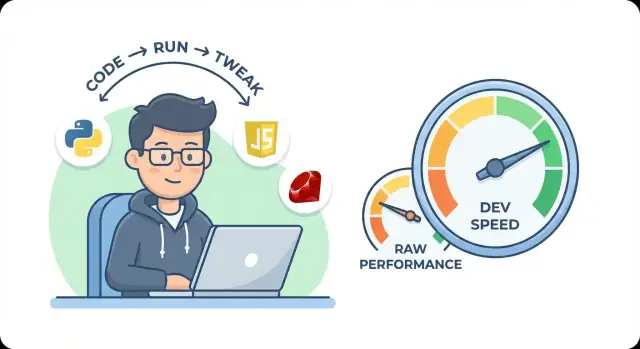
What “Interpreted” Really Means (Without the Jargon)
An “interpreted” language is one where your code is run by another program—a runtime, interpreter, or virtual machine (VM). Instead of producing a stand-alone machine-code executable up front, you typically write source code (like Python or JavaScript), and a runtime reads it and carries out the instructions while the program is running.
The runtime is the real worker
Think of the runtime as a translator and coordinator:
- It reads your code and decides what to do next.
- It manages details your code doesn’t spell out (like memory and types).
- It often provides built-in tools for errors, debugging, and importing libraries.
This setup is a big reason interpreted languages can feel fast to work in: change a file, run it again, and you’re immediately testing the new behavior.
How this differs from “compiled” (without the value judgment)
A compiled language usually turns your code into machine instructions ahead of time using a compiler. The result is typically a binary the operating system can run directly.
That can lead to excellent runtime speed, but it can also add steps to the workflow (configure builds, wait for compilation, deal with platform-specific outputs). Those steps aren’t always painful—but they’re still steps.
Interpreted vs. compiled isn’t “slow vs. fast” or “bad vs. good.” It’s more like:
- Compiled: more work up front, potentially less work at runtime.
- Interpreted: less ceremony up front, more work delegated to the runtime.
Most real-world languages are hybrids
Many popular “interpreted” languages aren’t purely interpreting source code line-by-line. They may compile to bytecode first, run inside a VM, and even use JIT (just-in-time) compilation to speed up hot code paths.
For example, modern JavaScript runtimes and several Python implementations blend interpretation with compilation techniques.
The goal here is to show why runtime-driven designs often favor developer speed early on—rapid iteration, easier experimentation, and quicker delivery—even if raw performance can require extra attention later.
Fast Feedback Loops: Edit, Run, Learn, Repeat
A big reason interpreted languages feel “fast” is simple: you can change a line of code and see the result almost immediately. There’s usually no long compile step, no waiting for a build pipeline, and no juggling multiple artifacts just to answer “did that fix it?”
That tight edit–run–see loop turns development into a series of small, low-risk moves.
The power of “try it now”
Many interpreted ecosystems encourage interactive work. A REPL (Read–Eval–Print Loop) or interactive shell lets you type an expression, run it, and get an answer on the spot. That’s more than a convenience—it’s a workflow.
You can:
- Probe how a library function behaves with real inputs
- Inspect objects and data structures as they exist right now
- Test edge cases without setting up a full program
Instead of guessing, you validate your thinking in seconds.
A similar “tight loop” is why chat-driven development tools are gaining traction for early builds: for example, Koder.ai lets you iterate on app behavior through a conversational interface (and then export source code when you want to take over manually). It’s the same underlying principle as a good REPL: shorten the distance between an idea and a working change.
Short cycles make learning and debugging faster
Fast feedback loops reduce the cost of being wrong. When a change breaks something, you discover it quickly—often while the context is still fresh in your mind. That’s especially valuable early on, when requirements are evolving and you’re exploring the problem space.
The same speed helps debugging: add a print, rerun, inspect output. Trying an alternative approach becomes routine, not something you postpone.
Why this ships products faster
When delays between edits and results shrink, momentum goes up. Developers spend more time making decisions and less time waiting.
Raw runtime speed matters, but for many projects the bigger bottleneck is iteration speed. Interpreted languages optimize that part of the workflow, which often translates directly into faster delivery.
Less Ceremony: Expressive Syntax and Fewer Moving Parts
Interpreted languages often feel “fast” before you ever hit Run—because they ask you to write less scaffolding. With fewer required declarations, configuration files, and build steps, you spend more time expressing the idea and less time satisfying the toolchain.
Concise syntax that stays close to the problem
A common pattern is doing something useful in a handful of lines.
In Python, reading a file and counting lines might look like:
with open("data.txt") as f:
    count = sum(1 for _ in f)
In JavaScript, transforming a list is similarly direct:
const names = users.map(u => u.name).filter(Boolean);
You’re not forced to define types, create classes, or write getters/setters just to move data around. That “less ceremony” matters during early development, where requirements shift and you’re still discovering what the program should do.
Fewer lines, fewer hiding places for bugs
Less code isn’t automatically better—but fewer moving parts usually means fewer places for mistakes to slip in:
- fewer variables and conversions to keep in sync
- fewer files where logic gets duplicated
- fewer “glue” layers that exist mainly to satisfy structure
When you can express a rule in one clear function instead of spreading it across multiple abstractions, it becomes easier to review, test, and delete when it’s no longer needed.
Readability helps teams move faster
Expressive syntax tends to be easier to scan: indentation-based blocks, straightforward data structures (lists, dicts/objects), and a standard library designed for common tasks. That pays off in collaboration.
A new teammate can usually understand a Python script or a small Node service quickly because the code reads like the intent. Faster onboarding means fewer “tribal knowledge” meetings and more confident changes—especially in the parts of a product that evolve weekly.
Clarity often beats micro-optimizations
It’s tempting to squeeze out tiny speed gains early, but clear code makes it easier to optimize later when you know what matters. Ship sooner, measure real bottlenecks, then improve the right 5% of the code—rather than pre-optimizing everything and slowing development from the start.
Dynamic Typing: Flexibility That Speeds Early Work
Dynamic typing is a simple idea with big effects: you don’t have to describe the exact “shape” of every value before you can use it. Instead of declaring types everywhere up front, you can write behavior first—read input, transform it, return output—and let the runtime figure out what each value is as the program runs.
Less upfront structure to write
In early development, momentum matters: getting a thin end-to-end slice working so you can see something real.
With dynamic typing, you often skip boilerplate like interface definitions, generic type parameters, or repeated conversions just to satisfy a compiler. That can mean fewer files, fewer declarations, and less time “setting the table” before you start cooking.
This is a major reason languages like Python and JavaScript are popular for prototypes, internal tools, and new product features.
Great when requirements are still moving
When you’re still learning what the product should do, the data model tends to change weekly (sometimes daily). Dynamic typing makes that evolution less costly:
- You can add a new field to a JSON payload and start using it immediately.
- You can change a function to accept either a single item or a list without refactoring half the codebase.
- You can reshape data during experiments without rewriting type definitions each time.
That flexibility keeps iteration fast while you discover what’s actually needed.
The tradeoff: some mistakes show up later
The downside is timing: certain errors don’t get caught until runtime. A misspelled property name, an unexpected null, or passing the wrong kind of object might only fail when that line is executed—possibly in production if you’re unlucky.
Mitigations that keep speed without chaos
Teams usually add lightweight guardrails rather than giving up dynamic typing entirely:
- Type hints/annotations (e.g., Python type hints, TypeScript for JS) to document intent and enable tooling.
- Linters to catch common mistakes and enforce consistency.
- Automated tests to execute critical paths and reveal type-related surprises early.
Used together, these keep the early-stage flexibility while reducing the “it only broke at runtime” risk.
Runtime Helpers: Memory Management and Safety Nets
A big reason interpreted languages feel “quick” is that they quietly handle a category of work you’d otherwise need to plan, implement, and constantly revisit: memory management.
Garbage collection and automatic memory management
In languages like Python and JavaScript, you typically create objects (strings, lists, dictionaries, DOM nodes) without deciding where they live in memory or when they should be freed. The runtime tracks what’s still reachable and reclaims memory when it’s no longer used.
This is usually done through garbage collection (GC), often combined with other techniques (like reference counting in Python) to keep everyday programs simple.
The practical effect is that “allocate” and “free” aren’t part of your normal workflow. You focus on modeling the problem and shipping behavior, not managing lifetimes.
Why this saves development time
Manual memory concerns can slow early work in subtle ways:
- You spend time designing ownership rules and deciding who cleans up what.
- Bugs can be costly to find: leaks show up later, and invalid access can crash unpredictably.
- Refactors become riskier because object lifetimes change as code structure changes.
With automatic memory management, you can iterate more freely. Prototypes can evolve into production code without first rewriting a memory strategy.
The tradeoff: overhead and occasional pauses
GC isn’t free. The runtime does extra bookkeeping, and collection cycles can introduce runtime overhead. In some workloads, GC can also cause pauses (brief stop-the-world moments), which may be noticeable in latency-sensitive apps.
Practices that keep things fast enough
When performance matters, you don’t abandon the language—you guide it:
- Profile first to confirm whether allocation/GC is actually the bottleneck.
- Avoid unnecessary allocations in hot paths (reuse buffers, prefer in-place operations where reasonable).
- Reduce “churn”: creating many short-lived objects in tight loops can trigger more frequent collections.
This is the core trade: the runtime carries more weight so you can move faster—then you optimize selectively once you know what truly needs it.
Libraries and Ecosystems That Save Weeks
One reason interpreted languages feel “fast” is that you rarely start from zero. You’re not just writing code—you’re assembling working building blocks that already exist, are tested, and are widely understood.
“Batteries included” means fewer decisions
Many interpreted languages ship with standard libraries that cover everyday tasks without extra downloads. That matters because setup time is real time.
Python, for example, includes modules for JSON parsing (json), dates/time (datetime), file handling, compression, and simple web servers. JavaScript runtimes similarly make it easy to work with JSON, networking, and the filesystem (especially in Node.js).
When common needs are handled out of the box, early prototypes move quickly—and teams avoid lengthy debates over which third‑party library to trust.
Package managers turn “I need X” into minutes
Ecosystems like pip (Python) and npm (JavaScript) make dependency installation straightforward:
- find a package
- install it
- import it
- keep moving
That speed compounds. Need OAuth? A database driver? CSV parsing? A scheduling helper? You can usually add it the same afternoon instead of building and maintaining it yourself.
Frameworks eliminate entire categories of work
Frameworks take common tasks—web apps, APIs, data workflows, automation scripts—and provide conventions so you don’t reinvent plumbing.
A web framework can generate routing, request parsing, validation, authentication patterns, and admin tooling with minimal code. In data and scripting, mature ecosystems provide ready-made connectors, plotting, and notebooks, which makes exploration and iteration far faster than writing custom tooling.
The catch: dependency sprawl
The same ease can backfire if every small feature pulls in a new library.
Keep versions tidy by pinning dependencies, reviewing transitive packages, and scheduling updates. A simple rule helps: if a dependency is critical, treat it like part of your product—track it, test it, and document why it’s there (see /blog/dependency-hygiene).
Debugging and Diagnostics Built for Speed
Interpreted languages tend to fail “loudly” and informatively. When something breaks, you usually get a clear error message plus a stack trace—a readable breadcrumb trail showing which functions were called and where the problem happened.
In Python, for example, a traceback points to the exact file and line. In JavaScript runtimes, console errors typically include line/column info and a call stack. That precision turns “why is this broken?” into “fix this line,” which saves hours.
Tools that keep you in the flow
Most interpreted ecosystems prioritize fast diagnosis over heavy setup:
- Debuggers let you pause code, inspect variables, and step forward one line at a time.
- Hot reload (common in web and app frameworks) updates running code after a save, often without restarting the whole application.
- Inspector tools (like browser DevTools) show network requests, performance timelines, and live DOM/state inspection.
Why faster diagnosis shortens delivery time
Delivery time isn’t just writing features—it’s also finding and fixing surprises. Better diagnostics reduce back-and-forth: fewer prints, fewer “maybe it’s this” experiments, and fewer full rebuild cycles.
Logging and error handling basics that pay off
A few habits make debugging even faster:
- Log key events and inputs at boundaries (API calls, file reads, user actions).
- Prefer structured logs (JSON fields like
request_id,user_id,duration_ms) so you can filter and correlate issues. - Use consistent exception handling: catch errors where you can recover, and otherwise let them surface with context rather than hiding them.
These practices make production issues easier to reproduce—and much quicker to fix.
Portability and Automation: Getting Work Done Anywhere
Interpreted languages shine when your code needs to travel. If a machine has the right runtime (like Python or Node.js), the same source code usually runs across macOS, Windows, and Linux with few or no changes.
That portability is a development multiplier: you can prototype on a laptop, ship to a CI runner, and deploy to a server without rewriting the core logic.
“Bring the runtime” portability
Instead of compiling for each operating system, you standardize on a runtime version and let it handle the platform differences. File paths, process management, and networking still vary a bit, but the runtime smooths most edges.
In practice, teams often treat the runtime as part of the application:
- Pin a specific version (e.g., Python 3.12 or Node 20)
- Install dependencies from a lockfile
- Run the same command everywhere (local, CI, production)
Scripting and glue code that connects everything
A lot of real work is integration: pulling data from an API, transforming it, writing to a database, notifying Slack, and updating a dashboard. Interpreted languages are popular for this “glue” because they’re quick to write, have great standard libraries, and offer mature SDKs for services.
That makes them ideal for small adapters that keep systems talking without the overhead of building and maintaining a full compiled service.
Automation for builds, ETL, and maintenance
Because startup overhead is low and editing is fast, interpreted languages are often the default for automation:
- Build scripts and release tooling
- ETL jobs (extract, transform, load) and scheduled reports
- One-off migrations, backfills, and cleanup tasks
- Health checks and operational utilities
These tasks change frequently, so “easy to modify” often matters more than “max speed.”
Operational considerations: versions and packaging
Portability works best when you control the runtime and dependencies. Common practices include virtual environments (Python), lockfiles (pip/poetry, npm), and packaging into a container for consistent deployment.
The tradeoff: you must manage runtime upgrades and keep dependency trees tidy, or “works on my machine” can creep in again.
Where Raw Performance Usually Gets Lost
Interpreted languages often feel “fast” while you’re building—but the finished program can run slower than an equivalent in a compiled language. That slowdown usually isn’t one single thing; it’s many small costs added up across millions (or billions) of operations.
The hidden cost of “figuring it out at runtime”
A compiled program can decide a lot of details ahead of time. Many interpreted runtimes decide those details while the program is running.
Two common sources of overhead are:
- Dynamic dispatch: the runtime may need to look up what a function or method actually refers to each time you call it (especially when types can change).
- Safety checks: bounds checks on arrays, type checks, null checks, and other guardrails help prevent crashes or security problems.
Each check is small, but repeated constantly, it adds up.
Startup time vs. long-running processes
Performance isn’t only about “how fast the code runs once it’s going.” Some interpreted languages have noticeable startup time because they need to load the runtime, parse files, import modules, and sometimes warm up internal optimizers.
That matters a lot for:
- command-line tools that run for a second and exit
- serverless functions that may start from scratch frequently
For a web server that stays up for days, startup time is often less important than steady-state speed.
CPU-bound vs. I/O-bound (plain-English version)
Many apps spend most of their time waiting, not computing.
- CPU-bound work is heavy calculation: image processing, simulations, encryption, ML training.
- I/O-bound work waits on the outside world: databases, network calls, disk reads/writes.
This is why a Python or JavaScript service that mostly talks to APIs and databases can feel perfectly fast in production, while a tight numeric loop might struggle.
The expectation to set
Interpreted-language performance depends heavily on workload and design. A clean architecture with fewer hot loops, good batching, and smart caching can outperform a poorly designed system in any language.
When people say interpreted languages are “slow,” they’re usually talking about specific hotspots—places where tiny overheads are repeated at scale.
How Interpreted Languages Catch Up When It Matters
Interpreted languages often feel “slow” in the abstract, but many real apps don’t spend most of their time in language overhead. And when speed actually becomes a bottleneck, these ecosystems have practical ways to close the gap—without giving up the fast iteration that made them attractive.
JITs: making repeated code faster automatically
A big reason modern JavaScript is faster than people expect is the JIT (Just-In-Time) compiler inside today’s engines.
Instead of treating every line the same forever, the runtime watches what code runs a lot (“hot” code), then compiles parts of it into machine code and applies optimizations based on observed types and usage patterns.
Not every interpreted language relies on JITs the same way, but the pattern is similar: run it first, learn what matters, optimize what repeats.
Common “no-drama” speed tactics
Before rewriting anything, teams usually get surprising wins from simple changes:
- Caching: store results of expensive work (queries, computations, rendered templates) so you don’t redo it.
- Batching: send fewer requests, write fewer rows, process items in chunks.
- Use built-ins efficiently: built-in operations are often implemented in optimized native code, so leaning on standard library features can be faster than hand-rolled loops.
Move hotspots to faster paths
If profiling shows a small section dominates runtime, you can isolate it:
- Use native extensions (C/C++/Rust-backed modules) for tight loops.
- Offload heavy work to specialized services (search, queues, analytics) so your app stays simple.
Measure first, then optimize
The biggest productivity trap is “optimizing vibes.” Profile before you change code, and verify after. Otherwise you risk making the code harder to maintain while speeding up the wrong thing.
Choosing the Right Tradeoff for Your Project
Interpreted languages aren’t “slow by default”; they’re optimized for getting to a working solution quickly. The best choice depends on what hurts more: waiting on engineering time, or paying for extra CPU and careful optimization.
A practical decision checklist
Use this quick checklist before you commit:
- Team skills and hiring: Will your team ship faster in Python/JavaScript/Ruby because they already know the tooling and ecosystem?
- Time-to-market: Do you need a useful version in days or weeks, with room to adjust requirements as you learn?
- Workload shape: Is most time spent on I/O (databases, HTTP calls, queues, files) rather than heavy math?
- Performance budget: Can you scale horizontally (more instances) or accept slightly higher latency to gain iteration speed?
- Operational constraints: Are you deploying to many environments where packaging and simplicity matter?
When interpreted is a strong fit
Interpreted languages shine when the main goal is rapid delivery and frequent change:
- APIs and web backends where request time is dominated by network and database calls.
- Automation and glue code: scripts, ETL pipelines, DevOps tasks, data cleanup, reporting.
- Prototypes and MVPs: validate the problem, UI flow, or business logic before investing in deeper optimization.
- Internal tools where developer time is more expensive than compute.
This is also the environment where a vibe-coding workflow can be effective: if you’re optimizing for learning speed, a platform like Koder.ai can help you go from “working concept” to a deployed web app quickly, then iterate via snapshots/rollback and planning mode as requirements change.
When to consider alternatives
If your core requirement is predictable speed at high volume, other options may be a better foundation:
- Hard real-time systems (industrial control, medical devices) with strict timing guarantees.
- Heavy compute (large-scale simulation, video processing, cryptography, high-frequency trading).
- Tight latency budgets where every millisecond matters and warm-up/runtime variability is risky.
Hybrid approaches that work well
You don’t have to pick one language for everything:
- Build the product in an interpreted language, then move hot paths into a faster service (e.g., Go/Rust/Java).
- Use native extensions or optimized libraries for compute-heavy parts.
- Split by component: interpreted for orchestration and business logic, compiled for performance-critical kernels.
The goal is simple: optimize for learning speed first, then spend performance effort only where it clearly pays back.
FAQ
What does “interpreted” mean in practical terms?
An interpreted language runs your code through a runtime (interpreter or VM) that reads your program and executes it while it’s running. You typically don’t produce a stand-alone native executable up front; instead you run source code (or bytecode) via the runtime.
What does the runtime actually do for me?
The runtime does a lot of behind-the-scenes work:
- Executes your program’s instructions
- Manages memory and object lifetimes (often via GC)
- Performs dynamic checks (types, bounds, null)
- Provides tooling hooks (errors, stack traces, imports/modules)
That extra help reduces setup and “ceremony,” which usually speeds up development.
Are interpreted languages always executed line-by-line?
Not necessarily. Many “interpreted” languages are hybrids:
- They may compile source to bytecode first
- They run inside a VM
- They may use JIT compilation to speed up hot paths
So “interpreted” often describes the workflow and runtime model, not a strict line-by-line execution style.
How is interpreted different from compiled, without calling one better?
Compilation usually produces machine code ahead of time, which can help with steady-state performance. Interpreted workflows often trade some runtime speed for faster iteration:
- Compiled: more up-front build steps, potentially less runtime overhead
- Interpreted: quick edit/run cycles, more decisions made at runtime
Which is “better” depends on your workload and constraints.
Why do interpreted languages feel faster to develop in day-to-day work?
Because the feedback loop is tighter:
- Save a change
- Run immediately (often no build pipeline)
- See results quickly
That short cycle lowers the cost of experimentation, debugging, and learning—especially early in a project.
What’s the practical benefit of a REPL or interactive shell?
A REPL lets you execute code interactively, which is great for:
- Trying library functions with real inputs
- Inspecting objects and data structures
- Testing edge cases without scaffolding a full program
It turns “I wonder how this behaves” into a seconds-long check instead of a longer edit/build/run cycle.
How does dynamic typing speed early development, and how do teams keep it safe?
Dynamic typing lets you write behavior without declaring the exact type/shape of every value up front. This is especially useful when requirements change frequently, because you can adjust data models and function inputs quickly.
To reduce runtime surprises, teams often add:
- Type hints/annotations (or TypeScript)
- Linters
- Automated tests
How does garbage collection affect development speed and performance?
Automatic memory management (garbage collection, reference counting, etc.) means you usually don’t design and maintain explicit ownership/freeing rules. That makes refactors and prototypes less risky.
Tradeoffs to watch:
- Runtime overhead
- Occasional GC pauses in latency-sensitive workloads
When it matters, profiling and reducing allocation “churn” are common fixes.
Why do libraries and package managers make interpreted ecosystems feel so productive?
You often get substantial time savings from:
- “Batteries included” standard libraries
- Fast package installation via
pip/npm - Frameworks that provide routing, validation, auth patterns, tooling
The main risk is dependency sprawl. Practical guardrails include pinning versions, reviewing transitive deps, and following internal practices like /blog/dependency-hygiene.
Where do interpreted languages typically lose raw performance?
Interpreted languages tend to lose performance in a few predictable places:
- Per-operation runtime overhead (dynamic dispatch, safety checks)
- Startup/import time (important for CLIs and serverless)
- CPU-bound tight loops where overhead repeats millions of times
They often perform fine for I/O-bound services where the bottleneck is waiting on networks/databases, not raw computation.