

Jack Dorsey and Block: Turning Payments Into a Small Biz OS
From Square’s first card reader to Block’s ecosystem, learn how payments, POS, banking-style tools, and apps connect to run a small business.
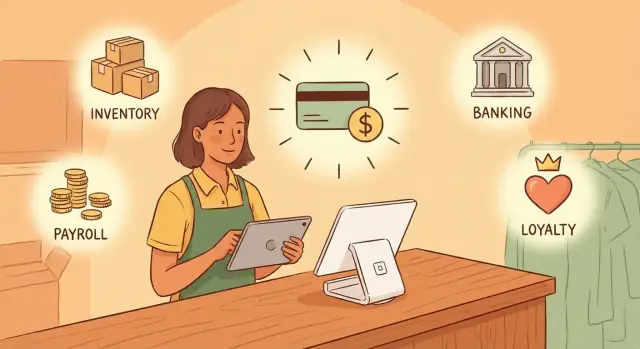
Why payments became the small-business control center
Payments used to be “the thing that happens at the end”—a card swipe after the real work was done. For many small businesses, it flipped. Checkout is now where the business is measured, managed, and (increasingly) financed.
Payments infrastructure, in plain language
“Payments infrastructure” is the set of tools that lets you take money from customers and get it into your account. That includes the card reader or online checkout, the software that approves a transaction, the reporting that tells you what sold, and the settlement process that moves funds to your bank.
It sounds narrow, but it’s connected to almost everything that makes a small business run.
Why checkout touches everything else
Every sale creates a trail of operational data. Once a payment system captures it, it can automatically update the rest of the business:
- Inventory: what was sold, what’s running low, what needs reordering.
- Staff and shifts: who sold what, performance, tips, commissions, payroll inputs.
- Taxes and accounting: receipts, categories, refunds, end-of-day summaries.
- Customers: email receipts, loyalty, repeat purchases, marketing segments.
- Cash flow: what money is available now vs. pending, fees, chargebacks, trends.
Because payments happen hundreds or thousands of times per month, they generate some of the freshest, most reliable signals about the business.
How a payment provider becomes the system of record
When a provider processes transactions and also tracks items, employees, and payouts, it starts to look like the “source of truth.” Merchants log in to reconcile sales, close out the day, handle refunds, and answer questions like “Did we actually make money this week?”
That’s the core idea of this article: companies like Square (now under Block) didn’t just make taking cards easier. They positioned payments as the center of operations—an operating system that small businesses run on, not just a checkout tool.
From Square to Block: the shift from tool to ecosystem
Square started with a simple, urgent problem: most small businesses couldn’t take card payments without paperwork, specialized hardware, and long waits. The original promise was straightforward—plug in a small reader, accept a card, and get paid. That “make it easy” mentality helped Square earn trust with sellers who just wanted a dependable way to check out customers.
From one product to multiple business lines
As Square grew, it followed merchants beyond the moment of payment. Once you process transactions, you also see what’s selling, when staff are busiest, how repeat customers behave, and where cash flow gets tight. That naturally pulls a company into adjacent tools—point of sale software, invoicing, online payments, and business money management.
Over time, the company’s identity expanded beyond “a card reader company.” Under Jack Dorsey’s leadership, the broader vision became a set of connected products serving both sides of commerce: merchants running businesses and consumers spending and sending money. The rebrand to Block signaled that shift: not abandoning Square, but organizing the company around a bigger structure with multiple product lines under one umbrella.
What “ecosystem” means in this context
An ecosystem here isn’t just “more features.” It’s products that share:
- Identity: one merchant account and consistent permissions for teams.
- Data: sales, customers, inventory, and payouts informing each other.
- Workflows: checkout, online store, receipts, and reporting fitting together.
The result is a platform that can feel less like a single tool and more like an operating layer—where payments are the starting point, and everything else connects back to that core.
The core layer: accepting payments everywhere
Payments are the first job to get right—because everything else depends on them. For a small business, “accepting payments” really means being able to take money wherever customers are: at a counter, at a pop-up, on a phone, or on a website.
Card-present vs. online (and why both matter)
Card-present payments happen face-to-face: tap, dip, swipe. They’re fast, frequent, and tied to the daily rush. Online payments cover invoices, pickup orders, delivery, subscriptions, and links shared on social. Even a storefront that feels “offline” usually needs online tools for deposits, gift cards, or last-minute orders.
When one provider supports both, merchants avoid juggling separate reports, separate fees, and separate customer records. The goal isn’t just convenience—it’s consistency.
What merchants are really buying
Most owners aren’t shopping for “payments infrastructure.” They’re buying:
- Reliability: it has to work during the busiest hour, not just in a demo.
- Fast setup: start taking payments in minutes, not weeks.
- Clear reporting: know what sold, what it cost, and what actually hit the bank.
If any of those fail, the pain is immediate: lost sales, long lines, confusing payouts, and late-night spreadsheet cleanup.
Transaction data: the seed of the whole system
Every payment creates a clean, timestamped record: what was sold, how it was paid, who processed it, and often who bought it. That transaction data becomes the foundation for features that feel “beyond payments,” like inventory counts, staff permissions, tax tracking, customer profiles, and automated receipts.
The unified dashboard idea
Once payments are centralized, a unified dashboard can become the place merchants run the day: sales performance, refunds, chargebacks, online orders, and payout status—without stitching together multiple tools. Payments aren’t just the finish line of a sale; they’re the system of record for the business.
Hardware as distribution: making checkout frictionless
Payments software can be brilliant, but many small businesses adopt what’s easiest to set up on day one. That’s why Square’s hardware mattered: it turned a complicated “merchant services” decision into a tangible object you can plug in, turn on, and start taking payments.
Why hardware drives adoption
For an owner-operator, fewer moving parts means fewer chances to get stuck. A card reader or terminal designed to work out of the box reduces the need to compare processors, configure gateways, or troubleshoot compatibility across devices. The purchase decision also feels concrete: you’re buying a checkout setup, not an abstract contract.
The main hardware categories (and what they enable)
Most small businesses end up mixing a few hardware types depending on where they sell:
- Readers for quick tap/dip/swipe at a counter, in a chair, or on the go.
- Terminals for an all-in-one checkout device that can live on the counter.
- Registers for a fuller POS setup, often paired with a cash drawer and receipt printing.
The specific model matters less than the outcome: customers pay faster, and staff can complete a sale without hunting through screens.
Consistency reduces training time
When the hardware and on-screen flow are consistent across locations (or across a counter and a mobile setup), training becomes repeatable. New hires learn one set of steps for scanning, discounts, refunds, and tips—then apply it everywhere. That lowers errors during busy hours and reduces the “only one person knows how to run checkout” problem.
Offline scenarios: questions merchants should ask
No system is up 100% of the time. Before committing, merchants should ask:
- What happens if internet drops—can payments be taken offline, and how are they queued?
- What are the limits and risks of offline transactions (caps, time windows, dispute exposure)?
- What are the fallbacks (tap vs. chip vs. manual entry), and what triggers a decline?
Great checkout hardware isn’t just sleek—it’s a distribution channel that makes the whole payment stack feel simple and dependable.
POS software: the hub for inventory, staff, and customers
If the payment is the “moment of truth,” POS software is everything around that moment. For many small businesses, it becomes the daily workspace: where products are defined, orders are built, staff are managed, and customer relationships quietly accumulate over time.
The catalog: items, pricing, and receipts
A POS starts with a product catalog—items, modifiers, and the rules that shape a transaction. That includes prices, taxes, discounts, and how those choices show up on the receipt.
When the POS is set up well, checkout becomes consistent across channels: the same latte add-ons, the same happy-hour discount, the same refund policy—whether the sale happens at the counter, curbside, or through an invoice. Receipts aren’t just proof of purchase; they’re also a lightweight communication tool (store info, return instructions, and sometimes an invitation to come back).
Inventory basics that reduce surprise
Inventory features in a POS are often “simple on purpose,” but they solve common headaches:
- Stock counts that update after each sale
- Variants (size, color, flavor) so you’re not tracking everything as separate items
- Low-stock alerts that nudge you before you run out
Even basic visibility helps owners reorder with less guesswork and spot which items actually drive revenue.
Employees: access, accountability, and labor signals
POS software also acts like a front-line admin panel for staff. Conceptually, it’s about defining roles and permissions (who can comp items, issue refunds, or edit prices), tracking tips, and capturing time worked. Those details protect margins and reduce end-of-day disputes without turning management into paperwork.
Customers: from anonymous transactions to repeat behavior
POS systems connect purchases to people—through digital receipts, loyalty programs, and purchase history. Over time, that creates repeat-purchase signals: who’s returning, what they buy, and when they stop coming. That insight is often more actionable than generic “marketing,” because it’s grounded in what customers actually did at checkout.
Cash flow tools: deposits, banking, and financing (where available)
For many small businesses, “getting paid” doesn’t end when the card is approved. What matters is when the money lands in the bank—and whether that timing is predictable.
Deposits: speed is good, predictability is better
Next-day deposits can change day-to-day decision making: covering payroll, reordering inventory, or paying a contractor without juggling personal savings or waiting for checks to clear. Just as important as speed is consistency. If deposits arrive when you expect them, you can plan around rent due dates, tax set-asides, and vendor terms with less stress.
Some providers offer options to accelerate deposits (often for a fee) or to schedule payouts in a way that matches how you run the business. The key question isn’t “How fast is the fastest payout?”—it’s “What will my typical payout timing look like, and what does it cost?”
Banking-style products: accounts, cards, and money movement
Block’s small-business offerings have increasingly included banking-style features such as business accounts, debit cards, and tools to move money between sales, expenses, and savings buckets. Availability can vary by region and eligibility, so merchants should treat these as optional layers—not assumptions.
When they’re available, these features can reduce the number of hops between systems. Instead of pushing funds from payments → bank → bookkeeping, you can sometimes keep more of the workflow in one place and reconcile faster.
Financing: useful, but not guaranteed
Lending or financing products (like cash advances or loans) can help smooth seasonal swings or fund a purchase that pays back over time. Offers typically depend on eligibility, business performance, and geography. Terms, fees, and repayment mechanics can differ widely, so it’s worth reading the fine print and comparing alternatives.
How payment history can inform underwriting
One advantage of an integrated payments provider is that it may have a detailed view of your sales patterns—volume, consistency, refunds, chargebacks, and seasonality. That history can help inform underwriting decisions and tailor offers. It does not guarantee approval, pricing, or availability, but it can reduce paperwork and speed up decisions when financing is offered.
Cash App and the consumer side of the network
Square started with merchants, but Block’s bigger bet is a two-sided network: consumers on one side, businesses on the other. In theory, that network can reduce friction for everyone—more customers can pay easily, and more merchants can accept how customers already prefer to pay.
What “two-sided network” means in plain terms
A two-sided network works when adoption on one side makes the other side more valuable.
For example: if more consumers keep money in Cash App and use it frequently, merchants benefit by accepting it. If more merchants accept it, consumers have more places to spend, which makes the app more useful.
How Cash App can intersect with commerce
Cash App is primarily a consumer brand: peer-to-peer transfers, a debit card, direct deposit, and broader financial features. The commerce intersection is simplest when it looks like a normal payment experience:
- Paying at a merchant that uses Square (in-store or online)
- Spending via Cash App Card anywhere card payments are accepted
- Potentially using app-to-business payments where supported
The key point: for most customers, it should feel like “I can pay quickly with what I already use,” not like learning a new checkout method.
Where the synergy is real—and where it’s limited
The real synergy is ease of paying and a smoother checkout: fewer abandoned carts, faster lines, and less confusion at the register.
What’s more limited is automatic “network effects” that guarantee new customers. A merchant using Square doesn’t automatically get access to Cash App users as an audience in the way an ad platform works. Any discovery or marketing layer depends on product decisions, incentives, and consumer behavior—not just shared ownership under Block.
Privacy and expectations
Consumers expect Cash App to feel personal and private. Merchants need clear receipts, dispute handling, and compliance. Bridging these worlds requires careful boundaries: what data is shared, what consent looks like, and how communication (refunds, support, promotions) is handled without surprising either side.
Platforms and APIs: extending beyond one vendor’s features
One reason payments platforms grow into “small business operating systems” is simple: no single vendor can build every feature every merchant needs. Restaurants want delivery, salons want bookings, retailers want barcode inventory, and everyone wants clean accounting. Platforms like Square expand by letting other apps plug into the same payments and sales data.
Why integrations matter (and which ones)
Integrations reduce double entry and mistakes. When your point of sale, online store, and accounting system don’t talk, staff end up reconciling spreadsheets late at night.
Common integration categories include accounting (QuickBooks/Xero-style syncing), e-commerce (online catalogs and shipping), bookings (appointments and reminders), and delivery (menus, dispatch, and tips). The best integrations don’t just “export a report”—they keep products, taxes, discounts, and refunds consistent across channels.
APIs, in plain terms
An API is a set of rules that lets other software safely connect to your payments platform. Think of it like a power outlet: it doesn’t decide which device you plug in, but it provides reliable access.
With APIs, developers can build custom workflows—like sending a receipt to a CRM, triggering loyalty points after a purchase, or syncing inventory when an online order is paid.
The trade-off: flexibility vs. complexity
More tools can mean more power, but also more moving parts. Every extra app adds another login, another bill, and another potential support ticket when something breaks. Updates can also create “integration drift,” where a feature changes on one side and quietly stops working on the other.
How to evaluate an app marketplace
Look beyond the feature list. Check review quality (not just star count), how recently the app was updated, whether support is shared or clearly owned, and what happens if you uninstall (do you lose data, automations, or historical reports?). A healthy marketplace is less about quantity and more about dependable, well-maintained connections.
When payments become an operating system for small businesses
A “business operating system” isn’t a single app—it’s the set of defaults you run your day on. If you’re a café owner, it’s the tool that tells you what sold, who worked, what you owe in taxes, what’s in stock, and when money actually hits your account. Payments become the OS when they stop being the last step (“take a card”) and start being the first layer everything else plugs into.
What makes it feel like an OS
The giveaway is where the truth lives. If your payment system is where sales, refunds, tips, discounts, and customer receipts originate, then every other function naturally tries to connect to it: inventory counts, staff permissions, loyalty, and reporting. The more your daily questions are answered in one place, the more it behaves like an operating system.
Bundling benefits (and why they’re real)
Bundling can sound like marketing, but the practical benefits are straightforward:
- Fewer logins and fewer “sources of truth.” One dashboard for sales, payouts, and add-ons like inventory or payroll.
- Shared customer and product data. The item you rang up is the same item that gets tracked in inventory and shows up in reports.
- Consistent reporting. When payments and POS live together, totals reconcile cleanly—less spreadsheet glue.
This is why platforms like Square feel sticky: not because one feature is magical, but because the system is coherent.
Switching costs (explained gently)
“Switching costs” doesn’t just mean cancellation fees. It’s the hidden work of changing how the business runs:
- Data: exporting products, customers, taxes, and past reports (and importing them correctly).
- Training: staff muscle memory at checkout and managers’ habits for closing out and fixing mistakes.
- Hardware: readers, stands, printers, and the time to reconfigure them.
- Workflows: how you handle refunds, tips, comps, deposits, and end-of-day bookkeeping.
Even if a new provider is cheaper, the move has a real operational cost.
Pricing clarity: fees vs. subscriptions
To understand what you’ll pay, separate two buckets:
- Transaction fees: a percentage + fixed amount per card payment (your cost scales with volume).
- Subscription add-ons: monthly fees for POS tiers, payroll, marketing, loyalty, or advanced inventory.
A good rule: estimate your monthly card volume, apply the transaction fees, then add only the subscriptions you’ll truly use. If you can’t get a clear “all-in” estimate, that’s a signal to slow down and ask better questions.
Risks and trade-offs merchants should understand
Turning payments into the “center” of your business can save time and reduce tool sprawl—but it also concentrates risk. When your checkout, deposits, customer data, and sometimes financing run through one provider, a small issue can ripple across operations.
Operational risk: outages, disputes, and support
A payment outage isn’t just an inconvenience—it can halt sales, break online ordering, and disrupt end-of-day reconciliation. Even when processing is up, merchants still face chargebacks and disputes that tie up revenue and staff time.
Support quality matters here more than most people expect. When something fails at 5pm on a Saturday, the difference between fast, empowered support and a ticket queue shows up immediately in lost sales and customer frustration.
Compliance basics: PCI, KYC, and why you’re asked for info
Most merchants only want to “start taking cards,” but providers must meet strict compliance requirements.
- PCI (payment card security): You’re expected to follow secure practices, especially around handling card data and staff access.
- KYC/KYB (know your customer / business): Providers ask for business identity, owners, and sometimes documentation to prevent fraud and meet financial regulations.
If your information changes (new owner, new bank account, new business model), update it promptly to avoid delayed deposits or account reviews.
Vendor dependency: fees, terms, and product shifts
Ecosystems evolve. Pricing may change, features can be deprecated, and risk policies can tighten during fraud spikes. If your POS, payments, and reporting are tightly coupled, switching later can be harder than expected—especially if hardware, workflows, and staff training are built around one system.
Mitigation tips: plan for failure and portability
Keep simple backups so you can keep selling and keep your records:
- Maintain a manual fallback (offline mode if supported, a secondary reader, or an invoice option).
- Regularly export critical data (products, customers, reports) and store it securely.
- Document your checkout and refund procedures so any manager can run them under pressure.
- Track the true cost: fees, add-ons, and the time you’ll spend managing disputes.
A practical checklist for choosing your payments + POS stack
Choosing a payments + POS stack is less about “best brand” and more about fit: how you take orders, how often you refund, how you manage staff, and how much you rely on integrations. Use this checklist to compare options side by side.
Must-have features by business type
Retail (inventory-heavy)
- SKU-level inventory with variants (size/color), low-stock alerts, and barcode support
- Returns/exchanges that keep inventory and accounting accurate
- Multi-location support if you sell in more than one place
Food & beverage (speed + modifiers)
- Fast item search, modifiers, and split checks
- Kitchen printing/display support and easy void/comp workflows
- Tips, shift reports, and cash drawer controls
Services (appointments + repeat customers)
- Simple invoicing, saved cards (where allowed), and deposits for no-shows
- Customer profiles with notes and repeat-visit history
- Staff permissions by role (front desk vs. service provider vs. owner)
Questions to ask during a trial
Ask the vendor to show—not tell—how these work in real workflows:
- Reporting: Can you see sales by item, category, employee, and channel (in-person vs. online)? Can you export CSV easily?
- Refunds & disputes: How many clicks is a partial refund? What happens to tips, taxes, and inventory?
- Staff access: Can you set permissions (refunds, discounts, cash drawer) and require passcodes?
- Integrations: Does it connect cleanly to your accounting, e-commerce, payroll, or delivery tools? What breaks if you switch later?
Plan the migration (so you don’t lose a weekend)
Before you switch, map the data you’ll need and who owns each step:
- Data export: customers, item catalog, tax rates, and historical reports you rely on
- Inventory setup: SKUs, modifiers, bundles, and barcodes—test a full return/exchange
- Staff training: one short script per role (open, close, refunds, discounts, end-of-day)
If you’re evaluating options and want a structured comparison, reach out via /contact (or see /pricing for packaged help).
Takeaways for founders and product teams building business software
Block’s story is useful even if you’re not building payments. It shows how a “single feature” can grow into an everyday operating system—if you expand in the right direction and earn trust as you go.
Start with one painful job, then expand adjacent
Square didn’t begin by trying to “run a business.” It began with one urgent job: getting paid, simply and reliably.
For founders, the product lesson is to anchor on a frequent, high-stakes workflow—one where failure is obvious and the value is immediate. Once you own that moment, expand to the next most adjacent tasks that naturally follow it: receipts, refunds, tips, staff permissions, inventory counts, customer messages. Adjacent beats “ambitious,” because it keeps your product coherent and reduces training costs for users.
Distribution is a product feature (not a marketing footnote)
Hardware, onboarding, and trust are often the real moat in small-business software:
- Hardware puts your product on the counter where work happens.
- Fast setup reduces abandonment during the first hour.
- Clear pricing, predictable support, and fewer surprises build the confidence needed to route real money through you.
Treat distribution like part of the user experience: packaging, tutorials, installation, first transaction, and first payout are all “product.”
Use data to unlock value—without creeping users out
Payments create a rich stream of operational signals: peak hours, product velocity, repeat customers, chargeback patterns. That data can power genuinely helpful features (smart reorders, staffing hints, cash-flow forecasts), but only if you stay aligned with user expectations.
Be explicit about what you collect and why, offer meaningful controls, and avoid “gotcha” uses of data that feel like surveillance. Trust compounds; so does distrust.
A note on building your own “operating layer” faster
If you’re building internal tools or a new vertical POS, the pattern in this article matters: once payments become the system of record, teams quickly need dashboards, role-based access, reconciliation views, and integration glue.
Platforms like Koder.ai can help product teams prototype (and ship) those operational layers faster: you describe the workflow in chat, and generate a working web app (often React on the front end, Go + PostgreSQL on the back end) with features like planning mode, deployment/hosting, snapshots, and rollback. It’s particularly useful when you want to stand up a merchant admin portal or reporting console quickly, then iterate based on real merchant feedback—without rebuilding your stack from scratch.
Wrap-up + related reading
Build the smallest product that solves a painful job, win distribution through a better end-to-end experience, and expand only where you can stay credible. If you’re comparing core building blocks, see also: /blog/pos-vs-payment-gateway.
FAQ
What does it mean for payments to become a small business “operating system”?
It means the payment system becomes the default “source of truth” for day-to-day operations—not just card acceptance. Sales data from checkout feeds inventory counts, staff reporting, customer receipts/loyalty, accounting exports, and cash-flow visibility from one place.
Why does checkout data matter more than other business data sources?
Because checkout happens constantly and produces clean, timestamped records (items, amounts, staff member, channel, refunds). That stream is often more current and reliable than manual spreadsheets, so other tools naturally plug into it.
What is “payments infrastructure” in plain language?
Payments infrastructure includes the hardware or online checkout, transaction processing, reporting, and settlement (moving funds to your bank). In practice, it also touches how receipts, refunds, tips, and reconciliation are handled.
What’s the advantage of using one provider for in-person and online payments?
A single provider for in-person and online payments reduces tool sprawl:
- One set of reports and payout schedules
- More consistent customer records and receipts
- Fewer mismatched fees, settings, and reconciliation steps
Why is payment hardware such a big driver of adoption for platforms like Square?
Hardware lowers the “day-one” friction: you can plug it in, follow an onboarding flow, and start taking payments fast. For many owners, the simplest setup wins—even if the software features are similar elsewhere.
What should I ask about offline payments and internet outages?
Ask these before you rely on it:
- Whether offline mode exists and how transactions are queued
- Any caps/time limits and who bears dispute risk
- What fallback methods work (tap/chip/manual entry) and when they’re blocked
How does POS software connect to payments beyond just ringing up sales?
A POS is the workflow layer around payment: product catalog, modifiers, taxes, discounts, staff permissions, tips, and customer receipts. If configured well, it keeps ordering, refunds, and reporting consistent across locations and channels.
How do deposits and payout timing affect cash flow in real life?
Start with your “typical payout,” not the fastest advertised option. Clarify:
- Standard deposit timing (and cutoffs)
- Fees for instant/accelerated payouts
- How refunds, chargebacks, and holds affect available cash
How can payment history influence financing offers—and what are the limits?
Integrated platforms can use payment history (volume, consistency, seasonality, refunds/chargebacks) to streamline eligibility checks. But offers depend on region, risk policies, and performance—so treat financing as optional, not guaranteed.
How do I evaluate integrations, APIs, or an app marketplace without creating a mess?
Look for stability and ownership:
- Recent updates and credible reviews
- Clear support responsibility (app partner vs platform)
- Data portability if you uninstall
- Whether products/taxes/discounts/refunds stay consistent across systems