

John Resig and jQuery: The Library That Shaped Frontends
John Resig’s jQuery simplified JavaScript, smoothed browser quirks, and popularized patterns that influenced front-end tools for years. Here’s how it shaped the web.
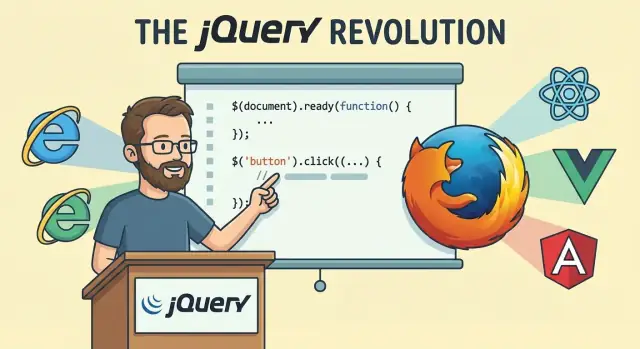
Why jQuery Mattered So Much
What building websites felt like in the mid‑2000s
If you were building a website around 2005–2008, you didn’t just “write JavaScript.” You negotiated with browsers.
A simple feature—highlighting a menu item, showing a modal, validating a form, loading a snippet of HTML without a full refresh—could turn into a small research project. You’d look up which method existed in which browser, which event behaved differently, and why that one DOM call worked on your machine but broke for half your users.
The “write once, run everywhere” problem
Developers wanted “write once, run everywhere,” but browser differences made it feel like “write three times, test everywhere.” Internet Explorer had its own quirks, older versions of Firefox and Safari disagreed on edge cases, and even basics like event handling and DOM manipulation could be inconsistent.
That mismatch didn’t just waste time—it changed what teams dared to build. Interactive UI was possible, but it was expensive in effort and fragile in maintenance. Many sites stayed simpler than they needed to be because the cost of getting it right across browsers was too high.
jQuery’s promise: everyday UI work made simpler
jQuery, created by John Resig, mattered because it focused on the daily tasks: selecting elements, reacting to user actions, changing the page, animating small transitions, and making AJAX requests. It offered a small, readable API that smoothed out browser differences so you could spend more time building the feature and less time fighting the platform.
In practice, it made common interactions feel straightforward and repeatable—something you could teach, share, and reuse.
What this article will focus on
The story isn’t only that jQuery saved time. It influenced how developers thought: chaining operations, relying on concise selectors, organizing UI code around events, and expecting libraries to provide a consistent “developer experience.” Those habits shaped the tools that followed, even after web standards caught up and newer frameworks took over.
That “make the common path easy” mindset is also visible in today’s tooling. Modern platforms such as Koder.ai apply the same developer-experience principle at a different layer—letting teams build web, backend, and mobile apps through a chat-driven workflow—where jQuery once made browser-facing UI code feel approachable.
John Resig: The Person Behind the Project
John Resig wasn’t trying to start a movement when he began tinkering with a small JavaScript helper library in the mid‑2000s. He was a working developer who felt the same friction everyone else felt: simple things on the web took too many lines of code, broke in surprising browsers, and were hard to explain to teammates.
A practical goal: make common tasks feel obvious
Resig’s core motivation was clarity. Instead of asking developers to memorize dozens of browser quirks, he wanted a small set of commands that matched how people thought about building pages: “find this element,” “change this,” “when the user clicks, do that.” jQuery wasn’t built to show off cleverness—it was built to reduce daily frustration and help ordinary projects ship.
Just as important was empathy for the typical web developer. Most people weren’t building experimental demos; they were maintaining marketing sites, admin panels, and product pages under deadlines. jQuery’s focus on a compact, readable API reflected that reality.
Sharing early, listening often
jQuery spread because it was easy to learn and easy to pass along. Resig did talks and demos that showed immediate wins, and the project quickly developed a reputation for great documentation and approachable examples. That mattered: when a tool helps you fix a real problem in minutes, you tell other developers.
The early community reinforced this loop. People shared snippets, wrote plugins, and reported edge cases from browsers and devices Resig couldn’t test alone. jQuery grew in public, with feedback shaping what stayed simple and what got smoothed out.
Not hero worship—just good product instincts
It’s tempting to reduce jQuery to a single “genius moment,” but the more honest story is persistence and good judgment: noticing widespread pain, designing for everyday workflows, and building trust through consistency. Resig didn’t just write code—he created a tool that felt like a friendly shortcut for the way the web actually worked.
The Web Before jQuery: Real Pain Points
Before jQuery, writing “simple” interactive behavior often meant stitching together a pile of browser-specific tricks. You could absolutely build rich interfaces, but the cost was time, patience, and a lot of testing.
Finding elements was harder than it sounds
Today, grabbing a button and changing its text feels like a one-liner. Back then, DOM selection was inconsistent and clunky. Some browsers supported helpful methods, others didn’t, and you’d end up mixing approaches like getElementById, getElementsByTagName, manual loops, and string checks just to target the right elements.
Even when you did select what you needed, you often had to write extra code to handle collections, convert them into arrays, or work around odd edge cases.
Events were a cross-browser headache
Click handlers, key presses, and hover effects were common requirements—but browsers disagreed on how event binding worked and what the event object looked like. Code that behaved perfectly in one browser might fail silently in another.
Developers wrote wrappers to normalize event handling: “If this API exists, use it; otherwise fall back to that one.” That meant more code, more debugging, and more ways for bugs to slip in.
AJAX felt like expert-only territory
Asynchronous requests were possible, but they were not friendly. Setting up an XMLHttpRequest typically involved multiple steps, branching logic for different browsers, and careful handling of response states.
A small feature—like submitting a form without a page reload—could balloon into dozens of lines plus retries, error handling, and browser testing.
The real cost: reliability and team velocity
The biggest pain wasn’t writing code once; it was keeping it working everywhere. Teams needed something dependable, easy to learn, and consistent enough that new developers could contribute without memorizing a browser compatibility checklist. jQuery arrived as an answer to that daily friction.
The Big Idea: A Small API for Common UI Tasks
jQuery’s breakthrough wasn’t a new browser capability—it was a new way to think about everyday UI work. Instead of writing a lot of browser-specific JavaScript just to find an element, update it, and wire an event, jQuery boiled the routine down to a simple pattern: select something, then do something to it.
“Find, then act”
At the center is the $() function. You pass it a CSS-like selector (or an element), and you get back a jQuery object—an easy-to-use wrapper around the matching elements.
From there, you call methods that read like tasks: add a class, hide an element, change text, attach a click handler. The point wasn’t to expose every low-level detail; it was to cover the 80% of UI chores that nearly every site needed.
Chaining: fewer variables, clearer intent
jQuery encouraged a fluent style where each step returns the same jQuery object, so you can “chain” actions in one readable line:
$(".notice")
  .addClass("active")
  .text("Saved!")
  .fadeIn();
Even if you didn’t understand the internals, you could understand the story: find notices, mark them active, set the message, show them.
Why a small, consistent API mattered
Before jQuery, developers constantly asked: “Which method works in this browser?” or “Is this property named differently in older versions?” jQuery answered that with a consistent set of methods and predictable behavior. Beginners got a gentle ramp into JavaScript without being crushed by edge cases. Professionals got speed: fewer custom helper functions, fewer compatibility hacks, and less code to review.
Task-focused scripts became the norm
Because the API was compact and method names mapped to UI intentions, jQuery nudged teams toward scripts that were easier to scan. Instead of scattered DOM calls and temporary variables, you could read code as a sequence of UI actions—making front-end work feel more like assembling clear steps than wrestling with the browser.
Selectors and Sizzle: “Find It” Became Easy
One of jQuery’s most persuasive tricks was making the first step of any UI task trivial: selecting the right elements. Instead of remembering browser-specific DOM methods and their quirks, you could write something that looked like CSS and immediately made sense.
CSS selectors as a familiar mental model
Designers and front-end developers already thought in selectors: “grab all .buttons inside the header,” “target the first item,” “find inputs of a certain type.” jQuery turned that mental model into a JavaScript tool:
$(".nav a")to work with links in navigation$("#signup-form input[type=email]")to find a specific field$("ul li:first")for quick “first item” logic
That readability mattered. It reduced the translation effort between “what I want” and “how the DOM wants me to ask for it.”
What Sizzle did (and why it mattered)
Behind $(selector) was Sizzle, jQuery’s selector engine. Early browsers didn’t agree on how certain selectors should behave, and some didn’t support the full set at all. Sizzle provided a consistent interpretation and fallback behavior, so $(".card > .title") didn’t become a browser lottery.
The result was real productivity: fewer conditional branches, fewer “if IE then…” workarounds, and less time spent debugging why a selector matched in one browser but not another.
The tradeoffs: convenience vs. hidden complexity
Selector power also hid costs:
- Expensive selectors could hurt performance, especially when run repeatedly (for example inside scroll or resize handlers).
- It became easy to over-select, then “fix it later” with chaining—clean-looking code that did more work than you realized.
- Relying on complex selectors sometimes encouraged tightly coupling JavaScript behavior to fragile DOM structure.
Still, for day-to-day interface work, “find it” becoming easy was a huge shift—and a big reason jQuery felt like a superpower.
Events, DOM Changes, and Effects: The Daily Toolkit
For many developers, jQuery wasn’t “a library”—it was the everyday set of tools you reached for when building interactions. It turned common UI work into a few predictable calls, even when browsers disagreed on the details.
Events without the browser surprises
Before jQuery, wiring up a click handler could mean juggling different event models and odd edge cases. jQuery’s .on() (and earlier .bind()/.click()) gave a consistent way to listen for user actions like click, submit, and keyboard input.
It also made “run this when the page is ready” feel obvious:
$(function () {
  // safe to touch the DOM
});
That single habit reduced timing bugs for typical pages—no more wondering if the elements existed yet.
DOM manipulation you could memorize
jQuery’s DOM API was intentionally small and practical. Need to update content? .text() or .html(). Need to build UI pieces? ('<div>...</div>') and .append(). Need visual states? .addClass(), .removeClass(), and .toggleClass().
Instead of handling differences between className, attribute quirks, and inconsistent node methods, developers could focus on what they wanted to change.
Effects that sold the interaction (sometimes too well)
Built-in animations like .hide(), .show(), .fadeIn(), and .slideToggle() made pages feel lively with minimal effort. Designers loved them, stakeholders noticed them, and tutorials leaned on them.
The downside: effects were easy to overuse—too many fades and slides could make interfaces feel slow or gimmicky. Still, for typical interactions (menus, accordions, notifications), jQuery lowered the barrier to “make it feel polished.”
Across events, DOM changes, and effects, the real win was simplicity: fewer edge cases in everyday work, and a shared set of patterns that teams could learn quickly.
AJAX Made Approachable
Before jQuery, “AJAX” sounded like a trick: update part of a page without reloading the whole thing. In plain terms, it’s just the browser sending a request in the background, receiving data back (often HTML or JSON), and then updating the page so the user can keep going.
From XMLHttpRequest to one-liners
The underlying browser feature was XMLHttpRequest, but using it directly meant a lot of repetitive code: creating the request, watching its state, parsing responses, dealing with browser quirks, and remembering edge cases.
jQuery wrapped that complexity into helper methods that felt like everyday tools:
$.ajax()for full control$.get()/$.post()for simple requests.load()to fetch HTML and inject it into an element
Instead of wiring up event handlers, building query strings, and handling response parsing yourself, you could focus on what the user should see next.
Everyday uses that felt “modern”
These patterns quickly became normal across websites:
- Search suggestions as you type (fetch a small list, render it under the input)
- Form submissions without navigating away (send fields, show success or inline errors)
- Dashboards that refresh parts of the UI (poll for updates, replace a table, update counters)
Even when the server was old-school, jQuery let the interface feel responsive.
Where people stumbled
jQuery made requests easy to start—but not always easy to finish correctly. Common mistakes included:
- Weak error handling: assuming success and ignoring timeouts, server errors, or bad JSON
- Race conditions: multiple requests returning out of order and overwriting the UI
- Silent failures: no user feedback when the network drops
The API lowered the barrier, but it also taught a lesson that still holds: the “happy path” is only half of building a reliable interface.
Plugins: The Ecosystem That Multiplied jQuery’s Power
jQuery wasn’t just a library you downloaded—it was a platform people built on. “Plugins” were small add-ons that extended jQuery with new methods, usually by attaching functions to $.fn. For developers, that meant you could drop in a feature and call it with the same style you already used for everything else.
Why plugins spread so fast
The barrier to entry was low. If you knew jQuery, you already understood the plugin pattern: select elements, call a method, pass options.
Just as importantly, jQuery’s conventions made plugins feel surprisingly consistent, even when written by different authors:
- Naming:
$('.menu').dropdown()read like native jQuery. - Chaining: good plugins returned the original selection, so you could keep going:
$('.btn').addClass('x').plugin().fadeIn(). - Options objects: configuration usually looked like
{ speed: 200, theme: 'dark' }, which was easy to copy and tweak.
What people used them for
Plugins covered the “missing middle” between raw DOM work and full application frameworks. Common categories included sliders and carousels, form validation, modals and lightboxes, date pickers, autocomplete, tooltips, and table helpers.
For many teams, especially those working on marketing sites or admin dashboards, plugins turned weeks of UI work into a day of assembly.
The trade-offs
The plugin boom had a cost. Quality varied wildly, documentation could be thin, and combining multiple plugins sometimes led to conflicting CSS or event handlers. Dependency sprawl also became real: one feature might rely on two other plugins, each with its own update history. When authors moved on, unmaintained plugins could lock a project to older jQuery versions—or become a security and stability risk.
jQuery UI and jQuery Mobile: Components for the Masses
jQuery’s core made DOM work predictable, but teams still had to build interface pieces from scratch. jQuery UI filled that gap with a grab bag of ready-made components—date pickers, dialogs, tabs, sliders, accordions, draggable/sortable behavior—packaged in a way that worked across browsers with minimal fuss. For small teams and agencies shipping lots of marketing sites or internal tools, that “good enough, now” value was hard to beat.
Why jQuery UI was a productivity cheat code
The big win wasn’t just widgets—it was the combination of widgets plus a consistent API and theming. You could prototype quickly by dropping in a dialog or autocomplete, then make it look “on brand” with ThemeRoller instead of rewriting markup and CSS patterns for every project. That repeatability made jQuery UI feel like a practical toolkit rather than a design system.
jQuery Mobile’s bet on a messy early mobile web
jQuery Mobile tried to solve a different problem: early smartphones had inconsistent browser capabilities and limited CSS support, and responsive design conventions were still settling. It offered touch-friendly UI components and a “single-page” navigation model with Ajax page transitions, aiming to make one codebase behave like a native-ish app.
Why some of it aged poorly
As web standards improved—CSS3, better mobile browsers, and later native form controls and layout primitives—some of these abstractions became more cost than benefit. jQuery UI widgets could be heavy, harder to make accessible, and challenging to align with modern design expectations. jQuery Mobile’s DOM rewriting and navigation model also clashed with later approaches like responsive-first layouts and framework-driven routing.
Despite that, both projects proved a key idea: shared, reusable UI components can dramatically speed up real-world shipping.
How jQuery Changed Front-End Coding Habits
jQuery didn’t just make browsers behave; it changed what “normal” front-end code looked like. Teams started writing JavaScript every day, not only for special pages, because common UI tasks suddenly felt predictable.
Fluent APIs and the habit of chaining
One of jQuery’s biggest cultural shifts was popularizing chaining: select something, then keep operating on it in a readable flow.
$(".card")
  .addClass("active")
  .find(".title")
  .text("Updated")
  .end()
  .fadeIn(200);
That fluent style influenced later libraries and even modern native APIs. It also nudged developers toward small, composable operations instead of huge, monolithic functions.
“More with less code” (and the trade-offs)
jQuery’s helpers—$.each, $.map, $.extend, AJAX shortcuts—made it tempting to compress logic into fewer lines. This improved velocity, but it also encouraged “clever” one-liners and implicit behavior that could be hard to revisit months later.
Many codebases ended up with business logic mixed directly into click handlers, because it was so easy to “just do it here.” That convenience sped up shipping, but it often increased long-term complexity.
Testing and debugging in the direct-DOM era
Before components and predictable state models became common, jQuery apps frequently stored state in the DOM: classes, hidden inputs, and data attributes. Debugging meant inspecting live HTML and stepping through event callbacks that could fire in surprising orders.
Unit testing was possible, but teams more often relied on manual QA and browser devtools. Problems were frequently timing-related (animations, AJAX, event bubbling), which made bugs feel intermittent.
When jQuery stayed clean vs. became tangled
jQuery code tended to stay maintainable when teams:
- kept DOM queries close to the elements they affected
- used small functions and event delegation
- treated plugins as reusable building blocks
It became tangled when pages accumulated layers of handlers, repeated selectors everywhere, and “just one more” tweak inside an animation callback. The library made fast iteration easy; discipline determined whether the result aged well.
Why jQuery Faded: Standards Grew Up
jQuery didn’t disappear overnight, and it didn’t “lose” because it got worse. It faded because the browser platform stopped needing a translator. The very problems jQuery smoothed over—missing APIs, inconsistent behavior, and clunky workflows—became less common as standards matured and browsers converged.
The browser started copying the best parts
As the DOM and JavaScript APIs standardized, many everyday jQuery calls gained direct equivalents:
- Selecting elements:
document.querySelector()anddocument.querySelectorAll()covered most use cases that once required$(...). - Events:
addEventListener()became universally reliable, removing a big chunk of cross-browser event handling work. - Network requests:
fetch()(and laterasync/await) made AJAX-style calls feel native and readable.
When the “native way” is consistent across browsers, the reason to depend on a helper library shrinks.
Performance and bundle size began to matter more
As web apps grew from a few interactive widgets into full products, teams started tracking load time and JavaScript cost more seriously. Shipping jQuery (plus plugins) for a handful of conveniences felt harder to justify—especially on mobile networks.
It wasn’t that jQuery was slow; it was that “one more dependency” became a real trade-off. Developers increasingly preferred smaller, focused utilities—or no library at all when the platform already did the job.
SPAs changed what “front-end work” meant
Single-page application frameworks shifted attention away from manually poking the DOM and toward managing state and composing UI from components. In React/Vue/Angular-style thinking, you generally don’t ask the page, “Find this element and change it.” You update data, and the UI re-renders.
In that model, jQuery’s strengths—imperative DOM manipulation, effects, and one-off event wiring—are less central, and sometimes actively discouraged.
The fair take: jQuery succeeded so well it made itself optional
jQuery’s mission was to make the web usable and consistent. As browsers caught up, jQuery became less necessary—not less important. Plenty of production sites still use it, and many modern APIs (and developer expectations) reflect lessons jQuery taught the entire ecosystem.
The Legacy: What jQuery Left Behind
jQuery isn’t the default choice for new front-end work anymore, but it still quietly powers a surprising amount of the web—and its influence is baked into how many developers think about JavaScript.
Where jQuery still shows up
You’ll most often meet jQuery in places that prioritize stability over rewrites:
- Legacy business apps that were built during jQuery’s peak and still work fine
- CMS themes and plugins (especially in older WordPress setups)
- “Quick fix” scripts on marketing pages: a slider here, a modal there
If you maintain one of these projects, the win is predictability: the code is understandable, well-documented, and usually easy to patch.
Ideas that outlived the library
Modern tools didn’t copy jQuery line-for-line, but they absorbed its best instincts:
- Ergonomic APIs: do common tasks with a few readable calls
- Selectors as a core concept: “find elements, then act on them” became standard
- Extensibility: the plugin mindset lives on in package ecosystems and component patterns
Even vanilla JavaScript’s evolution (like querySelectorAll, classList, fetch, and better event handling) reflects the problems jQuery solved for everyday developers.
What to learn from jQuery today
The biggest lesson is product thinking: a small, consistent API plus great docs can change how a whole industry writes code.
It’s also a reminder that “developer experience” compounds. In jQuery’s era, DX meant hiding browser quirks behind a clean API; today it can also mean compressing the path from idea to running software. That’s part of why vibe-coding platforms like Koder.ai resonate with many teams: instead of assembling boilerplate by hand, you can iterate in a chat interface, generate a React front end with a Go + PostgreSQL backend (or a Flutter mobile app), and keep moving—while still retaining the option to export source code when you need full control.
Choosing the right tool now
- For new work, prefer modern DOM APIs and framework-native patterns.
- For existing jQuery code, don’t rewrite on principle—refactor when it reduces risk or cost.
- For small, one-off UI behaviors, vanilla JS is usually enough; jQuery can still be a pragmatic shortcut if it’s already loaded.
FAQ
Why did jQuery matter so much in the mid‑2000s?
jQuery mattered because it turned inconsistent, browser-specific DOM scripting into a small, predictable set of tools. It made everyday tasks—selecting elements, wiring events, changing the DOM, doing AJAX—feel repeatable across browsers, which increased team velocity and confidence.
What problems did web developers face before jQuery?
Before jQuery, developers routinely hit cross-browser differences in:
- DOM selection/manipulation (clunky APIs and inconsistent behavior)
- Event handling (different models and event objects)
- AJAX (
XMLHttpRequestsetup and edge cases)
The main cost wasn’t writing code once—it was keeping it reliable everywhere.
What does the $() function actually do in jQuery?
$() is the core function: you pass a CSS-like selector (or an element) and get back a jQuery object wrapping the matched elements. That object exposes a consistent set of methods so you can “find, then act” without worrying about browser quirks.
Why is jQuery chaining such a big deal?
Chaining works because most jQuery methods return the same jQuery object after performing an action. That lets you express a sequence of UI operations in one readable flow (select → modify → animate) with fewer temporary variables.
What is Sizzle, and why was it important?
Sizzle is the selector engine behind $(selector). It helped provide consistent selector behavior and broader selector support at a time when browsers differed in what they supported and how they interpreted edge cases.
How did jQuery make event handling easier?
jQuery normalized common event tasks so you didn’t have to write browser-specific branching. It also popularized convenient patterns like running code when the DOM is ready:
$(function () {
  // safe to touch the DOM
});
That reduced timing-related bugs for typical pages.
How did jQuery change AJAX on the web?
jQuery’s AJAX helpers wrapped the repetitive parts of XMLHttpRequest and made common cases easy:
$.ajax()for full control$.get()/$.post()for simple requests.load()to fetch HTML into an element
It lowered the barrier to building responsive-feeling UI, but you still needed solid error handling and UI feedback.
What made the jQuery plugin ecosystem grow so fast?
Plugins extended jQuery by adding methods (typically on $.fn) so features could be used like native jQuery calls. This made it easy to “drop in” common UI capabilities (modals, validation, sliders) using familiar patterns: selectors + options objects + chaining.
Why did jQuery fade in modern front-end development?
jQuery faded mainly because browsers standardized the features it used to paper over:
querySelector(All)reduced the need for selector helpers- reliable
addEventListener()reduced event inconsistencies fetch()+async/awaitmade network code cleaner
As bundle size and performance became bigger concerns, “shipping jQuery for a few conveniences” was harder to justify.
Should you still use jQuery today, and when does it make sense?
Don’t rewrite just to remove it. A practical approach is:
- Keep jQuery if it’s stable and already loaded
- Refactor gradually where changes reduce risk or maintenance cost
- Use modern APIs for new code (or framework-native patterns in SPAs)
jQuery is often most defensible in legacy apps, older CMS themes/plugins, and small “already on the page” enhancements.