

Von Neumann and the Stored-Program Computer That Enabled Software
Learn how the stored-program idea—often linked to John von Neumann—enabled reusable software, general-purpose computers, and modern programming.
Why the Stored-Program Idea Matters
At the heart of modern computing is a simple question: what made it possible for one machine to perform many different tasks without being rebuilt each time? Early electronic computers could calculate quickly, but “changing the job” often meant physically changing how the machine was set up. The stored-program idea is the turning point that made computers truly programmable.
The stored program, in plain language
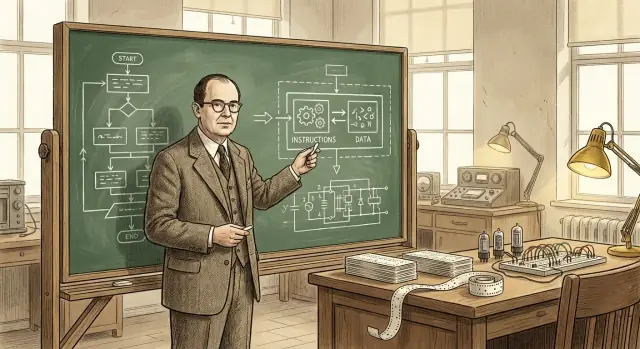
A stored-program computer keeps the instructions for a task (the program) in the same kind of internal memory as the data the program works on. Instead of rewiring hardware or manually reconfiguring panels, you can load a new set of instructions into memory and run a different job.
That sounds obvious now, but it’s a profound shift:
- The computer becomes a general-purpose tool, not a single-purpose machine.
- Programs become information—something you can edit, save, copy, and share.
- Software development becomes a practical activity: writing, testing, and improving instructions without rebuilding the computer.
What this article will cover (and why it still matters)
This isn’t just a historical curiosity. The stored-program concept explains why “software” exists as a separate thing from “hardware,” and why updating a device today can unlock new features without changing the chips inside.
In the sections ahead, we’ll walk through the problem early computers faced, what the stored-program approach changed, the people and documents that clarified the idea (including the famous EDVAC report), and how the term “von Neumann architecture” came to represent a widely used design.
A quick note on credit
Although John von Neumann’s name is strongly associated with stored-program computing, the credit is shared across a broader team and era. Many researchers were converging on similar ideas while building the first practical electronic computers. This article keeps that context in view, because understanding the team effort helps explain how the idea spread so quickly and became the default model for most computers that followed.
Before Stored Programs: When Changing a Task Meant Rewiring
Before the stored-program idea, many early computers didn’t “run software” in the way we mean it now. They could calculate at impressive speeds, but telling them what to do often meant physically changing the machine itself.
“Hardware programming” in practice
A common approach was to use plugboards, patch cables, and switch panels. Operators would connect wires between sockets, set rows of switches, and sometimes adjust timing units so that signals arrived in the right order. The “program” wasn’t a file you loaded—it was a temporary wiring diagram.
This setup worked, but it carried a hidden cost: every new task was a mini engineering project. If you wanted to change the sequence of operations (add, multiply, compare, loop), you might have to move dozens or hundreds of connections. A single misplaced cable could create subtle errors that were hard to diagnose, because the logic was distributed across hardware connections rather than written down as readable steps.
Why changing tasks was expensive
Reconfiguring could take hours or days, especially if the machine had to be carefully powered down, rewired, and tested. That meant limited flexibility: these machines were often scheduled for one kind of calculation for long stretches because switching jobs was so disruptive.
A simple example
Imagine a machine set up to compute artillery firing tables—long, repetitive calculations with a fixed formula. If researchers then wanted the same machine to solve a different problem, like tabulating statistical results for a census, it wasn’t a quick “edit the program and rerun.” The operation order, intermediate storage steps, and conditional checks might all differ, requiring a full plugboard redesign and a fresh round of verification.
This is the world the stored-program computer was designed to escape.
The Stored-Program Computer, Explained Simply
A stored-program computer is a machine where the instructions (the program) live in the same working memory as the data the program uses. In other words, the computer doesn’t treat “what to do” as something separate from “what to work on”—both are stored as patterns of bits in memory.
What “memory” means here
When early computer pioneers talked about memory, they meant the computer’s fast, directly usable internal storage—what we’d now associate most closely with RAM. It’s the place the processor can read from and write to quickly while it runs.
That’s different from long-term storage like a hard drive or SSD. A drive is great for keeping files when power is off, but it’s not the immediate scratchpad the processor constantly uses to fetch the next instruction and update intermediate results.
The key consequence: change the job without changing the machine
Once instructions are stored in memory, switching tasks becomes dramatically simpler: you can load a new program into memory and run it, without rebuilding, rewiring, or physically reconfiguring the hardware. The same general-purpose machine can do payroll in the morning and ballistics calculations in the afternoon—because the “how” of the job is just another set of bits you can replace.
An everyday analogy
Imagine a kitchen where the recipe and the ingredients are kept together in the same pantry. The cook (the processor) repeatedly goes to the pantry (memory) to read the next recipe step (instruction) and grab or update ingredients (data).
Want to make a different dish? You don’t remodel the kitchen. You just swap in a different recipe—while using the same counters, oven, and tools.
John von Neumann’s Role (and Why His Name Stuck)
John von Neumann didn’t “invent the computer,” and he didn’t single-handedly create the stored-program idea. What he did do—brilliantly—was help turn a promising concept into a clearly stated, widely shared design that other engineers and labs could build on.
A major contributor—and an unusually effective communicator
Von Neumann was deeply involved in wartime and postwar computing projects, advising teams and sharpening the logical structure of early designs. He had a gift for explaining complex technical choices in plain, organized terms, and that mattered because early electronic computing was moving fast, with multiple groups solving similar problems at once.
Just as importantly, he wrote and circulated influential descriptions of how a computer could store program instructions in the same memory used for data. That clear framing made it easier for others to discuss, teach, and replicate the approach.
Why his name got attached to the architecture
Names often stick not to the first person with an idea, but to the person whose description becomes the reference point. Von Neumann’s write-ups were widely read, copied, and cited—so later readers naturally associated the “stored-program” organization with him.
This labeling also simplified history: it’s easier to say “von Neumann architecture” than to list every contributor and report. But the shorthand can blur what really happened.
A community effort, not a solo breakthrough
Early electronic computing was a collaborative, cross-institution effort involving mathematicians, engineers, and programmers. The stored-program concept matured through discussions, drafts, prototypes, and revisions across teams. Von Neumann’s lasting role was helping crystallize and broadcast the idea—accelerating its adoption—rather than creating it alone.
The EDVAC Report and a Clear Statement of the Concept
EDVAC (Electronic Discrete Variable Automatic Computer) was one of the early post‑war computer projects aiming to move beyond “one-off” machines. Just as important as the hardware effort was the decision to write down the design ideas in a clear, shareable form. At the time, computer building was still close to experimental engineering—knowledge lived in lab notebooks, meetings, and the heads of a few specialists. A report could turn those scattered insights into something other teams could discuss, critique, and reuse.
What the EDVAC report said—without the math
The First Draft of a Report on the EDVAC (often shortened to “the EDVAC report”) laid out, in plain conceptual terms, the stored‑program idea: a computer should keep program instructions in the same kind of internal memory as data. That memory isn’t just a place to hold numbers while a calculation runs—it also holds the steps telling the machine what to do next.
This framing makes a computer feel less like a fixed-purpose device and more like a general machine that can be “re-tasked” by changing what’s in memory. You don’t rewire the system to switch from one job to another; you load a different sequence of instructions.
Why it mattered for everyone else
Beyond the concept itself, the report helped standardize how people talked about computers: memory, control, arithmetic, and input/output as distinct functional parts working together. Having a shared vocabulary and a widely read description didn’t just explain EDVAC—it gave the broader field a common mental model for building, comparing, and improving stored‑program computers.
Shared Credit: The Team Behind Early Stored-Program Thinking
It’s tempting to ask “who invented the stored-program computer?” and expect a single name. But science and engineering rarely work that way. Ideas often develop in parallel, get refined through discussion, and only become convincing when they’re demonstrated in working hardware.
Key collaborators and parallel efforts
John von Neumann is strongly associated with the stored-program concept, but the early work involved many people and groups:
- J. Presper Eckert and John Mauchly (ENIAC/EDVAC work): central to the engineering push toward practical electronic computers and improved designs.
- Herman Goldstine: a crucial organizer and bridge between mathematicians and engineers, and a key figure in documenting and circulating ideas.
- Arthur Burks: contributed to early logical design and later accounts of how these architectures were formalized.
- Alan Turing: wrote influential pre-EDVAC thinking on general-purpose computation and program-controlled machines.
- Maurice Wilkes (EDSAC), and Frederic Williams & Tom Kilburn (Manchester): helped prove stored-program systems could actually run, with early working demonstrations and memory advances.
Why “who invented it” is complicated
A stored-program computer is not one single insight. It combines (1) the conceptual leap that instructions can live in memory like data, (2) the engineering required to build reliable memory and control units, and (3) the programming practices that make the design usable. Different people contributed to different pieces.
Proposing vs. building
Another reason credit is shared: proposing an idea isn’t the same as building a machine that works day after day. Early reports and discussions made the concept clearer; early prototypes and production systems proved it was feasible. A careful history respects both kinds of contributions—without forcing a simplistic “first inventor” verdict.
What “von Neumann Architecture” Usually Means
When people say “von Neumann architecture,” they’re usually pointing to a simple, widely taught model of how a stored-program computer is organized. It’s not a brand or a single historical machine—it’s a convenient label for a basic plan that shows up, in one form or another, across many computers.
The common block diagram: CPU, memory, and input/output
At the conceptual level, the picture looks like this:
- CPU (central processing unit): the “worker” that performs operations.
- Memory: the place where the computer keeps both the program instructions and the data the program uses.
- Input/Output (I/O): ways to get information in and out—keyboards, disks, screens, networks, sensors, and so on.
The key idea is that the CPU doesn’t have a separate physical place for “the program” versus “the numbers.” It pulls everything it needs from memory.
How instructions flow: fetch, decode, execute
The CPU runs a program by repeating a loop that’s often described as fetch–decode–execute:
- Fetch: read the next instruction from memory.
- Decode: interpret what that instruction is asking for (add, compare, load, store, jump…).
- Execute: carry out the action, which may involve reading/writing memory or interacting with I/O.
This description is simplified, but it captures the core: the program is a sequence of instructions stored in memory, and the CPU steps through them.
Why “instructions and data in the same memory” is powerful
Putting instructions and data in the same memory makes a computer general-purpose in a very practical way:
- To change what the machine does, you usually change the program in memory, not the wiring.
- Programs can treat instructions as information—copy them, load them, modify them (even if modern systems often restrict this for safety).
- It becomes easier to build tools like assemblers, compilers, and operating systems, because “a program” is just another kind of stored information.
A convenient label, not a claim of sole invention
So “von Neumann architecture” is best understood as a shorthand for the stored-program model with a CPU, a shared memory holding instructions and data, and I/O—an idea strongly associated with von Neumann’s clear explanations, even though the early stored-program story involved multiple contributors.
Von Neumann vs. Harvard: Two Ways to Organize Instructions and Data
People often talk about “von Neumann” and “Harvard” as if they’re competing philosophies. They’re really two practical ways to arrange program instructions and data so the computer can fetch what it needs.
Von Neumann style: one memory, shared path
In a von Neumann-style design, instructions and data live in the same memory and typically travel over the same main route to the CPU.
That’s conceptually simple: a program is just bytes in memory, right next to the numbers, text, and images it works on. It also makes general-purpose computing straightforward—software can be loaded, changed, and stored using the same mechanisms as data.
The trade-off: when instructions and data share the same “road,” they can compete for bandwidth. (You’ll sometimes hear this described as a “bottleneck,” but the key idea is simply sharing.)
Harvard style: separate storage (and often separate paths)
A Harvard-style approach keeps instruction storage separate from data storage, often with separate routes for fetching each.
That separation can make it easier to fetch the next instruction while also reading or writing data—helpful in small, predictable systems. A simple example is many microcontrollers, where program code may live in flash memory while variables live in RAM.
Why many real systems blend the two
Modern CPUs often look “von Neumann” to software (one address space, one program model), while internally they borrow Harvard-like ideas. A common example is separate instruction and data caches (I-cache and D-cache). To your program, it still feels like one memory, but the hardware can fetch code and data more efficiently.
What to remember: there isn’t a universal winner. Von Neumann emphasizes simplicity and flexibility; Harvard emphasizes separation and throughput. Many machines mix both to balance programmability, cost, power, and speed.
How Stored Programs Made Modern Programming Possible
A stored-program computer doesn’t just run calculations—it can load a set of instructions from memory, execute them, and then load a different set later. That shift made software reusable and shareable: a program could be written once, saved, copied, improved, and distributed without touching the hardware.
From “this machine” to “any task”
When the program lives in memory, the same physical computer can do many different jobs simply by swapping the instructions it reads. That’s what “general-purpose” really means: one machine, many programs. The computer is no longer defined by a single workflow; it becomes a platform.
A relatable modern example is your laptop running email, games, and spreadsheets. Under the hood, it’s the same idea: the hardware stays put while different stored programs are loaded and executed as you switch apps.
Why this enabled real programming tools
Once instructions are treated as data in memory, it becomes practical to build layers of software that help you write software:
- Assemblers let people write human-friendly mnemonics instead of raw numeric codes.
- Compilers translate higher-level languages into machine instructions, making programs easier to write and maintain.
- Operating systems manage loading programs, sharing memory and devices, and scheduling work so multiple programs can run smoothly.
These tools depend on the assumption that programs can be stored, moved, and manipulated like other information. That’s what made software an ecosystem rather than a one-off artifact tied to a particular wiring setup.
A useful way to see the long arc: stored programs enabled compilers and OSes, which enabled modern developer tooling—and today we’re seeing another layer of abstraction where you can describe an application in natural language and have tools generate working code. For example, Koder.ai is a vibe-coding platform where you build web, backend, or mobile apps through a chat interface, leaning on LLMs and an agent-based workflow to speed up the path from intent (“what should it do?”) to executable instructions (source code you can export, deploy, and roll back via snapshots).
The result is still the same virtuous cycle: stored programs made better tools possible, and better tools made more ambitious programs possible—turning computers into flexible, general-purpose machines.
The Famous Limitation: The “von Neumann Bottleneck”
The stored-program idea made computers flexible, but it also highlighted a practical constraint that engineers still talk about: the “von Neumann bottleneck.” In everyday terms, it’s like a traffic jam on the road between the CPU (the worker) and memory (the warehouse).
A traffic jam between CPU and memory
In a typical stored-program design, both program instructions and data live in memory. The CPU fetches an instruction, then fetches the data it needs, then writes results back—often over the same connection. If that connection can’t move information quickly enough, the CPU ends up waiting around even if it could otherwise compute much faster.
Why speed and bandwidth matter
Two related factors shape this bottleneck:
- Memory latency (speed): how long it takes to get the first piece of information after asking for it.
- Memory bandwidth: how much information can be moved per second once transfers are flowing.
A CPU may be able to perform billions of operations per second, but if memory can’t deliver a steady stream of instructions and data, performance is limited by the slowest step: getting bytes in and out.
Common mitigations (not magic fixes)
This is a widely discussed engineering consideration, and modern computers use several techniques to reduce the impact:
- Caches: small, fast memory close to the CPU that keeps recently used instructions/data.
- Prefetching: guessing what will be needed next and loading it early.
- Parallelism: doing more than one thing at once (multiple cores, overlapping memory access with computation).
These approaches don’t eliminate the underlying “road,” but they help keep it less congested—so the CPU spends more time working and less time waiting.
Where You See the Idea in Computers You Use Today
The stored-program concept isn’t a museum piece—it’s how everyday computing stays flexible. Your devices don’t need to be “rewired” to do something new; they just load different instructions into memory and run them.
Phones, laptops, and servers: same basic trick
On a phone, tapping an app icon causes the operating system to load that app’s code (instructions) from storage into memory, then the CPU executes it. On a laptop, the same thing happens when you open a browser, edit a document, or run a game. In servers, it’s even more visible: the machine might run thousands of changing workloads—web requests, database queries, background jobs—without changing the hardware at all.
Even features we think of as “hardware-like” are often software-defined. Network routing, video decoding paths, photo enhancement, and power management policies are frequently updated via firmware and system software—new instructions, same device.
Interpreters and virtual machines still run stored instructions
Languages like Python and JavaScript typically run through an interpreter or a virtual machine. Instead of the CPU directly executing your source code, your program is translated into a structured form (bytecode or internal instructions) that is stored in memory and executed step by step. Java’s JVM, .NET, WebAssembly runtimes, and browser JavaScript engines all rely on this: instructions become data structures the machine can load, move, and execute.
A security footnote: when data turns into instructions
Because instructions are “just” information, attacks often try to smuggle malicious code through data—classic code injection. Defenses like memory protection, code signing, and non-executable memory regions exist to keep untrusted data from being treated as runnable instructions.
All of this circles back to the central promise of stored programs: flexibility through software—new behavior on the same hardware.
Key Takeaways and Suggested Next Reads
Key takeaways
- A stored-program computer keeps program instructions in the same kind of read/write memory as data, so you can change what the machine does by changing memory—not by rewiring hardware.
- The “von Neumann architecture” label usually points to a practical organization (CPU + memory + input/output) where instructions and data share pathways, not to a claim that one person invented everything.
- Early stored-program thinking was teamwork: the EDVAC discussions and report helped state the idea clearly, and multiple projects showed how it could be built and operated reliably.
- Stored programs made modern programming possible because they support reusable code, libraries, compilers, and operating systems, all built on the assumption that software is data the machine can load and run.
Quick questions to recognize an architecture
When you’re looking at a computer (or reading a spec), these questions help you spot the basic model:
- Where are instructions stored at runtime: the same memory as data, or a separate instruction memory?
- Do instructions and data travel over the same bus/path, or are there separate paths (common in Harvard-style designs)?
- Can the system modify or generate code and then execute it (a classic stored-program capability), or is code storage fixed/isolated?
- Is “program memory” described as flash/ROM while “data memory” is RAM (a hint of Harvard-like separation in many microcontrollers)?
Suggested next reads
- Books: The Computer from Pascal to von Neumann (Herman H. Goldstine); general computer history surveys that cover ENIAC/EDVAC/IAS.
- Museums: the Computer History Museum; the Science Museum (computing collections); the Smithsonian (technology history).
- Archives and journals: IEEE and ACM history articles (including oral histories), plus university library special collections that host early computing papers.
If you want more background-friendly posts like this, browse /blog.
Note: If you experiment with modern ways of turning “instructions” into running systems—whether by writing code directly or by using chat-driven build platforms like Koder.ai—consider documenting what you learn. Koder.ai also offers an earn-credits program for published content and referrals, which can be a practical way to fund more experiments and tutorials.
FAQ
What is a stored-program computer, in simple terms?
A stored-program computer keeps program instructions in the same internal memory used to hold the data those instructions operate on. To change tasks, you load a different set of instructions into memory instead of rewiring or reconfiguring the machine’s hardware.
How were early computers “programmed” before stored programs?
Before stored programs, many machines were effectively “programmed” with plugboards, patch cables, and switch settings. Changing the sequence of operations could mean hours or days of rewiring and retesting, and a single wrong connection could introduce hard-to-find errors.
What does “memory” mean in the stored-program idea (and how is it different from storage)?
In this context, “memory” means the computer’s fast working storage (most like modern RAM) that the CPU can read and write constantly while running. It’s different from long-term storage (like disks/SSDs), which is for keeping programs and files when power is off.
Why is the EDVAC report so important to the stored-program concept?
The EDVAC report clearly described the organization where instructions and data share internal memory, along with a useful vocabulary for talking about computer parts (memory, control, arithmetic, input/output). That clarity helped other teams discuss, compare, and build similar systems more quickly.
Did John von Neumann invent the stored-program computer by himself?
His name stuck largely because his descriptions were widely circulated and easy to reference, not because he was the only contributor. The stored-program approach emerged from a broader community (engineers, mathematicians, and early programmers) working on related problems at the same time.
What does “von Neumann architecture” typically mean today?
“Von Neumann architecture” usually refers to a model with:
- a CPU that runs a fetch–decode–execute cycle
- a single memory holding both instructions and data
- input/output devices
It’s a convenient teaching label for the stored-program organization, not a claim about a single historical machine or a sole inventor.
What’s the difference between von Neumann and Harvard architectures?
In a von Neumann-style design, instructions and data share one memory (often one main path to the CPU). In a Harvard-style design, instruction storage is separated from data storage (often with separate paths).
Many modern systems blend the two—e.g., one memory model for software, but separate instruction/data caches internally.
What is the von Neumann bottleneck, and how do computers reduce it?
The “von Neumann bottleneck” is the performance limit that can happen when the CPU and memory share a constrained path for moving both instructions and data. Common mitigations include caches, prefetching, and parallelism (like multiple cores), which reduce waiting but don’t eliminate the underlying constraint.
How does the stored-program idea explain software updates and app switching on modern devices?
Because programs are just information that can be loaded into memory, you can update behavior by changing software instead of changing chips. That’s why the same phone or laptop can run many apps, and why firmware/OS updates can add features without redesigning hardware.
Why does “instructions as data” matter for security?
Since instructions are represented as data in memory, attackers sometimes try to trick systems into treating untrusted data as executable code (e.g., code injection). Modern defenses include memory protection (non-executable regions), code signing, and other controls that separate “data you may read” from “code you may run.”