

Ken Thompson’s UNIX Principles Behind Containers and Cloud OS
Explore Ken Thompson’s UNIX principles—small tools, pipes, files, and clear interfaces—and how they shaped containers, Linux, and cloud infrastructure.
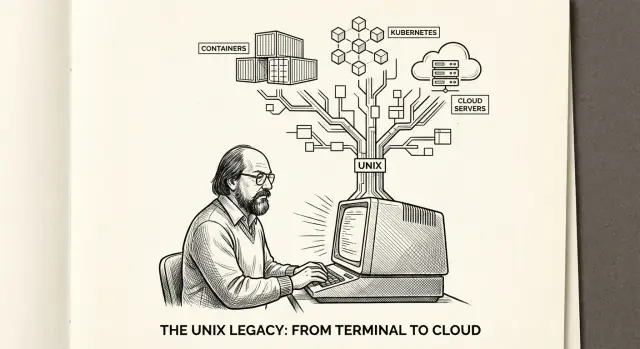
Why Ken Thompson and UNIX Still Matter
Ken Thompson didn’t set out to build a “forever operating system.” With Dennis Ritchie and others at Bell Labs, he was trying to make a small, usable system that developers could understand, improve, and move between machines. UNIX was shaped by practical goals: keep the core simple, make tools work well together, and avoid locking users into one computer model.
What’s surprising is how well those early choices map to modern computing. We’ve swapped terminals for web dashboards and single servers for fleets of virtual machines, but the same questions keep showing up:
- How do you connect components without making a mess?
- How do you isolate work safely?
- How do you change one part without breaking everything else?
Principles beat features
Specific UNIX features have evolved (or been replaced), but the design principles stayed useful because they describe how to build systems:
- Prefer small, focused tools over giant all-in-one programs
- Use simple interfaces so parts can be recombined
- Keep boundaries clear (between users, processes, and permissions)
Those ideas show up everywhere—from Linux and POSIX compatibility to container runtimes that rely on process isolation, namespaces, and filesystem tricks.
Where this article is going
We’ll connect Thompson-era UNIX concepts to what you deal with today:
- How the process model and standard streams relate to containers
- Why “everything is a file” echoes in cloud operations and automation
- How stable interfaces make large systems easier to maintain
What to expect
This is a practical guide: minimal jargon, concrete examples, and a focus on “why it works” rather than trivia. If you want a quick mental model for containers and cloud OS behavior, you’re in the right place.
You can also jump ahead to /blog/how-unix-ideas-show-up-in-containers when you’re ready.
A Short, Practical History of UNIX
UNIX didn’t start as a grand platform strategy. It began as a small, working system built by Ken Thompson (with key contributions from Dennis Ritchie and others at Bell Labs) that prioritized clarity, simplicity, and getting useful work done.
A brief timeline (the parts that matter)
- 1969–1971: Early UNIX is created on modest hardware. The goal is a convenient environment for writing and running programs, not a “mainframe replacement.”
- 1973: UNIX is largely rewritten in C. This is the turning point that made UNIX much easier to move between machines.
- Late 1970s–1980s: UNIX spreads through universities and vendors. Multiple “UNIX-like” systems appear, each with its own tweaks.
- 1990s onward: Standardization efforts (notably POSIX) help keep core behaviors consistent across systems, even as implementations differ.
What “portable OS” meant back then—and why it mattered
In the early days, operating systems were often tied tightly to a specific computer model. If you changed hardware, you effectively had to change your OS (and frequently your software) too.
A portable OS meant something practical: the same operating system concepts and much of the same code could run on different machines with far less rewriting. By expressing UNIX in C, the team reduced dependence on any one CPU and made it realistic for others to adopt and adapt UNIX.
UNIX is a family of ideas, not one product
When people say “UNIX,” they might mean an original Bell Labs version, a commercial variant, or a modern UNIX-like system (such as Linux or BSD). The common thread is less about a single brand and more about a shared set of design choices and interfaces.
That’s where POSIX matters: it’s a standard that codifies many UNIX behaviors (commands, system calls, and conventions), helping software remain compatible across different UNIX and UNIX-like systems—even when the underlying implementations are not identical.
Small, Composable Tools: The Core UNIX Idea
UNIX popularized a deceptively simple rule: build programs that do one job well, and make them easy to combine. Ken Thompson and the early UNIX team didn’t aim for giant, all-in-one applications. They aimed for small utilities with clear behavior—so you could stack them together to solve real problems.
Why “small” is a practical advantage
A tool that does one thing well is easier to understand because there are fewer moving parts. It’s also easier to test: you can feed it a known input and check the output without needing to set up an entire environment. When requirements change, you can replace one piece without rewriting everything else.
This approach also encourages “replaceability.” If a utility is slow, limited, or missing a feature, you can swap it for a better one (or write a new one) as long as it keeps the same basic input/output expectations.
A mental model: composition beats complexity
Think of UNIX tools like LEGO bricks. Each brick is simple. The power comes from how they connect.
A classic example is text processing, where you transform data step by step:
cat access.log | grep " 500 " | sort | uniq -c | sort -nr | head
Even if you don’t memorize the commands, the idea is clear: start with data, filter it, summarize it, and show the top results.
How this echoes in modern systems (without being the same thing)
Microservices are not “UNIX tools on the network,” and forcing that comparison can mislead. But the underlying instinct is familiar: keep components focused, define clean boundaries, and assemble larger systems from smaller parts that can evolve independently.
Pipes and Standard Streams: Building Bigger Systems
UNIX got a lot of power from a simple convention: programs should be able to read input from one place and write output to another in a predictable way. That convention made it possible to combine small tools into larger “systems” without rewriting them.
Pipes, in plain English
A pipe connects the output of one command directly into the input of another. Think of it like passing a note down a line: one tool produces text, the next tool consumes it.
UNIX tools typically use three standard channels:
- Standard input (stdin): where a program reads from (often the keyboard, or another program)
- Standard output (stdout): where a program writes normal results
- Standard error (stderr): where a program writes warnings and errors
Because these channels are consistent, you can “wire” programs together without them knowing anything about each other.
Why this leads to reuse and automation
Pipes encourage tools to be small and focused. If a program can accept stdin and emit stdout, it becomes reusable in many contexts: interactive use, batch jobs, scheduled tasks, and scripts. This is why UNIX-like systems are so script-friendly: automation is often just “connect these pieces.”
Modern parallels you already use
- Streaming logs: tailing logs and filtering them (locally or in a platform) mirrors piping text through filters.
- ETL pipelines: extract → transform → load is the same “stepwise composition,” even when the data is JSON instead of plain text.
- Glue scripts: shell, Python, or CI steps often exist mainly to connect tools—exactly the pipe-and-stream mindset.
This composability is a direct line from early UNIX to how we assemble today’s cloud workflows.
“Everything Is a File”: A Simple Interface With Big Reach
UNIX made a bold simplification: treat many different resources as if they were files. Not because a disk file and a keyboard are the same, but because giving them a shared interface (open, read, write, close) keeps the system easy to understand and easy to automate.
Concrete examples you’ve probably used
- Devices: a terminal, disk, or random number generator can appear under /dev/. Reading from /dev/urandom feels like reading a file, even though it’s really a device driver producing bytes.
- Sockets and pipes: network connections and inter-process communication can be exposed through file descriptors. Your program writes bytes; the OS routes them.
- Configuration: plain text config files make it possible to use the same tools everywhere: edit with a text editor, validate with scripts, track changes in Git.
- Logs: logs are often just append-only files. That makes them easy to rotate, grep, tail, archive, and ship.
Why this matters: uniform tools and predictable behavior
When resources share one interface, you get leverage: a small set of tools can work across many contexts. If “output is bytes” and “input is bytes,” then simple utilities can be combined in countless ways—without each tool needing special knowledge of devices, networks, or kernels.
This also encourages stability. Teams can build scripts and operational habits around a handful of primitives (read/write streams, file paths, permissions) and trust that those primitives won’t change every time the underlying technology does.
The cloud tie-in: logs and /proc-style telemetry
Modern cloud operations still lean on this idea. Container logs are commonly treated as streams you can tail and forward. Linux’s /proc exposes process and system telemetry as files, so monitoring agents can “read” CPU, memory, and process stats like regular text. That file-shaped interface keeps observability and automation approachable—even at large scale.
Permissions and Least Privilege: Security That Scales
UNIX’s permission model is deceptively small: every file (and many system resources that act like files) has an owner, a group, and a set of permissions for three audiences—user, group, and others. With just read/write/execute bits, UNIX established a common language for who can do what.
The basics: ownership + simple rules
If you’ve ever seen something like -rwxr-x---, you’ve seen the whole model in one line:
- Owner (user): typically the account that created or “owns” the file
- Group: a named collection of users who share access
- Others: everyone else on the system
This structure scales well because it’s easy to reason about and easy to audit. It also nudges teams toward a clean habit: don’t “open everything up” just to make something work.
Least privilege, explained plainly
Least privilege means giving a person, process, or service only the permissions it needs to do its job—and no more. In practice, that often means:
- running a program as a non-admin user
- granting write access only where data must be written
- separating duties across groups rather than sharing one all-powerful account
How this maps to modern systems
Cloud platforms and container runtimes echo the same idea using different tools:
- Service accounts resemble UNIX users for workloads rather than humans.
- IAM policies/roles act like a richer, more granular permission system than simple rwx bits.
- Runtime permissions (e.g., which files a container can write, whether it can access host devices) are the “execution context” version of least privilege.
Important caution
UNIX permissions are valuable—but they’re not a complete security strategy. They don’t prevent all data leaks, stop vulnerable code from being exploited, or replace network controls and secrets management. Think of them as the foundation: necessary, understandable, and effective—just not sufficient on their own.
Processes as a First-Class Concept
UNIX treats a process—a running instance of something—as a core building block, not an afterthought. That sounds abstract until you see how it shapes reliability, multitasking, and the way modern servers (and containers) share a machine.
Program vs. process (an everyday analogy)
A program is like a recipe card: it describes what to do.
A process is like a chef actively cooking from that recipe: it has a current step, ingredients laid out, a stove it’s using, and a timer running. You can have multiple chefs using the same recipe at once—each chef is a separate process with its own state, even if they all started from the same program.
Why process isolation improves reliability
UNIX systems are designed so each process has its own “bubble” of execution: its own memory, its own view of open files, and clear boundaries around what it can touch.
This isolation matters because failures stay contained. If one process crashes, it usually doesn’t take others down with it. That’s a big reason servers can run lots of services on one machine: a web server, a database, a background scheduler, log shippers—each as separate processes that can be started, stopped, restarted, and monitored independently.
On shared systems, isolation also supports safer resource sharing: the operating system can enforce limits (like CPU time or memory) and prevent one runaway process from starving everything else.
Signals and job control (the “tap on the shoulder”)
UNIX also provides signals, a lightweight way for the system (or you) to notify a process. Think of it as a tap on the shoulder:
- “Please stop” (terminate)
- “Pause for a moment” (suspend)
- “Reload your configuration” (common for long-running services)
Job control builds on this idea in interactive use: you can pause a task, resume it in the foreground, or let it run in the background. The point isn’t just convenience—it’s that processes are meant to be managed as living units.
From one laptop to many workloads per server
Once processes are easy to create, isolate, and control, running many workloads safely on one machine becomes normal. That mental model—small units that can be supervised, restarted, and constrained—is a direct ancestor of how modern service managers and container runtimes operate today.
Stable Interfaces: The Hidden Reason UNIX Endures
UNIX didn’t win because it had every feature first. It endured because it made a few interfaces boring—and kept them that way. When developers can rely on the same system calls, the same command-line behavior, and the same file conventions year after year, tools accumulate instead of being rewritten.
What “stable interface” really means
An interface is the agreement between a program and the system around it: “If you ask for X, you’ll get Y.” UNIX kept key agreements stable (processes, file descriptors, pipes, permissions), which let new ideas grow on top without breaking old software.
APIs vs ABIs (in plain language)
People often say “API compatibility,” but there are two layers:
- API (Application Programming Interface): what source code expects. If a function name, arguments, or behavior changes, your code may not compile or may act differently.
- ABI (Application Binary Interface): what compiled programs expect. If calling conventions, binary formats, or shared library symbols change, a program that used to run may fail to start—even if the source code is fine.
Stable ABIs are a big reason ecosystems last: they protect already-built software.
POSIX: portability as a policy
POSIX is a standards effort that captured a common “UNIX-like” user-space: system calls, utilities, shell behavior, and conventions. It doesn’t make every system identical, but it creates a large overlap where the same software can be built and used across Linux, BSDs, and other UNIX-derived systems.
Why this matters for containers
Container images quietly depend on stable UNIX-like behavior. Many images assume:
- a predictable filesystem layout and permissions model
- common utilities and shells behaving in familiar ways
- standard streams (stdin/stdout/stderr) and process signals working consistently
Containers feel portable not because they include “everything,” but because they sit on top of a widely shared, stable contract. That contract is one of UNIX’s most durable contributions.
How UNIX Ideas Show Up in Containers
Containers look modern, but the mental model is very UNIX: treat a running program as a process with a clear set of files, permissions, and resource limits.
Containers are process isolation plus packaging
A container is not “a lightweight VM.” It’s a set of normal processes on the host that are packaged (an application plus its libraries and config) and isolated so they behave like they’re alone. The big difference: containers share the host kernel, while VMs run their own.
Classic UNIX building blocks, reassembled
Many container features are direct extensions of UNIX ideas:
- Processes: the container’s “main” app is just a process (often PID 1 inside the container view), with child processes, signals, exit codes, and logs that behave like you’d expect from UNIX.
- Filesystems as interfaces: container images are essentially filesystem snapshots (layered changes). Running a container means starting processes with a particular root filesystem view.
- Permissions: users, groups, file modes, and capabilities decide what a containerized process can do—still the familiar least-privilege story, just applied to new boundaries.
Namespaces and cgroups (conceptually)
Two kernel mechanisms do most of the heavy lifting:
- Namespaces give a process its own “view” of system resources. A process can see a different set of PIDs, mounts, network interfaces, or hostnames—so it feels like its own mini system.
- cgroups (control groups) limit and account for resource use: CPU, memory, and more. They answer the practical question UNIX alone didn’t fully solve: “How do we stop one workload from eating the machine?”
Limits and risks to keep in mind
Because containers share a kernel, isolation isn’t absolute. A kernel vulnerability can affect all containers, and misconfigurations (running as root, overly broad capabilities, mounting sensitive host paths) can punch holes in the boundary. “Escape” risks are real—but they’re usually mitigated with careful defaults, minimal privileges, and good operational hygiene.
From UNIX Composition to Cloud-Native Patterns
UNIX popularized a simple habit: build small tools that do one job, connect them through clear interfaces, and let the environment handle wiring. Cloud-native systems look different on the surface, but the same idea fits distributed work surprisingly well: services stay focused, integration points stay explicit, and operations stay predictable.
Small components, clear contracts
In a cluster, “small tool” often means “small container.” Instead of shipping one large image that tries to do everything, teams split responsibilities into containers with narrow, testable behavior and stable inputs/outputs.
A few common examples mirror classic UNIX composition:
- Init containers prepare the environment (migrations, config generation, permissions) before the main workload starts—like a setup script that runs and exits.
- Sidecars add a single capability (proxying, mTLS, caching, scraping) without changing the app binary.
- Log collectors read logs and forward them, keeping the app focused on writing useful output.
- Health checks provide a simple “is it working?” signal, similar to using a command’s exit code as a contract.
Each piece has a clear interface: a port, a file, an HTTP endpoint, or stdout/stderr.
Pipes and streams, updated for observability
Pipes connected programs; modern platforms connect telemetry streams. Logs, metrics, and traces flow through agents, collectors, and backends much like a pipeline:
application → node/sidecar agent → collector → storage/alerts.
The win is the same as with pipes: you can insert, swap, or remove stages (filtering, sampling, enrichment) without rewriting the producer.
Operational simplicity through composition
Composable building blocks make deployments repeatable: the “how to run this” logic lives in declarative manifests and automation, not in someone’s memory. Standard interfaces let you roll out changes, add diagnostics, and enforce policies consistently across services—one small unit at a time.
A modern workflow note: building systems the UNIX way (faster)
One reason UNIX principles keep resurfacing is that they match how teams actually work: iterate in small steps, keep interfaces stable, and rollback when you get surprised.
If you’re building web services or internal tools today, platforms like Koder.ai are essentially an opinionated way to apply that mindset with less friction: you describe the system in chat, iterate on small components, and keep boundaries explicit (frontend in React, backend in Go with PostgreSQL, mobile in Flutter). Features like planning mode, snapshots and rollback, and source code export support the same operational habit UNIX encouraged—change safely, observe results, and keep the system explainable.
Actionable Principles You Can Apply Today
UNIX ideas aren’t just for kernel developers. They’re practical habits that make day‑to‑day engineering calmer: fewer surprises, clearer failures, and systems that can evolve without rewrites.
1) Keep interfaces small (and boring)
Smaller interfaces are easier to understand, document, test, and replace. When you design a service endpoint, CLI flag set, or internal library:
- Prefer a few well-chosen operations over dozens of special cases.
- Treat compatibility as a feature: once others depend on an interface, changing it becomes expensive.
- Add new capabilities by composition (new tool/module) rather than expanding one mega-tool.
2) Make output observable: text/log clarity beats cleverness
UNIX tools tend to be transparent: you can see what they do and inspect what they produce. Apply the same standard to services and pipelines:
- Emit structured logs with clear event names and stable fields.
- Make failures explicit: error messages should say what happened, where, and what to try next.
- Prefer outputs that are easy to inspect in plain text (even if you also provide JSON).
If your team is building containerized services, revisit the basics in /blog/containers-basics.
3) Automate safely with “least privilege” defaults
Automation should reduce risk, not multiply it. Use the smallest permissions needed for the job:
- Separate read vs write credentials.
- Scope tokens to a single service or environment.
- Run jobs with minimal OS permissions; avoid “just run as admin/root” shortcuts.
For a practical refresher on permissions and why they matter, see /blog/linux-permissions-explained.
4) How to evaluate a new tool: compose, observe, replace
Before adopting a new dependency (framework, workflow engine, platform feature), ask three questions:
- Does it compose well? Can it plug into existing scripts/services without forcing a rewrite?
- Is it observable? Can you debug it with logs/metrics and simple inspection?
- Is it replaceable? Can you swap it out later without dragging its assumptions everywhere?
If the answer to any is “no,” you’re not just buying a tool—you’re buying lock-in and hidden complexity.
Misconceptions, Trade-Offs, and a Clear Summary
UNIX attracts two opposite myths that both miss the point.
Myth 1: “UNIX is outdated”
UNIX isn’t a product you install—it’s a set of ideas about interfaces. The specifics have evolved (Linux, POSIX, systemd, containers), but the habits that made UNIX useful still show up wherever people need systems that can be understood, debugged, and extended. When your container logs go to standard output, when a tool accepts input from a pipe, or when permissions limit blast radius, you’re using the same mental model.
Myth 2: “UNIX solves everything”
The composability of small tools can tempt teams into building systems that are “clever” instead of clear. Composition is a power tool: it works best with strong conventions and careful boundaries.
Where UNIX ideas get misused
Over-fragmentation is common: splitting work into dozens of microservices or tiny scripts because “small is better,” then paying the price in coordination, versioning, and cross-service debugging.
Shell-script sprawl is another: quick glue code becomes production-critical without tests, error handling, observability, or ownership. The result isn’t simplicity—it’s a fragile web of implicit dependencies.
Cloud trade-offs: abstraction helps, hidden complexity grows
Cloud platforms amplify UNIX’s strengths (standard interfaces, isolation, automation), but they also stack abstractions: container runtime, orchestrator, service mesh, managed databases, IAM layers. Each layer reduces effort locally while increasing “where did it fail?” uncertainty globally. Reliability work shifts from writing code to understanding boundaries, defaults, and failure modes.
Clear summary
Ken Thompson’s UNIX principles still matter because they bias systems toward simple interfaces, composable building blocks, and least privilege. Applied thoughtfully, they make modern infrastructure easier to operate and safer to change. Applied dogmatically, they create unnecessary fragmentation and hard-to-debug complexity. The goal is not to imitate 1970s UNIX—it’s to keep the system explainable under pressure.
FAQ
Why do Ken Thompson’s UNIX ideas still matter in modern computing?
Ken Thompson and the Bell Labs team optimized for understandable, modifiable systems: a small core, simple conventions, and tools that can be recombined. Those choices still map cleanly to modern needs like automation, isolation, and maintaining large systems over time.
Why was rewriting UNIX in C such a big turning point?
Rewriting UNIX in C reduced dependence on any single CPU or hardware model. That made it realistic to move the OS (and software built for it) across machines, which later influenced portability expectations in UNIX-like systems and standards such as POSIX.
What is POSIX, and what problem does it solve?
POSIX codifies a shared set of UNIX-like behaviors (system calls, utilities, shell conventions). It doesn’t make every system identical, but it creates a large compatibility zone so software can be built and run across different UNIX and UNIX-like systems with fewer surprises.
What does “small, composable tools” mean in practice?
Small tools are easier to understand, test, and replace. When each tool has a clear input/output contract, you can solve bigger problems by composing them—often without changing the tools themselves.
- Fewer moving parts per component
- Easier debugging (inspect inputs/outputs)
- Safer upgrades (swap one piece at a time)
How do pipes and standard streams help with automation and reuse?
A pipe (|) connects one program’s stdout to the next program’s stdin, letting you build a pipeline of transformations. Keeping stderr separate also helps automation: normal output can be processed while errors remain visible or can be redirected independently.
What does “everything is a file” actually mean, and why is it useful?
UNIX uses a uniform interface—open, read, write, close—for many resources, not just disk files. That means the same tooling and habits apply widely (editing config, tailing logs, reading system info).
Common examples include device files in /dev and telemetry-like files in /proc.
How do UNIX permissions relate to “least privilege” security today?
The owner/group/others model with read/write/execute bits makes permissions easy to reason about and audit. Least privilege is the operational habit of granting only what’s needed.
Practical steps include:
- Run services as non-root users
- Grant write access only where required
- Separate duties instead of sharing one powerful account
What’s the key difference between a program and a process, and why does it matter?
A program is the static code; a process is a running instance with its own state. UNIX process isolation improves reliability because failures tend to stay contained, and processes can be managed with signals and exit codes.
This model underpins modern supervision and service management (start/stop/restart/monitor).
What are “stable interfaces,” and how do APIs and ABIs fit in?
Stable interfaces are long-lived contracts (system calls, streams, file descriptors, signals) that let tools accumulate instead of constantly being rewritten.
- API compatibility: source code expectations
- ABI compatibility: what compiled binaries expect
Containers benefit because many images assume consistent UNIX-like behavior from the host.
How do UNIX concepts show up in containers, and what are the main limits?
A container is best thought of as process isolation plus packaging, not a lightweight VM. Containers share the host kernel, while VMs run their own.
Key kernel mechanisms include:
- Namespaces: separate “views” of resources (PIDs, network, mounts)
- cgroups: resource limiting/accounting (CPU, memory)
Misconfigurations (e.g., running as root, broad capabilities, host mounts) can weaken isolation.