

Kernighan on Programming Clarity: Taste Over Clever Code
Brian Kernighan’s “good taste” advice shows how readable code saves time, reduces bugs, and helps real teams move faster than clever tricks.
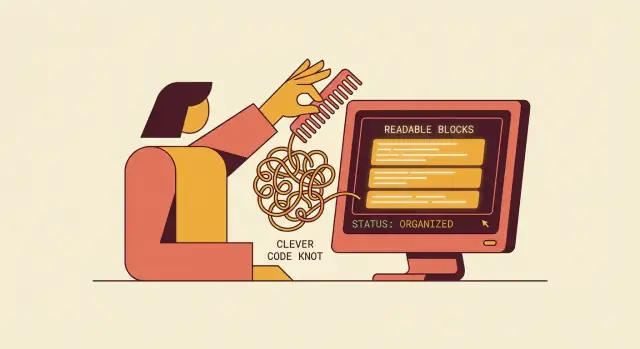
Why Kernighan Still Matters for Everyday Code
Brian Kernighan’s name shows up in places many developers use without thinking about it: classic Unix tools, the C ecosystem, and decades of writing that taught people how to explain programs clearly. Whether you remember The C Programming Language (with Dennis Ritchie), The Unix Programming Environment, or his essays and talks, the common thread is an insistence on simple ideas expressed cleanly.
Clarity outlasts languages and frameworks
Kernighan’s best advice doesn’t depend on C syntax or Unix conventions. It’s about how humans read: we scan for structure, we rely on naming, we infer intent, and we get confused when code hides meaning behind tricks. That’s why “taste” in readability still matters when you’re writing TypeScript, Python, Go, Java, or Rust.
Languages change. Tooling improves. Teams still ship features under time pressure, and most code is maintained by someone other than the original author (often future-you). Clarity is the multiplier that makes all of that survivable.
What this article will focus on
This isn’t a tribute to “hero coding” or a call to memorize old-school rules. It’s a practical guide to the habits that make everyday code easier to work with:
- choosing straightforward solutions over clever shortcuts
- shaping functions and modules so their purpose is obvious
- documenting decisions without drowning readers in commentary
- using reviews and refactoring to keep code understandable as it grows
Kernighan’s influence matters because it points to a simple, team-friendly goal: write code that communicates. When code reads like a clear explanation, you spend less time decoding it and more time improving it.
What “Good Taste” in Code Readability Means
“Good taste” in readable code isn’t about personal style, fancy patterns, or compressing a solution into the fewest lines. It’s the habit of choosing the simplest clear option that reliably communicates intent.
A good-taste solution answers a basic question for the next reader: What is this code trying to do, and why is it doing it this way? If that answer requires mental gymnastics, hidden assumptions, or decoding clever tricks, the code is costing the team time.
Readability is for other people (and future you)
Most code is read far more often than it’s written. “Good taste” treats reading as the primary activity:
- It assumes a teammate will scan this file under time pressure.
- It assumes you’ll return months later with less context.
- It assumes the reader may not share your preferences, shortcuts, or memory of the original discussion.
That’s why readability is not just aesthetics (indentation, line width, or whether you like snake_case). Those are helpful, but “good taste” is mainly about making reasoning easy: clear names, obvious control flow, and predictable structure.
The tradeoff: slightly longer can be better
A common mistake is optimizing for brevity instead of clarity. Sometimes the clearest code is a little longer because it makes the steps explicit.
For example, compare these two approaches:
- A compact one-liner that filters, transforms, and handles edge cases in one expression.
- A few named intermediate variables that explain the sequence: validate → normalize → compute → return.
The second version might add lines, but it reduces the cognitive load required to verify correctness. It also makes bugs easier to isolate and changes safer to apply.
Good taste is knowing when to stop “improving” a solution with cleverness and instead make the intent plain. If a teammate can understand the code without asking you for a tour, you’ve chosen well.
The Cleverness Tax in Real Teams
Clever code often feels like a win in the moment: fewer lines, a neat trick, a “wow” factor in the diff. In a real team, that cleverness turns into a recurring bill—paid in onboarding time, review time, and hesitation every time someone has to touch the code again.
Where the tax shows up day to day
Onboarding slows down. New teammates don’t just need to learn the product; they also have to learn your private dialect of shortcuts. If understanding a function requires decoding clever operators or implicit conventions, people will avoid changing it—or change it with fear.
Reviews get longer and less reliable. Reviewers spend energy proving that the trick is correct rather than assessing whether the behavior matches the intent. Worse, clever code is harder to mentally simulate, so reviewers miss edge cases they would have caught in a straightforward version.
The hidden costs you only notice later
Cleverness compounds during:
- Debugging: dense expressions hide intermediate values, making it harder to insert logging or inspect state.
- Incident response: under pressure, the team needs code that reads like a set of instructions, not a puzzle.
- Handoffs and rotations: when ownership changes, “it works” isn’t enough; the next person must be able to reason about it quickly.
Common “clever” patterns that quietly hurt
A few repeat offenders:
- Magic numbers and unexplained constants (
17,0.618,-1) that encode rules no one can remember. - Dense one-liners that mix parsing, validation, transformation, and side effects in a single statement.
- Tricky operators and precedence (nested ternaries, bitwise hacks, overloaded
&&/||tricks) that rely on readers knowing subtle evaluation rules.
Kernighan’s point about “taste” shows up here: clarity is not about writing more; it’s about making intent obvious. If a “smart” version saves 20 seconds today but costs 20 minutes for every future reader, it isn’t smart—it’s expensive.
Small Clarity Wins: Names, Layout, and Control Flow
Kernighan’s “taste” often shows up in small, repeatable decisions. You don’t need a grand rewrite to make code easier to live with—tiny clarity wins compound every time someone scans a file, searches for a behavior, or fixes a bug under time pressure.
Names: make the code tell the story
A good name reduces the need for comments and makes mistakes harder to hide.
Aim for intention-revealing names that match how your team talks:
- Prefer
invoiceTotalCentsoversum. - Use one term consistently (pick customer or client, not both).
- Avoid “clever” abbreviations unless they’re standard in your codebase.
If a name forces you to decode it, it’s doing the opposite of its job.
Layout: format for scanning, not for showing off
Most reading is scanning. Consistent whitespace and structure help the eye find what matters: function boundaries, conditionals, and the “happy path.”
A few practical habits:
- Keep related lines together; separate steps with blank lines.
- Align code to highlight structure (indentation should explain nesting).
- Use early returns to keep the main flow visible.
Control flow: prefer simple branching over clever nesting
When logic gets tricky, readability usually improves by making decisions explicit.
Compare these two styles:
// Harder to scan
if (user && user.active && !user.isBanned && (role === 'admin' || role === 'owner')) {
  allow();
}

// Clearer
if (!user) return deny('missing user');
if (!user.active) return deny('inactive');
if (user.isBanned) return deny('banned');
if (role !== 'admin' && role !== 'owner') return deny('insufficient role');

allow();
The second version is longer, but it reads like a checklist—and it’s easier to extend without breaking.
These are “small” choices, but they’re the daily craft of maintainable code: names that stay honest, formatting that guides the reader, and control flow that never makes you do mental gymnastics.
Functions and Modules That Are Easy to Understand
Kernighan’s style of clarity shows up most in how you break work into functions and modules. A reader should be able to skim the structure, guess what each piece does, and be mostly right before reading the details.
One function, one job
Aim for functions that do exactly one thing at one “zoom level.” When a function mixes validation, business rules, formatting, and I/O, the reader has to keep multiple threads in mind.
A quick test: if you find yourself writing comments like “// now do X” inside a function, X is often a good candidate for a separate function with a clear name.
Keep parameters boring (and short)
Long parameter lists are a hidden complexity tax: every call site becomes a mini-configuration file.
If several parameters always travel together, group them thoughtfully. Options objects (or small data structs) can make call sites self-explanatory—if you keep the group coherent and avoid dumping everything into one “misc” bag.
Also, prefer passing domain concepts over primitives. UserId beats string, and DateRange beats (start, end) when those values have rules.
Small modules, clear boundaries
Modules are promises: “Everything you need for this concept is here, and the rest is elsewhere.” Keep modules small enough that you can hold their purpose in your head, and design boundaries that minimize side effects.
Practical habits that help:
- Make dependencies explicit (inputs in, outputs out) rather than reaching into global state.
- Keep I/O at the edges: core logic should be testable without a database, filesystem, or network.
- Expose a small public surface area; keep helper functions private.
When you do need shared state, name it honestly and document the invariants. Clarity isn’t about avoiding complexity—it’s about placing it where readers expect it. For more on maintaining these boundaries during changes, see /blog/refactoring-as-a-habit.
Comments and Documentation Without the Noise
Kernighan’s “taste” shows up in how you comment: the goal isn’t to annotate every line, it’s to reduce future confusion. The best comment is the one that prevents a wrong assumption—especially when the code is correct but surprising.
Explain why, not what
A comment that restates the code (“increment i”) adds clutter and teaches readers to ignore comments altogether. Useful comments explain intent, trade-offs, or constraints that aren’t obvious from the syntax.
# Bad: says what the code already says
retry_count += 1

# Good: explains why the retry is bounded
retry_count += 1  # Avoids throttling bans on repeated failures
If you feel tempted to write “what” comments, it’s often a sign the code should be clearer (better names, smaller function, simpler control flow). Let the code carry the facts; let comments carry the reasoning.
Keep comments accurate (or delete them)
Nothing damages trust faster than a stale comment. If a comment is optional, it will drift over time; if it’s wrong, it becomes an active source of bugs.
A practical habit: treat comment updates as part of the change, not as “nice to have.” During reviews, it’s fair to ask: Does this comment still match behavior? If not, either update it or remove it. “No comment” is better than “wrong comment.”
Put longer explanations where people will look
Inline comments are for local surprises. Broader guidance belongs in docstrings, READMEs, or developer notes—especially for:
- public APIs (what callers can rely on)
- tricky invariants (ordering, timing, concurrency assumptions)
- constraints (why this uses a specific algorithm, limit, or dependency)
A good docstring tells someone how to use the function correctly and what errors to expect, without narrating the implementation. A short /docs or /README note can capture the “why we did it this way” story so it survives refactors.
The quiet win: fewer comments, but each one earns its place.
Clarity Under Stress: Error Handling and Edge Cases
Most code looks “fine” on the happy path. The real test of taste is what happens when inputs are missing, services time out, or a user does something unexpected. Under stress, clever code tends to hide the truth. Clear code makes failure obvious—and recoverable.
Write errors for humans
Error messages are part of your product and your debugging workflow. Write them as if the next person reading them is tired and on-call.
Include:
- What happened (“Couldn’t save invoice”)
- Why it happened (the validated cause, not a guess)
- What to do next (“Check your network connection” / “Contact support with requestId”)
If you have logging, add structured context (like requestId, userId, or invoiceId) so the message is actionable without digging through unrelated data.
Handle edge cases explicitly (when it helps comprehension)
There’s a temptation to “handle everything” with a clever one-liner or a generic catch-all. Good taste is choosing the few edge cases that matter and making them visible.
For example, an explicit branch for “empty input” or “not found” often reads better than a chain of transformations that implicitly produce null somewhere in the middle. When a special case is important, name it and put it up front.
Prefer predictable return types and straightforward failure paths
Mixing return shapes (sometimes an object, sometimes a string, sometimes false) forces readers to keep a mental decision tree. Prefer patterns that stay consistent:
- Return the same “kind” of value every time (e.g., always a result object)
- Use exceptions sparingly and consistently (only for truly exceptional failures)
- Keep failure paths close to where the error occurs, with early returns when they reduce nesting
Clear failure handling reduces surprise—and surprise is where bugs and midnight pages thrive.
Consistency: Style Guides, Linters, and Team Agreements
Clarity isn’t only about what you meant when you wrote the code. It’s about what the next person expects to see when they open a file at 4:55pm. Consistency turns “reading code” into pattern recognition—fewer surprises, fewer misunderstandings, fewer debates that keep happening every sprint.
A lightweight style guide stops the same argument from repeating
A good team style guide is short, specific, and pragmatic. It doesn’t try to encode every preference; it settles the recurring questions: naming conventions, file structure, error-handling patterns, and what “done” looks like for tests.
The real value is social: it prevents the same discussion from resetting with every new pull request. When something is written down, reviews shift from “I prefer X” to “We agreed on X (and here’s why).” Keep it living and easy to find—many teams pin it in the repo (for example, /docs/style-guide.md) so it’s close to the code.
Let tools handle the mechanical rules
Use formatters and linters for anything that’s measurable and boring:
- Formatting (indentation, line breaks, import order)
- Obvious footguns (unused variables, unreachable code)
- Simple consistency checks (quote style, trailing commas)
This frees humans to focus on meaning: naming, API shape, edge cases, and whether the code matches the intent.
Manual rules still matter when they describe design choices—for example, “Prefer early returns to reduce nesting” or “One public entry point per module.” Tools can’t fully judge those.
Define exceptions (so they don’t become loopholes)
Sometimes complexity is justified: tight performance budgets, embedded constraints, tricky concurrency, or platform-specific behavior. The agreement should be: exceptions are allowed, but they must be explicit.
A simple standard helps: document the trade-off in a short comment, add a micro-benchmark or measurement when performance is cited, and isolate the complex code behind a clear interface so most of the codebase stays readable.
Code Reviews That Teach Taste Instead of Policing
A good code review should feel less like an inspection and more like a short, focused lesson in “good taste.” Kernighan’s point isn’t that clever code is evil—it’s that cleverness is expensive when other people have to live with it. Reviews are where teams can make that trade-off visible and choose clarity on purpose.
Review readability first (before performance heroics)
Start by asking: “Can a teammate understand this in one pass?” That usually means looking at naming, structure, tests, and behavior before diving into micro-optimizations.
If the code is correct but hard to read, treat readability as a real defect. Suggest renaming variables to reflect intent, splitting long functions, simplifying control flow, or adding a small test that demonstrates the expected behavior. A review that catches “this works, but I can’t tell why” prevents weeks of future confusion.
A practical ordering that works well:
- Behavior: Is the change doing what it claims?
- Tests: Do tests explain the intent and cover the edge cases?
- Structure: Is the logic arranged so the reader can follow it?
- Names: Do names match the domain and reduce mental effort?
Ask questions, offer suggestions (avoid gotchas)
Reviews go sideways when feedback is framed as scoring points. Instead of “Why would you do this?” try:
- “Could we rename this to reflect what it represents?”
- “Would an early return make this easier to follow?”
- “What do you think about extracting this into a helper so the main path reads top-to-bottom?”
Questions invite collaboration and often surface constraints you didn’t know about. Suggestions communicate direction without implying incompetence. This tone is how “taste” spreads across a team.
Bake clarity into the process
If you want consistent readability, don’t rely on reviewer mood. Add a few “clarity checks” to your review template and definition of done. Keep them short and specific:
- “Can a new teammate explain this function after reading it once?”
- “Is there a clear happy path and clear error handling?”
- “Do tests read like examples of expected behavior?”
Over time, this turns reviews from policing style into teaching judgment—exactly the kind of everyday discipline Kernighan advocated.
A note on AI-assisted coding: keep the same standards
LLM tools can produce working code quickly, but “works” isn’t the bar Kernighan was pointing at—communicates is. If your team uses a vibe-coding workflow (for example, building features via chat and iterating on generated code), it’s worth treating readability as a first-class acceptance criterion.
On platforms like Koder.ai, where you can generate React frontends, Go backends, and Flutter mobile apps from a chat prompt (and export the source code afterward), the same taste-driven habits apply:
- ask for a clear module layout and intention-revealing names, not just “make it work”
- request explicit error paths and consistent return shapes
- use snapshots/rollback to iterate safely while refactoring toward clarity
Speed is most valuable when the output is still easy for humans to review, maintain, and extend.
Refactoring as a Habit: Keeping Code Clear Over Time
Clarity isn’t something you “achieve” once. Code stays readable only if you keep nudging it back toward plain speech as requirements change. Kernighan’s sensibility fits here: prefer steady, understandable improvements over heroic rewrites or “smart” one-liners that impress today and confuse next month.
Refactor in small, safe steps (tests as guardrails)
The safest refactoring is boring: tiny changes that keep behavior identical. If you have tests, run them after every step. If you don’t, add a few focused checks around the area you’re touching—think of them as temporary guardrails so you can improve structure without fear.
A practical rhythm:
- Make one change (rename, extract a function, simplify a condition)
- Run tests (or a small manual check)
- Commit
Small commits also make code review easier: teammates can judge intent, not hunt for side effects.
Replace cleverness gradually
You don’t have to purge every “clever” construct in one go. As you touch code for a feature or bugfix, trade clever shortcuts for straightforward equivalents:
- Collapse tricky boolean logic into named helpers
- Replace nested ternaries with clear if/else blocks
- Swap “magic numbers” for named constants
This is how clarity wins in real teams: one improved hotspot at a time, exactly where people are already working.
Track refactoring debt: clean now vs. schedule later
Not all cleanup is urgent. A useful rule: refactor now when the code is actively changing, frequently misunderstood, or likely to cause bugs. Schedule later when it’s stable and isolated.
Make refactoring debt visible: leave a short TODO with context, or add a ticket that describes the pain (“hard to add new payment methods; function does 5 jobs”). Then you can decide deliberately—rather than letting confusing code quietly become the team’s permanent tax.
A Practical Clarity Checklist (and Simple Example Ideas)
If you want “good taste” to show up consistently, make it easy to practice. Here’s a lightweight checklist you can reuse in planning, coding, and review—short enough to remember, specific enough to act on.
A clarity checklist your team can repeat
- Naming: Does each name tell you what it is and what it’s for? Prefer domain words over internal jokes. Avoid abbreviations unless they’re standard in your team.
- Flow: Can you read the function top-to-bottom without backtracking? Keep the “happy path” prominent; push exceptional cases to the edges.
- Modules: Does each file/class have one job? Are dependencies obvious? If you had to delete it, would you know what would break?
- Errors: Are failures handled close to where they happen? Are messages actionable (what happened, where, what to do next)?
- Tests: Do tests read like examples of real use? Do they cover edge cases you’ve been burned by before?
“Before/after” ideas (no fancy syntax required)
Before: process(data) does validation, parsing, saving, and logging in one place.
After: Split into validateInput, parseOrder, saveOrder, logResult. The main function becomes a readable outline.
Before: if not valid then return false repeated five times.
After: One upfront guard section (or one validation function) that returns a clear list of issues.
Before: x, tmp, flag2, doThing().
After: retryCount, draftInvoice, isEligibleForRefund, sendReminderEmail().
Before: A loop with three special cases hidden in the middle.
After: Handle special cases first (or extract helpers), then run the straightforward loop.
A one-week team challenge
Pick one improvement to adopt this week: “no new abbreviations,” “happy path first,” “extract one helper per PR,” or “every error message includes next steps.” Track it for seven days, then keep what actually made reading easier.
FAQ
Why does Brian Kernighan’s advice still matter if I don’t write C or use Unix tools?
Kernighan’s influence is less about C and more about a durable principle: code is a communication medium.
Languages and frameworks change, but teams still need code that’s easy to scan, reason about, review, and debug—especially months later and under time pressure.
What does “good taste” in code readability mean in practice?
“Good taste” means consistently choosing the simplest clear option that communicates intent.
A useful test is: can a teammate answer “what does this do, and why is it done this way?” without decoding tricks or relying on hidden assumptions.
Why does the article emphasize readability for “other people” and future you?
Because most code is read far more than it’s written.
Optimizing for readers reduces onboarding time, review friction, and the risk of incorrect changes—especially when the maintainer is “future you” with less context.
What is the “cleverness tax,” and where does it show up on real teams?
The “tax” shows up as:
- slower onboarding (people must learn your private shortcuts)
- longer, less reliable reviews (harder to mentally simulate)
- harder debugging and incident response (few obvious inspection points)
- riskier handoffs (ownership changes make “clever” code brittle)
If the clever version saves seconds now but costs minutes every time it’s touched, it’s a net loss.
Which “clever” patterns most often hurt maintainability?
Common culprits include:
- magic numbers or unexplained constants
- dense one-liners mixing parsing, validation, transforms, and side effects
- tricky operator precedence, nested ternaries, or “short-circuit hacks”
These patterns tend to hide intermediate state and make edge cases easier to miss in review.
Isn’t shorter code usually better? When is “slightly longer” actually clearer?
When it reduces cognitive load.
Making steps explicit with named variables (e.g., validate → normalize → compute) can make correctness easier to verify, simplify debugging, and make future changes safer—even if it adds a few lines.
What naming habits most improve clarity with the least effort?
Aim for:
- intention-revealing names (
invoiceTotalCentsoversum) - consistent domain terms (pick one of “customer” vs “client”)
- minimal, standard abbreviations only
If you need to decode a name, it’s not doing its job; the name should reduce the need for extra comments.
How can I make control flow easier to scan and reason about?
Prefer simple, explicit branching and keep the “happy path” visible.
Tactics that usually help:
- early returns to avoid deep nesting
- breaking complex conditions into named checks
- handling important edge cases up front when it improves comprehension
What’s the right way to use comments without creating noise?
Comment the why, not the what.
Good comments capture intent, trade-offs, constraints, or non-obvious invariants. Avoid narrating obvious code, and treat comment updates as part of the change—stale comments are worse than no comments.
How do style guides, linters, and reviews work together to enforce clarity without bikeshedding?
Use tools for the mechanical rules (formatting, imports, simple footguns) and reserve human review for meaning.
A lightweight style guide helps by settling recurring decisions (naming, structure, error-handling patterns) so reviews become about clarity and behavior, not personal preference.
When you do make exceptions for performance or constraints, document the trade-off and isolate complexity behind a clean interface.