

How Programming Language Choice Affects Hiring and Long-Term Code
A practical guide to how programming language decisions affect hiring, onboarding, team speed, and long-term maintenance effort and costs.
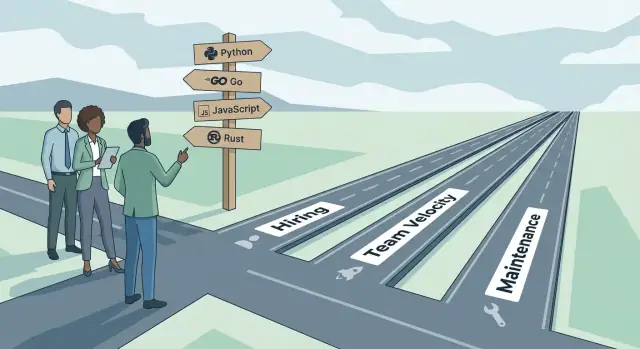
Why Language Choice Is a Business Decision
Choosing a programming language isn’t just an engineering preference—it’s a decision that shapes how quickly your company can hire, how reliably teams deliver, and how expensive your software becomes to change over time. The language you pick influences who can work on the codebase, how fast they can become productive, and how safely the system can evolve.
Three outcomes that matter
Hiring: A language influences the size of the candidate pool, the seniority mix you can attract, compensation expectations, and whether you’ll need to invest in training. A “great” language on paper can still slow the business if it narrows recruiting reach or makes staffing dependent on a few specialists.
Team velocity: Day-to-day delivery speed is affected by tooling, build times, debugging experience, framework conventions, and how easily developers can collaborate. Velocity isn’t only about runtime performance—it’s about how smoothly work moves from idea to production.
Maintenance: The long-term cost of software is dominated by change: adding features, fixing bugs, reducing risk, and keeping dependencies current. Language ergonomics, readability norms, and safety features can either reduce technical debt—or make it harder to understand what the system is doing.
Expect trade-offs, not a single “best language”
Every language optimizes for something: rapid iteration, correctness, performance, simplicity, portability, or ecosystem breadth. Those strengths come with costs—more complexity, more boilerplate, fewer available developers, slower onboarding, or harder upgrades. The right choice depends on your product, team, and operating model.
What you’ll be able to decide after reading
By the end, you should be able to:
- Compare languages using business outcomes (hiring, delivery speed, and maintenance risk)
- Spot hidden costs (training, tooling gaps, dependency volatility, long-term upgrade burden)
- Match language characteristics to your constraints (time-to-market, reliability needs, team size, budget)
- Make a defensible choice that you can explain to leadership—and enforce consistently across teams
Start With Goals and Constraints (Not Preferences)
Programming language choice is easiest when you treat it like any other business decision: define what success looks like, then choose the tool that makes that outcome more likely.
Common triggers that force the question
Language debates usually start because something changed, not because the current stack is “bad.” Typical triggers include launching a new product line, considering a rewrite, scaling the team quickly, hitting performance limits, or needing stronger reliability guarantees. Each trigger implies a different “best” answer—so name the trigger explicitly.
Write down constraints before comparing options
A practical way to prevent endless debate is to list constraints that are true regardless of your preferences:
- Time-to-market: Do you need to ship in weeks, or can you invest in a longer ramp for future gains?
- Budget and staffing: Can you afford senior specialists, or do you need a wider hiring pool?
- Existing skills: What can your current team maintain confidently for the next 2–3 years?
- Integration needs: Which languages fit your current infrastructure, data stores, SDKs, and deployment model?
- Risk tolerance: Are you in a regulated environment, or is iteration speed the top priority?
These constraints become your evaluation criteria. Without them, you’ll end up comparing languages in the abstract.
Avoid “because it’s popular” or “because I like it”
Trendiness can hide real costs: fewer experienced candidates, immature tooling, unclear upgrade paths, or community patterns that don’t match your engineering strategy. Personal preference is also risky—especially if the decision outlives the people who made it.
Document goals, non-goals, and trade-offs
Before you shortlist languages, write a one-page brief: the problem you’re solving, measurable goals (e.g., hiring throughput, onboarding time, performance targets), explicit non-goals (what you’re not optimizing for), and known trade-offs you accept. This document keeps the choice explainable, repeatable, and easier to defend later.
Hiring Pipeline: Candidate Supply and Recruiting Reach
Your language choice quietly defines how wide your hiring funnel can be. Some stacks give you a steady stream of “already productive on day one” applicants. Others require you to recruit for general ability and plan for a longer learning curve.
Popularity = reach (and recruiter leverage)
Popular languages typically mean more candidates, more meetups, more online courses, and more people who have used the tooling in real jobs. That usually translates into faster sourcing, more inbound applications, and easier shortlisting.
Less common languages can still be a great strategic bet, but expect a narrower pool and more effort spent on education during the process—both for candidates (“what will I work on?”) and for recruiters (“how do I evaluate this skill set?”).
Salary expectations and time-to-hire (without overthinking it)
When candidate supply is thin, hiring tends to take longer and offers must be more compelling. The language itself isn’t the only factor—industry, company stage, and location matter—but a niche stack reduces your room to negotiate because there are fewer qualified alternatives.
Mainstream languages can also create intense competition. You may have more candidates, but you’re competing with more employers who are hiring for the same skills.
Where candidates actually come from
Most candidates won’t come from “pure” experience in your exact stack. They’ll come from:
- Universities that teach broadly adopted languages and fundamentals
- Bootcamps focused on employable, common ecosystems
- Adjacent ecosystems (for example, people who know one C-style language moving to another)
If your stack aligns with these pipelines, you get a healthier flow of junior and mid-level applicants.
Assessing skill transfer from other languages
When hiring across languages, look for transferable proof rather than keyword matching:
- Similar runtime model and tooling (package managers, build systems, testing culture)
- Familiar paradigms (functional vs. object-oriented, static vs. dynamic typing)
- Evidence of shipping and maintaining software (debugging, code review habits, production ownership)
A good rule: hire for engineering judgment and learning ability, then validate that the “delta” to your chosen language is reasonable for your team’s timeline and mentorship capacity.
Onboarding and Ramp-Up: How Fast New Hires Become Effective
A new hire’s first few weeks are mostly about reducing uncertainty: understanding the codebase, learning the “right” way to do things, and building confidence to ship changes. Your language choice can either shorten that path or stretch it into months.
Learning curve: syntax is the easy part
Ramp-up time isn’t just “can they write the language.” It’s whether they can read production code, understand common idioms, and avoid traps.
Languages with consistent conventions and a gentle learning curve tend to turn early effort into visible output faster. Languages with many competing styles or heavy metaprogramming can make code feel like a different dialect per team—or per file—slowing down even experienced hires.
Readability, idioms, and the “pit of success”
A language that nudges developers toward safe defaults creates a wider “pit of success”: you naturally do the correct thing because the easiest thing is also the best practice.
That shows up in everyday work:
- Clear, conventional error handling and testing patterns
- Standard formatting that reduces bikeshedding and review time
- APIs that make misuse hard (good types, explicit boundaries, safe concurrency patterns)
When the pit of success is narrow, onboarding becomes a scavenger hunt for unwritten rules—“we don’t use that feature,” “never call this without that,” “there’s a magic order to these parameters.”
Documentation and common patterns beat cleverness
New hires ramp faster when the ecosystem has strong, stable documentation and widely shared patterns. The best case is when:
- The official docs are readable and example-driven
- Most libraries follow similar configuration and naming conventions
- There’s a consensus on testing, logging, and project structure
If every library reinvents patterns, onboarding turns into learning the language and learning a new mini-framework for each dependency.
Practical onboarding supports that make language choice pay off
Regardless of language, teams can reduce ramp-up time with a few concrete assets:
- A starter repository with the “happy path” setup
- Small, runnable examples that mirror real production workflows
- An internal guide: conventions, linting/formatting, error handling, and debugging tips
- A “first PR” checklist (and a link to /engineering/standards if you have one)
If you’re using a vibe-coding workflow alongside traditional development, you can also standardize generated scaffolds the same way you standardize hand-written code. For example, teams using Koder.ai often start from a consistent React + Go + PostgreSQL baseline (or Flutter for mobile), export the source code, and then enforce the same linting, testing, and review gates—so onboarding stays predictable rather than “it depends who generated it.”
The takeaway: languages that are readable, consistent, and well-documented turn onboarding into repetition of known patterns—not archaeology.
Team Velocity: Tooling, Feedback Loops, and Developer Flow
Team velocity isn’t just “how fast people type.” It’s how quickly a developer can understand a change, make it safely, and get signal from tooling before a bug reaches users. Programming language choice strongly shapes those daily feedback loops.
Tooling that keeps you in the zone
Languages with first-class IDE support (navigation, autocomplete, inline errors) reduce context switching. The biggest multiplier is refactoring and debugging:
- Refactoring tools (rename, extract method, move symbol) let teams reshape code without fear. This matters more as the codebase grows.
- Debuggers and profilers that integrate cleanly (breakpoints, step-through async code, memory/CPU views) shorten the path from “something’s wrong” to “here’s why.”
When tooling is weak or inconsistent across editors, reviews turn into manual policing (“did you update every call site?”), and developers hesitate to improve code.
Build and test cycles: the hidden time tax
Fast iteration wins. Compile vs. interpret is less important than the full loop:
- Incremental builds, caching, and parallel test runners keep cycles short.
- Slow cold starts, heavyweight dependency resolution, or flaky tests create “batching” behavior—people wait longer, then push bigger changes, which increases risk.
A language with excellent tooling for fast local tests can beat a “faster” runtime language if it consistently gives quick, reliable feedback.
Static vs dynamic: speed now vs speed later
Dynamic languages often feel faster early: fewer types to write, quicker spikes. Static typing can feel slower upfront, but it pays back through safer refactors, clearer contracts, and fewer review cycles spent on preventable errors.
Conventions and code review efficiency
Languages with strong conventions and formatting standards make diffs smaller and reviews more about logic than style. The result: quicker approvals, fewer back-and-forth comments, and a smoother flow from PR to production.
Ecosystem and Libraries: Shipping Faster Without Fragile Dependencies
A language’s ecosystem is more than “how many packages exist.” It’s the practical set of building blocks you can rely on: web frameworks, database drivers, auth clients, testing tools, observability SDKs, package managers, and hosting/deployment defaults. A strong ecosystem reduces time-to-first-working-feature—especially for teams that need to hire quickly and ship predictably.
Define the ecosystem scope (before you compare)
When evaluating options, write down the categories you’ll depend on in the next 12–24 months:
- Core frameworks (API, background jobs, CLI)
- Data access (ORMs, migrations, queue clients)
- Security basics (JWT/OAuth, secrets management)
- Tooling (linters, formatters, test runners)
- Operations (logging, metrics, tracing, error reporting)
- Hosting options and vendor support (cloud runtimes, containers, serverless)
If a language looks great but requires custom work in two or three of these areas, you’ll pay that “missing ecosystem tax” repeatedly.
Spot quality signals in dependencies
Prefer libraries that show steady adoption and healthy maintenance. Simple checks go a long way:
- Broad usage (many orgs, not just one demo app)
- Recent commits and issue responses that feel timely
- Regular releases with clear changelogs
- Compatibility with current language/runtime versions
- Good docs and examples that match real-world use
Avoid fragile dependencies
Niche packages can be excellent—but a “single maintainer” dependency is a business risk. If the maintainer burns out or moves on, you inherit security patches, upgrade work, and bug fixes. Multiply that risk across a dozen small packages and you’ve created hidden operational cost.
Choose boring building blocks on purpose
Use well-supported, widely adopted frameworks and libraries for foundational concerns (web, data, auth, observability). Save experimentation for isolated, replaceable parts of the system. This keeps delivery speed high without turning your dependency graph into a long-term liability.
Maintainability Over Time: Readability, Safety, and Change
Maintainability is where a language choice quietly compounds costs—good or bad—year after year. The winning stacks aren’t just pleasant to write in; they make it hard to create confusing code and easier to improve what already exists.
Clarity and consistency
Language features shape how uniform your codebase feels. Strong, expressive type systems can prevent “stringly-typed” interfaces and make refactors safer, but they can also invite overly clever abstractions if the team lacks shared conventions.
Conversely, very flexible languages allow multiple styles (functional, OO, metaprogramming) in the same repo. That freedom can speed early delivery, yet it often increases long-term reading time unless you enforce formatting, linting, and “one obvious way” patterns in standards and reviews.
Error handling and operational safety
Error handling is maintainability in disguise. Exceptions can keep business logic clean, but they also risk hidden control flow if errors are caught too broadly or not at all. Result/Option-style patterns push teams to handle failures explicitly, often reducing production surprises—at the cost of more boilerplate unless the language supports it ergonomically.
This matters because operational issues rarely come from the happy path; they come from timeouts, partial failures, and unexpected inputs.
Memory management and maintenance burden
Manual memory management can deliver performance, but it increases the surface area for subtle bugs and long debugging sessions. Garbage collection trades some runtime predictability for lower day-to-day cognitive load. Newer approaches (like ownership/borrowing models) can catch whole classes of problems early, though they may slow onboarding.
Change over years: refactors, upgrades, migrations
A maintainable language ecosystem supports safe, incremental change: stable tooling, dependable automated refactors, and clear upgrade paths. If common upgrades require rewrites, teams postpone them—technical debt becomes policy. Look for languages where refactoring is routine, not heroic.
Versioning, Upgrades, and Backward Compatibility
A language decision isn’t just about how you write code—it sets the rhythm for how often you’ll be forced to change it. Some ecosystems make upgrades predictable and boring. Others turn “stay current” into a recurring project that steals weeks from product work.
Why upgrades become painful
Upgrades hurt when they introduce breaking changes (things that worked yesterday but fail after you update). That pain multiplies with:
- Version churn: frequent releases where major versions appear often, pushing teams into a constant catch-up cycle.
- Tight coupling to frameworks: your app may depend more on the web framework or runtime behavior than on the language itself.
- Hidden breakage via dependencies: even if your code didn’t change, a transitive dependency can.
Backward compatibility policies matter here. Some communities treat breaking changes as a last resort and provide long deprecation periods. Others are comfortable with “move fast” norms—fine for prototypes, expensive for long-lived products.
Cadence: language, runtime, and frameworks
Look at the release cadence across three layers:
- Language spec and compiler/interpreter
- Runtime or VM (if applicable)
- Core frameworks (web, mobile, data)
If any layer ships major releases frequently without strong compatibility guarantees, you’re signing up for regular refactoring. For teams with limited bandwidth—or regulated environments—this becomes a staffing and scheduling problem, not a technical preference.
Upgrade strategies that reduce risk
You don’t have to choose between “never upgrade” and “big bang migration.” Practical tactics include:
- Pin versions for production stability, while still scheduling controlled upgrades.
- Gradual upgrades with feature flags, compatibility layers, or running old and new modules side-by-side.
- Automated dependency checks (security and compatibility) in CI so surprises show up early.
- Upgrade budgets: treat upgrades as planned work (e.g., a fixed % of each cycle), not emergencies.
Planning for long-lived products
If your product is expected to live for years, prioritize ecosystems with LTS-style support (long-term support releases), clear deprecation paths, and strong tooling for automated refactors. That upfront choice lowers long-term costs and makes hiring easier because candidates won’t inherit a codebase trapped on obsolete versions.
Operations and Reliability: Running and Debugging in Production
A language choice isn’t just about how code looks in a pull request—it changes how your services behave at 2 a.m., and how quickly your team can diagnose and fix incidents.
Debugging and observability in the real world
Different runtimes expose different signals by default. Some make it easy to get high-quality stack traces, structured logs, and safe crash reports. Others require extra libraries, custom builds, or specific flags to get actionable diagnostics.
Pay attention to what’s “one command away” for your on-call engineers:
- Distributed tracing support and mature OpenTelemetry integrations
- Profilers that work in production (low overhead, accurate flame graphs)
- Debuggers that can attach safely to running processes
- Error reporting that preserves context (request IDs, user/session, feature flags)
If you’re standardizing observability across teams, confirm that your language tooling integrates cleanly with your existing stack rather than forcing a parallel ecosystem.
Operational constraints: speed, memory, and where it can run
Runtime characteristics can determine infrastructure cost and deployment options. Startup time matters for autoscaling, serverless, and short-lived jobs. Memory footprint affects node density and container sizing. Some languages compile to static binaries, simplifying container images; others depend on runtime environments that must be patched and kept consistent.
Also consider operational ergonomics across targets: Kubernetes, serverless platforms, edge environments, and regulated networks with restricted outbound access.
If data residency and deployment geography are constraints, factor in where your apps can run and how easily you show compliance. For example, platforms like Koder.ai run on AWS globally and support deployment/hosting with custom domains—useful when teams need to place applications in specific regions without rebuilding the entire delivery pipeline.
Security patching and dependency hygiene
Long-term reliability depends on how quickly you can patch vulnerabilities—both in the runtime and in third-party packages. Mature ecosystems often have better vulnerability databases, scanning tools, and clearer upgrade paths.
Look for:
- Automated dependency updates that don’t break builds
- Strong support for lockfiles and reproducible builds
- Clear guidance for handling CVEs and emergency patch releases
If security processes are still forming, language ecosystems with strong defaults and widely adopted tooling can reduce operational risk and ongoing toil.
Culture and Retention: The Stack You’re Asking People to Live In
A programming language isn’t just a technical selection—it’s a daily experience. People will spend thousands of hours reading, debugging, and debating code in that language. Over time, that shapes team culture: how decisions get made, how conflict shows up in code review, and whether developers feel proud or trapped.
Your language is part of your hiring brand
Candidates often use stack as a proxy for what it’s like to work with you. A modern, well-supported language can signal that you invest in developer productivity and learning. A niche or aging stack can still work, but it changes the story you must tell: why it’s worth joining, what problems are interesting, and how you’ll keep skills transferable.
Retention is tied to satisfaction and growth
Developers stay when they feel effective and future-proof. Languages with active communities, clear career paths, and healthy ecosystems make it easier for people to grow without leaving. If the stack limits mobility—few companies use it, few mentors exist, or learning resources are thin—people may treat your job as temporary, even if the work is good.
Don’t create knowledge silos with a niche stack
When only a handful of engineers truly understand the language or its patterns, you get quiet fragility: reviews become rubber stamps, debugging funnels to a couple of experts, and vacations become risky. If you choose a less common language, plan explicitly to broaden ownership through pairing, rotation, and documentation—not heroics.
Internal enablement makes the decision sustainable
Retention improves when people feel supported.
- Create a lightweight “language guild” that shares patterns, pitfalls, and reusable components.
- Offer training time and budget, especially for engineers switching from a different ecosystem.
- Publish shared standards (style, error handling, testing expectations) so teams don’t reinvent norms.
This is how you turn language choice from an individual burden into an organizational capability—and keep the stack something people want to live in.
A Practical Framework to Compare Languages
Picking a language is easier when you treat it like any other business trade-off: define what “good” means for your situation, weight the criteria, then score options consistently.
Step 1: Define your weighted scorecard
Start with 6–10 factors, each with a weight that reflects your constraints (sum to 100%). Example dimensions:
- Hiring pool & recruiting reach (20%): number of viable candidates in your markets, seniority distribution, salary pressure.
- Tooling & developer flow (15%): IDE support, refactoring, testing, formatting, CI ergonomics.
- Ecosystem maturity (15%): libraries you’ll rely on (web, data, auth, observability), quality and maintenance.
- Maintainability & safety (15%): readability, type system, static analysis, ease of reviewing changes.
- Operational fit (15%): runtime stability, debugging, profiling, deploy model, performance.
- Longevity (20%): upgrade story, backward compatibility norms, vendor/community support.
Score each language 1–5 per factor, multiply by the weight, and total it. Keep notes—future you will need the “why.”
Step 2: Mainstream vs specialized
Choose a mainstream language when speed of hiring, predictable tooling, and broad ecosystem coverage matter most.
Choose a specialized language when a narrow constraint dominates (e.g., hard real-time, embedded, high-assurance correctness)—and you’re willing to pay the ongoing hiring and training premium.
Step 3: Run a proof-of-concept without a rewrite
Do a 1–2 week PoC that builds a thin vertical slice: one endpoint or job, one integration, tests, and basic observability. Keep existing systems intact, measure time-to-implement and change friction, then decide.
If you move forward, introduce the new language at the edges (a service, a worker, a library) rather than rewriting core systems first.
If your main uncertainty is “how fast can we ship a real slice with this stack?”, consider using a controlled accelerator for the PoC. For instance, teams can use Koder.ai in Planning Mode to outline the slice, generate an initial implementation, and rely on snapshots/rollback while iterating—then export the source code and evaluate it with the same code review, testing, and operational criteria you’d apply to hand-written work.
Make the Decision Stick: Standards, Docs, and Governance
Choosing a language is only half the work. The other half is making sure teams can build consistently, onboard quickly, and avoid “every service is a snowflake.” Good governance isn’t bureaucracy—it’s how you turn a one-time decision into predictable delivery.
Use an ADR to capture the “why” (not just the “what”)
Create a lightweight Architecture Decision Record (ADR) template and require it for language and major framework choices. Keep it short enough that people will actually use it.
Include:
- Context: What problem are we solving (product needs, hiring constraints, performance, compliance)?
- Decision: The language/runtime and key supporting choices (framework, build tool).
- Options considered: 2–4 realistic alternatives.
- Pros/cons: Focus on hiring reach, onboarding time, reliability, and maintenance.
- Operational impact: Observability, debugging, deployment, and incident response expectations.
- Security/compliance notes: Dependency policy, patch cadence, approved libraries.
- Exit strategy: What would cause us to revisit this decision, and how to migrate if needed?
- Owner and date: Who maintains this decision and when it was made.
Standardize the developer experience early
Define coding standards while the codebase is small. It’s much harder to retrofit consistency later.
Set up:
- Formatting + linting: One formatter, one linter, and documented rule sets.
- CI checks: Formatting/lint pass, tests, type checks (if applicable), security/dependency scan.
- Branch and review policy: Minimum review requirements, test expectations, and what “done” means.
The goal is simple: a new hire should clone the repo, run one command, and get the same result as everyone else.
Plan for maintainers, not just builders
Every stack needs caretakers.
- Ownership: Define who owns core libraries, templates, and shared services.
- Documentation: Keep a living “how we build here” guide: local setup, common workflows, debugging tips, and service conventions.
- Upgrade policy: Decide how often you upgrade language versions, frameworks, and dependencies (e.g., quarterly), and how long you support older versions. Put it on a calendar.
If you use platforms that can generate and deploy applications (including Koder.ai or internal scaffolding tools), treat templates as productized assets: version them, assign owners, and keep them aligned with your language and dependency upgrade cadence.
Suggested next steps
Draft your ADR template, pick the minimum set of standards (formatter, linter, CI gates), and assign clear owners for documentation and upgrades.
For a practical checklist you can share internally, see /blog/tech-stack-selection-checklist.
FAQ
Why is programming language choice considered a business decision, not just an engineering preference?
Treat it as a decision about business outcomes: hiring throughput, delivery speed, and maintenance risk. Start by writing down your trigger (new product, scaling, performance limits, reliability needs), then score a shortlist against constraints like time-to-market, staffing budget, existing skills, integration needs, and risk tolerance.
What should we document before comparing languages?
Write a one-page brief with:
- Goals: measurable outcomes (e.g., onboarding time, hiring pipeline size, incident rate).
- Constraints: time-to-market, budget, compliance, infrastructure fit.
- Non-goals: what you’re explicitly not optimizing for (e.g., maximal performance).
- Trade-offs accepted: what you’re willing to pay (training, verbosity, slower iteration).
Use this as the evaluation rubric to avoid debates based on taste.
Does choosing a popular language always make hiring easier?
Yes—reach usually improves with mainstream languages, which can reduce time-to-hire and increase the number of “productive quickly” candidates. But competition can be higher too. The key is whether the language aligns with your real candidate pipelines (universities, bootcamps, adjacent ecosystems) and your ability to train people who are strong engineers but new to the stack.
How do we assess candidates coming from different languages?
Validate skill transfer by looking for:
- Similar tooling and workflow (package manager, testing culture, build system)
- Comparable paradigms (static vs dynamic typing, functional vs OO)
- Evidence of shipping and maintaining production systems (debugging, ownership, code review habits)
Then estimate the “delta” to your stack based on your mentoring capacity and timelines—not keyword matches.
What most influences onboarding time in a new language?
Syntax is rarely the bottleneck. Ramp-up depends on whether new hires can read production code, follow common idioms, and avoid ecosystem traps. Languages and communities with consistent conventions, strong docs, and a “pit of success” (safe defaults, standard formatting, clear error handling) typically shorten onboarding.
Which language/tooling factors most affect day-to-day team velocity?
Tooling shapes feedback loops. Prioritize:
- IDE support for navigation, autocomplete, and reliable refactors
- Debugging/profiling that works cleanly (especially with async/concurrency)
- Fast build/test cycles with caching and stable test runners
Weak tooling increases review overhead and makes teams hesitant to refactor, which slows delivery over time.
Is static typing always better for long-term productivity?
Not necessarily. Dynamic languages can feel faster early (less ceremony for spikes), while static typing often pays back later with safer refactors and clearer contracts. The better question is: where is your risk?
- If you’re optimizing for rapid iteration now, dynamic may win.
- If you’re optimizing for change safety at scale, static often wins.
Decide based on product lifetime, team size growth, and tolerance for production surprises.
How can we evaluate ecosystem maturity without getting lost in package counts?
List the ecosystem categories you’ll rely on in the next 12–24 months (web, data, auth, observability, tooling, hosting). Then prefer dependencies with:
- Clear adoption beyond a single demo org
- Active maintenance and timely issue response
- Regular releases with changelogs
- Compatibility with current runtime versions
- Strong documentation and real examples
Be cautious with “single maintainer” foundations—those become operational liabilities.
What causes upgrade pain, and how do we manage it?
Upgrades become expensive when breaking changes are frequent, frameworks are tightly coupled to your app, or transitive dependencies introduce surprises. Reduce risk by:
- Pinning versions for stability while scheduling upgrades
- Running gradual migrations (feature flags, compatibility layers)
- Adding automated dependency/security checks in CI
- Budgeting upgrades as planned work (not emergencies)
For long-lived products, ecosystems with LTS-like support and predictable deprecation paths usually cost less.
How do we make a language decision stick across multiple teams?
Make it enforceable through lightweight governance:
- Write an ADR capturing context, options, pros/cons, operational impact, and an exit strategy
- Standardize the developer experience (formatter, linter, CI gates, “one command” setup)
- Assign owners for templates, core libraries, docs, and an upgrade calendar
Without these, teams drift into inconsistent patterns and your initial language benefits erode.