

How LLMs Handle Business Rules and Workflow Reasoning
Learn how LLMs interpret business rules, track workflow state, and verify decisions using prompts, tools, tests, and human review—not just code.
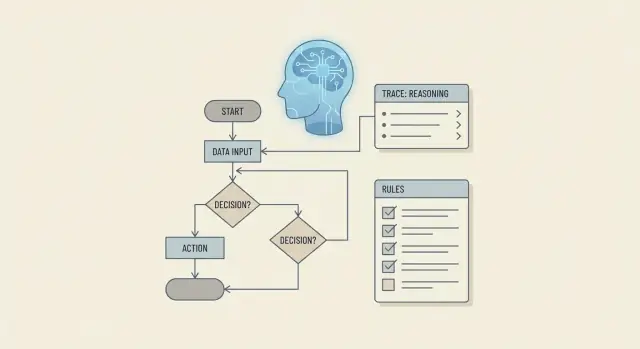
Why business-rule reasoning is more than code generation
When people ask whether an LLM can “reason about business rules,” they usually mean something more demanding than “can it write an if/else statement.” Business-rule reasoning is the ability to apply policies consistently, explain decisions, handle exceptions, and stay aligned with the current workflow step—especially when inputs are incomplete, messy, or changing.
Reasoning vs. emitting code
Code generation is mostly about producing valid syntax in a target language. Rule reasoning is about preserving intent.
A model can generate perfectly valid code that still produces the wrong business outcome because:
- The policy text is ambiguous (“recent customer,” “high risk,” “approved documentation”).
- Rules conflict, and precedence is unclear.
- Edge cases aren’t stated (partial refunds, duplicates, weekends/holidays).
- Workflow state changes what should happen next (intake vs. review vs. final approval).
In other words, correctness isn’t “does it compile?” It’s “does it match what the business would decide, every time, and can we prove it?”
What to expect from LLMs
LLMs can help translate policies into structured rules, suggest decision paths, and draft explanations for humans. But they don’t automatically know which rule is authoritative, which data source is trusted, or which step the case is currently in. Without constraints, they may confidently choose a plausible answer instead of the governed one.
So the goal is not to “let the model decide,” but to give it structure and checks so it can assist reliably.
What the rest of this post will do
A practical approach looks like a pipeline:
- Convert policy text into usable rule representations.
- Track workflow state so decisions remain consistent across steps.
- Use prompt patterns to enforce priorities, exceptions, and explanations.
- Ground decisions with tools and retrieval (only using approved data).
- Constrain outputs with schemas to reduce ambiguity.
- Validate, test, and monitor so mistakes are caught before release.
That’s the difference between a clever code snippet and a system that can support real business decisions.
Business rules and workflows: a quick, plain-English refresher
Before talking about how an LLM handles “reasoning,” it helps to separate two things teams often bundle together: business rules and workflows.
What are business rules?
Business rules are the decision statements your organization wants enforced consistently. They show up as policies and logic like:
- Eligibility: Who qualifies for a benefit, plan, or feature?
- Pricing: What discount applies, and when?
- Approvals: When is manager review required?
- Compliance: What must be logged, redacted, or blocked?
Rules are usually phrased as “If X, then Y” (sometimes with exceptions), and they should produce a clear outcome: approve/deny, price A/price B, request more info, and so on.
What are workflows?
A workflow is the process that moves work from start to finish. It’s less about deciding what’s allowed and more about what happens next. Workflows often include:
- States: submitted → under review → approved/denied → completed
- Steps and handoffs: customer support → finance → customer
- Time-based events: reminders, SLAs, auto-cancel after 14 days
- Artifacts: forms, attachments, reason codes, audit notes
A small example: refund requests
Imagine a refund request.
Rule snippet: “Refunds are allowed within 30 days of purchase. Exception: digital downloads are non-refundable once accessed. Exception: chargebacks must be escalated.”
Workflow snippet:
- Customer submits request (state: submitted).
- System checks purchase date and product type (state: under review).
- If eligible, issue refund and notify customer (state: completed).
- If chargeback, route to finance for investigation (state: escalated).
Why rules are harder than they look
Rules get tricky when they conflict (“VIP customers always get refunds” vs. “digital downloads never do”), rely on missing context (was the download accessed?), or hide edge cases (bundles, partial refunds, regional laws). Workflows add another layer: decisions must stay consistent with the current state, prior actions, and deadlines.
How LLMs “reason”: pattern matching with helpful structure
LLMs don’t “understand” business rules the way a person does. They generate the next most likely words based on patterns learned from large amounts of text. That’s why an LLM can sound persuasive even when it’s guessing—or when it quietly fills in missing details that weren’t provided.
That limitation matters for workflows and decision logic. A model may apply a rule that sounds right (“employees always need manager approval”) even if the real policy has exceptions (“only above $500” or “only for contractors”). This is a common failure mode: confident but incorrect rule application.
Why they’re still useful for business rules
Even without true “understanding,” LLMs can help when you treat them as a structured assistant:
- Summarizing long policies into clearer language for review
- Mapping messy text into consistent fields (who, what, threshold, exception, effective date)
- Checking a proposed decision against stated rules (“which clause supports this?”)
The key is to put the model in a position where it can’t easily drift into improvisation.
Constrain the model so it can’t wander
A practical way to reduce ambiguity is constrained output: require the LLM to respond in a fixed schema or template (for example, JSON with specific fields, or a table with required columns). When the model must fill in rule_id, conditions, exceptions, and decision, it becomes easier to spot gaps and validate the output automatically.
Constrained formats also make it clearer when the model doesn’t know something. If a required field is missing, you can force a follow-up question instead of accepting a shaky answer.
The takeaway: LLM “reasoning” is best seen as pattern-based generation guided by structure—useful for organizing and cross-checking rules, but risky if you treat it as an infallible decision-maker.
Turning messy policy text into usable rule representations
Policy documents are written for humans: they mix goals, exceptions, and “common sense” in the same paragraph. An LLM can summarize that text, but it will follow rules more reliably when you turn the policy into explicit, testable inputs.
What “usable” rules look like
Good rule representations share two traits: they’re unambiguous and they can be checked.
Write rules as statements you could test:
- IF/THEN for decisions (eligibility, routing, approvals)
- MUST / MUST NOT for hard constraints
- MAY for allowed options (often needs a tie-breaker)
Rules can be provided to the model in several forms:
- Plain-language bullets (fastest, still structured)
- A table (great for threshold-based policies)
- YAML/JSON (best when you also want constrained outputs and automated validation)
Handling conflicts and priority
Real policies conflict. When two rules disagree, the model needs a clear priority scheme. Common approaches:
- Specific beats general (an exception overrides the default)
- Higher authority wins (legal/compliance over team preference)
- Latest wins (newer policy version overrides older)
- Explicit priority numbers (most reliable)
State the conflict rule directly, or encode it (for example, priority: 100). Otherwise, the LLM may “average” the rules.
Example: turning a paragraph into a rule list
Original policy text:
“Refunds are available within 30 days for annual plans. Monthly plans are non-refundable after 7 days. If the account shows fraud or excessive chargebacks, do not issue a refund. Enterprise customers need Finance approval for refunds over $5,000.”
Structured rules (YAML):
rules:
  - id: R1
    statement: "IF plan_type = annual AND days_since_purchase <= 30 THEN refund MAY be issued"
    priority: 10
  - id: R2
    statement: "IF plan_type = monthly AND days_since_purchase > 7 THEN refund MUST NOT be issued"
    priority: 20
  - id: R3
    statement: "IF fraud_flag = true OR chargeback_rate = excessive THEN refund MUST NOT be issued"
    priority: 100
  - id: R4
    statement: "IF customer_tier = enterprise AND refund_amount > 5000 THEN finance_approval MUST be obtained"
    priority: 50
conflict_resolution: "Higher priority wins; MUST NOT overrides MAY"
Now the model isn’t guessing what matters—it’s applying a rule set you can review, test, and version.
Tracking workflow state so the model stays consistent
A workflow isn’t just a set of rules; it’s a sequence of events where earlier steps change what should happen next. That “memory” is state: the current facts about the case (who submitted what, what’s already approved, what’s waiting, and what deadlines apply). If you don’t track state explicitly, workflows break in predictable ways—duplicate approvals, skipping required checks, reversing decisions, or applying the wrong policy because the model can’t reliably infer what already happened.
What “state” means in plain English
Think of state as the workflow’s scoreboard. It answers: Where are we now? What’s been done? What’s allowed next? For an LLM, having a clear state summary prevents it from re-litigating past steps or guessing.
How to pass state to the model
When you call the model, include a compact state payload alongside the user’s request. Useful fields are:
- Step name and status (e.g.,
manager_review: approved,finance_review: pending) - Stable IDs (request ID, employee ID) so the model doesn’t mix cases
- Timestamps (submitted at, last updated) to resolve “latest wins” situations
- Flags (policy exceptions, missing documents, escalation required)
Avoid dumping every historical message. Instead, provide the current state plus a short audit trail of key transitions.
Keep a single source of truth
Treat the workflow engine (database, ticket system, or orchestrator) as the single source of truth. The LLM should read state from that system and propose the next action, but the system should be the authority that records transitions. This reduces “state drift,” where the model’s narrative diverges from reality.
Example: approval-flow state snapshot
{
  "request_id": "TRV-10482",
  "workflow": "travel_reimbursement_v3",
  "current_step": "finance_review",
  "step_status": {
    "submission": "complete",
    "manager_review": "approved",
    "finance_review": "pending",
    "payment": "not_started"
  },
  "actors": {
    "employee_id": "E-2291",
    "manager_id": "M-104",
    "finance_queue": "FIN-AP"
  },
  "amount": 842.15,
  "currency": "USD",
  "submitted_at": "2025-12-12T14:03:22Z",
  "last_state_update": "2025-12-13T09:18:05Z",
  "flags": {
    "receipt_missing": false,
    "policy_exception_requested": true,
    "needs_escalation": false
  }
}
With a snapshot like this, the model can stay consistent: it won’t ask for manager approval again, it will focus on finance checks, and it can explain decisions in terms of the current flags and step.
Prompt patterns that improve rule-following and decisions
A good prompt doesn’t just ask for an answer—it sets expectations for how the model should apply your rules and how it should report the result. The goal is repeatable decisions, not clever prose.
1) Role prompting: assign a job, not a vibe
Give the model a concrete role tied to your process. Three roles work well together:
- Policy analyst: interprets the rule text and maps it to the current case.
- Validator: checks the decision against requirements and flags missing inputs.
- Agent: takes the next workflow action (create a ticket, draft an email, set a status).
You can run these sequentially (“analyst → validator → agent”) or request all three outputs in one structured response.
2) Step-by-step instructions (without asking for hidden reasoning)
Instead of requesting “chain-of-thought,” specify visible steps and artifacts:
- Identify relevant rules.
- Extract needed inputs from the case.
- Apply rules in priority order.
- Produce a decision and next step.
This keeps the model organized while staying focused on deliverables: what rules were used and what outcome follows.
3) Ask for a structured rationale: rule IDs + evidence
Free-form explanations drift. Require a compact rationale that points to sources:
- Rule IDs used (e.g., R-12, R-18)
- Evidence (quoted snippets from policy text and specific case fields)
- Assumptions (only if an input is missing)
That makes reviews faster and helps you debug disagreements.
4) Checklist prompt pattern: inputs, decision, exceptions, next step
Use a fixed template every time:
- Inputs received: …
- Inputs missing: …
- Decision: approve/deny/needs-review
- Rule references: [R-…]
- Exceptions considered: …
- Next workflow step: update status / request info / escalate
The template reduces ambiguity and nudges the model to surface gaps before it commits to an incorrect action.
Using tools and retrieval to ground decisions in real data
An LLM can write a persuasive answer even when it’s missing key facts. That’s useful for drafting, but risky for business-rule decisions. If the model has to guess an account’s status, a customer’s tier, a regional tax rate, or whether a limit has already been reached, you’ll get confident-looking errors.
Tools solve that by turning “reasoning” into a two-step process: fetch evidence first, decide second.
Common tools that keep the model honest
In rule- and workflow-heavy systems, a few simple tools do most of the work:
- Database lookup (customer profile, account status, entitlements, usage totals)
- Policy/rule store (approved rule text, versioned procedures, exception lists)
- Calculator (fees, proration, taxes, time windows, thresholds)
- Ticketing / workflow API (open cases, SLA timers, approvals, step completion)
The key is that the model isn’t “making up” operational facts—it’s requesting them.
Retrieval: only bring the rules that matter
Even if you keep all policies in a central store, you rarely want to paste the whole thing into the prompt. Retrieval helps by selecting only the most relevant fragments for the current case—for example:
- The cancellation policy for the customer’s plan
- The regional compliance clause based on country/state
- The exception rule that applies when a chargeback is pending
This reduces contradictions and keeps the model from following an outdated rule simply because it appeared earlier in the context.
Turning tool outputs into decision evidence
A reliable pattern is to treat tool results as evidence the model must cite in its decision. For instance:
- Tool:
get_account(account_id)→status="past_due",plan="Business",usage_this_month=12000 - Tool:
retrieve_policies(query="overage fee Business plan")→ returns rule: “Overage fee applies above 10,000 units at $0.02/unit.” - Tool:
calculate_overage(usage=12000, threshold=10000, rate=0.02)→$40.00
Now the decision isn’t a guess: it’s a conclusion anchored to specific inputs (“past_due”, “12,000 units”, “$0.02/unit”). If you later audit the outcome, you can see exactly which facts and which rule version were used—and fix the right part when something changes.
Constrained outputs: schemas that reduce ambiguity
Free-form text is flexible, but it’s also the easiest way for a workflow to break. A model can give a “reasonable” answer that’s impossible to automate (“looks fine to me”) or inconsistent across steps (“approve” vs. “approved”). Constrained outputs solve that by forcing every decision into a predictable shape.
Return decisions as JSON
A practical pattern is to require the model to respond with a single JSON object that your system can parse and route:
{
  "decision": "needs_review",
  "reasons": [
    "Applicant provided proof of income, but the document is expired"
  ],
  "next_action": "request_updated_document",
  "missing_info": [
    "Income statement dated within the last 90 days"
  ],
  "assumptions": [
    "Applicant name matches across documents"
  ]
}
This structure makes the output useful even when the model can’t fully decide. missing_info and assumptions turn uncertainty into actionable follow-ups, instead of hidden guesswork.
Use enumerations to limit outcomes
To reduce variability, define allowed values (enums) for key fields. For example:
decision:approved|denied|needs_reviewnext_action:approve_case|deny_case|request_more_info|escalate_to_human
With enums, downstream systems don’t need to interpret synonyms, punctuation, or tone. They simply branch on known values.
Why schemas make workflows safer
Schemas act like guardrails. They:
- Prevent “partial answers” by requiring required fields.
- Make it easier to audit why a decision happened (via
reasons). - Enable reliable automation: queues, notifications, and task creation can trigger directly from
decisionandnext_action. - Support validation: you can reject outputs that don’t match the schema and ask the model to retry.
The result is less ambiguity, fewer edge-case failures, and decisions that can move through a workflow consistently.
Validation strategies: catching errors before they ship
Even a well-prompted model can “sound right” while quietly violating a rule, skipping a required step, or inventing a value. Validation is the safety net that turns a plausible answer into a dependable decision.
Pre-checks: validate inputs before reasoning
Start by verifying you have the minimum information needed to apply the rules. Pre-checks should run before the model makes any decision.
Typical pre-checks include required fields (e.g., customer type, order total, region), basic formats (dates, IDs, currency), and allowed ranges (non-negative amounts, percentages capped at 100%). If something fails, return a clear, actionable error (“Missing ‘region’; cannot choose tax rule set”) instead of letting the model guess.
Post-checks: validate the decision against the rules
After the model produces an outcome, validate that it is consistent with your rule set.
Focus on:
- Rule coverage: Did the decision cite or map to the applicable rules, or did it skip a mandatory policy?
- Contradiction checks: Does the output conflict with the stated inputs (e.g., “approved” while a hard-block condition is true)?
- Boundary cases: Test edges like thresholds (exactly $10,000), empty states (“no prior violations”), and “just over” scenarios.
Second-pass validation: a deliberate review step
Add a “second pass” that re-evaluates the first answer. This can be another model call or the same model with a validator-style prompt that only checks compliance, not creativity.
A simple pattern: first pass produces a decision + rationale; second pass returns either valid or a structured list of failures (missing fields, violated constraints, ambiguous rule interpretation).
Logging: make decisions auditable
For every decision, log the inputs used, the rule/policy version, and the validation results (including second-pass findings). When something goes wrong, this lets you reproduce the exact conditions, fix the rule mapping, and confirm the correction—without guessing what the model “must have meant.”
Testing and monitoring for rule and workflow reliability
Testing rule- and workflow-driven LLM features is less about “did it generate something?” and more about “did it make the same decision a careful human would make, for the right reason, every time?” The good news: you can test it with the same discipline you’d use for traditional decision logic.
Unit tests for business rules (small, predictable checks)
Treat each rule as a function: given inputs, it should return an outcome you can assert.
For example, if you have a refund rule like “refunds are allowed within 30 days for unopened items,” write focused cases with expected results:
- Order age = 10 days, unopened = true → approve
- Order age = 10 days, unopened = false → deny
- Order age = 45 days, unopened = true → deny
- Edge cases: exactly 30 days, missing “unopened” field, conflicting signals
These unit tests catch off-by-one mistakes, missing fields, and “helpful” model behavior where it tries to fill in unknowns.
Scenario tests for workflows (multi-step, time-aware paths)
Workflows fail when state gets inconsistent across steps. Scenario tests simulate real journeys:
- Path tests: submit claim → request documents → documents received → decision
- Time-based edges: “if no response in 7 days, send reminder,” “if 30 days pass, close case”
- Branching: customer escalates, policy exception requested, duplicate case detected
The goal is to verify the model respects the current state and only takes allowed transitions.
Build a “gold set” of known-good cases
Create a curated dataset of real, anonymized examples with agreed outcomes (and brief rationales). Keep it versioned and review it whenever policy changes. A small gold set (even 100–500 cases) is powerful because it reflects messy reality—missing data, unusual wording, borderline decisions.
Monitoring in production (catch drift before customers do)
Track decision distributions and quality signals over time:
- Drift: approval/denial rates changing without a policy update
- Spikes in needs_review or handoffs to humans (often a prompt, retrieval, or upstream data issue)
- Error clusters by product, region, or policy category
Pair monitoring with safe rollback: keep a previous prompt/rule pack, feature flag new versions, and be ready to revert quickly when metrics regress. For operational playbooks and release gating, see /blog/validation-strategies.
Where Koder.ai fits in this pipeline
If you’re implementing the patterns above, you’ll usually end up building a small system around the model: state storage, tool calls, retrieval, schema validation, and a workflow orchestrator. Koder.ai is a practical way to prototype and ship that kind of workflow-backed assistant faster: you can describe the workflow in chat, generate a working web app (React) plus backend services (Go with PostgreSQL), and iterate safely using snapshots and rollback.
This matters for business-rule reasoning because the “guardrails” often live in the application, not the prompt:
- Planning mode helps you design the flow (states, allowed transitions, escalation paths) before execution.
- Schema-constrained responses can be enforced at the API boundary, so you only accept parseable decisions.
- Tooling hooks (DB reads, policy retrieval, calculators, ticket updates) can be implemented as explicit endpoints, making “fetch evidence first, decide second” the default.
- Source code export keeps you from being locked in once the prototype becomes production-critical.
Limits, safe use, and when to keep a human in the loop
LLMs can be surprisingly good at applying everyday policies, but they’re not the same thing as a deterministic rules engine. Treat them as a decision assistant that needs guardrails, not as the final authority.
Where LLMs tend to struggle
Three failure modes show up repeatedly in rule-heavy workflows:
- Rare exceptions and edge cases: If an exception happens once a year, it may be underrepresented in training data and easy to miss unless explicitly provided in the prompt or retrieved from policy docs.
- Long contexts and “buried” constraints: When key details are scattered across many pages or messages, the model may overweight the most recent or most vivid text and under-apply earlier constraints.
- Numeric precision and strict calculations: Totals, proration, thresholds, and rounding rules can drift. Use tools for math and require the model to cite the exact numbers it used.
When to require human review
Add mandatory review when:
- The outcome is high risk (money movement, compliance, safety, legal commitments, customer credit/eligibility).
- The model signals low confidence (it asks to guess missing inputs, can’t find a policy basis, or produces contradictory reasoning).
- The case is novel (new product, new region, policy recently changed) or unusually sensitive.
Escalation paths that keep things moving
Instead of letting the model “make something up,” define clear next steps:
- Ask clarifying questions (missing dates, customer tier, jurisdiction, approval status).
- Route to an agent with the extracted facts, proposed decision, and citations.
- Create a ticket when the policy is ambiguous or conflicting, so it can be fixed at the source (and later retrieved automatically).
A simple adoption framework
Use LLMs in rule-heavy workflows when you can answer “yes” to most of these:
- Can we ground decisions in approved policy text or system data?
- Can we constrain outputs (schema, allowed actions, required citations)?
- Can we validate (checks, thresholds, unit tests, sampling) before execution?
- Do we have a human escalation path for risky or uncertain cases?
If not, keep the LLM in a draft/assistant role until those controls exist.
FAQ
How is business-rule reasoning different from code generation?
Code generation checks whether the program has valid syntax. Business-rule reasoning checks whether the result follows the right policy, exception, priority, and workflow step for the case.
Can an LLM make business decisions on its own?
Use an LLM to organize policy text, extract case details, suggest decisions, and draft explanations. Keep the approved rules, system data, and final state changes under your application's control.
How should we format business rules for an LLM?
Turn policy prose into explicit rules with IDs, conditions, outcomes, exceptions, effective dates, and priorities. A table or JSON format makes review and testing much easier.
What should happen when two policies conflict?
Define the order before the model sees the case. For example, give legal and compliance rules higher priority, let specific exceptions override general rules, and use version dates to resolve older policies.
Why does workflow state matter?
Workflow state records where a case is, what actions already happened, and which actions are allowed next. Pass a compact state snapshot so the model does not repeat approvals or skip required checks.
What prompt pattern works best for rule-based decisions?
Ask the model to identify applicable rule IDs, list the case facts it used, name missing inputs, choose an allowed decision, and propose the next action. Fixed fields make vague answers easier to reject.
How do tools and retrieval reduce LLM mistakes?
Fetch approved policy text and live facts first, then let the model explain a decision from that evidence. Use database lookups for account data, a policy store for current rules, and a calculator for thresholds or fees.
How do JSON schemas make workflows safer?
Require a structured response with allowed values such as approved, denied, or needs_review. Include required fields for reasons, rule references, missing information, and the next action, then reject invalid responses.
How should we validate LLM workflow decisions?
Check required inputs before the model runs, then test its output against hard rules, conflicts, thresholds, and allowed state transitions. Log the inputs, policy version, decision, and validation result for later review.
When should a human review an LLM decision?
Keep people involved when a decision moves money, affects compliance or eligibility, involves legal commitments, uses a new policy, or lacks enough reliable data. Route those cases with the extracted facts and proposed rationale so reviewers can act quickly.