

Margaret Hamilton’s Apollo Lessons for Reliable Software Today
What Apollo-era engineering can teach teams today: reliability basics, safer testing, release readiness, and practical habits inspired by Margaret Hamilton.
Why Margaret Hamilton Still Matters for Reliability
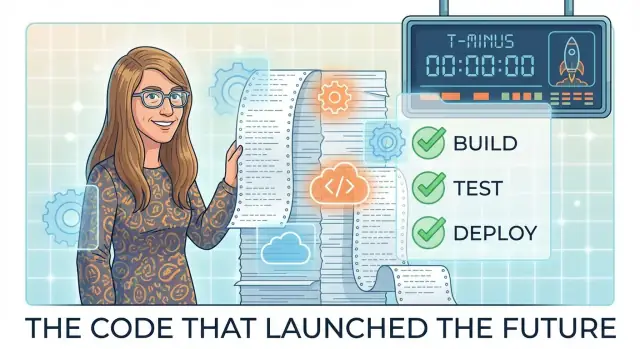
Margaret Hamilton led the team that built the onboard flight software for NASA’s Apollo missions at MIT’s Instrumentation Laboratory (later the Draper Laboratory). She didn’t “single-handedly” invent modern software engineering, but her work and leadership remain one of the clearest examples of how disciplined practices keep complex systems dependable under pressure.
Reliability, in plain terms
Software reliability means your product works as expected—and keeps working when conditions get messy: heavy traffic, bad inputs, partial outages, human mistakes, and surprising edge cases. It’s not just “few bugs.” It’s confidence that the system behaves predictably, fails safely, and recovers quickly.
Why Apollo is a useful case study
Apollo had constraints that forced clarity: limited computing power, no ability to “hotfix” mid-flight, and consequences for failure that were immediate and severe. Those constraints pushed teams toward habits that are still relevant: precise requirements, careful change control, layered testing, and an obsession with what could go wrong.
You don’t need to build rockets for these lessons to apply. Modern teams ship systems people rely on every day—payments, healthcare portals, logistics, customer support tools, or even a signup flow during a marketing spike. The stakes may differ, but the pattern is the same: reliability isn’t a last-minute testing phase. It’s a way of engineering that makes good outcomes repeatable.
Apollo’s Constraints and Why They Forced Discipline
Apollo software was safety-critical in the most literal way: it didn’t just support a business process—it helped keep astronauts alive while guiding a spacecraft through navigation, descent, and docking. A wrong value, a missed timing window, or a confusing display wasn’t a minor bug; it could change a mission outcome.
Constraints that left no room for “we’ll fix it later”
Apollo’s computers had extremely limited compute power and memory. Every feature competed for scarce resources, and every extra instruction had a real cost. Teams couldn’t “paper over” inefficiencies with bigger servers or more RAM.
Just as important, patching mid-flight wasn’t a normal option. Once the spacecraft was on its way, updates were risky and constrained by procedures, communications limits, and mission timing. Reliability had to be designed in and demonstrated before launch.
The cost of failure shaped the process
When failure is expensive—measured in human safety, mission loss, and national credibility—discipline becomes non-negotiable. Clear requirements, careful change control, and rigorous testing weren’t bureaucratic habits; they were practical tools for reducing uncertainty.
Apollo teams also had to assume humans under stress would interact with the system, sometimes in unexpected ways. That pushed the software toward clearer behaviors and safer defaults.
What we can—and can’t—copy today
Most modern products aren’t as safety-critical, and we often can deploy frequent updates. That’s a real advantage.
But the lesson to copy isn’t “pretend every app is Apollo.” It’s to treat production as the environment that matters, and to match your discipline to your risk. For payments, healthcare, transportation, or infrastructure, Apollo-style rigor still applies. For lower-risk features, you can move faster while keeping the same mindset: define failure, control change, and prove readiness before you ship.
Production Readiness: The Real Goal Behind Testing
Testing is necessary, but it isn’t the finish line. Apollo work reminds us that the real goal is production readiness: the moment when software can face real conditions—messy inputs, partial outages, human mistakes—and still behave safely.
What “production ready” means (beyond “it passed tests”)
A system is production ready when you can explain, in plain language:
- What it must do and what it must never do. These requirements define success and failure conditions, not just features.
- What risks you already know about. Not every risk can be removed; readiness means risks are named, bounded, and accepted intentionally.
- How you will detect and recover from trouble. If something breaks at 2 a.m., the plan shouldn’t rely on luck or tribal knowledge.
“No surprises” releases
Apollo-era discipline aimed for predictability: changes should not introduce unknown behaviors at the worst possible time. A “no surprises” release is one where the team can answer: What changed? What might it affect? How will we know quickly if it’s going wrong? If those answers are fuzzy, the release isn’t ready.
Common readiness gaps to watch for
Even strong test suites can hide practical gaps:
- Missing or noisy monitoring (you can’t tell if users are hurting)
- Unclear ownership (no one is accountable when alerts fire)
- No rollback or safe fallback path (failure becomes irreversible)
- Runbooks that don’t exist or don’t match reality
Production readiness is testing plus clarity: clear requirements, visible risk, and a rehearsed way back to safety.
Start With Clear Requirements and Failure Conditions
“Requirements” can sound technical, but the idea is simple: what must be true for the software to be considered correct.
A good requirement doesn’t describe how to build something. It states an observable outcome—something a person could verify. Apollo’s constraints forced this mindset because you can’t argue with a spacecraft in flight: either the system behaves within defined conditions, or it doesn’t.
Ambiguity creates hidden failure modes
Vague requirements hide risks in plain sight. If a requirement says “the app should load quickly,” what does “quickly” mean—1 second, 5 seconds, on slow Wi‑Fi, on an old phone? Teams unknowingly ship different interpretations, and the gaps become failures:
- Users abandon the flow.
- Support tickets spike.
- A “rare” edge case turns into a recurring incident.
Ambiguity also breaks testing. If nobody can state what must happen, tests become a collection of opinions rather than checks.
Lightweight practices that work
You don’t need heavy documentation to be precise. Small habits are enough:
- Acceptance criteria: a short list of pass/fail statements.
- Concrete examples: “Given X, when Y, then Z.”
- Edge cases: the weird-but-real situations (empty input, timeouts, double clicks, low battery, out-of-order events).
A simple template you can reuse
Use this to force clarity before building or changing anything:
User need:
Success condition (what must be true):
Failure condition (what must never happen, or what we do instead):
Notes / examples / edge cases:
If you can’t fill in the “failure condition,” you’re likely missing the most important part: how the system should behave when reality doesn’t match the happy path.
Change Control: Making Software Safer by Default
Apollo-era software work treated change control as a safety feature: make changes small, make them reviewable, and make their impact knowable. That isn’t bureaucracy for its own sake—it’s a practical way to prevent “tiny” edits from turning into mission-level failures.
Small, reviewed changes beat heroic last-minute fixes
Last-minute changes are risky because they’re usually large (or poorly understood), rushed through review, and land when the team has the least time to test. Urgency doesn’t disappear, but you can manage it by shrinking the blast radius:
- Prefer multiple small pull requests over a single “big fix.”
- Ship the safest possible version first, then iterate.
- If a change can’t be validated quickly, defer it and add mitigations (feature flag off by default, configuration-only workaround, or targeted monitoring).
Versioning + peer review + traceability
Reliable teams can answer three questions at any time: what changed, why it changed, and who approved it.
Versioning provides the “what” (exact code and configuration at release). Peer review provides a second set of eyes for the “is this safe?” question. Traceable decisions—linking a change to a ticket, incident, or requirement—provide the “why,” which is essential when investigating regressions later.
A simple rule helps: every change should be reversible (via rollback, revert, or feature flag) and explainable (via a short decision record).
Practical guardrails that don’t slow you down
A lightweight branching strategy can enforce discipline without drama:
- Short-lived branches merged into main frequently.
- Protected main branch: no direct pushes.
- Automatic checks required before merge (tests, linting, security scan).
For high-risk areas (payments, auth, data migrations, safety-critical logic), add explicit approvals:
- Require review from a code owner.
- Use a checklist for “risky changes” (backward compatibility, rollback plan, monitoring).
The goal is simple: make the safe path the easiest path—so reliability happens by default, not by luck.
Testing Layers That Catch Different Kinds of Problems
Apollo teams couldn’t afford to treat “testing” as one giant event at the end. They relied on multiple, overlapping checks—each designed to catch a different class of failure—because every layer reduces a different kind of uncertainty.
The idea: layered checks, not one super-test
Think of tests as a stack:
- Unit tests verify small pieces of logic in isolation. They’re fast and great at catching regressions early.
- Integration tests check how components work together (APIs, database calls, message queues). Many real failures live in the seams.
- System tests validate the whole application in a controlled environment, including configuration and permissions.
- End-to-end (E2E) tests mimic real user journeys. They’re slower and more brittle, but invaluable for confirming the product works from the user’s point of view.
No single layer is “the” truth. Together, they create a safety net.
Put the most effort where failure hurts most
Not every feature deserves the same depth of testing. Use risk-based testing:
- If a bug could cause data loss, financial errors, or safety issues, invest heavily (more scenarios, more negative tests, stricter review).
- If a failure would be annoying but reversible, keep coverage lighter and focus on monitoring and fast rollback.
This approach keeps testing realistic instead of performative.
Realistic environments and test data—without exposing secrets
Tests are only as good as what they simulate. Aim for environments that match production (same configs, similar scale, same dependencies), but use sanitized or synthetic data. Replace personal or sensitive fields, generate representative datasets, and keep access tightly controlled.
Testing reduces uncertainty—it doesn’t prove perfection
Even excellent coverage can’t “prove” software is flawless. What it can do is:
- reduce the probability of known failure modes,
- reveal unexpected interactions,
- and build confidence that the system behaves well under stress.
That mindset keeps teams honest: the goal is fewer surprises in production, not a perfect scorecard.
Defensive Design: Expect the Unexpected
Apollo software couldn’t assume perfect conditions: sensors glitch, switches bounce, and humans make mistakes under pressure. Hamilton’s teams pushed a mindset that still pays off today: design as if the system will be surprised—because it will.
Defensive programming (in plain terms)
Defensive programming means writing software that handles bad inputs and unexpected states without falling apart. Instead of trusting every value, you validate it, clamp it to safe ranges, and treat “this should never happen” as a real scenario.
For example: if an app receives an empty address, the defensive choice is to reject it with a clear message and log the event—not to silently save junk data that later breaks billing.
Graceful degradation beats a total outage
When something goes wrong, partial service is often better than no service. That’s graceful degradation: keep the most important functions running while limiting or turning off non-essential features.
If your recommendation engine fails, users should still be able to search and check out. If a payment provider is slow, you might pause new payment attempts but still let customers browse and save carts.
Timeouts, retries, and limits
Many production failures aren’t “bugs” so much as systems waiting too long or trying too hard.
- Timeouts prevent your app from waiting forever for a database, API, or third-party service.
- Retries help with temporary hiccups—but they must be controlled (small number, with backoff), or they can multiply load and make an incident worse.
- Limits (rate limits, size limits, concurrency limits) stop one bad request or one noisy customer from consuming everything.
Safe defaults: fail-closed vs fail-open
When you’re unsure, your defaults should be safe. “Fail-closed” means denying an action if a required check can’t be completed (common for security and payments). “Fail-open” means allowing it to keep the service available (sometimes acceptable for non-critical features).
The Apollo lesson is to decide these behaviors intentionally—before an emergency forces the decision for you.
Monitoring and Alerts: Reliability After Release
Shipping is not the finish line. Reliability after release means continuously answering one question: are users succeeding right now? Monitoring is how you know—using real signals from production to confirm the software behaves as intended under real traffic, real data, and real mistakes.
The four building blocks (in plain language)
Logs are the software’s diary entries. They tell you what happened and why (e.g., “payment declined” with a reason code). Good logs make it possible to investigate a problem without guessing.
Metrics are the scorecards. They turn behavior into numbers you can track over time: error rate, response time, queue depth, sign-in success rate.
Dashboards are the cockpit. They show the key metrics in one place so a human can quickly spot trends: “things are getting slower” or “errors spiked after the last release.”
Alerts are the smoke alarms. They should wake you up only when there’s a real fire—or a high risk of one.
Alert quality matters more than alert quantity
Noisy alerts train teams to ignore them. A good alert is:
- Actionable: it tells you what user impact is likely and what to check first.
- Timely: it fires early enough to prevent widespread failure.
- Calibrated: it’s based on thresholds that reflect real harm, not minor blips.
A starter set of signals to monitor
For most products, begin with:
- Error rate: are requests failing more than normal?
- Latency: are users waiting too long?
- Availability: is the system up and reachable?
- Key business actions: can users complete the critical path (signup, checkout, upload, message sent)?
These signals keep the focus on outcomes—exactly what reliability is about.
Incident Response as Part of Engineering Discipline
Reliability isn’t proven only by tests; it’s proven by what you do when reality disagrees with your assumptions. Apollo-era discipline treated anomalies as expected events to be handled calmly and consistently. Modern teams can adopt the same mindset by making incident response a first-class engineering practice—not an improvised scramble.
What incident response means
Incident response is the defined way your team detects a problem, assigns ownership, limits impact, restores service, and learns from the outcome. It answers a simple question: who does what when things break?
Essentials that make response repeatable
A plan only works if it’s usable under stress. The basics are unglamorous but powerful:
- On-call rotation: a clear schedule so there’s always a responsible responder.
- Escalation paths: when to pull in platform, security, database, or product decision-makers.
- Runbooks: step-by-step actions for common failure modes (e.g., “queue is stuck,” “payments failing,” “high error rate after deploy”). Keep them short, searchable, and updated.
- Incident roles: incident commander, communications lead, and subject-matter experts—so troubleshooting and stakeholder updates don’t compete.
Blameless postmortems (and why they prevent repeats)
A blameless postmortem focuses on systems and decisions, not personal fault. The goal is to identify contributing factors (missing alerts, unclear ownership, risky defaults, confusing dashboards) and turn them into concrete fixes: better checks, safer rollout patterns, clearer runbooks, or tighter change control.
A simple incident checklist
- Detect: confirm the symptoms and severity (what’s broken, who’s affected, since when?).
- Contain: stop the bleeding (rollback, disable a feature flag, rate-limit, fail over).
- Communicate: update internal channels and customers with honest, time-stamped notes.
- Recover: restore normal service and verify with metrics, not guesswork.
- Learn: write the postmortem, track action items, and validate the improvements in the next release.
Release Readiness: Checklists, Rollouts, and Rollbacks
Apollo software couldn’t rely on “we’ll patch it later.” The modern translation isn’t “ship slower”—it’s “ship with a known safety margin.” A release checklist is how you make that margin visible and repeatable.
A checklist that matches the risk
Not every change deserves the same ceremony. Treat the checklist like a control panel you can dial up or down:
- Low risk (copy changes, small UI tweaks): basic verification, quick rollback path, monitoring check.
- Medium risk (new endpoint, schema change): staged rollout, feature flag, backfill plan, extra monitoring.
- High risk (payments, auth, critical workflows): canary release, explicit sign-offs, rollback drill, clear stop conditions.
Pre-flight questions (ask before you ship)
A useful checklist starts with questions people can answer:
- What changed? (scope, files/services touched, migrations)
- What could fail? (user impact, data integrity, performance, security)
- How will we notice? (metrics, logs, alerts; what “bad” looks like)
- How do we reverse it? (rollback steps, toggles, data recovery plan)
Rollouts designed for safety
Use mechanisms that limit blast radius:
- Feature flags to decouple deploy from release, and to disable quickly.
- Staged rollouts (percentage-based or by region/customer group).
- Canary releases to test on a small slice of real traffic with tight monitoring.
If you’re building with a platform like Koder.ai, these ideas map naturally to how teams work day to day: plan changes explicitly (Planning Mode), ship in smaller increments, and keep a fast escape hatch via snapshots and rollback. The tool doesn’t replace discipline—but it can make “reversible and explainable changes” easier to practice consistently.
“Go/No-Go” criteria and sign-offs
Write down the decision rule before you start:
- Go when key metrics stay within agreed thresholds (error rate, latency, conversion, queue depth).
- No-Go / Stop when thresholds breach, new alerts fire, or manual checks fail.
Make ownership explicit: who approves, who is on point during the rollout, and who can trigger the rollback—without debate.
Culture and Habits That Make Quality Repeatable
Apollo-era reliability wasn’t the result of one magic tool. It was a shared habit: a team agreeing that “good enough” isn’t a feeling—it’s something you can explain, check, and repeat. Hamilton’s teams treated software as an operational responsibility, not just a coding task, and that mindset maps cleanly to modern reliability.
Reliability is a team habit, not a tool
A test suite can’t compensate for unclear expectations, rushed handoffs, or silent assumptions. Quality becomes repeatable when everyone participates: product defines what “safe” means, engineering builds guardrails, and whoever carries operational responsibility (SRE, platform, or an engineering on-call) feeds real-world lessons back into the system.
Documentation that earns its keep
Useful docs aren’t long—they’re actionable. Three kinds pay off quickly:
- Decision notes: a short record of what you chose and why (including alternatives you rejected). Weeks later, this prevents “accidental re-litigation.”
- Runbooks: step-by-step guides for common failures: what to check first, how to reduce impact, when to escalate.
- Known limitations: honest boundaries (“This workflow assumes X,” “This feature is not safe for Y”). Naming limits prevents people from discovering them during an outage.
Clear ownership and lightweight routines
Reliability improves when every service and critical workflow has a named owner: someone accountable for health, changes, and follow-through. Ownership doesn’t mean working alone; it means there’s no ambiguity when something breaks.
Keep routines light but consistent:
- Reliability reviews for high-impact changes: “How can this fail? How will we know? What’s the rollback?”
- Game days (small simulations) to practice detection and recovery.
- Retrospectives with tracked actions: fewer “we should,” more “we will by Friday,” with owners and dates.
These habits turn quality from a one-off effort into a repeatable system.
A Simple Apollo-Inspired Reliability Checklist for Today
Apollo-era discipline wasn’t magic—it was a set of habits that made failure less likely and recovery more predictable. Here’s a modern checklist your team can copy and adapt.
Before coding
- Define “success” and “unsafe” behavior: what must never happen (data loss, wrong billing, privacy leak, unsafe control action).
- Write down assumptions and limits (latency, memory, rate limits, offline behavior).
- Identify top risks and decide how you’ll detect them (logs/metrics) and contain them (timeouts, circuit breakers, feature flags).
- Add failure-mode test ideas early (bad inputs, partial outages, retries, duplicate events).
Before merge
- Requirements are still true: no silent scope drift; edge cases are handled intentionally.
- Automated tests cover: happy path, boundary conditions, and at least one failure path.
- Code defends itself: input validation, timeouts, idempotency for retried operations.
- Observability is included: meaningful logs, key metrics, and trace context.
- Review checklist: security/privacy, data migrations, backward compatibility.
Before release
- Run a release checklist: migrations rehearsed, config reviewed, dependencies pinned.
- Use progressive delivery when possible (canary/percentage rollout).
- Confirm rollback works (and what “rollback” means for data).
- Validate alerts are actionable and routed to an on-call.
Red flags that should pause a release: unknown rollback path, failing or flaky tests, unreviewed schema changes, missing monitoring for critical paths, new high-severity security risk, or “we’ll watch it in production.”
After release
- Monitor leading indicators (error rate, latency, saturation) and user-impact signals.
- Do a quick post-release review: what surprised us, what alarms were noisy, what was missing.
Apollo-inspired discipline is everyday work: define failure clearly, build layered checks, ship in controlled steps, and treat monitoring and response as part of the product—not an afterthought.
FAQ
What does Margaret Hamilton’s Apollo work have to do with modern software reliability?
She’s a concrete example of reliability-first engineering under extreme constraints: limited compute, no easy mid-flight patching, and high consequences for failure. The transferable lesson isn’t “treat every app like a rocket,” but to match engineering rigor to risk and define failure behavior upfront.
What does “software reliability” mean beyond “few bugs”?
Reliability is the confidence that the system behaves predictably under real conditions: bad inputs, partial outages, human mistakes, and load spikes. It includes failing safely and recovering quickly—not just having fewer bugs.
How can I tell if a system is actually production ready?
A practical test is whether your team can explain, in plain language:
- What the system must do and must never do
- Known risks and accepted tradeoffs
- How you’ll detect problems (signals) and recover (rollback/fallback/runbook)
If those answers are vague, “it passed tests” isn’t enough.
How do I make requirements clearer without heavy documentation?
Write requirements as observable pass/fail outcomes and include failure conditions. A lightweight template:
- User need
- Success condition (what must be true)
- Failure condition (what must never happen, or the safe fallback)
- Examples and edge cases
This makes testing and monitoring measurable instead of opinion-based.
What’s the simplest change-control setup that improves reliability?
Treat change control as a safety feature:
- Keep changes small and reviewable
- Require peer review and traceability (ticket/incident/requirement link)
- Make every change reversible (rollback/revert/feature flag)
- Protect main and require automated checks before merge
The goal is to reduce “unknown behavior” at release time.
Which testing layers matter most for reliability, and why?
Use layered tests, each catching different failure types:
- Unit tests for logic regressions
- Integration tests for component seams (DB, APIs, queues)
- System tests for full app behavior with real configs/permissions
- E2E tests for critical user journeys
Invest most in areas where failure is costly (payments, auth, data integrity).
What are the most useful defensive design techniques in production systems?
Design for surprise:
- Validate inputs and handle unexpected states
- Add timeouts to avoid hanging dependencies
- Use controlled retries (limited, with backoff) to prevent retry storms
- Add limits (rate/size/concurrency) to protect shared resources
Prefer graceful degradation so critical paths keep working when noncritical parts fail.
When should a system fail-closed vs fail-open?
Decide intentionally based on risk:
- Fail-closed when correctness/safety matters (auth, payments, permissions)
- Fail-open when availability matters and impact is low (some noncritical features)
Write the decision down and ensure monitoring shows when the “fallback mode” is active.
What should we monitor first to improve reliability after release?
Start with user-impact signals and a small set of core telemetry:
- Error rate
- Latency
- Availability
- Critical-path success (signup/checkout/upload)
Alerts should be actionable and calibrated; noisy alerts get ignored and reduce real reliability.
What does a good incident response process look like for a small team?
Make response repeatable, not improvised:
- Clear on-call and escalation
- Short, searchable runbooks for common failures
- Defined incident roles (commander, comms, SMEs)
- Blameless postmortems with tracked action items
Measure success by time to detect, time to mitigate, and whether fixes prevent recurrence.