

Martin Hellman’s Key Exchange: Building Trust on Open Networks
Martin Hellman helped shape key exchange so strangers can share secrets over hostile networks. See how it underpins TLS, VPNs, and modern trust.
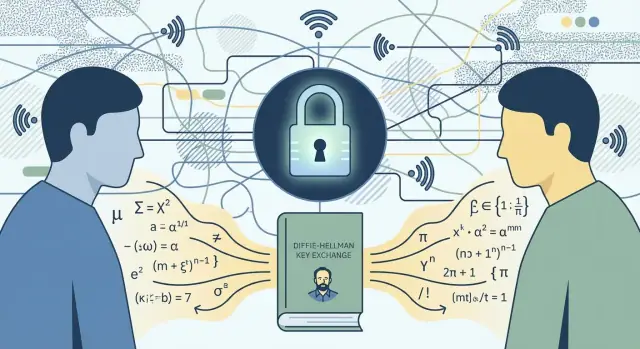
Why Trust Is Hard on Open Networks
When you send a message over the internet, you’re usually sending it across networks you don’t own and can’t inspect. That’s the core problem: you want a private conversation, but the “room” you’re talking in is public.
What a “hostile network” really means
A hostile network isn’t necessarily run by a villain. It simply means the path between you and the other person includes intermediaries that could observe, alter, or reroute what you send.
Think about:
- Public Wi‑Fi at a café or airport, where other people are on the same access point
- Your ISP, which carries your traffic and can see where it goes (and sometimes more)
- Routers, proxies, and services in between, any of which can be misconfigured or compromised
On an open network, “trust” is not a default setting. If you send secrets in plain text, you’re effectively handing copies to every stop along the way.
The missing ingredient: agreeing on a secret safely
For decades, secure communication had an awkward bottleneck: to use encryption, both sides had to already share a secret key. But how do you share that secret key in the first place if the network is being watched?
This is where Martin Hellman (working alongside Whitfield Diffie and Ralph Merkle) changed the direction of cryptography. Key exchange made it possible for two parties to establish shared secrets over an insecure channel—without having met beforehand.
Where you see this today
You rely on this thinking every time you use HTTPS, many secure messaging apps, and VPNs.
This article stays focused on the concepts—not heavy math—so you can understand what’s happening when your browser says “Secure” and why that trust is earned, not assumed.
Before Key Exchange: The Shared-Secret Bottleneck
Before anyone talked about “public keys,” most practical encryption was symmetric: both sides used the same secret key to lock and unlock messages. If you’ve ever used a password to open an encrypted file, you’ve used the same basic idea.
A quick pre–public-key timeline
For a long time, cryptography focused on two things: making ciphers harder to break and managing keys carefully.
- Early systems relied on manual codes and ciphers, often shared in person.
- As computers arrived, symmetric algorithms became fast and reliable for bulk data.
- Security improved, but one problem refused to go away: how do two people get the same secret key in the first place?
Symmetric keys: efficient, but dependent on a shared secret
Symmetric encryption is attractive because it’s efficient. It can protect large amounts of data quickly, which is why it still underpins most secure connections today.
But symmetric crypto has a strict requirement: both parties must already share the key. That means the hardest part often isn’t encrypting—it’s the setup.
The key distribution problem
Imagine Alice wants to send Bob an encrypted message over a network that might be monitored. If Alice simply sends the symmetric key to Bob, an eavesdropper can copy it too. If they don’t already share a key, they need another secure channel to deliver it.
That creates a circular dependency:
- To communicate securely, you need a secret key.
- To share the secret key safely, you already need a secure method.
A real-world analogy: agreeing on a password without meeting
It’s like trying to agree on a password over a phone call you suspect is being recorded. Saying the password out loud defeats the point. Mailing it might work—but only if you trust the mail, and only if no one opens the envelope.
At small scale, organizations solved this with couriers, pre-shared codebooks, hardware devices, or tightly controlled internal networks. At internet scale—where strangers’ computers must connect securely in seconds—this approach breaks down.
Why this blocked secure networking at scale
Without a way to establish secrets over an open network, secure communication was limited to environments where keys could be distributed ahead of time. That meant:
- onboarding new users was slow and costly,
- large networks became difficult to manage securely,
- secure connections between previously unconnected parties were impractical.
This shared-secret bottleneck is the wall that key exchange ideas—associated with Martin Hellman’s era-defining work—were designed to get around.
Martin Hellman’s Core Contribution in Context
Martin Hellman is a computer scientist whose name is closely tied to a turning point in cryptography: making it possible for strangers to establish secrets over an open network. That sounds ordinary now, but it directly addressed a practical problem early networked systems couldn’t solve cleanly.
From “who already shares a secret?” to “who can safely meet online?”
Before Hellman’s era, secure communication mostly assumed a pre-arranged shared secret: two parties had to meet (or use a trusted courier) to exchange a key ahead of time. That model works for small groups, but it scales poorly when you want millions of devices and people to communicate securely across hostile networks.
Hellman’s core contribution—most famously through the Diffie–Hellman key exchange with Whitfield Diffie—helped change the question from “How do we transport a secret?” to “How do we create a new shared secret even if someone is listening?”
How theory became usable security
The breakthrough wasn’t just an abstract idea. It became a practical building block that real systems could implement, enabling secure sessions to be established on demand. This bridged academic cryptography and network engineering: you could design protocols that assume the network is monitored, and still protect confidentiality.
“Public key” in plain terms
Conceptually, “public-key” cryptography means you can publish some information openly (your “public” side) while keeping a related secret private. Others can use the public information to interact securely with you—without learning your private secret. In key exchange, that public information lets two parties agree on a shared session key, rather than send one.
It’s also important context that this was not a solo effort or a sudden miracle: contemporaries like Ralph Merkle explored similar directions, and the broader research community refined and stress-tested these ideas. The result is a foundation for how trust can be established online at scale.
Key Exchange, Explained Without the Math
The goal of key exchange is simple to say and surprisingly hard to achieve: Alice and Bob want to end up with the same secret key even though an eavesdropper can watch everything they send. They’re allowed to talk in public; they just don’t want anyone else to learn the final secret.
A story version (Alice, Bob, and Eve)
Imagine Alice and Bob are on an open Wi‑Fi network. Eve is listening to every message. Alice and Bob can’t start by sharing a password—because that would require a safe channel they don’t have.
Instead, they use a clever “mixing” trick:
- They agree on a public set of rules for mixing ingredients. Think of it like agreeing on a specific kind of paint-mixing method.
- Each chooses a private ingredient (a secret color) that they never reveal.
- Each sends a mixed result to the other—something created by applying the public rules to their private ingredient.
- Each mixes again locally using the other person’s mixed result plus their own private ingredient.
At the end, Alice and Bob arrive at the same final color, which becomes their shared secret key.
What Eve can and can’t do
Eve sees the public rules and the mixed results going back and forth. Eve can copy, store, and replay those messages.
What Eve can’t realistically do (assuming strong parameters) is reverse the mixing to recover the private ingredients. This is the core idea: the forward direction is easy, the reverse direction is computationally hard—a practical one-way problem.
Why the shared secret matters
The final shared key usually isn’t used to encrypt the whole conversation directly with key exchange methods. Instead, it’s fed into a key-derivation step and then used for fast symmetric encryption (the kind that’s efficient for lots of data). Key exchange is the bridge that gets both sides to the same secret—without ever sending that secret across the network.
The Missing Piece: Authentication vs. Secrecy
Key exchange solves a very specific problem: how two parties can agree on a secret (like an encryption key) while an eavesdropper listens. But many real attacks aren’t just “someone listening”—they’re “someone sitting in the middle.”
The real threat: the attacker in the middle
In a man-in-the-middle scenario, an attacker relays messages between you and a server while secretly altering them. If you try to do a key exchange without any identity check, the attacker can run two key exchanges: one with you, and another with the real server. You end up with a perfectly good secret key… shared with the attacker.
That’s why key exchange alone doesn’t prove who you’re talking to. It gives secrecy against passive listeners, but not assurance of identity.
What “trust” means here
In this context, “trust” isn’t about believing someone is honest. It means a narrower, practical guarantee: you reached the intended party, not an impostor.
How authentication fills the gap
Authentication is how protocols bind a key exchange to a real identity. Common approaches include:
- Certificates (PKI): a trusted certificate authority vouches that a public key belongs to a specific domain or organization.
- Fingerprints: you verify a server’s key (or certificate) directly—often used in SSH-style setups.
- Shared trust: an organization distributes trusted keys internally (for example, on managed devices).
Why modern protocols combine both
Modern secure systems pair key exchange (to create fresh session keys) with authentication (to prove the other side). That combination—used in TLS for HTTPS and many VPNs—prevents an attacker from quietly inserting themselves between you and the service you intended to reach.
How Key Exchange Powers HTTPS and TLS
When you visit a site over HTTPS, your browser is usually talking to a server it has never met before, over a network that could be monitored. The reason this can still be safe is that the connection quickly sets up fresh encryption keys—without sending those keys in the clear.
The basic flow (no math)
At a high level, HTTPS works like this:
- Connect: your browser reaches the website’s server.
- Negotiate: they agree on security settings (which version of TLS, which encryption options).
- Exchange key material: they run a key exchange (often an ephemeral Diffie-Hellman variant) to create a shared secret.
- Encrypt: that shared secret is turned into session keys, and the rest of the traffic is encrypted and integrity-protected.
Key exchange is the turning point: it’s how both sides end up with the same secret keys without having to “ship” a secret across the network.
Where it fits in a TLS handshake
In the TLS handshake, key exchange happens early—before any private data like passwords or credit card numbers should be sent. Only after the handshake finishes does the browser send HTTP requests “inside” the encrypted tunnel.
Certificates: proving it’s really the right server
Key exchange gives you secrecy, but not automatically identity. That’s what certificates do. A website presents a certificate that says, in effect: “This public key belongs to example.com,” signed by a trusted Certificate Authority (CA). Your browser checks the domain name, validity dates, and signature chain; if something doesn’t add up, it warns you.
What users should look for (and a common myth)
Look for https:// and the browser’s security indicator, and take certificate warnings seriously.
One misunderstanding: HTTPS doesn’t make you anonymous. It encrypts what you send and receive, but your IP address, the fact you connected, and often the domain you visited can still be visible to networks and intermediaries.
Forward Secrecy: Limiting the Blast Radius
Forward secrecy (sometimes called “perfect forward secrecy”) means this: if someone steals a key in the future, they still can’t go back and decrypt your old captured traffic.
That matters because attackers often record encrypted connections today and try to crack them later. If your setup reuses the same long-term key to protect lots of sessions, one leak can become a time machine—suddenly months (or years) of previously “safe” data can be exposed.
Why reusing keys is risky
Reused keys create a single point of failure. The longer a key lives, the more chances it has to be copied, logged, misconfigured, or extracted from a compromised server. Even if the encryption was strong, the operational reality is that long-lived secrets tend to leak eventually.
How ephemeral key exchange helps
Ephemeral key exchange (commonly ECDHE in modern TLS) generates a fresh, session-specific secret each time you connect. Your browser and the server do a quick key exchange, derive a one-time session key, and then throw away the temporary private values.
So even if the server’s certificate key is stolen later, the attacker doesn’t get the missing ingredients needed to reconstruct yesterday’s session keys.
What forward secrecy does—and doesn’t—protect
Forward secrecy helps against:
- Later key theft (server private key compromise) revealing past sessions
- Mass decryption after a breach, because old sessions remain individually protected
It does not help against:
- Malware on your device or the server while the session is active
- An attacker who steals session keys in real time (e.g., from memory)
- Phishing, weak passwords, or a fraudulent certificate accepted by a victim
Practical takeaway
Prefer modern configurations that support forward secrecy:
- TLS 1.3 (forward secrecy is effectively the default)
- TLS 1.2 with ECDHE suites enabled
- Avoid legacy RSA key exchange and long-lived shared secrets where possible
VPNs and Secure Tunnels: Key Exchange in Action
A VPN (Virtual Private Network) is essentially a private “tube” built across a network you don’t control—like public Wi‑Fi, a hotel router, or an ISP connection. The goal isn’t to make the internet “safe”; it’s to make the traffic between your device and a specific VPN server encrypted and harder to tamper with while it crosses untrusted hops.
Where key exchange happens
When you connect to a VPN, your device and the VPN server first agree on fresh encryption keys for this session. That agreement is the key exchange step. Modern VPN protocols typically use a Diffie-Hellman-style exchange (or an elliptic-curve variant) to create a shared secret over the open network without sending the secret itself.
Once both sides have the shared secret, they derive symmetric keys and start encrypting data in both directions. From that point on, the VPN tunnel is just fast symmetric encryption and integrity checks.
Why authentication matters
Key exchange gives you secrecy, but it doesn’t automatically tell you who you’re talking to. VPNs must also authenticate endpoints—usually via certificates, pre-shared keys, or user credentials—so you don’t accidentally establish an encrypted tunnel to an attacker.
Common failure modes
Most VPN breaches are human and configuration problems, not “broken encryption”:
- Weak or reused passwords (especially without MFA)
- Misconfigured clients (routing all traffic incorrectly, DNS leaks)
- Phishing that steals VPN credentials
- Trusting an unverified server or installing a fake VPN app
When a VPN helps—and when it doesn’t
A VPN helps when you need to protect traffic on untrusted networks, access private resources, or reduce exposure on shared Wi‑Fi. It doesn’t protect you from malicious websites, infected devices, or poor account security—and it shifts trust to the VPN provider or your organization’s VPN gateway.
Performance and Practicality: Why Hybrid Crypto Works
Modern secure connections follow a simple pattern: do a short “handshake” to agree on fresh secrets, then switch to very fast encryption for the rest of the session.
That mix is called hybrid cryptography. It’s practical because the math used for key exchange (like Diffie-Hellman-style methods) is relatively expensive, while symmetric encryption (like AES or ChaCha20) is designed to run quickly on nearly any device.
The typical flow: slow setup, fast data
During the handshake, your browser and a server negotiate parameters, authenticate the server, and derive shared session keys. This phase is small in bytes but heavy in computation compared to everything that follows.
Once keys are set, the connection moves into “bulk mode”: pages, images, API responses, and uploads are protected using symmetric encryption and integrity checks that can handle huge amounts of traffic efficiently.
Why performance matters
On mobile devices, CPU and battery constraints make handshake efficiency noticeable—especially on spotty networks where connections drop and reconnect.
For high-traffic sites, handshakes are also a scaling problem: thousands of new connections per second can mean real server cost if the handshake is too slow.
Session resumption: reconnecting faster
To reduce repeat handshakes, TLS supports session resumption: if you reconnect soon, the browser and server can reuse prior state (safely) to establish encryption with fewer round trips and less computation. This can make sites feel snappier without weakening the core idea of fresh session keys.
Trade-offs in plain terms
Tighter security settings can cost a bit more time (stronger parameters, stricter validation), while aggressive performance options can increase risk if misused. The key point: the handshake is brief—but it’s where security is either established correctly or lost.
From Key Exchange to Zero Trust Thinking
“Zero trust” is a simple idea: don’t assume the network is safe—ever. Treat every connection as if someone could be watching, tampering, or impersonating a service along the way.
Hellman’s key exchange mindset fits this perfectly. Diffie–Hellman didn’t require a “friendly” network; it assumed a hostile one and still made secrecy possible. Zero trust takes the same assumption and applies it to everything around secrecy: identity, access, and ongoing verification.
Key exchange as the foundation for service-to-service trust
Modern systems are made of many services talking to each other—APIs, databases, queues, and internal tools. Key exchange lets two endpoints establish fresh encryption keys on the fly, even if the traffic crosses networks you don’t fully control.
That’s why secure service meshes, internal TLS, and VPN tunnels can be practical: they rely on automated key negotiation rather than manually distributing long-term secrets everywhere.
Authentication vs. secrecy: the “prove it’s really you” part
Encryption alone only hides content; it doesn’t guarantee who you’re talking to. Zero trust emphasizes mutual authentication:
- The client proves its identity to the server.
- The server proves its identity to the client.
In practice, that’s done with certificates, signed tokens, device identities, or workload identities—then key exchange uses those verified identities to protect the session.
Short-lived credentials and rotating keys
Zero trust avoids “set it and forget it.” Instead, it prefers short-lived credentials and frequent key rotation so that if something leaks, the damage is limited. Key exchange makes this affordable: new session keys can be created continuously without humans passing around new shared passwords.
Hellman’s enduring contribution isn’t just a protocol—it’s the habit of designing security as if the network is hostile, and proving trust each time, not assuming it.
Common Myths and Real-World Limits
Key exchange (including Diffie–Hellman and its modern variants) is a foundation for private communication on hostile networks—but it’s not a magic shield. A lot of security confusion comes from assuming “encrypted” means “safe in every way.” It doesn’t.
Myth 1: “If we use key exchange, we can’t be hacked”
Key exchange protects data in transit from eavesdroppers and passive interception. It does not protect you if the endpoints are compromised.
If malware is sitting on your laptop, it can read messages before they’re encrypted or after they’re decrypted. Likewise, if an attacker controls a server, they don’t need to break Diffie–Hellman—they can simply access the data at the source.
Myth 2: “Encryption hides everything about my activity”
Encryption typically hides content, not all context. In many real deployments, some metadata can still leak or remain visible:
- Who you connect to (destination IP address) is visible to your local network, ISP, or VPN provider.
- Timing, traffic volume, and connection frequency can be observed and analyzed.
Even with modern TLS features that reduce exposure (like encrypted SNI in some environments), metadata is often only partially protected. That’s one reason privacy tools are layered rather than single-feature.
Myth 3: “HTTPS guarantees the site is legitimate”
HTTPS means your connection to a server is encrypted and (usually) authenticated via certificates. But it doesn’t guarantee the server is the one you intended to trust.
Phishing still works because attackers can:
- Register lookalike domains (e.g., paypaI.com vs paypal.com).
- Obtain valid certificates for their own domains.
- Trick users into approving prompts or sharing one-time codes.
Encryption prevents snooping, not deception. The human and brand-trust layer is still a major attack surface.
Myth 4: “If TLS is enabled, configuration details don’t matter”
Operational issues can quietly undermine security:
- Expired certificates can push teams into risky “temporary” workarounds.
- Misconfigured servers might allow outdated protocol versions or weak settings.
- Poor key and certificate management can lead to accidental exposure.
Modern crypto is strong, but real systems fail at the seams—maintenance, configuration, and deployment.
The practical takeaway: layer your defenses
Hellman’s key exchange thinking helped solve the shared-secret problem, but secure systems still require multiple controls working together:
- Keep devices and servers updated.
- Use MFA for accounts that matter.
- Monitor for suspicious logins, unusual traffic, and certificate issues.
- Treat encryption as one layer in a larger security program—not the program itself.
Practical Security Checklist Inspired by Hellman’s Ideas
Hellman’s key-exchange breakthrough didn’t make the internet “safe.” It made it possible to create secrecy over a network you don’t control. The practical lesson is simple: assume the network is hostile, then verify identities and keep your cryptography current.
For website owners: keep TLS modern
Most site compromises don’t happen because “encryption is broken”—they happen because encryption is misconfigured or outdated.
- Keep TLS configurations current and remove obsolete protocol versions and weak cipher suites.
- Prefer settings that enable forward secrecy (common with modern TLS defaults).
- Turn on HSTS so browsers default to HTTPS after the first successful connection.
- Regularly review certificate health (expiry, proper chain, correct hostnames), especially after infrastructure changes.
If you’re unsure where to start, prioritize eliminating old options first; compatibility with very old clients is rarely worth the risk.
For app teams: use vetted libraries, not custom crypto
Key exchange is a concept; implementations are where security succeeds or fails.
Use well-maintained, widely reviewed cryptographic libraries and platform APIs. Avoid rolling your own key exchange, randomness, certificate checks, or “lightweight TLS alternatives.” If your product involves embedded devices or custom clients, treat certificate validation as non-negotiable—skipping it turns encryption into theater.
If you’re building and shipping apps quickly (for example, using a vibe-coding platform like Koder.ai to generate a React web app, a Go + PostgreSQL backend, or a Flutter mobile client), apply the same rule: rely on standard TLS libraries and default-secure deployment patterns, then validate settings in the environment you actually ship—custom domains, proxies, and hosting layers are common places for certificate and TLS drift.
For IT and security teams: identity, rotation, and audits
Key exchange protects secrecy in transit, but trust still depends on knowing who you’re talking to.
- Enforce strong identity for admins and services (MFA, least privilege, short-lived credentials).
- Rotate secrets and keys on a schedule, and immediately after suspected exposure.
- Audit TLS and VPN configurations in production—not just templates—because drift happens.
- Monitor for unexpected certificate changes and weak endpoints that re-enable old settings.
For end users: treat warnings as real signals
Browsers and operating systems are your first line of defense against impersonation.
Keep devices updated, use MFA where available, and don’t click through certificate warnings “just this once.” Those warnings often mean the authentication part of the connection failed—exactly the scenario key exchange alone can’t fix.
Closing tie-back
Key exchange turned hostile networks into usable infrastructure: you can communicate privately even when you don’t trust the path. The checklist above follows that same mindset—assume exposure, keep cryptography modern, and anchor trust in verified identity.
FAQ
What does “hostile network” mean in practical terms?
A “hostile network” is any path between two endpoints where intermediaries can observe, alter, block, or reroute traffic. It doesn’t require malicious intent—shared Wi‑Fi, ISPs, proxies, or compromised routers are enough.
Practical takeaway: assume the path is untrusted and rely on encryption + integrity + authentication, not the network environment.
Why was symmetric encryption alone not enough for internet-scale security?
Symmetric encryption is fast, but it requires both sides to already share the same secret key. If you try to send that key over the same monitored network, an eavesdropper can copy it.
That circular problem—needing a secure channel to create a secure channel—is the key distribution problem key exchange was designed to break.
How does key exchange create a shared secret without sharing it?
Key exchange lets two parties derive the same shared secret without sending the secret itself over the network. In Diffie–Hellman-style exchanges, each side combines:
- public parameters (safe to share)
- a private value (never shared)
An eavesdropper can see the messages but (with strong parameters) can’t feasibly compute the final shared key.
What was Martin Hellman’s key contribution to modern cryptographic security?
It reframed secure setup from “ship a secret key ahead of time” to “create a new shared secret on demand over an insecure channel.”
That shift made it practical for strangers’ devices (like browsers and websites) to establish encrypted sessions quickly, which is foundational for modern protocols such as TLS.
Does key exchange automatically prove who I’m talking to?
No. Key exchange mainly provides secrecy against passive eavesdroppers. Without authentication, you can still be tricked into exchanging keys with an impostor.
To prevent man-in-the-middle attacks, protocols bind the exchange to identity using things like:
- certificates (PKI)
- verified key fingerprints
- organization-distributed trusted keys
Where does key exchange happen in HTTPS/TLS?
In HTTPS, the TLS handshake typically:
- negotiates protocol and cipher settings
- performs an (often ephemeral) key exchange to derive a shared secret
- derives symmetric session keys for fast encryption and integrity
Only after the handshake completes should sensitive HTTP data be sent inside the encrypted channel.
What role do certificates play if key exchange already encrypts traffic?
A certificate is how your browser checks it’s talking to the intended site, not just a site. The server presents a certificate saying its public key belongs to a domain, signed by a CA your browser trusts.
If the certificate name, validity, or signature chain doesn’t validate, the browser warning means the authentication step failed—encryption alone is not enough.
What is forward secrecy, and why should I care?
Forward secrecy means that even if a long-term key (like a server’s certificate private key) is stolen later, attackers still can’t decrypt previously recorded sessions.
It’s typically achieved with ephemeral key exchange (e.g., ECDHE), where each session generates fresh, throwaway key material.
How does key exchange show up in VPNs, and what doesn’t a VPN protect me from?
A VPN uses key exchange to establish fresh session keys between your device and the VPN server, then encrypts traffic through that tunnel with symmetric crypto.
It helps protect traffic on untrusted local networks, but it also shifts trust to the VPN provider or your organization’s gateway and doesn’t fix compromised devices or phishing.
What are the most practical steps to apply “assume the network is hostile” thinking?
Start with checks that prevent common “secure but unsafe” failures:
- Prefer TLS 1.3 (or TLS 1.2 with ECDHE enabled) and disable legacy options.
- Treat certificate warnings as stop signs; don’t click through.
- Use MFA for important accounts; key exchange won’t stop credential theft.
- Keep systems updated and audit TLS/VPN configs for drift.
- Don’t build custom cryptography—use vetted libraries and correct certificate validation.