

Marvell and the Silicon That Powers Cloud Infrastructure Quietly
Learn how Marvell’s data infrastructure silicon supports cloud networking, storage, and custom acceleration—powering faster, more efficient data centers behind the scenes.
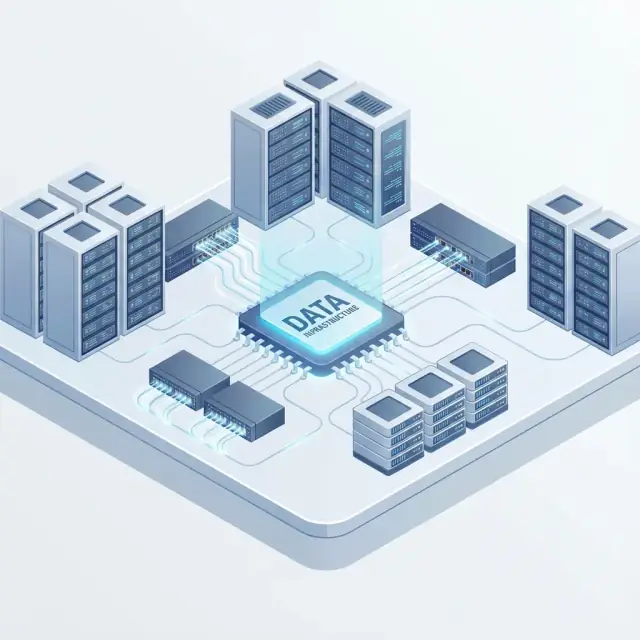
What Marvell Does in Modern Cloud Data Centers
Most people think “cloud” is just servers. In reality, a cloud data center is a giant system for moving, storing, and protecting data at high speed. Data infrastructure silicon is the set of specialized chips that handle those data-heavy jobs so the main CPUs don’t have to.
Marvell focuses on this “in-between” layer: the chips that connect compute to networks and storage, accelerate common data-center tasks, and keep everything flowing predictably under load.
Where Marvell fits in a typical cloud stack
If you imagine a cloud rack from top to bottom, Marvell devices often sit:
- On the network edge of a server, helping send and receive traffic efficiently
- In switches and network equipment, directing packets to the right place
- Near storage, moving data between SSDs, storage networks, and servers
- Along key interconnects, enabling fast communication between components
These aren’t “apps” and not “servers” in the usual sense—they’re the hardware building blocks that let thousands of servers behave like one coherent service.
Why most of this work is invisible to end users
When infrastructure silicon is doing its job, you don’t notice it. Pages load faster, video buffers less, and backups finish on time—but the user never sees the networking offload engine, the storage controller, or the switching fabric making that possible. These chips quietly reduce latency, free CPU cycles, and make performance more consistent.
A quick map: networking, storage, acceleration
Marvell’s role is easiest to group into three buckets:
- Networking: moving packets quickly and predictably
- Storage: reading/writing data safely at scale
- Acceleration: purpose-built compute for repetitive infrastructure tasks
That’s the “quiet” silicon that helps cloud services feel simple on the surface.
Why Clouds Need Specialized Infrastructure Chips
Cloud apps feel “software-defined,” but the physical work still happens in racks full of servers, switches, and storage. As demand grows, clouds can’t rely on general-purpose CPUs for every task without hitting hard limits in cost and efficiency.
Traffic is growing faster than CPU headroom
AI training and inference move huge datasets around the data center. Video streams, backups, analytics, and SaaS platforms add constant background load. Even when compute is available, the bottleneck often shifts to moving, filtering, encrypting, and storing data fast enough.
East–west traffic dominates inside the data center
Most cloud traffic never touches the public internet. It travels “east–west” between services: microservice-to-microservice calls, database reads, cache updates, storage replication, and distributed AI workloads. That internal traffic needs predictable latency and high throughput, which pushes networking and storage hardware to do more processing close to the data path.
Efficiency is now a first-class requirement
Power and space are not unlimited. If a cloud provider can offload work like packet processing, encryption, compression, or storage checksums onto dedicated silicon, the CPU spends less time on overhead. That improves:
- Performance per watt (more work for the same power budget)
- Server density (more usable compute per rack)
- Operating cost (lower energy and cooling for the same throughput)
From “one big CPU” to specialized helpers
Instead of scaling by adding more general-purpose cores, cloud platforms increasingly use purpose-built chips—Smart NICs/DPUs, switching silicon, storage controllers, and accelerators—to handle repetitive, high-volume infrastructure tasks. The result is a cloud that’s faster and cheaper to run, even as workloads become more data-hungry.
Networking Offload: Smart NICs and DPUs Explained
Cloud servers spend a surprising amount of time doing “infrastructure work” instead of running your application. Every packet needs to be moved, inspected, logged, and sometimes encrypted—often by the main CPU. Networking offload shifts those chores to specialized hardware, which is where Smart NICs and DPUs show up in many modern data centers (including systems built with Marvell silicon).
Smart NIC vs. DPU (plain-English definitions)
A Smart NIC is a network interface card that does more than basic send/receive. Alongside the usual Ethernet ports, it includes extra processing (often Arm cores and/or programmable logic) to run networking features on the card.
A DPU (Data Processing Unit) goes a step further: it’s designed to act like a dedicated “infrastructure computer” inside the server. A DPU typically combines high-performance networking, multiple CPU cores, hardware accelerators (crypto, packet processing), and strong isolation features so it can manage data movement and security without leaning on the host CPU.
A practical mental model:
- Smart NIC: a NIC with helpful brains.
- DPU: a NIC plus a dedicated system for infrastructure tasks.
What gets offloaded from the CPU
Offload targets repeatable, high-volume work that would otherwise steal CPU cycles from applications. Common examples include:
- Networking datapath: virtual switching, routing rules, encapsulation/decapsulation (e.g., overlays), traffic shaping
- Security: TLS/IPsec encryption, firewall policy enforcement, micro-segmentation, secure boot and attestation
- Storage traffic acceleration: steering storage packets efficiently, in some designs assisting storage-over-network flows
- Telemetry: flow logs, packet sampling, counters, latency measurements—captured at wire speed
Why it matters: predictable performance and lower CPU load
When the CPU has to “babysit” networking, application performance can swing depending on traffic spikes, noisy neighbors, or bursts of security work. Offload helps by:
- Freeing CPU cores for your actual workloads (web services, databases, AI pipelines)
- Stabilizing latency because packet handling happens in dedicated hardware paths
- Increasing host density: fewer CPU resources spent on infrastructure means more useful work per server
- Improving isolation: infrastructure controls can run separately from tenant workloads
Where a DPU sits in the server (and what it connects to)
Physically, DPUs usually arrive as a PCIe add-in card or an OCP NIC module. They connect to:
- The top-of-rack network via Ethernet ports (often high-speed links)
- The host server via PCIe, acting as the gateway for network traffic to and from the CPU and memory
Conceptually, the DPU becomes a “traffic cop” between the network and the server—handling policy, encryption, and switching so the host OS and CPUs can stay focused on running applications.
Inside Cloud Networking: Ethernet Switching and Packet Processing
When you open an app or move data to the cloud, your request usually doesn’t travel to “a server”—it travels through a fabric of Ethernet switches that connect thousands of servers as if they were one giant machine.
How data moves between servers: top-of-rack and spine
Most cloud data centers use a “leaf-spine” design:
- Top-of-rack (ToR) / leaf switches sit at each rack and connect directly to the servers in that rack.
- Spine switches connect all ToR switches together, so any server can reach any other server in a predictable number of hops.
This design keeps paths short and consistent, which is key for performance at scale.
Why low latency and high throughput matter
Two numbers shape user experience and cost:
- Latency (how long a packet takes) affects interactive workloads—APIs, databases, microservices, and real-time analytics.
- Throughput (how much data per second) affects bulk movement—storage replication, backups, streaming, and large AI datasets.
Cloud operators aim to keep latency stable even when links are busy, while still pushing huge volumes of traffic.
Key functions: switching, packet processing, QoS
An Ethernet switch chip does more than “forward packets.” It must:
- Look up destinations (MAC, VLANs, and often routing/overlay headers) at line rate.
- Buffer and schedule traffic to avoid congestion spreading through the fabric.
- Apply QoS (Quality of Service) so latency-sensitive flows aren’t drowned out by background transfers.
- Support telemetry and congestion controls that help operators tune performance.
Vendors like Marvell build silicon that focuses on doing these tasks predictably at very high speeds.
What “higher speeds” enable
Moving from 25/100G to 200/400/800G links isn’t just a numbers game. Higher speeds can mean:
- More VMs per rack without oversubscribing the network
- Faster storage access (especially for disaggregated or networked NVMe)
- Shorter AI training cycles by feeding GPUs data more consistently
The result is a data center network that feels less like “wires” and more like shared infrastructure for every workload running on top.
Storage Silicon: Controllers, NVMe, and Data Protection
When people talk about cloud performance, they often picture CPUs and GPUs. But a huge amount of “speed” (and reliability) is decided by the storage silicon sitting between flash drives and the rest of the server. That layer is typically a storage controller—purpose-built chips that manage how data is written, read, checked, and recovered.
What a storage controller actually does
A storage controller is the traffic director for persistent data. It breaks incoming writes into manageable chunks, schedules reads so hot data returns quickly, and constantly runs integrity checks so corrupted bits don’t quietly turn into corrupted files.
It also handles the unglamorous bookkeeping that makes storage predictable at scale: mapping logical blocks to physical flash locations, balancing wear so drives last longer, and keeping latency steady when many applications hit the same storage pool.
NVMe: why it’s everywhere
NVMe (Non-Volatile Memory Express) is a protocol designed for fast flash storage. It became common because it reduces overhead and supports parallel “queues” of requests—meaning many operations can be in flight at once, which fits cloud workloads where thousands of small reads/writes happen simultaneously.
For cloud providers, NVMe isn’t just about peak throughput; it’s about consistently low latency under load, which is what keeps applications feeling responsive.
Built-in features: encryption, compression, and RAID-like protection
Modern controllers often include hardware features that would otherwise consume CPU cycles:
- Encryption/decryption to protect data at rest with minimal performance penalty
- Compression to store more and move less (useful when bandwidth is the bottleneck)
- RAID-like parity and erasure coding assistance to tolerate failures and rebuild data faster
Why storage performance changes app behavior
Storage isn’t an isolated subsystem—it shapes how applications behave:
- Databases depend on fast, consistent writes for transactions and durable logs.
- Analytics pipelines can stall when reading large datasets turns into a queueing problem.
- Backups and restores become “business continuity” issues when throughput is limited.
In short, storage silicon is what turns raw flash into dependable, high-throughput cloud infrastructure.
Connectivity Foundations: PCIe and CXL in Plain English
When cloud providers upgrade servers, they don’t just swap CPUs. They also need the “connective tissue” that lets CPUs talk to network cards, storage, and accelerators without forcing a complete redesign. That’s why standards like PCIe and CXL matter: they keep parts interoperable, make upgrades less risky, and help data centers scale in a predictable way.
PCIe: the high-speed highway inside a server
PCIe (Peripheral Component Interconnect Express) is the main internal link used to connect components like:
- NICs (network interface cards)
- SSDs and storage controllers
- GPUs and other accelerators
- DPUs/Smart NICs
A helpful mental model: PCIe is like adding more lanes to a highway. Newer PCIe generations increase speed per lane, and wider links (x8, x16, etc.) add more total capacity. For cloud operators, this directly affects how quickly data can move between compute and the devices that feed it.
Marvell’s infrastructure silicon often sits on one end of these PCIe connections—inside a NIC, DPU, storage controller, or switch-adjacent component—so PCIe capability can be a practical limiter (or enabler) for performance upgrades.
CXL: using the same road to share memory more efficiently
CXL (Compute Express Link) builds on the PCIe physical connection but adds new ways for devices to share memory-like resources with lower overhead. In plain terms, CXL helps servers treat certain external resources (like memory expansion or pooled memory) more like a local extension rather than a far-away device.
Practical outcomes for cloud design
The payoff isn’t just “faster.” PCIe and CXL enable:
- More flexible system design: mix and match compute, networking, and storage building blocks
- Better utilization: reduce stranded resources (for example, memory in one server while another is short)
- Smoother upgrades: newer cards and controllers can drop into existing server families more easily
Connectivity standards don’t get headlines, but they strongly shape how quickly clouds can adopt better networking, storage, and acceleration.
Custom Acceleration: Purpose-Built Compute for Cloud Workloads
“Custom acceleration” in cloud infrastructure doesn’t always mean a giant, general-purpose GPU bolted onto a server. More often, it means adding small, specialized blocks of compute that speed up one repeated task—so CPUs can focus on running applications.
What “custom” really means
Cloud workloads vary wildly: a storage-heavy database node has different bottlenecks than a video streaming edge box or a firewall appliance. Purpose-built silicon targets those bottlenecks directly—often by moving a function into hardware so it runs faster, more consistently, and with less CPU overhead.
Common acceleration examples you’ll actually feel
A few practical categories show up again and again in data centers:
- Packet processing helpers: parsing headers, steering flows, shaping traffic, and applying policies at line rate.
- Security acceleration: crypto (IPsec/TLS), key handling, and inline inspection tasks that would otherwise burn CPU cycles.
- Storage acceleration: erasure coding, compression, dedupe assist, RAID parity, and checksums—especially where throughput and predictable latency matter.
- Video/media: transcoding, packaging, and content conditioning for streaming pipelines.
- AI inference helpers: not always full-blown training accelerators—sometimes small engines for embedding lookups, pre/post-processing, or model-serving pipelines.
How companies tailor chips to workloads
Large cloud teams typically start with profiling: where do requests stall, and what tasks repeat millions of times per second? Then they choose whether to accelerate via a programmable engine (more adaptable) or fixed-function blocks (highest efficiency). Vendors such as Marvell often provide building blocks—networking, security, storage interfaces—so the “custom” part can focus on the cloud’s specific hot paths.
The trade-off: performance per watt vs. flexibility
Fixed-function acceleration usually wins on performance per watt and determinism, but it’s harder to repurpose if the workload changes. More programmable options are easier to evolve, yet may cost more power and leave some performance on the table. The best designs mix both: flexible control planes with hardware fast paths where it counts.
Power and Efficiency: Doing More Work per Watt
Power is often the real ceiling in a data center—not the number of servers you can buy, but how much electricity you can deliver and remove as heat. When a facility hits its power envelope, the only way to grow is to get more useful work out of each watt.
Why “offload” saves energy
General-purpose CPUs are flexible, but they’re not always efficient at repetitive infrastructure chores like packet handling, encryption, storage protocol processing, or telemetry. Purpose-built infrastructure silicon (for example, smart NICs/DPUs, switches, and storage controllers) can execute those tasks with fewer cycles and less wasted work.
The energy win is often indirect: if offload reduces CPU utilization, you can run the same workload with fewer CPU cores active, lower clock speeds, or fewer servers. That can also reduce memory pressure and PCIe traffic, which further trims power.
Cooling and space are part of the chip decision
Every watt becomes heat. More heat means faster fans, higher coolant flow, and stricter rack-level planning. Higher-density racks can be attractive, but only if you can cool them consistently. This is why chip choices matter beyond raw throughput: a component that draws less power (or stays efficient at high load) can let operators pack more capacity into the same footprint without creating hot spots.
How to evaluate efficiency claims
Efficiency numbers are easy to market and hard to compare. When you see “better performance per watt,” look for:
- The measurement context: throughput, latency targets, packet sizes, and enabled features (e.g., encryption on/off).
- The system boundary: chip-only power vs. full card vs. full server impact.
- Load curve behavior: efficiency at 20–40% utilization can matter more than peak.
- Apples-to-apples baselines: same workload, same CPU generation, similar NIC/switch configuration.
The most credible claims tie watts to a specific, repeatable workload and show what changed at the server or rack level—not just on a spec sheet.
Security and Reliability Features Built into Infrastructure Silicon
Cloud providers share the same physical machines across many customers, so security can’t be “added later.” A lot of it is enforced down at the chip level—inside smart NICs/DPUs, cloud networking chips, Ethernet switching silicon, and data center storage controllers—where hardware offload can apply protections at full line rate.
Hardware root of trust and secure boot (the chain of “only trusted code runs”)
Most infrastructure silicon includes a hardware root of trust: a small, immutable set of logic and keys that can verify firmware before anything else starts. With secure boot, the chip checks cryptographic signatures on its firmware (and sometimes on the host’s boot components), refusing to run modified or unknown code.
That matters because a compromised DPU or storage controller can sit “between” your servers and the network/storage fabric. Secure boot reduces the risk of hidden persistence at that layer.
Inline encryption for data in transit and at rest
Encryption is often accelerated directly in silicon so it doesn’t steal CPU time:
- Data in transit: DPUs and smart NICs can offload IPsec/TLS-like processing and key handling while keeping throughput high.
- Data at rest: storage silicon can perform inline encryption on writes and decrypt on reads, integrating with NVMe paths without turning every I/O into a CPU-heavy task.
Because it’s inline, security doesn’t have to mean slower storage networking.
Isolation between tenants in shared infrastructure
Multi-tenant clouds rely on tight separation. Infrastructure chips can help enforce isolation with hardware queues, memory protection, virtual functions, and policy enforcement—so one tenant’s traffic or storage requests can’t peek into another’s. This is especially important when DPUs handle virtual networking and when PCIe devices are shared across workloads.
Observability features that surface problems earlier
Reliability isn’t just “no failures”—it’s faster detection and recovery. Many data infrastructure silicon designs include telemetry counters, error reporting, packet tracing hooks, and health metrics that cloud teams can feed into monitoring systems. When something goes wrong (drops, latency spikes, link errors, retry storms), these built-in signals help pinpoint whether the issue is in Ethernet switching, the DPU, or the storage controller—cutting time to resolution and improving overall cloud infrastructure uptime.
End-to-End Example: How a Cloud Request Gets Faster
Picture a simple action: you open a shopping app and tap “View order history.” That single request travels through multiple systems—and every step is a chance for delay.
Step-by-step: request → database → response
-
Your request hits the cloud edge and load balancer. The packet is routed to a healthy application server.
-
It reaches the application host. Traditionally, the host CPU handles a lot of “plumbing”: encryption, firewall rules, virtual networking, and queue management.
-
The app queries a database. That query must traverse the data center network to a database cluster, then fetch data from storage.
-
The response returns the same way back. Results are packaged, encrypted, and sent back to your phone.
Where latency sneaks in
- Network hops and packet processing: each hop adds micro-delays, but the bigger cost can be per-packet work—routing decisions, tunnel encapsulation, ACL checks.
- Storage I/O: even with fast NVMe, delays appear when queues back up, when metadata is handled inefficiently, or when the storage path burns CPU cycles.
- CPU contention: if the same CPU cores run both your application and infrastructure tasks (networking, security, storage stack), bursty traffic can create “noisy neighbor” effects.
How offload and acceleration remove bottlenecks
Smart NICs/DPUs and specialized infrastructure silicon (including solutions from vendors like Marvell) shift repeatable work away from general-purpose CPUs:
- Networking offload can handle tunneling, switching/steering, and policy enforcement closer to the wire.
- Crypto acceleration reduces the cost of TLS/IPsec so encryption doesn’t steal app cycles.
- Storage acceleration improves NVMe queue handling, RAID/data protection tasks, and frees the host from heavy I/O bookkeeping.
What improves in real life
- Lower tail latency: fewer “rare but painful” slow requests during traffic spikes.
- Higher throughput: more requests served per server because CPUs focus on application logic.
- Better consistency: performance is steadier because infrastructure work is isolated and predictable.
How Cloud Teams Choose Silicon for Their Infrastructure
Cloud operators don’t pick infrastructure chips because they’re “faster” in the abstract—they pick them when the work is large, repeatable, and worth turning into dedicated hardware. Specialized silicon is most valuable at scale (millions of similar requests), when performance needs are predictable (steady traffic patterns, known protocols), and when small efficiency gains compound into real savings across fleets.
Start with the workload, not the datasheet
Teams usually map their biggest bottlenecks to specific functions: packet processing and security in the network path, storage translation and data protection in the I/O path, or compression/crypto/AI primitives in acceleration blocks. A key question is whether the job can be offloaded without breaking the software model. If your platform relies on certain Linux features, virtual switching behavior, or storage semantics, the chip must fit those assumptions.
Questions to ask vendors (before a PoC)
Ask for clarity on:
- Which workloads the silicon is tuned for today (and which ones it isn’t)
- Roadmap stability: next-generation pin/board compatibility, firmware support windows, and feature delivery cadence
- Compatibility: drivers, hypervisor support, Kubernetes/CNI integrations, and observability hooks
- Supply and lifecycle: lead times, second-source strategy, and long-term availability
How teams evaluate options
Benchmarks matter, but they’re only useful if they mirror production: real packet mixes, real storage queue depths, and realistic tenant isolation. Power is evaluated as “work per watt,” not peak throughput—especially when racks are power-capped.
Integration effort is often the deciding factor. A chip that’s 10% better on paper can lose to one that’s easier to provision, monitor, and patch at scale.
Avoiding lock-in
Cloud teams reduce risk by favoring standards (Ethernet, NVMe, PCIe/CXL), well-documented APIs, and interoperable management tooling. Even when using vendor features (including those from Marvell and peers), they try to keep higher-level control planes portable so hardware can evolve without forcing a full platform rewrite.
The same principle applies on the software side: when you’re building services that will eventually run on this infrastructure, it helps to keep architectures portable. Platforms like Koder.ai can accelerate prototyping and iteration of web backends (Go + PostgreSQL) and React frontends via a chat-driven workflow, while still letting teams export source code and deploy in a way that fits their own cloud and compliance requirements.
What’s Next for Data Infrastructure Silicon
Cloud infrastructure silicon is shifting from “nice-to-have acceleration” to baseline plumbing. As more services become latency-sensitive (AI inference, real-time analytics, security inspection), chips that handle networking, storage, and data movement efficiently will matter as much as CPUs.
Higher bandwidth becomes the default
Higher bandwidth networks are no longer a special tier—they’re the expectation. That pushes Ethernet switching, packet processing, and DPUs and smart NICs toward faster ports, lower latency, and better congestion control. Vendors like Marvell will keep competing on how much work can be offloaded in hardware (encryption, telemetry, virtual switching) without adding operational complexity.
CXL and composable infrastructure get practical
PCIe and CXL connectivity will increasingly enable disaggregation: pooling memory and accelerators so racks can be “composed” per workload. The silicon opportunity isn’t just the CXL PHY—it’s the controllers, switching, and firmware that make pooled resources predictable, secure, and observable for cloud teams.
More custom silicon inside large platforms
Large providers want differentiation and tighter integration across cloud networking chips, data center storage controllers, and custom acceleration. Expect more semi-custom programs where a standard building block (SerDes, Ethernet switching, NVMe) is paired with platform-specific features, deployment tooling, and long support windows.
What to watch when evaluating next-gen parts
Performance per watt will be the headline metric, especially as power caps constrain expansion. Security features will move closer to the data path (inline encryption, secure boot, attestation). Finally, upgrade paths will matter: can you adopt new bandwidth, CXL revisions, or offload features without redesigning the whole platform—or breaking compatibility with existing racks?
FAQ
What does Marvell actually do in a modern cloud data center?
Marvell primarily targets the “data path” layer in cloud data centers: networking (NICs/DPUs, switch silicon), storage controllers (NVMe and related functions), and specialized acceleration blocks (crypto, packet processing, compression, telemetry). The goal is to move, protect, and manage data at scale without burning main CPU cycles.
Why do cloud providers need specialized infrastructure chips instead of just more CPUs?
Because general-purpose CPUs are flexible but inefficient at repetitive, high-volume infrastructure work like packet processing, encryption, and storage protocol handling. Offloading these tasks to dedicated silicon improves:
- Performance consistency (lower tail latency)
- Efficiency (better performance per watt)
- Server utilization (more CPU left for applications)
What’s the difference between a Smart NIC and a DPU?
A Smart NIC is a NIC with extra compute to run networking features on the card. A DPU goes further by acting like a dedicated infrastructure computer with multiple cores plus hardware accelerators and isolation features.
- Smart NIC: “NIC with helpful brains”
- DPU: “infrastructure system” handling networking + security + telemetry (often more independently from the host)
What kinds of tasks get offloaded from the CPU in cloud servers?
Common offloads include:
- Virtual switching and overlays (encap/decap, flow steering)
- Security processing (TLS/IPsec crypto, firewall/ACL enforcement)
- Telemetry at line rate (counters, flow logs, packet sampling)
- Storage traffic steering (in designs where storage rides the network)
This reduces CPU overhead and helps stabilize latency under load.
What is east–west traffic, and why does it matter for infrastructure silicon?
Most traffic is “east–west” inside the data center: service-to-service calls, storage replication, database/cache traffic, and distributed AI workloads. That internal traffic needs predictable latency and high throughput, which pushes more processing into NICs/DPUs and switch silicon to keep performance consistent at scale.
How do Ethernet switches (ToR and spine) affect cloud performance?
Most hyperscale data centers use a leaf-spine (ToR + spine) topology:
- Top-of-rack (leaf) switches connect directly to servers in a rack.
- Spine switches connect the leaf switches so any server reaches any other in a small, consistent number of hops.
Switch silicon must forward packets, buffer bursts, enforce QoS, and provide telemetry—at line rate.
What does a storage controller do, and why is it important in the cloud?
A storage controller sits between flash and the rest of the system, handling the work that makes storage fast and reliable:
- Mapping logical blocks to physical flash (FTL)
- Scheduling reads/writes and managing queues
- Integrity checks (checksums, error handling)
- Wear leveling and endurance management
Many also accelerate encryption, compression, and parity/erasure-coding assistance so storage doesn’t monopolize host CPU time.
Why is NVMe so common in cloud storage designs?
NVMe is designed for flash with low overhead and high parallelism (multiple queues and many operations in flight). In cloud environments, the win is often consistent low latency under load, not just peak throughput—especially when thousands of small I/O operations hit shared storage at the same time.
In plain English, what do PCIe and CXL change for cloud server design?
PCIe is the internal high-speed interconnect for NICs, DPUs, SSDs, GPUs, and accelerators. CXL uses the same physical layer but adds more efficient ways to share memory-like resources.
Practically, PCIe/CXL enable:
- Drop-in upgrades across server generations
- Composable designs (pooling memory/accelerators)
- Better utilization by reducing stranded resources
How should cloud teams evaluate infrastructure silicon (like DPUs, switches, or storage controllers)?
Ask for proof tied to realistic workloads and operational requirements:
- Benchmarks that match production (packet sizes, queue depths, enabled features)
- Power measured as work per watt (and at typical utilization, not just peak)
- Software fit (drivers, hypervisor/Kubernetes integrations, observability)
- Lifecycle and supply (support window, firmware cadence, availability)
Integration effort often matters as much as raw performance.