

Medication refill reminder list to avoid running out
Build a medication refill reminder list to track refill dates, pharmacy numbers, and pickup plans so you can avoid last minute gaps and missed doses.
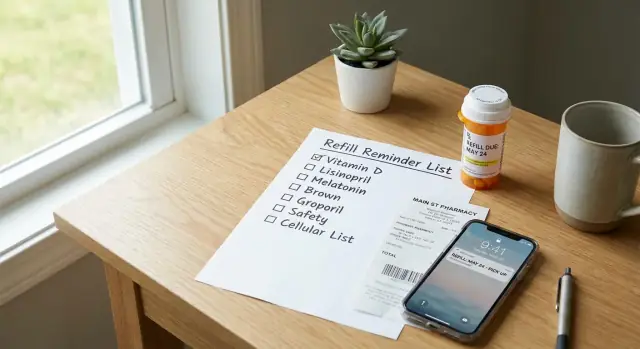
Why refills sneak up on people
Running out rarely feels dramatic until it happens. It looks like noticing on a Friday night that you only have two pills left, or remembering on Sunday that the pharmacy closes early. It also happens when you travel, stay at someone else’s place, or have a busy week and stop looking at the bottle.
Refills are easy to misjudge because the math isn’t always clean. You might start a medication a few days after you picked it up, skip a dose, take an extra “as needed” dose, or get new directions from your clinician. Some pharmacies need time to order stock. Some prescriptions require approval before they can be refilled. Even when you do everything right, the process can still take a few days.
A medication refill reminder list reduces surprises. The goal is practical: notice low supply earlier, know who to call, and get the refill moving before you’re down to the last dose. With a simple system, refills feel like routine instead of an emergency.
This is organization help, not medical advice. Always follow your prescriber’s instructions, and ask your pharmacist or clinician if you’re unsure about timing, early refills, dose changes, or what to do if you miss doses.
This kind of list helps most when:
- You take multiple prescriptions (different refill dates add up fast)
- You’re on long-term medications
- You manage meds for someone else
- You travel often or your schedule changes week to week
A common scenario: you have a refill date in your head, but the pharmacy needs a day to request approval, and your doctor’s office is closed over the weekend. A simple list with refill dates and pharmacy phone numbers turns that into a quick check and an earlier call, instead of a stressful gap.
What to put on your refill reminder list
A good medication refill reminder list is short enough to update, but detailed enough that you (or a helper) can act fast. The aim is one place where you can see what you take and who to contact.
The essentials (what prevents “stuck” refills)
Start with the details that most often cause delays. If you’re missing even one of these, you can end up searching while you’re already low.
- Medication name (and the plain name you use at home, like “blood pressure pill”)
- Dose and schedule, for example “10 mg, once daily in the morning”
- Pharmacy details: pharmacy name and phone number (and address if you use multiple locations)
- Rx number and prescriber name: pharmacies often ask for the Rx number first, and the prescriber name matters when approval is needed
- Insurance info (if you use it for refills): member ID and the plan phone number, especially if prior approval or mail order is involved
Write it in plain language so it’s usable under stress. Example: “Metformin (sugar med) 500 mg, 2x/day, Pharmacy: Main Street, (555) 123-4567, Rx #123456, Dr. Patel.”
Helpful extras (optional, but often worth it)
A single “notes” line can save time later. Use it for things like whether it’s mail order, a typical turnaround time (“needs 2 days”), or a rule you’ve hit before (“needs doctor approval each time”).
If delays happen often, add a short backup plan, like a second pharmacy number or a reminder to ask the prescriber about an alternative if the medication is out of stock. Keep it brief so you’ll actually maintain it.
How to calculate your next refill date
A refill date tracker works best when it’s based on dates you can trust. You only need a few details from the label, receipt, or pharmacy app.
The three dates that matter
Start with the last fill date. That’s the day the pharmacy gave you the medication (not the day you started taking it).
Next, note the days supply. This is how many days the bottle or pack is meant to last if you take it as directed.
From there, calculate your expected run-out date:
- Run-out date = last fill date + days supply
Example: You picked up a 30-day supply on April 1. If you take it daily, you expect to run out on April 30.
Now add the next refill eligible date. This is the earliest day the pharmacy or insurance will allow the next fill. Many plans allow refills a few days early, but it varies. If you’re not sure, call and ask: “What’s the next refill eligible date for this prescription?” Write the exact date down.
Add a buffer so you don’t cut it close
Even when everything goes smoothly, weekends, travel, stock delays, and approval steps can slow things down. A simple rule is to set your personal “refill start” date 5 to 7 days before the run-out date.
For each medication, one line usually covers it:
- Last fill date
- Days supply
- Run-out date
- Refill eligible date
- Refill start date (5 to 7 days early)
Special cases to watch
Some medications (often controlled substances) have stricter rules. Early refills may not be allowed. Pharmacies may need extra verification. Your prescriber may require a visit. For these, the buffer still matters, but be ready for the pharmacy to fill only on the eligible date. If you’re traveling, ask about options well ahead of time.
Choose a format you will actually keep updated
The best medication refill reminder list is the one you’ll open when you’re busy. If updating takes more than a minute, it gets skipped, and that’s when gaps happen.
Pick the place you already check daily. Some people live in their calendar. Others keep a notebook on the counter. Choose one home for refills, not three.
Common formats (and when they work)
- Paper sheet on the fridge or in a medicine drawer: easy to see, helpful for households
- Notes app: fast to edit and search, minimal setup
- Spreadsheet: useful if you take many meds and want clear columns or a printout
- Calendar: good if alerts are what you respond to best (separate reminders for “request refill” and “pick up”)
Whatever you choose, keep the layout consistent: one line per medication, with the same fields in the same order. That turns updates into a habit instead of a mini project.
A simple layout that works for most people:
- Medication name and dose
- Pharmacy name and phone number
- Last filled date
- Days supply (or pills left)
- Next refill date
Add one field that stops the “Did I already do this?” problem: Status.
Keep status options simple: requested, ready, picked up. If you use paper, a small checkbox next to each status is enough.
To keep updates under a minute, update at only two moments:
- When you request the refill (mark “requested”).
- When you bring it home (update the last filled date and mark “picked up”).
Step by step: set up the list in 15 minutes
Set a timer for 15 minutes and aim for “good enough.” A simple list you keep using beats an ideal one you abandon.
Grab your prescription bottles/boxes (or photos of the labels), your pharmacy app (if you use one), and your calendar or reminder app.
The 15-minute setup
- Write down every medication you take regularly. Include easy-to-forget items like inhalers, eye drops, injections, and creams.
- Copy the key details from the label (or pharmacy app): medication name, strength, directions, Rx number, and days supply. If you see “refills remaining,” note it.
- Add two dates: a run-out date and a reminder date. The reminder date is when you should request the refill, often 5 to 7 days before run-out (longer for mail delivery).
- Add pharmacy contact details and anything you always get asked (date of birth, address, insurance info) so you’re not hunting later.
- Test the system once using your next upcoming refill. Place the request the way you normally do (call, app, or auto-refill) and confirm you understand what “ready date” means.
A quick example
Say you pick up a 30-day supply on April 1 and take one tablet daily. Your run-out date is around April 30. If your pharmacy usually needs two days to fill and you sometimes miss a call back, set your reminder for April 23 to 25. If it’s a controlled medication with tighter rules, set the reminder for the earliest day you’re allowed to request it.
Before the timer ends, scan for gaps. Do you have an Rx number for each item, and at least one reminder date you can act on this week? If yes, the list is ready to use.
Set reminders that match how refills work
A reminder only helps if it matches the real steps. Most refills aren’t instant: you request it, the pharmacy processes it, and then it’s ready for pickup or delivery. That’s why prescription refill reminders work best as two separate reminders, not one.
- Reminder 1: request. Call, use the pharmacy app, or message the prescriber if the prescription has no refills left.
- Reminder 2: confirm. Check that it’s ready, and fix problems like “too early,” “needs prior approval,” or “out of stock.”
Use channels you already notice. A perfect app you never open won’t help.
- Phone alarm for urgent “do it now” refills
- Calendar event for planned refill days
- Task app for a refill task you can snooze until done
- Smart speaker reminder for mornings you’re at home
For phone calls, keep a tiny script next to your pharmacy phone numbers list so you don’t have to think.
Hi, this is [Full Name], date of birth [MM/DD/YYYY].
I’m calling about a refill for prescription number [Rx #] for [Medication name].
Can you tell me if it’s ready, and what time I can pick it up?
If it’s not ready, what’s the next step and when should I check back?
If you manage multiple people or several medications, add a repeating weekly check-in (for example, every Sunday evening). Use it to scan the next two weeks, confirm which refills need requests, and make sure the right pharmacy number is saved.
Common mistakes that cause refill gaps
Refill gaps usually happen for boring reasons. A small mismatch between what you track and what real life does can leave you short for a day or two.
One common issue is splitting key info across places. If your pharmacy phone numbers list is in your contacts, but your refill list is on paper or in a spreadsheet, you waste time when something goes wrong. Put the pharmacy number right next to each medication.
Another frequent mistake is tracking “refill due” but not “run out.” “Refill due” is a pharmacy or insurance rule. “Run out” is your actual supply. If your reminder is based only on the due date, you can still end up with two doses left and no plan.
Dose changes break systems fast. If your clinician increases your dose, your old math is wrong immediately. Update your medication refill reminder list the same day any directions change.
Automatic refills can fail quietly. Insurance pauses, out-of-stock items, a new prescription number, or a missed text message can all stop a refill from going through. Treat auto-refill as helpful, not guaranteed.
Timing details matter, too: travel, holidays, and pharmacy hours. A Sunday run-out date isn’t the same as a Friday run-out date.
Most gaps are prevented with a few habits:
- Store pharmacy number, address, and hours with each medication entry
- Track both run-out and earliest refill dates
- Recalculate after any dose change or new prescription
- Confirm auto-refill status a few days before you need it
- Add notes for travel weeks and holiday closures
Example: If you leave town Thursday night and your pharmacy closes early on Fridays, a refill you planned for Friday can turn into a missed weekend dose unless you move the reminder to Tuesday or Wednesday.
Quick checklist before you rely on the system
Do a fast “stress test” on your medication refill reminder list. The point is to catch missing details before they turn into last-minute surprises.
Start with contact info. A reminder is only useful if you can act quickly. Make sure you have at least one correct pharmacy phone number saved and clearly labeled. If you use more than one pharmacy, note which medications go where.
Next, verify that every regular medication has a real run-out date written down. “Sometime next week” is where gaps happen. If the bottle says 30 tablets and you take one daily, the run-out date should match that math. If your dosing varies, add a note so your future self understands why the date can shift.
Now check timing. A common sweet spot is 5 to 7 days before run-out. That gives time for delays, insurance checks, and weekends. If you use mail order, you may need 10 to 14 days.
Two-minute pass/fail check:
- Pharmacy phone number is saved, correct, and easy to find.
- Run-out dates are filled in for every daily or weekly medication.
- A reminder is set 5 to 7 days before each run-out date.
- You know which prescriptions have limits, refills remaining, or prior authorization.
- You have a backup plan if the pharmacy is out of stock.
For medications with special rules, add a short label like “PA may be needed” or “controlled, early refill limits.” That prevents you from assuming a refill will be instant.
Example: a simple refill plan for a busy week
Maya takes two daily meds (a blood pressure tablet and an antidepressant) and keeps a rescue inhaler for asthma. She’s leaving Saturday morning for a two-day family trip. In the past, she noticed an empty bottle on Friday night and had to call the pharmacy right before closing.
This week, she uses a medication refill reminder list that sits where she keeps her meds. On Monday, she checks what she has left and writes down three things for each medication: pill count, last fill date, and the pharmacy phone number.
By Tuesday, her refill date tracker shows a problem: the blood pressure medication will run out on Sunday, right in the middle of the trip. She calls during lunch and marks the refill as Requested (Tue 12:15 pm).
On Thursday afternoon, she gets a text from the pharmacy. Before she leaves work, she updates the list to Ready (Thu 4:40 pm) and picks it up on her way home. Friday night stays quiet.
Her status notes are short and clear:
- Blood pressure med: Requested Tue, Ready Thu, Picked up Thu
- Antidepressant: Next refill in 12 days (no action)
- Rescue inhaler: 1 spare left, set reminder when down to last inhaler
Caregiver angle: Maya’s dad checks in every Sunday. During the call, she reads the three lines out loud and mentions anything marked “requested” but not yet “ready.” It takes one minute, and it helps catch delays early.
Next steps: keep it easy to maintain
A refill system only works if it stays current. The easiest approach is one “master” list, plus a smaller weekly view so you only look at what matters right now.
Your master list should include medication name, dose, prescriber, pharmacy phone number, typical days supply, and the next refill date (or “refill by” date). Your weekly view is just what’s due soon (the next 7 to 14 days).
A low-effort rhythm:
- Update the master list the same day you pick up a refill.
- Each weekend, copy the next 1 to 2 weeks of refill dates into your weekly view.
- When something changes (new dose, new pharmacy, new insurance), update the master list first.
Decide where the list lives so you can find it quickly. Keep it in one place you already check daily (notes app, paper by where you store meds, or a shared household document). If you care for someone else, store it where a backup person can access it without guessing.
If you want more automation, you can build a simple personal tracker that stores your meds, calculates run-out dates, and prompts you to request refills. Tools like Koder.ai are designed for building web, server, or mobile apps from chat, which can be handy if you want a small React or Flutter app you can adjust over time and export the source code for.
If your week is packed, keep it simple: set a Sunday 5-minute check. Open your weekly view, request any refills due within 10 days, and update the master list right after you place the request.
FAQ
How early should I start a refill so I don’t run out?
Start the refill process when you’re about 5 to 7 days from running out. That buffer covers weekends, approval delays, and out-of-stock problems without making you feel like you’re constantly refilling.
What’s the simplest way to figure out my run-out date?
Use the last fill date (when you picked it up) plus the days supply on the label. That gives you a reliable run-out estimate even if you didn’t start taking it the same day you filled it.
What information actually needs to be on my refill reminder list?
At minimum, record the medication name, dose and schedule, pharmacy name and phone number, Rx number, and prescriber name. Those details are what usually prevent the “I can’t refill this without more info” situation.
What “extra notes” are worth adding without making the list complicated?
A single notes line is enough, like “usually takes 2 days,” “needs doctor approval,” or “mail order.” Keep it short so you’ll update it, and only add what saves you time when something goes wrong.
Why do I need two reminders instead of just one?
Use two reminders: one to request the refill and one to confirm it’s ready. This matches how refills work in real life, where processing time and issues like “too early” can appear after you submit the request.
Should I use paper, a notes app, a spreadsheet, or a calendar for tracking refills?
Choose the place you already check every day, like a notes app, a calendar, or a paper sheet where you store meds. The best format is the one you’ll actually open when you’re tired or busy.
What’s the difference between a refill due date and a run-out date?
“Refill due” is a rule set by the pharmacy or insurance, while “run out” is your real supply at home. Track both, because you can be “not due yet” and still be close to empty if the timing or dosing changed.
What should I do with my list when my dose or directions change?
Update your list the same day the dose changes, because your old run-out math becomes wrong immediately. If your dosing varies, add a brief note so your future self understands why the date can shift.
Can I rely on auto-refill, or should I still track everything myself?
Treat auto-refill as helpful, not guaranteed, and still check a few days before you need it. Auto-refills can fail because of insurance pauses, stock issues, or a new prescription number, and you want time to fix that.
Can I make a simple app to track refill dates instead of using a manual list?
Yes, if you want more automation, you can build a simple personal tracker that stores your meds, calculates run-out dates, and prompts you to request refills. With a vibe-coding tool like Koder.ai, you can describe the app in chat, generate a small web or mobile tracker, and adjust it over time if your meds or routines change.