

Melanie Perkins’ Canva: Product-Led Growth Through Simplicity
How Canva scaled by making design simple: product-led growth loops, templates, freemium distribution, and lessons SaaS teams can copy today.
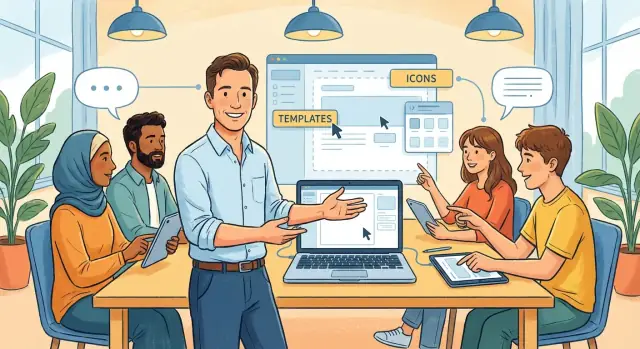
Why Canva Became a Mass-Market Design Tool
For years, “doing design” on a computer meant learning tools that were powerful but intimidating. You had to understand file formats, layers, export settings, and a dozen small rules that professionals take for granted. For most people, the experience wasn’t creative—it was stressful.
If you just wanted a poster for a school event, a social post for your business, or a clean-looking resume, traditional tools felt like overkill.
Melanie Perkins’ core insight: simplicity expands the market
Melanie Perkins saw a simple truth: the biggest design market wasn’t professional designers—it was everyone else. Teachers, students, small business owners, marketers without design training, and teams that needed “good enough, fast.” If you could make design feel approachable, you didn’t just win users from existing tools; you created a much larger category of users who had been sitting out entirely.
Canva didn’t succeed by asking people to become designers. It succeeded by letting them stay who they are and still make something that looks polished.
What this article is really about: PLG + design simplicity
This is a story about product-led growth (PLG) powered by simplicity. Instead of relying mainly on sales calls or heavy training, Canva used the product experience itself—easy starting points, quick wins, and sharing—to drive adoption. The “growth engine” wasn’t a gimmick; it was the natural result of removing friction and helping users succeed early.
What you’ll take away
In the sections ahead, you’ll see practical, repeatable ideas SaaS teams can apply:
- How to design for non-experts without making your product feel “basic”
- Why templates and onboarding are growth features, not just UX details
- How freemium can reduce risk for users while still supporting strong monetization
- Where virality actually comes from when people share real work
The goal isn’t to copy Canva’s interface. It’s to understand the underlying strategy: make the first success feel inevitable, and growth follows.
The Market Insight: Design for Everyone, Not Just Designers
Canva’s early insight wasn’t “make design better.” It was “make design available.” That subtle shift changes the target user from trained professionals to non-designers—people who need something that looks good, but don’t have the time (or desire) to learn a complex tool.
Professionals optimize for control; everyday creators optimize for outcomes
Professional designers care about precision: advanced typography controls, color management, grids, export settings, and workflows that justify their craft.
Everyday creators are different. Think teachers building lesson slides, a small business owner making Instagram posts, a real estate agent listing a property, a startup team preparing a pitch deck, or an HR manager posting an internal announcement. Their job isn’t “design”—it’s communicating clearly.
For this audience, the winning product isn’t the one with the most features. It’s the one that reduces the effort required to reach a confident result.
Reduce effort, increase frequency
When creating a flyer takes hours, it becomes a rare event you postpone. When it takes minutes, it becomes casual and repeatable: a weekly classroom update, a quick promo before a weekend sale, a last-minute event poster.
Lower effort doesn’t just improve conversion—it increases the number of situations where the product feels useful.
Mass-market products prioritize speed and confidence
Mass-market software is built around momentum: fast starts, fewer decisions, and guardrails that prevent “ugly” outcomes. Canva’s bet was that if people can quickly produce something they’re proud to share, they’ll come back—without needing to think of themselves as designers.
Design Simplicity as a Product Strategy
“Design simplicity” isn’t just a clean interface. In product terms, it’s the deliberate removal of friction between a user’s intent (“I need a flyer for tomorrow”) and a finished outcome.
A simple product minimizes decisions, reduces the chance of mistakes, and makes the next step obvious—especially for first-time users.
Simplicity means fewer decisions at the moment that matters
Most people don’t struggle with “design.” They struggle with hundreds of micro-choices: sizes, grids, fonts, exporting, and file formats. Canva’s strategy is to collapse those decisions into a smaller set of meaningful actions—pick a goal, pick a template, edit the content.
Principles behind this kind of simplicity:
- Fewer choices up front: show a limited set of starting options that match common jobs (poster, presentation, Instagram post), instead of an empty canvas.
- Guided starting points: templates act like guardrails, so users don’t have to invent structure from scratch.
- Safe defaults: fonts, spacing, alignment, and export settings “just work,” so the user can focus on their message, not the tool.
Why this lowers anxiety and boosts completion
When a product makes early decisions feel reversible and low-risk, people experiment more. That matters because completion is the real win: a finished design creates confidence, and confidence creates repeat use.
Simplicity increases completion rates by shortening time-to-first-success and preventing dead-ends (like starting from blank and giving up).
The tradeoff: power vs. ease
Simplicity can frustrate power users who want precise control. The product challenge is to keep the core flow lightweight while offering advanced features only when needed—progressive disclosure, optional panels, or “upgrade paths” that don’t burden beginners.
Product-Led Growth, Explained in Plain English
Product-led growth (PLG) is a simple idea: the product itself does most of the selling. Instead of relying mainly on ads, partnerships, or a big sales team, the app is designed so people can discover it, try it, get value, and share it—often without talking to anyone.
With Canva, PLG shows up in the “just start designing” experience. You don’t need a demo call to understand what it does. You open it, choose a design type, and you’re already working. That early win is what makes people stick around.
Self-serve adoption vs. sales-led adoption
Self-serve adoption means the user can:
- Sign up in minutes
- Learn by doing (not by reading manuals)
- Pay only when their needs grow
Sales-led adoption is the opposite: a company sells to you first (calls, contracts, procurement), then you use the product. That model can work great for complex, high-price software.
Canva’s early growth depended on the self-serve path because its audience was broad: students, small businesses, teachers, creators—many of whom wouldn’t sit through a sales process.
Why PLG fits a broad audience
PLG lowers friction and commitment. If someone is unsure they “need design software,” a free, easy start removes the risk. The product earns trust by delivering value quickly, not by persuading with a pitch.
Growth loops (not one-time campaigns)
PLG also relies on growth loops—repeatable cycles that feed themselves. For Canva, a common loop is: someone creates a design → shares it or collaborates → new people see Canva in action → they try it for their own work.
Unlike a one-off marketing campaign, loops keep generating new users as long as the product keeps delivering those small, satisfying wins.
Templates as the Fastest Path to First Success
Canva’s templates work like an instant starting line. Instead of asking a new user to “design something,” Canva hands them a nearly-finished draft and a clear next step: swap the text, change the photo, adjust the colors, hit download.
Intent-based entry points (pick the job, not the tool)
A key detail is how Canva routes people in by intent: Poster, Resume, Instagram post, Presentation, and dozens more. These aren’t features—they’re jobs-to-be-done.
The moment you choose one, you’re placed in the right size, format, and template universe, so you don’t have to know what a bleed is or what dimensions a social platform prefers.
Beating blank-page friction and shrinking time-to-value
Blank pages create two problems: uncertainty (“What should this look like?”) and effort (“How do I start?”). Templates remove both.
You get:
- A visual example of what “good” looks like
- Pre-made hierarchy (headline, subhead, call-to-action)
- A layout that stays aligned while you make changes
That means time-to-value is measured in minutes, not hours. The user’s first win—something they’re proud to share—arrives before they’ve learned the interface.
What other SaaS teams can copy
If you’re building PLG, don’t copy templates literally—copy the principle: provide starting points tied to a specific job.
Create intent-based entry points such as “Create an invoice,” “Run a weekly status report,” or “Launch a customer survey.” Then pre-fill the first draft with sensible defaults, example content, and guided edits.
When users can reach a credible result quickly, they don’t just understand your product—they believe in it.
A parallel in software creation: avoiding the “blank repo” problem (Koder.ai)
The same dynamic shows up outside design. In software, the “blank canvas” is often a blank repository: choosing a stack, wiring auth, setting up a database, configuring deployment, and only then shipping something users can touch.
Platforms like Koder.ai apply a Canva-like approach to app building: you describe the outcome in a chat interface, and the product helps generate a working starting point (web, backend, or mobile) using an agent-based workflow under the hood. Instead of forcing every user to become a full-stack expert on day one, it optimizes for a fast first win—something you can run, share, and iterate on.
From a PLG perspective, features like planning mode, snapshots and rollback, and source code export act like “guardrails + confidence,” while built-in deployment/hosting and custom domains create a clear finish line similar to Canva’s “Download” and “Share.”
Onboarding That Gets Users to Value in Minutes
Canva’s onboarding works because it feels like starting a project, not starting a software account. The first screens guide you into action and quietly teach you the product while you’re already making something.
The early journey (and why it’s fast)
A typical “first 5 minutes” path looks like this:
- Sign up (or skip until later): low commitment up front
- Choose a template: you’re never staring at a blank page
- Edit: click-to-select text, drag-to-resize elements, simple undo
- Export: a clear finish line (download, print-ready, social size)
- Share: send a link or invite someone—value extends beyond the creator
Each step produces visible progress. Users don’t need to “learn Canva” before they can ship a result.
The “aha moment” (and how to measure it)
The aha moment is when a user thinks: “I can make something that looks professional—right now.” In product terms, it’s the first completed asset.
You can measure it with a simple activation metric such as:
- Template selected → edited → exported/shared within the first session
Track time-to-first-export, completion rate, and which templates lead to the fastest success.
Friction killers worth copying
Canva reduces beginner pain through:
- Minimal steps to reach a designed starting point
- Clear buttons (“Download,” “Share”) that reduce decision fatigue
- Forgiving editing (undo, snap-to alignment, easy replace)
Quick onboarding tests SaaS teams can run
- Offer a “start from a proven example” route instead of an empty state
- Add a progress cue (“1 minute to your first result”) near the primary CTA
- Trigger a light checklist only after the user starts (not before)
- Ask one intent question (“What are you making?”) and personalize the next screen
The goal isn’t more onboarding—it’s faster proof that the product works.
Freemium Done Right: Remove Risk, Then Earn the Upgrade
Freemium works best when it’s treated as distribution, not generosity. Canva’s free tier lets someone try the product instantly—no purchase order, no manager approval, no “let’s schedule a demo.”
That speed matters because the real competitor isn’t another design tool; it’s the friction that stops people from starting.
Free should feel complete, not crippled
A common freemium mistake is making the free plan feel like a trap: you invest time, then hit a wall that makes your work unusable. Canva largely avoids that by ensuring the free tier still produces real outcomes—finished designs you can share, print, and use.
The difference is subtle but important:
- Free features help you create (edit, basic collaboration, many templates and assets).
- Paid features help you standardize, scale, and polish (brand controls, premium assets, higher-end export options, advanced team workflows).
This doesn’t feel like bait-and-switch because the “happy path” works without paying. Upgrading is framed as “make this easier and more professional,” not “unlock the ability to finish.”
Upgrade triggers that match real user moments
Canva’s paid prompts tend to show up when a user is already getting value and is about to care more about quality or consistency. Typical triggers include:
- Higher-quality exports (e.g., transparent backgrounds, professional formats)
- Brand tools (saving logos, colors, fonts, and applying them consistently)
- Collaboration and controls (shared folders, approvals, permissions)
These are natural “growth pains.” They appear after success, not before it.
Pricing clarity and prompts that don’t break trust
Freemium only scales when users trust the rules. Canva benefits from clear plan boundaries and straightforward pricing pages (see /pricing), but the bigger win is in-product: upgrade prompts usually appear at the moment you attempt a premium action, with a simple explanation of what you get.
Done well, the upgrade message feels like a helpful signpost—“You can keep going for free, and if you want this specific power feature, here’s the plan.”
Built-In Virality: Sharing and Collaboration Loops
Canva’s growth isn’t powered by “marketing tricks” so much as a simple behavior: people share what they make. Every time a user exports a pitch deck, posts a social graphic, or sends an invite link, the product becomes visible in the exact moment it delivered value.
Sharing that advertises itself
A finished design naturally wants an audience—clients, classmates, followers, coworkers. When that design carries subtle cues (“Made in Canva,” a share link, an editable version request), recipients don’t just consume the output; they learn there’s a tool behind it.
That visibility is high-intent: the viewer is already trying to solve a similar problem (“I need something like this”).
Collaboration turns one user into a team
Design work is rarely solo for long. Feedback, approvals, and version updates create a strong reason to invite others.
Canva makes “invite a teammate” feel like a productivity move, not a sales pitch—commenting, editing permissions, shared folders, and handoffs reduce the messy back-and-forth of attachments.
Why people keep coming back
Virality is stronger when users return often. Canva encourages repeat usage with:
- New templates that unlock quick wins without starting from scratch
- Seasonal moments (holidays, promotions, events) that trigger fresh design needs
- Ongoing work (weekly reports, sales collateral, internal comms)
A checklist you can reuse in your product
- Make sharing a default next step after success (not a buried feature)
- Let shared outputs carry lightweight product attribution
- Offer “view,” “comment,” and “edit” modes to fit real workflows
- Give recipients an easy path to try (no complex setup)
- Create reasons to invite collaborators (approvals, feedback, shared assets)
- Add repeat-use triggers (fresh content, timely templates, recurring tasks)
- Track the loop: share rate → recipient activation → collaborator invites → retention
The Template Library as a Compounding Growth Asset
Canva’s template library isn’t just a feature—it’s an asset that grows in value the more it’s used. Each new template gives the next user a faster “starting point,” which increases the chance they finish a design, feel successful, and come back.
Over time, the library turns first-time users into repeat users, and repeat users into paying ones.
Templates as supply: creators, contributors, and curation
A large library needs a steady supply of new, relevant content. That can come from three places:
- In-house design teams that set the baseline quality and brand consistency
- External creators and contributors who add variety, local styles, and niche formats (events, industries, trends)
- Curated content partnerships (for photos, icons, fonts) that expand what users can build without leaving the product
This “supply side” matters because people don’t search for templates in the abstract—they search for their moment: a real estate flyer, a YouTube thumbnail, a class presentation due tomorrow.
Why quality control builds trust (and retention)
A bigger library only helps if users trust it. If templates are outdated, hard to edit, or inconsistent, users waste time—and time waste kills retention.
Quality control means clear categories, strong search results, editable structure, accessible typography, and templates that work for common use cases. When users repeatedly get good outcomes, they stop “trying Canva” and start relying on it.
When content becomes a growth engine for SaaS
Invest in content as growth when (1) your users have repeatable jobs, (2) speed-to-results drives activation, and (3) content can be reused at scale.
If templates help users succeed in minutes, your library becomes a compounding advantage competitors can’t copy overnight.
From Individuals to Teams: Expanding Use Cases
Canva’s early magic was helping one person make something that looked “good enough” fast. The next growth step was turning that solo win into a repeatable workflow for groups—marketing teams, school departments, nonprofits, and small businesses.
What changes when a team joins
The big shift isn’t “more features.” It’s shared consistency.
A brand kit (logos, colors, fonts) lets anyone create on-brand materials without asking a designer every time. Shared folders and asset libraries reduce “where is the latest file?” chaos. And permissions make teamwork safe: some people can edit, others can comment, and only a few can publish final versions.
This is how Canva moves from “a handy tool” to “the place work gets done.” One employee starts using it for a flyer, then the team adopts it for social posts, presentations, and internal docs—without needing a big training program.
Collaboration drives retention (and lowers churn)
Collaboration creates gentle lock-in in a good way: when designs live in shared spaces, multiple teammates rely on them. Comments, real-time editing, and easy sharing turn one-off projects into ongoing habits.
If a single person stops using Canva, the team still needs access to keep campaigns moving—so churn becomes less likely.
B2B expansion ideas without losing simplicity
To grow into teams while staying approachable:
- Make “team-ready” moments obvious: prompts like “Create a shared brand kit” after a second or third design
- Offer simple role presets (Viewer, Commenter, Editor) instead of complex admin panels
- Provide a clean upgrade path for collaboration features on /pricing—sell outcomes (brand consistency, faster approvals), not jargon
- Keep templates team-aware: include campaign sets (post + story + header) that are easy to duplicate and assign
Metrics That Matter for Simplicity and PLG
If “simplicity” is the strategy, you need metrics that tell you whether people are actually moving smoothly—without needing a tutorial, support, or a second try.
Simplicity metrics (do users get to success easily?)
Start with measures that reflect friction and clarity:
- Activation rate: the share of new users who reach a meaningful first outcome (e.g., create a design and export/share it)
- Time-to-value (TTV): how long it takes a new user to reach that first outcome (track median and the slow tail)
- Task completion rate: percent of users who successfully finish key flows (resize, add text, download, present), paired with drop-off by step
Break these down by entry path (template vs. blank canvas), device, and user intent (social post, resume, deck).
PLG metrics (do users pull others in and upgrade?)
Product-led growth needs leading indicators before revenue shows up:
- Invite rate: how often a user invites someone else (per active user per week)
- Share rate: exports, link shares, and collaborative shares—tracked separately
- Free-to-paid conversion: not just overall, but by “aha moment” reached (users who used a template vs. not)
- Retention cohorts: week-1, week-4, and week-12 retention, segmented by first project type and collaboration usage
Qualitative signals (where is the confusion?)
Quantitative data won’t tell you why people struggle. Watch for:
- Support ticket themes and repeat questions that hint at unclear UI or terminology
- User confusion in recordings (hesitation, back-and-forth navigation)
- Rage clicks and rapid undo/redo bursts as a proxy for frustration
A simple experimentation cadence
Run small tests with fast feedback: one hypothesis, one primary metric (e.g., reduce TTV), one or two variants. Ship weekly, review results in a short ritual, and keep a learning log so the team compounds insight instead of rerunning the same bets.
What SaaS Teams Can Copy (and What to Avoid)
Canva’s growth story isn’t magic—it’s a set of choices that make people feel capable quickly. The transferable lesson for SaaS teams: don’t start by proving how powerful your product is. Start by making success inevitable.
The copyable playbook (simplify → template → self-serve → loop → expand)
Simplify the first job. Pick one primary outcome your new user wants (a report, a landing page, a proposal) and make the first path to that outcome obvious.
Templates beat blank states. A “start from scratch” screen is a confidence tax. Pre-built starting points reduce time-to-value and teach best practices without tutorials.
Self-serve onboarding. Make the product the guide: clear defaults, lightweight prompts, and friendly error recovery. If a user needs a call to get their first win, PLG won’t scale.
Loops that feel natural. Sharing, exporting, inviting teammates, requesting approval—these actions can create growth, but only if they’re genuine user needs, not forced pop-ups.
Expand use cases after trust. Once individuals succeed, add pathways to teams: shared spaces, permissions, and workflows that match what people already do.
A practical 4-step plan for this quarter
- Define one “first win” metric (e.g., “published,” “sent,” “shared,” “invited”).
- Build 10–25 templates for your top use cases, each with clear labels like “Best for X.”
- Cut onboarding steps by half and move explanations into the moment they’re needed.
- Add one collaboration trigger that helps the user (e.g., “Invite for review”) and measure the downstream activation impact.
Common mistakes to avoid
Over-featured onboarding. Showing every capability early overwhelms people and increases drop-off.
A blurry free vs. paid split. If users don’t understand what upgrades unlock—or worse, they hit paywalls unpredictably—trust erodes.
Viral gimmicks. “Invite 5 friends to continue” can spike sign-ups and kill retention. Growth loops must serve the work.
Build confidence first, then add depth: people upgrade when they believe they can succeed—and they’ll keep succeeding with more powerful tools.
FAQ
What was Canva’s key market insight that made it a mass-market tool?
Canva targeted people who needed results (a usable poster, deck, or social post) without learning pro design workflows. By minimizing decisions (formats, layouts, exports) and making “good-looking” the default, it turned occasional, stressful design tasks into quick, repeatable habits.
What does “design simplicity” mean as a product strategy (not just a clean UI)?
Design simplicity is the deliberate removal of friction between intent and outcome. Practically, that means:
- fewer choices up front (pick a job, not a blank canvas)
- guided starting points (templates and safe defaults)
- guardrails that prevent common mistakes
- obvious next steps (edit → export/share)
Why are templates such a powerful growth feature in a PLG product?
Templates compress time-to-value by giving users a near-finished draft with structure (hierarchy, spacing, layout) already solved. The user’s job becomes “swap content and publish,” which reduces blank-page anxiety and increases completion in the first session.
How can a SaaS team apply Canva’s “intent-based entry points” without copying Canva’s UI?
Use intent-based entry points tied to real jobs-to-be-done. Instead of “Create new,” offer routes like:
- “Create an invoice”
- “Run a weekly status report”
- “Launch a customer survey”
Pre-fill a credible first draft with sensible defaults and example content so users can edit rather than invent.
What does effective onboarding look like for product-led growth?
Optimize for a fast “first 5 minutes” path:
- low-commitment sign-up (or let users start before creating an account)
- immediate project start from a proven example
- forgiving editing (undo, easy replace, alignment help)
- clear finish line (publish/download/share)
Measure whether users reach a completed outcome in their first session, not whether they read onboarding tips.
What is a good “aha moment” metric for a Canva-like product experience?
An “aha moment” is when the user believes, “I can get a professional result right now.” A practical activation metric is:
- template selected → edited → exported/shared within the first session
Track activation rate and time-to-first-export/share by entry path, device, and intent to find where users stall.
How does freemium work without feeling like a bait-and-switch?
A strong freemium model treats free as distribution while keeping the happy path usable. Aim for:
- free plan that produces real outcomes (not “crippled” work)
- paid upgrades that help users standardize, scale, or polish
- paywalls that appear at the moment of premium intent, with clear explanation
Keep plan boundaries easy to understand on pages like /pricing and in-product prompts.
Where does Canva’s virality actually come from, and how can a SaaS product replicate it?
Virality works when sharing is a natural next step after value. Build loops around real behaviors:
- export/share that carries lightweight attribution
- collaboration features that make inviting others productive (comments, edit permissions)
- easy recipient experience (view/comment without heavy setup)
Then measure the loop: share rate → recipient activation → collaborator invites → retention.
How does Canva move from individual users to teams without losing simplicity?
Individuals care about speed; teams care about consistency and safe collaboration. To expand without overwhelming beginners:
- add brand/asset libraries and shared folders when repeat usage is established
- use simple roles (Viewer/Commenter/Editor)
- surface team prompts after a few successful projects (not on day one)
This turns a “handy tool” into a shared workflow, which improves retention.
What are the most common mistakes teams make when trying to copy Canva’s PLG strategy?
Common failure modes include:
- Over-featured onboarding: showing everything early increases drop-off.
- Unclear free vs. paid split: unpredictable paywalls erode trust.
- Viral gimmicks: forced invites can spike sign-ups but hurt retention.
Instead, focus on making the first success inevitable, then add depth via progressive disclosure and clear upgrade paths.