

Terraform and Vagrant: Bridging Infrastructure and Delivery
Learn how Mitchell Hashimoto’s HashiCorp tooling—Terraform and Vagrant—helps teams standardize infrastructure and create repeatable delivery workflows.
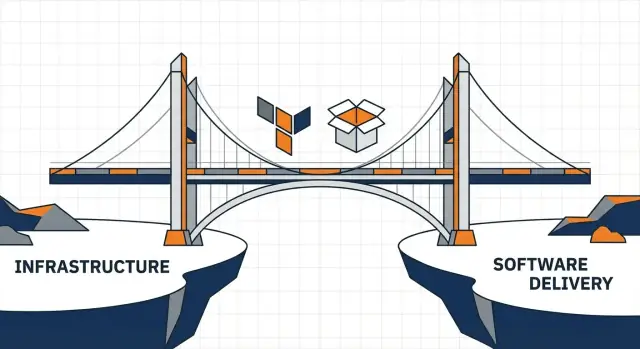
Why Terraform and Vagrant still matter for repeatable delivery
Repeatable delivery isn’t only about shipping code. It’s about being able to answer, with confidence: What will change? Why will it change? And can we do it again tomorrow? When infrastructure is built by hand—or developer machines drift over time—delivery becomes a guessing game: different environments, different results, and lots of “works on my laptop.”
Terraform and Vagrant remain relevant because they reduce that unpredictability from two directions: shared infrastructure and shared development environments.
Terraform, in plain terms
Terraform describes infrastructure (cloud resources, networking, managed services, and sometimes even SaaS configuration) as code. Instead of clicking around a console, you define what you want, review a plan, and apply changes consistently.
The goal isn’t “being fancy.” It’s making infrastructure changes visible, reviewable, and repeatable.
Vagrant, in plain terms
Vagrant creates consistent development environments. It helps teams run the same base setup—OS, packages, and configuration—whether they’re on macOS, Windows, or Linux.
Even if you’re not using virtual machines day-to-day anymore, Vagrant’s core idea still matters: developers should start from a known-good environment that matches how the software actually runs.
What to expect from this guide
This is a practical walkthrough aimed at non-specialists who need fewer buzzwords and more clarity. We’ll cover:
- The delivery problems these tools were designed to reduce
- A simple workflow from local setup to production changes
- Real-world pitfalls and trade-offs (state, drift, modules, secrets, CI/CD)
By the end, you should be able to evaluate whether Terraform, Vagrant, or both fit your team—and how to adopt them without creating a new layer of complexity.
Mitchell Hashimoto’s perspective: tools as shared workflows
Mitchell Hashimoto is best known for creating Vagrant and co-founding HashiCorp. The lasting contribution isn’t one product—it’s the idea that tooling can encode a team’s workflow into something shareable, reviewable, and repeatable.
Tools as a bridge (not a magic button)
When people say “tooling is a bridge,” they mean closing the gap between two groups who want the same outcome but speak different day-to-day languages:
- Developers who need fast feedback and stable environments
- Operations/platform teams who need reliability, control, and auditability
Hashimoto’s perspective—echoed across HashiCorp tools—is that the bridge is a workflow everyone can see. Instead of passing instructions through tickets or tribal knowledge, teams capture decisions in configuration files, check them into version control, and run the same commands in the same order.
The tool becomes the referee: it standardizes steps, records what changed, and reduces “it worked on my machine” arguments.
Why this matters in daily work
Shared workflows turn infrastructure and environments into a product-like interface:
- A developer can provision a consistent environment without negotiating every prerequisite.
- A reviewer can understand changes by reading a diff, not interpreting a chat thread.
- A platform team can set guardrails (defaults, modules, policies) without becoming a bottleneck.
This framing keeps the focus on delivery: tools aren’t just for automation, they’re for agreement. Terraform and Vagrant fit this mindset because they make the intended state explicit and encourage practices (versioning, review, repeatable runs) that scale beyond any single person’s memory.
The delivery problems these tools were built to reduce
Most delivery pain isn’t caused by “bad code.” It’s caused by mismatched environments and invisible, manual steps that nobody can fully describe—until something breaks.
Environment drift: the slow divergence that breaks confidence
Teams often start with a working setup and then make small, reasonable changes: a package upgrade here, a firewall tweak there, a one-off hotfix on a server because “it’s urgent.” Weeks later, the dev laptop, the staging VM, and production are all slightly different.
Those differences show up as failures that are hard to reproduce: tests pass locally but fail in CI; staging works but production throws 500s; a rollback doesn’t restore previous behavior because the underlying system changed.
Manual setup: knowledge trapped in people and wikis
When environments are created by hand, the real process lives in tribal memory: which OS packages to install, which services to start, which kernel settings to tweak, which ports to open—and in what order.
New joiners lose days assembling a “close enough” machine. Senior engineers become bottlenecks for basic setup questions.
Inconsistent releases: small differences, big impact
The failures are often mundane:
- OS packages: one box has OpenSSL 1.1, another has 3.0—dependencies behave differently.
- Network rules: staging allows outbound access to a dependency; production blocks it—requests hang and time out.
- Secrets handling: credentials copied into a
.envfile locally, but fetched differently in production—deploys fail or, worse, secrets leak.
The business outcomes are predictable—and expensive
These issues translate into slower onboarding, longer lead times, surprise outages, and painful rollbacks. Teams ship less often, with less confidence, and spend more time diagnosing “why this environment is different” than improving the product.
Terraform explained: Infrastructure as Code without the hype
Terraform is Infrastructure as Code (IaC): instead of clicking around in a cloud console and hoping you remember every setting later, you describe your infrastructure in files.
Those files typically live in Git, so changes are visible, reviewable, and repeatable.
Infrastructure described in plain terms
Think of Terraform configuration as a “build recipe” for infrastructure: networks, databases, load balancers, DNS records, and permissions. You’re not documenting what you did after the fact—you’re defining what should exist.
That definition matters because it’s explicit. If a teammate needs the same environment, they can use the same configuration. If you need to recreate an environment after an incident, you can do it from the same source.
Desired state, plans, and careful application
Terraform works around the idea of desired state: you declare what you want, and Terraform figures out what changes are needed to get there.
A typical loop looks like this:
- Plan: Terraform compares what’s declared in your files to what currently exists and shows a preview of actions (create, update, delete).
- Apply: you choose to execute that plan, creating a controlled change instead of a surprise.
This “preview then apply” approach is where Terraform shines for teams: it supports code review, approvals, and predictable rollouts.
Common misconceptions to avoid
“IaC means fully automated.” Not necessarily. You can (and often should) keep human checkpoints—especially for production changes. IaC is about repeatability and clarity, not removing people from the process.
“One tool solves all infrastructure and delivery problems.” Terraform is great at provisioning and changing infrastructure, but it won’t replace good architecture, monitoring, or operational discipline. It also doesn’t manage everything equally well (some resources are better handled by other systems), so it’s best used as part of a broader workflow.
Vagrant explained: repeatable dev environments that match reality
Vagrant’s job is straightforward: give every developer the same working environment, on demand, from a single configuration file.
At the center is the Vagrantfile, where you describe the base image (a “box”), CPU/RAM, networking, shared folders, and how the machine should be configured.
Because it’s code, the environment is reviewable, versioned, and easy to share. A new teammate can clone the repo, run one command, and get a predictable setup that includes the right OS version, packages, services, and defaults.
VM-based workflows vs container-only workflows
Containers are great for packaging an app and its dependencies, but they share the host kernel. That means you can still hit differences in networking, filesystem behavior, background services, or OS-level tooling—especially when production is closer to a full Linux VM than a container runtime.
Vagrant typically uses virtual machines (via providers like VirtualBox, VMware, or Hyper-V). A VM behaves like a real computer with its own kernel and init system. That makes it a better fit when you need to test things that containers don’t model well: system services, kernel settings, iptables rules, multi-NIC networking, or “this only breaks on Ubuntu 22.04” type issues.
This isn’t a contest: many teams use containers for app packaging and Vagrant for realistic, full-system development and testing.
Where Vagrant shines in practice
- Onboarding: one documented command gets newcomers a known-good environment, without manual setup guides that drift over time.
- Reproducing bugs: if a bug appears only under certain OS or service conditions, a Vagrant box can mirror those conditions so the issue becomes debuggable.
- Matching staging constraints: when staging/production rely on VM-like assumptions (systemd services, host-level configs, network topology), Vagrant helps you develop against something closer to reality.
In short, Vagrant is less about “virtualization for its own sake” and more about making the dev environment a shared workflow your whole team can trust.
How Terraform and Vagrant connect infrastructure to delivery
Terraform and Vagrant solve different problems, but together they create a clear path from “it works on my machine” to “it runs reliably for everyone.” The bridge is parity: keeping the app’s assumptions consistent while the target environment changes.
The conceptual flow
Vagrant is the front door. It gives each developer a repeatable local environment—same OS, same packages, same service versions—so your app starts from a known baseline.
Terraform is the shared foundation. It defines the infrastructure teams rely on together: networks, databases, compute, DNS, load balancers, and access rules. That definition becomes the source of truth for test and production.
The connection is simple: Vagrant helps you build and validate the application in an environment that resembles reality, and Terraform ensures reality (test/prod) is provisioned and changed in a consistent, reviewable way.
What the “bridge” looks like in practice
You don’t use the same tool for every target—you use the same contract.
- The app expects environment variables like
DATABASE_URLandREDIS_URL. - It expects ports, users, and file paths to behave consistently.
- It expects supporting services (Postgres, Redis) to be present and configured.
Vagrant enforces that contract locally. Terraform enforces it in shared environments. The app stays the same; only the “where” changes.
A simple scenario: laptop → test → production
-
Laptop (Vagrant): A developer runs
vagrant up, gets a VM with the app runtime plus Postgres and Redis. They iterate quickly and catch “works locally” issues early. -
Test (Terraform): A pull request updates Terraform to provision a test database and app instance(s). The team validates behavior against real infrastructure constraints.
-
Production (Terraform): The same Terraform patterns are applied with production settings—bigger capacity, stricter access, higher availability—without reinventing the setup.
That’s the bridge: repeatable local parity feeding into repeatable shared infrastructure, so delivery becomes a controlled progression rather than a reinvention at each stage.
A practical workflow: from local setup to production changes
A solid Terraform/Vagrant workflow is less about memorizing commands and more about making changes easy to review, repeat, and roll back.
The goal: a developer can start locally, propose an infrastructure change alongside an app change, and promote that change through environments with minimal surprises.
A reference repo structure
Many teams keep application and infrastructure in the same repository so the delivery story stays coherent:
/app— application code, tests, build assets/infra/modules— reusable Terraform modules (network, database, app service)/infra/envs/dev,/infra/envs/test,/infra/envs/prod— thin environment layers/vagrant— Vagrantfile plus provisioning scripts to mirror “real” dependencies
The important pattern is “thin envs, thick modules”: environments mostly select inputs (sizes, counts, DNS names), while the shared modules hold the actual resource definitions.
Branching and review that fits infrastructure
A simple trunk-based approach works well: short-lived feature branches, merged via pull request.
In review, require two artifacts:
- A human-readable explanation: what changes and why.
- A machine-readable plan: CI runs
terraform fmt,validate, and produces aterraform planoutput for the PR.
Reviewers should be able to answer “What will change?” and “Is it safe?” without recreating anything locally.
Environment promotion with minimal differences
Promote the same module set from dev → test → prod, keeping differences explicit and small:
- Dev may use smaller instance sizes and fewer replicas.
- Test may mirror prod topology but with lower capacity.
- Prod enables stricter settings (backups, multi-AZ, retention policies).
Avoid copying whole directories per environment. Prefer promoting by changing variables, not rewriting resource definitions.
Versioning: code and infra move together (or with contracts)
When an app change requires new infrastructure (for example, a queue or new config), ship them in the same PR so they’re reviewed as one unit.
If infrastructure is shared across many services, treat modules like products: version them (tags/releases) and document inputs/outputs as a contract. That way teams can upgrade intentionally rather than accidentally drifting to “whatever is latest.”
State, drift, and safe change management
Terraform’s superpower isn’t just that it can create infrastructure—it’s that it can change it safely over time. To do that, it needs a memory of what it built and what it thinks exists.
Why state exists (and why it’s sensitive)
Terraform state is a file (or stored data) that maps your configuration to real-world resources: which database instance belongs to which aws_db_instance, what its ID is, and which settings were last applied.
Without state, Terraform would have to guess what exists by re-scanning everything, which is slow, unreliable, and sometimes impossible. With state, Terraform can calculate a plan: what will be added, changed, or destroyed.
Because state can include resource identifiers—and sometimes values you’d rather not expose—it must be treated like a credential. If someone can read or modify it, they can influence what Terraform changes.
Drift: when reality diverges from code
Drift happens when infrastructure changes outside Terraform: a console edit, a hotfix at 2 a.m., or an automated process modifying settings.
Drift makes future plans surprising: Terraform may try to “undo” the manual change, or fail because assumptions no longer match reality.
Remote state, locking, and access control
Teams usually store state remotely (rather than on one laptop) so everyone plans and applies against the same source of truth. A good remote setup also supports:
- Locking: prevents two people (or CI jobs) from applying at the same time and corrupting state.
- Access control: limits who can read state and who can write/apply changes, typically aligned with least privilege.
Anti-patterns to avoid
- Editing resources by hand and expecting Terraform to “figure it out later.”
- Sharing state files over chat/email.
- Disabling locking “just to get it done,” then debugging the fallout.
Safe delivery is mostly boring: one state, controlled access, and changes that go through reviewable plans.
Modules and reuse: standardize without creating a maze
Terraform gets really powerful when you stop copying the same blocks between projects and start packaging common patterns into modules.
A module is a reusable bundle of Terraform code that takes inputs (like a VPC CIDR range or instance size) and produces outputs (like subnet IDs or a database endpoint). The payoff is less duplication, fewer “snowflake” setups, and faster delivery because teams can start from a known-good building block.
Why modularize infrastructure definitions?
Without modules, infrastructure code tends to drift into copy/paste variants: one repo tweaks security group rules, another forgets an encryption setting, a third pins a different provider version.
A module creates a single place to encode a decision and improve it over time. Reviews also get easier: instead of re-auditing 200 lines of networking each time, you review a small module interface (inputs/outputs) and the module changes when it evolves.
Standardize patterns without overfitting
Good modules standardize the shape of a solution while leaving room for meaningful differences.
Examples of patterns worth modularizing:
- Networking: a VPC/VNet with subnets, routing, NAT, and baseline security controls.
- Compute: a service running on a standard target (ASG, ECS service, Kubernetes deployment), with logging and health checks wired in.
- Databases: a managed database with backups, encryption, monitoring, and a consistent naming/tagging scheme.
Avoid encoding every possible option. If a module needs 40 inputs to be usable, it’s probably trying to serve too many use cases. Prefer sensible defaults and a small set of policy decisions (encryption on, required tags, approved instance families), while keeping escape hatches rare and explicit.
Avoid module sprawl and unclear ownership
Modules can become a maze if everyone publishes slightly different versions (“vpc-basic”, “vpc-basic2”, “vpc-new”). Sprawl usually happens when there’s no clear owner, no versioning discipline, and no guidance on when to create a new module versus improve an existing one.
Practical guardrails:
- Define ownership: a platform/team owns core modules and reviews changes.
- Document intent: a short README with purpose, inputs/outputs, and what the module intentionally does not support.
- Provide examples: minimal working configurations for common scenarios, so teams don’t guess.
- Version modules: pin versions and publish changelogs to make upgrades predictable.
Done well, modules turn Terraform into a shared workflow: teams move faster because the “right way” is packaged, discoverable, and repeatable.
Security basics: secrets, access, and least privilege
Terraform and Vagrant make environments reproducible—but they also make mistakes reproducible. A single leaked token in a repo can spread across laptops, CI jobs, and production changes.
A few simple habits prevent most common failures.
Keep configuration and secrets on different tracks
Treat “what to build” (configuration) and “how to authenticate” (secrets) as separate concerns.
Infrastructure definitions, Vagrantfiles, and module inputs should describe resources and settings—not passwords, API keys, or private certificates. Instead, pull secrets at runtime from a proven secret store (a dedicated vault service, your cloud’s secret manager, or a tightly controlled CI secret store). This keeps your code reviewable and your sensitive values auditable.
Least privilege for both CI and humans
Give each actor only the permissions it needs:
- CI should be scoped and temporary. Use short-lived credentials when possible, restrict CI to the specific accounts/projects it deploys to, and limit it to the exact actions needed (plan vs apply).
- Humans should have separate roles. A developer who can run
terraform plandoesn’t automatically need permission to apply production changes. Use role separation so approval and execution aren’t always the same person.
Avoid embedding credentials in code, local dotfiles that get copied around, or shared “team keys.” Shared secrets erase accountability.
A quick checklist before you ship
- Review CI and cloud/provider logs regularly for unusual access.
- Rotate keys/tokens on a schedule (and immediately after staff changes).
- Limit who can apply production changes; require approvals for high-risk environments.
These guardrails don’t slow delivery—they reduce the blast radius when something goes wrong.
CI/CD integration: making changes predictable and reviewable
CI/CD is where Terraform stops being “something one person runs” and becomes a team workflow: every change is visible, reviewed, and applied the same way every time.
A simple Terraform pipeline that scales
A practical baseline is three steps, wired to your pull request and deployment approvals:
- Format + validate (every push/PR): run
terraform fmt -checkandterraform validateto catch obvious mistakes early. - Plan on pull requests: generate a
terraform planand publish the output to the PR (as an artifact or comment). Reviewers should be able to answer: What will change? Where? Why? - Apply only on approval: after merge (or via a manual workflow trigger), run
terraform applyusing the exact same code revision that produced the plan.
# Example (GitHub Actions-style) outline
# - fmt/validate on PR
# - plan on PR
# - apply on manual approval
The key is separation: PRs produce evidence (plans), approvals authorize change (applies).
Vagrant for CI-like reproducibility (locally)
Vagrant doesn’t replace CI, but it can make local testing feel CI-grade. When a bug report says “works on my machine,” a shared Vagrantfile lets anyone boot the same OS, packages, and service versions to reproduce it.
That’s especially useful for:
- Verifying app behavior against a specific Linux distro or dependency version
- Reproducing production-like networking or filesystem quirks
- Running smoke tests in a clean environment before opening a PR
Where Koder.ai fits (without changing your fundamentals)
If your team is standardizing delivery workflows, tools like Terraform and Vagrant work best when paired with consistent application scaffolding and repeatable release steps.
Koder.ai can help here as a vibe-coding platform: teams can generate a working web/backend/mobile baseline from chat, then export the source code and plug it into the same Git-based workflow described above (including Terraform modules and CI plan/apply gates). It’s not a replacement for Terraform or Vagrant; it’s a way to reduce time-to-first-commit while keeping your infrastructure and environment practices explicit and reviewable.
Guardrails: make the safe path the easy path
To keep automation from becoming accidental automation:
- Manual approval gates: require a human sign-off for production applies.
- Environment targeting: enforce separate workspaces/accounts (dev/stage/prod) so a staging change can’t “wander” into prod.
- Clear rollback paths: prefer reversible changes where possible, and document what “rollback” means (re-apply a previous commit, restore from snapshots, or replace resources).
With these guardrails, Terraform and Vagrant support the same goal: changes you can explain, repeat, and trust.
Pitfalls, trade-offs, and a simple adoption checklist
Even solid tools can create new problems when they’re treated as “set and forget.” Terraform and Vagrant work best when you keep scope clear, apply a few guardrails, and resist the urge to model every last detail.
Common failure modes to watch for
Long-lived drift: Infrastructure changes made “just this once” in a cloud console can quietly diverge from Terraform. Months later, the next apply becomes risky because Terraform no longer describes reality.
Overly complex modules: Modules are great for reuse, but they can turn into a maze—dozens of variables, nested modules, and “magic” defaults that only one person understands. The result is slower delivery, not faster.
Slow local VMs: Vagrant boxes can become heavy over time (large images, too many services, slow provisioning). Developers start skipping the VM, and the “repeatable environment” becomes optional—until something breaks in production.
Trade-offs and decision guidance
Keep Vagrant when you need a full OS-level environment that matches production behavior (system services, networking quirks, filesystem differences) and your team benefits from a consistent “known good” baseline.
Move to containers when your app runs well in Docker, you want faster startup, and you don’t need a full VM kernel boundary. Containers often reduce the “my VM is slow” problem.
Use both when you need a VM to emulate the host (or run supporting infrastructure), but run the app itself in containers inside that VM. This can balance realism with speed.
Next steps: a simple adoption checklist
- Define ownership: who reviews Terraform changes and who maintains Vagrant images.
- Set a “no manual changes” policy (or at least require documenting exceptions).
- Start with 1–2 modules that are easy to understand; document inputs/outputs.
- Keep dev environments lean: measure provisioning time and remove unnecessary services.
- Add reviews and automation: plan in CI, apply through a controlled workflow.
- Write down your team’s workflow in one place and keep it current.
Suggested links: /blog/terraform-workflow-checklist, /docs, /pricing
FAQ
What problem does Terraform actually solve in day-to-day delivery?
Terraform makes infrastructure changes explicit, reviewable, and repeatable. Instead of relying on console clicks or runbooks, you commit configuration to version control, use terraform plan to preview impact, and apply changes consistently across environments.
It’s most valuable when multiple people need to understand and safely change shared infrastructure over time.
What problem does Vagrant solve that containers sometimes don’t?
Vagrant gives developers a known-good, consistent OS-level environment from a single Vagrantfile. That reduces onboarding time, eliminates “works on my laptop” drift, and helps reproduce bugs tied to OS packages, services, or networking.
It’s especially useful when your production assumptions look more like a VM than a container.
How do Terraform and Vagrant fit together in one workflow?
Use Vagrant to standardize the local environment (OS, services, defaults). Use Terraform to standardize shared environments (networks, databases, compute, DNS, permissions).
The connecting idea is a stable “contract” (ports, env vars like DATABASE_URL, service availability) that stays consistent as you move from laptop → test → production.
What’s a practical repo layout for using Terraform and Vagrant?
Start with a structure that separates reusable building blocks from environment-specific settings:
- Keep Terraform modules in something like
/infra/modules - Keep environment layers thin (e.g.,
/infra/envs/dev,/infra/envs/prod) - Keep Vagrant config and provisioning scripts in
/vagrant
This makes promotion between environments mostly a variables change, not a copy/paste rewrite.
Why does Terraform need state, and why is it sensitive?
Terraform “state” is how Terraform remembers which real resources correspond to your configuration. Without state, Terraform can’t reliably calculate safe changes.
Treat state like a credential:
- Store it remotely (not on a laptop)
- Enable locking to prevent concurrent applies
- Restrict read/write access to least privilege
What is infrastructure drift, and how do we keep it from derailing releases?
Drift happens when real infrastructure changes outside Terraform (console edits, emergency hotfixes, automated tweaks). It makes future plans surprising and can cause Terraform to revert changes or fail.
Practical ways to reduce drift:
- Adopt a “no manual changes” rule (or require documented exceptions)
- Run plans regularly (e.g., on PRs)
- Fix drift promptly rather than letting it accumulate
When should we create Terraform modules, and how do we avoid module sprawl?
Use modules to standardize common patterns (networking, databases, service deployments) without duplicating code. Good modules have:
- Sensible defaults
- A small, clear input/output interface
- Versioning (pin module versions; upgrade intentionally)
Avoid “40-variable” modules unless there’s a strong reason—complexity can slow delivery more than it helps.
How should we handle secrets and access when using Terraform and Vagrant?
Keep configuration and secrets separate:
- Don’t commit passwords, API keys, or private certs in Terraform files or
Vagrantfile - Pull secrets at runtime from a secret manager or CI secret store
- Use least privilege: different permissions for
planvsapply, and stricter controls for production
Also assume state may contain sensitive identifiers and guard it accordingly.
What’s a sane CI/CD setup for Terraform that supports review and approvals?
A minimal pipeline that scales:
- On every PR:
terraform fmt -check+terraform validate - On PRs: generate and publish
terraform planoutput for review - On approval: run
terraform applyusing the same revision that produced the plan
This keeps changes auditable: reviewers can answer “what will change?” before anything happens.
How do we decide whether to keep Vagrant, move to containers, or use both?
Keep Vagrant if you need:
- Full OS behavior (systemd services, kernel-level differences)
- Realistic networking/topology testing
- Reproducible bug environments tied to specific distros
Consider containers if you need faster startup and your app doesn’t depend on VM-level behavior. Many teams use both: containers for the app, Vagrant for a production-like host environment.