

Neighborhood Watch Check-In Map: Simple Setup for Clear Patterns
A neighborhood watch check-in map helps neighbors mark all good or issue spotted with a short note, so repeat problems stand out and get addressed.
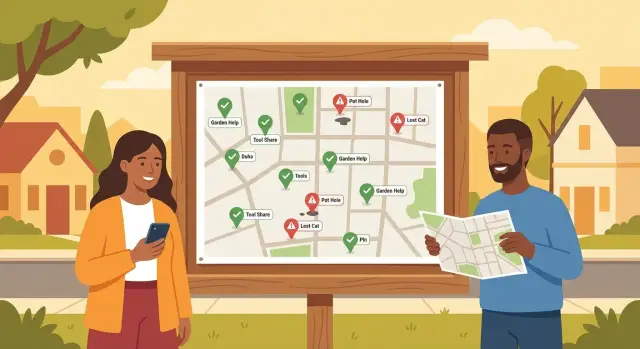
What a neighborhood watch check-in map is
A neighborhood watch check-in map is a shared map where neighbors drop quick updates about how things look on their street. Instead of scrolling through a long message thread, you open one place and see what’s normal and what needs attention, grouped by location.
Each check-in is a pin with a simple status: “all good” (nothing unusual) or “issue spotted” (something worth the group knowing). Over time, those pins make patterns easier to see, like a cluster of reports near one parking lot or a certain time of night when problems show up.
What makes a pin useful is the note. A good note answers three questions: what happened, when it happened, and where it happened. Keep it factual and brief. “11:20 pm, loud banging near the alley behind Maple St, lasted 5 minutes” helps. “Weird stuff again” doesn’t.
A neighborhood watch check-in map is about awareness, not confrontation. It helps neighbors coordinate, notice repeats, and choose calm next steps, like improving lighting, reminding people to lock cars, or reporting clear details to the proper authorities when needed. It’s not a tool for accusing people, chasing anyone, or turning small annoyances into drama.
Picture a week where most streets show “all good,” but three “issue spotted” pins appear near the same corner after 10 pm. That doesn’t prove what’s happening, but it tells the group where to pay attention and what to document next time.
When this works better than a group chat
Group chats are fast, but they’re noisy. The same question gets asked three times, older messages get buried, and it’s hard to tell if a problem is new or part of a pattern.
A check-in map works better when you care more about “where and how often” than “who said what last night.” One pin per check-in turns dozens of messages into a picture you can scan in seconds.
It’s especially useful for issues that repeat in the same place, such as porch theft, broken street or hallway lights, suspicious activity near a specific corner, or blocked sidewalks after storms or trash day. It also helps when neighbors are on different schedules and want to check updates without reading 200 messages.
A map usually beats chat because it reduces noise, makes repeats obvious, and keeps updates tied to a location. Instead of five separate messages about “someone in cars,” the map might show three pins over two weeks on the same block. That makes it clearer what to focus on and whether it’s one incident or many.
Decide what people can report (and what they should not)
A check-in map stays useful when everyone is choosing from the same small set of options. If choices are vague or endless, you get a wall of opinions instead of a clear picture.
Start with a small set of check-in types that cover most posts:
- All good
- Issue spotted
- Needs follow-up
Then give “issue spotted” a short menu of categories so patterns show up fast. Keep it familiar: lighting out, noise, suspicious activity, property damage, package theft, blocked sidewalk, loose animal. If you need more than five or six, the categories are probably too detailed.
For notes, define what “good” looks like. Ask for: when, where, what, and whether it’s still happening. Example: “Tue 9:40 pm, near the south entrance, porch light out again, area is very dark.” If you allow photos, make it clear they should show the issue, not people.
Just as important is what not to include. Write these rules down and enforce them gently but consistently:
- No names, phone numbers, or exact home addresses in notes
- No accusations or guesses (stick to what you observed)
- No license plates or identifying details
- No posts about ongoing emergencies (use local emergency services instead)
- No photos of faces or children
Example: if someone hears shouting at 11:30 pm, the report should be “loud shouting and banging, lasted 5 minutes, stopped,” not “John from unit 3 is drunk again.” The first helps the group see repeat times and locations. The second creates conflict and privacy risk.
Privacy and safety ground rules
A check-in map only helps if people feel safe using it. Set the rules before the first pin goes live, and repeat them when you invite new neighbors. The goal is shared awareness, not blame.
Keep posts neutral and non-identifying. Avoid names, license plates, house numbers, photos of people, and “I think it was…” guesses. If someone wants to add a note, a short factual line is enough: “Car doors checked on Oak St, 9:30 pm.”
Make it explicit that there is no vigilantism. The map is for patterns and coordination, not confrontation. If a situation feels urgent or dangerous, the rule is simple: call local services first, then log a neutral note afterward so others understand what happened.
Visibility matters, too. A whole-neighborhood map can be useful, but it also increases the chance of oversharing. Many groups start with a small, trusted circle (for example, block captains or a verified list), then expand only if the tone stays respectful and the posts stay factual.
Retention keeps the map privacy-friendly and prevents old worries from hanging around. Pick a default “pin lifetime” and stick to it. Common options are 7 days for quick issues, 14 days for trends, or 30 days if your area has slower-moving problems.
A simple rule set to copy:
- Use cross-streets or general areas, not exact addresses
- No identifying details about people or vehicles
- No accusations, threats, or calls to confront anyone
- Emergencies: report to local services first, then log a neutral note
- Pins expire after a set number of days
Pick a simple format and roles
A check-in map works when it stays easy. You need a place to mark a pin, a clear status, a short note, and a timestamp so old info doesn’t hang around.
Start with the simplest format your group will actually use. A printed map on a community board with stickers can be perfect for a small area and weekly meetups. A shared online map is better when neighbors are busy, travel often, or want to check updates from home.
Keep the “check-in” fast: one tap or one sticker, plus one short sentence. If it takes longer than a group text, people stop using it.
Lightweight roles that keep it tidy
You don’t need a committee, but you do need ownership. Three lightweight roles usually cover it:
- Admin/moderator: sets up the map, approves new members, removes spam, fixes obvious issues (duplicate pins, missing location)
- Weekly reviewer: does a quick scan and posts a short summary to the group
- Backup reviewer: covers vacations so the map doesn’t stall
Add more roles only if the group is large. Too many “helpers” often means nobody feels responsible.
Naming locations the same way, every time
Agree on one naming convention before the first pin. Cross-streets are easiest (“Pine + 3rd”). If there’s no clear intersection, use a stable landmark (“by the library parking lot”) and keep it consistent.
Aim for one place name per spot, no creative nicknames. That way, five notes about the same corner show up as a pattern instead of looking like five unrelated issues.
Step by step: set up your first check-in map
Start by drawing a clear boundary for what “counts” as your area. Keep it small enough that people recognize every street. Add a few key spots everyone uses, like entrances, parking areas, parks, bus stops, and common cut-through paths. This avoids vague pins like “somewhere near the corner.”
Keep pin types simple so the map stays readable. People shouldn’t have to guess which option to pick.
1) Set your pins and the note template
Choose a small set of pin types and a note format people can copy. For example:
- All good (quick check)
- Issue spotted (needs attention)
- Maintenance/hazard (lighting, broken gate, dumped items)
- Follow-up done (resolved)
For notes, ask for: what + where + when + whether it’s still happening. Example: “Car door checks, north parking row by mailboxes, Tue 9:10 pm. Two people walked through, left on foot.”
2) Pick one submission method, then pilot it
Decide how updates get added so there’s no confusion. Either everyone can add pins directly, or one or two trusted volunteers add pins from messages. Don’t mix methods at first.
Run a one-week test with five neighbors. Ask them to post one “all good” check-in and to report anything unusual using the template. At the end of the week, adjust what’s confusing: pin types, note length, boundary lines, or location naming.
Then launch to the wider group with the rules posted in one place: what to post, what not to post, and what to do in emergencies. Keep it short enough that people will read it.
How to run check-ins without it taking over your week
A check-in map only helps if it stays easy to use. Pick one rhythm and stick to it. Many blocks do well with either:
- a quick daily window (2 minutes to add a pin), or
- a weekly wrap-up where people add anything they noticed over the past 7 days.
Keep notes short and factual. A good note answers: what happened, where, and when. “Car door checks, Oak St near the park entrance, Tue 9:30 pm” is enough for patterns without turning the map into a debate.
Follow-up should be rare and predictable. Decide ahead of time what triggers it so you’re not reacting to every single pin. Good triggers include repeated pins in the same spot in a week, the same issue across nearby streets, a clear increase in severity, or a safety concern that needs a same-day alert.
Edits and removals matter because maps can keep old worries alive. Use a calm correction process: if something is unclear, the moderator asks for the missing detail (time/place) or changes the pin to “needs follow-up.” If a report is wrong or resolved, mark it “resolved” (or remove it) with a short reason like “duplicate” or “incorrect location.”
Don’t let one person carry it. Rotate responsibilities on a simple schedule so the map stays consistent even when someone is busy.
Make patterns clear: colors, filters, and weekly review
A check-in map only helps if you can spot patterns quickly. That means using the same categories every time, keeping the map tidy, and doing a short review on a regular schedule.
Colors and categories that stay consistent
Pick a small set of categories and match each one to a color. Keep it simple so neighbors don’t have to think.
For example: green for “all good,” yellow for “concern,” and red for “issue spotted.” If you want more detail, add a few issue types (like “suspicious activity,” “vehicle,” “lighting,” “property damage,” “package theft”) and stick to those names. Two weeks from now, red pins should mean the same thing they mean today.
To keep clusters readable, agree on how to place pins: use the nearest intersection, building entrance, or the middle of the block. Avoid “close enough” pin drops that drift around, because it hides hotspots.
Filters and the 10-minute weekly review
Use a simple time filter so the map answers one question fast: “Is this happening now, or was it weeks ago?” Useful ranges are last 24 hours, last 7 days, and last 30 days.
Once a week, one person (or a rotating volunteer) shares a short pattern note with the group:
- Top locations (by block or intersection)
- Top issue types
- What changed (better, worse, or steady)
- One clear action decision
Tie patterns to realistic actions. Repeated dark spots can mean a lighting request. Frequent “gate left open” notes can mean signage. If a pattern doesn’t lead to a next step, simplify the categories until it does.
Example: spotting a repeat problem and resolving it
A check-in map is most useful when small, separate notes start to line up.
Imagine three neighbors mark “issue spotted” within two weeks, all near the same dim parking entrance by an alley. Each note is short, but specific:
- “Car window smashed, nothing taken. 2:10 a.m.”
- “Tried door handles on several cars. 1:45 a.m. Saw two people walking fast.”
- “Broken glass in lot again. 2:30 a.m.”
On their own, these could feel random. On the map, they cluster in the same spot and the same time window (roughly 1:30-2:30 a.m.). That suggests it’s not a one-off and not happening all over the neighborhood.
The follow-up can stay practical and calm. One person contacts the property manager or city services about the lighting. Another posts a quick reminder about basics like locking doors and not leaving valuables visible.
A simple sequence that keeps things moving without turning it into drama:
- Confirm the pattern: “3 reports in 2 weeks, same entrance, similar time.”
- Add one action note: “Lighting request submitted on Jan 12.”
- Send a short group message with a clear ask.
- After the fix, mark the cluster as “resolved” with a date.
To keep history short, don’t keep old worries pinned forever. Mark items as “resolved,” then archive or remove older pins on your normal schedule so the map stays readable.
Calm message example:
“Hi all - we’ve had 3 late-night car break-in attempts near the parking entrance by the alley (around 1:30-2:30 a.m.). I reported the lighting issue today. Please double-check your car doors, remove valuables, and if you see anything tonight, add a quick note to the map with time + location. Thanks for helping keep this simple and factual.”
Common mistakes that make the map useless
A check-in map only helps if people can use it in seconds and trust what they see. Most maps fail for simple reasons, not because the idea is bad.
The biggest problem is over-design. If you create too many pin types, people stop to think, pick the wrong one, or give up. Keep it to a few clear options, and make them easy to choose on a phone.
The second problem is the tone of the notes. Long, emotional, or accusatory posts turn a safety tool into a drama board. A map entry should read like a brief field note: what, where, when, and (if relevant) what you did.
Common participation-killers:
- Too many categories and colors, so nobody knows which pin to use
- Notes that speculate, name people, or mix opinions with facts
- No moderation plan, so misinformation and arguments sit there
- Keeping pins forever, creating privacy and safety risk
- Instructions that assume everyone is comfortable on mobile
Moderation doesn’t mean heavy control. It means someone checks new pins for obvious issues (duplicates, personal details, unclear locations) and follows a simple rule: edit for clarity or ask the poster to resubmit.
Also watch for “map hoarding.” If every old issue stays visible, the map starts to look like the neighborhood is always unsafe. Make cleanup a habit: remove resolved pins after a short period and keep a simple weekly summary instead of a permanent wall of incidents.
Quick checklist before you invite the whole neighborhood
Before you open the map to everyone, do a 10-minute dry run with 2 or 3 neighbors. Catch confusion early while it’s still easy to change labels, rules, and review habits.
A practical pre-invite checklist:
- Keep check-in choices tight (about 4 to 6). If people have to think too hard, they’ll skip it or pick random options.
- Use a simple note rule: describe what happened, not who did it. No names, no license plates, no accusations, and no “everyone knows it was…” language.
- Assign one moderator and one backup, and pick a review rhythm. Daily is often too much; weekly is often enough.
- Confirm the map can be filtered by time and type. Without this, old pins pile up and the map becomes noise.
- Decide what happens when a pattern shows up. Example: three “car break-in attempt” notes in the same block in two weeks could trigger a short neighborhood message, a lighting check, and a non-emergency report to local authorities if appropriate.
If you can’t answer any one of these quickly, pause and fix it before inviting the whole neighborhood. A small amount of structure up front keeps the map calm, useful, and fair.
Next steps: turn it into a simple app (without overbuilding)
A shared sheet or map works until you hit a few needs at once: sign-in, different permissions (neighbors vs admins), and a clean history you can search without scrolling forever. That’s usually when a check-in map becomes easier as a small app.
Keep the first version boring on purpose. A lightweight app can be just enough to collect consistent reports:
- A short form: status, category, note, optional photo
- A map view with basic filters (time, category, status)
- A simple review step so reports are approved before everyone sees them
- A weekly summary view to spot repeats without reading every note
Before you add anything else, decide what you will not collect. Safety improves when data stays minimal and temporary: no full names required (nicknames are fine), no exact home addresses, short retention, and clear “facts only” rules.
If you want to prototype quickly, tools like Koder.ai (koder.ai) can help you sketch and build a basic web or mobile version from a chat description, then iterate safely with planning mode and snapshots. Keep the same discipline you used on the map: fewer choices, shorter notes, and automatic cleanup.
Example: after two weeks, your admin review shows a cluster of “car door checks” near one parking lot on Friday nights. That’s enough to adjust attention and add a reminder, without collecting more personal detail than you need.
FAQ
What is a neighborhood watch check-in map, in plain terms?
A neighborhood watch check-in map is a shared map where neighbors drop quick, location-based updates like “all good” or “issue spotted.” The goal is to make patterns easy to see by place and time, not to create a long discussion thread.
When is a check-in map better than a group chat?
Use it when you care about where something is happening and how often, not the full conversation around it. It’s especially helpful for repeat issues like lighting outages, car break-ins, or noise that keeps showing up near the same corner.
What should a good pin note include?
Keep it short and factual: what happened, where, when, and whether it’s still happening. A useful example is “Tue 9:40 pm, near Pine + 3rd, streetlight out, area very dark.” Avoid vague notes like “weird stuff again.”
What statuses and categories should we start with?
Start small so it stays readable: All good, Issue spotted, and Needs follow-up are enough for most groups. If you add categories under “issue spotted,” keep it to about five or six familiar options so patterns show up quickly.
What should people never post on the map?
Don’t include names, phone numbers, exact addresses, license plates, or guesses about who did something. Skip photos of faces or children, and don’t post about active emergencies; handle those through local emergency services first, then add a neutral note afterward.
How do we keep the map privacy-friendly and safe?
Set clear rules up front: neutral language, no identifying details, and no confrontation. Keep visibility limited to a trusted group at first, and use a defined pin expiration window so old incidents don’t linger and create unnecessary anxiety.
Who should manage the map, and what roles do we need?
A simple setup is enough: one moderator to keep things clean, a weekly reviewer to summarize patterns, and a backup so it doesn’t stall. Too many roles usually means no one feels responsible, so keep ownership clear and light.
How do we name locations so patterns don’t get messy?
Pick one consistent naming style, usually cross-streets like “Pine + 3rd” or a stable landmark like “library parking lot.” Consistency matters more than precision because it’s what makes repeat reports show up as a clear cluster.
How do we run check-ins without it taking over everyone’s week?
Choose one rhythm and stick to it, like a two-minute daily window or a weekly batch update. Keep follow-up triggers predictable, such as three similar pins in the same area within two weeks, so the map doesn’t become a constant alert system.
When should we turn the map into a simple app, and what should it include first?
Move to an app when you need sign-in, permissions (neighbors vs admins), approval before pins go public, and searchable history with automatic cleanup. Keep the first version minimal: a short form, a map view with time filters, and a simple review step so it stays calm and useful.