

Nginx vs Caddy: which web server should you use in 2025?
Compare Nginx vs Caddy for reverse proxy and web hosting: setup, HTTPS, configs, performance, plugins, and when to choose each.
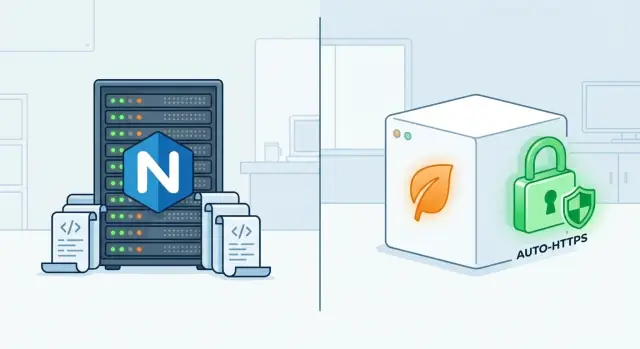
Nginx vs Caddy: what you’re comparing
Nginx and Caddy are both web servers you run on your own machine (a VM, bare metal server, or container) to put a website or app on the internet.
At a high level, they’re commonly used for:
- Static sites: serving HTML/CSS/JS files efficiently
- Reverse proxying: putting a friendly public URL in front of an app (Node, Python, Go, PHP-FPM, etc.)
- Load balancing: distributing traffic across multiple app instances
Why people compare them
Most comparisons boil down to a trade-off: how quickly you can get to a safe, working setup versus how much control you have over every detail.
Caddy is often chosen when you want a straightforward path to modern defaults—especially around HTTPS—without spending much time on configuration.
Nginx is often chosen when you want a very mature, widely deployed server with a configuration style that can be extremely flexible once you know it.
Who this guide is for
This guide is for people running anything from a small personal site to production web apps—developers, founders, and ops-minded teams who want a practical decision, not theory.
What we will and won’t cover
We’ll focus on real deployment concerns: configuration ergonomics, HTTPS and certificates, reverse proxy behavior, performance basics, security defaults, and operations.
We won’t make vendor-specific promises or benchmark claims that depend heavily on a particular cloud, CDN, or hosting environment. Instead, you’ll get decision criteria you can apply to your own setup.
Getting started and day-one experience
Install and run: default behavior and first working site
Nginx is widely available everywhere (Linux repos, containers, managed hosts). After install, you typically get a default “Welcome to nginx!” page served from a distro-specific directory. Getting your first real site online usually means creating a server block file, enabling it, testing the config, then reloading.
Caddy is equally easy to install (packages, a single binary, Docker), but the first-run experience is more “batteries included.” A minimal Caddyfile can get you serving a site or reverse proxy in minutes, and the defaults are aimed at safe, modern HTTPS.
Learning curve: config style and common pitfalls
Nginx configuration is powerful, but beginners often stumble over:
- where config files live and how includes work
- subtle matching rules (
locationprecedence) - forgetting
nginx -tbefore reload
Caddy’s Caddyfile reads more like intent (“proxy this to that”), which reduces foot-guns for common setups. The trade-off is that when you need very specific behavior, you may need to learn Caddy’s underlying JSON config or module concepts.
Time to get HTTPS working for a new domain
With Caddy, HTTPS for a public domain is often a one-liner: set the site address, point DNS, start Caddy—certificates are requested and renewed automatically.
With Nginx, HTTPS usually requires choosing a certificate method (e.g., Certbot), wiring file paths, and setting up renewals. It’s not hard, but it’s more steps and more places to misconfigure.
Local development experience (localhost, self-signed, trust)
For local dev, Caddy can create and trust local certificates with caddy trust, making https://localhost feel closer to production.
With Nginx, local HTTPS is typically manual (generate a self-signed cert, configure it, then accept browser warnings or install a local CA). Many teams skip HTTPS locally, which can hide cookie, redirect, and mixed-content issues until later.
Configuration style and readability
Configuration is where Nginx and Caddy feel most different. Nginx favors explicit, nested structure and a huge vocabulary of directives. Caddy favors a smaller, readable “intent-first” syntax that’s easy to scan—especially when you’re managing a handful of sites.
Nginx: server blocks, locations, and includes
Nginx config is built around contexts. Most web apps end up with one or more server {} blocks (virtual hosts), and inside them, multiple location {} blocks that match paths.
This structure is powerful, but readability can suffer when rules pile up (regex locations, multiple if statements, long headers lists). The main maintainability tool is includes: split large configs into smaller files and keep a consistent layout.
Multiple sites on one server usually means multiple server {} blocks (often one file per site), plus shared snippets:
# /etc/nginx/conf.d/example.conf
server {
  listen 80;
  server_name example.com www.example.com;

  include /etc/nginx/snippets/security-headers.conf;

  location / {
    proxy_pass http://app_upstream;
    include /etc/nginx/snippets/proxy.conf;
  }
}
A practical rule: treat nginx.conf as the “root wiring,” and keep app/site specifics in /etc/nginx/conf.d/ (or sites-available/sites-enabled, depending on distro).
Caddy: Caddyfile directives and readability
Caddy’s Caddyfile reads more like a checklist of what you want to happen. You declare a site block (usually the domain), then add directives such as reverse_proxy, file_server, or encode.
For many teams, the main win is that the “happy path” stays short and legible—even as you add common features:
example.com {
  reverse_proxy localhost:3000
  encode zstd gzip
  header {
    Strict-Transport-Security "max-age=31536000; includeSubDomains; preload"
  }
}
Multiple sites on one server is typically just multiple site blocks in the same file (or imported files), which is easy to scan during reviews.
Keeping configs maintainable as projects grow
- Standardize structure early. In Nginx, decide on per-site files + shared snippets. In Caddy, decide whether each site gets its own file and is pulled in via
import. - Name shared snippets by purpose. “proxy defaults,” “security headers,” “static caching”—avoid copying blocks between sites.
- Optimize for the next reader. Nginx can express almost anything, but the cleverest
locationmatch is often the hardest to debug later. Caddy encourages simpler patterns; if you outgrow them, document your intent in comments.
If your priority is clarity with minimal ceremony, Caddy’s Caddyfile is hard to beat. If you need fine-grained control and don’t mind a more structural, verbose style, Nginx remains a strong fit.
HTTPS and certificate management
HTTPS is where the day-to-day experience between Nginx and Caddy diverges the most. Both can serve excellent TLS; the difference is how much work you do—and how many places you can introduce configuration drift.
Caddy: automatic HTTPS by default
Caddy’s headline feature is automatic HTTPS. If Caddy can determine the hostname and it’s publicly reachable, it will typically:
- Obtain a certificate (usually via ACME/Let’s Encrypt)
- Renew it automatically before expiry
- Enable modern TLS defaults without you hand-tuning cipher suites
In practice, you configure a site, start Caddy, and HTTPS “just happens” for common public domains. It also handles HTTP-to-HTTPS redirects automatically in most setups, which removes a frequent source of misconfiguration.
Nginx: HTTPS is powerful, but mostly manual
Nginx expects you to wire TLS yourself. You’ll need to:
- Acquire certificates (ACME client like Certbot, or your provider)
- Point Nginx at the
ssl_certificateandssl_certificate_key - Reload Nginx after renewals (and ensure renewals actually happen)
This is very flexible, but it’s easier to forget a step—especially around automation and reloads.
Redirects and common mistakes
A classic pitfall is mis-handled redirects:
- Redirecting only the homepage, not all paths
- Creating redirect loops (e.g., behind a CDN or load balancer)
- Terminating TLS upstream but redirecting based on the wrong scheme
Caddy reduces these mistakes with sensible defaults. With Nginx, you must be explicit and verify behavior end-to-end.
Custom certificates and internal PKI
For custom certs (commercial, wildcard, private CA), both servers work well.
- Nginx is straightforward: you provide the cert/key files and configure TLS.
- Caddy supports custom certificates too, and can also be used in internal PKI scenarios (useful for private environments), but you’ll want to be deliberate about trust distribution to clients and services.
Reverse proxy features that matter in real apps
Most teams don’t choose a web server for “Hello World.” They choose it for the everyday proxy jobs: getting client details right, supporting long‑lived connections, and keeping apps stable under imperfect traffic.
Reverse proxy basics (headers, real IP, WebSockets)
Both Nginx and Caddy can sit in front of your app and forward requests cleanly, but the details matter.
A good reverse proxy setup usually ensures:
- Correct forwarding headers like
Host,X-Forwarded-Proto, andX-Forwarded-For, so your app can build proper redirects and logs. - Real client IP handling, which affects rate limiting, auditing, geo rules, and “trusted proxy” settings inside your framework.
- WebSockets support for chat, dashboards, and realtime features. In Nginx, this typically means explicitly handling
Upgrade/Connectionheaders; in Caddy it’s generally handled automatically when proxying.
Load balancing and health checks
If you have more than one app instance, both servers can distribute traffic across upstreams. Nginx has long‑standing patterns for weighted balancing and more granular control, while Caddy’s load balancing is straightforward for common setups.
Health checks are the real differentiator operationally: you want unhealthy instances removed quickly, and you want timeouts tuned so users don’t wait on dead backends.
Timeouts, buffering, and large uploads
Real apps hit edge cases: slow clients, long API calls, server‑sent events, and big uploads.
Pay attention to:
- Read/write timeouts between proxy and upstream
- Request/response buffering (good for stability, bad for streaming if misconfigured)
- Body size limits and temp storage behavior for large files
Rate limiting and basic protections
Neither server is a full WAF by default, but both can help with practical guardrails: per‑IP request limits, connection caps, and basic header sanity checks. If you’re comparing security posture, pair this with your broader checklist in /blog/nginx-vs-caddy-security.
Performance and protocol support
Performance isn’t just “requests per second.” It’s also how quickly users see something useful, how efficiently you serve static assets, and how modern your protocol stack is by default.
Static files: caching headers and compression
For static site hosting (CSS, JS, images), both Nginx and Caddy can be very fast when configured well.
Nginx gives you granular control over caching headers (for example, long-lived cache for hashed assets and shorter cache for HTML). Caddy can do the same, but you may reach for snippets or route matchers to express the same intent.
Compression is a trade-off:
- Gzip is widely supported and usually a safe default.
- Brotli can shrink text assets further, which helps on slower networks, but costs more CPU.
For small sites, enabling Brotli rarely hurts and can make pages feel snappier. For large sites with heavy traffic, measure CPU headroom and consider pre-compressed assets or offloading compression at the edge/CDN.
HTTP/2 and HTTP/3: what users notice
HTTP/2 is the baseline for modern browsers and improves loading many small assets over a single connection. Both servers support it.
HTTP/3 (over QUIC) can improve performance on flaky mobile networks by reducing the pain of packet loss and connection handshakes. Caddy tends to make trying HTTP/3 simpler, while Nginx support varies by build and may require specific packages.
SPAs and fallback routes
If you serve a single-page app, you typically need “try file, otherwise serve /index.html.” Both can do it cleanly, but double-check that API routes don’t accidentally fall back to the SPA and hide real 404s.
Security defaults and hardening checklist
Both Nginx and Caddy can be secured well, but they start from different defaults.
Caddy is “secure-by-default” for many common deployments: it enables modern TLS automatically, renews certificates, and encourages HTTPS-only setups. Nginx is flexible and widely deployed, but you typically need to make explicit choices for TLS, headers, and access control.
Common defaults (and what you still must configure)
- Disable unused endpoints/features: don’t ship sample sites, admin UIs, or debug routes to production.
- Limit exposure: bind internal services to private interfaces, and only publish what must be public.
- Keep dependencies current: update your server and any modules regularly.
TLS versions and cipher choices (keep it simple)
- Prefer TLS 1.2 and TLS 1.3; avoid older protocol versions.
- Use the server’s modern defaults unless you have strict compliance requirements.
- For Nginx, explicitly set allowed protocols and keep configs consistent across hosts.
Basic auth, IP allow/deny, and protecting admin endpoints
Protect internal tools (metrics, admin panels, previews) with authentication and/or IP allowlists.
Example (Caddy):
admin.example.com {
  basicauth {
    admin $2a$10$..............................................
  }
  reverse_proxy 127.0.0.1:9000
}
For Nginx, apply auth_basic or allow/deny to the exact location blocks that expose sensitive routes.
Security headers: HSTS, CSP basics, and safe defaults
Start with headers that reduce common risks:
- HSTS (only after HTTPS is stable):
Strict-Transport-Security: max-age=31536000; includeSubDomains - Clickjacking protection:
X-Frame-Options: DENY(orSAMEORIGINif needed) - MIME sniffing:
X-Content-Type-Options: nosniff - CSP (basic): begin with a conservative policy and loosen as required (CSP mistakes can break sites).
Hardening is less about one “perfect” config and more about consistently applying these controls across every app and endpoint.
Ecosystem, modules, and extensibility
Your long-term experience with a web server is often determined less by core features and more by the ecosystem around it: modules, examples you can copy safely, and how painful it is to extend when requirements change.
Nginx: mature modules and a huge knowledge base
Nginx has a deep ecosystem built over many years. There are plenty of official and third‑party modules, plus an enormous amount of community configuration examples (blog posts, GitHub gists, vendor docs). That’s a real advantage when you need a specific capability—advanced caching, nuanced load balancing, or integration patterns for popular apps—because someone has usually solved it before.
The trade-off: not every example you find is current or secure. Always cross-check against official docs and modern TLS guidance.
Caddy: extensions are powerful—use them deliberately
Caddy’s core covers a lot (especially HTTPS and reverse proxying), but you’ll reach for extensions when you need non-standard auth methods, unusual upstream discovery, or custom request handling.
How to evaluate an extension:
- Maintenance signals: recent releases, active issues/PRs, clear ownership
- Security posture: minimal permissions, documented threat model, sensible defaults
- Operational fit: build/release process you can reproduce in CI
Managing operational risk and avoiding lock-in
Relying on uncommon plugins increases upgrade risk: a break in API compatibility or abandoned maintenance can freeze you on an old version. To stay flexible, prefer features available in the core, keep config portable (document intent, not just syntax), and isolate “special sauce” behind well-defined interfaces (e.g., keep auth in a dedicated service). When in doubt, prototype both servers with your real app before committing.
Operations: logging, monitoring, and safe reloads
Running a web server isn’t just “set it and forget it.” The day-two work—logs, metrics, and safe changes—is where Nginx and Caddy feel most different.
Logging and troubleshooting
Nginx typically writes separate access and error logs, with highly customizable formats:
- Access logs: request/response details, timing, upstream status, etc.
- Error logs: configuration issues, upstream failures, TLS errors, and more
You can tune log_format to match your incident workflow (for example, adding upstream timings), and you’ll often troubleshoot by correlating access log spikes with specific error log messages.
Caddy defaults to structured logging (commonly JSON), which tends to work well with log aggregation tools because fields are consistent and machine-readable. If you prefer traditional text logs, you can configure that too, but most teams lean into structured logs for faster filtering.
Metrics and observability (high level)
Nginx commonly uses built-in status endpoints (or commercial features, depending on edition) plus exporters/agents for Prometheus and dashboards.
Caddy can expose operational signals via its admin API and can integrate with common observability stacks; teams often add a metrics module/exporter if they want Prometheus-style scraping.
Safe reloads and config validation
Regardless of server choice, aim for a consistent workflow: validate, then reload.
Nginx has a well-known process:
- Validate:
nginx -t - Reload without dropping connections:
nginx -s reload(orsystemctl reload nginx)
Caddy supports safe updates through its reload mechanisms and config adaptation/validation workflows (especially if you generate JSON config). The key is the habit: validate inputs and make changes reversible.
Backups and change management
For either server, treat configuration like code:
- Keep configs in Git (including snippets/includes)
- Roll out changes via CI/CD with a dry-run validation step
- Keep a known-good version handy so rollback is a single deploy/reload
Deploying in production: common setups
Production setups tend to converge on a few patterns, whether you pick Nginx or Caddy. The biggest differences are defaults (Caddy’s automatic HTTPS) and how much you prefer explicit configuration versus “just run it.”
Running as a service (least privilege)
On a VM or bare metal host, both are typically managed by systemd. The key is least privilege: run the server as a dedicated, unprivileged user, keep config files owned by root, and restrict write access to only what’s required.
For Nginx, that usually means a root-owned master process that binds to ports 80/443, and worker processes running as www-data (or similar). For Caddy, you’ll often run a single service account and grant only the minimal capabilities needed to bind low ports. In both cases, treat TLS private keys and environment files as secrets with tight permissions.
Containers: what changes
In containers, the “service” is the container itself. You’ll typically:
- Expose 80/443 on the host and map into the container
- Mount configuration and site files as read-only volumes
- Decide where certificates live (Caddy: persistent volume; Nginx: your own cert pipeline)
Also plan networking: the reverse proxy should be on the same Docker network as your app containers, using service names instead of hard-coded IPs.
Multiple environments and zero-downtime deploys
Keep separate configs (or templated variables) for dev/stage/prod so you don’t “edit in place.” For zero-downtime deploys, common patterns include:
- Rolling updates (Kubernetes/Swarm): replace instances gradually
- Blue/green: switch traffic from old to new in one controlled step
- Reload-in-place: update config and do a graceful reload so existing connections finish cleanly
Both Nginx and Caddy support safe reloads; pair that with health checks so only healthy backends receive traffic.
Use cases and which server fits best
Choosing between Nginx and Caddy is less about “which is better” and more about what you’re trying to ship—and who will operate it.
Simple personal site with HTTPS in minutes
If you want a blog, portfolio, or docs site online quickly, Caddy is usually the easiest win. A minimal Caddyfile can serve a directory and automatically enable HTTPS for a real domain with very little ceremony. That reduces setup time and the number of moving parts you need to understand.
Small business site with redirects and caching
Both work well here; the deciding factor is often who will maintain it.
- Caddy is great when you want clean, readable rules for redirects, canonical domains, and basic caching headers.
- Nginx can be a better fit if you’re following a hosting provider’s “standard Nginx config,” need very specific caching behavior, or you want to mirror an existing setup your team already knows.
API + web app behind a reverse proxy
For a typical “frontend + API” deployment, either server can terminate TLS and proxy to app servers.
- Pick Nginx if you expect to rely on mature, widely-known patterns for load balancing, upstream tuning, and troubleshooting in larger teams.
- Pick Caddy if you want a simpler config and automatic certificate handling without extra tooling, and your proxy needs are straightforward.
Multi-tenant server with many domains
This is where trade-offs become clearer:
- Caddy shines when you’re hosting lots of domains and want HTTPS handled automatically with minimal per-site configuration.
- Nginx can be a stronger choice when tenancy boundaries are complex (different teams, custom routing rules, strict resource controls), or when you need fine-grained control that matches long-established Nginx operational practices.
If you’re unsure, default to Caddy for speed and simplicity, and Nginx for maximum predictability in established production environments.
A note for teams shipping apps quickly
If your bigger challenge is getting an app out the door (not just picking a proxy), consider tightening the loop between building and deploying. For example, Koder.ai lets you create web, backend, and mobile apps from a chat interface (React on the web, Go + PostgreSQL on the backend, Flutter for mobile), then export source code and deploy behind either Caddy or Nginx. In practice, that means you can iterate on the product quickly and still keep a conventional, auditable edge layer in production.
Migration guidance: moving between Nginx and Caddy
Migrating between Nginx and Caddy is usually less about “rewriting everything” and more about translating a few key behaviors: routing, headers, TLS, and how your app sees client details.
When switching from Nginx to Caddy makes sense
Choose Caddy when you want simpler configs, automatic HTTPS (including renewals), and fewer moving parts in day-to-day operations. It’s a strong fit for small teams, many small sites, and projects where you’d rather express intent ("proxy this", "serve that") than maintain a large set of directives.
When sticking with Nginx is the safer move
Stay on Nginx if you rely on a heavily customized setup (advanced caching, complex rewrites, bespoke modules), you’re already standardized on Nginx across fleets, or you need behavior that’s been tuned over years and thoroughly documented by your team.
Migration steps (and how to avoid surprises)
Start with an inventory: list all server blocks/sites, upstreams, TLS termination points, redirects, custom headers, rate limits, and any special locations (e.g., /api, /assets). Then:
- Build a staging config that matches one site end-to-end.
- Verify with real traffic patterns (smoke tests + a few production-like flows).
- Do a staged rollout (one host, one path, or a small percentage via load balancer).
- Prepare a rollback plan: keep the old config intact and make DNS/LB flips reversible.
Common migration gotchas
Watch for header differences (Host, X-Forwarded-For, X-Forwarded-Proto), websocket proxying, redirect semantics (trailing slashes and 301 vs 302), and path handling (Nginx location matching vs Caddy matchers). Also confirm your app trusts the proxy headers correctly to avoid wrong scheme/URL generation.
Decision framework and final recommendations
Choosing between Nginx and Caddy is mostly about what you value on day one versus what you want to control long term. Both can serve websites and proxy apps well; the “best” choice is usually the one that matches your team’s skills and operational comfort.
A practical decision checklist
Use this quick checklist to keep the decision grounded:
- Skills & familiarity: Do you (or your hosting provider) already know Nginx config patterns?
- Time to first working HTTPS: Do you want TLS to be automatic with minimal setup, or are you fine wiring it yourself?
- Features you’ll use soon: Rate limiting, caching, advanced routing, auth, header shaping, observability.
- Risk tolerance: Fewer moving parts vs. deep configurability; “simple now” vs. “predictable at scale.”
- Change management: How important are safe reloads, config linting, and avoiding accidental downtime?
Quick recommendations (common scenarios)
- Single app + custom domain + you want HTTPS fast: Caddy is often the smoother start, especially for small deployments.
- You already run Nginx elsewhere (or have shared snippets): Staying with Nginx can reduce surprises and training cost.
- High-traffic reverse proxy with fine-grained tuning needs: Nginx is frequently chosen when you want explicit control over caching, buffering, and edge behavior.
- Small team, lots of services, prefer readable configs: Caddy can be easier to audit and iterate on.
Pros/cons summary (no absolutes)
Caddy tends to offer: simpler configuration, automatic HTTPS flows, and a friendly day-one experience.
Nginx tends to offer: a long track record in production, broad community knowledge, and many knobs for specialized setups.
Where to learn more
- Caddy documentation and community starting points: /resources/caddy-docs, /resources/caddy-community
- Nginx documentation and community starting points: /resources/nginx-docs, /resources/nginx-community
If you’re still undecided, pick the one you can operate confidently at 2 a.m.—and reassess once your requirements (traffic, teams, compliance) become clearer.
FAQ
How do I choose between Nginx and Caddy for my project?
Pick Caddy if you want automatic HTTPS, a short readable config, and fast time-to-live for a small/medium deployment.
Pick Nginx if you need maximum flexibility, you’re matching an existing Nginx standard in your org/host, or you expect to lean heavily on mature patterns for complex routing/caching/tuning.
Which one is faster to get HTTPS working on a new domain?
For a public domain, Caddy can often do it with just a site address and a reverse_proxy/file_server directive. After DNS points to your server, Caddy typically obtains and renews certificates automatically.
With Nginx, plan on an ACME client (like Certbot), configuring ssl_certificate/ssl_certificate_key, and ensuring renewals trigger a reload.
What are the most common Nginx configuration mistakes beginners make?
Common Nginx foot-guns include:
- Confusing
locationmatching/precedence (especially regex and overlapping rules) - Misplaced configs due to includes and distro layout differences
- Reloading without validating (
nginx -t) - Partial redirects (redirecting
/but not all paths) or redirect loops behind another proxy/CDN
When does Caddy’s “simple config” become limiting?
Caddy’s Caddyfile stays simple until you need very specific behavior. At that point, you may need:
- Matchers and routing nuance (to mirror complex Nginx
locationlogic) - Caddy’s JSON config for advanced control
- Modules/extensions for non-standard features
If your setup is unusual, prototype early so you don’t discover limits mid-migration.
Which server is better for local development with HTTPS?
Caddy has strong support for local HTTPS workflows. You can generate and trust local certs (for example with caddy trust), which helps you catch HTTPS-only issues early (cookies, redirects, mixed content).
With Nginx, local HTTPS is usually manual (self-signed certs + browser trust warnings or installing a local CA), so teams often skip it and discover issues later.
What should I check when reverse proxying an app (headers, real IP, WebSockets)?
Both can reverse proxy correctly, but verify these items in either server:
- Forwarded headers:
Host,X-Forwarded-Proto,X-Forwarded-For - Real client IP behavior (especially behind a CDN/LB)
- WebSocket support (Nginx often needs explicit
Upgrade/Connectionhandling; Caddy typically handles it automatically)
After changes, test login flows and absolute redirects to confirm your app “sees” the correct scheme and host.
How do Nginx and Caddy compare for load balancing and health checks?
Both can load balance, but operationally you should focus on:
- Health checks: how quickly unhealthy instances are removed
- Timeouts: avoid users waiting on dead backends
- Retry/selection strategy: keep failure behavior predictable
If you need very granular or established patterns, Nginx often has more well-known recipes; for straightforward multi-upstream proxying, Caddy is usually quick to set up.
What settings matter most for large uploads, streaming, and long-lived requests?
Watch these knobs regardless of server choice:
- Request body size limits (uploads)
- Proxy read/write timeouts (long API calls, SSE)
- Buffering behavior (can help stability but can break streaming if misapplied)
Before production, run a realistic test: upload a large file, keep a long request open, and confirm your upstream and proxy timeouts match your app’s expectations.
Which one is more secure by default, and what should I still configure?
Both can be secure, but their defaults differ.
Practical baseline:
- Ensure HTTPS-only behavior and correct redirects
- Add security headers (HSTS only after HTTPS is stable; basic clickjacking and MIME-sniffing protections)
- Lock down admin/internal routes with basic auth and/or IP allowlists
- Keep the server and modules updated
For a deeper checklist, see /blog/nginx-vs-caddy-security.
What’s the safest way to reload changes and operate these servers in production?
Use a “validate → reload” workflow and treat config as code.
- Nginx:
nginx -tthensystemctl reload nginx(ornginx -s reload) - Caddy: use its reload/validation workflows (especially if you generate config), and keep structured logs/fields consistent for your aggregator
In both cases, keep configs in Git, roll out via CI/CD with a dry-run validation step, and maintain a fast rollback path.