

Nonprofit Websites That Drive Donations and Volunteer Signups
Learn how to build a nonprofit website that raises more donations, tells your mission story clearly, and turns visitors into volunteers with simple forms.
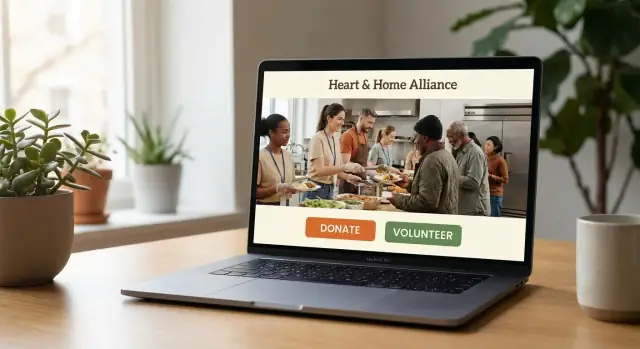
Start With Clear Goals and Key Actions
A nonprofit website has three jobs: explain what you do, earn trust quickly, and make it easy to take the next step. If any one of those is unclear, visitors hesitate—and hesitation is where donations and volunteer signups get lost.
Decide what “success” means on your site
Start by choosing primary goals you can measure. Common ones include donating, volunteering, registering for an event, or subscribing to updates. Trying to push all of them equally on every page usually creates decision overload.
Pick one primary goal (your main “north star”) and one secondary goal. For example:
- Primary: Donate
- Secondary: Volunteer (or Subscribe)
This doesn’t mean you ignore other actions—it means you design the site so the most important actions are obvious and friction-free.
Map your top visitor types
Different people arrive with different questions. Identify your top audiences and what they need first:
- Donors: impact, credibility, how funds are used, easy giving options
- Volunteers: time expectations, roles, location/schedule, quick signup
- Partners/funders: program outcomes, leadership, reports, contact path
- Media: mission summary, stats, spokespeople, press resources
Once you know who you’re speaking to, you can write clearer page intros, choose better navigation labels, and place calls to action where they match intent.
Choose 1–2 primary CTAs (and stick to them)
Limit your site-wide calls to action to one or two consistent buttons (for example, Donate and Volunteer). Repeat them in predictable spots—top navigation, end of key pages, and within relevant sections—without turning every paragraph into a pitch.
A focused set of actions makes your message feel confident, and it helps visitors act without thinking twice.
Homepage Structure That Guides Visitors
Your homepage has one job: help a first-time visitor quickly answer “Who are you, what do you do, and what should I do next?” When that path is clear, donations and volunteer signups follow naturally.
Above-the-fold essentials (no scrolling required)
Treat the top of the page like a decision moment. Include a plain-language mission statement, a single impact line, and one primary call to action.
For example:
- Mission statement: what you do and for whom
- Impact line: one credible result (“Provided 12,400 meals last year”)
- Primary CTA: one button that matches your main goal (often Donate linking to /donate)
Keep the button label specific (“Donate now,” “Become a volunteer”) and avoid making visitors choose between five options before they understand your work.
Navigation that matches intent
Most visitors arrive with a simple goal. Your navigation should reflect that, with predictable labels and a clear hierarchy:
- Donate
- Volunteer
- About
- Programs (or “What we do”)
- Contact
If you have multiple programs, use a dropdown for Programs—but keep it short. The more scanning people have to do, the more likely they are to leave.
Homepage blocks that earn attention
After the hero section, add a few “proof and pathway” blocks that build understanding and invite action:
- Impact stats (2–4 numbers max, with context)
- A short story (one person/community, one challenge, one result)
- Ways to help (Donate, Volunteer, Fundraise, Attend—only if each is supported elsewhere)
Each block should end with a clear next step, like “See our programs” or “Volunteer this month.”
Make secondary actions easy (without stealing focus)
Not everyone is ready to donate today. Offer lighter commitments in quieter areas (footer or a mid-page band): newsletter signup, upcoming events, and social links. These should be easy to find, but never compete with your primary CTA.
Mission Storytelling That Feels Real
People give and volunteer when they quickly understand two things: what’s broken, and how your organization fixes it in a practical way. The best mission stories feel human because they’re specific, not grand.
Use a simple story arc (and keep it skimmable)
A clear arc helps visitors stay oriented—especially on mobile.
- The problem: What is happening, to whom, and where?
- Your approach: What you do that addresses the problem (programs, services, advocacy).
- Results: What changed, and what that change looks like in real life.
- How to help: A direct next step: donate, volunteer, share, attend.
If your “how to help” appears only at the end, add a small callout midway through the story with a button to /donate or /volunteer.
Write like you speak (not like a grant application)
Avoid internal jargon and acronyms. Instead of “wraparound services,” say “we provide tutoring, meals, and rides to appointments.” If you must use a term, define it in one short sentence.
Balance emotion with specifics
Emotion earns attention; specifics earn trust. Include numbers that a non-expert can understand:
“Last year, our team helped 312 families in East Denver keep their housing, and 68% avoided eviction after three months.”
Even better: tie metrics to one concrete moment (a safe night, a first paycheck, a clean water source).
Add real voices (with consent)
A short quote makes the page feel lived-in:
“I didn’t need a lecture—I needed someone to show up. They did.” —Volunteer, community pantry
Keep quotes brief, confirm consent, and avoid details that could identify someone in a harmful way. If you want to go deeper, link to /impact for full stories and outcomes.
Donation Page UX That Increases Completions
A donation page should feel like a straight path, not a maze. The best-performing pages remove decisions and distractions so supporters can act on the motivation they already have.
Keep the flow short (and obvious)
Aim for a simple sequence: amount → details → payment → confirmation. Avoid sending people to multiple pages unless you truly need to. If you must break it up, show a clear progress indicator so donors know how close they are to finishing.
Make choosing an amount easy
Use a handful of preset amounts plus a custom option. Donors shouldn’t have to guess what “helps.” Add one short line under each preset to explain the impact (keep it concrete):
- $25 — provides supplies for one tutoring session
- $50 — covers a week of meals for a family
- $100 — funds outreach for a full day
This kind of guidance increases confidence and reduces hesitation.
Promote monthly giving without pressure
Give donors an easy way to switch between one-time and monthly. Explain the benefit in plain language: monthly gifts help you plan, respond faster, and spend less time fundraising.
Also make it safe to say “yes” by setting expectations: monthly donors can change or cancel anytime. If you have a donor portal, link it on the confirmation page (e.g., “Manage your gift at /donate/manage”).
Use the thank-you page to build momentum
Don’t stop at “Thanks!” Your confirmation page is a high-trust moment. Offer one or two next steps:
- Share the campaign
- Subscribe for updates
- Join a volunteer shift (/volunteer)
Keep it focused—one primary action is better than a menu of options.
Build Donor Trust With Proof and Transparency
People give when they feel confident their support will be handled responsibly—and when they can quickly understand what changes because of it. Your website should make that confidence easy to earn, without sounding defensive.
Trust indicators visitors look for
Add clear, skimmable signals that your nonprofit is real, accountable, and stable:
- Financial transparency: link to your latest annual report, Form 990 (if applicable), and a simple “where the money goes” breakdown.
- Leadership and governance: list board members and senior staff with names, roles, and brief bios.
- Partners and funders: include recognizable partners (with permission) and short context about the collaboration.
Keep these items easy to find from your donation flow and footer. A good pattern is a “Financials & Accountability” page linked site-wide (e.g., /about/financials).
Show proof of real-world impact
Trust grows when impact is specific and recent. Highlight outcomes from the last 3–6 months: meals served, students supported, shelters funded, acres restored—whatever matches your mission. Add one short story or quote from a beneficiary or volunteer, plus a date, so it feels current.
If you have longer documentation, pull 2–3 highlights onto the site and link to the full report (e.g., /reports/2024-annual-report).
Explain how funds are used—simply
Use plain language like: “$50 provides X” and “Most donations support Y.” Include a short note on overhead that focuses on why it matters (staff, compliance, safety), rather than apologizing for it.
Make it easy to reach a real person
Place contact details near donation CTAs: an email, phone number, and a named point of contact (e.g., “Questions about giving? Contact Maya, Donor Support”). A human name and response promise (“We reply in 1–2 business days”) reduces hesitation right at the moment of giving.
Volunteer Signups That Don’t Lose People
A volunteer page should answer one question immediately: “Is this for me?” If visitors have to hunt for basics—time commitment, location, and what they’ll actually do—you’ll lose motivated people who simply need clarity.
Lead with a clear promise
Start with a short, specific promise that sets expectations. Include:
- What volunteers do (typical tasks and impact)
- Time needed (per shift, per week, and minimum commitment if any)
- Where it happens (address, neighborhood, remote options)
- Who can join (age limits, skills, background checks, language needs)
A single paragraph plus a simple “Next orientation date” line can remove most uncertainty.
Use role cards to help people self-select
Instead of one generic “Volunteer” button, create role cards that make choosing easy. Each card should include: role name, time commitment, location, requirements (e.g., lifting, driver’s license, training), and a “Good for…” line (students, families, corporate groups).
Keep the benefit real and practical: “Meet others in your neighborhood,” “Earn service hours,” or “Training provided.” Avoid vague feel-good copy.
Short form first, details later
Your initial signup form should feel light—people are still deciding. Ask only what you need to make the next step happen:
- Name
- Email or phone
- Preferred role(s)
- Availability (simple dropdowns)
Collect everything else (emergency contact, t-shirt size, references) after they’ve raised their hand—via a follow-up link or a volunteer portal. If you have multiple programs, offer a single “I’m not sure—help me choose” option.
Confirm instantly and explain the next step
After submission, don’t leave people guessing. Show a confirmation page and send an automatic email that includes what happens next, your timeline (“We reply within 2 business days”), and how to prepare (what to bring, parking, dress code, required documents). Link to /volunteer/faq for common questions and reduce back-and-forth.
Mobile, Accessibility, and Inclusive Design
A nonprofit website should work for everyone who needs it—donors making a quick gift on their phone, volunteers signing up between shifts, and community members using assistive technology. When your site is easier to use, more people finish what they started.
Mobile-first: design for thumbs and short attention
Most visitors will meet your nonprofit on a small screen. Make the experience feel effortless:
- Use large, tap-friendly buttons for primary actions like Donate, Volunteer, and Get Help.
- Keep text readable (comfortable font size, generous line spacing), and avoid long blocks of copy.
- Prioritize speed: compress images, limit heavy animations, and reduce unnecessary pop-ups—especially on donation and signup paths.
A practical rule: if someone can’t complete your main action with one hand, on a slow connection, you’re likely losing conversions.
Accessibility basics that prevent drop-offs
Accessibility isn’t just compliance—it’s good UX.
Start with fundamentals that improve usability for everyone:
- Write descriptive alt text for meaningful images (and mark decorative ones as decorative).
- Maintain strong color contrast so links, buttons, and form text are easy to read.
- Ensure full keyboard navigation: users should be able to reach menus, buttons, and form fields without a mouse, with a clear focus state.
These changes also reduce friction for older supporters, people using cracked screens, or anyone in poor lighting.
Forms: make them accessible and forgiving
Donation and volunteer forms are where good intentions can fail.
- Use visible labels (not only placeholder text) so fields remain clear as people type.
- Provide helpful error messages that explain how to fix the issue (e.g., “Please enter a 5-digit ZIP code”).
- Avoid tiny checkboxes and tightly packed fields; spacing is part of accessibility.
If you need consent or preferences, keep them readable and optional where possible—don’t bury important choices in cramped UI.
Inclusive design: language options and content clarity
If you serve multilingual communities, adding language options can be one of the highest-impact improvements you make. Even a small start—translating core paths like Donate, Volunteer, Get Help, and Contact—can increase completions and reduce support requests.
Also consider inclusive content basics: use plain language, explain acronyms, and write button text that matches the outcome (for example, “Donate $25 monthly” instead of “Submit”).
SEO and Content That Helps People Find You
SEO for a nonprofit isn’t about gaming search engines—it’s about making it easy for the right people to discover your programs and take action. Start by optimizing the core pages that most visitors (and searchers) look for: About, Programs, Donate, Volunteer, and Contact. Each should answer “what you do, who you serve, where you work, and how to help” in plain language.
Use titles and headings people actually search for
Write descriptive page titles and headings based on real questions. For example:
- “Volunteer with our food pantry in Austin” is clearer than “Get Involved”
- “Donate to support after-school tutoring” is clearer than “Give”
Match each page to one main topic, and use headings to break up the page so readers (and search engines) understand it quickly.
Build local visibility (when it applies)
If you serve specific areas, say so consistently across the site. Mention your service areas, neighborhoods, and cities on your Programs and Volunteer pages, and include details about local partners and events. This helps you show up when someone searches “volunteer near me” or “donate to [cause] in [city].”
Add an FAQ that reduces support emails
An FAQ section can do double duty: it ranks for common searches and prevents repetitive questions. Place a short FAQ on your Donate and Volunteer pages covering topics like donation receipts, recurring donations, time commitments, age requirements, background checks, and what happens after someone submits a form.
If you’re updating content regularly, publish simple stories tied to specific programs (not vague announcements) and link them back to /donate or /volunteer with a clear nonprofit call to action.
Analytics: Track Donations and Volunteer Conversions
A nonprofit website can “feel” busy and still underperform. Analytics helps you see where people get stuck, what content builds confidence, and which updates actually increase donations and volunteer signups.
Measure the funnel (not just traffic)
Start by mapping a simple path and checking drop-offs at each step:
- Homepage → Donate/Volunteer page
- Donate/Volunteer page → Form started
- Form started → Completion
If many visitors reach the donation page but few start the form, your call to action may be unclear or the page may raise questions. If many start but don’t finish, the form is likely too long, confusing, or distracting.
Track the right events
Pageviews alone won’t tell you what’s working. Set up event tracking for key actions, such as:
- Donation form start
- Donation completion (and recurring vs. one-time)
- Volunteer form submit
- Newsletter signup
- Clicks on primary CTAs (e.g., “Donate,” “Become a Volunteer”)
Also add basic context to events when possible (device type, campaign source, suggested amount clicked). That makes your reports more useful than a single overall conversion rate.
Use simple dashboards and review monthly
Create a small dashboard your whole team can understand: donations completed, volunteer signups, conversion rates, and top sources (email, organic search, social). Review it monthly in a 30-minute meeting and pick one improvement to ship before the next review.
Run small tests without overthinking
Instead of major redesigns, test one change at a time:
- CTA text (“Donate now” vs. “Give today”)
- Suggested amounts and default selection
- Page layout (story above the form vs. below)
Keep a note of what you changed and the date, so you can connect results to actions.
Security, Privacy, and Safe Payments
People hesitate to donate (or sign up) if something feels off—even if your cause is compelling. Good security and privacy practices don’t just reduce risk; they quietly increase confidence and completions.
Protect forms without adding friction
Donation and volunteer forms are magnets for bots. Use lightweight protections that don’t punish real supporters:
- Invisible or low-friction anti-spam tools (honeypot fields, rate limiting, “time to complete” checks)
- CAPTCHA only when suspicious behavior is detected
- Email verification for high-abuse volunteer forms (optional, not always required)
The goal is to stop abuse while keeping the form fast and calm.
Keep your site up to date and locked down
Many nonprofit sites run on WordPress or similar platforms—great for flexibility, but only if maintained.
- Apply core, theme, and plugin updates on a schedule
- Remove unused plugins and old user accounts
- Require strong passwords and enable multi-factor authentication for admins
- Limit admin access by role (only give the permissions people actually need)
A compromised site can damage trust quickly, even if no donor data is stolen.
Explain privacy in plain language
Create a clear /privacy page and link it near forms. Spell out:
- What data you collect (name, email, donation amount, etc.)
- Why you collect it (receipts, updates, tax documentation)
- Who you share it with (payment processors, email tools)
- How supporters can opt out or request deletion
Avoid legal jargon where possible; clarity feels respectful.
Use HTTPS and trusted payment providers
Always serve your site over HTTPS. For payments, use reputable processors (e.g., Stripe, PayPal, Donorbox) so you’re not storing card details yourself.
On /donate, show subtle trust cues: secure checkout messaging, processor logos, and a brief note about how payments are handled. Keep it factual—security is most convincing when it’s simple and specific.
Integrations and Workflows That Save Staff Time
A nonprofit website shouldn’t just look good—it should reduce the behind-the-scenes busywork that slows down fundraising and volunteer coordination. The best time-savers are often simple: connect the tools you already use, then standardize how content and campaigns get published.
High-impact integrations to prioritize
Start with the systems that touch donors and volunteers most often:
- Email marketing (welcome series, newsletters, lapsed-donor reminders)
- CRM (constituent records, segmentation, notes, giving history)
- Event tools (ticketing, RSVPs, check-in, post-event emails)
- Donation platform (one-time and recurring donations, refund workflows, reporting)
When these tools are connected, your website becomes more than a brochure—it becomes a reliable intake system.
If you’re building or modernizing that intake system with limited developer time, a platform like Koder.ai can help you prototype and ship donor and volunteer flows faster via a chat-based build process—then export the source code and keep full control of hosting, custom domains, and future iterations.
Automations that eliminate repetitive admin
Automate the “every time someone…” tasks:
- Donation receipts sent instantly (and compliant with your local requirements)
- Recurring donation confirmations and card-expiration reminders
- Volunteer follow-ups: confirmation email, next steps, calendar invite, and a “we’ll contact you by” message
- Internal notifications to the right staff member based on program or location
These workflows reduce errors, speed up response times, and improve conversion without adding more staff.
Content ownership and reusable templates
Decide who owns ongoing updates before launch:
- Who updates impact stats, program pages, and urgent banners?
- Who publishes stories and approves photos/quotes?
- How often are donor trust signals (financials, reports, partner logos) refreshed?
Create lightweight page templates for campaigns—Giving Tuesday, disaster response, seasonal drives—so staff can swap copy, imagery, and a nonprofit call to action in minutes rather than rebuilding pages from scratch.
Launch Checklist and Ongoing Maintenance
A nonprofit website isn’t “done” when it goes live. Launch is the moment you start learning what supporters need—and keeping the site fast, accurate, and trustworthy.
Navigation and homepage links (make it obvious)
Before launch, confirm your top navigation and homepage point people to the few actions that matter most.
Your top nav should link directly to key pages (no hunting): Donate, Volunteer, About, and Contact. If you have program pages, keep them grouped and scannable.
On the homepage, add clear, repeated paths to the same priorities—especially the donation flow and volunteer signup form.
Simple site map + launch content checklist
Create a one-page site map you can share internally (and use for QA). Example:
- Home
- /donate
- /volunteer
- /about
- /programs (and key program pages)
- /contact
- /privacy-policy
- /terms (if needed)
Then run a content checklist:
- All CTAs go to the right destination (buttons, header, footer)
- Forms submit successfully and send confirmation emails
- Donation thank-you page exists (and matches your tone)
- Copy is current (dates, staff names, addresses, event info)
- SEO basics are present (page titles, descriptions, readable URLs)
Quick pre-launch checklist (the “supporter experience” test)
Do a five-minute test on desktop and mobile:
- Clear CTAs: Donate and Volunteer are visible without scrolling
- Fast pages: key pages load quickly on cellular data
- Trust signals: real photos, impact proof, and clear policies are easy to find
- Working forms: test Donate, Volunteer, and Contact end-to-end
Ongoing maintenance plan (lightweight but consistent)
Set a simple schedule so the site stays secure and believable:
- Backups: automated daily or weekly backups (and a monthly restore test)
- Updates: monthly CMS/plugin/theme updates (or more often if security fixes)
- Content refresh: review homepage and donation page quarterly; update impact stats, testimonials, and program info
- Broken-link checks: quarterly scan for 404s and outdated external links
If staff time is limited, put these dates on a shared calendar and assign an owner. Consistency beats perfection—and it protects donations, volunteer signups, and trust.
FAQ
How do I decide what the main goal of our nonprofit website should be?
Start by choosing one primary goal (your “north star”) and one secondary goal.
- Primary examples: Donate, Volunteer, Register
- Secondary examples: Subscribe, Attend an event
Design every key page so the primary action is the easiest, most obvious next step, and push other actions to quieter placements (mid-page or footer).
What visitor types should we design the site around?
Use a simple “who is this for?” map and write content that answers their first questions.
- Donors: impact, credibility, how funds are used, easy payment options
- Volunteers: roles, time commitment, location/schedule, quick signup
- Partners/funders: outcomes, leadership, reports, clear contact path
- Media: mission summary, stats, spokesperson, press resources
Then mirror those needs in navigation labels and page intros.
How many calls to action (CTAs) should we use across the site?
Pick 1–2 CTAs and repeat them consistently so visitors don’t have to re-learn your site.
Good patterns:
- Keep Donate and Volunteer in the top navigation
- Add the primary CTA at the end of key pages
- Use contextual CTAs inside relevant sections (without turning every paragraph into a pitch)
Consistency reduces decision fatigue and improves conversions.
What should our homepage include before someone scrolls?
Above the fold, answer three questions fast: who you are, what you do, what to do next.
Include:
- A plain-language mission statement
- One credible impact line (a specific, recent number)
- One primary CTA button (often linking to
/donate)
Avoid offering five competing options before people understand your work.
What navigation labels work best for nonprofit websites?
Use predictable, intent-based labels and keep the list short.
A common structure:
- Donate
- Volunteer
- About
- Programs (with a short dropdown if needed)
- Contact
If visitors must scan or guess where information lives, they leave—especially on mobile.
How do we tell our mission story without sounding vague or overly emotional?
Use a simple arc and keep it skimmable:
- The problem: what’s happening, to whom, where
- Your approach: what you do (programs, services, advocacy)
- Results: what changed, with specific outcomes
- How to help: a direct next step (Donate, Volunteer, Share)
If the “how to help” is only at the end, add a small mid-story callout that links to /donate or /volunteer.
What makes a donation page convert better?
Aim for a straight path: amount → details → payment → confirmation.
To increase completions:
- Offer a few preset amounts plus a custom option
- Add one concrete impact line under each amount (what it funds)
- Minimize distractions (no extra menus, pop-ups, or unrelated asks)
If you must split steps, add a progress indicator so donors know how close they are to finishing.
How should we promote recurring (monthly) donations?
Make monthly giving easy, optional, and low-risk.
- Provide a clear toggle: one-time vs monthly
- Explain the benefit in plain language (planning, faster response, less fundraising overhead)
- Reduce fear: “Change or cancel anytime”
If you offer self-service, link it on the confirmation page (e.g., /donate/manage).
What trust signals do donors look for on a nonprofit website?
Add quick, skimmable proof and transparency near the donation flow and in the footer.
Include:
- Annual report and/or Form 990 (if applicable)
- A simple “where the money goes” breakdown
- Board and leadership names with roles
- Recognizable partners (with permission)
- A clear contact option with a real name and response timeline
A dedicated page like /about/financials helps supporters verify credibility fast.
How do we improve volunteer signups and reduce drop-offs?
Remove uncertainty quickly and keep the initial step lightweight.
Best practices:
- Lead with basics: tasks, time per shift, location, requirements
- Use role cards so people can self-select (role, time, location, “good for…”)
- Ask only what you need on the first form (name + contact + availability)
- Confirm instantly with a next-steps page and an auto-email (timeline, what to bring)
Link common answers on a dedicated page like /volunteer/faq to reduce back-and-forth.