

Nuxt vs Next: Choosing the Right Framework for Web Apps
Compare Nuxt and Next for SEO, rendering options, performance, team skills, and hosting. Use this guide to choose the best fit for your web app.
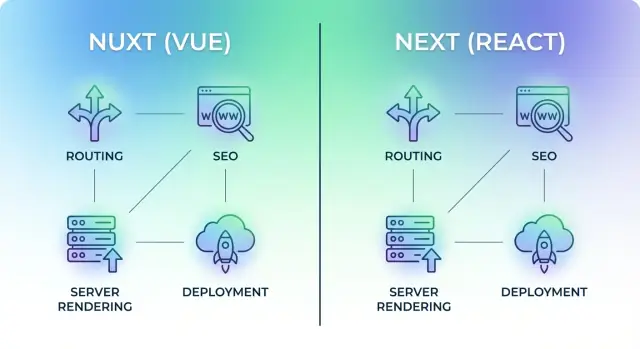
Nuxt vs Next: What You’re Really Choosing
Nuxt and Next are frameworks for building web applications with JavaScript. Nuxt is built around Vue, and Next.js is built around React. If you already know Vue or React, treat these frameworks as the “app-making toolkit” on top: they standardize routing, pages, data loading, rendering, and deployment conventions so you don’t have to stitch everything together yourself.
This isn’t about crowning a universal winner. It’s about picking the best fit for your product, team, and constraints. Nuxt and Next can both ship fast, SEO-friendly sites and complex apps—where they differ is default patterns, ecosystem gravity, and how your project evolves over time.
What we’ll compare
To make the choice practical, we’ll focus on the areas that decide real projects:
- SEO and rendering: how each framework helps you get indexable pages and fast initial loads
- Rendering options: SSR, SSG, and hybrid approaches (and when each matters)
- Performance in production: caching, bundling, and what affects real-user speed
- Team fit and developer experience: learning curve, conventions, and hiring reality
- Hosting and deployment: where it’s easiest to run, what costs can look like, and operational overhead
- Ecosystem and maintainability: libraries, integrations, and how upgrades feel
What “web application” means here
When we say “web application,” we’re not only talking about a marketing website. We mean a product that often includes a mix of:
- public pages (home, pricing, docs)
- authenticated areas (login, account settings)
- dashboards and data-heavy screens
- forms, payments, and integrations
- role-based access, analytics, and ongoing feature releases
That blend—SEO-sensitive pages plus app-like screens—is exactly where Nuxt vs Next becomes a meaningful decision.
Quick Take: Which One Fits Your Project?
If you want the shortest path to a good decision, start from what your team already ships confidently and what your app needs most. Nuxt is the opinionated, Vue-first route; Next is the default choice for React teams and a common standard in many organizations.
When Nuxt is a strong choice
Pick Nuxt when you’re building Nuxt web applications with a Vue team that values conventions and a “batteries-included” feel. Nuxt tends to shine for content-heavy sites, marketing pages attached to apps, and products where you want straightforward SSR/SSG options without assembling many third-party pieces.
When Next is a strong choice
Pick Next.js when you’re building Next.js web applications with React—especially if you expect to hire React developers, integrate with React-heavy tooling, or lean on the broader React ecosystem. Next is a strong fit for teams that want flexibility in architecture, a wide range of UI and state libraries, and lots of production-tested examples from other companies.
If you already use Vue/React, start here
- Already shipping Vue? Start with Nuxt.
- Already shipping React? Start with Next.
- Mixed stack or undecided? Choose the framework that matches your design system, existing components, and hiring pipeline. Rewriting UI is usually the real cost—not the router.
The biggest decision drivers (quick checklist)
- Team skills and hiring: Vue-leaning team → Nuxt; React-leaning team → Next.
- Rendering needs: If your priority is an easy SSR and SSG comparison with clear patterns, both work—choose the one your team can implement consistently.
- SEO for web apps: Pages that must rank and load fast benefit from SSR/SSG (either framework), but execution matters more than the logo.
- Ecosystem dependencies: If key libraries or UI kits are React-only, Next wins; if your stack is Vue-first, Nuxt wins.
- Hosting constraints: Your target platform and edge/serverless requirements can influence hosting Nuxt vs Next—confirm before committing.
Rendering Options and SEO Basics (SSR, SSG, Hybrid)
Rendering is simply when your page becomes real HTML: on the server, at build time, or in the browser. That choice affects both SEO and how fast the site feels.
SSR (Server-Side Rendering)
With SSR, the server generates HTML for each request. Search engines can read the content immediately, and users see meaningful page content sooner—especially on slower devices.
- Next.js: SSR via
getServerSideProps(Pages Router) or server components/route handlers (App Router). - Nuxt: SSR is a default-friendly mode, with server data-fetching patterns like
useAsyncData.
Pitfall: SSR can be expensive at scale. If every request is personalized (currency, location, logged-in state), caching becomes harder, and server load grows.
SSG (Static Site Generation)
SSG builds HTML ahead of time and serves it from a CDN. That usually wins on perceived speed and reliability, and SEO is typically great because the HTML is already there.
- Next.js:
getStaticProps(and related patterns). - Nuxt:
nuxt generateand static-friendly routes.
Pitfall: truly dynamic pages (inventory, prices, user dashboards) can go stale. You’ll need rebuilds, incremental regeneration, or a hybrid approach.
Hybrid (Mix per page)
Most real apps are hybrid: marketing pages are static, product pages might be static with periodic refresh, and account pages are server-rendered or client-only.
Both Nuxt and Next support per-route/per-page strategies, so you can choose what fits each screen instead of picking one global mode.
SEO + speed: what to watch for
- Client-only rendering can hide content from crawlers and delays meaningful HTML.
- Personalization often breaks caching—consider edge caching with careful variation keys.
- Data waterfalls (many sequential requests) hurt speed; batch or parallelize fetching.
If SEO matters, favor SSR/SSG for indexable pages and reserve client-only rendering for truly private or highly interactive views.
Routing and Data Fetching for Real Web Apps
Routing and data fetching are where “demo apps” become real products: you need clean URLs, predictable loading behavior, and a safe way to read and write data.
Routing: file-based, but with different conventions
Both Nuxt and Next use file-based routing: you create a file, you get a route.
In Next.js, routes typically live in app/ (App Router) or pages/ (Pages Router). The folder structure defines URLs, and you add special files for layouts, loading states, and errors. Dynamic routes (like /products/[id]) are handled by bracket conventions.
In Nuxt, routing is built around the pages/ directory. The conventions are straightforward, nested folders naturally create nested routes, and route middleware is a first-class concept for guarding pages.
Data loading: where it’s fetched and when it runs
At a high level, the question is: does the data load on the server before HTML is sent, in the browser after the page loads, or a mix of both?
- Next.js often encourages server-first loading (especially with the App Router), with client fetching reserved for interactive updates.
- Nuxt commonly uses framework helpers (like
useFetch) to load data during server rendering and then keep it in sync on the client.
The practical takeaway: both can deliver SEO-friendly pages, but you’ll want your team to align on a consistent pattern for “initial load” vs “live updates.”
Forms, mutations, and protected pages
For saving data (forms, settings screens, checkout steps), both frameworks usually pair UI pages with a backend endpoint: Next.js Route Handlers/API routes or Nuxt server routes. The page submits, the endpoint validates, and then you redirect or refresh data.
For authentication, common patterns include protecting routes via middleware, checking sessions server-side before rendering, and enforcing authorization again in the API/server route. This double-check prevents “hidden pages” from becoming “public data.”
Performance: What Matters in Production
“Performance” isn’t one number. In production, Nuxt and Next apps speed up (or slow down) for largely the same reasons: how fast your server responds, how much work the browser has to do, and how well you cache.
1) Server time: how quickly the first HTML shows up
If you use SSR, your server must render pages on demand—so cold starts, database calls, and API latency matter.
Practical moves that help in both Nuxt and Next:
- Cache expensive API responses (even for a few seconds) to smooth out traffic spikes.
- Use CDN caching for public pages, and add caching headers where safe.
- Keep server-side rendering “thin”: fetch only what’s needed for the initial view.
2) Client time: how much JavaScript the browser must run
After the HTML arrives, the browser still needs to download and execute JavaScript. This is where bundle size and code splitting matter.
Typical wins in either framework:
- Lazy-load non-critical UI (modals, carousels, editors).
- Avoid shipping large libraries for small features (date libraries and rich-text editors are common culprits).
- Prefer native browser features when possible (CSS for simple animations, built-in form validation).
3) Caching: the multiplier that makes apps feel instant
Caching isn’t just for images. It can cover HTML (for SSG/ISR-style pages), API responses, and static assets.
- Use a CDN for assets and set long cache lifetimes with cache-busting filenames.
- Cache generated pages when content changes infrequently.
- Consider edge caching for global audiences to reduce distance to users.
Images: often the biggest payload
Image optimization is usually a top-three win. Use responsive images, modern formats (like WebP/AVIF when supported), and avoid oversized “hero” images.
Third-party scripts and analytics: the silent performance tax
Chat widgets, A/B testing, tag managers, and analytics can add significant CPU and network cost.
- Audit third-party scripts regularly; remove what you don’t measure.
- Load scripts after interaction or after the main content is visible.
- Use “lite” embeds for videos/maps until the user clicks.
If you do these basics well, Nuxt vs Next is rarely the deciding factor for real-world speed—your architecture and asset discipline are.
Ecosystem, Libraries, and Long-Term Maintainability
Picking Nuxt vs Next isn’t only about rendering or routing—it’s also about what you’ll be building with for the next few years. The surrounding ecosystem affects hiring, speed of delivery, and how painful upgrades feel.
Ecosystem size and maturity
Next.js sits in the React ecosystem, which is larger overall and has a long history of production use across many company sizes. That often means more third‑party integrations, more examples, and more “someone already solved this” moments.
Nuxt sits in the Vue ecosystem, which is smaller but very cohesive. Many teams like Vue’s conventions and the way Nuxt standardizes app structure, which can reduce decision fatigue and keep projects consistent over time.
UI kits, forms, validation, and state
Both frameworks have strong options, but they differ in defaults and “most common” stacks:
- UI libraries: React teams often choose MUI, Chakra UI, Ant Design, or Tailwind UI patterns. Vue teams commonly use Vuetify, Quasar, Naive UI, Element Plus, or Tailwind.
- Forms and validation: React has popular choices like React Hook Form and Formik, often paired with Zod/Yup. Vue commonly uses VeeValidate and works smoothly with Zod/Yup as well.
- State management: Next.js projects frequently use Redux Toolkit, Zustand, Jotai, or TanStack Query for server-state. Nuxt apps typically lean on Pinia (and Nuxt composables) plus solutions like TanStack Query when needed.
TypeScript and project structure
TypeScript is first-class in both.
- Next.js often feels “bring your own architecture,” so codebases vary more between teams unless you enforce internal standards.
- Nuxt encourages a predictable structure (pages, composables, server routes, modules), which can make onboarding easier and refactors safer.
Docs, community, and staying maintainable
Next.js benefits from huge community momentum, frequent content, and many maintained integrations.
Nuxt’s documentation is generally straightforward, and its module ecosystem often provides “official-ish” solutions for common needs.
For long-term maintainability, favor widely adopted libraries, avoid niche plugins, and plan time for framework upgrades as regular maintenance—not as a once-every-two-years emergency.
Developer Experience and Team Fit
Choosing Nuxt or Next often comes down to how your team likes to work day to day: learning curve, project structure, and how quickly people can ship changes without stepping on each other.
Learning curve: Vue-first vs React-first
If your team is new to both ecosystems, Vue (and Nuxt) tends to feel more guided early on. React (and Next.js) rewards teams who are comfortable thinking in components and JavaScript-first patterns, but the initial “what’s the best way to do this?” phase can take longer because there are more established options.
If you already have React experience, Next.js is usually the fastest path to productivity; likewise Vue teams ramp up quickest with Nuxt.
Conventions vs flexibility
Nuxt leans into conventions (“the Nuxt way” for common tasks). That consistency reduces decision fatigue and makes new projects feel familiar.
Next.js is more flexible. Flexibility can be a strength for experienced teams, but it can also lead to internal standards debates unless you document choices early.
Testing expectations
Both work well with a layered testing approach:
- Unit tests for utilities and business logic
- Component tests for UI behavior
- End-to-end tests for critical user flows
The bigger difference is team discipline: a flexible setup (often in Next.js) may require more upfront agreement on tools and patterns.
Collaboration and onboarding
Predictable code style and folder structure matter as much as framework features.
- Nuxt’s conventions can shorten onboarding time because new hires can often “guess” where things live.
- Next.js onboarding is smooth when you enforce a shared structure, formatting, and naming rules—otherwise two teams can build two different “Next apps” under the same repo.
Hosting and Deployment Choices
Where you host Nuxt or Next often matters as much as which framework you pick—especially once you mix static pages, server rendering, APIs, and previews.
Hosting models you can use
Both frameworks support multiple production shapes:
- Node server (traditional SSR): a single long-running process that renders pages on demand.
- Serverless functions: each request hits an on-demand function (good for spiky traffic, possible added latency).
- Edge runtime: code runs closer to users (best for low-latency personalization and lightweight logic).
- Static hosting (SSG): prebuilt HTML served from a CDN (often cheapest and fastest for content).
Next commonly pairs with serverless/edge-first platforms. Nuxt (via Nitro) is flexible: you can run it as a Node server, deploy serverless/edge presets, or generate static output.
What to consider: cold starts, regions, pricing, caching
Deployment trade-offs show up in real user timing and invoices:
- Cold starts: serverless can add a “first hit” delay after inactivity. If your app needs consistently snappy first-page loads (dashboards, logged-in areas), a Node server or always-warm plan can help.
- Regions: if your users are global, edge or multi-region serverless reduces latency. If most users are in one area, a single region plus CDN caching may be enough.
- Pricing models: static/CDN tends to be simplest. Serverless bills per request and execution time; edge may bill by compute + requests. Check what counts as “render” vs “function” on your provider’s pricing.
- Caching strategy: decide what can be cached at the CDN (public pages) vs what must be dynamic (user-specific). Many apps win by caching HTML for anonymous users and fetching private data client-side.
Typical deployment flow (CI/CD, env vars, previews)
Most teams follow a similar pipeline:
- CI build on every commit (tests + type checks + production build).
- Environment variables per environment (dev/staging/prod) for API keys and endpoints.
- Preview deployments for every pull request so stakeholders can review changes early.
- Observability (logs, error tracking, performance) to catch regressions post-release.
If you want a step-by-step checklist you can adapt, see /blog/deployment-checklist.
Common Use Cases: When Nuxt Wins and When Next Wins
Choosing between Nuxt and Next is rarely about “which is better.” It’s about which one matches your team, your content needs, and how your product will evolve.
When Nuxt tends to win
Nuxt is often a great fit when you want a smooth mix of content and application features, especially if your team is already productive in Vue:
- Content + app in one place: marketing pages, docs, and logged-in flows living side-by-side without feeling bolted on.
- Vue-first teams: easiest reuse of existing components and internal conventions.
- Module-friendly projects: Nuxt modules can speed up common needs like i18n and CMS integrations (depending on your stack).
Example fits: a product site that transitions into an onboarding flow, a “blog + app” where the editorial side matters, or a lightweight marketplace where you value rapid iteration and clean conventions.
When Next tends to win
Next is frequently the default choice when React is the center of gravity and you want maximum compatibility with the React ecosystem:
- React teams and React-heavy orgs: easiest reuse of existing components, patterns, and internal tooling.
- Large ecosystem leverage: UI kits, analytics, experimentation, and enterprise integrations are often React-first.
- Hybrid page strategies: mixing highly dynamic pages (dashboards) with static or cached pages (landing, SEO pages) is a common pattern.
Example fits: SaaS dashboards with lots of client-side interactivity, large marketplaces with many teams contributing, or apps that share code with a React Native front end.
“Both are fine” (and how to decide anyway)
Many projects—blogs, small-to-mid SaaS products, and content-led marketplaces—can succeed on either.
If you’re stuck, decide based on your team’s framework strength (Vue vs React), required integrations, and how many engineers will maintain it. When timelines are tight, the best framework is the one your team can ship confidently this quarter—and still enjoy working in next year.
Migration and Upgrade Considerations
Switching between Nuxt (Vue) and Next (React) is rarely a “swap the framework and ship” task. You’re changing the component model, state management patterns, and often how your team thinks about building UI. Full migrations are feasible—but usually expensive, risky, and slow.
Vue → React (or React → Vue): cost and risk
A cross-framework migration typically involves rewriting most UI code, re-testing every critical flow, and retraining developers. The biggest hidden costs tend to be:
- UI rewrite time (components, forms, validation, styling conventions)
- Behavior mismatches (routing edge cases, hydration issues, client-only widgets)
- SEO regressions (meta tags, canonical URLs, structured data)
- Team productivity dip (new patterns, new libraries, new debugging habits)
If the current app is stable and delivering value, a “because we prefer X” migration often doesn’t pay off.
Incremental migration options (lower risk)
If you have a strong reason to move, consider stepping stones:
- Rewrite by surface area: start with a small set of pages (marketing pages or a single dashboard module).
- Embed or “islands” approach: mount React inside a Vue page (or Vue inside React) for a specific widget. Practical sometimes, but it adds build and routing complexity.
- Split frontends: run two frontends side-by-side (for example,
/appon one stack and/helpor/pricingon another). This reduces coupling but requires careful auth and SEO handling.
What to inventory before you migrate
Before touching code, document:
- Routes and redirects (including edge cases and legacy URLs)
- SEO-critical pages and metadata rules (titles, canonicals, structured data)
- Auth flows (SSO, session/cookie behavior, role-based access)
- API contracts (endpoints, error formats, pagination, caching expectations)
- Build/deploy pipeline, environment variables, and monitoring
A simple decision rule
Migrate only when there’s clear business value—measurable improvements like faster delivery, better hiring pipeline, lower hosting cost, or a required capability you can’t reasonably achieve on the current stack. Otherwise, prioritize upgrades within the same framework (for example, Nuxt 2→3 or staying current with Next versions) to gain performance and security benefits with far less disruption.
Decision Checklist: Pick Nuxt or Next with Confidence
You’ll make a better choice if you treat “Nuxt vs Next” like a product decision, not a framework debate. Use this sequence to move from requirements to a defensible recommendation.
Step-by-step checklist (requirements → constraints → team → hosting)
- Clarify requirements (what must the app do?)
Start with the user experience: public pages vs logged-in product, content-heavy vs app-like flows, and how dynamic the UI needs to be.
- List constraints (what limits you?)
Note deadlines, hiring reality (Vue vs React familiarity), compliance/security needs, and how much you can spend on infrastructure.
- Assess team fit (who will build and maintain it?)
If your team is already strong in Vue, Nuxt accelerates delivery. If your team is React-first, Next reduces friction. Also consider design system and component library alignment.
- Choose hosting and ops (how will it run in production?)
Decide whether you want mostly static output, server rendering, edge rendering, or a mix—and what your platform supports comfortably.
Must-have questions to answer (before you pick)
- SEO: Which pages must be indexable, fast, and shareable (marketing pages, product listings, docs)?
- Auth: Will you need SSO, roles/permissions, invite flows, or session refresh across tabs?
- Personalization: Do pages change per user (recommendations, pricing, locale, A/B tests)?
- Traffic spikes: Can you get sudden surges (launches, campaigns), and do you need edge caching?
- Budgets: What’s your ceiling for hosting + monitoring + build time every month?
Run a prototype spike (1–3 days) and measure
Build one “real” page and one “real” authenticated flow in both (or in the leading candidate). Measure:
- Time to first meaningful page (Core Web Vitals), caching behavior, and build times
- Complexity of data fetching and error handling
- Auth integration effort (middleware, redirects, session storage)
- Deployment steps and observability (logs, tracing, preview environments)
If you’re evaluating Next.js specifically, a fast way to de-risk the decision is to prototype with a chat-driven builder like Koder.ai. It can generate a React-based web app from plain English, wire up a Go + PostgreSQL backend, and let you export source code, deploy, and roll back via snapshots—useful for quickly validating data-loading patterns, auth flows, and deployment assumptions before you commit to a long build.
Reusable recommendation template
Use this internally:
We recommend [Nuxt/Next] because our app requires [SSR/SSG/hybrid] for [SEO pages], supports [auth + personalization], and fits our team’s skills in [Vue/React]. Hosting on [platform] meets our cost and scaling constraints, and our prototype showed [measured wins: performance, build time, implementation effort]. Risks are [top 2 risks] with mitigations [plan].
FAQ
Is there a “default best choice” between Nuxt and Next?
Choose based on what your team can ship confidently now:
- Pick Nuxt if you’re Vue-first and want stronger conventions and a “batteries-included” structure.
- Pick Next.js if you’re React-first, expect to hire React devs, or need maximum access to the React ecosystem.
If you’re undecided, optimize for reusing your existing design system and UI components—UI rewrites are usually the real cost.
Are Nuxt and Next both good for SEO?
Yes—both can be SEO-friendly when you render indexable pages with SSR or SSG.
For SEO-sensitive routes:
- Prefer SSG (fast, cacheable) when content changes infrequently.
- Prefer SSR when content must be fresh per request.
Avoid client-only rendering for pages that must rank, and make sure metadata (title, canonical, structured data) is produced server-side.
When should I use SSR vs SSG in a real web app?
Use SSG for:
- Marketing pages, docs, blog, evergreen product pages
- Pages that can tolerate minutes/hours of staleness
Use SSR for:
- Pages that change per request (pricing by region, inventory, user-specific views)
- Pages where freshness matters more than caching
If you’re not sure, start with SSG for public pages and add SSR only where you can justify the runtime cost.
Can I mix rendering strategies (hybrid) in Nuxt or Next?
Yes. Most apps should be hybrid:
- Public pages: SSG or cached SSR
- Product listings: SSG with periodic refresh / regeneration
- Logged-in dashboard: SSR or client-rendered with secure APIs
Design per-route strategies early so your team doesn’t mix patterns randomly across the codebase.
How do routing conventions differ between Nuxt and Next?
Both are file-based, but conventions differ:
- Next.js: routes in
app/(orpages/), plus special files for layouts/loading/errors and bracket-based dynamic routes like/products/[id]. - Nuxt: routes primarily from
pages/, with straightforward nesting; route middleware is a first-class pattern for guards.
Pick the one whose routing conventions your team will apply consistently.
What’s a good data-fetching strategy for SEO pages vs interactive screens?
The key decision is where initial data loads:
- For SEO pages, fetch on the server during render so HTML contains real content.
- For live updates (filters, polling, optimistic UI), fetch on the client after first paint.
Whichever framework you choose, standardize a team rule like: “server for initial view, client for interactive refresh,” to avoid confusing data waterfalls and duplicated logic.
How should authentication and protected routes be handled?
Treat auth as “guard twice”:
- Before rendering: use middleware/session checks to prevent rendering protected pages.
- In the server/API route: enforce authorization again before returning data.
This prevents “hidden pages” from becoming “public data” and makes SSR safer.
What actually makes a Nuxt/Next app fast in production?
Real-world performance usually depends more on architecture than framework choice:
- Cache expensive server responses (even briefly) to smooth spikes.
- Keep SSR “thin” (fetch only what’s needed for the first view).
- Reduce client JS: lazy-load heavy widgets, avoid oversized libraries.
- Optimize images (responsive sizes, modern formats).
- Audit third-party scripts—they often cost more than your app code.
Measure with real-user metrics (Core Web Vitals) instead of relying on dev-mode impressions.
How do hosting and costs differ for Nuxt vs Next deployments?
Common hosting shapes for both:
- Static/CDN (SSG): cheapest and fastest for content-heavy pages.
- Node SSR: predictable performance, simpler debugging.
- Serverless/edge: good for spiky traffic and global latency, but watch cold starts and per-request pricing.
Before committing, confirm what your provider charges for renders/functions and what can be cached safely at the CDN.
Is it realistic to migrate from Nuxt to Next (or vice versa) later?
A full Nuxt↔Next migration is usually expensive because you’re changing the component model and most UI code.
Lower-risk options:
- Migrate by surface area (start with a small module).
- Split frontends by path (e.g.,
/appvs/pricing) with careful SEO/auth handling.
If your current app works, upgrades within the same ecosystem (e.g., Nuxt 2→3) often deliver most benefits with far less risk.