

How Observability and Slow Query Logs Protect Production
Learn how observability and slow query logs help detect, diagnose, and prevent production outages—plus practical steps to instrument, alert, and tune queries safely.
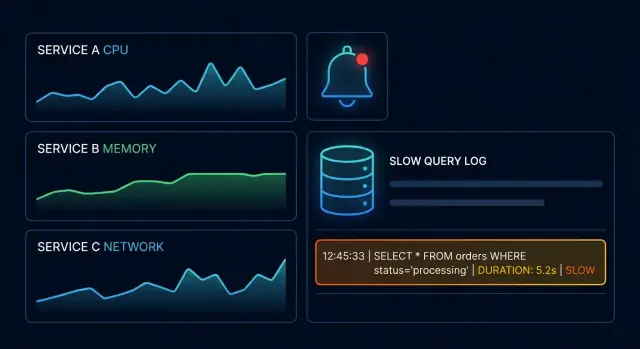
Why production failures are hard to catch early
Production rarely “breaks” in one dramatic moment. More often it degrades quietly: a few requests start timing out, a background job slips behind, CPU creeps up, and customers are the first to notice—because your monitoring still shows “green.”
Failures show up as symptoms, not causes
The user report is usually vague: “It feels slow.” That’s a symptom shared by dozens of root causes—database lock contention, a new query plan, a missing index, a noisy neighbor, a retry storm, or an external dependency that’s intermittently failing.
Without good visibility, teams end up guessing:
- Is the slowdown global or limited to one endpoint?
- Did it start after a deploy, a config change, or a traffic spike?
- Is it the application, the database, or the network in between?
Your dashboards don’t see what users feel
Many teams track averages (average latency, average CPU). Averages hide pain. A small percentage of very slow requests can ruin the experience while overall metrics look fine. And if you only monitor “up/down,” you’ll miss the long period where the system is technically up but practically unusable.
Observability + slow query logs: complementary signals
Observability helps you detect and narrow down where the system is degrading (which service, endpoint, or dependency). Slow query logs help you prove what the database is doing when requests stall (which query, how long it took, and often what kind of work it performed).
This guide stays practical: how to get earlier warning, connect user-facing latency to specific database work, and fix issues safely—without relying on vendor-specific promises.
Observability basics: metrics, logs, and traces
Observability means being able to understand what your system is doing by looking at the signals it produces—without having to guess or “reproduce it locally.” It’s the difference between knowing users are experiencing slowness and being able to pinpoint where the slowness is happening and why it started.
The three pillars (and what each is good for)
Metrics are numbers over time (CPU %, request rate, error rate, database latency). They’re fast to query and great for spotting trends and sudden spikes.
Logs are event records with details (an error message, the SQL text, a user ID, a timeout). They’re best for explaining what happened in human-readable form.
Traces follow a single request as it moves through services and dependencies (API → app → database → cache). They’re ideal for answering where time was spent and which step caused the slowdown.
A useful mental model: metrics tell you something is wrong, traces show you where, and logs tell you what exactly.
The questions good observability should answer
A healthy setup helps you respond to incidents with clear answers:
- What broke? (errors, timeouts, saturation)
- Where? (which endpoint, service, dependency, or query)
- Why now? (a deploy, traffic change, feature flag, data growth)
Monitoring vs. observability (a common mix-up)
Monitoring is usually about predefined checks and alerts (“CPU > 90%”). Observability goes further: it lets you investigate new, unexpected failure modes by slicing and correlating signals (for example, seeing only one customer segment experiencing slow checkouts, tied to a specific database call).
That ability to ask new questions during an incident is what turns raw telemetry into faster, calmer troubleshooting.
What slow query logs are and what they reveal
A slow query log is a focused record of database operations that exceeded a “slow” threshold. Unlike general query logging (which can be overwhelming), it highlights the statements most likely to cause user-visible latency and production incidents.
What a slow query log typically records
Most databases can capture a similar core set of fields:
- The query (often the normalized SQL text)
- Duration (total time spent, sometimes with a breakdown)
- Timestamps (when it started and finished)
- Context such as database/user, host, application name, rows examined/returned, and sometimes the query plan or a plan hash
That context is what turns “this query was slow” into “this query was slow for this service, from this pool of connections, at this exact time,” which is crucial when multiple apps share the same database.
Why slow queries appear
Slow query logs are rarely about “bad SQL” in isolation. They’re signals that the database had to do extra work or got stuck waiting. Common causes include:
- Missing or ineffective indexes, forcing full scans or expensive joins
- Bad execution plans (often triggered by parameter values, outdated statistics, or plan cache behavior)
- Lock waits and contention, where the query is fast when it runs but slow when it waits
- Load spikes, where a query that’s normally fine becomes slow under concurrency or I/O pressure
A helpful mental model: slow query logs capture both work (CPU/I/O heavy queries) and waiting (locks, saturated resources).
Defining “slow”: thresholds and percentiles
A single threshold (for example, “log anything over 500ms”) is simple, but it may miss pain when typical latency is much lower. Consider combining:
- A fixed threshold to catch truly bad outliers
- A percentile-based view (p95/p99) in your monitoring so you notice regressions even when absolute times look “okay”
This keeps the slow query log actionable while your metrics surface trends.
Privacy note: avoid logging sensitive values
Slow query logs can accidentally capture personal data if parameters are inlined (emails, tokens, IDs). Prefer parameterized queries and settings that log query shapes rather than raw values. When you can’t avoid it, add masking/redaction in your log pipeline before storing or sharing logs during incident response.
How slow queries turn into outages and user-visible latency
A slow query rarely stays “just slow.” The typical chain looks like this: user latency → API latency → database pressure → timeouts. The user feels it first as pages that hang or mobile screens that spin. Shortly after, your API metrics show elevated response times, even though the application code didn’t change.
Why database pain looks like an app problem
From the outside, a slow database often appears as “the app is slow” because the API thread is blocked waiting for the query. CPU and memory on the app servers can look normal, yet p95 and p99 latency climb. If you only watch app-level metrics, you may chase the wrong suspect—HTTP handlers, caches, or deployments—while the real bottleneck is a single query plan that regressed.
How slow queries cascade into an outage
Once a query drags, systems try to cope—and those coping mechanisms can amplify the failure:
- Retries from clients or internal services multiply traffic, increasing DB load.
- Connection pool exhaustion happens as requests hold connections longer, forcing new requests to wait.
- Queue buildup forms in job workers and message consumers as throughput drops.
- Timeouts trigger partial failures, which cause more retries and more duplicate work.
A simple scenario
Imagine a checkout endpoint that calls SELECT ... FROM orders WHERE user_id = ? ORDER BY created_at DESC LIMIT 1. After a data growth milestone, the index no longer helps enough, and the query time rises from 20ms to 800ms. Under normal traffic, it’s annoying. Under peak traffic, API requests pile up waiting for DB connections, time out at 2 seconds, and clients retry. Within minutes, a “small” slow query becomes user-visible errors and a full production incident.
The metrics that point to database pain quickly
When a database starts struggling, the first clues usually show up in a small set of metrics. The goal isn’t to track everything—it’s to spot a change fast, then narrow down where it’s coming from.
Start with the golden signals
These four signals help you tell whether you’re seeing a database issue, an application issue, or both:
- Latency: rising p95/p99 request time is often the earliest customer-visible symptom.
- Traffic: a traffic spike can be the cause (more load) or a result (retries and thundering herds).
- Errors: watch for timeouts, 5xx, and database error codes.
- Saturation: a DB can be “up” but saturated—CPU, I/O, connection slots, or lock contention.
Core database metrics to watch
A few DB-specific charts can tell you whether the bottleneck is query execution, concurrency, or storage:
- Query latency distribution (not just average): look for a heavier tail (p95/p99) and growing variance.
- Connections and pool utilization: rising “active” connections, queueing in the pool, or frequent pool exhaustion.
- Locks and wait time: lock wait duration and deadlocks; these often correlate with sudden latency jumps.
- Cache hit rate / buffer cache efficiency: a drop can mean your working set no longer fits, leading to more disk reads.
Service-level metrics that implicate the DB
Pair DB metrics with what the service experiences:
- Request rate and timeouts (including upstream timeouts).
- p95/p99 latency by endpoint: a single endpoint degrading can hint at one query pattern.
- Retry rate: retries can amplify load and hide the original trigger.
Dashboards that answer the right questions
Design dashboards to quickly answer:
- Is this new? Compare to the same time yesterday/last week.
- Is it isolated? One endpoint, one tenant, one node, one AZ?
- Is it growing? Is saturation trending up, and are queues forming?
When these metrics line up—tail latency rising, timeouts increasing, saturation climbing—you have a strong signal to pivot into slow query logs and tracing to pinpoint the exact operation.
Tracing the request path to the exact slow operation
Slow query logs tell you what was slow in the database. Distributed tracing tells you who asked for it, from where, and why it mattered.
Follow the request, not the hunch
With tracing in place, a “database is slow” alert becomes a concrete story: a specific endpoint (or background job) triggered a sequence of calls, one of which spent most of its time waiting on a database operation.
In your APM UI, start from a high-latency trace and look for:
- The route or job name that initiated the request (e.g.,
GET /checkoutorbilling_reconcile_worker). - A database span with unusually high duration or time-to-first-row.
- Whether the slowness is isolated to one request type or spread across many.
Tag spans safely (without leaking SQL)
Full SQL in traces can be risky (PII, secrets, huge payloads). A practical approach is to tag spans with a query name / operation rather than the full statement:
db.operation=SELECTanddb.table=ordersapp.query_name=orders_by_customer_v2feature_flag=checkout_upsell
This keeps traces searchable and safe while still pointing you to the code path.
Correlate everything with IDs
The fastest way to bridge “trace” → “app logs” → “slow query entry” is a shared identifier:
- Propagate a trace ID into application logs.
- If possible, add the trace ID (or request ID) to slow query log context (or to a comment in the query when safe and supported).
Now you can answer the high-value questions quickly:
- Which route or worker is triggering the slow call?
- Is it tied to a specific tenant/customer, region, or plan?
- Did it start after a release or configuration change?
- Is it one expensive query, or a burst of many small queries (N+1)?
Setting up slow query logging without drowning in data
Slow query logs are only useful when they stay readable and actionable. The goal isn’t “log everything forever”—it’s to capture enough detail to explain why queries are slow, without adding noticeable overhead or creating a cost problem.
Pick thresholds that match how your app feels
Start with an absolute threshold that reflects user expectations and your database’s role in the request.
- Absolute examples:
>200msfor OLTP-heavy apps,>500msfor mixed workloads
Then add a relative view so you still see problems when the whole system slows down (and fewer queries cross the hard line).
- Relative examples: “top 100 slowest per minute” or “top 1% slowest statements”
Using both avoids blind spots: absolute thresholds catch “always-bad” queries, while relative thresholds catch regressions during busy periods.
Sample intelligently and capture the context you’ll actually use
Logging every slow statement at peak traffic can hurt performance and generate noise. Prefer sampling (for example, log 10–20% of slow events) and increase sampling temporarily during an incident.
Make sure each event includes context you can act on: duration, rows examined/returned, database/user, application name, and ideally a request or trace ID if available.
Normalize queries so patterns pop out
Raw SQL strings are messy: different IDs and timestamps make identical queries look unique. Use query fingerprinting (normalization) to group similar statements, e.g., WHERE user_id = ?.
This lets you answer: “Which shape of query causes most latency?” instead of chasing one-off examples.
Plan retention around incidents (and cost)
Keep detailed slow query logs long enough to compare “before vs after” during investigations—often 7–30 days is a practical starting point.
If storage is a concern, downsample older data (keep aggregates and top fingerprints) while retaining full-fidelity logs for the most recent window.
Alerts that catch slowdowns before customers do
Alerts should signal “users are about to feel this” and tell you where to look first. The easiest way to do that is to alert on symptoms (what the customer experiences) and causes (what’s driving it), with noise controls so on-call isn’t trained to ignore pages.
Alert on symptoms (user impact)
Start with a small set of high-signal indicators that correlate with customer pain:
- Rising p95/p99 request latency for key endpoints (not just averages)
- Timeout rate (app timeouts and upstream timeouts) and retry rate
- Queue depth / worker saturation (thread pools, connection pools)
- Database lock waits and blocked transactions (a common “everything got slow” precursor)
If you can, scope alerts to “golden paths” (checkout, login, search) so you’re not paging on low-importance routes.
Alert on causes (what to investigate)
Pair symptom alerts with cause-oriented alerts that shorten time to diagnosis:
- Top slow query fingerprints breaching a threshold (e.g., p95 duration or total time consumed)
- Plan changes (sudden shift in rows examined, new full table scans, index not used)
- Error spikes from the database layer (deadlocks, too many connections, query cancellations)
These cause alerts should ideally include the query fingerprint, example parameters (sanitized), and a direct link into the relevant dashboard or trace view.
Reduce noise without missing real incidents
Use:
- Burn-rate alerts against SLOs (fast page for rapid regressions, slow page for sustained degradation)
- Multi-window checks (e.g., 5m and 30m) to avoid flapping
- Deduping and grouping (one incident per service/db + query fingerprint)
Every page should include “what do I do next?”—link a runbook like /blog/incident-runbooks and specify the first three checks (latency panel, slow query list, lock/connection graphs).
A practical incident workflow: from spike to root cause
When latency spikes, the difference between a quick recovery and a long outage is having a repeatable workflow. The goal is to move from “something is slow” to a specific query, endpoint, and change that caused it.
1) Detect → confirm it’s real
Start with the user symptom: higher request latency, timeouts, or error rate.
Confirm with a small set of high-signal indicators: p95/p99 latency, throughput, and database health (CPU, connections, queue/wait time). Avoid chasing single-host anomalies—look for a pattern across the service.
2) Scope → who and what is affected
Narrow the blast radius:
- Which endpoints are slow (top routes by p95)?
- Is it all customers or a subset (tenant, region, plan)?
- Did it start at a clear time boundary (deploy, batch job, traffic shift)?
This scoping step keeps you from optimizing the wrong thing.
3) Isolate → use traces to find the slow operation
Open distributed traces for the slow endpoints and sort by longest duration.
Look for the span that dominates the request: a database call, a lock wait, or repeated queries (N+1 behavior). Correlate traces with context tags such as release version, tenant ID, and endpoint name to see whether the slowdown aligns with a deploy or a specific customer workload.
4) Confirm → tie traces to slow query logs
Now validate the suspected query in slow query logs.
Focus on “fingerprints” (normalized queries) to find the worst offenders by total time and count. Then note the affected tables and predicates (e.g., filters and joins). This is where you often discover a missing index, a new join, or a query plan change.
5) Mitigate → reduce user impact safely
Pick the least risky mitigation first: rollback the release, disable the feature flag, shed load, or increase connection pool limits only if you’re sure it won’t amplify contention. If you must change the query, keep the change small and measurable.
One practical tip if your delivery pipeline supports it: treat “rollback” as a first-class button, not a hero move. Platforms like Koder.ai lean into this with snapshots and rollback workflows, which can reduce time-to-mitigation when a release accidentally introduces a slow query pattern.
6) Document → make the next incident shorter
Capture: what changed, how you detected it, the exact fingerprint, impacted endpoints/tenants, and what fixed it. Turn that into a follow-up: add an alert, a dashboard panel, and a performance guardrail (for example, “no query fingerprint over X ms at p95”).
Fixing slow queries safely in production
When a slow query is already hurting users, the goal is to reduce impact first, then improve performance—without making the incident worse. Observability data (slow query samples, traces, and key DB metrics) tells you which lever is safest to pull.
1) Stabilize with low-risk mitigations
Start with changes that reduce load without changing data behavior:
- Feature flags: Temporarily disable expensive endpoints, reports, search filters, or “recent activity” panels that trigger heavy queries.
- Rate limits / quotas: Throttle the specific route or customer segment shown in traces to generate the most traffic.
- Caching: Add short-lived caching for read-heavy endpoints (even 30–120 seconds can cut DB load dramatically). Prefer request-level or application caching before database-level changes.
- Disable expensive paths: Remove optional JOINs, “order by relevance,” or deep pagination behind a flag.
These mitigations buy time and should show immediate improvement in p95 latency and DB CPU/IO metrics.
2) Database fixes: targeted and testable
Once stabilized, fix the actual query pattern:
- Add an index that matches the query’s filter + sort. Validate with
EXPLAINand confirm reduced rows scanned. - Rewrite the query to limit scanned data (select fewer columns, avoid
SELECT *, add selective predicates, replace correlated subqueries). - Reduce N+1 patterns by batching IDs, adding prefetches, or using a single query with carefully chosen JOINs.
Apply changes gradually and confirm improvements using the same trace/span and slow query signature.
3) Operational mitigations when code changes aren’t immediate
- Increase capacity (read replicas, bigger instance) to stop the bleeding.
- Tune connection pools to prevent queueing and thread exhaustion.
- Adjust timeouts so the system fails fast rather than piling up stuck requests.
Rollback: revert vs. hotfix
Rollback when the change increases errors, lock contention, or load shifts unpredictably. Hotfix when you can isolate the change (one query, one endpoint) and you have clear before/after telemetry to validate a safe improvement.
Preventing repeats with SLOs and performance guardrails
Once you’ve fixed a slow query in production, the real win is making sure the same pattern doesn’t return in a slightly different form. That’s where clear SLOs and a few lightweight guardrails turn one incident into lasting reliability.
Tie SLOs to what users feel
Start with SLIs that map directly to customer experience:
- p95 (and p99) endpoint latency, segmented by key routes and tenants
- Error rate (timeouts, 5xx, and “soft errors” like empty results caused by cancellations)
- Saturation signals that correlate with slowdowns (DB CPU, connection pool wait time)
Set an SLO that reflects acceptable performance, not perfect performance. For example: “p95 checkout latency under 600ms for 99.9% of minutes.” When the SLO is threatened, you have an objective reason to pause risky deploys and focus on performance.
Track regressions by release, not by vibes
Most repeat incidents are regressions. Make them easy to spot by comparing before/after for each release:
- Compare traces for the same endpoint and look for a new span dominating total time.
- Compare slow query fingerprints (normalized query patterns) to detect a new query shape, a missing index, or a sudden jump in rows scanned.
The key is to review changes in distribution (p95/p99), not just averages.
Add performance tests for critical paths
Pick a small set of “must not slow down” endpoints and their critical queries. Add performance checks to CI that fail when latency or query cost crosses a threshold (even a simple baseline + allowed drift). This catches N+1 query bugs, accidental full table scans, and unbounded pagination before they ship.
If you build services quickly (for example, with a chat-driven app builder like Koder.ai, where React frontends, Go backends, and PostgreSQL schemas can be generated and iterated fast), these guardrails matter even more: speed is a feature, but only if you also bake in telemetry (trace IDs, query fingerprinting, and safe logging) from the first iteration.
Create ownership and a review cadence
Make slow-query review someone’s job, not an afterthought:
- Assign an owner per service/database.
- Review slow query reports on a fixed cadence (weekly is enough for many teams).
- Maintain a short backlog: query fingerprint, suspected cause, next action, and expected impact.
With SLOs defining “what good looks like” and guardrails catching drift, performance stops being a recurring emergency and becomes a managed part of delivery.
What to look for in an observability setup for databases
A database-focused observability setup should help you answer two questions fast: “Is the database the bottleneck?” and “Which query (and which caller) caused it?” The best setups make that answer obvious without forcing engineers to grep through raw logs for an hour.
A practical checklist
Required metrics (ideally broken down by instance, cluster, and role/replica):
- Query latency (p50/p95/p99), throughput (QPS), and error rate
- Connection pool usage, active/idle connections, wait time
- Locks: lock wait time, deadlocks, row lock contention
- Resource signals: CPU, memory, disk I/O, cache hit ratio
- Replication lag (if applicable)
Required log fields for slow query logs:
- Timestamp, duration, database/schema, user/role, client/app identifier
- Normalized query or fingerprint, plus a safe way to view the full text when permitted
- Rows examined/returned, query plan hash (if available)
Trace tags to correlate requests to queries:
- service.name, endpoint/route, environment, version
- db.system, db.name, db.statement fingerprint, db.operation
- request_id / trace_id surfaced into logs
Dashboards and alerts you should expect:
- “DB pain” overview: p95 latency + QPS + connection waits + lock waits
- Top N query fingerprints by total time and by p95
- Alert on sustained p95/p99 increase, rising lock waits, and pool saturation (not just CPU)
Questions to ask a tool or vendor
Can it correlate a spike in endpoint latency to a specific query fingerprint and release version? How does it handle sampling so you keep rare, expensive queries? Does it deduplicate noisy statements (fingerprinting) and highlight regressions over time?
Data handling you shouldn’t compromise on
Look for built-in redaction (PII and literals), role-based access control, and clear retention limits for logs and traces. Make sure exporting data to your warehouse/SIEM doesn’t bypass those controls.
If your team is evaluating options, it can help to align requirements early—share a shortlist internally, then involve vendors. If you want a quick comparison or guidance, see /pricing or reach out via /contact.
FAQ
What’s the fastest way to tell if “the app is slow” is actually a database problem?
Start by looking at tail latency (p95/p99) per endpoint, not just averages. Then correlate that with timeouts, retry rates, and database saturation signals (connection waits, lock waits, CPU/I/O).
If those move together, pivot into traces to find the slow span, and then into slow query logs to identify the exact query fingerprint behind it.
Why do average latency and “up/down” monitoring miss real production pain?
Averages hide outliers. A small fraction of very slow requests can make the product feel broken while the mean stays “normal.”
Track:
- p95/p99 latency by endpoint
- latency distributions for database calls
- timeout rate and connection pool wait time
These reveal the long tail users actually experience.
How do observability signals and slow query logs complement each other?
Use them together as “where” + “what.”
- Traces: show which route/job is slow and where time is spent (the slow database span).
- Slow query logs: prove which query was slow, how long it took, and often whether it was heavy work (scans) or waiting (locks).
The combination shortens time-to-root-cause dramatically.
What should a slow query log entry contain to be useful during an incident?
It typically includes:
- Timestamp + duration
- Database/user/app identifier
- Query text or fingerprint (normalized shape)
- Rows examined/returned (if available)
- Sometimes a plan hash/plan info
Prioritize fields that let you answer: Which service triggered it, when, and is this a recurring query pattern?
How do I choose a “slow” threshold for slow query logging?
Pick thresholds based on user experience and your workload.
A practical approach:
- Fixed threshold (e.g., log queries >200–500ms) to catch truly bad outliers.
- Relative threshold (e.g., “top 1% slowest” or “top 100 per minute”) to catch regressions when the whole system slows down.
Keep it actionable; don’t aim to log everything.
How do I avoid drowning in unique SQL statements in slow query logs?
Use query fingerprinting (normalization) so the same query shape groups together even when IDs and timestamps differ.
Example: WHERE user_id = ? instead of WHERE user_id = 12345.
Then rank fingerprints by:
- p95/p99 duration (pain per request)
- total time consumed (impact on the system)
- count (how widespread it is)
How can we use slow query logs without leaking PII or secrets?
Don’t store raw sensitive literals.
Good practices:
- Prefer parameterized queries so logs record shapes, not values.
- Enable settings that log normalized SQL or fingerprints.
- Add redaction/masking in the log pipeline before long-term storage.
- Restrict access with RBAC and set clear retention windows.
This reduces incident-time data exposure risk.
How do slow queries turn into outages (not just slower pages)?
A common cascade is:
- One query gets slower (plan change, missing index, lock wait)
- Requests hold DB connections longer → pool exhaustion
- Timeouts rise → clients/services retry
- Retries amplify load → more contention and slowdowns
Breaking the cycle often means reducing retries, restoring pool availability, and addressing the slow query fingerprint.
What alerts catch database-related slowdowns before customers complain?
Alert on both symptoms and likely causes.
Symptoms (user impact):
- p95/p99 latency on critical endpoints
- timeout rate and retry rate
- queue depth / pool wait time
Causes (investigation starters):
- top slow query fingerprints by p95 or total time
- lock wait spikes / deadlocks
- pool saturation / too many connections
Use multi-window/burn-rate patterns to reduce noise.
What’s a safe workflow for fixing a slow query in production?
Start with low-risk mitigations, then fix the query.
Mitigate quickly:
- rollback/disable feature flags
- rate limit the worst route/tenant
- add short-lived caching
- reduce expensive optional query paths
Then fix:
- add the right index (matching filters + sort)
- rewrite to scan less data
- eliminate N+1 patterns
Validate with the same trace span and slow query fingerprint before/after.