

One-page app spec template for consistent AI-built apps
Use a one-page app spec template to turn a vague idea into clear prompts for Planning Mode, covering users, jobs-to-be-done, entities, and edge cases.
Why Planning Mode matters when your idea is still fuzzy
A fuzzy idea is fine for daydreaming. It’s rough for building.
When you ask an AI builder for “an app for tracking habits” without more detail, it has to guess what you mean. Those guesses change from prompt to prompt, so the app changes too. You end up with screens that don’t match, data that gets renamed mid-build, and features that appear, disappear, then reappear in a different form.
That inconsistency usually shows up in a few places:
- Different assumptions about who the user is (solo user vs team)
- Conflicting workflows (log first, then create vs create first, then log)
- Shifting data names (habit vs routine vs goal)
- Missing edge cases (what happens if a user deletes something)
“Planning Mode” is a simple pause before building. You write down the decisions the AI would otherwise invent. The point is consistency: one set of choices that the UI, backend, and database can follow.
The goal isn’t perfection. It’s a build you can iterate on without constantly patching a pile of guesses. If you change your mind later, you update one small spec and rebuild with the same logic.
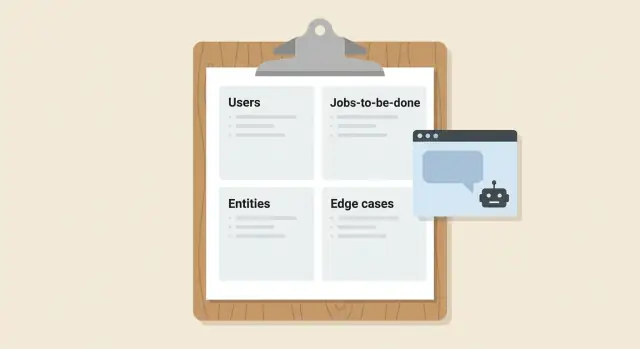
That’s why a one-page app spec template matters. It’s not a long PRD and it’s not weeks of diagrams. It’s one page that answers four things: who the users are, what they’re trying to get done, what data exists (in plain language), and which edge cases or non-goals keep the first version from exploding.
Example: “A booking app” becomes much clearer once you decide whether it’s for a single salon owner or a marketplace, and whether customers can reschedule, cancel, or no-show.
The one-page spec template, explained in one minute
A one-page app spec template is a short note that turns a fuzzy idea into clear instructions. You’re not “designing the whole product.” You’re giving your AI builder enough structure to make the same choices every time.
The page has four blocks. If you can’t fit it on one page, you probably have too many features for a first build.
- Users: who uses it (2-3 types), and what makes them different.
- Jobs-to-be-done: what each user is trying to get done, written as outcomes.
- Entities: the key things you store and track (the data nouns).
- Edge cases + non-goals: what can go wrong, and what you are not building yet.
One page forces useful constraints. It pushes you to pick a primary user, define the smallest successful flow, and avoid vague promises like “support everything.” Those constraints are exactly what keep an AI-built app from changing its mind across screens.
“Good enough” detail looks like simple, testable statements. If someone can read it and ask, “How do we know this works?” you’re at the right level.
A quick bar to aim for:
- A new user can complete the main job in under 2 minutes.
- Each job has a clear start and end (no open-ended “manage stuff”).
- Each entity has 3-7 fields you actually need now.
- Top 5 edge cases are named (duplicates, permissions, empty states, failures, bad input).
Keep the language plain. Write lines you could paste directly into prompts, like “A manager can approve or reject a request, and the requester gets a status update.”
Step-by-step: fill the template in 20 minutes
Set a 20-minute timer and aim for “clear enough to build,” not “perfect.” The point is to remove guesswork so your AI builder makes the same choices every time.
Start with a single sentence that answers: who is it for, and what outcome do they get?
Example: “A mobile app for dog owners to track walks and vet visits in one place.”
If you can’t say it in one sentence, the idea is probably two apps.
Next, name 1 to 3 user types like real people, not abstract roles. “Owner,” “Vet,” and “Family member” is better than “User A.” For each, add one short line about what they care about most.
Then write 3 to 7 jobs-to-be-done in the format: “When [situation], I want to [action], so I can [result].” Keep them testable. “When I finish a walk, I want to log distance and notes, so I can spot patterns” is clearer than “track health.”
Now define your entities and key fields without database talk. Think “things the app remembers.” For the dog app: Dog (name, age), Walk (date, duration, notes), Visit (date, clinic, cost). If a field isn’t used in a screen or a job, leave it out.
Finish with two short blocks: edge cases and non-goals. Edge cases are annoying but common (“no internet,” “two dogs with the same name”). Non-goals are things you will not build yet (“no payments,” “no social feed”).
Finally, convert each block into prompts your builder can follow. Keeping the structure consistent (purpose, users, jobs, entities, edge cases) helps the system generate screens, data, and flows that match.
Users and jobs-to-be-done that an AI can actually follow
If your spec says “for everyone,” an AI builder has to guess what to build first. In a one-page app spec template, define users by intent (what they came to do), not demographics. Intent leads to clear choices about screens, data, and permissions.
Name 2-4 user types, each with a single main goal. Good examples include “Customer placing an order,” “Team member fulfilling orders,” and “Manager reviewing performance.” Vague examples include “18-35,” “busy professionals,” or “admins” (unless you say what they admin).
Write JTBD in a strict format
Use the same sentence structure every time: “When..., I want to..., so I can...”. This keeps the app focused on outcomes, and it gives your AI builder stable, testable requirements.
Here are realistic JTBD examples with “done” clearly defined:
- When I finish a client call, I want to log next steps in one place, so I can follow up on time. Done means: saved note, due date set, reminder scheduled.
- When a new request arrives, I want to approve or reject it quickly, so I can keep work moving. Done means: decision recorded, requester notified, status updated.
- When I am on mobile, I want to see only today’s tasks, so I can act without searching. Done means: tasks filtered to today, one-tap mark complete.
- When I make a mistake, I want to undo the last change, so I can recover without support. Done means: previous state restored, audit note created.
Success criteria matter because they remove “looks good” ambiguity. They tell the builder what the UI must allow and what the backend must store.
Add permissions at a high level
Don’t write a full security plan. Just state who can do what, in plain language.
Example: “Members can create and edit their own items. Managers can edit any item and change status. Owners can manage users and billing.”
If you’re using a planning step in a tool like Koder.ai, these user types, JTBD lines, and permissions become reliable inputs. They also prevent the AI from inventing extra roles or mixing responsibilities across screens.
Entities: define the data without getting technical
Entities are the “things” your app keeps track of. If you name them clearly, your AI builder can create screens, forms, and a database that all match. This is what prevents mismatched fields and random extra features.
Start by listing your core nouns. If the app is for “managing projects,” your nouns might be Project, Task, and Comment. If it’s “booking haircuts,” you might have Booking, Service, Customer, and Staff.
Pick the 5 to 10 fields people actually talk about
For each entity, write fields in everyday words, not database terms. Imagine what a person would type into a form.
- Task: title, description, status, due date, priority, assigned to, created by
- Project: name, goal, start date, end date, owner, archived (yes/no)
- Invoice: invoice number, client name, amount, currency, due date, paid (yes/no)
If you can’t explain a field in one sentence, it’s probably too detailed for the first version.
Relationships and rules in plain language
Describe how entities connect using simple sentences:
“One user can have many projects.” “Each task belongs to one project.” “A comment belongs to a task and has one author.”
This gives the builder enough structure to generate consistent lists, detail pages, and filters.
Add a few data rules that avoid messy behavior:
- Required: “Task title is required.”
- Unique: “Invoice number must be unique.”
- Limits: “Description max 500 characters.”
- Defaults: “New tasks start as status = Open.”
Finally, cut scope by naming what you will not store yet. Example: “No file attachments in v1,” or “Don’t track staff schedules yet, only bookings.” Those exclusions matter because they stop the app from growing in the wrong direction.
Screens and flows: keep it simple and predictable
A one-page app spec template works best when the first version has a small, stable set of screens. If you try to design every screen your app might need someday, your AI builder will keep guessing, and the UI will drift from one build to the next.
Start by naming the minimum screens that let someone finish the main job. For most MVPs, 3 to 6 screens is enough:
- Sign in
- List (your main items)
- Detail (view one item)
- Create/Edit (a form)
- Settings (optional)
Then write the happy path as a short story from start to finish.
Example: “User signs in, lands on the list, searches, opens an item, edits one field, saves, and returns to the list.”
For each screen, note the key actions in plain words. Avoid “do everything” screens. Pick the 2 to 4 actions that matter most, such as create, edit, search, export, or archive.
Also decide what must be fast, and what can be good enough. “Fast” usually means the list opens quickly, search responds quickly, and save feels instant. “Good enough” might be export taking a few seconds, basic analytics, or sparse settings.
Finally, capture roles and access in one line per role:
- Viewer: can view and search
- Editor: can create and edit
- Admin (only if needed): can manage users and delete
This keeps screens predictable, prevents permission surprises, and reduces rewrites later.
Edge cases and non-goals that prevent rewrites
Most rewrites happen for one reason: the app behaves fine in the happy path, then breaks when real life shows up.
A good one-page app spec template makes room for edge cases and non-goals, and that small space saves hours.
Start with each job-to-be-done and ask: what could go wrong? Keep it plain, not technical. You’re removing ambiguity so the builder makes the same decision every time.
Common edge cases worth writing down:
- Missing or incomplete info (empty fields, unknown address, no profile photo)
- Duplicates (same user signs up twice, same item added twice)
- Conflicts (two people edit the same record, status changed while viewing)
- Limits and timeouts (slow connection, upload fails, request takes too long)
- Permission issues (user tries to view or edit something they should not)
Then decide the response. Be specific: “Block the action and show a clear message,” “Allow save as draft,” or “Retry once, then show a button to try again.” These rules translate directly into consistent prompts.
Add privacy and safety expectations in one or two lines. For example: “Collect the minimum data needed,” “Users can delete their account and all personal data,” and “Hide private items by default.” If your app involves user-generated content, note what to do with reports and spam, even if it’s simple in v1.
Finally, write non-goals to stop scope creep. Pick the biggest tempting features you will not do yet.
Examples of clear non-goals:
- No payments or subscriptions in v1
- No social login (email-only for now)
- No admin dashboard beyond basic list and delete
- No offline mode
A quick example: if the job is “Create an event,” define what happens when the date is in the past, the title is blank, or the same event is created twice. That clarity prevents the next rebuild.
Convert the one-page spec into prompts your AI builder can run
The fastest way to get consistent results is to turn each block of your one-page app spec template into a small, direct prompt. Think of it like giving the builder a set of cards it can follow in order, instead of one big, fuzzy request.
Convert each block (Users, Jobs, Entities, Screens, Edge cases, Non-goals) into one instruction with clear nouns and verbs. Avoid opinions like “make it clean” unless you also say what “clean” means.
A simple prompt pattern that works
Use a two-step cycle: build first, then validate against the spec.
- Build: “Create the data model and API for these Entities: [paste Entities]. Support these roles: [paste Users].”
- Build: “Create screens and flows exactly for: [paste Screens/Flows].”
- Validate: “Now check your work against this spec. List any mismatches and fix them: [paste full one-page spec].”
Add a short definition of done so the builder knows when to stop. Keep it measurable:
- All listed roles can complete every job-to-be-done end to end
- Each entity has create, view, edit, and archive (if the spec says so)
- Screens match the named flows, with consistent field labels
- Edge cases are handled with clear messages (no silent failures)
Only add constraints when they truly matter: required devices (mobile-first), required auth (admin-only actions), or a required stack (like React frontend, Go backend, PostgreSQL) if your platform expects it.
Request changes without breaking the plan
When you want edits, reference the spec block, not the code.
Example: “Update the Entities block: add ‘Subscription’ with fields X and Y. Then regenerate only the affected APIs and screens, and re-run the validation step.”
That approach keeps the plan stable while letting you iterate safely.
A realistic example: from idea to Planning Mode prompts
Imagine you want a simple appointment reminder tracker for a small salon. The goal is not a full booking system. It is a lightweight place to store appointments and send reminders.
Here is what a one-page app spec template looks like when it is filled in.
APP: Appointment Reminder Tracker
GOAL: Track appointments and send reminders. No payments, no online booking.

USERS
1) Owner/Staff: creates and manages appointments, wants fewer no-shows.
2) Client: receives reminders, wants an easy way to confirm.

JOBS TO BE DONE (JTBD)
1) As staff, I add an appointment in under 30 seconds.
2) As staff, I see today's schedule in time order.
3) As staff, I mark a client as confirmed or no-show.
4) As staff, I resend a reminder when asked.
5) As a client, I confirm from a message without creating an account.

ENTITIES (DATA)
- Client: id, name, phone, email (optional), notes
- Appointment: id, client_id, service, start_time, duration_min, status (scheduled/confirmed/canceled/no_show)
- Reminder: id, appointment_id, channel (sms/email), send_at, sent_at, result (ok/failed)
- StaffUser: id, name, role (owner/staff)
Relationships: Client 1-to-many Appointment. Appointment 1-to-many Reminder.

EDGE CASES (WHAT BREAKS NAIVE BUILDS)
1) Duplicate client (same phone, different name)
2) Overlapping appointments for the same staff
3) Time zone changes (travel, daylight saving)
4) Client has no email, SMS only
5) Reminder send fails, needs retry and visible status
6) Appointment edited after reminder scheduled
7) Client cancels after confirmation
8) Same-day appointment created 10 minutes before start
9) Phone number format varies (+1, spaces, dashes)
10) Deleting a client with future appointments
Now turn it into a prompt bundle you can paste into Planning Mode app building. Keep it strict so the builder makes the same choices every time.
PLANNING MODE PROMPT BUNDLE
1) Build an MVP web app with these entities and relationships exactly as written.
2) Required screens: Login (StaffUser), Today Schedule, Client List, Client Detail, Appointment Create/Edit.
3) Required flows: create client, create appointment for a client, confirm/cancel/no-show, schedule reminders, resend reminder.
4) Constraints: no payments, no public booking page, no client accounts.
5) Edge-case handling: implement validation and UI feedback for all 10 edge cases listed.
6) Output: database schema, API endpoints, and UI behavior notes per screen.
Common traps that make AI-built apps inconsistent
Messy output usually starts with a fuzzy spec and feature wishlists. An AI builder will do what you ask, but it can’t read your mind. Small gaps turn into big differences across screens and flows.
These traps break consistency most often, and the one-page spec template fixes them:
- Features instead of jobs: “Add favorites” is a feature. A job is “save items to review later.” Jobs include intent and success, so the AI can make sensible choices (where the button goes, what happens after saving, what empty states say).
- Too many entities too early: If you define 12 tables on day one, logic spreads everywhere. Start with the smallest model that can ship. If “Project,” “Task,” “Comment,” “Tag,” and “Attachment” feels big, begin with just “Project” and “Task,” then add the rest once the core flow works.
- Missing permissions: If you never say who can edit or delete, the builder will guess. Write simple rules like “Only the owner can delete,” “Members can create and edit,” and “Viewers can only read.” This also reduces accidental data exposure.
- No clear success criteria: Without a definition of done, you get endless iterations. Add 2 to 4 acceptance checks, like “User can create a task in under 30 seconds” or “Tasks show correctly after refresh.”
- Edge cases without expected behavior: Listing “offline,” “duplicate emails,” or “empty list” isn’t enough. For each, state what the app should do. Example: “If email already exists, show a friendly error and suggest sign-in.”
If you’re using Planning Mode in Koder.ai, these basics matter even more because the plan becomes the source for repeated prompts. Clear jobs, a small data model, explicit permissions, and testable success rules keep each new screen aligned with the rest.
Quick checklist and next steps
Before you build, do a quick pass on your one-page app spec template. The goal is to remove the holes that force an AI build to guess. Those guesses turn into rewrites.
Here’s a fast completeness check:
- Users: each user type has a clear goal and a “who can do what” note (create, view, edit, delete).
- Jobs-to-be-done: each job starts with a trigger and ends with a clear success result you can verify.
- Entities: every noun in the jobs is backed by a data item (even if it’s just a name, status, and timestamps).
- Screens and flows: each job maps to a simple path (start screen, key action, confirmation).
- Edge cases: you wrote down at least 5 things that can go wrong (empty state, invalid input, duplicates, permissions, offline or slow network).
If you want a simple scoring idea, rate each area from 0 to 2:
- 0: missing or vague
- 1: present but unclear
- 2: clear enough to build
Aim for at least 7 out of 10 before you generate anything. If Entities or Edge cases are below 2, fix those first. They cause the most churn.
After the first build, review the app against each job-to-be-done and mark mismatches. Take a snapshot before each change. If a new iteration makes things worse, rollback and try a smaller edit.
If you’re using Koder.ai (koder.ai), Planning Mode is a practical place to keep this one-page spec as the “source of truth” and regenerate only what changed instead of rewriting everything by hand.
Keep the spec updated as you go. When you accept a change in the app, update the spec the same day. When you reject a change, write down why, so the next prompt stays consistent.
FAQ
What is “Planning Mode,” and why should I use it before building?
Planning Mode is a short pause where you write down key decisions before generating screens and code. The goal is consistency: the same users, flows, and data names across UI, backend, and database, so you’re not rebuilding based on new guesses each time.
What should go into a one-page app spec template?
Start with a one-sentence goal, then fill four blocks:
- Users (2–3 types)
- Jobs-to-be-done (3–7 outcome-focused lines)
- Entities (core nouns + a few fields)
- Edge cases + non-goals (what breaks, and what’s out of scope)
If it doesn’t fit on one page, cut features for v1.
How do I pick the right user roles without overcomplicating it?
Keep it practical and intent-based. Name a few user types and what they’re trying to accomplish.
Example: “Owner/Staff who creates appointments” is clearer than “Admin.” If you can’t explain what a role does in one line, it’s probably too vague.
How do I write jobs-to-be-done that an AI builder can actually follow?
Use a strict pattern so each job is testable:
- “When [situation], I want to [action], so I can [result].”
Then add a quick definition of done (what must be saved/updated/visible). This stops the builder from inventing extra steps or random screens.
How detailed should the Entities section be for an MVP?
List the “things the app remembers” in plain language, then give each 3–7 fields you’ll actually use on screens.
Example: Appointment: start time, duration, status, service, client. If a field isn’t used by a job or screen, leave it out for v1.
Do I need to describe relationships and data rules, or is listing entities enough?
Write relationships as simple sentences:
- “One client can have many appointments.”
- “Each reminder belongs to one appointment.”
Add a few basic rules (required fields, unique fields, defaults). This is usually enough to keep lists, forms, and filters consistent across the app.
How many screens and flows should I define in the first version?
A good default is 3 to 6 screens that complete the main job end-to-end:
- Sign in (if needed)
- Main list
- Detail page
- Create/Edit form
- Optional settings
Also write one “happy path” story (start → action → save → confirmation) so the flow doesn’t drift.
Which edge cases are worth listing in a one-page spec?
Edge cases are where real usage breaks the happy path. Write the top 5–10 that are most likely:
- duplicates
- missing info / empty states
- permission errors
- conflicts (two edits)
- failures/timeouts
For each, state the expected behavior (block + message, allow draft, retry, etc.).
How do I turn the one-page spec into prompts that stay consistent?
Convert each block into a short instruction the builder can execute and verify.
A simple sequence:
- Build data model + API from Entities.
- Build screens from Screens/Flows.
- Validate against the full spec and list mismatches.
This keeps you from relying on one giant prompt that’s easy to misread.
When I change my mind, how do I update the app without breaking everything?
Update the spec first, then regenerate only what changed.
Example: “Add an entity called Subscription with fields X/Y; update the affected screens and APIs; re-check against the spec.” Keeping the spec as the source of truth prevents scattered, inconsistent edits.