

Build a Personal Assistant App with Vibe Coding and LLMs
Learn how to design, build, and ship a personal assistant app using vibe coding and LLMs: UX, prompts, tools, backend, privacy, testing, and deployment.
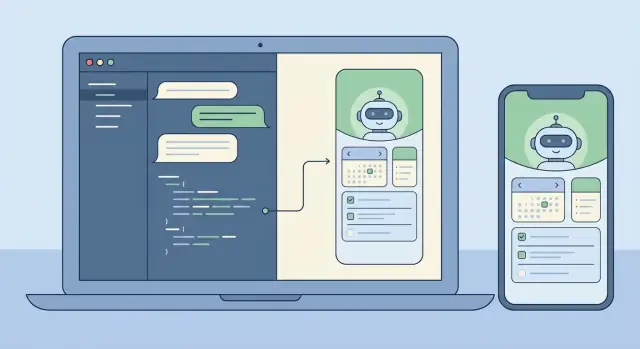
Define the Assistant’s Job and the MVP Scope
A “personal assistant app” can mean anything from a glorified to-do list to a tool that negotiates calendar conflicts and drafts emails. If you don’t define the job precisely, you’ll end up building a chat demo that feels impressive but doesn’t help anyone on Monday morning.
Start by naming your audience and their recurring pain. A founder might want quick meeting prep and follow-ups; a student might want study plans and note capture; an operations manager might want task triage and daily status summaries. The clearer the audience, the easier it is to decide which tools your assistant needs—and which it absolutely doesn’t.
Pick 1–2 journeys that prove value
Your MVP should deliver a useful result in a single short session. A practical rule is that the user gets value within 60–120 seconds of opening the app.
Two dependable first journeys are:
- Capture → organize: Add a task/note with context, confirm it saved correctly, then see it in a simple list.
- Summarize → decide: Generate a daily plan/summary from saved items, then let the user accept, edit, or reschedule.
Notice what’s missing: long onboarding, complicated settings, or deep integrations. You can still simulate an “assistant” experience by making the interaction feel conversational while keeping the underlying actions deterministic.
Set non-goals (and write them down)
Many assistant apps fail by trying to do everything on day one: voice, full email sync, calendar write access, autonomous multi-step actions, and complex agent setups. Make explicit non-goals for the MVP—no voice input, no two-way email integration, no background autonomous execution, and no cross-device sync beyond basic accounts. This keeps the product honest and reduces safety and privacy risk early.
Choose success metrics that match the job
Don’t measure the MVP by “number of chats.” Measure it by outcomes:
- Time-to-first-useful-result: how fast users get a saved task or a usable summary.
- Quality: how often extracted tasks/dates are correct, and how often users edit.
- Retention: whether users return the next day to capture or review.
If you’re vibe-coding in a platform like Koder.ai, clear journeys and metrics also make build speed real: you can scope the first React/Flutter screens and the Go/PostgreSQL endpoints around two core loops, then iterate using snapshots and rollback when changes don’t improve results.
Product Design: UX Flows That Feel Like an Assistant
A personal assistant app succeeds or fails on the feel of the interaction. Users should sense that the app understands intent, offers the next helpful step, and stays out of the way when they just want a quick answer.
Start with the assistant’s everyday actions
Most assistants earn trust by doing a few core jobs consistently: understanding requests, storing “memory” (preferences and lightweight profile facts), managing tasks and reminders, and generating quick summaries (notes, meetings, or long messages). Product design is making these capabilities obvious without turning the app into a maze.
A useful rule: every assistant capability should have both (1) a conversational path (for example, “remind me tomorrow at 9”) and (2) a visible UI surface for review and editing (a reminder list you can scan).
Choose an interaction style: chat-first vs UI-first
Chat-first works best when your audience values speed and flexibility: a composer, message history, and a few smart shortcuts.
UI-first with chat as a helper works better when users manage lots of items and need structure. In that model, the app opens to a “Tasks” or “Today” view, and chat is a contextual tool for changes (for example, “move everything due today to tomorrow”).
You don’t have to pick forever, but you should pick a default home screen and a default mental model early.
Design safety into the flow (confirm + undo)
Assistants often take actions that feel irreversible: deleting a note, sending a message, canceling something, or editing many tasks at once. Treat these as risky actions. The UX should use a clear confirmation step with a plain-language summary of what will happen, plus an immediate undo after completion.
A strong pattern is: preview → confirm → execute → undo. The preview is where users catch mistakes (“Send to Alex?” “Delete 12 tasks?”).
Sketch the minimum set of screens
Keep the first version small and coherent. A practical minimum is: onboarding (what it can do + permissions), chat, tasks/reminders, memory (what it knows, with edit/delete), settings (notifications, tone, privacy), and a lightweight history/audit view.
If you’re vibe-coding this (for example, in Koder.ai), these screens map cleanly to an MVP you can generate quickly and then refine by testing real flows like “capture a task,” “set a reminder,” and “undo a mistake.”
Prompting and Behavior Design (Without Over-Engineering)
A good assistant feels consistent, predictable, and safe—more like a helpful coworker than a random text generator. You can get there faster by keeping prompting simple, layered, and testable.
Use a clear message hierarchy
Treat your prompts as three layers, each with a different purpose:
- System instructions define identity and non-negotiables (tone, safety, privacy stance, how to handle uncertainty).
- Developer rules define product behavior (supported features, tool usage rules, output format contracts, what to log).
- User messages are the changing requests.
This separation prevents a user request (“ignore previous instructions”) from accidentally overriding how your assistant must behave.
Define tool boundaries (and permission)
Your assistant will be more trustworthy if it knows exactly when it can act and when it must ask. Decide which operations are read-only (safe to do automatically, like searching notes), which are write actions (create/update tasks, schedule reminders), and which are irreversible or costly (delete data, contact external services, share information).
For write and irreversible actions, require confirmation: the model proposes an action plan, then waits for explicit approval.
Prefer structured outputs for actions
When the model needs to create a task or reminder, plain text is fragile. Use JSON “action objects” and validate them before execution. Require fields like action, title, due_at, priority, and timezone, and reject or re-ask when something is missing. This keeps your backend deterministic even when the model’s wording varies.
Add lightweight guardrails
Guardrails don’t have to be complicated. Add a short policy for sensitive requests (self-harm, illegal activity, private data access) and define refusal patterns that still feel helpful: acknowledge, refuse, and offer safe alternatives. Also instruct the model to say “I don’t know” when it lacks information, and to ask one clarifying question instead of guessing.
Build a tiny prompt library
Instead of one mega-prompt, keep a small set of reusable behaviors your assistant can “call” internally: summarizing a conversation into next actions, drafting a plan with assumptions and open questions, checking a request for missing details, rewriting a message in a specific tone, and extracting tasks/events into JSON. This is the sweet spot: consistent behavior, easy testing, and no sprawling prompt spaghetti.
LLM + Tools + Agents: A Practical Architecture
A personal assistant feels “smart” when it can do two things well: talk naturally and take reliable actions. The fastest path is to separate conversation (LLM reasoning) from execution (tools that call your real systems).
Two workable patterns
For an MVP, start with a single LLM + tools pattern: one model receives the user message, decides whether to answer in text or call a tool, then returns a result. This is simpler to debug and often enough for task capture, note search, and reminders.
As capabilities grow, a coordinator + specialist agents pattern becomes useful. A coordinator interprets the request and delegates to specialists (for example, a Tasks agent vs a Notes agent), each with narrower instructions and fewer tools. This reduces accidental tool misuse and improves consistency as you add integrations.
Tools: the assistant’s hands
Tools are tiny, deterministic APIs the assistant can invoke. Keep tool inputs strict and outputs structured so you can validate them and log what happened.
Common tools include task create/update/complete, note search (keyword + time filters), reminder scheduling (time, channel, recurrence), preference lookup (time zone, working hours), optional agenda reads (if you have calendar integration), and audit-event writes.
Planning mode before doing
Before executing, add an explicit planning mode step: the model writes a short plan, then selects tools to carry it out. Planning helps in multi-step requests like “Move my project tasks to next week and remind me on Monday,” where the assistant should confirm assumptions (time zone, what counts as “project tasks”) before acting.
Action approval to prevent surprises
Any tool that causes side effects (creating tasks, sending reminders, changing data) should pass through an action-approval gate. In practice, the model proposes an action draft (tool name + parameters + intended outcome), and your app asks the user to confirm or edit. This single checkpoint dramatically reduces unintended changes and makes the assistant feel trustworthy.
If you use a vibe-coding platform like Koder.ai, you can implement this architecture quickly by generating tool interfaces, coordinator logic, and approval UI as separate, testable components—then iterating via snapshots and rollback as you refine behavior.
Memory and Context: What to Save, What to Retrieve
A personal assistant feels “smart” when it remembers the right things and forgets the rest. The trick is separating what the model needs for coherence from what you store for the user. If you store everything, you increase privacy risk and retrieval noise. If you store nothing, the assistant becomes repetitive and brittle.
Short-term vs. long-term memory
Treat recent conversation as short-term memory: a rolling window of the last few turns plus the current user goal. Keep it tight—summarize aggressively—so you don’t pay unnecessary token costs or amplify earlier mistakes.
Long-term memory is for facts that should survive sessions: preferences, stable profile details, tasks, and notes the user expects to revisit. Store these as structured data first (tables, fields, timestamps) and use free-text snippets only when you can’t represent something cleanly.
What’s worth saving
A practical starting point is to save information that is either user-authored or user-approved: profile and preferences (timezone, working hours, tone, default reminders), tasks and projects (status, due dates, recurrence, priority), notes and highlights (decisions, commitments, key context), and tool outcomes plus an audit trail.
Conversation highlights matter more than full transcripts. Instead of storing everything said, store durable facts like: “User prefers concise summaries,” “Flight to NYC is on Friday,” “Budget cap is $2,000.”
Retrieval that feels instant (and predictable)
Plan retrieval around how humans look for things: keywords, time ranges, tags, and “recently changed.” Use deterministic filters first (dates, status, tags), then add semantic search on note bodies when the query is fuzzy.
To avoid hallucinations, the assistant should rely only on what it actually retrieved (record IDs, timestamps) and ask a clarifying question when nothing relevant is found.
User controls and trust
Make memory transparent. Users should be able to view what’s saved, edit it, export it, and delete it—especially long-term facts. If you’re building with a vibe-coding workflow like Koder.ai, making “Memory Settings” a first-class screen early shapes both UX and your data model from day one.
Frontend Build: Web (React) and Mobile (Flutter)
A personal assistant lives or dies by the interface. Pick the stack based on where people will actually use it: web is often the fastest path to “daily driver” utility, while mobile earns its keep when notifications, voice input, and on-the-go capture matter.
A practical approach is to start with React for the web UI (rapid iteration, easy deployment), then mirror the same interaction model in Flutter once the assistant’s core loop works.
A chat UI that behaves like a product (not a demo)
Treat chat as a structured conversation, not just text bubbles. Handle multiple message shapes so users understand what’s happening and what you expect from them: user messages, assistant replies (including streamed text), tool actions (“Creating task…”), confirmations (approve/deny), errors (with retry options), and system notices (offline, rate limits, degraded capability).
In React, streaming responses can make the assistant feel responsive, but keep rendering efficient: append deltas, avoid re-rendering the entire transcript, and maintain scroll behavior that respects users reading older messages.
“Thinking” states without leaking internals
Users need feedback, not your internal prompts or tool-chain details. Use neutral indicators like “Working on it” or “Checking your notes,” and show only user-safe milestones (started, waiting for confirmation, done). This becomes even more important as you add multi-agent workflows.
Settings that make behavior controllable
Add a settings screen early, even if it’s simple. Let people control tone (professional vs casual), verbosity (brief vs detailed), and privacy options (whether to store chat history, retention duration, whether memory features are enabled). These controls reduce surprises and help with compliance needs.
If you’re vibe-coding with Koder.ai, you can generate both the React web UI and Flutter screens from the same product intent, then iterate quickly on conversation components, streaming, and settings without getting stuck in UI plumbing.
Backend Foundations: APIs, Auth, and Deterministic Execution
A personal assistant feels magical in the UI, but it becomes trustworthy in the backend. The goal is to make chat-driven behavior predictable: the model can suggest actions, yet your server decides what actually happens.
APIs that map to user intent
Translate assistant behaviors into a small set of stable endpoints. Keep chat as the entry point, then expose explicit resources for everything the assistant can manage. For example, the assistant might draft a task, but the final create-task call should be a normal API request with a strict schema.
A compact surface that scales well includes chat (send/receive plus optional tool requests), tool execution (run approved tools and return structured results), tasks CRUD (with server-side validation), preferences, and job/status endpoints for long-running work.
Auth and sessions: decide early
Authentication is easiest to add early and painful to retrofit. Define how a user session is represented (tokens or server sessions) and how requests are scoped (user ID, org ID for teams). Decide what the assistant can do “silently” versus what requires re-authentication or confirmation.
If you plan tiers (free/pro/business/enterprise), enforce entitlements at the API layer from day one (rate limits, tool availability, export permissions), not inside prompts.
Long-running jobs: queue, don’t block
Summaries of large content, imports, or multi-step agent workflows should run asynchronously. Return quickly with a job ID and provide progress updates (queued → running → partial results → completed/failed). This keeps chat responsive and avoids timeouts.
Deterministic execution: models propose, servers decide
Treat model outputs as untrusted input. Validate and sanitize everything: strict JSON schemas for tool calls, unknown-field rejection, type/range enforcement, server-side date/timezone normalization, and logging of tool requests/results for auditability.
Platforms like Koder.ai can speed up scaffolding (Go APIs, PostgreSQL backing, snapshots/rollback), but the principle is the same: the assistant can be creative in conversation while the backend remains boring, strict, and reliable.
Data Model in PostgreSQL: Tasks, Notes, and Auditability
A personal assistant feels “smart” when it can reliably remember, explain what it did, and undo mistakes. Your PostgreSQL schema should support that from day one: clear core entities, explicit provenance (where each item came from), and audit-friendly timestamps.
Core entities to model (and why)
Start with a small set of tables that match user expectations: users, conversations/messages, tasks/reminders, notes, and (optionally) embeddings if you’re doing retrieval at scale. Keep tasks/notes separate from messages: messages are the raw transcript; tasks/notes are the structured outcomes.
Provenance: “Which message created this?”
Treat provenance as a first-class feature. When the LLM turns a request into a task, store a source_message_id on tasks/notes, track who created it (user, assistant, or system), and attach a tool_run_id if you use tools/agents. This makes behavior explainable (“Created from your message on Tuesday at 10:14”) and speeds debugging.
Audit-friendly fields and soft deletion
Use consistent columns across tables: created_at, updated_at, and often deleted_at for soft deletes. Soft deletion is especially useful for assistant apps because users frequently want undo, and you may need to preserve records for compliance or troubleshooting.
Consider immutable identifiers (uuid) and an append-only audit log table for key events (task created, due date changed, reminder fired). It’s simpler than trying to reconstruct history from updated rows.
Migrations and schema evolution
Assistant behavior changes quickly. Plan migrations early: version your schema, avoid destructive changes, and prefer additive steps (new columns, new tables). If you’re vibe-coding with Koder.ai, pair snapshots/rollback with database migration discipline so you can iterate without losing data integrity.
-- Example: tasks table with provenance and auditability
CREATE TABLE tasks (
  id uuid PRIMARY KEY,
  user_id uuid NOT NULL,
  title text NOT NULL,
  status text NOT NULL,
  due_at timestamptz,
  source_message_id uuid,
  created_by text NOT NULL,
  created_at timestamptz NOT NULL DEFAULT now(),
  updated_at timestamptz NOT NULL DEFAULT now(),
  deleted_at timestamptz
);
Testing and Evaluation: Make It Reliable
Reliability is the difference between a cool demo and an assistant people trust with real work. The tricky part is that assistant requests are rarely neat: users are brief, emotional, inconsistent, and often skip key details. Your testing strategy should reflect that reality.
Build a test set that looks like real life
Collect (or write) a small but representative set of requests: short messages, vague instructions, typos, conflicting constraints, and last-minute changes. Include happy paths (clear task creation, note capture) and edge paths (missing dates, ambiguous pronouns, multiple people with the same name, requests that imply permissions).
Keep these examples as your golden set. Run it every time you change prompts, tools, or agent logic.
Define what “good” means (beyond correct answers)
For assistant apps, correctness isn’t only about the final text response. Evaluate whether it took the right action, asked for confirmation when needed, and avoided inventing tool results.
A practical rubric checks: task correctness, confirmation behavior (especially before deletions/sends/spending), hallucinated actions (claims of execution without a tool run), tool discipline (uses tools when required; avoids unnecessary calls), and recovery (clear handling of failures and retries).
Regression checks for prompts and tools
Every prompt tweak can shift behavior in surprising ways. Treat prompts like code: version them, run the golden set, and compare results. If you use multiple agents (planner/executor), test each stage—many failures start as a planning mistake that cascades.
When adding a new tool or changing a tool schema, add targeted regression cases (for example, “create a task for next Friday” should still resolve dates consistently). If your workflow supports snapshots and rollback, use them to revert quickly when evaluations drop.
Instrumentation without leaking secrets
Log tool calls, redacted arguments, timings, and failure reasons so you can answer: “What did the model try to do?” and “Why did it fail?” Redact tokens, personal data, and message content by default, and store only what you need for debugging—often a hashed user ID, tool name, high-level intent, and error class are enough.
Done well, testing turns iteration into a controlled loop: you can move faster without breaking trust.
Security, Privacy, and Compliance Considerations
A personal assistant app quickly becomes a container for sensitive material: calendars, locations, messages, documents, and miscellaneous notes users never intended to share. Treat privacy as a product feature, not a checkbox. Minimize what you collect and what you send to an LLM. If a feature doesn’t require full message history, don’t store it; if a request can be answered with a short summary, send only the summary.
Data minimization, retention, and user controls
Define retention up front: what you store (tasks, notes, preferences), why you store it, and how long it stays. Make deletion real and verifiable: users should be able to delete a single note, an entire workspace, and any uploaded files. Consider a “forgetful mode” for sensitive conversations where you don’t persist content at all—only minimal metadata for billing and abuse prevention.
Secrets, tokens, and encryption
Never ship API keys to the client. Keep provider keys and tool credentials on the server, rotate them, and scope them per environment. Encrypt data in transit (TLS) and at rest (database and backups). For session tokens, use short lifetimes and refresh flows; store hashes where possible and avoid logging raw prompts or tool outputs by default.
Geographic hosting and compliance
Some users will require data residency (specific countries/regions), especially for workplace assistants. Plan region-aware deployment early: keep user data in a region-aligned database and avoid cross-region pipelines that quietly copy content elsewhere. Koder.ai runs on AWS globally and can host applications in specific countries, which can simplify residency and cross-border transfer requirements when you need it.
Abuse protection and prompt-injection defenses
Assistants are magnets for abuse: scraping, credential stuffing, and “make the model reveal secrets” attacks. A practical baseline includes rate limits and quotas, suspicious-activity detection, strict tool permissions (allow-list + server-side validation), prompt-injection hygiene (treat external text as untrusted; isolate it from system rules), and audit logs for tool execution and data access.
The goal is predictable behavior: the model can suggest actions, but your backend decides what is allowed.
Deployment, Monitoring, and Safe Iteration
Shipping a personal assistant app isn’t a single launch moment. It’s a cycle: release small, observe real usage, tighten behavior, and repeat—without breaking trust. Because assistants can change behavior with a prompt tweak or a new tool integration, you need deployment discipline that treats configuration and prompts like production code.
Ship incrementally with feature flags
Assume every new capability can fail in surprising ways: time zone bugs, memory storing the wrong detail, or a model getting more creative than you want. Feature flags let you expose new tools and memory behaviors to a small slice of users (or internal accounts) before broad rollout.
A simple strategy is to gate each tool integration, gate memory writes separately from reads, enable planning-mode output only for testers, add a “safe mode” that disables tool calls (read-only context), and use percentage rollouts for risky changes.
Rollback is not optional: snapshot prompts and config
Traditional apps rollback binaries; assistant apps must also rollback behavior. Treat system prompts, tool schemas, routing rules, safety policies, and memory filters as versioned deployables. Keep snapshots so you can restore last-known-good behavior quickly.
This is especially valuable when you’re iterating quickly with vibe coding: Koder.ai supports snapshots and rollback, which fits assistants where small text edits can have large product impact.
Deployment strategy and custom domains
If you’re offering a white-label assistant (for teams or clients), plan for custom domains early. It affects auth callbacks, cookie/session settings, rate limits per tenant, and how you separate logs and data. Even for a single-brand product, define environments (dev/staging/prod) so you can test tool permissions and model settings safely.
Monitor what matters: reliability, speed, and cost
Assistant monitoring is part product analytics, part operations. Track latency and errors, but also behavioral signals like cost per conversation, tool-call frequency, and tool failure rate. Pair metrics with sampled conversation audits so you can see whether changes improved outcomes—not just throughput.
Building Faster with Vibe Coding (Example: Koder.ai Workflow)
Vibe coding is most valuable when you need a real prototype—not a slide deck. For a personal assistant app, that usually means a chat UI, a few core actions (capture a task, save a note, schedule a reminder), and a backend that stays deterministic even when the LLM is creative. A vibe-coding platform compresses the first-working-version timeline by turning your product description into working screens, routes, and services you can run and refine.
A practical Koder.ai-style workflow
Start by describing the assistant in plain language in chat: who it’s for, what it can do, and what “done” looks like for the MVP. Iterate in small steps.
Generate a React web interface first (conversation view, message composer, a lightweight “tools used” panel, and a simple settings page), then add a Flutter mobile version once the flows feel right.
Next, generate a Go backend with PostgreSQL: authentication, a minimal API for conversations, and tool endpoints (create task, list tasks, update task). Keep the LLM behavior as a thin layer: system instructions, tool schema, and guardrails. From there, iterate prompts and UI together: when the assistant makes a wrong assumption, adjust the behavior text and add a confirmation step in the UX.
Features that matter when you iterate fast
Prioritize workflow accelerators that keep experimentation safe: planning mode (propose before applying), snapshots and rollback (quick recovery from bad iterations), deployment and hosting with custom domains (fast stakeholder access), and source code export (so you can keep full ownership and move to a longer-term pipeline later).
Next-step checklist
Before you scale beyond MVP, lock in:
- A one-page MVP spec (3–5 user jobs, non-goals, success criteria)
- Your tool list (what the assistant is allowed to do via APIs)
- A small evaluation set (20–50 scenarios + expected outcomes)
- A deployment plan (environments, secrets, rollback strategy, monitoring)
With that structure, Koder.ai (koder.ai) can be a practical way to move from concept to a working React/Go/PostgreSQL (and later Flutter) assistant quickly, while still keeping behavior testable and reversible.
FAQ
What’s the first step to avoid building a personal assistant that’s just a chat demo?
Define one primary audience and one recurring pain, then describe the assistant’s “job” as an outcome.
A strong MVP job statement looks like:
- “Help founders capture action items and generate a daily plan they can edit.”
- Not: “Be a general AI assistant.”
When the job is crisp, you can say “no” to features that don’t directly support it.
Which MVP flows prove value fastest for a personal assistant app?
Pick 1–2 user journeys that deliver value in a single short session (aim for 60–120 seconds to a useful result).
Two reliable MVP journeys are:
- Capture → organize: Save a task/note with context, then show it in a list.
- Summarize → decide: Generate a daily plan/summary from saved items, then let the user accept/edit/reschedule.
Everything else is optional until these loops feel great.
What should I explicitly exclude from a first version (non-goals)?
Write explicit non-goals and treat them as scope protection.
Common MVP non-goals:
- No voice input
- No two-way email integration
- No autonomous background execution
- No complex multi-agent setup on day one
- No deep cross-device sync beyond basic accounts
This keeps the product shippable and reduces early privacy and safety risk.
What success metrics make sense for an assistant MVP?
Measure outcomes, not chat volume.
Practical MVP metrics:
- Time-to-first-useful-result: time to a saved task or usable summary
- Quality: how often extracted tasks/dates are correct vs edited
- Retention: do users return tomorrow to capture/review
These metrics map directly to whether the assistant is actually helping with the defined job.
Should my assistant be chat-first or UI-first?
Choose a default mental model and home screen.
- Chat-first is best when users value speed and flexible commands.
- UI-first (chat as helper) is best when users manage many items and need structure (Tasks/Today as the main view).
You can evolve later, but early clarity prevents UX drift and messy navigation.
How do I design the UX so the assistant feels safe and trustworthy?
Use a preview → confirm → execute → undo pattern for any action that has side effects.
Good examples:
- Deleting notes or many tasks
- Scheduling reminders
- Bulk rescheduling
The assistant can propose an action draft, but the user should explicitly approve it, and undo should be immediate.
Why should I use structured outputs (JSON) for tasks and reminders?
Use strict, validated action objects (often JSON) for anything that changes data.
Instead of relying on free-form text like “I created your reminder,” require fields such as:
actiontitledue_attimezone- optional
priorityorrecurrence
Then validate server-side and re-ask for missing/ambiguous fields before executing.
What should an assistant remember, and how do I avoid creepy or noisy memory?
Separate short-term context from long-term memory.
- Short-term: recent turns + current goal, aggressively summarized to reduce cost and drift.
- Long-term: user-approved preferences, tasks, notes, and durable facts stored as structured data.
Make memory transparent: users should be able to view, edit, delete, and export what’s stored.
What’s a good PostgreSQL data model for assistant apps?
Store tasks/notes as first-class entities, not just chat text.
Minimum practical tables:
- users
- conversations/messages
- tasks/reminders
- notes
- audit log (or tool run records)
Add provenance so you can explain behavior:
source_message_idon created items- who created it (
user/assistant/system) - a
tool_run_idfor executed actions
This makes debugging and “undo” far easier.
How do I test, monitor, and safely iterate on an LLM-powered assistant?
Treat prompts and tool behavior like code: version, test, and rollback.
Reliability practices:
- Maintain a “golden set” of real-life scenarios (vague requests, typos, missing dates)
- Evaluate confirmation behavior and tool discipline (no claiming actions without execution)
- Log tool calls and failures with redaction
- Roll out changes behind feature flags
Platforms like Koder.ai help by enabling fast iteration with snapshots/rollback while you refine React/Flutter UI and Go/PostgreSQL APIs together.