

PostgreSQL: A Long-Running, Trusted Relational Database
Explore why PostgreSQL has earned trust over decades: its origins, reliability features, extensibility, and practical guidance for operating it in production.
Why PostgreSQL Is Considered Long-Running and Trusted
“Long-running and trusted” isn’t a slogan—it’s a practical claim about how PostgreSQL behaves over years of production use. Long-running means the project has decades of continuous development, stable release practices, and a track record of supporting systems that stay online through hardware changes, team turnover, and shifting product requirements. Trusted means engineers rely on it for correctness: data is stored consistently, transactions behave predictably, and failures can be recovered from without guesswork.
What “trusted” looks like in practice
Teams choose PostgreSQL when the database is the system of record: orders, billing, identity, inventory, and any domain where “mostly correct” isn’t acceptable. Trust is earned through verifiable features—transaction guarantees, crash recovery mechanisms, access controls—and through the reality that these features have been exercised at scale in many industries.
What you’ll learn in this guide
This article walks through the reasons PostgreSQL has that reputation:
- how it evolved and why its history matters to modern engineering teams
- reliability fundamentals (transactions, concurrency behavior, durability)
- operational basics (backups, monitoring, routine maintenance)
- where PostgreSQL fits best, and where trade-offs might steer you elsewhere
Expectations and who this is for
The focus is on concrete behaviors you can validate: what PostgreSQL guarantees, what it doesn’t, and what you should plan for in real deployments (performance tuning, operational discipline, and workload fit).
If you’re an engineer selecting storage, an architect designing a platform, or a product team planning for growth and compliance, the sections ahead will help you evaluate PostgreSQL with fewer assumptions and more evidence.
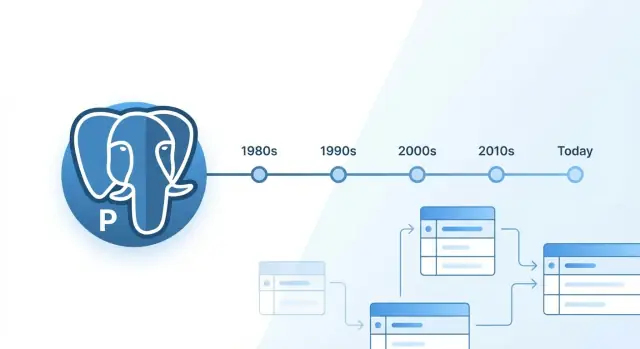
A Brief History: From POSTGRES to PostgreSQL
PostgreSQL’s story starts in academia, not a product roadmap. In the mid-1980s, Professor Michael Stonebraker and a team at UC Berkeley launched the POSTGRES research project as a successor to Ingres. The goal was to explore advanced database ideas (like extensible types and rules) and publish the results openly—habits that still shape PostgreSQL’s culture.
Key milestones that shaped the database
A few transitions explain how a university prototype became a production mainstay:
- 1986–1994: POSTGRES at UC Berkeley — research releases and early adopters prove the design can work outside the lab.
- 1994–1995: Postgres95 — Andrew Yu and Jolly Chen adapt the codebase, add an SQL interpreter, and release it under an open-source license.
- 1996: Rename to PostgreSQL — reflecting the SQL focus while keeping continuity with the POSTGRES lineage.
- 2000s–2010s: mainstream adoption accelerates — major releases improve portability, performance, and enterprise-grade features, making PostgreSQL a default choice for many organizations.
Open-source governance and a predictable release cadence
PostgreSQL isn’t run by a single vendor. It’s developed by the PostgreSQL Global Development Group, a meritocratic community of contributors and committers coordinated through mailing lists, public code review, and a conservative approach to changes.
The project’s regular release cadence (with clearly communicated support timelines) matters operationally: teams can plan upgrades, security patching, and testing without betting on a company’s priorities.
What “mature” actually implies
Calling PostgreSQL “mature” isn’t about being old—it’s about accumulated reliability: strong standards alignment, battle-tested tooling, widely known operational practices, extensive documentation, and a large pool of engineers who have run it in production for years. That shared knowledge lowers risk and shortens the path from prototype to stable operations.
Data Integrity First: ACID and Relational Guarantees
PostgreSQL’s reputation is built on a simple promise: your data stays correct, even when systems fail or traffic spikes. That promise is rooted in ACID transactions and the “relational” tools that let you express rules in the database—not just in application code.
ACID: the contract for business-critical data
Atomicity means a transaction is all-or-nothing: either every change commits, or none do. Consistency means every committed transaction preserves defined rules (constraints, types, relationships). Isolation prevents concurrent operations from seeing partial work in progress. Durability ensures committed data survives crashes.
For real systems—payments, inventory, order fulfillment—ACID is what keeps “charged but not shipped” and “shipped but not billed” anomalies from becoming your daily debugging routine.
Relational guarantees: constraints that prevent bad states
PostgreSQL encourages correctness with database-enforced rules:
- Primary keys prevent duplicate identities.
- Foreign keys ensure references stay valid (no orphaned rows).
- UNIQUE constraints stop conflicting records (e.g., duplicate emails).
- CHECK constraints validate domain rules (e.g.,
amount > 0). - NOT NULL makes required fields truly required.
These checks run for every write, regardless of which service or script is doing the update, which is vital in multi-service environments.
Isolation levels: trade-offs, with sensible defaults
PostgreSQL defaults to READ COMMITTED, a practical balance for many OLTP workloads: each statement sees data committed before it began. REPEATABLE READ offers stronger guarantees for multi-statement logic. SERIALIZABLE aims to behave like transactions ran one-by-one, but it can introduce transaction retries under contention.
Patterns to avoid
Long-running transactions are a common integrity and performance footgun: they hold snapshots open, delay cleanup, and increase conflict risk. Also, avoid using SERIALIZABLE as a blanket setting—apply it to the specific workflows that need it, and design clients to handle serialization failures by retrying safely.
Concurrency and MVCC: How PostgreSQL Stays Consistent Under Load
PostgreSQL’s concurrency story is built around MVCC (Multi-Version Concurrency Control). Instead of forcing readers and writers to block each other, PostgreSQL keeps multiple “versions” of a row so different transactions can see a consistent snapshot of the data.
MVCC basics: snapshots, not traffic jams
When a transaction starts, it gets a snapshot of which other transactions are visible. If another session updates a row, PostgreSQL typically writes a new row version (tuple) rather than overwriting the old one in place. Readers can keep scanning the older, still-visible version, while writers proceed without waiting for read locks.
This design enables high concurrency for common workloads: many reads alongside a steady stream of inserts/updates. Locks still exist (for example, to prevent conflicting writes), but MVCC reduces the need for broad “reader vs writer” blocking.
Vacuuming: cleaning up old row versions
The trade-off of MVCC is that old row versions don’t disappear automatically. After updates and deletes, the database accumulates dead tuples—row versions that are no longer visible to any active transaction.
VACUUM is the process that:
- Marks space from dead tuples as reusable for future writes
- Updates visibility information so index-only scans can be more effective
- Prevents transaction ID (XID) wraparound by “freezing” old tuples
Without vacuuming, performance and storage efficiency degrade over time.
Autovacuum: the always-on janitor
PostgreSQL includes autovacuum, a background system that triggers vacuum (and analyze) based on table activity. It’s designed to keep most systems healthy without constant manual intervention.
What to monitor:
- Autovacuum frequency and duration per table
- Dead tuple counts and table/index growth
- Long-running transactions that prevent cleanup (they hold old snapshots open)
Symptoms of poor vacuum tuning
If vacuuming falls behind, you’ll often see:
- Table and index bloat (disk usage grows; cache efficiency drops)
- Slower queries due to extra pages and less efficient index usage
- Wraparound risk, a serious condition that can force aggressive vacuuming and, in worst cases, downtime if ignored
MVCC is a major reason PostgreSQL behaves predictably under concurrent load—but it works best when vacuum is treated as a first-class operational concern.
Durability and Recovery: WAL, Checkpoints, and Replication
PostgreSQL earns its “trusted” reputation partly because it treats durability as a first-class feature. Even if the server crashes mid-transaction, the database is designed to restart into a consistent state, with committed work preserved and incomplete work rolled back.
Write-Ahead Logging (WAL): the durability backbone
At a conceptual level, WAL is a sequential record of changes. Instead of relying on data files being updated safely in-place at the exact moment you commit, PostgreSQL first records what will change in the WAL. Once the WAL record is safely written, the transaction can be considered committed.
This improves durability because sequential writes are faster and safer than scattered updates across many data pages. It also means PostgreSQL can reconstruct what happened after a failure by replaying the log.
Crash recovery and checkpoints
On restart after a crash, PostgreSQL performs crash recovery by reading WAL and replaying changes that were committed but not yet fully reflected in data files. Any uncommitted changes are discarded, preserving transactional guarantees.
Checkpoints help bound recovery time. During a checkpoint, PostgreSQL ensures that enough modified pages have been flushed to disk so it won’t need to replay an unbounded amount of WAL later. Fewer checkpoints can improve throughput but may lengthen crash recovery; more frequent checkpoints can shorten recovery but increase background I/O.
Replication: from safety to read scaling
Streaming replication ships WAL records from a primary to one or more replicas, allowing them to stay closely in sync. Common use cases include:
- Fast failover targets for higher availability
- Offloading read-heavy workloads to replicas
- Running backups or analytics queries without disturbing primary traffic
High availability is typically achieved by combining replication with automated failure detection and controlled role switching, aiming to minimize downtime and data loss while keeping operations predictable.
Extensibility: Types, Functions, and the Extension Ecosystem
PostgreSQL’s feature set isn’t limited to what ships “out of the box.” It was designed to be extended—meaning you can add new capabilities while staying inside a single, consistent database engine.
Extensions as first-class building blocks
Extensions package SQL objects (types, functions, operators, indexes) so you can install functionality cleanly and version it.
A few well-known examples:
- PostGIS turns PostgreSQL into a spatial database with geometry/geography types, spatial indexes, and GIS functions.
- pg_trgm adds trigram-based similarity search—useful for fuzzy matching, autocomplete, and typo-tolerant search.
In practice, extensions let you keep specialized workloads close to your data, reducing data movement and simplifying architectures.
Data types that match real applications
PostgreSQL’s type system is a productivity feature. You can model data more naturally and enforce constraints at the database level.
- JSONB is ideal when parts of your schema evolve frequently or when you need semi-structured attributes. Use it with intention: keep critical, frequently-queried fields as regular columns, and reserve JSONB for “flex” properties.
- Arrays work well for small, bounded lists (tags, short sets of IDs). If the list grows unbounded or needs relational constraints, a join table is usually a better fit.
- Custom types (enums, composite types, domains) help encode business rules—e.g., a domain that validates an email format or restricts numeric ranges.
Functions, triggers, and stored procedures
Database-side logic can centralize rules and reduce duplication:
- Functions encapsulate reusable computation and can be used in queries, indexes, and constraints.
- Triggers react to changes (audit tables, maintain derived columns, enforce complex invariants).
- Stored procedures (and transactional control) help orchestrate multi-step operations.
Guardrails for maintainability
Keep database logic boring and testable:
- Version-control migrations, and review them like application code.
- Prefer declarative constraints over triggers when possible.
- Add regression tests for functions/triggers (especially edge cases and concurrency).
- Document extension usage and keep upgrades on a schedule to avoid “mystery dependencies.”
Performance Foundations: Indexing and Query Planning
PostgreSQL performance usually starts with two levers: picking the right index for the access pattern, and helping the planner make good choices with accurate statistics.
Indexing: matching the tool to the query
PostgreSQL offers several index families, each optimized for different predicates:
- B-tree: the default choice for equality and range conditions (
=,<,>,BETWEEN), plus ordering (ORDER BY). Great for most OLTP lookups. - GIN: shines for “contains” style queries over composite values—arrays, JSONB, full-text search (
@>,?,to_tsvector). Often larger, but very effective. - GiST: flexible for geometric/range-like operators, nearest-neighbor searches, and many extension-provided types. Useful when comparisons aren’t strictly sortable like B-tree.
- BRIN: tiny indexes for very large tables where rows are naturally clustered (timestamps, IDs that increase). Best for append-heavy time-series where scanning a range is common.
Query planning: statistics drive decisions
The planner estimates row counts and costs using table statistics. If those stats are stale, it may choose the wrong join order, miss an index opportunity, or allocate inefficient memory.
- Run
ANALYZE(or rely on autovacuum) after large data changes. - Use
EXPLAIN(andEXPLAIN (ANALYZE, BUFFERS)in staging) to see whether the plan matches expectations—index scans vs sequential scans, join types, and where time is spent.
Common pitfalls to watch
Two recurring offenders are missing/incorrect indexes (e.g., indexing the wrong column order for a multi-column filter) and application-level issues like N+1 queries. Also beware of routinely doing wide SELECT * on big tables—extra columns mean extra I/O and poorer cache behavior.
A safe tuning checklist
- Measure first (baseline latency, throughput, and
EXPLAINoutput). - Change one thing (add one index, rewrite one query, adjust one setting).
- Validate with real workload (not just a single query).
- Re-check side effects (write overhead, index bloat, plan regressions).
Security Model: Roles, Privileges, and Row-Level Controls
PostgreSQL’s security model is built around explicit permissions and clear separation of responsibilities. Instead of treating “users” as special snowflakes, PostgreSQL centers everything on roles. A role can represent a human user, an application service account, or a group.
Role-based access control (RBAC)
At a high level, you grant roles privileges on database objects—databases, schemas, tables, sequences, functions—and optionally make roles members of other roles. This makes it easy to express patterns like “read-only analytics,” “app writes to specific tables,” or “DBA can manage everything,” without sharing credentials.
A practical approach is to create:
- A login role for each app/service
- Non-login “group roles” (e.g.,
app_read,app_write) - Grants applied to group roles, then membership assigned to login roles
Encrypting connections with TLS
Even with strong permissions, credentials and data should not travel in clear text. Using TLS encryption in transit is standard practice for PostgreSQL connections, especially across networks (cloud, VPC peering, office-to-cloud VPN). TLS helps protect against interception and some classes of active network attacks.
Row-Level Security (RLS)
Row-level security lets you enforce policies that filter which rows a role can SELECT, UPDATE, or DELETE. It’s especially helpful for multi-tenant applications where multiple customers share tables but must never see each other’s data. RLS moves tenant isolation into the database, reducing the risk of “forgot to add a WHERE clause” bugs.
Operational security basics
Security is also ongoing operations:
- Patching: keep PostgreSQL and extensions updated; track security advisories.
- Least privilege: grant only what’s needed; avoid using superuser for apps.
- Audit needs: decide what must be logged (auth attempts, DDL changes, sensitive reads) and validate retention/access policies.
Operations Essentials: Backups, Monitoring, and Maintenance
PostgreSQL earns trust in production as much from disciplined operations as from its core engine. The goal is simple: you can restore quickly, you can see problems early, and routine maintenance doesn’t surprise you.
Backups: logical vs physical (conceptually)
A good baseline is to understand what you’re backing up.
- Logical backups (
pg_dump) export schema and data as SQL (or a custom format). They’re portable across hosts and often across major versions, and they let you restore a single database or even specific tables. The trade-off is time: large databases can take longer to dump and restore. - Physical backups (base backups) copy the database files at the storage level, typically along with archived WAL. They’re ideal for large clusters and for point-in-time recovery (PITR). The trade-off is portability: they’re tied to the PostgreSQL major version and file layout.
Many teams use both: regular physical backups for fast full restore, plus targeted pg_dump for small, surgical restores.
Restore testing and RTO/RPO (plain English)
A backup you haven’t restored is an assumption.
- RTO (Recovery Time Objective): how long you can afford to be down. If your RTO is 30 minutes, your restore process must consistently hit that.
- RPO (Recovery Point Objective): how much data you can afford to lose, measured in time. If your RPO is 5 minutes, you need frequent backups and/or WAL archiving so you can replay changes close to the failure.
Schedule restore drills to a staging environment and record real timings (download, restore, replay, app validation).
Monitoring essentials that catch real incidents
Focus on signals that predict outages:
- Replication lag (time/bytes behind) so failover doesn’t mean unexpected data loss.
- Disk usage and I/O (data volume, WAL volume, temp files) to avoid “disk full” downtime.
- Bloat (tables/indexes growing without benefit) which quietly degrades performance.
- Slow queries via
pg_stat_statements, plus lock waits and long transactions.
Minimal production readiness checklist
- Automated backups (physical and/or logical) with retention policy
- WAL archiving if you need PITR and tighter RPO
- Quarterly restore test with measured RTO/RPO
pg_stat_statementsenabled and slow-query alerts- Routine
VACUUM/ANALYZEstrategy and index maintenance plan - Capacity alerts for disk, WAL growth, and replication lag
- Runbook for failover and emergency access (roles/credentials)
Where PostgreSQL Fits Best: Common Workloads and Patterns
PostgreSQL is a strong default when your application needs dependable transactions, clear data rules, and flexible querying without giving up SQL.
Workloads PostgreSQL handles especially well
For OLTP systems (typical web and SaaS backends), PostgreSQL shines at managing many concurrent reads/writes with consistent results—orders, billing, inventory, user profiles, and multi-tenant apps.
It also does well for “analytics-lite”: dashboards, operational reporting, and ad-hoc queries on moderate-to-large datasets—especially when you can structure data cleanly and use the right indexes.
Geospatial is another sweet spot. With PostGIS, PostgreSQL can power location search, routing-adjacent queries, geofencing, and map-driven applications without bolting on a separate database on day one.
When to split concerns (and why)
As traffic grows, it’s common to keep PostgreSQL as the system of record while offloading specific jobs:
- Read replicas for heavy read traffic, reporting, or isolated query workloads.
- Caching (e.g., Redis) for hot keys and expensive computations.
- Queues/streams for background work and decoupling (email, billing runs, ETL).
- Search engines for full-text relevance, fuzzy matching, and faceting at scale.
This approach lets each component do what it’s best at, while PostgreSQL preserves correctness.
Practical scaling strategies
Start with vertical scaling: faster CPU, more RAM, better storage—often the cheapest win.
Then consider connection pooling (PgBouncer) to keep connection overhead under control.
For very large tables or time-based data, partitioning can improve maintenance and query performance by limiting how much data each query touches.
Choose architecture after defining requirements
Before adding replicas, caches, or extra systems, write down your latency goals, consistency needs, failure tolerance, and growth expectations. If the simplest design meets them, you’ll ship faster—and operate with fewer moving parts.
PostgreSQL vs Other Databases: Practical Trade-Offs
Choosing a database is less about “best” and more about fit: SQL dialect expectations, operational constraints, and the kinds of guarantees your application truly needs. PostgreSQL tends to shine when you want standards-friendly SQL, strong transactional semantics, and room to grow via extensions—but other options can be the more practical choice in specific contexts.
Standards, features, and portability
PostgreSQL generally tracks SQL standards well and offers a broad feature set (advanced indexing, rich data types, mature transactional behavior, and an extension ecosystem). That can improve portability across environments, especially if you avoid vendor-specific features.
MySQL/MariaDB can be attractive when you want a simpler operational profile and a familiar ecosystem for common web workloads. Depending on engine choices and configuration, the behavior around transactions, constraints, and concurrency can differ from PostgreSQL—worth validating against your expectations.
SQL Server is often a strong fit in Microsoft-centric stacks, particularly when you value integrated tooling, tight Windows/AD integration, and enterprise features that are packaged and supported as a single product.
Managed services vs running it yourself
Cloud-managed PostgreSQL (for example, hosted offerings from major clouds) can remove a lot of operational toil—patching, automated backups, and easy read replicas. The trade-off is less control over the underlying system and, sometimes, limitations around extensions, superuser access, or tuning knobs.
Decision questions to guide selection
- Do you need strict consistency and constraints to be enforced in the database (not just in application code)?
- Are there PostgreSQL extensions you expect to rely on (PostGIS, pg_trgm, logical decoding, etc.)—and does your hosting option support them?
- What’s your tolerance for operational work (upgrades, vacuum/maintenance, backup testing), and would a managed service change that equation?
- Are you optimizing for lowest cost at small scale, or predictable performance and features at larger scale?
- Is your team already fluent in a particular engine and its tooling, and is that expertise a hard constraint?
If you’re deciding between paths, it often helps to prototype one representative workload and measure: query patterns, concurrency behavior, migration effort, and operational complexity.
Conclusion and Next Steps
PostgreSQL has stayed widely adopted for a simple reason: it keeps solving real production problems without sacrificing correctness. Teams trust it for strong transactional guarantees, predictable behavior under concurrency, battle-tested recovery mechanisms, a security model that scales from small apps to regulated environments, and an extension ecosystem that lets the database grow with your needs.
Next steps you can take this week
Start small and make the learning concrete:
- Run a pilot project: pick one service or feature with clear success metrics (latency, error rate, operational effort). Keep the scope narrow and validate assumptions early.
- Do a quick schema review: confirm primary keys everywhere, define constraints intentionally, and decide which fields truly need transactions versus eventual consistency.
- Create an ops checklist: define backups and restore tests, monitoring dashboards, alert thresholds, routine maintenance windows, and ownership. If you already run PostgreSQL, compare your current practices against that checklist and close the gaps.
Follow-up reading
If you want practical guides, keep learning internally:
- Deployment and operating guidance: /blog
- Evaluating plans or support options: /pricing
Takeaways
- PostgreSQL earns trust through correctness, durability, and operational maturity.
- You get flexibility without giving up relational guarantees.
- The fastest path forward is a focused pilot plus a clear schema and ops checklist.
FAQ
What does it mean when people say PostgreSQL is “trusted”?
PostgreSQL is considered “trusted” because it prioritizes correctness and predictable behavior: ACID transactions, strong constraint enforcement, crash recovery via WAL, and a long history of production use.
In practice, this reduces “mystery data” problems—what commits is durable, what fails is rolled back, and rules can be enforced in the database (not just in app code).
Why does PostgreSQL’s long history matter to modern teams?
Its lineage goes back to the POSTGRES research project at UC Berkeley (1980s), then Postgres95, and finally PostgreSQL (1996).
That long, continuous development history matters because it created conservative change management, deep operational knowledge in the community, and a stable release cadence teams can plan around.
How do ACID transactions protect business-critical data?
ACID is the transaction contract:
- Atomicity: all changes commit or none do.
- Consistency: constraints and types stay valid after commit.
- Isolation: concurrent work doesn’t see partial results.
- Durability: committed data survives crashes.
If you’re handling orders, billing, or identity, ACID prevents hard-to-debug “half-finished” business states.
Which isolation level should I use in PostgreSQL?
PostgreSQL defaults to READ COMMITTED, which is a good fit for many OLTP apps.
Use REPEATABLE READ or SERIALIZABLE only when the workflow truly needs stronger guarantees—and be prepared to handle retries (especially with SERIALIZABLE under contention).
How does PostgreSQL handle high concurrency with MVCC?
MVCC lets readers and writers avoid blocking each other by keeping multiple row versions and giving each transaction a consistent snapshot.
You still need locks for conflicting writes, but MVCC typically improves concurrency for mixed read/write workloads compared to heavy reader-writer blocking designs.
Why is VACUUM (and autovacuum) so important?
Updates/deletes create dead tuples (old row versions). VACUUM reclaims space and prevents transaction ID wraparound; autovacuum does this automatically based on activity.
Common warning signs include table/index bloat, rising query latency, and long-running transactions that keep old snapshots alive.
What are WAL and checkpoints, and how do they help recovery?
PostgreSQL uses Write-Ahead Logging (WAL): it records changes to a sequential log before considering a transaction committed.
After a crash, it replays WAL to reach a consistent state. Checkpoints limit how much WAL must be replayed, balancing recovery time vs background I/O.
How should I think about backups, restores, RTO, and RPO?
Start by defining:
- RTO: how long you can be down.
- RPO: how much data loss (time) you can tolerate.
Then choose backups accordingly:
- Logical (
pg_dump) for portability and surgical restores. - Physical base backups + WAL archiving for fast restores and PITR.
Most importantly: schedule restore tests and measure real timings.
What does replication do, and what does it not solve by itself?
Streaming replication ships WAL from primary to replicas for:
- failover targets (higher availability)
- read scaling (offload reports/dashboards)
- isolating backups or heavy queries
For true HA you typically add automation for failure detection and controlled role switching, and you monitor replication lag to understand potential data loss on failover.
How do extensions and advanced data types make PostgreSQL more flexible?
PostgreSQL can be extended without leaving the database engine:
- Extensions like PostGIS (geospatial) and pg_trgm (similarity search)
- Rich types like JSONB and arrays
- Functions, triggers, and procedures for reusable database-side logic
A practical rule: keep critical, frequently queried fields as normal columns, and use JSONB for “flex” attributes; prefer declarative constraints over triggers when possible.