

Practice attendance poll app for quick team headcounts
Build a practice attendance poll app so players tap yes or no and coaches get an instant headcount without chasing texts or last-minute surprises.
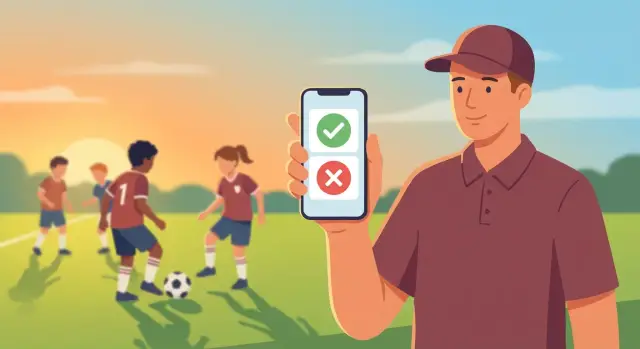
Why teams struggle to get a reliable practice headcount
A reliable headcount sounds small, but it changes the whole practice. Coaches need it to pick drills that fit the number of players, set scrimmage teams, plan goalkeeper rotations, and decide how much space to use. It also affects safety. If you expect 16 and only 9 show up, some drills stop working and players can get overworked.
Most teams try to solve this in a group chat. That works until life gets busy. Replies get buried under memes and side conversations. People answer in different ways ("maybe", "late", "idk"). Some players DM the coach instead of replying to the group. Others react with an emoji that half the team never notices. By the time practice starts, the coach is still guessing.
The problem usually isn't effort. It's scattered information. When updates come in from different places, you end up doing mental math: who said yes, who changed to no, who never responded, and who is on the way but will be 20 minutes late.
If any of this feels familiar, you're past what a group chat can handle:
- Late changes that never reach the coach (or reach them too late)
- No-shows from people who said yes earlier in the day
- Confusion when someone answers twice or changes their answer
- Silent players who never respond, so the team guesses for them
- Last-minute scrambling to adjust drills, lines, or scrimmage teams
A simple attendance poll helps because it creates one clear place to answer and one clear number to trust.
"Good enough" isn't fancy. It's a quick yes/no, a deadline, and a headcount that updates instantly. A coach should be able to glance at one screen and know: total yes, total no, and who hasn't responded.
What an attendance poll should do (simple version)
A good attendance poll should feel like a light tap, not a task. Players should be able to answer in a couple seconds while they're between classes, at work, or walking to the car.
For players, the job is simple: one clear question ("Can you make practice?") and big buttons for the answer. If the screen makes them type a message, pick from too many options, or read a long note, many will skip it and tell you later (which usually means never).
For coaches, the poll should instantly turn answers into a usable headcount. You need totals at a glance (how many Yes, how many No), plus the names behind those numbers. Just as important: a clear list of who hasn't replied yet, so you can nudge the right people instead of texting the whole group.
A few optional features help, as long as they stay quick:
- Use "Maybe" only if your team truly uses it. Otherwise, keep it strict Yes/No so planning stays clear.
- Allow a short note for edge cases like "10 minutes late" or "leaving early" without starting a long chat.
- Let the coach set a deadline (for example, "respond by 3 pm") so decisions aren't made on guesswork.
Keep the tone friendly. A short reminder like "Please tap one" works better than guilt.
The basic pieces: team, practice, and responses
A good attendance poll stays simple because it only needs three things to work well: a clear team list, a clear practice entry, and a clear response from each person. If any one of these is messy, coaches end up back in group texts.
Team: who can answer (and who manages it)
Start with the people. Most teams need at least one head coach and a roster of players. Some also need assistant coaches and guardians (for youth teams), so the right person can RSVP and see updates.
Common roles:
- Head coach: creates practices, edits details, can cancel
- Assistant coach: views responses, sometimes creates practices
- Player: answers yes or no (and maybe adds a note)
- Guardian: answers for a player if needed
- Team manager: optional admin who keeps the roster accurate
Roles matter because they decide who can post a new practice and who can see everyone else's answers.
Practice: one event with a few details
Each practice should be a single event with date and time, location, and a short note like "bring pinnies" or "goalkeepers arrive 10 min early." Give it a status too, so it's obvious when something changed (scheduled vs canceled). That status prevents the "Are we still on?" messages an hour before.
Example: a coach schedules Tuesday 6:00 PM at the school field and adds "conditioning focus." Later, they cancel due to weather. The event stays the same, only the status changes.
Responses: yes/no plus a little context
A response connects three things: the user, the practice, and the answer (yes or no). Add a timestamp so you can see what's current, and allow an optional comment like "running late" or "doctor appointment." Those short notes often save a separate message thread.
Privacy is a choice, but set expectations early:
- Private replies: players only see their own response
- Shared replies: everyone sees the full headcount and names
- Mixed: players see headcount, coaches see names and comments
Whichever option you pick, keep it consistent so players trust the system and actually use it.
How it works end to end (one clear flow)
A good attendance poll should feel like a single, quick loop: coach posts one question, players answer in one tap, and the headcount updates without extra messages.
First, the coach creates a practice poll with only what players need to decide: date, time, location, and a short note like "bring pinnies" or "we'll start with conditioning." Keep it short so players don't have to open a calendar app or scroll through a long message.
Then the system shares the poll where players will actually see it, like a push notification or an app inbox. The key is one clear prompt, not a long group thread.
From the player side, the flow should be instant. They open the poll and tap Yes or No. No typing. If you need more detail, ask after the tap (for example, "Running late?"), but make it optional.
On the coach side, totals update right away. Think in three simple numbers: Yes, No, and No response. That third number is the one that saves time.
A clean five-step loop:
- Coach creates the poll (date, time, location, note)
- Players get a notification or see it in their inbox
- Players tap Yes or No
- Totals update in real time
- Coach reminds only non-responders
Example: you post Tuesday 6:00 PM at the school field. After an hour you have 12 Yes, 3 No, 5 no response. Instead of pinging everyone, you remind just the five missing replies. Now you can plan stations and scrimmage teams with confidence, without chasing texts.
Design the screens so players answer fast
Speed matters more than features. If a player can answer in two seconds, you'll get more replies and fewer "Sorry coach, just saw this" messages.
Player poll screen: one glance, one tap
The screen should feel like a single decision. Put the practice details at the top in plain language so nobody has to guess which session it is, then show two large buttons that are easy to hit with a thumb.
Keep the details tight:
- Date and start time (and end time if it varies)
- Location (field name or gym)
- Team name or squad (Varsity, U12, etc.)
- A short note like "bring pinnies"
Below that, stick to Yes and No. Extra options like "maybe" slow people down and make headcounts fuzzy.
After the tap, show a clear confirmation like "You're marked as Yes for Tue 6:00 PM." Add a simple "Change answer" action so players can update later without sending a separate message.
Coach view: headcount first, details second
Coaches usually want the total before anything else. Put totals at the top, then show names grouped by response. Keep a third group for "No response yet" so it's obvious who to nudge.
If you add a "message to team" field, keep it small and optional. Treat it like a short note that appears with the practice details, not a chat.
Example: a player opens the poll, sees "Thu 5:30 PM, East Gym, conditioning," taps Yes, and closes it. The coach checks the dashboard and sees 12 Yes, 3 No, 4 no response, plus the names to follow up with.
Step by step: set up your attendance poll process
An attendance poll works best when everyone knows exactly what a tap means, and when timing is predictable. Set it up once, then reuse the same rules every week so players don't have to think.
Set the rules once (and keep them simple)
Start by writing the question in plain language and define what "Yes" means. For example: "Can you attend the full practice from 6:00 to 7:30?" If a player can only come for 20 minutes, that should be a "No" (or you can add a separate option later). The key is that coaches can trust the count.
Then decide who is allowed to create polls. Many teams do best with "head coach creates, assistants view" because it avoids duplicate polls and mixed messages. If assistants run separate groups (goalkeepers, defense), you can allow them to create polls, but keep the same wording and cutoff.
A simple setup that works for most teams:
- Use one standard question (same wording each time)
- Choose who can create polls
- Set a cutoff time (example: 2 hours before practice)
- Use light reminders (day before, then at the deadline)
- Decide how to handle late changes
After the cutoff, decide what happens when someone flips from Yes to No. A practical rule is: players can still update their answer, but coaches get a notification when a response changes. That protects the headcount without turning the poll into a debate.
Example: you post Monday's poll on Sunday night. Everyone has until 4:00 pm Monday to answer. At 4:05 pm, a player marks Yes but adds a note that they're arriving late. You accept the update, but you want the coach to see it immediately.
If you're building this yourself in Koder.ai, these rules are good defaults to save per team so every new poll follows the same pattern.
Common mistakes that make attendance polls fail
Attendance polls are simple on paper: tap yes or no, coach gets a number. But small details can ruin trust fast. Once players feel the count is wrong, they stop answering and you're back to chasing texts.
Fix the five failure points
Most failures come from the same few patterns:
- Duplicate answers: a player replies, then a parent replies again, or someone changes phones and votes twice. Tie each response to one identity and show only the latest answer.
- Unclear time: "Practice at 6" isn't enough if start time changes. Show the full date, local time, and location, and make edits obvious.
- No cutoff: without a deadline, the headcount never settles. Set a cutoff like "Respond by 3 pm" and treat late replies as late.
- Reminder overload: too many pings train people to ignore all of them. Use a light schedule and target only non-responders.
- No "unknown" state: yes and no aren't enough. You also need "no response yet" so you can see exactly who's missing.
Example: you post a poll for Tuesday 6:30 pm. Four players tap yes, two tap no, and three haven't answered. If the time shifts to 7:00 pm, the poll should clearly mark the update and notify the team. Otherwise, your "yes" list is based on the old plan.
If you're building an attendance poll tool, bake these rules in from day one. Tools like Koder.ai can help you prototype the flow quickly, but the real win is getting these small details right so the team trusts the count.
Quick checklist before you use it with the whole team
Before you roll this out to everyone, do a quick dry run with 2-3 players. Most attendance problems aren't about motivation. They're about confusion, missing access, or totals that are hard to read.
- Access: every player can open the poll on their phone, and the invite method is simple. If an account is required, confirm logins work before game day.
- Details: the practice date, start time, and location are correct and easy to see without scrolling.
- Totals: coaches can see Yes, No, and No response at a glance.
- Changes: players can change their answer quickly. The latest response should replace the old one, not create duplicates.
- Reminders: there's a one-tap way to remind only non-responders.
If your test group finds a snag, fix it before you invite the full roster. Small friction early turns into silence later.
Fast pre-launch test (5 minutes)
- Create a practice poll for tomorrow.
- Send it to three players (one usually early, one usually late, one often unsure).
- Ask one player to switch from Yes to No and confirm the total updates.
- Send a reminder and confirm only the non-responders get it.
If you're building a lightweight tool for your team, Koder.ai can help you turn this flow into a simple web or mobile app without weeks of back-and-forth.
A realistic example: planning practice without chasing texts
It's Monday night and you're planning Tuesday practice. You have 18 players on the roster, but you need at least 12 to run a scrimmage. If you guess wrong, you either waste time setting up a scrimmage that can't happen, or you skip it and then find out you had enough people.
So you post a simple attendance poll: "Tuesday 5:30 pm practice. Tap Yes or No by 3:00 pm tomorrow." The cutoff time is what turns the question into a quick decision instead of an open-ended chat.
By noon on Tuesday, the results look like this: 10 Yes, 2 No, and 6 haven't answered. That's usually when coaches start chasing texts one by one. Instead, you send one reminder only to the six who didn't respond: "Need your Yes/No by 3:00 pm so I can plan."
By 3:00 pm, you land at 13 Yes, 3 No, and 2 no response.
Now you can make a clean call. With 13 Yes, you plan a real scrimmage. You also plan for 1-2 late changes, so you keep a backup drill that works with 10-12 players.
The two no-response players are handled differently too: you plan as if they're out, and if they show up, they join a group. That one rule reduces stress and keeps the team honest.
Next steps: pilot it, then build a simple app for your team
Start small so you can learn from real behavior. Pick one team and run the same rules for one week of practices. Keep it boring on purpose: one poll per practice, one deadline, one tap.
For the pilot, focus on a clean headcount you trust. Late arrivals, "maybe" answers, injuries, rides, and extra notes can come later, but they add friction.
A simple pilot plan:
- Run polls for 3-5 practices with the same cutoff time
- Start with Yes/No only
- Keep one person as the only poll creator
- Review results after the cutoff and adjust one rule at a time
- Send one reminder, then treat no response as No
Once the habit sticks, you can turn it into a lightweight app instead of juggling chat threads. If you want to build it quickly from a written spec, Koder.ai (koder.ai) is one option: describe the screens and rules in plain language, use Planning Mode to tighten the flow, then export and deploy when you're ready.
Your rollout message matters more than extra features. Keep it simple and repeat the same wording for the first few practices:
"New attendance check: tap Yes or No before 6pm. That's it. If you don't respond, we count you as No."
After week one, add only one new detail at a time (like late arrival time). If responses drop, go back to Yes/No and rebuild the habit first.
FAQ
Why isn’t a group chat enough to track practice attendance?
A group chat mixes attendance with everything else, so the “yes/no” info gets buried and people answer in different ways. A poll puts every reply in one place and gives you totals you can trust.
What’s the simplest attendance poll that actually works?
Keep it strict: one clear question with big Yes and No buttons, plus instant totals for the coach. If you add anything, make it optional and fast, like a short note for “10 min late.”
How do I choose a good deadline for responses?
Set a clear cutoff time and treat it as real, like “Respond by 3:00 pm.” After the cutoff, plan as if non-responders are out so your headcount settles and you can build a plan confidently.
Should I include a “Maybe” option?
Default to Yes/No only because “Maybe” makes planning fuzzy and people overuse it. Only add “Maybe” if your team truly uses it correctly and you have a clear rule for how you count it.
What should the coach see on the poll dashboard?
Show three groups: Yes, No, and No response yet, with totals at the top. Then you can message only the people who haven’t answered instead of pinging the whole team.
How should the poll handle last-minute changes or people switching answers?
Make it one tap to change and always treat the latest answer as the only one that counts. Coaches should be notified when a “Yes” flips to “No” so late changes don’t surprise you at practice time.
How do I prevent duplicate answers (player + parent, or two devices)?
Use one identity per person and only store the most recent response for that person. If you have guardians replying for players, decide who is allowed to RSVP and keep it consistent so you don’t get double votes.
What’s the best rule for people who never respond?
Start with one rule: if you don’t respond by the cutoff, you’re counted as No. Say it plainly and repeat it every time, so players learn that a quick tap matters.
How many reminders should I send without annoying everyone?
Keep reminders light: one the day before and one at the deadline is usually enough. Target only non-responders so people don’t learn to ignore notifications.
What should I test before rolling the poll out to the whole team?
Use a quick dry run with 2–3 players: confirm they can open it, vote, change their vote, and that totals update correctly. Fix any friction before inviting the whole roster so you don’t train people to ignore it.