

Product Catalog Websites: Templates, Pages, and Checklist
Build a product catalog website faster with the right template, essential pages, and a step-by-step setup checklist for content, SEO, and launch.
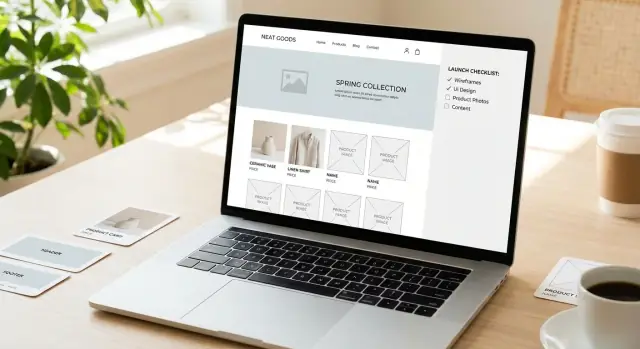
What a Product Catalog Website Should Do
A product catalog website is built to help people browse and decide. Some catalogs are browse-first (the main “conversion” is an inquiry or quote request). Others are checkout-first (an online store where purchasing is the primary action). Knowing which one you’re building changes everything—from page layout to what data you must collect.
Browse-first vs checkout-first
Browse-first catalogs focus on clarity and confidence: clean categories, strong product detail pages, easy comparison, and obvious next steps like “Request a quote” or “Talk to sales.” Pricing can be hidden, tiered, or shown as “starting from.”
Checkout-first catalogs still need browsing features, but they also require cart, taxes/shipping rules, payments, inventory, and customer accounts. If you’re not ready for that operational load, start browse-first and add ordering later.
Who a catalog site is for
Catalog-style sites work especially well for:
- Manufacturers showcasing product lines, variants, and technical specs
- Wholesalers/distributors with tiered pricing, minimum order quantities, and bulk inquiries
- Service catalogs that list packages, deliverables, and “starting at” pricing as SKUs
- Portfolios with SKUs (makers, brands, collections) where products need repeatable pages and searchable attributes
Set goals before you pick templates
A catalog site should guide visitors toward a clear outcome. Common goals include:
- Inquiries (general contact from interested buyers)
- Quote requests (capture requirements like dimensions, quantities, delivery location)
- Store visits (for local showrooms, dealers, or retailers)
- Online orders (when you can fulfill and support ecommerce end-to-end)
When these goals are defined, choosing from catalog website templates becomes simpler: you’ll know whether you need heavy filtering, quote forms, dealer locators, or a full checkout.
Gather your inputs (so your site doesn’t stall)
Most catalog delays are content delays. Before building, list what you already have and what’s missing:
- Product names, categories, and variant rules (sizes, colors, models)
- Specs, materials, certifications, manuals, and warranty info
- Photos/video, brand guidelines, and usage examples
- Pricing rules (public price, MSRP, “call for price,” or tiers)
With these inputs, you can create consistent product listing pages and product detail pages that are easy to maintain as the catalog grows.
Choosing the Right Template: What to Look For
Your template choice sets the ceiling for how easy (or painful) it will be to maintain your product catalog website. Before you fall in love with visuals, decide what you’re actually buying: a starting point that supports catalog needs today and won’t trap you six months from now.
Pick your starting point
Most teams end up in one of these paths:
- Theme/template (fastest): Great when you need to launch quickly and your catalog is fairly standard.
- Component library (flexible): Best if you want a consistent design system and expect ongoing tweaks.
- Custom build (most control): Makes sense for unusual product data, complex filtering, or strict brand requirements.
If you’re not sure, start with a template and validate your catalog structure and content first—you can always upgrade later.
If you want the speed of a template but expect to evolve into a more custom experience, a vibe-coding platform like Koder.ai can help you prototype (and iterate on) a catalog flow through a chat interface—then export source code when you’re ready to take it further.
Template must-haves (catalog edition)
Look for these essentials before you buy or commit:
- Responsive product grid that looks good on mobile, not just desktop.
- Ready-made product listing page and product detail page layouts (with room for specs, downloads, and related items).
- Navigation patterns that scale: mega menu support, clear category pages, and breadcrumbs.
- Support content space: a blog, FAQs, or support hub (even a simple one) so you can answer questions without bloating product pages.
- SEO basics built in: editable page titles/descriptions, clean URLs, and a way to add structured data (schema) without fighting the theme.
If the template demo doesn’t show a realistic catalog—long lists, multiple categories, and a mix of product types—assume you’ll be the first to discover its limits.
Common template problems to avoid
Be cautious if you see any of these signs:
- Hard-to-edit layouts: text baked into images, “designer-only” sections, or rigid blocks that can’t be rearranged.
- Slow hero sliders and heavy animations: they often hurt performance and distract from products.
- No clear place for product data: if specs, variants, and downloads feel like an afterthought, content entry will be messy.
Plan for growth (and non-technical editing)
Ask upfront: will your catalog expand into more categories, variants (size/color/model), or thousands of items? Choose a template that supports pagination, consistent cards, and reusable sections.
Finally, decide what must be editable by non-technical staff: product descriptions, prices (if shown), spec tables, PDFs, FAQs, and banners. If editing requires code or a developer ticket each time, the template is costing you more than it saves.
Catalog Structure and Navigation (Before You Design)
A catalog website is easiest to build (and easiest to use) when the structure is settled before anyone picks colors, templates, or page layouts. Navigation problems usually start as “small” decisions—like inconsistent category names or unclear URLs—that snowball as the catalog grows.
1) Map the hierarchy you’ll use everywhere
Start with a simple tree and make sure it matches how customers shop:
- Departments → Categories → Subcategories → Products
Keep it practical. If a category will only ever have 3–5 items, it may not need its own level. If it will have 200 items, it probably needs subcategories and filters.
2) Keep URLs and breadcrumbs consistent
Decide a single URL pattern that mirrors your hierarchy and stick to it. This improves trust and makes the site feel predictable.
Home > Lighting > Pendant Lights > Luna Pendant
/lighting/pendant-lights/luna-pendant
If you later rename a category, plan how you’ll redirect old URLs so you don’t break bookmarks and search results.
3) Plan how people will move around
Think in three navigation layers:
- Top menu: your main departments (keep it short)
- Category pages: the “hub” for browsing, with subcategories and filters
- Cross-links: “Related products,” “Compatible accessories,” “Often used with”
Cross-links matter because customers rarely browse in a perfect straight line. If someone lands on one product, give them clear paths to the most relevant alternatives.
4) Decide the click depth (and be realistic)
A good rule is: a visitor should reach most products in 3–4 clicks from the homepage. If it’s taking 6–7 clicks, your hierarchy is likely too deep or your menu isn’t doing enough work.
5) Create naming rules for categories and product titles
Set simple rules early:
- Categories: plural nouns (“Pendant Lights”), consistent capitalization
- Product titles: consistent order, e.g., Brand + Model + Key Attribute
These rules keep menus clean, prevent duplicates (“Pendant Light” vs “Pendant Lights”), and make on-site search and filters behave more predictably.
Must-Have Pages for a Product Catalog Website
A catalog site works best when visitors can answer three questions quickly: “Do you sell what I need?”, “Can I compare options?”, and “How do I get a quote or buy?” The pages below cover those needs without bloating your menu.
1) Homepage (your fastest “yes/no” page)
Your homepage should make your value proposition obvious in the first screen, then help people jump into the catalog.
Include:
- A clear headline (who it’s for + what you sell)
- Top categories as large, scannable links
- A prominent site search box (especially for large catalogs)
- A “featured” or “recommended” block (new, best sellers, seasonal, or high-margin)
2) Category / product listing pages (where most browsing happens)
Listing pages should help visitors narrow down options without friction.
Focus on:
- Filters that match how customers think (size, material, compatibility, price tier, use case)
- Sorting that makes sense (most popular, newest, price, rating—if you have it)
- Clear product cards: name, key spec or differentiator, thumbnail, and a consistent call-to-action (View details, Get quote, Add to cart)
3) Product detail pages (your decision page)
A strong product detail page reduces back-and-forth emails and speeds up inquiries.
Include:
- A short summary (what it is + best-fit use)
- Specs in a scannable table
- High-quality images (multiple angles) and, if helpful, a short video
- Downloads: datasheets, manuals, safety info, CAD files (as applicable)
- A clear CTA: Request quote, Contact sales, Find distributor, or Buy now
4) About + Contact (trust and response paths)
Visitors often check these before reaching out. Add credibility and remove uncertainty:
- Company story, certifications, guarantees, and key differentiators
- Locations/service areas and business hours
- Multiple inquiry options (form, email, phone), plus expected response time
5) Support content (reduce support tickets and hesitation)
Even catalog sites need “what happens next” clarity.
Depending on your model, publish FAQs, shipping/returns, warranty details, and documentation—then link to them from product pages so customers don’t have to hunt.
Product Page Content: A Repeatable Template
A good product page is consistent. When every item follows the same pattern, people can scan faster, compare options, and confidently take the next step.
The standard product template (use this every time)
Start with a repeatable structure that works for simple and complex products.
1) Product title
Use the real product name plus the differentiator people search for (type, series, or model). Example: “ACME 2000 Pressure Regulator (Stainless Steel)”.
2) One-paragraph summary
In 2–4 sentences, explain what it is, who it’s for, and the main benefit. This is the text most visitors read before deciding whether to scroll.
3) Key specs (quick-scan block)
Show 5–10 essential specs near the top (not buried in a PDF): dimensions, materials, capacity, voltage, pressure range, standards, warranty—whatever drives selection.
4) Long description
Use short paragraphs and plain language. Answer: what it does, where it’s used, what makes it different, and any constraints (environment, installation, compliance).
Variants: size, color, model number—without confusion
Variants are where catalog sites often get messy. Pick one approach and apply it consistently:
- Simple variants (color/finish): keep one product page and let the visitor switch options with a clear selector.
- Meaningfully different variants (spec changes, compliance, power, dimensions): consider separate product detail pages per model, especially if each has unique specs, downloads, or pricing.
Whichever you choose, make it obvious:
- Show the exact selected variant name and model/SKU next to the title.
- Update key specs when a variant changes.
- If there are many models, add a compact comparison table so people don’t have to open multiple tabs.
Calls to action that match how you sell
Every product detail page should have a primary next step. Common CTAs for a product catalog website:
- Request a quote (best for custom pricing or B2B)
- Contact sales (complex products, long cycles)
- Find a dealer (channel sales)
- Buy (direct ecommerce)
Keep the CTA visible near the top and repeat it after the long description. If you use forms, ask only for what you need to follow up.
Downloadable assets (when relevant)
Put technical files on the product page—not only on a “Resources” page. Typical downloads include datasheets, manuals, compliance certificates, and CAD files.
Label files clearly (version/date), and note what variant they apply to.
Related products and compatible accessories
Add a small “Related” section to improve browsing and help people build a complete solution:
- Compatible accessories (mounts, cables, fittings)
- Replacement parts or consumables
- Similar models (“Also available in…”) to prevent dead-ends
This improves discovery and reduces support questions—especially when someone lands directly on a product page from search.
Images, Video, and Media Guidelines
Good media does more than “look nice”—it helps people confirm they’ve found the right product quickly, and it reduces back-and-forth questions. The goal is consistency and clarity, so every product feels like it belongs in the same catalog.
Image requirements (consistency wins)
Set standards early and apply them everywhere:
- Background: Use the same background style across the catalog (pure white, light gray, or a consistent lifestyle setting). Mixing styles makes the catalog feel messy and makes products harder to compare.
- Angles: Define a default set (for example: front, back, side, close-up of key feature, packaging/label). Keep the order the same on every product.
- Minimum resolution: Aim for images that still look sharp when zoomed. As a rule of thumb, upload originals at at least 2000 px on the long edge (or follow your platform’s recommended size) and let the site generate smaller versions.
Galleries: hero first, then “proof”
A gallery should tell a quick story:
- Hero image first: clean, centered, and easy to scan in listings and search results.
- Details next: close-ups of texture, connectors, controls, materials, or labels.
- Context shots last: the product in use, scale references, or before/after—useful for understanding size and fit.
Keep galleries tight. If you have 12 similar shots, visitors won’t know what matters.
Alt text that helps real people
Alt text is for accessibility (and it can support SEO), but it should be written for humans.
- Describe what’s in the image: “Stainless steel 1L insulated bottle, matte black, screw cap.”
- Include meaningful specifics: color, material, key visible feature.
- Avoid keyword stuffing: don’t write “product catalog website best bottle buy online…”—that’s not helpful.
When video is worth it (and when it isn’t)
Use video when it answers questions a photo can’t:
- Demos: how it works, what moves, what changes.
- Installation/setup: steps, tools required, common mistakes.
- Size comparison: holding it in hand, placing it next to a known object, showing “fits in” scenarios.
Keep videos short (often 15–60 seconds is enough), add captions, and make sure the thumbnail works as a standalone image.
Storage and naming conventions (future-you will thank you)
Media gets hard to manage when your catalog grows. Decide on a simple system:
- Store a single “source of truth” folder (cloud drive or DAM) and publish from there.
- Use consistent file names, e.g.
sku1234_black_front.jpg,sku1234_black_detail-cap.jpg. - Keep versions predictable:
v1,v2only when necessary; otherwise replace files to avoid duplicates.
These guidelines make updates faster, improve product listing consistency, and keep your catalog maintainable over time.
Search, Filters, and Sorting That Help People Find Products
A catalog succeeds when people can narrow down options quickly and feel confident they didn’t miss the “right” item. Search, filters, and sorting work best when they’re based on real product data—not wishful UI.
Choose filter types that match how people shop
Start with the filters buyers expect for your category, then add only what you can support consistently:
- Category (and subcategory)
- Price (range slider or predefined bands)
- Brand
- Size and color
- Availability (in stock / backorder)
- Material
- Rating (if you truly have enough reviews to be meaningful)
If you sell B2B or technical products, “material” might be “voltage,” “compatibility,” or “certification”—the principle is the same: filters should reflect real decision criteria.
Avoid filter overload (only show what’s usable)
Every filter you add creates a promise: “this will help you find something.” If the data behind it is incomplete or inconsistent, it breaks trust.
Keep filters tied to clean attributes you maintain for every product. Hide or disable filters that would return almost nothing, and don’t show options that have zero matching items.
Search that saves people time
Catalog search should do more than match keywords.
- Autosuggest: show product names, categories, and popular queries as the person types.
- Typo tolerance: handle small misspellings (“watter bottle” → “water bottle”).
- No-results guidance: offer spelling suggestions, remove overly strict filters, and link to nearby categories.
Sorting: set smart defaults
Define a default sort that matches the majority goal:
- Best match (if search is used)
- Popularity (often best for browsing)
- Newest (great for “New arrivals”)
- Price: low to high / high to low
Make the current sort obvious, and keep it sticky as users paginate.
Pagination vs. infinite scroll (and SEO-friendly handling)
Pagination is easier to navigate and share. Infinite scroll can work, but make sure results still create indexable, linkable pages.
If you use filters and sorting, ensure URLs update (so a filtered view can be bookmarked) and avoid creating thousands of low-value combinations. When in doubt, keep filtered pages crawlable only when they’re genuinely useful, and link users back to the main category pages (see /blog/catalog-structure-and-navigation).
SEO for Category and Product Pages
SEO for a product catalog website is less about “tricks” and more about making each page clearly about one thing—and easy for people (and search engines) to understand.
On-page basics that scale
Start with consistent patterns:
- Page titles: put the category/product name first, then a short qualifier (e.g., “Shipping Supplies” or your brand name).
- Meta descriptions: write one or two sentences that match what a shopper wants to do on that page.
- Headings: one clear H1 per page; use H2s for sections like “Specifications” or “Compatible Models.”
- Internal links: link from categories to key subcategories and from product pages back to their category (breadcrumbs help). If you need inspiration for layout, keep it aligned with your /product-listing and /product pages.
Category page SEO: avoid copy-paste pages
Category pages often fail when they’re just grids of products. Add a short, unique intro (2–5 sentences) that explains what the category includes, who it’s for, and how to choose.
Be careful with duplicate category variations (for example, “Blue Widgets,” “Widgets in Blue,” and “Widgets > Color: Blue”). If filter combinations create lots of near-identical URLs, decide which ones should be indexable and which ones should not.
Product SEO: unique content + one canonical URL
Each product detail page should have:
- A unique description (avoid manufacturer text pasted everywhere)
- Clear specs, compatibility, and FAQs
- A single preferred URL (set a consistent canonical so duplicates from tracking parameters or variants don’t compete)
Structured data worth adding
If you can, implement:
- Product (name, price, availability, SKU)
- BreadcrumbList (improves navigation signals)
- Organization (basic brand information)
Don’t publish thin pages
If a category has too few products or no real purpose, either merge it into a stronger category or add helpful content (buyer guidance, sizing info, common use cases) so the page earns its place.
Performance, Accessibility, and Trust Essentials
A catalog can look great and still fail if it’s slow, hard to use on a phone, or feels unsafe. These essentials keep shoppers comfortable enough to browse, compare, and contact you.
Performance that keeps browsing smooth
Catalog pages often load dozens of images and scripts—small delays add up.
- Optimize images: export in modern formats (WebP/AVIF where possible), compress aggressively, and serve the right sizes for thumbnails vs. detail views.
- Lazy-load media: load images and videos only as they approach the viewport, especially on category and search results pages.
- Minimize scripts: remove unused plugins, avoid heavy animation libraries, and keep third-party widgets (chat, trackers) to the minimum you truly need.
A practical rule: category pages should remain usable before every image finishes loading.
Mobile-first layout decisions
Many users will scan your catalog on a phone, even if they buy later on desktop. Make the “compare and decide” tasks easy:
- Use sticky filters or a persistent “Filter” button that’s reachable with one thumb.
- Add a sticky CTA on product pages (e.g., “Request quote,” “Contact sales,” “Find a distributor”) so it doesn’t disappear after scrolling.
- Keep specs readable: short labels, consistent units, and avoid wide tables that force horizontal scrolling.
Accessibility basics you can implement quickly
Accessibility improvements often improve usability for everyone:
- Maintain sufficient color contrast for text and buttons.
- Ensure full keyboard navigation (tab order, visible focus states, no “trap” areas in menus and filter drawers).
- Use proper form labels (not just placeholder text), clear error messages, and input hints for required fields.
Trust and safety visitors notice
Trust is built with small signals:
- Always use HTTPS and avoid mixed-content warnings.
- Add spam protection on forms (honeypot, rate limits, or CAPTCHA only when needed).
- Cover privacy basics: a clear privacy policy link in the footer and an explanation of what happens after someone submits a form.
Quality assurance before launch
Test like a customer who’s in a hurry: check for broken links, confirm useful 404 handling (with search and top categories), and set up redirects for renamed categories or discontinued products so bookmarks and search results don’t dead-end.
Tracking, Leads, and Conversion Basics
If your catalog site doesn’t track actions and capture leads, it’s mostly a brochure. The goal is to make it easy for interested visitors to raise their hand—and to measure which pages and products actually do the work.
Define what a “conversion” means for your catalog
Start by writing down the actions that signal real intent. Common catalog conversions include:
- Quote requests (from a product page or category page)
- Contact form submissions
- Phone clicks (especially on mobile)
- Add-to-cart (for hybrid “catalog + checkout” sites)
- Downloads (PDF spec sheet, brochure, CAD file)
Choose 1–2 “primary” conversions (e.g., quote request, call) and a few “micro” conversions (e.g., download, email click). This keeps reporting clear.
Set up tracking before launch (not after)
Install analytics early so you can test events while the site is still in staging. At minimum, track:
- Form submits (including which form and which page)
- Clicks on key CTAs (Request a quote, Contact sales)
- Phone and email clicks
- Downloads
- Site search usage (what people searched for)
Create goals for primary conversions so you can compare performance by channel (organic search, paid, referrals) and by page type (category vs. product detail).
Build lead capture into the browsing experience
Don’t rely on a single “Contact” page. Add lightweight capture points where decisions happen:
- A clear product-page CTA near the price/availability area (or near the top if pricing isn’t shown)
- A category-page CTA for “Need help choosing?”
- A sticky contact option (small button or bar) that doesn’t block content
Make forms short. If you need more details, use a second step or follow up.
Social proof that supports—not distracts
Use testimonials, certifications, and short case studies to reduce doubt near CTAs. Keep proof specific (industry, outcome, compliance standard) and avoid overwhelming product pages with long stories.
Simple A/B tests worth running
Once you have enough traffic, test one change at a time:
- Hero CTA wording (Request a quote vs. Get pricing)
- Product card layout (image size, key specs, CTA placement)
- Filter placement (left sidebar vs. top row)
Setup and Launch Checklist (Print-Friendly)
A catalog site often “looks done” before it’s actually ready. Use this checklist to catch the unglamorous issues that hurt findability, trust, and day‑one performance.
Pre‑launch (content + quality)
- Review key pages for clarity: category intros, product descriptions, pricing/availability notes, and calls to action.
- Confirm every product has a clear primary category (and only the tags/secondary categories you truly need).
- SEO checks: unique page titles, meta descriptions for top categories, correct H1s, and no duplicate category pages.
- Test speed with a real tool on mobile and desktop; fix oversized images and unnecessary scripts first.
- Device testing: recent iPhone + Android, plus at least one small laptop screen. Check navigation, filters, sticky headers, and forms.
Data sanity check (catalog completeness)
- Product count matches your source of truth (ERP/PIM/spreadsheet).
- No missing required fields (SKU, name, short description, key specs, category, price or “request a quote”).
- Images: every product has a primary image; top sellers have a consistent set (angles/variants) and correct alt text.
- Category assignments: no “orphan” products; no empty categories visible to users.
Go‑live steps (technical essentials)
- Generate and submit sitemap(s) in Search Console.
- Verify robots.txt allows crawling of important pages (and blocks internal search results if needed).
- Set 301 redirects for any changed URLs (especially old category and product URLs).
- Turn on uptime monitoring and error alerts; keep a rollback plan.
If you’re iterating quickly, prioritize a workflow that supports snapshots and rollback. (For example, Koder.ai includes snapshot/rollback and source code export, which can reduce the risk of shipping catalog changes frequently.)
Post‑launch routine (first 2–4 weeks)
- Review on‑site searches: fix popular queries with “no results” by adding synonyms, tags, or missing products.
- Refresh best sellers and featured categories weekly based on actual behavior.
- Add helpful content where users hesitate (size guides, compatibility notes, shipping/returns). Consider a supporting /blog for category education.
Maintenance plan (ownership + approvals)
Define: who can add/edit products, how often updates happen (weekly/monthly), and what requires approval (pricing, discontinued items, new categories). Keep a simple change log so future issues are traceable.
FAQ
What is a product catalog website, and how is it different from an ecommerce store?
A product catalog website helps people browse, compare, and decide—even if they can’t buy instantly.
- Browse-first: the main action is an inquiry (quote request, contact sales, dealer lookup).
- Checkout-first: adds cart, payments, taxes/shipping, inventory, and customer accounts.
Pick the model first, because it changes the pages, data you need, and what “conversion” means.
When should I build a browse-first catalog instead of a checkout-first site?
Start browse-first if you’re not ready to support the operational complexity of ecommerce.
Browse-first is a better fit when:
- pricing is custom, tiered, or “call for price”
- products have many variants or require configuration
- sales involves a human step (quotes, compliance checks, availability confirmation)
You can still prepare for ecommerce later by keeping clean SKUs, attributes, and consistent product pages.
What should I look for in a catalog website template?
Prioritize structure and maintainability over aesthetics. Look for:
- responsive product grids and usable mobile layouts
- strong listing + product detail page templates (room for specs, downloads, related items)
- scalable navigation (mega menus, category hubs, breadcrumbs)
- SEO controls (titles/descriptions, clean URLs, support for schema)
- easy editing for non-technical staff (spec tables, PDFs, FAQs, banners)
If a theme demo doesn’t show a realistic, large catalog, assume you’ll hit limits quickly.
What are the most common template problems to avoid for catalogs?
Common issues that make catalogs painful to maintain:
- layouts that are hard to edit (text embedded in images, rigid blocks)
- heavy sliders/animations that slow browsing
- no obvious place for structured product data (specs, variants, downloads)
- weak navigation patterns (no breadcrumbs, unclear category hubs)
If entering product content feels “improvised,” your catalog data will become inconsistent fast.
How should I structure categories and navigation before designing the site?
Use a hierarchy you can apply everywhere (menu, URLs, breadcrumbs, filters), such as:
- Departments → Categories → Subcategories → Products
Keep it practical:
- if a category will only ever have a few items, skip a level
- if a category will have hundreds, add subcategories and filters
Also set naming rules early (plural category names, consistent product title format) to prevent duplicates and messy search behavior.
What are the must-have pages for a product catalog website?
At minimum, most catalog sites need:
- Homepage with clear value proposition, top categories, and search
- Category/listing pages with filters, sorting, and consistent product cards
- Product detail pages with specs, media, downloads, and a clear CTA
- About + Contact to build trust and provide response paths
- Support content (FAQs, warranty, shipping/returns, documentation)
These pages answer the core visitor questions: “Do you sell it?”, “How do I choose?”, “What do I do next?”
What should every product detail page include?
Use a repeatable product layout so visitors can scan and compare quickly:
- clear title (often Brand + Model + Key Attribute)
- a 2–4 sentence summary (what it is, who it’s for, main benefit)
- a quick-scan key specs block near the top
- longer description (use cases, constraints, compliance)
- downloads (datasheets/manuals/CAD) with version and variant notes
- a primary CTA (Request quote, Contact sales, Find dealer, Buy)
Consistency beats creativity on product pages.
How should I handle variants (size, color, model numbers) without confusing users?
Choose one approach and apply it consistently:
- Simple variants (color/finish): one page with a selector.
- Meaningfully different variants (specs/compliance/dimensions): separate pages per model when each needs unique specs, downloads, or pricing.
Make the selection unambiguous:
- show the exact variant name and SKU/model near the title
- update specs when the variant changes
- for many models, add a compact comparison table
How do I design search, filters, and sorting so people can find products fast?
Start with attributes buyers actually use, and only add what you can maintain consistently.
Useful patterns include:
- filters: size, material, compatibility, certification, price tier, availability
- search: autosuggest, typo tolerance, and helpful no-results guidance
- sorting: set a sensible default (often popularity for browsing)
Also ensure filtered views update the URL so they can be bookmarked, and avoid creating thousands of thin, near-duplicate pages.
What should I track on a catalog site, and how do I capture more leads?
Track real intent and make lead capture happen where decisions are made.
Set up:
- primary conversions (quote requests, contact submits, calls)
- micro conversions (downloads, email clicks, add-to-cart if hybrid)
- event tracking for CTAs, forms, phone/email clicks, downloads, and site search
Then place CTAs on product and category pages (not only on a Contact page) and keep forms short—ask only for what you need to follow up.