

Prompt-to-PR Workflow with Claude Code: Small Diffs
Use a Prompt-to-PR workflow with Claude Code locally: write small prompts, ship small diffs, run checks, re-prompt on failures, and reach merge-ready PRs.
Why Prompt-to-PR beats big one-shot prompts
Big one-shot prompts often lead to big, messy changes: dozens of files touched, unrelated refactors, and code you haven't had time to understand. Even if the output is technically correct, review feels risky because it's hard to tell what changed and why.
Small diffs fix that. When each change is limited and focused, you can read it in minutes, catch mistakes early, and avoid breaking things you didn't mean to touch. Reviewers trust small PRs more, so merges happen faster and with fewer back-and-forth comments.
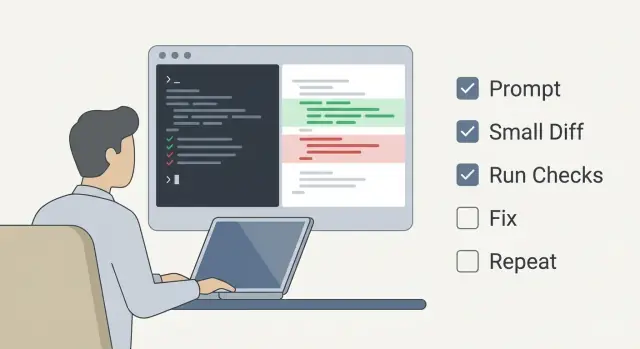
Prompt-to-PR is a simple loop:
- Ask for one small change with clear boundaries.
- Check the diff and confirm it matches the intent.
- Run your usual checks (tests, lint, build).
- If something fails, re-prompt with the exact error and context.
- Repeat until it's ready to merge.
This cadence turns failures into fast feedback instead of a surprise at the end. If you ask Claude Code to adjust a validation rule, keep it to that one rule. If a test fails, paste the failing output and ask for the smallest fix that makes the test pass, not a rewrite of the whole module.
One thing doesn't change: you're still accountable for the final code. Treat the model like a local pair programmer who types fast, not an autopilot. You decide what goes in, what stays out, and when it's safe to open the PR.
Prep your repo and your local pairing setup
Start from a clean baseline. If your branch is behind or tests are already failing, every suggestion turns into guesswork. Pull the latest changes, rebase or merge as your team prefers, and make sure the current state is healthy before you ask for anything.
A "local pair programmer" setup means Claude Code edits files in your repo while you keep control of the goal, the guardrails, and every diff. The model doesn't know your codebase unless you show it, so be explicit about files, constraints, and expected behavior.
Before the first prompt, decide where checks will run. If you can run tests locally, you'll get feedback in minutes, which keeps iterations small. If some checks only run in CI (certain lint rules, long suites, build steps), decide when you'll rely on CI so you don't end up waiting after every tiny change.
A simple pre-flight:
- Update your branch and confirm the app builds or starts.
- Run the fast checks locally (lint, unit tests, type check).
- Note which checks are CI-only and how long they usually take.
- Confirm you can reproduce the issue or see the missing feature clearly.
- Make sure you can undo changes easily (clean status, small commits).
Keep a tiny scratchpad open while you work. Write down constraints like "no API changes," "keep behavior backward compatible," "touch only X module," plus any decisions you make. When a test fails, paste the exact failure message there too. That scratchpad becomes the best input for your next prompt and stops the session from drifting.
Write prompts that naturally lead to small diffs
Small diffs start with a prompt that's narrow on purpose. The fastest route to mergeable code is one change you can review in a minute, not a refactor you have to understand for an hour.
A good prompt names one goal, one area of the codebase, and one expected outcome. If you can't point to where the change should land (a file, folder, or module), the model will guess and the diff will sprawl.
A prompt shape that keeps changes tight:
- Goal: the single behavior you want to change.
- Location: the file(s) or component you want touched.
- Constraints: what must not change.
- Acceptance: what "done" looks like.
- Diff size: explicitly request the smallest change that works.
Boundaries are the secret weapon. Instead of "fix the login bug," state what must stay steady: "Don't change the API shape," "Don't rename public functions," "No formatting-only edits," "Avoid new dependencies." That tells your pair programmer where not to be clever.
When the change still feels unclear, ask for a plan before code. A short plan forces the work into steps and gives you a chance to approve a small first move.
Goal: Fix the null crash when rendering the profile header.
Location: src/components/ProfileHeader.tsx only.
Constraints: Do not change styling, props, or any exported types.
Expected outcome: If user.name is missing, show "Anonymous" and no crash.
Diff constraint: Minimal diff. No refactors. No unrelated formatting.
If unclear: First reply with a 3-step plan, then wait for approval.
If you're working on a team, add review constraints too: "Keep it under ~30 lines changed" or "One file only unless absolutely necessary." It makes the diff easier to scan and makes follow-up prompts sharper when something fails.
Choose the right unit of work for each iteration
Keep each loop focused on one small, testable change. If you can describe the goal in one sentence and predict what files will change, it's the right size.
Good units of work include: fixing one bug in one path (with a repro and a guard), adjusting a single test for one behavior, doing a behavior-preserving refactor (rename, extract function, remove duplication), or improving one error message or validation rule.
Timebox each loop. Ten to twenty minutes is usually enough to write a clear prompt, apply the diff, and run a quick check. If you're still exploring after 20 minutes, shrink the unit or switch to investigation only (notes, logging, failing test) and stop there.
Define "done" before you start:
- The change stays within the intended files and behavior.
- One check proves it works (test, lint, or a simple run step).
- No new warnings or noisy formatting changes.
- The diff is easy to explain in two sentences.
When the scope starts to grow, stop early. If you catch yourself saying "while we are here," you just found the next iteration. Capture it as a follow-up, commit the current small diff, and keep moving.
Review the diff before you run checks
Before you run tests or builds, read the diff like a reviewer would. This is where the workflow either stays clean or quietly drifts into "why did it touch that file?" territory.
Start by asking Claude Code to summarize what it changed in plain language: files touched, the behavior change, and what it did not change. If it can't explain the change clearly, the diff is probably doing too much.
Then review it yourself. Skim first for scope, then read for intent. You're looking for drift: unrelated formatting, extra refactors, renamed symbols, or changes that weren't requested.
A quick pre-check:
- Do the changed files match what you asked for?
- Are there any drive-by edits (whitespace churn, unrelated refactors)?
- Did it introduce new behavior you didn't request?
- Is there a new dependency or config change that needs a real reason?
- Could a reviewer understand this without reading five other files?
If the diff is bigger than expected, don't try to test your way out of it. Roll back and re-prompt for a smaller step. For example: "Only add a failing test that reproduces the bug. No refactors." Small diffs keep failures easier to interpret and keep the next prompt precise.
Run checks after every small change
Small diffs only pay off if you verify them right away. The goal is a tight loop: change a little, check a little, catch mistakes while the context is fresh.
Start with the fastest check that can tell you "this is broken." If you changed formatting or imports, run lint or formatting first. If you touched business logic, run the smallest unit tests that cover the file or package. If you edited types or build config, run a quick compile.
A practical order:
- Lint or format.
- Targeted unit tests for the area you changed.
- Build or typecheck to confirm everything still fits.
- Slower suites (integration, end-to-end) after the basics pass.
When something fails, capture two things before you fix anything: the exact command you ran and the full error output (copy it as-is). That record keeps the next prompt specific and prevents "it still fails" loops.
Keep the scope tight. If lint fails and tests fail, fix lint first, rerun, then address tests. Don't mix "quick cleanups" with a crash fix in the same pass.
Re-prompt with failures until the checks are green
When checks fail, treat the failure output as your next prompt. The fastest loop is: paste the error, get a diagnosis, apply a minimal fix, re-run.
Paste failures verbatim, including the command and the full stack trace. Ask for the most likely cause first, not a menu of options. Claude Code does better when it can anchor on exact line numbers and messages instead of guessing.
Add one sentence about what you already tried so it doesn't send you in circles. Repeat constraints that matter ("Don't change public APIs," "Keep current behavior, just fix the crash"). Then ask for the smallest patch that makes the check pass.
A good failure prompt includes:
- The exact failing output (verbatim).
- The file(s) and lines involved.
- What you changed in the last diff.
- What you already tried.
- A request for the smallest patch that makes the check pass.
If the proposed fix changes behavior, ask for a test that proves the new behavior is correct. If a handler now returns 400 instead of 500, request one focused test that fails on the old code and passes on the fix. That keeps the work honest and makes the PR easier to trust.
Stop once checks are green and the diff still looks like one idea. If the model starts improving unrelated code, re-prompt with: "Only address the failing test. No cleanup."
Make the PR easy to review and merge
A PR gets merged fastest when it's obvious what changed, why it changed, and how to prove it works. With this workflow, the PR should read like a short story: small steps, clear reasons.
Keep commits aligned with your iterations. If you asked for one behavior change, make that one commit. If you then fixed a failing test, make that the next commit. Reviewers can follow the path and trust you didn't sneak in extra changes.
Write commit messages for intent, not file names. "Fix login redirect when session expires" beats "Update auth middleware." When the message names the user-facing outcome, reviewers spend less time guessing.
Avoid mixing refactors with behavior changes in the same commit. If you want to rename variables or move helpers, do it separately (or skip it for now). Noise slows review.
In the PR description, keep it short and concrete:
- What changed (1-2 sentences).
- Why it changed (the bug or requirement).
- How to test (exact steps, including any flags or data needed).
- What you did not change (to set expectations).
- Any risk or rollback note (what would break if this is wrong).
Example: a billing page crash caused by a null customer record. Commit 1 adds a guard and a clear error state. Commit 2 adds a test for the null case. The PR description says: "Open Billing, load a customer with no profile, confirm the page shows the new empty state." That's the kind of PR reviewers can approve quickly.
Common traps that slow you down
This cadence breaks when scope quietly expands. A prompt that starts as "fix this failing test" turns into "improve error handling across the module," and suddenly you're reviewing a large diff with unclear intent. Keep it tight: one goal, one change set, one set of checks.
Another slowdown is accepting nicer-looking refactors just because they look nice. Renames, file moves, and style changes create noise in review and make it harder to spot the real behavior change.
Common traps:
- Letting the model touch unrelated files "while it is here."
- Fixing symptoms (extra null checks) instead of the root cause the test points to.
- Pasting only the last lines of logs and hiding the first error.
- Skipping a quick diff scan before running checks.
- Re-prompting with "it still fails" instead of the exact command and output.
A concrete example: a test fails with "expected 400, got 500." If you paste only the tail of the stack trace, you often get generic try/catch suggestions. If you paste the full test output, you may see the real issue: a missing validation branch. That leads to a small, focused diff.
Before you commit, read the diff like a reviewer. Ask: does every line serve the request, and can I explain it in one sentence? If not, revert the extra changes and re-prompt with a narrower ask.
Example: bug fix to mergeable PR in a few loops
A user reports: "The settings page sometimes resets to defaults after you save." You pull main, run tests, and see one failure. Or there are no tests, just a clear repro.
Treat it as a loop: one small ask, one small diff, then checks.
First, give Claude Code the smallest useful context: failing test output (or steps to reproduce), the file path you suspect, and the goal ("keep behavior the same except fix the reset"). Ask for a diagnosis and a minimal patch, not a refactor.
Then work in short loops:
- Loop 1 (minimal patch): Apply the smallest change that plausibly fixes the bug. Keep it tight: a guard condition, a missing null check, a bad default value, or a wrong dependency list.
Run checks after you review the diff.
- Loop 2 (feed back the exact failure): If tests fail, copy the exact failing output back into Claude Code. Include file name, line number, and the assertion message. Ask: "What's the smallest change to fix this failure without widening scope?"
If checks pass but you worry about regressions, add coverage.
- Loop 3 (test adjustment or new test): Add a test that fails without the patch and passes with it. Keep it focused on the bug. Run checks again.
Wrap up with a small PR description: what the bug was, why it happened, and what changed. Add a reviewer note like "touches only X file" or "added one test for the reset case" so the review feels safe.
Quick checklist before you open the PR
Right before you open a pull request, do one last pass to make sure the work is easy to review and safe to merge.
- The diff matches the original goal and is small enough to understand in a few minutes.
- You ran the relevant checks (tests, lint, typecheck, build) and they pass. If your team uses CI, confirm the same set will run there.
- The change has the right safety net: a test for the bug or feature when practical, or a clear reason why a test isn't needed.
- The PR description is specific: what changed, why it changed, and exact steps to verify.
- There are no drive-by edits: unrelated formatting, style-only renames, or refactors that aren't required.
A quick example: if you fixed a login bug but also reformatted 20 files, undo the formatting commit. Your reviewer should focus on the login fix, not wonder what else shifted.
If any item fails, do one more small loop: make a tiny diff, rerun checks, and update the PR notes. That last loop often saves hours of back-and-forth.
Next steps: make this cadence a habit
Consistency turns a good session into a reliable workflow. Pick a default loop and run it the same way every time. After a week, you'll notice your prompts get shorter and your diffs get easier to review.
A simple routine:
- Choose one tiny outcome (one bug, one edge case, one function).
- Ask for one small diff and a brief explanation of what changed.
- Read the diff like a reviewer, then run checks locally.
- Re-prompt with the exact failure output and file names.
- Stop the moment checks are green and the change is clear.
A personal prompt template helps you stay disciplined: "Change only what's needed. Touch at most 2 files. Keep public behavior the same unless I say otherwise. Tell me the command to run and what success looks like."
If you're building inside Koder.ai, you can use the same loop in its chat interface. Planning mode is a good fit for scoping the smallest mergeable slice (inputs, outputs, and acceptance checks), and snapshots and rollback help you recover quickly when an experiment goes sideways.
Once the change is stable, export the source code to run your usual local tooling, CI, and teammate review in your normal repo. Deploy when you need real-world validation, like checking a flow end-to-end.
Make the loop your default. Small prompts, small diffs, frequent checks, and fast corrections add up to PRs that feel boring in the best way.
FAQ
What counts as a “small diff” in a Prompt-to-PR workflow?
Default: aim for one small, reviewable change you can explain in one sentence.
A good rule is: you can predict which file(s) will change, and you can validate it with one fast check (a targeted test, lint, or a quick run). If you can’t, the task is still too big—split it into “add repro test” and “fix bug” as separate loops.
Should I ask for a plan before asking for code?
Yes—start by asking for a short plan when the goal is fuzzy.
Use a simple gate:
- Ask for a 3-step plan.
- Approve only step 1.
- Then request code for just that step.
This prevents the model from guessing and touching extra files before you’ve agreed on the approach.
What should I include in a prompt to keep changes focused?
Include these basics in your prompt:
- Goal: the single behavior change.
- Location: exact file(s) to edit.
- Constraints: what must not change (APIs, exports, styling, dependencies).
- Acceptance: how you’ll know it’s done.
- Diff constraint: “minimal diff, no refactors, no formatting-only edits.”
This structure naturally limits scope and makes review faster.
What if the model touches more files than I asked for?
Stop and shrink scope immediately.
Practical moves:
- Revert the changes.
- Re-prompt: “Touch only
Xfile. No refactors. No unrelated formatting.” - If needed, ask for only a failing test first.
Trying to “test your way out” of a sprawling diff usually costs more time than redoing it smaller.
When should I run tests and other checks during the loop?
Read the diff first, then run checks.
A simple order:
- Diff scan (files touched, scope drift, new dependencies).
- Fastest check that can fail (lint/format or a targeted unit test).
- Typecheck/build if relevant.
- Slower suites (integration/e2e) after basics pass.
This keeps the loop tight and makes failures easier to interpret.
What’s the best way to re-prompt when a check fails?
Paste the failure verbatim and ask for the smallest fix.
Include:
- The exact command you ran.
- Full error output / stack trace.
- The file and line number mentioned.
- What changed in the last diff.
- Constraints (for example: “don’t change public APIs”).
Avoid “it still fails” without details—specific output is what enables a precise patch.
Who’s responsible for the final code in Prompt-to-PR?
Treat the model like a fast typist, not an autopilot.
You’re accountable for:
- Approving the plan and boundaries.
- Reviewing every diff.
- Running checks.
- Deciding what’s safe to merge.
A good habit is to require a plain-language summary: what changed, what didn’t change, and why.
Should I mix refactors with bug fixes in the same PR?
Keep them separate by default.
- Behavior change: one commit.
- Fix failing test / add coverage: next commit.
- Optional refactor (if truly needed): separate PR or later.
Mixing refactors with behavior changes adds noise and makes reviewers suspicious because the intent becomes harder to verify.
How do I write a PR description that reviewers can approve quickly?
Keep it short and concrete:
- What changed (1–2 sentences).
- Why it changed (bug or requirement).
- How to test (exact commands/steps).
- What you did not change (sets expectations).
- Any risk/rollback note.
If your PR reads like “one idea, proven by one check,” it tends to merge quickly.
How does this workflow translate when building in Koder.ai?
Koder.ai supports the same discipline with a few helpful features:
- Planning mode to define inputs, outputs, and acceptance checks before code.
- Snapshots and rollback to undo experiments cleanly when scope drifts.
- Source code export so you can run your usual local tooling and CI in your normal repo.
- Deployment/hosting and custom domains when you need real end-to-end validation.
Use it to keep iterations small and reversible, then merge through your standard review process.