

Why Python Leads AI, Data, and Automation—Until Speed Matters
Explore why Python is the go-to language for AI, data, and automation—and learn when performance bottlenecks appear, why they happen, and what to do next.
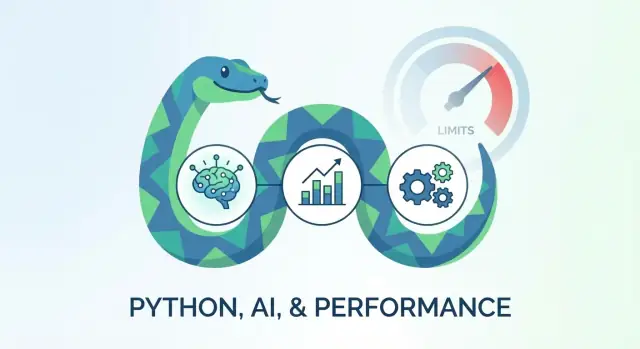
What “Dominates” Means: Popularity, Productivity, and Results
“Python dominates” can mean a few different things—and it helps to be precise before talking about speed.
Popularity: the default shared language
Python is widely adopted across AI, data, and automation because it’s easy to learn, easy to share, and supported everywhere: tutorials, packages, hiring pools, and integrations. When a team needs to move quickly, choosing the language most people already know is a practical advantage.
Productivity: time-to-first-working-solution
For most real projects, the biggest cost isn’t CPU time—it’s people time. Python tends to win on “how fast can we build something correct?”
That includes:
- expressing ideas with less code
- experimenting and iterating quickly
- using mature libraries instead of reinventing tools
This is also why Python pairs well with modern “vibe-coding” workflows. For example, Koder.ai lets you build web, backend, and mobile apps from a chat interface, which can be a natural extension of Python’s productivity mindset: optimize for iteration speed first, then harden the parts that need performance later.
Results: performance is more than raw speed
When people say “performance,” they might mean:
- runtime speed (how long a job takes)
- throughput (how many tasks you can process per hour)
- latency (how quickly a user gets a response)
- cost (how much compute you need to pay for)
- reliability (does it behave consistently under load)
Python can deliver excellent results on all of these—especially when heavy work is handled by optimized libraries or external systems.
The central trade-off
This guide is about the balance: Python maximizes productivity, but raw speed has limits. Most teams won’t hit those limits at the start, yet it’s important to recognize the warning signs early so you don’t over-engineer—or paint yourself into a corner.
Who this is for
If you’re a builder shipping features, an analyst moving from notebooks to production, or a team choosing tools for AI/data/automation, this article is written for you.
Why Python Feels Fast to Build With
Python’s biggest advantage isn’t a single feature—it’s the way many small choices add up to faster “idea to working program.” When teams say Python is productive, they usually mean they can prototype, test, and adjust with less friction.
Readable code that stays maintainable
Python’s syntax is close to everyday writing: fewer symbols, less ceremony, and a clear structure. That makes it easier to learn, but it also speeds up collaboration. When a teammate opens your code weeks later, they can often understand what it does without decoding a lot of boilerplate.
In real work, that means reviews go quicker, bugs are easier to spot, and onboarding new team members takes less time.
A community that shortens the “stuck” moments
Python has an enormous community, and that changes your day-to-day experience. Whatever you’re building—calling an API, cleaning data, automating a report—there’s usually:
- a tutorial that matches your situation
- a well-tested library used by thousands of teams
- examples and Q&A that help you unblock quickly
Less time searching means more time shipping.
Tooling that encourages quick feedback
Python’s interactive workflow is a big part of its speed. You can try an idea in a REPL or a notebook, see results immediately, and iterate.
On top of that, modern tooling makes it easier to keep code clean without a lot of manual effort:
- linters and type hints to catch mistakes early
- auto-formatters to reduce style debates
- test frameworks that make “did I break anything?” a quick check
Integration is easy by default
A lot of business software is “glue work”: moving data between services, transforming it, and triggering actions. Python makes that kind of integration straightforward.
It’s quick to work with APIs, databases, files, and cloud services, and it’s common to find ready-made client libraries. That means you can connect systems with minimal setup—and focus on the logic that’s unique to your organization.
Why Python Works So Well for AI and Machine Learning
Python became the default language for AI and machine learning because it makes complex work feel approachable. You can express an idea in a few readable lines, run an experiment, and iterate quickly. That matters in ML, where progress often comes from trying many variations—not from writing the “perfect” first version.
The library ecosystem is the real advantage
Most teams aren’t building neural networks from scratch. They’re using well-tested building blocks that handle the math, optimization, and data plumbing.
Popular choices include:
- PyTorch and TensorFlow/Keras for deep learning
- scikit-learn for classical machine learning (classification, regression, clustering)
- XGBoost/LightGBM/CatBoost for high-performing gradient-boosted models
- Hugging Face Transformers for working with modern language models
Python acts as the friendly interface to these tools. You spend your time describing the model and the workflow, while the framework handles the heavy computation.
GPU acceleration often happens under the hood
A key detail: much of the “speed” in AI projects doesn’t come from Python executing loops quickly. It comes from calling compiled libraries (C/C++/CUDA) that run on CPUs efficiently or on GPUs.
When you train a neural network on a GPU, Python is often coordinating the work—configuring the model, sending tensors to the device, launching kernels—while the actual number-crunching happens in optimized code outside the Python interpreter.
Python fits the full AI workflow
AI work is more than training a model. Python supports the whole loop end-to-end:
- data loading and preparation (including messy real-world formats)
- experimentation (trying model architectures, features, and hyperparameters)
- training and fine-tuning
- evaluation (metrics, validation, error analysis)
- packaging a model into a service or batch job
Because these steps touch many systems—files, databases, APIs, notebooks, job schedulers—Python’s general-purpose nature is a major advantage.
Python as the “glue” language
Even when performance-critical parts are written elsewhere, Python is often the layer that connects everything: data pipelines, training scripts, model registries, and deployment tools. That “glue” role is why Python remains central in AI teams, even when the heaviest lifting happens in compiled code.
Data Science Strengths: Libraries That Do the Heavy Lifting
Python’s edge in data science isn’t that the language itself is magically fast—it’s that the ecosystem lets you express data work in a few readable lines while the heavy computation runs inside highly optimized native code.
The “data handling stack” you get out of the box
Most data projects quickly converge on a familiar toolkit:
- arrays and math: NumPy for fast operations on large numeric blocks
- tables: pandas for spreadsheet-like data wrangling (filter, group, join)
- visualization: Matplotlib, Seaborn, Plotly for charts that explain results
- interactive workflows: Jupyter notebooks for exploration, storytelling, and reproducible analysis
The result is a workflow where importing, cleaning, analyzing, and presenting data feels cohesive—especially when your data touches multiple formats (CSVs, Excel exports, APIs, databases).
Vectorized operations vs. loops (a simple mental model)
A common beginner trap is writing Python loops over rows:
- loop approach: “for each row, compute something” (easy to read, often slow)
- vectorized approach: “compute it for the whole column/array at once” (usually much faster)
Vectorization shifts work into optimized C/Fortran routines under the hood. You write a high-level expression, and the library executes it efficiently—often using low-level CPU optimizations.
Typical data tasks Python excels at
Python shines when you need a practical end-to-end pipeline:
- ETL: pulling data from APIs/databases, cleaning types, normalizing fields
- analysis: aggregations, cohort tables, forecasting baselines, anomaly checks
- reporting: generating charts, slides, dashboards, or scheduled emails
Because these tasks mix logic, I/O, and transformation, the productivity boost is usually worth more than squeezing out maximum raw speed.
When size starts to stress memory and time
Data work gets uncomfortable when:
- your dataset no longer fits comfortably in RAM (think multiple gigabytes on a typical laptop), or
- operations like joins/group-bys start taking minutes instead of seconds.
At that point, the same friendly tools can still help—but you may need different tactics (more efficient data types, chunked processing, or a distributed engine) to keep the workflow smooth.
Automation Superpower: Connecting Systems with Minimal Friction
Python shines when the job is less about raw computation and more about moving information between systems. A single script can read files, call an API, transform a bit of data, and push results somewhere useful—without a long setup or heavy tooling.
Everyday scripting that saves hours
Automation work often looks “small” on paper, but it’s where teams lose time: renaming and validating files, generating reports, cleaning up folders, or sending routine emails.
Python’s standard library and mature ecosystem make these tasks straightforward:
- files and folders: parse CSVs, move uploads into the right place, detect duplicates, archive old data
- emails and notifications: send alerts when a job finishes or when a threshold is crossed
- web scraping and APIs: pull data from a partner portal, sync a CRM, or enrich records from a public endpoint
Because most of the time is spent waiting on disk, networks, or third-party services, Python’s “slower than compiled” reputation rarely matters here.
DevOps and data ops: glue for scheduled jobs and integrations
Python is also a common choice for the glue code that keeps operations running:
- scheduled jobs: nightly imports, recurring data quality checks, regular exports to finance or BI
- monitoring helpers: ping endpoints, summarize logs, verify that pipelines produced the expected files
- integrations: connect SaaS tools (ticketing, chat, storage) with lightweight services or serverless functions
In these scenarios, “good enough” performance is common because the bottleneck is external: API rate limits, database response times, or batch windows.
Reliability basics: make automation boring (in a good way)
Automation scripts become business-critical quickly, so reliability matters more than cleverness.
Start with three habits:
- Logging: write clear, structured messages (what happened, where, and how long it took).
- Retries: handle transient failures (timeouts, 502s) with backoff rather than failing immediately.
- Error handling: fail loudly when inputs are invalid, and capture context to debug without rerunning everything.
A small investment here prevents “ghost failures” and builds trust in the automation.
If you want to go further, it helps to standardize how jobs run and report status (for example, via a simple internal runbook or a shared utilities module). The goal is repeatable workflows—not one-off scripts that only one person understands.
The Core Trade-Off: Where Python’s Speed Limits Come From
Python’s biggest advantage—being easy to write and easy to change—has a cost. Most of the time you don’t notice it, because plenty of real-world work is dominated by waiting (files, networks, databases) or is pushed into fast native libraries. But when Python has to do lots of raw number-crunching itself, its design choices show up as speed limits.
Interpreted vs. compiled (in plain English)
A compiled language (like C++ or Rust) typically turns your program into machine code ahead of time. When it runs, the CPU can execute those instructions directly.
Python is usually interpreted: your code is read and executed step-by-step by the Python interpreter at runtime. That extra layer is part of what makes Python flexible and friendly, but it also adds overhead for each operation.
Why Python loops can be expensive
CPU-heavy tasks often boil down to “do a tiny thing, millions of times.” In Python, each loop step does more work than you might expect:
- Python checks types dynamically (because variables can hold anything).
- Each number may be a full Python object with extra bookkeeping.
- Each operation (like
+or*) is a higher-level action the interpreter must resolve.
So the algorithm can be correct and still feel slow if it spends most of its time inside pure-Python loops.
The GIL: one lock that affects CPU-bound threads
CPython (the standard Python you likely use) has the Global Interpreter Lock (GIL). Think of it as a “one-at-a-time” rule for running Python bytecode in a single process.
What this means in practice:
- If your program is CPU-bound (maxing out the processor doing calculations), adding threads often won’t speed it up the way you’d expect.
- If your program is I/O-bound (waiting on network, disk, APIs), threads can still help because much of the time is spent waiting, not executing Python code.
“Python is slow” depends on the workload
Performance problems usually fall into three buckets:
- CPU-bound: heavy computation in Python loops is the classic pain point.
- memory-bound: moving large arrays or data frames around can be the bottleneck, even if computation is fast.
- I/O-bound: the program mostly waits; Python overhead is often not the limiting factor.
Understanding which bucket you’re in is the key trade-off: Python optimizes for developer time first, and you only pay the speed cost when the workload forces you to.
When Performance Limits Start to Matter (Practical Red Flags)
Python can feel plenty fast—until your workload changes from “mostly calling libraries” to “lots of work inside Python itself.” The tricky part is that performance issues often show up as symptoms (timeouts, rising cloud bills, missed deadlines), not as a single obvious error.
1) CPU-bound hotspots (pure Python doing the heavy lifting)
A classic warning sign is a tight loop that runs millions of times and manipulates Python objects each iteration.
You’ll notice it when:
- batch jobs that used to finish in minutes now take hours
- “simple” data transforms (parsing, grouping, custom scoring) dominate runtime
- heavy math is implemented in pure Python rather than vectorized operations
If your code spends most of its time in your own functions (not in NumPy/pandas/compiled libraries), Python’s interpreter overhead becomes the bottleneck.
2) Latency-sensitive requirements (milliseconds matter)
Python is often fine for typical web apps, but it can struggle when you need consistently tiny response times.
Red flags include:
- real-time systems (audio/video pipelines, robotics control loops)
- low-latency APIs with strict p95/p99 targets
- trading-style workloads where jitter is as harmful as average latency
If you’re fighting tail latency more than average throughput, you’re entering “Python may not be the best final runtime” territory.
3) Concurrency that doesn’t scale with CPU cores
Another signal: you add more CPU cores, but throughput barely improves.
This often appears when:
- you try to parallelize CPU-heavy work with threads
- workers contend for shared state or serialization overhead dominates
- you expected linear scaling but see diminishing returns early
4) Memory pressure and object overhead
Python can become memory-hungry when handling large datasets or creating many small objects.
Watch for:
- frequent garbage collection pauses
- RAM usage growing faster than the size of your data
- performance degrading as the process runs longer
Before rewriting anything, confirm the bottleneck with profiling. A focused measurement step will tell you whether you need better algorithms, vectorization, multiprocessing, or a compiled extension (see /blog/profiling-python).
Fixing Slowness the Smart Way: Measure, Then Optimize
Python can feel “slow” for very different reasons: too much work, the wrong kind of work, or unnecessary waiting on the network/disk. The smart fix is almost never “rewrite everything.” It’s: measure first, then change the part that actually matters.
Start with measurement (time, memory, hotspots)
Before guessing, get a quick read on where time and memory go.
- time: measure end-to-end time for the user-visible task, then zoom in on expensive functions
- hotspots: find the few lines or calls that dominate runtime (it’s often a tiny fraction of the code)
- memory: watch for growth over time (large DataFrames, big lists, accidental copies)
A lightweight mindset helps: What is slow? How slow? Where exactly? If you can’t point to a hotspot, you can’t be confident your change will help.
Quick wins that usually move the needle
Many Python slowdowns come from doing lots of tiny operations in pure Python.
- Avoid Python loops over large data. Prefer operations implemented in C under the hood.
- Use built-ins and library primitives. Functions like
sum,any,sorted, andcollectionsoften outperform hand-written loops. - Vectorize with NumPy/pandas when appropriate. A single vectorized operation can replace thousands or millions of Python-level steps.
The goal isn’t “clever code”—it’s fewer interpreter-level operations.
Caching and batching: reduce repeated work
If the same result is computed repeatedly, cache it (in memory, on disk, or with a service cache). If you’re making repeated small calls, batch them.
Common examples:
- combine many small database queries into one query
- group API requests where the provider supports bulk endpoints
- precompute expensive lookups once per run instead of once per record
I/O strategies: stop paying for waiting
A lot of “Python slowness” is actually waiting: network calls, database round trips, reading files.
- use async when you have many independent waiting tasks (web requests, message queues)
- reuse connections and keep payloads small
- eliminate unnecessary round trips: fetch only needed columns/rows; avoid chatty APIs
Once you’ve measured, these optimizations become targeted, easy to justify, and far less risky than a premature rewrite.
Scaling Beyond Pure Python: Proven Upgrade Paths
When Python starts to feel slow, you don’t have to throw away your codebase. Most teams get big speedups by upgrading how Python runs, where the work happens, or which parts are still written in Python.
1) Faster runtimes and “compile-like” tools
A simple first step is changing the engine under your code.
- PyPy can speed up long-running workloads thanks to its JIT compiler. It’s often a good fit for pure-Python logic (but check library compatibility, especially around scientific stacks).
If your bottleneck is numeric loops, tools that specialize in turning Python-like code into machine code can be more effective:
- Numba compiles selected functions (often with a decorator) and can dramatically accelerate tight numeric loops.
- Cython lets you add optional type hints and compile modules, which works well when you need predictable performance and can invest a bit more engineering time.
2) Parallelism: run more work at once
Some slowdowns aren’t about one function being slow—they’re about too much work happening sequentially.
- multiprocessing is the classic option for CPU-bound tasks because it uses multiple processes
- job queues (background workers) help you scale out tasks like video processing, scraping, or report generation without blocking your main app
- distributed compute lets you spread work across machines when one box isn’t enough
3) Move hot paths to compiled code (when justified)
If profiling shows a small part of the code dominates runtime, you can keep Python as the “orchestrator” and rewrite only the hotspot.
- build C/C++/Rust extensions (or use existing ones) for the performance-critical inner loop
This path is most justified when the logic is stable, heavily reused, and clearly worth the maintenance cost.
4) Use specialized systems instead of more Python
Sometimes the fastest Python is the Python you don’t run.
- push filtering, joins, and aggregation into databases
- use Spark (or similar systems) for large-scale batch processing
- adopt vector databases for embedding search and retrieval
- offload to GPUs when your workload maps well to parallel math (common in AI and deep learning)
The pattern is consistent: keep Python for clarity and coordination, and upgrade the execution path where it matters most.
Choosing the Right Tool: When to Keep Python vs Switch
Python doesn’t have to “win” every benchmark to be the right choice. The best outcomes usually come from using Python where it’s strongest (expressiveness, ecosystem, integration) and leaning on faster components where they actually pay off.
Keep Python as the orchestrator
If your work looks like a pipeline—pull data, validate, transform, call a model, write results—Python is often ideal as the coordination layer. It’s excellent at wiring services together, scheduling jobs, handling file formats, and gluing APIs.
A common pattern is: Python handles the workflow, while heavy lifting is delegated to optimized libraries or external systems (NumPy/pandas, databases, Spark, GPUs, vector search engines, message queues). In practice, that often delivers “fast enough” performance with significantly lower development and maintenance cost.
This same architecture thinking applies when you’re building product features, not just data pipelines: move quickly in a high-level layer, then optimize or swap the hotspot. If you’re using Koder.ai to generate a React frontend with a Go + PostgreSQL backend, you can keep the same principle—iterate fast end-to-end, then profile and tune the specific endpoints, queries, or background jobs that become bottlenecks.
Rewrite only what hurts: “small core, fast edge”
When speed becomes a real issue, a full rewrite is rarely the first smart move. A better strategy is to keep the surrounding Python code and replace only the hot path:
- move critical loops to vectorized operations or an optimized library
- offload compute to a service (batch job, worker pool, GPU inference server)
- implement a small performance-critical module in a compiled language (C/C++/Rust/Go) and expose it to Python
This “small core, fast edge” approach preserves Python’s productivity while buying back performance where it matters most.
When another language may fit better (criteria, not dogma)
Consider switching (or starting in another language) when the requirements are fundamentally at odds with Python’s strengths:
- hard real-time constraints (tight latency budgets in the low milliseconds)
- very high throughput systems where per-request overhead dominates
- memory-constrained environments (embedded, mobile) where runtime size matters
- large-scale concurrency with CPU-bound work where threads must fully utilize all cores
- you need a single static binary with minimal operational dependencies
Python can still participate—often as a control plane—while the performance-critical service is implemented elsewhere.
A quick decision checklist
Ask these before committing to a rewrite:
- speed need: what are your real latency/throughput targets, and how close are you today?
- team skills: who will build and maintain the faster version, and how steep is the learning curve?
- budget and timeline: is performance worth the extra engineering cost right now?
- maintenance: will the rewrite slow feature delivery or increase bug surface area?
- architecture options: can you isolate the hot path and speed it up without touching everything?
If you can meet targets by optimizing a small portion or offloading heavy work, keep Python. If the constraints are structural, switch surgically—and keep Python where it keeps you moving fast.
FAQ
What does it actually mean when people say “Python dominates”?
“Dominates” usually refers to a mix of:
- Popularity: lots of developers, tutorials, and integrations.
- Productivity: faster time-to-first-working-solution.
- Results: strong end-to-end outcomes (cost, reliability, throughput), often via optimized libraries.
It doesn’t necessarily mean Python is the fastest at raw CPU benchmarks.
Why does Python feel “fast” even if it’s not the fastest language?
Because many projects are limited more by human time than CPU time. Python tends to reduce:
- setup and boilerplate
- iteration cycles (try → see result → adjust)
- time spent reinventing common tools
In practice, that often beats a slower-to-develop language even if the final runtime is a bit slower.
Is Python actually fast enough for AI and machine learning?
Not always. For many AI/data workloads, Python is mostly orchestrating while the heavy work runs in:
- C/C++/Fortran-backed numeric libraries
- CUDA kernels on GPUs
- databases or distributed systems
So the “speed” often comes from what Python calls, not Python loops themselves.
Where does performance come from in Python ML frameworks like PyTorch or TensorFlow?
Optimized libraries usually provide the speed.
- Your Python code defines the workflow and model.
- The framework (e.g., PyTorch/TensorFlow) dispatches heavy compute to compiled CPU/GPU code.
If you keep the hot work inside those libraries (instead of Python loops), performance is often excellent.
Why are Python loops over data frames/arrays often slow?
Because vectorized operations move work out of the Python interpreter and into optimized native routines.
- Python loops: many tiny interpreter-level operations (often slow).
- Vectorization: one high-level operation that runs fast in C/Fortran underneath.
A good rule: if you’re looping over rows, look for a column/array-level operation instead.
What is the GIL and when does it matter?
The GIL (Global Interpreter Lock) limits CPU-bound threading in standard CPython.
- CPU-bound: threads won’t scale well; consider multiprocessing or compiled/vectorized code.
- I/O-bound: threads (or async) can still help because you’re mostly waiting on network/disk.
So the impact depends on whether you’re compute-limited or waiting-limited.
What are practical signs Python performance limits are starting to matter?
Common red flags include:
- jobs that used to take seconds now take minutes/hours
- tight loops doing millions of Python-level operations
- latency targets in the low milliseconds (p95/p99)
- adding CPU cores but throughput barely improves
- memory growth, GC pauses, or heavy object churn
These usually signal you should measure and optimize a hotspot rather than “speed up everything.”
What are the best “smart” first steps to speed up slow Python code?
Profile first, then fix what’s real.
- Measure end-to-end time and find hotspots.
- Replace Python loops with built-ins or vectorized ops.
- Batch repeated calls (DB/API) and cache repeated results.
- For I/O-heavy code, reduce round trips and consider async.
Avoid rewriting until you can point to the few functions that dominate runtime.
How can I scale beyond pure Python without rewriting the whole project?
Typical upgrade paths that keep Python productive:
- Numba/Cython for tight numeric loops
- PyPy for some pure-Python workloads (compatibility permitting)
- multiprocessing or worker queues for CPU-bound parallelism
- move aggregation/joins into databases or use Spark for big batch
- rewrite only the hottest path in C/C++/Rust and call it from Python
The goal is “small core, fast edge,” not a full rewrite by default.
When should I keep Python vs switch to another language?
Consider switching when requirements conflict with Python’s strengths, such as:
- hard real-time / very low-latency constraints
- extremely high throughput where per-request overhead dominates
- memory-constrained environments (embedded/mobile)
- CPU-bound concurrency that must fully use many cores via threads
- needing a single static binary with minimal runtime dependencies
Even then, Python can remain the orchestration layer while a faster service handles the critical path.