

Rapid CRUD Apps with AI: Dashboards & Admin Panels, No Bloat
Learn a practical workflow to use AI to design data models, generate CRUD screens, and ship dashboards/admin panels fast—without overengineering.
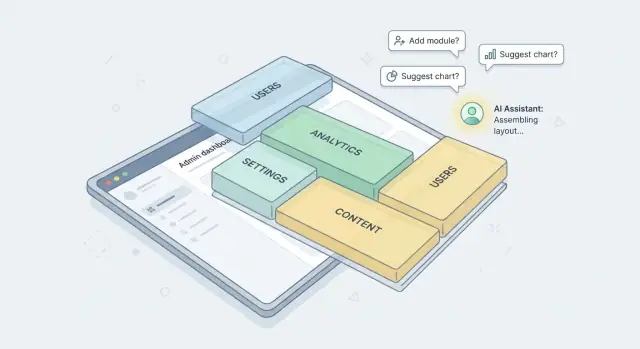
What You’re Building (and What “No Overengineering” Means)
CRUD apps, dashboards, and admin panels are the “back office” of a product: the place where data gets created, reviewed, corrected, and reported on. They rarely need flashy UX—but they do need to be dependable, easy to navigate, and quick to change when the business changes.
What these tools usually include
Most admin-style apps boil down to a small set of repeatable parts:
- Lists and filters (search, sort, pagination)
- Detail views (read-only pages for a single record)
- Create/edit forms (with validation and sensible defaults)
- Basic workflows (approve/reject, assign, status changes)
- Dashboards (a few charts, counts, and “needs attention” tables)
- Roles/permissions (who can view vs. edit vs. delete)
If you’re building internal tools or an MVP admin UI, getting these pieces correct is more valuable than adding advanced architecture upfront.
Where AI helps most
AI is strongest when you use it like a fast, consistent assistant for repetitive work:
- Scaffolding boilerplate: CRUD routes, controllers, components, and forms
- Repeating patterns: list → detail → edit screens generated the same way every time
- UI copy: labels, empty states, helper text, and confirmation messages
- Edge-case reminders: “Did you add pagination?” “Are deletes soft deletes?”
It’s less reliable as a “design the whole system” oracle—so you’ll get better results by giving it a clear structure and letting it fill in the gaps.
What “no overengineering” means in practice
“No overengineering” is a commitment to deliver the simplest version that’s safe and maintainable:
- Prefer defaults over custom frameworks and deep abstraction layers.
- Build for today’s flows, not hypothetical future ones.
- Keep data and permissions explicit rather than “clever.”
- Optimize for change speed: a new field or status should be a small, predictable edit.
Who this approach is for
This approach fits small teams, founders, and product teams shipping internal tools, operations consoles, and MVP admin panels—especially when you need something working this week, not a platform you’ll maintain for years.
Define a Tight Scope: Entities, Users, and the Few Key Flows
Speed comes from choosing what not to build. Before you ask AI to generate anything, lock a narrow scope that matches the admin work you actually need to do.
1) Pick the 3–5 core entities
Start with the smallest set of “things” your app must manage. For each entity, write one sentence describing why it exists and who touches it.
Example (swap for your domain):
- Customer — who the business serves
- Order — what customers buy
- Product — what can be sold
- Invoice — what gets billed
- User — who can access the admin
Then note only the essential relationships (e.g., Order → Customer, Order → many Products). Avoid “future” entities like AuditEvent, FeatureFlag, or WorkflowStep unless they’re required on day one.
2) List the must-have admin tasks
Admin panels are about actions, not screens. Write the handful of tasks that pay for the project:
- Create/edit records
- Review and approve (or reject)
- Search and filter
- Export CSV for finance/ops
- Resolve exceptions (refund, cancel, resync)
If a task doesn’t map to a real weekly operation, it’s likely optional.
3) Define success metrics
Set simple targets so you know you’re moving:
- Time-to-first-screen (e.g., 30–60 minutes)
- Time-to-first-deploy (same day)
- Time-to-first-real-task completed (e.g., approve an order)
4) Create a “not now” list
Write down what you’re intentionally skipping: multi-region scaling, custom report builder, fancy role hierarchies, event sourcing, plugin systems. Keep this in a /docs/scope.md so everyone (and your AI prompts) stays aligned.
Choose a Simple Stack and Stick to Defaults
Speed comes from predictability. The fastest CRUD apps are built on “boring” technology you already know how to deploy, debug, and hire for.
Pick a boring stack you can deploy confidently
Choose one proven combo and commit for the whole project:
- Backend: Rails, Django, Laravel, Express/Nest, or ASP.NET Core—whatever your team ships with regularly.
- Database: Postgres (default choice), or MySQL if that’s your standard.
- Hosting: the platform you already use (Render/Fly/Heroku/Vercel/AWS), with one clear path to production.
A practical rule: if you can’t deploy a “Hello, auth + DB migration” app in under an hour, it’s not the right stack for a rapid admin tool.
If you’d rather skip wiring a stack entirely (especially for internal tools), a vibe-coding platform like Koder.ai can generate a working baseline from chat—typically a React web app with a Go + PostgreSQL backend—while still letting you export the source code when you want full control.
Prefer scaffolds over custom frameworks
AI is great at filling in the gaps when you’re using mainstream conventions. You’ll move faster by leaning on generators and defaults:
- Use your framework’s official auth, migrations, ORM, and routing.
- Use a standard UI kit (or the framework’s default admin tooling) instead of inventing your own component library.
If the scaffold looks plain, that’s fine. Admin panels succeed by being clear and stable, not flashy.
Decide: server-rendered vs SPA (based on skills)
- Server-rendered (Rails/Django/Laravel): fastest for CRUD, forms, validation, and permissions—fewer moving parts.
- SPA (React/Vue + API): choose this only if your team is already strong here and you truly need rich client-side interactions.
When in doubt, go server-rendered. You can always add a small reactive widget later.
Keep integrations minimal until CRUD works
Avoid early add-ons (event buses, microservices, complex queues, multi-tenant architectures). Get the core entities, list/detail/edit flows, and basic dashboards working first. Integrations are easier—and safer—once the CRUD backbone is stable.
Model the Data Before You Generate Screens
If you want AI to generate clean CRUD screens, start by designing your data first. Screens are just a view of a model. When the model is vague, the UI (and the generated code) becomes inconsistent: mismatched field names, confusing filters, and “mystery” relationships.
Start with tables/collections, not pages
Write down the core entities your admin panel will manage (for example: Customers, Orders, Products). For each entity, define the minimal set of fields needed to support the few key flows you actually plan to ship.
A helpful rule: if a field doesn’t affect a list view, a detail view, reporting, or permissions, it’s probably not needed in v1.
Avoid premature normalization
Normalization is useful, but splitting everything into separate tables too early can slow you down and make generated forms harder to work with.
Keep it simple:
- Use straightforward foreign keys only where you truly need relationships (e.g.,
order.customerId). - Prefer a small number of clear tables over many “perfect” ones.
- Add “nice-to-have” reference tables later (statuses, tags, etc.) once the app proves its value.
Plan audit fields from day one
Admin tools almost always need basic traceability. Add audit fields upfront so every generated screen includes them consistently:
createdAt,updatedAtcreatedBy(and optionallyupdatedBy)
This enables accountability, change reviews, and simpler troubleshooting without adding complex tooling.
Use consistent naming to help the AI
AI output gets cleaner when your schema is predictable. Pick one naming style and stick to it (e.g., camelCase fields, singular entity names).
For example, decide whether it’s customerId or customer_id—then apply the same pattern everywhere. Consistency reduces one-off fixes and makes generated filters, forms, and validation rules line up naturally.
Write Prompts That Produce Consistent, Maintainable Code
AI can generate a lot of code quickly—but without a repeatable prompt structure, you’ll end up with mismatched naming, inconsistent validation, and “almost the same” patterns across screens that are painful to maintain. The goal is to make the AI behave like a disciplined teammate: predictable, scoped, and aligned to a single plan.
Start with one reusable “app brief”
Create a short document you paste into every generation prompt. Keep it stable and version it.
Your app brief should include:
- Goal: what the admin panel is for (one sentence)
- Users/roles: who uses it and what they’re allowed to do
- Entities: the handful of tables/resources and how they relate
- Key flows: the few actions that matter (e.g., “create order, refund, view customer history”)
This stops the model from re-inventing the product every time you ask for a new screen.
If you’re using a chat-driven builder such as Koder.ai, treat this brief as your “system prompt” for the project: keep it in one place and reuse it so each new screen is generated against the same constraints.
Demand a file-by-file plan before code
Before generating anything, ask the AI for a concrete blueprint: which files will be added/changed, what each file contains, and any assumptions it’s making.
That plan becomes your checkpoint. If the file list looks wrong (too many abstractions, extra frameworks, new folders you didn’t ask for), fix the plan—then generate code.
Add constraints that force consistency
Maintainability comes from constraints, not creativity. Include rules like:
- Naming: singular vs plural, casing, route patterns, component names
- Validation: required fields, min/max, formats, server-side errors surfaced in UI
- List behavior: pagination size, default sort, allowed filters, empty states
- API shape: response envelopes, error format, IDs (UUID vs integer)
Be explicit about the “boring defaults” you want everywhere, so every CRUD screen feels like part of the same system.
Keep a decision changelog to prevent prompt drift
As you make choices (e.g., “soft delete for users,” “orders can’t be edited after paid,” “default page size 25”), write them in a running changelog and paste the relevant lines into future prompts.
This is the simplest way to avoid subtle inconsistencies where earlier screens behave one way and later screens behave another—without you noticing until production.
A handy structure is three reusable blocks: App Brief, Non-Negotiable Constraints, and Current Decisions (Changelog). That keeps each prompt short, repeatable, and hard to misinterpret.
Generate CRUD Screens in a Repeatable Pattern
Speed comes from repetition, not cleverness. Treat CRUD as a productized pattern: the same screens, the same components, the same behaviors—every time.
Start with one entity, end-to-end
Pick a single “core” entity (e.g., Orders, Customers, Tickets) and generate the complete loop first: list → detail → create → edit → delete. Don’t generate five entities halfway. One finished set will define your conventions for the rest.
Use the same screen pattern every time
For each entity, stick to a consistent structure:
- List page: table + filters + primary action (“New …”)
- Detail page: read-only summary + related items + actions (“Edit”, “Archive/Delete”)
- Create/Edit: one form component with a mode (create vs edit)
Standardize your table columns (e.g., Name/Title, Status, Owner, Updated, Created) and form components (text input, select, date picker, textarea). Consistency makes AI output easier to review and users faster to onboard.
Build in the “boring” states up front
CRUD screens feel professional when they handle real conditions:
- Empty states: explain what’s missing and offer the next step (“Create your first…”)
- Loading states: skeleton/table placeholders, disabled actions
- Error messages: friendly summary + actionable field-level errors
These states are repetitive—which means they’re perfect to standardize and reuse.
A prompt template you can reuse
Generate CRUD UI for entity: <EntityName>.
Follow existing pattern:
1) List page: table columns <...>, filters <...>, pagination, empty/loading/error states.
2) Detail page: sections <...>, actions Edit/Delete with confirmation.
3) Create/Edit form: shared component, validation messages, submit/cancel behavior.
Use shared components: <Table>, <FormField>, <Select>, <Toast>.
Do not introduce new libraries.
Once the first entity looks right, apply the same recipe to every new entity with minimal variation.
Add Authentication and Permissions Without Complexity
Authentication and permissions are where “quick admin tool” can quietly turn into a months-long project. The goal is simple: only the right people can access the right screens and actions—without inventing a whole security framework.
Start with three roles (and resist role sprawl)
Begin with a tiny role model and expand only when you have a concrete need:
- Admin: full access, including user/role management
- Editor: can create and update records
- Viewer: read-only access
If someone asks for a new role, ask which single screen or action is blocked today. Often a record-level rule is enough.
Route-level access first, then record-level rules
Do permissions in two layers:
- Route-level access: gate entire areas (e.g.,
/admin/usersis Admin-only;/admin/reportsis Admin+Editor). - Record-level rules: restrict what a user can do within a page (e.g., Editors can edit only records in their team, but can’t delete).
Keep the rules explicit and close to the data model: “who can read/update/delete this record?” beats a long list of exceptions.
Use an existing auth provider
If your company already uses Google Workspace, Microsoft Entra ID, Okta, Auth0, or similar, integrate SSO and map claims/groups to your three roles. Avoid custom password storage and “build your own login” unless you’re forced to.
Audit the actions that matter
Even basic admin panels should log sensitive events:
- Deletes (and bulk deletes)
- Role changes and permission edits
- Data exports
Store who did it, when, from which account, and what changed. It’s invaluable for debugging, compliance, and peace of mind.
Build Dashboards That Answer Real Questions
A good admin dashboard is a decision tool, not a “homepage.” The fastest way to overbuild is to try to visualize everything your database knows. Instead, start by writing down the handful of questions an operator needs answered in under 30 seconds.
Pick a small set of metrics that drive action
Aim for 5–8 key metrics, each tied to a decision someone can make today (approve, follow up, fix, investigate). Examples:
- New items created today vs. last week
- Items pending review
- Failed payments / error count
- Average time in “pending” status
- Top owners/queues by volume
If a metric doesn’t change behavior, it’s reporting—not dashboard material.
Filters first, visuals second
Dashboards feel “smart” when they slice cleanly. Add a few consistent filters across widgets:
- Date range (Today / 7 days / 30 days / Custom)
- Status (open, pending, completed)
- Owner (assignee, team, region)
Keep defaults sensible (e.g., last 7 days) and make filters sticky so users don’t re-set them every visit.
Tables ship faster than charts
Charts can be helpful, but they also create extra work (aggregation choices, empty states, axis formatting). A sortable table with totals often delivers value sooner:
- “Top 10” table with counts
- “Latest 20” table with quick links to records
If you do add charts, make them optional enhancements—not blockers to shipping.
Export carefully
CSV export is useful, but treat it like a privileged action:
- Check permissions before generating
- Apply the same filters as the dashboard view
- Log who exported and when
For more on keeping admin experiences consistent, see /blog/common-overengineering-traps.
Guardrails: Validation, Security Basics, and Safe Defaults
Speed is only a win if the app is safe to operate. The good news: for CRUD apps and admin panels, a small set of guardrails covers most real-world issues—without adding heavy architecture.
Validation: client for UX, server for truth
Validate inputs in the UI to reduce frustration (required fields, formats, ranges), but treat server-side validation as mandatory. Assume clients can be bypassed.
On the server, enforce:
- Types and constraints (e.g., integer IDs, max lengths)
- Business rules (e.g., status transitions)
- Normalization (trim strings, consistent casing)
When prompting AI for endpoints, explicitly ask for a shared validation schema (or duplicated rules if your stack doesn’t support sharing) so errors stay consistent across forms and APIs.
Consistent pagination, sorting, and search
Admin UIs fall apart when every list behaves differently. Pick one pattern and apply it everywhere:
page+pageSize(or cursor pagination if you truly need it)sortBy+sortDirwith an allowlist of sortable fieldsqfor simple text search, plus optional structured filters
Return predictable responses: { data, total, page, pageSize }. This makes generated CRUD screens reusable and easier to test.
Protect against the usual suspects
Focus on high-frequency risks:
- Injection: always use parameterized queries/ORM methods; never string-concatenate SQL.
- Insecure direct object access (IDOR): check permissions per record, not just “is admin.”
- Overexposure: don’t return internal fields by default (tokens, notes, PII).
Also set safe defaults: deny by default, least-privilege roles, and conservative rate limits on sensitive endpoints.
Secrets and config: keep them out of the repo
Store secrets in environment variables or your deployment’s secret manager. Commit only non-sensitive defaults.
Add a quick check to your workflow: .env in .gitignore, a sample file like .env.example, and a basic “no secrets in commits” scan in CI (even a simple regex-based tool helps).
Quality Without Slowing Down: Tests, Linting, CI
Speed isn’t just “ship fast.” It’s also “don’t break things every time you ship.” The trick is to add lightweight quality checks that catch obvious regressions without turning your CRUD app into a science project.
A tiny suite of high-value smoke tests
Focus on the few flows that, if broken, make the admin unusable. For most CRUD apps, that’s:
- Login works (and redirects correctly)
- The main list page loads
- Create → Save → See it in the list
- Edit → Save → Changes persist
- Permissions: a low-privilege user can’t access an admin-only route
Keep these tests end-to-end or “API + minimal UI,” depending on your stack. Aim for 5–10 tests total.
Use AI to draft tests—then simplify
AI is great at producing a first pass, but it often generates too many edge cases, too much mocking, or brittle selectors.
Take the generated tests and:
- Delete anything that overlaps
- Prefer stable selectors (e.g.,
data-testid) over text-based or CSS-heavy selectors - Avoid over-mocking: test the real route handlers/services when possible
- Make failures readable (clear names, clear assertions)
Linting, formatting, and pre-commit checks
Add automated consistency so the codebase stays easy to edit—especially when you’re generating code in batches.
At minimum:
- Formatter (e.g., Prettier / Black)
- Linter (e.g., ESLint / Ruff)
- Type checks if you use TypeScript
- A pre-commit hook that runs “fast checks” only (format + lint)
This prevents style debates and reduces “diff noise” in reviews.
Basic CI that runs every push
Your CI should do exactly three things:
- Install dependencies
- Run lint/type checks
- Run the smoke tests
Keep it under a few minutes. If it’s slow, you’ll ignore it—and the whole point is fast feedback.
Ship Fast: Deployment, Seed Data, and Monitoring
Shipping early is the fastest way to learn whether your admin panel is actually usable. Aim for a simple pipeline: push code, deploy to staging, click through the core flows, then promote to production.
Deploy early with a staging environment
Create two environments from day one: staging (internal) and production (real). Staging should mirror production settings (same database engine, same auth mode), but use separate data.
Keep the deployment boring:
- One command or one CI job to deploy
- Environment variables managed in one place
- A predictable URL scheme (e.g.,
/stagingand/apparen’t enough—use separate hosts)
If you need inspiration for what “minimal” looks like, reuse your existing deployment approach and document it in /docs/deploy so anyone can repeat it.
If you’re using a platform like Koder.ai, you can often ship faster by using built-in deployment + hosting, attaching a custom domain, and relying on snapshots and rollback to make releases reversible without heroic debugging.
Use seed data to demo and verify flows quickly
Seed data turns “it compiles” into “it works.” Your goal is to make the key screens meaningful without manual setup.
Good seed data is:
- Small (dozens of rows, not thousands)
- Realistic (status values, timestamps, edge cases)
- Repeatable (wipe + re-seed in seconds)
Include at least one example for each key state (e.g., active/inactive users, paid/unpaid invoices). This lets you verify filters, permissions, and dashboard totals immediately after every deploy.
Instrument errors and basic performance metrics
You don’t need an observability platform overhaul. Start with:
- Server-side error tracking (uncaught exceptions, failed jobs)
- Request timing for slow endpoints (p95 latency is enough)
- Frontend error logging for broken screens
Set a small number of alerts: “error rate spikes,” “app down,” and “database connections exhausted.” Anything more can wait.
Plan a simple rollback strategy
Rollbacks should be mechanical, not heroic. Pick one:
- Re-deploy the previous build
- Keep the last release artifact and swap
Also decide how you’ll handle database changes: prefer additive migrations, and avoid destructive changes until you’ve proven the feature. When something breaks, the best rollback is the one you can execute in minutes.
Common Overengineering Traps (and How to Avoid Them)
Speed dies when an admin panel starts pretending it’s a “platform.” For CRUD apps, the goal is simple: ship clear screens, reliable permissions, and dashboards that answer questions—then iterate based on real usage.
Red flags to watch for early
If you see these patterns, pause before you build:
- Too many abstractions: “BaseRepositoryFactory,” “GenericServiceLayer,” or a homegrown framework before you’ve shipped one feature.
- Custom UI kits and design systems: rebuilding tables, forms, modals, and validation instead of using boring defaults.
- Generic engines: a “workflow engine,” “rule engine,” or “configurable admin builder” when you only have 3–5 flows.
- Premature optimization: caching, queues, or event buses with no measured bottleneck.
- Multi-tenant and plugin architecture: added “just in case,” even though the MVP has one team and one dataset.
When to refactor (and when not to)
Refactor when there’s repeated pain, not hypothetical scale.
Good triggers:
- You changed the same logic in 3+ places and missed one.
- A new CRUD screen takes longer than the previous one for the same reason each time.
- Bugs keep clustering around one messy area (permissions, validation, reporting queries).
Bad triggers:
- “We might need microservices later.”
- “This controller feels too big” (but it changes rarely and works).
Keep a “Later” backlog on purpose
Create a single list called Later and move tempting ideas there: caching, microservices, event streaming, background jobs, audit log UI polish, fancy charting, and advanced search. Revisit only when usage proves the need.
A quick pre-complexity checklist
Before adding any new layer, ask:
- What user problem does this solve this week?
- What’s the simplest version that still meets security and data integrity?
- Did we measure a bottleneck (time, cost, latency), or are we guessing?
- Can we do this with framework defaults and one clear pattern?
- If we skip it now, what breaks? If the answer is “nothing,” it’s probably “Later.”
FAQ
What does “no overengineering” mean for an AI-built admin panel?
“No overengineering” means shipping the simplest version that’s still safe and maintainable:
- Use framework defaults (auth, routing, ORM, migrations).
- Build only today’s real flows (not hypothetical platforms).
- Keep permissions and data rules explicit.
- Optimize for fast changes (adding a field/status should be predictable).
How do I define a tight scope so AI doesn’t generate a bloated system?
Start by locking scope before generating code:
- Pick 3–5 core entities and their essential relationships.
- List the must-have admin tasks (approve/reject, search, export, etc.).
- Define success metrics like time-to-first-screen and time-to-first-deploy.
- Write a “not now” list (multi-tenant, workflow engine, plugin system).
Where does AI help most when building CRUD apps and dashboards?
Use AI for repetitive, pattern-based output:
- CRUD scaffolding (routes/controllers/pages/forms).
- Consistent list/detail/edit screens.
- UI copy (labels, helper text, confirmations, empty states).
- Checklist reminders (pagination, soft deletes, audit fields).
Avoid relying on AI to invent your architecture end-to-end—give it a clear structure and constraints.
What’s the fastest “boring stack” for a rapid CRUD admin tool?
Pick a stack you can deploy and debug quickly, then stick to defaults:
- Use a mainstream backend (Rails/Django/Laravel/Express/Nest/ASP.NET Core).
- Prefer Postgres (or your existing standard).
- Use your existing hosting path (Render/Fly/Heroku/Vercel/AWS).
A good heuristic: if “auth + DB migration + deploy” can’t happen in under an hour, it’s not the right stack for a rapid internal tool.
Should I build the admin panel server-rendered or as an SPA?
Default to server-rendered unless you truly need rich client-side interactions:
- Server-rendered apps are fastest for forms, validation, and permissions with fewer moving parts.
- Choose SPA only if your team is already strong in it and you need complex client behavior.
You can always add small reactive widgets later without committing to a full SPA architecture.
Why should I model data before asking AI to generate screens?
Model the data first so generated screens stay consistent:
- Define tables/collections and minimal fields that support the key flows.
- Avoid premature normalization that creates too many reference tables.
- Add audit fields early:
createdAt,updatedAt,createdBy(optionallyupdatedBy). - Use consistent naming (
customerIdvscustomer_id) everywhere.
Clear schemas produce cleaner AI-generated filters, validation, and forms.
How do I write prompts that keep AI-generated code consistent over time?
Use a repeatable prompt structure:
- Paste a stable App Brief (goal, roles, entities, key flows).
- Require a file-by-file plan before any code.
- Add constraints (naming, validation rules, list behavior, API error format).
- Maintain a small decisions changelog you reuse in future prompts.
This prevents “prompt drift” where later screens behave differently than earlier ones.
What’s the best pattern for generating CRUD screens quickly and reliably?
Start with one entity end-to-end (list → detail → create → edit → delete), then replicate the same pattern.
Standardize:
- List pages: table + filters + pagination + empty/loading/error states.
- Detail pages: read-only summary + related items + clear actions.
- Forms: one shared create/edit component with consistent validation.
Repetition is what makes AI output easy to review and maintain.
How do I add authentication and permissions without turning it into a big project?
Keep auth and permissions small and explicit:
- Start with three roles: Admin, Editor, Viewer.
- Do permissions in layers:
- Route-level gating (which sections you can access).
- Record-level rules (what you can do to a specific record).
- Prefer existing SSO (Google Workspace/Entra/Okta/Auth0) over custom login.
- Log sensitive actions (deletes, role changes, exports).
How do I build dashboards that are useful without overbuilding reporting?
Dashboards should answer questions operators can act on:
- Choose 5–8 metrics tied to decisions (pending review, failures, time in status).
- Add a few consistent filters (date range, status, owner) with sensible defaults.
- Ship tables before charts (top-10, latest-20) to reduce complexity.
- Treat CSV export as privileged:
- Apply the same filters.
- Check permissions.
- Log who exported and when.