

Raymond Boyce and Early SQL: Practical Choices That Worked
Explore Raymond Boyce’s role in early SQL and the practical design decisions—joins, grouping, nulls, and performance—that made it usable in organizations.
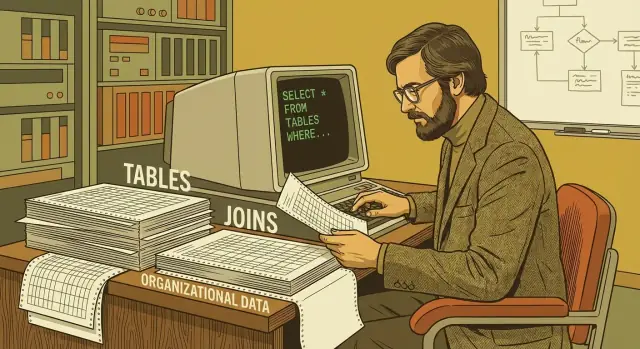
Why Raymond Boyce Matters to SQL’s Practical Success
Raymond Boyce was one of the key researchers on IBM’s System R project in the 1970s—the effort that helped turn relational database theory into something people could use at work. If you’ve ever written a SELECT query, benefited from GROUP BY, or relied on a database to keep updates consistent, you’re using ideas shaped during that period.
What’s easy to miss is that SQL didn’t succeed just because the relational model was elegant. It succeeded because early designers—including Boyce—kept asking a practical question: how do you make relational querying workable for real organizations with real data, deadlines, and constraints? This post focuses on those practical choices: the features that made it possible for analysts, developers, and business teams to share one system without needing a PhD in math.
The central question
Relational theory promised a lot: store data in tables, ask declarative questions, avoid hand-crafted navigation through records. But organizations needed more than a promise. They needed a language that:
- People could learn without specialized training
- Could express everyday questions (“Which customers bought X last month?”)
- Could handle messy, incomplete data
- Could run fast enough on limited hardware
- Could be controlled and shared safely across teams
Boyce’s importance is tied to this translation work: turning a powerful concept into a tool that fit normal workflows.
What to expect from this post
You’ll get a history-informed, plain-English walkthrough of early SQL’s design decisions—why the language looks the way it does, and what trade-offs were made to keep it usable. We’ll connect features like joins, aggregation, views, transactions, and optimization to the organizational problems they solved.
What this post won’t do
This isn’t a hero story or a “single inventor” myth. SQL was shaped by multiple people and constraints, and its evolution involved compromise. We also won’t attempt a full biography of Boyce or a complete academic history of System R. The goal is simpler: understand the practical choices that worked—and what modern teams can still learn from them.
From Relational Theory to System R: The Context SQL Needed
Relational theory arrived with a clean promise: store facts in tables, describe relationships logically, and let the system figure out how to retrieve the right answers. On paper, it reduced data management to math-like rules. In practice, organizations didn’t live on paper. They had payroll files, inventory lists, messy codes, incomplete records, and constant pressure to “get the report out” without rewriting programs every time a question changed.
That gap—between elegant ideas and working systems—is where early SQL earned its place. Researchers weren’t just trying to prove that relational databases could exist; they had to show that they could survive contact with real workloads and real people.
System R: turning a research idea into a usable database
IBM’s System R project was the proving ground. It treated the relational model as something to implement, benchmark, and operate on shared machines. This meant building a full chain: storage structures, a query processor, concurrency control, and—crucially—a language that could be taught, typed, and run repeatedly.
Early SQL was first known as SEQUEL (Structured English Query Language). The name signaled the goal: a query syntax that felt closer to how business users described questions, while still mapping to precise operations the system could execute.
Constraints that shaped the language
System R was built under practical limits that forced discipline:
- Limited compute and memory, so queries couldn’t assume unlimited resources.
- Shared systems, so one person’s heavy query shouldn’t freeze everyone else.
- Real business data, including duplicates, missing values, and evolving definitions.
Those constraints nudged SQL toward a style that balanced readability with enforceable rules—setting the stage for features like joins, grouping, and transaction safety that made relational querying workable beyond the lab.
Design Goal: A Query Language People Could Actually Use
Early SQL succeeded not just because it matched relational theory, but because it aimed to be a shared working language inside organizations. Raymond Boyce and the System R team treated “usable” as a core requirement: a query should be something people can read, write, review, and safely maintain over time.
Who SQL was for
SQL was designed to serve multiple audiences who needed to collaborate around the same data:
- Analysts who wanted to answer questions without writing a full program.
- Developers who needed predictable, embeddable queries for applications.
- Database administrators (DBAs) who cared about control, standards, and performance.
That mix pushed SQL toward a style that looks like a structured request (“select these columns from these tables where…”) rather than a low-level procedure.
Readability and maintainability as features
A practical query language has to survive handoffs: a report query becomes an audit query; an operational query becomes the basis for a dashboard; someone new inherits it months later. SQL’s declarative style supports that reality. Instead of describing how to fetch rows step by step, you describe what you want, and the database figures out a plan.
The trade-offs: simple, expressive, and fast (but not all at once)
Making SQL approachable meant accepting trade-offs:
- Simplicity vs. expressiveness: Keep the core small enough to learn, while still handling real questions.
- Expressiveness vs. performance: Some “nice to read” queries can be expensive; the system needs optimization.
- Simplicity vs. precision: Real data is messy, so the language needs practical constructs even if they complicate the theory.
Everyday tasks it needed to nail
This goal shows up in the jobs SQL made routine: recurring reports, traceable audits, and reliable operational queries that power applications. The point wasn’t elegance for its own sake—it was making relational data workable for the people responsible for it.
Tables and Schemas: A Shared Mental Model for Organizations
SQL’s early success wasn’t only about clever query syntax—it was also about giving organizations a simple way to describe what their data is. The table model is easy to explain, easy to sketch on a whiteboard, and easy to share across teams.
Tables, rows, and columns—plain meaning
A table is like a named set of records about one kind of thing: customers, invoices, shipments.
Each row is one record (one customer, one invoice). Each column is an attribute of that record (customer_id, invoice_date, total_amount). This “grid” metaphor matters because it matches how many business users already think: lists, forms, and reports.
Schemas: the organization’s data dictionary
A schema is the agreed structure around those tables: table names, column names, data types, and relationships. It’s the difference between “we have some sales data” and “here’s exactly what a sale means and how we store it.”
Consistent naming and types are not bureaucracy—they’re how teams avoid subtle mismatches. If one system stores dates as text and another uses real date types, reports will disagree. If three departments mean different things by “status,” dashboards become political arguments instead of shared facts.
Shared understanding across teams
Because schemas are explicit, people can coordinate without constant translation. Analysts can write queries that product managers can review. Finance can reconcile numbers with operations. And when a new team inherits the system, the schema becomes the map that makes data usable.
Real constraints: messy data and changing needs
Early SQL choices were shaped by reality: data quality varies, fields get added over time, and requirements evolve mid-project. Schemas provide a stable contract while allowing controlled change—adding a column, tightening a type, or introducing constraints to prevent bad data from spreading.
Constraints (like primary keys and checks) reinforce that contract: they turn “what we hope is true” into rules the database can enforce.
The SELECT–FROM–WHERE Core: Readable Power
One of SQL’s most enduring ideas is that most questions can be asked in a consistent sentence-like form. The early SQL designers—Raymond Boyce among them—favored a query “shape” that people could learn and recognize quickly: SELECT … FROM … WHERE ….
A predictable shape beats clever syntax
That predictable structure matters more than it seems. When every query starts the same way, readers can scan it in the same order every time:
- SELECT: what you want to see (columns or calculations)
- FROM: where it comes from (tables or views)
- WHERE: which rows qualify (filters)
This consistency helps training, code reviews, and handoffs. A finance analyst can often understand what an operations report is doing, even if they didn’t write it, because the mental steps are stable.
Filtering and projection in business terms
Two simple operations power a lot of day-to-day work:
- Projection (choosing columns): “Show customer name and current balance.”
- Filtering (choosing rows): “Only customers in the Northeast with overdue invoices.”
For example, a sales manager might ask: “List active accounts opened this quarter.” In SQL, that request maps cleanly to selecting a few fields, naming the table, and applying a date and status filter—no need to write a custom program loop to search and print records.
Why it scaled beyond simple questions
Because the core form is readable and composable, it became a foundation for more advanced features—joins, grouping, views, and transactions—without forcing users into complex procedural code. You could start with straightforward reporting queries and gradually build up, while still speaking the same basic language.
Joins and Combining Data: Making the Relational Model Useful
Organizations rarely keep everything about the business in one giant table. Customer details change at a different pace than orders, invoices, or support tickets. Splitting information across tables reduces repetition (and errors), but it creates a new everyday need: combining those pieces back together when you want an answer.
The intuitive idea: “customers + orders”
Imagine two tables:
- customers: one row per customer (name, email, status)
- orders: one row per order (customer_id, date, total)
If you want “all orders with the customer name,” you need a join: match each order to the customer row that shares the same identifier.
SELECT c.name, o.id, o.order_date, o.total
FROM orders o
JOIN customers c ON c.id = o.customer_id;
That one statement captures a common business question without forcing you to manually stitch data together in application code.
Practical implications: duplicates, missing matches, integrity
Joins also expose real-world messiness.
If a customer has many orders, the customer’s name will appear many times in the result. That isn’t “duplicate data” in storage—it’s just how a combined view looks when relationships are one-to-many.
What about missing matches? If an order has a customer_id that doesn’t exist (bad data), an inner join will silently drop that row. A left join will keep the order and show customer fields as NULL:
SELECT o.id, c.name
FROM orders o
LEFT JOIN customers c ON c.id = o.customer_id;
This is where data integrity matters. Keys and constraints don’t just satisfy theory; they prevent “orphan” rows that make reports unreliable.
Set-based thinking (not row-by-row loops)
A key early SQL choice was encouraging set-based operations: you describe what relationships you want, and the database figures out how to produce them efficiently. Instead of looping through orders one at a time and searching for a matching customer, you state the match once. That shift is what makes relational querying workable at organizational scale.
Aggregation and GROUP BY: Turning Data into Reports
Organizations don’t just store records—they need answers. How many orders did we ship this week? What’s the average delivery time by carrier? Which products drive the most revenue? Early SQL succeeded in part because it treated these everyday “report questions” as first-class work, not an afterthought.
The common needs: totals, averages, counts
Aggregation functions turn many rows into a single number: COUNT for volume, SUM for totals, AVG for typical values, plus MIN/MAX for ranges. On their own, these functions summarize an entire result set.
GROUP BY is what makes the summary useful: it lets you produce one line per category—per store, per month, per customer segment—without writing loops or custom report code.
SELECT
  department,
  COUNT(*)   AS employees,
  AVG(salary) AS avg_salary
FROM employees
WHERE active = 1
GROUP BY department;
WHERE vs. HAVING (simple rule)
- Use
WHEREto filter rows before grouping (which rows are included). - Use
HAVINGto filter groups after aggregation (which summaries are kept).
SELECT department, COUNT(*) AS employees
FROM employees
WHERE active = 1
GROUP BY department
HAVING COUNT(*) >= 10;
Pitfalls: granularity, double counting, grouping mistakes
Most reporting bugs are really “granularity” bugs: grouping at the wrong level. If you join orders to order_items and then SUM(order_total), you may multiply totals by the number of items per order—classic double counting. A good habit is to ask: “What does one row represent after my joins?” and aggregate only at that level.
Another common mistake is selecting columns that aren’t in GROUP BY (or aggregated). That often signals an unclear report definition: decide the grouping key first, then choose metrics that match it.
NULL and “Unknown”: A Practical Answer to Messy Data
Real organizational data is full of gaps. A customer record may be missing an email address, a shipment might not have a delivery date yet, or a legacy system may never have collected a field in the first place. Treating every missing value as “empty” or “zero” can silently corrupt results—so early SQL made an explicit space for “we don’t know.”
NULL and three-valued logic
SQL introduced NULL to mean “missing” (or not applicable), not “blank” and not “false.” That decision implies a crucial rule: many comparisons involving NULL are neither true nor false—they’re unknown.
For example, salary > 50000 is unknown when salary is NULL. And NULL = NULL is also unknown, because the system can’t prove two unknowns are equal.
Practical patterns that prevent surprises
Use IS NULL (and IS NOT NULL) for checks:
WHERE email IS NULLfinds missing emails.WHERE email = NULLwill not work the way people expect.
Use COALESCE to provide safe fallbacks when reporting:
SELECT COALESCE(region, 'Unassigned') AS region, COUNT(*)
FROM customers
GROUP BY COALESCE(region, 'Unassigned');
Be careful with filters that accidentally drop unknowns. WHERE status <> 'Cancelled' excludes rows where status is NULL (because the comparison is unknown). If your business rule is “not cancelled or missing,” write it explicitly:
WHERE status <> 'Cancelled' OR status IS NULL
Why it matters for reports and rules
NULL behavior affects totals, conversion rates, compliance checks, and “data quality” dashboards. Teams that handle NULL deliberately—by choosing when to exclude, label, or default missing values—get reports that match real business meaning rather than accidental query behavior.
Views and Controlled Access: Sharing Data Without Chaos
A view is a saved query that behaves like a virtual table. Instead of copying data into a new table, you store the definition of how to produce a result set—then anyone can query it with the same SELECT–FROM–WHERE patterns they already know.
Views as reusable building blocks
Views make common questions easy to repeat without re-writing (or re-debugging) complex joins and filters. A finance analyst can query monthly_revenue_view without needing to remember which tables hold invoices, credits, and adjustments.
They also help teams standardize definitions. “Active customer” is a perfect example: does it mean purchased in the last 30 days, has an open contract, or has logged in recently? With a view, an organization can encode that rule once:
CREATE VIEW active_customers AS
SELECT c.customer_id, c.name
FROM customers c
WHERE c.status = 'ACTIVE' AND c.last_purchase_date >= CURRENT_DATE - 30;
Now dashboards, exports, and ad‑hoc queries can reference active_customers consistently.
Controlled access without rewriting everything
Views can support access control at a high level by limiting what a user can see through a curated interface. Rather than granting broad permissions on raw tables (which may contain sensitive columns), a team can grant access to a view that exposes only the fields needed for a role.
Maintainability: fix it once
The real operational win is maintenance. When source tables evolve—new columns, renamed fields, updated business rules—you can update the view definition in one place. That reduces the “many reports break at once” problem and makes SQL-based reporting feel dependable, not fragile.
Transactions and Consistency: Trustworthy Updates at Scale
SQL wasn’t just about reading data elegantly—it also had to make writing data safe when many people (and programs) act at the same time. In a real organization, updates happen constantly: orders are placed, inventory changes, invoices are posted, seats are reserved. If those updates can partially succeed or overwrite each other, the database stops being a source of truth.
What a “transaction” means in plain language
A transaction is a bundle of changes the database treats as one unit of work: either all of the changes happen, or none of them do. If something fails halfway—power loss, app crash, validation error—the database can roll back to the state before the transaction started.
That “all-or-nothing” behavior matters because many business actions are naturally multi-step. Paying an invoice might reduce a customer balance, record a payment entry, and update a general ledger total. If only one of those steps sticks, accounting becomes inconsistent.
The multi-user problem: isolation (double booking)
Even if each user’s changes are correct, two users working at once can create bad outcomes. Picture a simple reservation system:
- Person A checks that Seat 12 is available.
- At the same time, Person B checks that Seat 12 is available.
- Both click “confirm.”
Without isolation rules, both updates can succeed, creating a double booking. Transactions and consistency controls help the database coordinate concurrent work so that each transaction sees a coherent view of data and conflicts are handled predictably.
Why organizations cared (and still do)
These guarantees enable accounting accuracy, auditability, and everyday reliability. When a database can prove that updates are consistent—even under heavy, multi-user load—it becomes dependable enough for payroll, billing, inventory, and compliance reporting, not just ad-hoc querying.
Performance Choices: Indexing and Query Optimization
SQL’s early promise wasn’t just that you could ask questions of data—it was that organizations could keep asking those questions as databases grew. Raymond Boyce and the System R team took performance seriously because a language that works only on small tables isn’t practical.
Why the same query can be fast—or painfully slow
A query that returns 50 rows from a table of 5,000 might feel instant, even if the database “just scans everything.” But when that same table becomes 50 million rows, a full scan can turn a quick lookup into minutes of I/O.
The SQL text might be identical:
SELECT *
FROM orders
WHERE order_id = 12345;
What changes is the cost of how the database finds order_id = 12345.
Indexes: the book index metaphor (and its limits)
An index is like the index at the back of a book: instead of flipping every page, you jump straight to the relevant pages. In database terms, an index lets the system locate matching rows without reading the entire table.
But indexes aren’t free. They take storage, slow down writes (because the index must be updated), and they don’t help every query. If you ask for a huge portion of the table, scanning can still be faster than hopping through an index thousands of times.
The optimizer: picking a good plan automatically
One key practical choice in early SQL systems was letting the database decide the execution strategy. The optimizer estimates costs and chooses a plan—use an index, scan a table, pick a join order—without forcing every user to think like a database engineer.
Practical outcomes: hitting reporting windows predictably
For teams running nightly or weekly reports, predictable performance matters more than theoretical elegance. Indexing plus optimization made it realistic to schedule reporting windows, keep business dashboards responsive, and avoid the “it worked last month” problem as data volume inevitably grew.
Lasting Impact: Lessons from Early SQL for Modern Teams
Raymond Boyce’s work on early SQL (shaped in the System R era) succeeded because it favored choices that teams could live with: a readable, declarative language; a table-and-schema model that matched how organizations already described data; and a willingness to handle real-world messiness (like missing values) rather than waiting for perfect theory. Those decisions aged well because they scale socially—not just technically.
Practical choices worth keeping
SQL’s core idea—describe the result you want, not the steps to get it—still helps mixed teams collaborate. Views made it possible to share consistent definitions without copying queries everywhere. Transactions created a shared expectation of “this update either happened or it didn’t,” which remains fundamental for trust.
Trade-offs that never went away
Some early compromises still show up in daily work:
- NULL semantics: powerful for imperfect data, but easy to misread in filters, joins, and counts.
- Multiple valid query shapes: SQL lets you write the same logic many ways; performance can vary wildly.
- Dialect drift: vendors add features that make portability and long-term maintenance harder.
Takeaways for modern teams
Agree on conventions that reduce ambiguity: naming, join style, date handling, and what “active,” “revenue,” or “customer” means. Treat important queries like product code: peer review, version control, and lightweight tests (row counts, uniqueness checks, and “known answer” examples). Use shared definitions—often via views or curated tables—so metrics don’t fragment.
If you’re turning those queries into internal tools (admin panels, dashboards, operational workflows), the same principles apply at the application layer: shared definitions, controlled access, and a rollback story. Platforms like Koder.ai reflect this “practical SQL” lineage by letting teams build web, backend, or mobile apps from a chat-driven workflow—while still relying on conventional foundations (React on the front end, Go + PostgreSQL on the back end, Flutter for mobile) and features that mirror database-era discipline, like planning mode, snapshots, and rollback.
Questions to evaluate your tools and practices
- Where is the “source of truth” definition stored—and who can change it?
- How do you prevent NULL-related surprises in key metrics?
- Can you explain why a query is slow (and fix it) without rewriting the whole pipeline?
- Do teams reuse trusted building blocks, or copy/paste SQL across dashboards?
- What’s your rollback story when a data change is wrong?
FAQ
Who was Raymond Boyce, and why does he matter to SQL’s success?
Raymond Boyce was a key researcher on IBM’s System R project, which helped turn relational database ideas into a usable, shared system for real organizations. His impact is tied to making SQL practical: readable queries, workable handling of messy data, and features that supported multi-user reliability and performance—not just theoretical elegance.
What was System R, and why was it such an important proving ground for SQL?
System R was IBM’s 1970s research project that proved the relational model could work end-to-end in a real system: storage, query processing, concurrency control, and a teachable language. It forced SQL’s design to confront real constraints like limited compute, shared workloads, and imperfect business data.
Why was early SQL originally called SEQUEL?
SEQUEL stood for “Structured English Query Language,” emphasizing readability and a sentence-like structure that business users and developers could learn quickly. The “English-like” framing signaled the goal: make relational querying approachable while still mapping to precise, executable operations.
What makes the SELECT–FROM–WHERE structure so effective in practice?
The consistent “shape” makes queries easy to scan, review, and maintain:
SELECT: what you want to returnFROM: where it comes fromWHERE: which rows qualify
That predictability supports training, handoffs, and reuse—important when queries evolve from ad-hoc reports into long-lived operational logic.
Why are joins central to making the relational model useful for organizations?
Joins let you combine normalized tables (like customers and orders) to answer everyday questions without stitching data together in application code. Practically:
- One-to-many relationships naturally repeat “parent” data in results
- Missing matches can disappear with
INNER JOINor be retained withLEFT JOIN - Good keys/constraints reduce “orphan” rows that quietly distort reports
How do GROUP BY and aggregation make SQL good for reporting—and what’s a common pitfall?
GROUP BY turns raw rows into report-ready summaries—counts, totals, averages—at a chosen level (by month, by department, by customer segment). A practical rule:
- Use
WHEREto filter rows before grouping - Use
HAVINGto filter groups after aggregation
Most mistakes come from grouping at the wrong granularity or accidentally double counting after joins.
What does NULL mean in SQL, and how do you avoid common surprises?
NULL represents missing/unknown data, not “empty” or “zero,” and it introduces three-valued logic (true/false/unknown). Practical tips:
- Use
IS NULL/IS NOT NULL(not= NULL) - Use
COALESCEfor report-friendly defaults - Be explicit when filters should include unknowns (e.g., add
... OR status IS NULL)
How do views help organizations share data definitions and control access?
A view is a saved query that acts like a virtual table, helping teams:
- Reuse complex joins/filters without copy/paste
- Standardize definitions (e.g., “active customer”) in one place
- Limit exposure to sensitive columns by granting access to a curated view instead of raw tables
It’s often the simplest way to keep metrics consistent across dashboards and teams.
What problem do transactions solve in multi-user databases?
A transaction groups multiple changes into one all-or-nothing unit of work. That matters because many business actions are multi-step (e.g., record payment + update balances). With concurrent users, isolation also helps prevent conflicts like double booking by ensuring each transaction sees a coherent state and updates are coordinated predictably.
Why do indexing and query optimization matter if SQL is declarative?
Indexes speed up lookups by avoiding full table scans, but they cost storage and can slow writes. The query optimizer chooses an execution plan (scan vs. index, join order, etc.) so users can write declarative SQL without hand-tuning every step. Practically, this is what keeps reporting windows and dashboards reliable as data volume grows.